
elastisSearch-aggregations


运行结果

统计每个学员的总成绩


这个是索引库使用通配符


优先在本地查询

只在本地节点中查询

只在指定id的节点里面进行查询

查询指定分片的数据


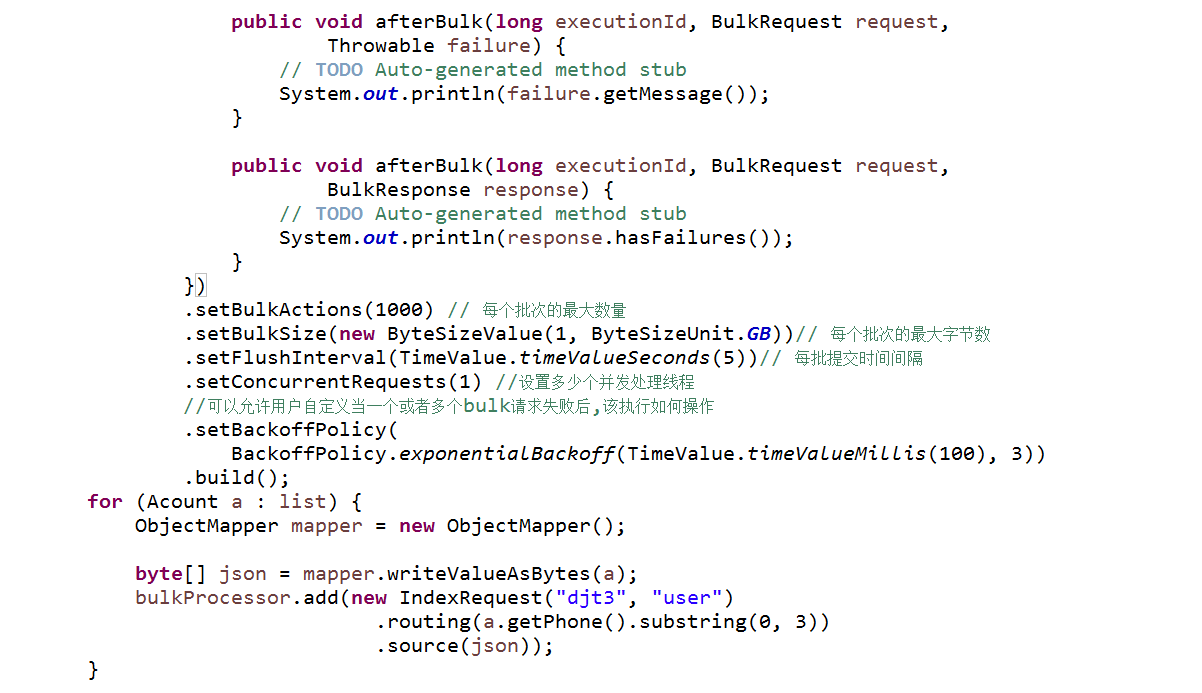


参考代码ESTestAggregation.java
package com.dajiangtai.djt_spider.elasticsearch;

import java.net.InetAddress;

import java.net.UnknownHostException;

import java.util.ArrayList;

import java.util.HashMap;

import java.util.List;

import java.util.Map;

import java.util.concurrent.TimeUnit;

import org.codehaus.jackson.map.ObjectMapper;

import org.elasticsearch.action.bulk.BackoffPolicy;

import org.elasticsearch.action.bulk.BulkProcessor;

import org.elasticsearch.action.bulk.BulkRequest;

import org.elasticsearch.action.bulk.BulkResponse;

import org.elasticsearch.action.index.IndexRequest;

import org.elasticsearch.action.index.IndexResponse;

import org.elasticsearch.action.search.SearchRequestBuilder;

import org.elasticsearch.action.search.SearchResponse;

import org.elasticsearch.client.transport.TransportClient;

import org.elasticsearch.common.settings.Settings;

import org.elasticsearch.common.transport.InetSocketTransportAddress;

import org.elasticsearch.common.unit.ByteSizeUnit;

import org.elasticsearch.common.unit.ByteSizeValue;

import org.elasticsearch.common.unit.TimeValue;

import org.elasticsearch.index.query.QueryBuilders;

import org.elasticsearch.search.SearchHit;

import org.elasticsearch.search.SearchHits;

import org.elasticsearch.search.aggregations.AggregationBuilders;

import org.elasticsearch.search.aggregations.bucket.terms.Terms;

import org.elasticsearch.search.aggregations.bucket.terms.Terms.Bucket;

import org.elasticsearch.search.aggregations.metrics.sum.Sum;

import org.junit.Before;

import org.junit.Test;

/**

 * Aggregation 操作

 *

 * @author 大讲台

 *

 */

public class ESTestAggregation {

    private TransportClient client;

    @Before

    public void test0() throws UnknownHostException {

        // 开启client.transport.sniff功能,探测集群所有节点

        Settings settings = Settings.settingsBuilder()

                .put("cluster.name", "escluster")

                .put("client.transport.sniff", true).build();

        // on startup

        // 获取TransportClient

        client = TransportClient

                .builder()

                .settings(settings)

                .build()

                .addTransportAddress(

                        new InetSocketTransportAddress(InetAddress

                                .getByName("master"), 9300))

                .addTransportAddress(

                        new InetSocketTransportAddress(InetAddress

                                .getByName("slave1"), 9300))

                .addTransportAddress(

                        new InetSocketTransportAddress(InetAddress

                                .getByName("slave2"), 9300));

    }

    /**

     * Aggregation 分组统计相同年龄学员个数

     * @throws Exception

     */

    @Test

    public void test1() throws Exception {

        SearchRequestBuilder builder = client.prepareSearch("djt1");

        builder.setTypes("user")

               .setQuery(QueryBuilders.matchAllQuery())

               //按年龄分组聚合统计

               .addAggregation(AggregationBuilders.terms("by_age").field("age").size(0))

                ;

        SearchResponse searchResponse = builder.get();

        //获取分组信息

        Terms terms = searchResponse.getAggregations().get("by_age");

        List<Bucket> buckets = terms.getBuckets();

        for (Bucket bucket : buckets) {

            System.out.println(bucket.getKey()+":"+bucket.getDocCount());

        }

    }

    /**

     * Aggregation 分组统计每个学员的总成绩

     * @throws Exception

     */

    @Test

    public void test2() throws Exception {

        SearchRequestBuilder builder = client.prepareSearch("djt2");

        builder.setTypes("user")

               .setQuery(QueryBuilders.matchAllQuery())

               //按姓名分组聚合统计

               .addAggregation(AggregationBuilders.terms("by_name")

                       .field("name")

               .subAggregation(AggregationBuilders.sum("sum_score")

                       .field("score"))

               .size(0))

                ;

        SearchResponse searchResponse = builder.get();

        //获取分组信息

        Terms terms = searchResponse.getAggregations().get("by_name");

        List<Bucket> buckets = terms.getBuckets();

        for (Bucket bucket : buckets) {

            Sum sum = bucket.getAggregations().get("sum_score");

            System.out.println(bucket.getKey()+":"+sum.getValue());

        }

    }

    /**

     * 支持多索引和多类型查询

     * @throws Exception

     */

    @Test

    public void test3() throws Exception {

        SearchRequestBuilder builder

        = client//.prepareSearch("djt1","djt2")//可以指定多个索引库

        .prepareSearch("djt*")//索引库可以使用通配符

        .setTypes("user");//支持多个类型,但不支持通配符

        SearchResponse searchResponse = builder.get();

        SearchHits hits = searchResponse.getHits();

        SearchHit[] hits2 = hits.getHits();

        for (SearchHit searchHit : hits2) {

            System.out.println(searchHit.getSourceAsString());

        }

    }

    /**

     * 分片查询方式

     * @throws Exception

     */

    @Test

    public void test4() throws Exception {

        SearchRequestBuilder

        builder = client.prepareSearch("djt3")

                        .setTypes("user")

                        //.setPreference("_local")

                        //.setPreference("_only_local")

                        //.setPreference("_primary")

                        //.setPreference("_replica")

                        //.setPreference("_primary_first")

                        //.setPreference("_replica_first")

                        //.setPreference("_only_node:crKxtA2fRTG1UZdPN8QtaA")

                        //.setPreference("_prefer_node:nJL_MqcsSle6gY7iujoAlw")

                        .setPreference("_shards:3")

                        ;

        SearchResponse searchResponse = builder.get();

        SearchHits hits = searchResponse.getHits();

        SearchHit[] hits2 = hits.getHits();

        for (SearchHit searchHit : hits2) {

            System.out.println(searchHit.getSourceAsString());

        }

    }

    /**

     * 极速查询:通过路由插入数据(同一类别数据在一个分片)

     * @throws Exception

     */

    @Test

    public void test5() throws Exception {

        Acount acount = new Acount("13602546655","tom1","male",16);

        Acount acount2 = new Acount("13602546655","tom2","male",17);

        Acount acount3 = new Acount("13602546655","tom3","male",18);

        Acount acount4 = new Acount("18903762536","john1","male",28);

        Acount acount5 = new Acount("18903762536","john2","male",29);

        Acount acount6 = new Acount("18903762536","john3","male",30);

        List<Acount> list = new ArrayList<Acount>();

        list.add(acount);

        list.add(acount2);

        list.add(acount3);

        list.add(acount4);

        list.add(acount5);

        list.add(acount6);

        BulkProcessor bulkProcessor = BulkProcessor.builder(

                client,

                new BulkProcessor.Listener() {

                    public void beforeBulk(long executionId, BulkRequest request) {

                        // TODO Auto-generated method stub

                        System.out.println(request.numberOfActions());

                    }

                    public void afterBulk(long executionId, BulkRequest request,

                            Throwable failure) {

                        // TODO Auto-generated method stub

                        System.out.println(failure.getMessage());

                    }

                    public void afterBulk(long executionId, BulkRequest request,

                            BulkResponse response) {

                        // TODO Auto-generated method stub

                        System.out.println(response.hasFailures());

                    }

                })

                .setBulkActions(1000) // 每个批次的最大数量

                .setBulkSize(new ByteSizeValue(1, ByteSizeUnit.GB))// 每个批次的最大字节数

                .setFlushInterval(TimeValue.timeValueSeconds(5))// 每批提交时间间隔

                .setConcurrentRequests(1) //设置多少个并发处理线程

                //可以允许用户自定义当一个或者多个bulk请求失败后,该执行如何操作

                .setBackoffPolicy(

                    BackoffPolicy.exponentialBackoff(TimeValue.timeValueMillis(100), 3))

                .build();

        for (Acount a : list) {

            ObjectMapper mapper = new ObjectMapper();

            byte[] json = mapper.writeValueAsBytes(a);

            bulkProcessor.add(new IndexRequest("djt3", "user")

                                .routing(a.getPhone().substring(0, 3))

                                .source(json));

        }

        //阻塞至所有的请求线程处理完毕后,断开连接资源

                bulkProcessor.awaitClose(3, TimeUnit.MINUTES);

                client.close();

    }

    /**

     * 极速查询:通过路由极速查询,也可以通过分片shards查询演示

     *

     * @throws Exception

     */

    @Test

    public void test6() throws Exception {

        SearchRequestBuilder builder = client.prepareSearch("djt3")//可以指定多个索引库

                                             .setTypes("user");//支持多个类型,但不支持通配符

        builder.setQuery(QueryBuilders.matchAllQuery())

               .setRouting("13602546655".substring(0, 3))

               //.setRouting("18903762536".substring(0, 3))

               ;

        SearchResponse searchResponse = builder.get();

        SearchHits hits = searchResponse.getHits();

        SearchHit[] hits2 = hits.getHits();

        for (SearchHit searchHit : hits2) {

            System.out.println(searchHit.getSourceAsString());

        }

    }

}
elastisSearch-aggregations的更多相关文章
- hive的Query和Insert,Group by,Aggregations(聚合)操作
1.Query (1)分区查询 在查询的过程中,采用那个分区来查询是通过系统自动的决定,但是必须是在分区列上基于where子查询. SELECT page_views.* FROM page_view ...
- ElasticSearch 的 聚合(Aggregations)
Elasticsearch有一个功能叫做 聚合(aggregations) ,它允许你在数据上生成复杂的分析统计.它很像SQL中的 GROUP BY 但是功能更强大. Aggregations种类分为 ...
- aggregation 详解2(metrics aggregations)
概述 权值聚合类型从需要聚合的文档中取一个值(value)来计算文档的相应权值(比如该值在这些文档中的max.sum等). 用于计算的值(value)可以是文档的字段(field),也可以是脚本(sc ...
- aggregation 详解4(pipeline aggregations)
概述 管道聚合处理的对象是其它聚合的输出(桶或者桶的某些权值),而不是直接针对文档. 管道聚合的作用是为输出增加一些有用信息. 管道聚合大致分为两类: parent 此类聚合的"输入&quo ...
- aggregations 详解1(概述)
aggregation分类 aggregations —— 聚合,提供了一种基于查询条件来对数据进行分桶.计算的方法.有点类似于 SQL 中的 group by 再加一些函数方法的操作. 聚合可以嵌套 ...
- Elasticsearch aggregations API
聚合能力 Aggregation API 类似 SQL 中的 GROUP BY 语句,可以以某个字段来进行分组. Aggregation API 支持分级分组,多级的分组过程是由外到里的. Aggre ...
- Spark学习之路(十一)—— Spark SQL 聚合函数 Aggregations
一.简单聚合 1.1 数据准备 // 需要导入spark sql内置的函数包 import org.apache.spark.sql.functions._ val spark = SparkSess ...
- Spark 系列(十一)—— Spark SQL 聚合函数 Aggregations
一.简单聚合 1.1 数据准备 // 需要导入 spark sql 内置的函数包 import org.apache.spark.sql.functions._ val spark = SparkSe ...
- 使用 ElasticSearch Aggregations 进行统计分析(转)
https://blog.csdn.net/cs729298/article/details/68926969 ElasticSearch 的特点随处可见:基于 Lucene 的分布式搜索引擎,友好的 ...
- Elasticsearch系列(二)--query、filter、aggregations
本文基于ES6.4版本,我也是出于学习阶段,对学习内容做个记录,如果文中有错误,请指出. 实验数据: index:book type:novel mappings: { "mappings& ...
随机推荐
- OC基础:getter和setter,@public @protected @private 分类: ios学习 OC 2015-06-15 19:23 22人阅读 评论(0) 收藏
@public 1.公开的,公共的,可以在类的内部和外部访问. 2.类的内部:实例变量名 3.类的外部:对象->实例变量名 @protected 1.受保护的,只能在本类和子类中可以访问 2.类 ...
- 基础练习 Sine之舞
基础练习 Sine之舞 时间限制:1.0s 内存限制:512.0MB 问题描述 最近FJ为他的奶牛们开设了数学分析课,FJ知道若要学好这门课,必须有一个好的三角函数基本功.所以他 ...
- B+与B-树
1 .B-树定义 B-树是一种平衡的多路查找树,它在文件系统中很有用. 定义:一棵m 阶的B-树,或者为空树,或为满足下列特性的m 叉树:⑴树中每个结点至多有m 棵子树:⑵若根结点不是叶子结点,则至少 ...
- Koa下http代理
前言 最近做管理后台的重构或者说重做. 至于为什么要重构. 随意的解释: 是原来写的人走了. 客观的解释: 用的人觉得不好用 维护的人员找不到北 再多一点解释: express + ejs的混合编写 ...
- Hibernate4.3配置
<?xml version='1.0' encoding='utf-8'?> <!DOCTYPE hibernate-configuration PUBLIC "-//Hi ...
- L3-017 森森快递 (30 分)
森森开了一家快递公司,叫森森快递.因为公司刚刚开张,所以业务路线很简单,可以认为是一条直线上的N个城市,这些城市从左到右依次从0到(编号.由于道路限制,第i号城市(,)与第(号城市中间往返的运输货物重 ...
- Properties类与配置文件
//加载文件public static void testLoadProperties() throws Exception { Properties properties = new Propert ...
- python 获取excel文件的所有sheet名字
当一个excel文件的sheet比较多时候, 这时候需要获取所有的sheet的名字. xl = pd.ExcelFile('foo.xls') xl.sheet_names # see all she ...
- stenciljs 学习十二 官方doc 路由使用的例子
路由在单页面应用开发中是一个相对比较重要的位置 以下为官方网站的路由配置 <stencil-router scrollTopOffset={0}> <stencil-route-sw ...
- Keepalived+HAProxy实现RabbtiMQ高可用的负载均衡
HAProxy提供高可用性.负载均衡以及基于TCP和HTTP应用的代理,支持虚拟主机,它是免费.快速并且可靠的一种解决方案,包括Twitter,Reddit,StackOverflow,GitHub在 ...