
8.Query Documents-官方文档摘录
总结
1 先插入数据
db.inventory.insertMany([

   { item: "journal", qty: 25, size: { h: 14, w: 21, uom: "cm" }, status: "A" },

   { item: "notebook", qty: 50, size: { h: 8.5, w: 11, uom: "in" }, status: "A" },

   { item: "paper", qty: 100, size: { h: 8.5, w: 11, uom: "in" }, status: "D" },

   { item: "planner", qty: 75, size: { h: 22.85, w: 30, uom: "cm" }, status: "D" },

   { item: "postcard", qty: 45, size: { h: 10, w: 15.25, uom: "cm" }, status: "A" }

])
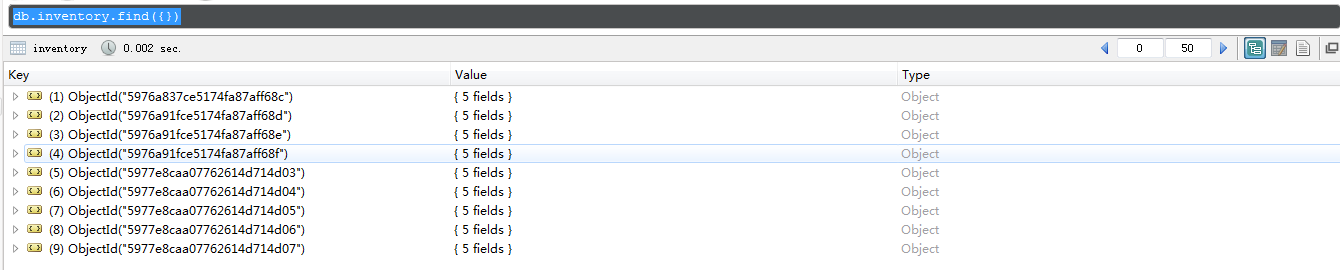
2 查询所有数据
db.inventory.find({})
3 指定相等条件
db.inventory.find({

    status:"D"

    })

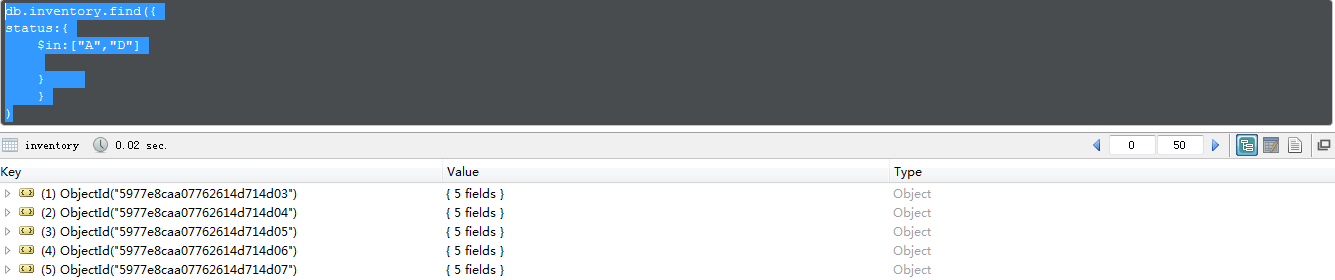
4 指定查询运算条件
db.inventory.find({

status:{

    $in:["A","D"]

    }

    }

)
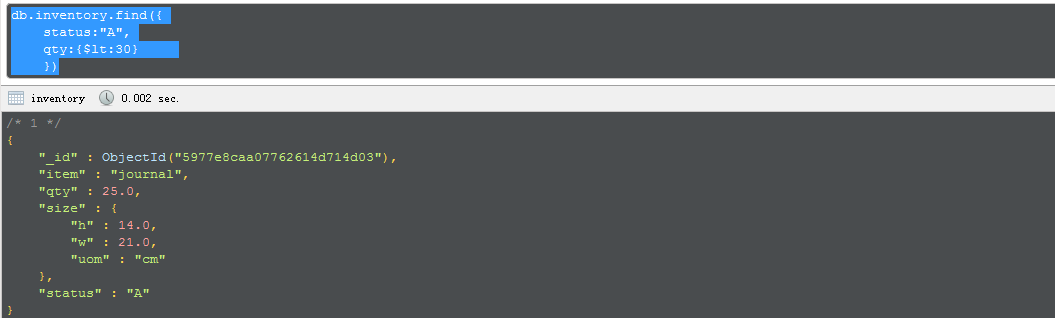
5 指定and的条件
db.inventory.find({

    status:"A",

    qty:{$lt:30}

    })
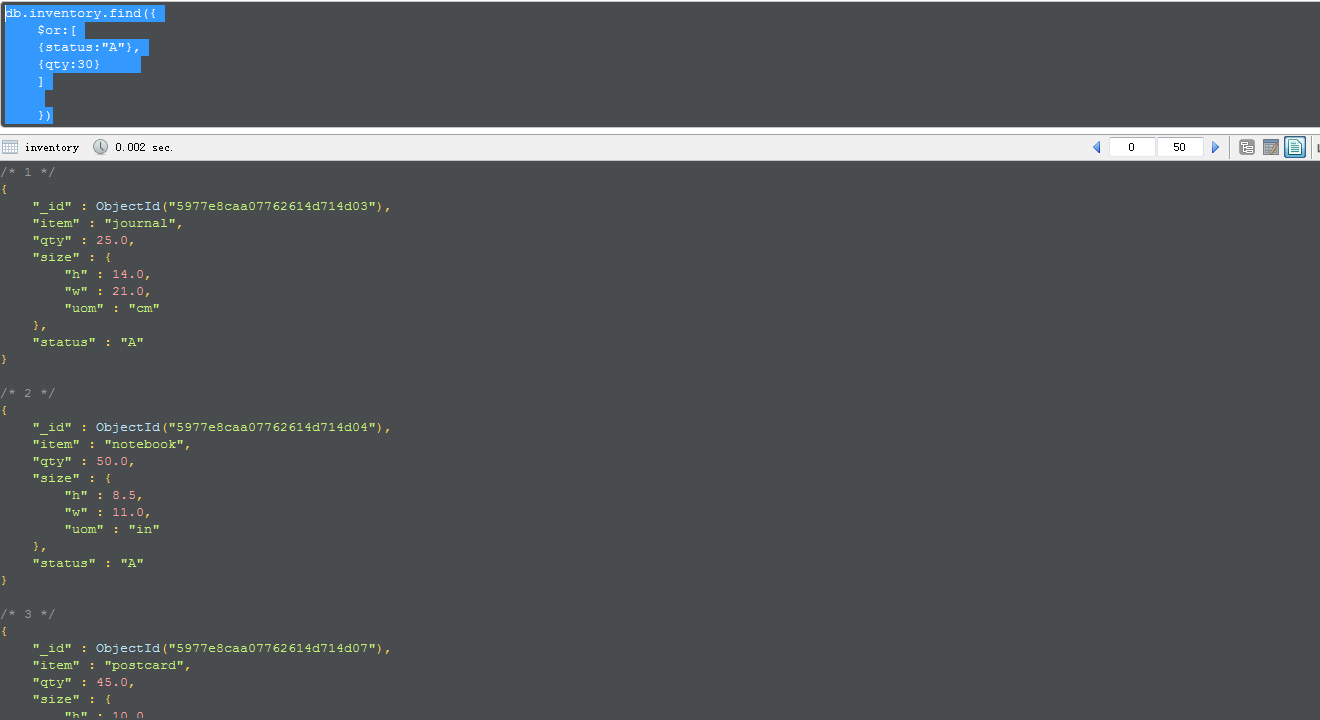
6 指定or条件
db.inventory.find({

    $or:[

    {status:"A"},

    {qty:30}

    ]

    })
7 指定and和or的条件
db.inventory.find({

    status:"A",

    $or:[

    {qty:{

        $lt:30

        }},

    {item:/^p/}

    ]

    })

This page provides examples of query operations using the db.collection.find() method in the mongoshell. The examples on this page use the inventory collection. To populate the inventory collection, run the following:
db.inventory.insertMany([

   { item: "journal", qty: 25, size: { h: 14, w: 21, uom: "cm" }, status: "A" },

   { item: "notebook", qty: 50, size: { h: 8.5, w: 11, uom: "in" }, status: "A" },

   { item: "paper", qty: 100, size: { h: 8.5, w: 11, uom: "in" }, status: "D" },

   { item: "planner", qty: 75, size: { h: 22.85, w: 30, uom: "cm" }, status: "D" },

   { item: "postcard", qty: 45, size: { h: 10, w: 15.25, uom: "cm" }, status: "A" }

]);
You can run the operation in the web shell below:
Select All Documents in a Collection
To select all documents in the collection, pass an empty document as the query filter parameter to the find method. The query filter parameter determines the select criteria:
db.inventory.find( {} )
These operation corresponds to the following SQL statement:
SELECT * FROM inventory
For more information on the syntax of the method, see find().
Specify Equality Condition
To specify equality conditions, use <field>:<value> expressions in the query filter document:
{ <field1>: <value1>, ... }
The following example selects from the inventory collection all documents where the status equals "D":
db.inventory.find( { status: "D" } )
This operation corresponds to the following SQL statement:
SELECT * FROM inventory WHERE status = "D"
Specify Conditions Using Query Operators
A query filter document can use the query operators to specify conditions in the following form:
{ <field1>: { <operator1>: <value1> }, ... }
The following example retrieves all documents from the inventory collection where status equals either"A" or "D":
db.inventory.find( { status: { $in: [ "A", "D" ] } } )
Although you can express this query using the $or operator, use the $in operator rather than the $oroperator when performing equality checks on the same field.
The operation corresponds to the following SQL statement:
SELECT * FROM inventory WHERE status in ("A", "D")
Refer to the Query and Projection Operators document for the complete list of MongoDB query operators.
Specify AND Conditions
A compound query can specify conditions for more than one field in the collection’s documents. Implicitly, a logical AND conjunction connects the clauses of a compound query so that the query selects the documents in the collection that match all the conditions.
The following example retrieves all documents in the inventory collection where the status equals "A"and qty is less than ($lt) 30:
db.inventory.find( { status: "A", qty: { $lt: 30 } } )
The operation corresponds to the following SQL statement:
SELECT * FROM inventory WHERE status = "A" AND qty < 30
See comparison operators for other MongoDB comparison operators.
Specify OR Conditions
Using the $or operator, you can specify a compound query that joins each clause with a logical ORconjunction so that the query selects the documents in the collection that match at least one condition.
The following example retrieves all documents in the collection where the status equals "A" or qty is less than ($lt) 30:
db.inventory.find( { $or: [ { status: "A" }, { qty: { $lt: 30 } } ] } )
The operation corresponds to the following SQL statement:
SELECT * FROM inventory WHERE status = "A" OR qty < 30
NOTE
Queries which use comparison operators are subject to Type Bracketing.
Specify AND as well as OR Conditions
In the following example, the compound query document selects all documents in the collection where thestatus equals "A" and either qty is less than ($lt) 30 or item starts with the character p:
db.inventory.find( {

     status: "A",

     $or: [ { qty: { $lt: 30 } }, { item: /^p/ } ]

} )
The operation corresponds to the following SQL statement:
SELECT * FROM inventory WHERE status = "A" AND ( qty < 30 OR item LIKE "p%")
NOTE
MongoDB supports regular expressions $regex queries to perform string pattern matches.
Additional Query Tutorials
For additional query examples, see:
Behavior
Cursor
The db.collection.find() method returns a cursor to the matching documents.
Read Isolation
New in version 3.2.
For reads to replica sets and replica set shards, read concern allows clients to choose a level of isolation for their reads. For more information, see Read Concern.
Additional Methods
The following methods can also read documents from a collection:
db.collection.findOne- In aggregation pipeline, the
$matchpipeline stage provides access to MongoDB queries.
NOTE
The db.collection.findOne() method also performs a read operation to return a single document. Internally, the db.collection.findOne() method is the db.collection.find() method with a limit of 1.
8.Query Documents-官方文档摘录的更多相关文章
- Cocos Creator 加载和切换场景(官方文档摘录)
Cocos Creator 加载和切换场景(官方文档摘录) 在 Cocos Creator 中,我们使用场景文件名( 可以不包含扩展名)来索引指代场景.并通过以下接口进行加载和切换操作: cc.dir ...
- ng的概念层次(官方文档摘录)
官方文档是这么说的: You write Angular applications by: composing HTML templates with Angularized markup, writ ...
- 10.Query an Array-官方文档摘录
1.插入 db.inventory.insertMany([ { item: "journal", qty: 25, tags: ["blank", " ...
- Cocos Creator 使用计时器(官方文档摘录)
在 Cocos Creator 中,我们为组件提供了方便的计时器,这个计时器源自于 Cocos2d-x 中的 cc.Scheduler,我们将它保留在了 Cocos Creator 中并适配了基于组件 ...
- Cocos Creator 生命周期回调(官方文档摘录)
Cocos Creator 为组件脚本提供了生命周期的回调函数.用户通过定义特定的函数回调在特定的时期编写相关 脚本.目前提供给用户的声明周期回调函数有: onLoad start update la ...
- angular 模板语法(官方文档摘录)
https://angular.cn/guide/template-syntax {{}} 和"" 如果嵌套,{{}}里面求完值,""就是原意 <h3&g ...
- Qt元类型(MetaType)注册入门(附一些官方文档的关键摘录)
昨天调试项目时,突然发现如下消息: QObject::connect: Cannot queue arguments of type 'ERROR_LEVEL' (Make sure 'ERROR_L ...
- Spring Data Commons 官方文档学习
Spring Data Commons 官方文档学习 -by LarryZeal Version 1.12.6.Release, 2017-07-27 为知笔记版本在这里,带格式. Table o ...
- [翻译]PyMongo官方文档
PyMongo官方文档翻译 周煦辰 2016-06-30 这是本人翻译的PyMongo官方文档.现在网上分(抄)享(袭)的PyMongo博客文章很多,一方面这些文章本就是抄袭的,谈不上什么格式美观,另 ...
- 【AutoMapper官方文档】DTO与Domin Model相互转换(中)
写在前面 AutoMapper目录: [AutoMapper官方文档]DTO与Domin Model相互转换(上) [AutoMapper官方文档]DTO与Domin Model相互转换(中) [Au ...
随机推荐
- 1.文件I/O
一. open()&close() #include <sys/types.h> #include <sys/stat.h> #include <fcntl.h& ...
- Http basic Auth 认证方式帮助类
BasicAuthenticationUtil import java.io.IOException; import java.security.MessageDigest; import javax ...
- python socket 多人聊天室
参考来源(其实我从上面复制了一点):Python 的 Socket 编程教程 http://www.oschina.net/question/12_76126Python线程指南 http://ww ...
- vSphereClient向ESXi主机分配许可证
ESXi服务器需要使用VMwarevSphereClient进行管理(7.0+版本可以通过浏览器进行管理)在VMware vSphere client可以方便的创建.管理虚拟机,并分配相应的资源.要能 ...
- 集群下使用redis统一session处理
pom依赖(快照版): <dependency> <groupId>org.springframework.session</groupId> <artifa ...
- php yaf框架扩展实践五——数据层
从狭义角度上来理解数据层就是数据库,比较广义的理解来看数据库.远程数据.文件等都可以看做数据层.项目初期的时候一般单一的数据库就可以了,随着流量的增大就要对数据层做很多的改进,例如增加从库分散读压力, ...
- 第一百三十六节,JavaScript,封装库--事件绑定
JavaScript,封装库--事件绑定 在函数库添加两个函数 添加事件绑定函数 删除事件绑定函数 添加事件绑定函数 /** addEvent()函数库函数,跨浏览器添加事件绑定,注意:传入事件名称时 ...
- Aop检查Session,全局过滤器和No全局过滤器
全局过滤器: using System; using System.Collections.Generic; using System.Linq; using System.Web; using Sy ...
- Dynamics CRM 系统自己定义部分的语言翻译
Dynamics CRM 自带语言切换功能,在官网下载所需语言包安装后,在设置语言中就能看到你所加入的语言.勾选要启用的语言应用就可以.再打开系统设置--语言就能看到可更改用户界面语言的显示了. wa ...
- Oracle 常用性能监控SQL语句
1. --查看表锁 SELECT * FROM SYS.V_$SQLAREA WHERE DISK_READS > 100; 2. --监控事例的等待 SELECT EVEN ...