
websocket socketJs
springboot实现服务器端消息推送(websocket + sockjs + stomp)
服务器端推送技术在web开发中比较常用,可能早期很多人的解决方案是采用ajax向服务器轮询消息,这种方式的轮询频率不好控制,所以大大增加了服务器的压力,后来有了下面的方案:当客户端向服务器发送请求时,服务器端会抓住这个请求不放,等有数据更新的时候才返回给客户端,当客户端接收到数据后再次发送请求,周而复始,这样就大大减少了请求次数,减轻了服务器的压力,当前主要有SSE(Server Send Event 服务器端事件发送)的服务器端推送和基于Servlet3.0+异步方法特性实现的服务器端推送。而本次我将利用webSokcet实现服务器端消息推送。话不多说上代码:
1、pom.xml,新建springboot项目,加入webSocket启动包spring-boot-starter-websocket;
2、WebSocketConfig

package com.example.demo.websocket;

import org.springframework.context.annotation.Configuration;

import org.springframework.messaging.simp.config.MessageBrokerRegistry;

import org.springframework.web.socket.config.annotation.AbstractWebSocketMessageBrokerConfigurer;

import org.springframework.web.socket.config.annotation.EnableWebSocketMessageBroker;

import org.springframework.web.socket.config.annotation.StompEndpointRegistry;

@Configuration

@EnableWebSocketMessageBroker  //注解开启STOMP协议来传输基于代理的消息,此时控制器支持使用@MessageMapping

public class WebSocketConfig extends AbstractWebSocketMessageBrokerConfigurer {

    @Override

    public void configureMessageBroker(MessageBrokerRegistry config) {

        config.enableSimpleBroker("/topic","/user");//topic用来广播,user用来实现p2p

    }

    @Override

    public void registerStompEndpoints(StompEndpointRegistry registry) {

        registry.addEndpoint("/webServer").withSockJS();

        registry.addEndpoint("/queueServer").withSockJS();//注册两个STOMP的endpoint,分别用于广播和点对点

    }

}
3、接收消息类:ReceiveMessage
package com.example.demo.websocket;

public class ReceiveMessage {

    private String name;

    public String getName() {

        return name;

    }

    public void setName(String name) {

        this.name = name;

    }

}
4、响应消息类:ResponseMessage
package com.example.demo.websocket;

public class ResponseMessage {

    private String id;

    private String name;

    private String content;

    public String getId() {

        return id;

    }

    public void setId(String id) {

        this.id = id;

    }

    public String getName() {

        return name;

    }

    public void setName(String name) {

        this.name = name;

    }

    public String getContent() {

        return content;

    }

    public void setContent(String content) {

        this.content = content;

    }

    public ResponseMessage(String id, String name, String content) {

        super();

        this.id = id;

        this.name = name;

        this.content = content;

    }

}
5、控制器类:SubController
package com.example.demo.websocket;

import org.springframework.beans.factory.annotation.Autowired;

import org.springframework.messaging.handler.annotation.MessageMapping;

import org.springframework.messaging.simp.SimpMessagingTemplate;

import org.springframework.stereotype.Controller;

@Controller

public class SubController {

    @Autowired

    public SimpMessagingTemplate template;

    @MessageMapping("/subscribe")

    public void subscribe(ReceiveMessage rm) {

        for(int i =1;i<=20;i++) {

            //广播使用convertAndSend方法,第一个参数为目的地,和js中订阅的目的地要一致

            template.convertAndSend("/topic/getResponse", rm.getName());

            try {

                Thread.sleep(1000);

            } catch (InterruptedException e) {

                e.printStackTrace();

            }

        }

    }

    @MessageMapping("/queue")

    public void queuw(ReceiveMessage rm) {

        System.out.println("进入方法");

        for(int i =1;i<=20;i++) {

            /*广播使用convertAndSendToUser方法,第一个参数为用户id,此时js中的订阅地址为

            "/user/" + 用户Id + "/message",其中"/user"是固定的*/

            template.convertAndSendToUser("zhangsan","/message",rm.getName());

            try {

                Thread.sleep(1000);

            } catch (InterruptedException e) {

                e.printStackTrace();

            }

        }

    }

}
6、在src/main/resource包下建一个static包,引入jquery-3.2.1.min.js、sock.js、stomp.js,创建topic.html和queue.html。
<html>

<head>

    <meta charset="UTF-8">

    <title>Hello topic</title>

    <script src="sock.js"></script>

    <script src="stomp.js"></script>

    <script src="jquery-3.2.1.min.js"></script>

    <script type="text/javascript">

        var stompClient = null;

        function setConnected(connected){

            document.getElementById("connect").disabled = connected;

            document.getElementById("disconnect").disabled = !connected;

            $("#response").html();

        }

        function connect() {

            var socket = new SockJS("/webServer");

            stompClient = Stomp.over(socket);

            stompClient.connect({}, function(frame) {

                setConnected(true);

                console.log('Connected: ' + frame);

                stompClient.subscribe('/topic/getResponse', function(response){

                    var response1 = document.getElementById('response');

                    var p = document.createElement('p');

                    p.style.wordWrap = 'break-word';

                    p.appendChild(document.createTextNode(response.body));

                    response1.appendChild(p);

                });

            });

        }

        function disconnect() {

            if (stompClient != null) {

                stompClient.disconnect();

            }

            setConnected(false);

            console.log("Disconnected");

        }

        function sendName() {

            var name = document.getElementById('name').value;

            console.info(1111111111);

            stompClient.send("/subscribe", {}, JSON.stringify({ 'name': name }));

        }

    </script>

</head>

<body onload="disconnect()">

<noscript><h2 style="color: #ff0000">Seems your browser doesn't support Javascript! Websocket relies on Javascript being enabled. Please enable

    Javascript and reload this page!</h2></noscript>

<div>

    <div>

        <button id="connect" onclick="connect();">Connect</button>

        <button id="disconnect" disabled="disabled" onclick="disconnect();">Disconnect</button>

    </div>

    <div id="conversationDiv">

        <labal>名字</labal><input type="text" id="name" />

        <button id="sendName" onclick="sendName();">Send</button>

        <p id="response"></p>

    </div>

</div>

</body>

</html>
<html>

<head>

    <meta charset="UTF-8">

    <title>Hello queue</title>

    <script src="sock.js"></script>

    <script src="stomp.js"></script>

    <script src="jquery-3.2.1.min.js"></script>

    <script type="text/javascript">

        var stompClient = null;

        function setConnected(connected){

            document.getElementById("connect").disabled = connected;

            document.getElementById("disconnect").disabled = !connected;

            $("#response").html();

        }

        function connect() {

            var socket = new SockJS("/queueServer");

            stompClient = Stomp.over(socket);

            stompClient.connect({}, function(frame) {

                setConnected(true);

                console.log('Connected: ' + frame);

                stompClient.subscribe('/user/'+document.getElementById('user').value+'/message', function(response){

                    var response1 = document.getElementById('response');

                    var p = document.createElement('p');

                    p.style.wordWrap = 'break-word';

                    p.appendChild(document.createTextNode(response.body));

                    response1.appendChild(p);

                });

            });

        }

        function disconnect() {

            if (stompClient != null) {

                stompClient.disconnect();

            }

            setConnected(false);

            console.log("Disconnected");

        }

        function sendName() {

            var name = document.getElementById('name').value;

            console.info(1111111111);

            stompClient.send("/queue", {}, JSON.stringify({ 'name': name}));

        }

    </script>

</head>

<body onload="disconnect()">

<noscript><h2 style="color: #ff0000">Seems your browser doesn't support Javascript! Websocket relies on Javascript being enabled. Please enable

    Javascript and reload this page!</h2></noscript>

<div>

    <div>

        <labal>用户</labal><input type="text" id="user" />

        <button id="connect" onclick="connect();">Connect</button>

        <button id="disconnect" disabled="disabled" onclick="disconnect();">Disconnect</button>

    </div>

    <div id="conversationDiv">

        <labal>名字</labal><input type="text" id="name" />

        <button id="sendName" onclick="sendName();">Send</button>

        <p id="response"></p>

    </div>

</div>

</body>

</html>
启动项目后,先访问topic.html,如图所示
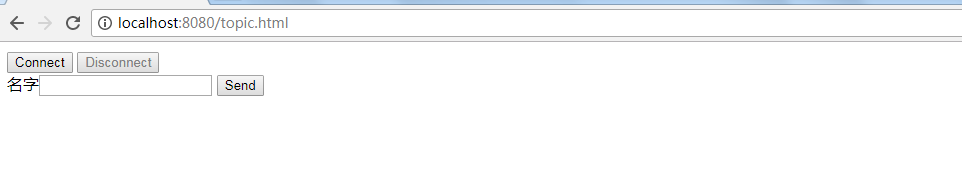

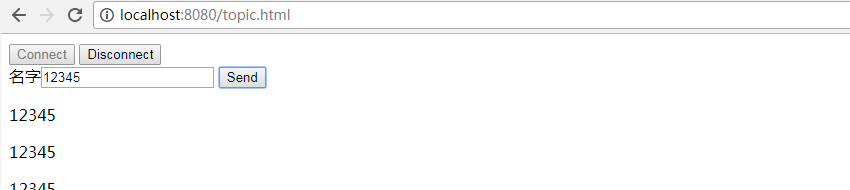
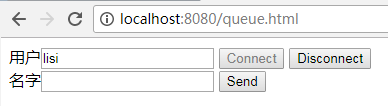
访问queue.html,首先以不同的用户名建立连接,如图所示
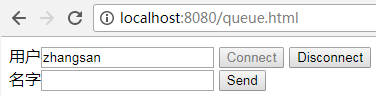
zhangsan窗口发送12345后:
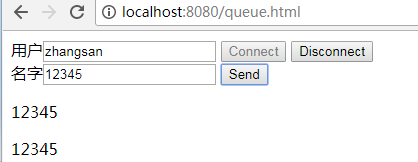
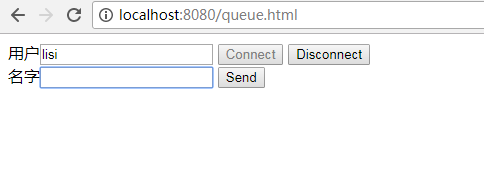
lisi窗口发送67890后:
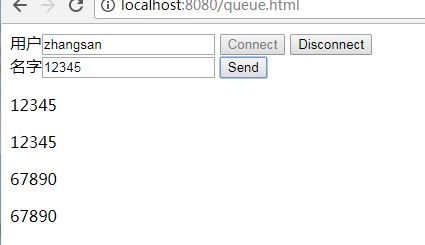
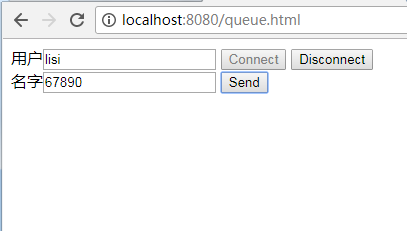
由此便实现了服务端两种推送消息的方式(广播 和点对点)。
转自http://www.cnblogs.com/hhhshct/p/8849449.html 君临-行者无界
websocket socketJs的更多相关文章
- spring websocket 和socketjs实现单聊群聊,广播的消息推送详解
spring websocket 和socketjs实现单聊群聊,广播的消息推送详解 WebSocket简单介绍 随着互联网的发展,传统的HTTP协议已经很难满足Web应用日益复杂的需求了.近年来,随 ...
- tomcat 7下spring 4.x mvc集成websocket以及sockjs完全参考指南
之所以sockjs会存在,说得不好听点,就是因为微软是个流氓,现在使用windows 7的系统仍然有近半,而windows 7默认自带的是ie 8,有些会自动更新到ie 9,但是大部分非IT用户其实都 ...
- 学习WebSocket(一):Spring WebSocket的简单使用
1.什么是websocket? WebSocket协议定义了一种web应用的新功能,它实现了服务器端和客户端的全双工通信.全双工通信即通信的双方可以同时发送和接收信息 的信息交互方式.它是继Java ...
- WebSocket 服务器4
Java Websocket实例 Websocket 2015-04-11 14:11:54 发布 您的评价: 4.4 收藏 6收藏 介绍 现很多网站为了实现即时通讯,所用 ...
- Java中Websocket使用实例解读
介绍 现在很多网站为了实现即时通讯,所用的技术都是轮询(polling).轮询是在特定的的时间间隔(如每1秒),由浏览器对服务器发出HTTP request,然后由服务器返回最新的数据给客服端的浏览器 ...
- java 实现websocket的两种方式
简单说明 1.两种方式,一种使用tomcat的websocket实现,一种使用spring的websocket 2.tomcat的方式需要tomcat 7.x,JEE7的支持. 3.spring与we ...
- 补习系列(20)-大话 WebSocket 与 "尬聊"的实现
目录 一.聊聊 WebSocket 二.Stomp 是个什么鬼 三.SpringBoot 整合 WebSocket A. 引入依赖 B. WebSocket 配置 C. 控制器 D. 前端实现 四.参 ...
- spring boot websocket stomp 实现广播通信和一对一通信聊天
一.前言 玩.net的时候,在asp.net下有一个叫 SignalR 的框架,可以在ASP .NET的Web项目中实现实时通信.刚接触java寻找相关替代品,发现 java 体系中有一套基于stom ...
- Socket,ServerSocket,WebSocket
一 区别 首先来说下区别吧, Socket和ServerSocket 指传输层网络接口协议,是基于套接字的服务端和客户端实现. 而WebScoket是应用层协议,是客户端-服务器的异步通信方法,用于双 ...
随机推荐
- linux 基本操作积累
1 sed 命令,替换含有指定字符的一整行数据 sed -i 's/原字符串/替换后的字符串/g' ./文件名 (此命令会全局替换[整个文件内替换]原字符串) sed -i.bak 's/原字符串/替 ...
- 使用malloc函数或new运算符为链表结点分配内存空间
目录 使用malloc函数或new运算符为链表结点分配内存空间 使用malloc函数或new运算符为链表结点分配内存空间 当我们定义链表结点类型后,如何在每次需要使用新结点时临时分配相应大小的内存空间 ...
- Blazor(一):运行初体验,全新的.net web的开发
官网:https://dotnet.microsoft.com/apps/aspnet/web-apps/client 作者BBS:http://bbs.hslcommunication.cn/ 我们 ...
- Ubuntu18.04 安装 OpenCV 4.1.1
1. 安装依赖包 sudo apt-get install build-essential sudo apt-get install cmake git libgtk2.0-dev pkg-confi ...
- 实验吧之【拐弯抹角】(url伪静态)
题目地址:http://ctf5.shiyanbar.com/indirection/ 打开后给了源码 <?php // code by SEC@USTC echo '<html>& ...
- C# 控件 RichTextBox 显示行号,并且与Panel相互联动
我们在使用到WINFORM窗体工作中,要求RichTextBox 加入行号: 之前有看到大牛们写的,但是太复杂繁多,而且有用双TextBox进行联动,非常不错,今天我们尝试RichTextBox +P ...
- selenium-显式等待与隐式等待(3)
示例代码: from selenium.webdriver.support.wait import WebDriverWait as WD def find_element(self, by, loc ...
- (一)如何理解java面向对象编程
哲学中,事物总是螺旋式上升,波浪式前进.因而编程也逐渐向人类更容易理解的方向前进,多年来人们苦苦追求的编程境界 : 高扩展性(extensibility),高复用性(reuseable).java语言 ...
- 使用 App Inventor 2 开发简单的安卓小游戏
App Inventor2 是一个简单的在线开发安卓应用程序的工具,通过此工具,我们可以很轻松地开发安卓应用. 这里介绍的是笔者自己写的一个小游戏,游戏中玩家通过左右倾斜手机控制“水库”的左右移动,收 ...
- 如何使用Swagger为.NET Core 3.0应用添加JWT授权说明文档
简介 本教程采用WHY-WHAT-HOW黄金圈思维模式编写,黄金圈法则强调的是从WHY为什么学,到WHAT学到什么,再到HOW如何学.从模糊到清晰的学习模式.大家的时间都很宝贵,我们做事前先想清楚为什 ...