
【报错】项目启动,仅仅报错 One or more listeners failed to start. Full details will be found in the appropriate container log file
今天spring4.3.13 项目,整合ActiveMQ的时候,项目启动在自动部署到tomcat下的时候,不能正常的部署,仅仅报错如下:
Connected to server

[-- ::,] Artifact springDemo:war exploded: Artifact is being deployed, please wait...

-Dec- ::13.525 信息 [RMI TCP Connection()-127.0.0.1] org.apache.jasper.servlet.TldScanner.scanJars At least one JAR was scanned for TLDs yet contained no TLDs. Enable debug logging for this logger for a complete list of JARs that were scanned but no TLDs were found in them. Skipping unneeded JARs during scanning can improve startup time and JSP compilation time.

-Dec- ::13.553 严重 [RMI TCP Connection()-127.0.0.1] org.apache.catalina.core.StandardContext.startInternal One or more listeners failed to start. Full details will be found in the appropriate container log file

-Dec- ::13.554 严重 [RMI TCP Connection()-127.0.0.1] org.apache.catalina.core.StandardContext.startInternal Context [] startup failed due to previous errors

[-- ::,] Artifact springDemo:war exploded: Error during artifact deployment. See server log for details.

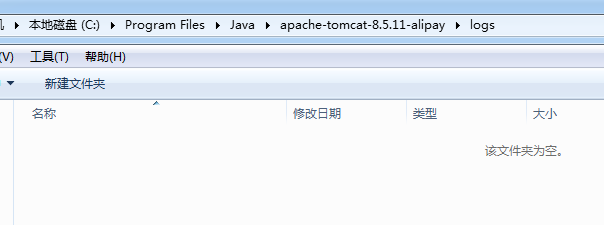
而且,此时tomcat下日志目录下并没有报错的日志文件
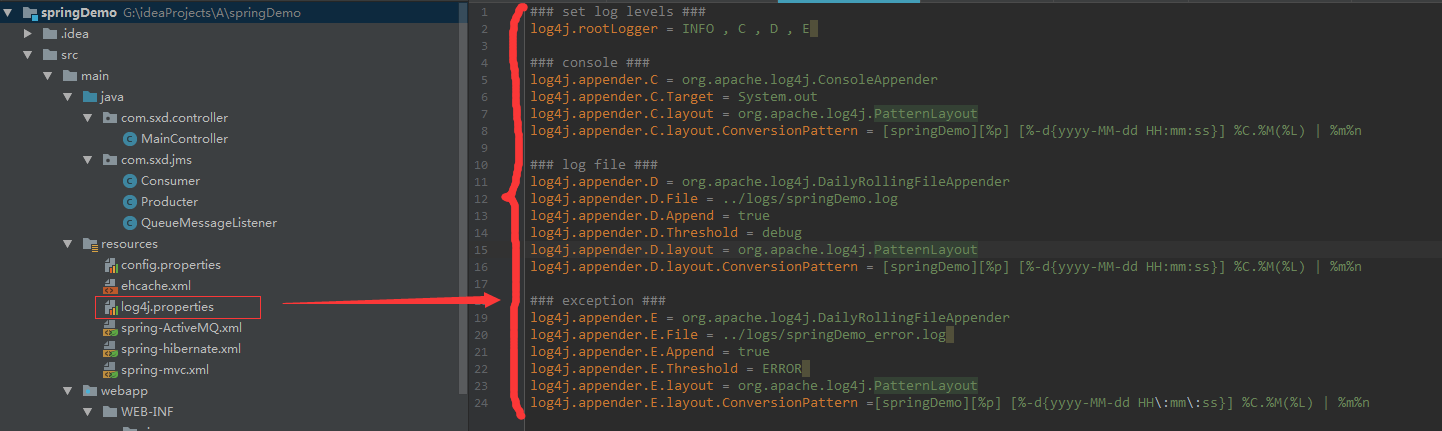
可恶的是,我自己配置的日志配置文件
解决方案:
只要是能看到详细的报错日志,要解决问题就迎刃而解了,可是得有日志文件出来呀
所以,在classpath:下新建一个logging.properties文件【classpath就是你项目的/目录下】
handlers = org.apache.juli.FileHandler, java.util.logging.ConsoleHandler

############################################################

# Handler specific properties.

# Describes specific configuration info for Handlers.

############################################################

org.apache.juli.FileHandler.level = FINE

org.apache.juli.FileHandler.directory = ../logs

org.apache.juli.FileHandler.prefix = error-debug.

java.util.logging.ConsoleHandler.level = FINE

java.util.logging.ConsoleHandler.formatter = java.util.logging.SimpleFormatter
然后重新启动项目
在你tomcat的logs,目录下查看日志文件
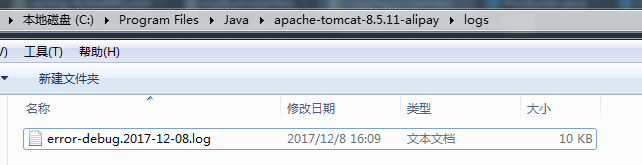
或直接在console下查看错误:
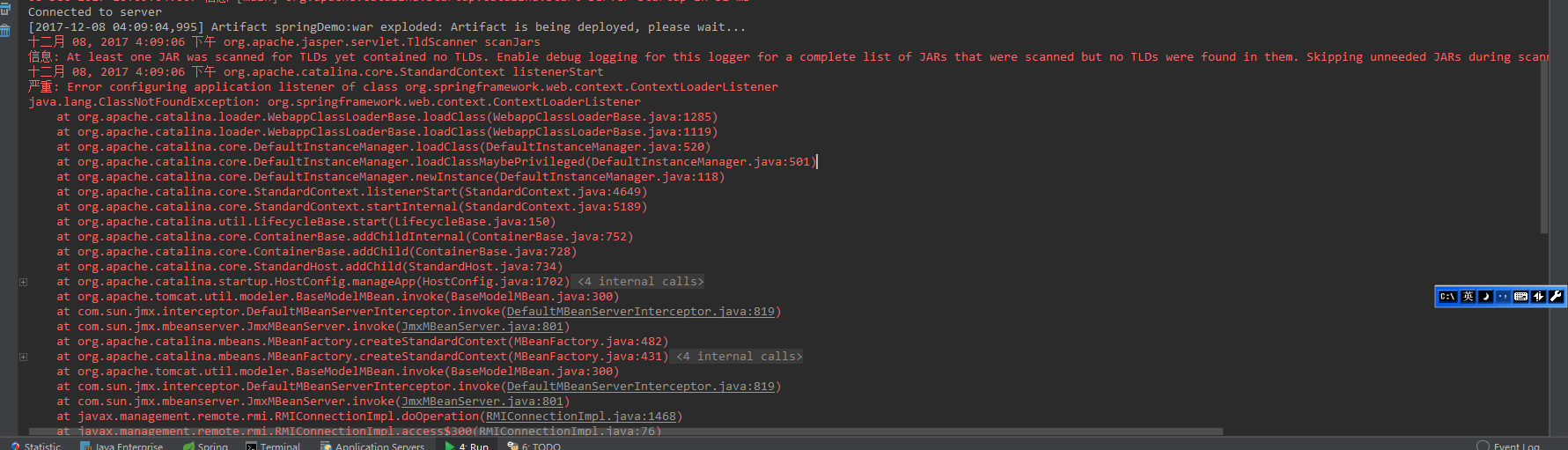
去解决问题就好了!!!!!!
【报错】项目启动,仅仅报错 One or more listeners failed to start. Full details will be found in the appropriate container log file的更多相关文章
- Tomcat启动报错org.apache.catalina.core.StandardContext.startInternal One or more listeners failed to start. Full details will be found in the appropriate container log file
错误: 今天SVN导入新项目后启动项目时控制台报错,之后在网上搜了很多方法.下面列了一些大佬的解决方案: 1. 检查日志配置文件-logging.properties:https://www.cnbl ...
- maven 项目启动tomcat报错 java.lang.ClassNotFoundException: org.springframework.web.context.ContextLoaderListener
maven项目启动tomcat报错: java.lang.ClassNotFoundException: org.springframework.web.context.ContextLoaderLi ...
- 【报错】项目启动部署时报错:java.lang.NoSuchMethodError
报错: ================================================================================================ ...
- 项目启动部署时报错:java.lang.NoSuchMethodError
报错: ================================================================================================ ...
- 使用ssm整合是项目启动tomcat报错java.lang.IndexOutOfBoundsException
解决办法:删除.m2文件夹下的全部仓库,然后重启myeclipse,对项目进行maven project.问题解决. 在没有这样做时,除了tomcat启动会失败,项目还有会报如下错误: ①cvc-co ...
- ssm的maven项目启动tomcat时报错,Cannot find class: XXXX解决办法
最近在写一个ssm的项目,启动总是报错.原因网上查了也没找到.最后终于解决.下面直接上代码 问题描述: 严重: Allocate exception for servlet ssm-dispatche ...
- idea导入ssm项目启动tomcat报错404
用idea写ssm项目,基于之前一直在用spring boot 对于idea如何运行ssm花费了一番功夫 启动Tom act一直在报404 我搜了网上各种解决办法都不行,花费一天多的时间解决不了 就 ...
- 使用tomcat7发布war项目启动org_apache_tomcat_websocket报错
在使用tomcat7发布项目时(项目是用springboot 2.1.4.RELEASE版本开发的) 换成tomcat8就可以正常发布了,网上说tomcat7不支持servlet3.1,升级到spri ...
- 关于maven项目 启动页面报错 The type java.io.ObjectInputStream cannot be resolved.
这种情况,要修改jdk版本,默认jdk选择 jdk不选jre windows---->perference---->java----->installes jres-----> ...
随机推荐
- 【IPv6】ISATAP隧道技术详解
一.基本概念 ISATAP(Intra-SiteAutomatic Tunnel Addressing Protocol) ISATAP是一种非常容易部署和使用的IPv6过渡机制.在 ...
- C#入门篇6-4:字符串操作 string分割字符串效率比较
//分割字符串效率比较 public static void Fund() { //1.用string.Split方法 //a.字节数组: //625毫秒/百万次 string str1 = &quo ...
- win7装python3.6提示api-ms-win-runtime-1-1-0.dll丢失
win7为MSDN下的旗舰版,没有servicepack1那个,刚开始安装python3.6提示必须得安装servicepack1,于是乎到微软官网下了个900mb大小的安装包. https://ww ...
- [oldboy-django][2深入django]django 官方中文文档 --扩展User
https://docs.djangoproject.com/en/2.0/topics/auth/customizing/#extending-the-existing-user-model # 另 ...
- http状态码相关知识(复制)
HTTP报文是面向文本的,报文中的每一个字段都是一些ASCII码串,各个字段的长度是不确定的.HTTP有两类报文:请求报文和响应报文. HTTP请求报文 一个HTTP请求报文由请求行(request ...
- java如何建项目
java常开发的项目有哪几种? 这几种项目都是怎么建的?
- 经典SQL语句大全、50个常用的sql语句
50个常用的sql语句 Student(S#,Sname,Sage,Ssex) 学生表 Course(C#,Cname,T#) 课程表 SC(S#,C#,score) 成绩表 Teacher(T#,T ...
- BZOJ4002 [JLOI2015]有意义的字符串 【数学 + 矩乘】
题目链接 BZOJ4002 题解 容易想到\(\frac{b + \sqrt{d}}{2}\)是二次函数\(x^2 - bx + \frac{b^2 - d}{4} = 0\)的其中一根 那么就有 \ ...
- border-radius元素overflow:hidden失效问题
父元素使用border-radius和overflow:hidden做成圆形,子元素如果使用了transform属性,则父元素的overflow:hidden会失效. 解决方法: 父元素使用 -wei ...
- redis学习(六)主从复制
主从复制:主机更新数据后,根据配置和策略,自动同步到备机的master/slaver机制,master以写为主,slaver以读为主.redis支持主从复制. 下面通过实例来讲解主从复制的四个模式: ...