
pytest五:fixture_autouse=True
平常写自动化用例会写一些前置的 fixture 操作,用例需要用到就直接传该函数的参数名称就行了。当用例很多的时候,每次都传返个参数,会比较麻烦。
fixture 里面有个参数 autouse,默讣是 Fasle 没开启的,可以设置为True 开启自动使用 fixture 功能,返样用例就丌用每次都去传参了
调用 fixture 三种方法
1.函数或类里面方法直接传 fixture 的函数参数名称
2.使用装饰器@pytest.mark.usefixtures()修饰
3.autouse=True 自动使用
方法一:先定义 start 功能,用例全部传 start 参数,调用该功能
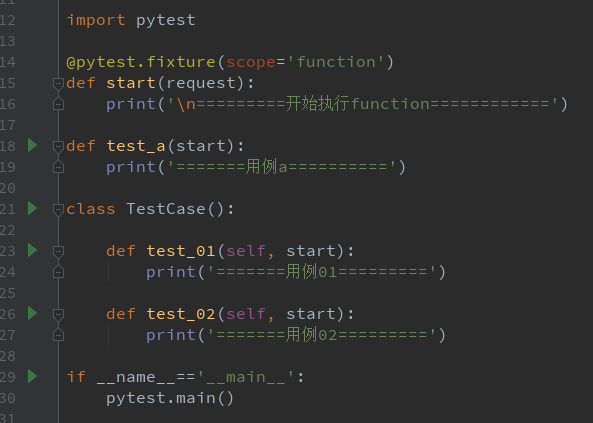
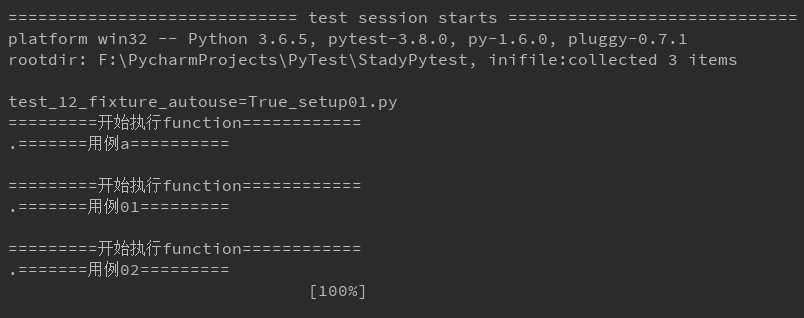 import pytest
@pytest.fixture(scope='function')
def start(request):
    print('\n=========开始执行function============')

def test_a(start):
    print('=======用例a==========')

class TestCase():

    def test_01(self, start):
        print('=======用例01=========')

    def test_02(self, start):
        print('=======用例02=========')

if __name__=='__main__':
    pytest.main()

方法二:使用装饰器@pytest.mark.usefixtures()修饰需要运行的用例
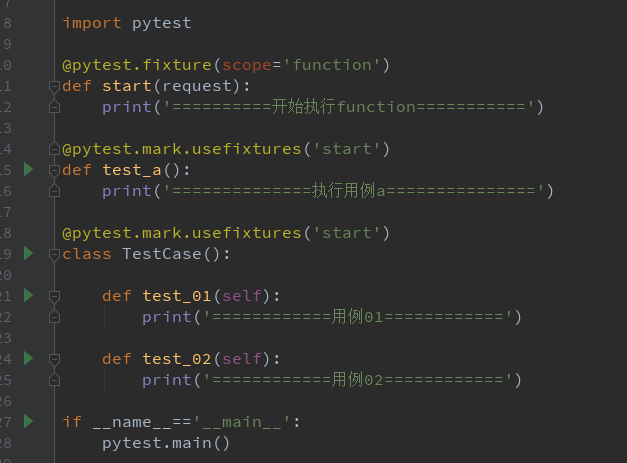
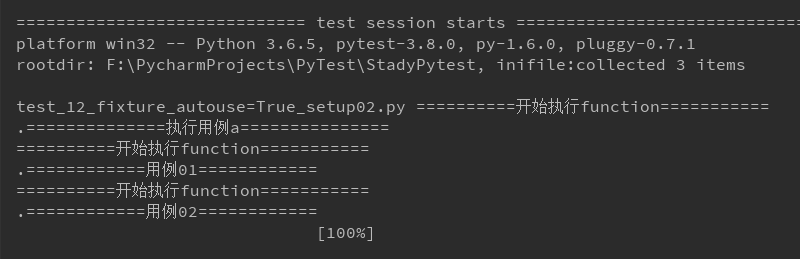
import pytest

@pytest.fixture(scope='function')
def start(request):
    print('==========开始执行function===========')

@pytest.mark.usefixtures('start')
def test_a():
    print('==============执行用例a===============')

@pytest.mark.usefixtures('start')
class TestCase():

    def test_01(self):
        print('============用例01============')

    def test_02(self):
        print('============用例02============')

if __name__=='__main__':
    pytest.main()
方法三:autouse 设置为 True,自动调用 fixture 功能
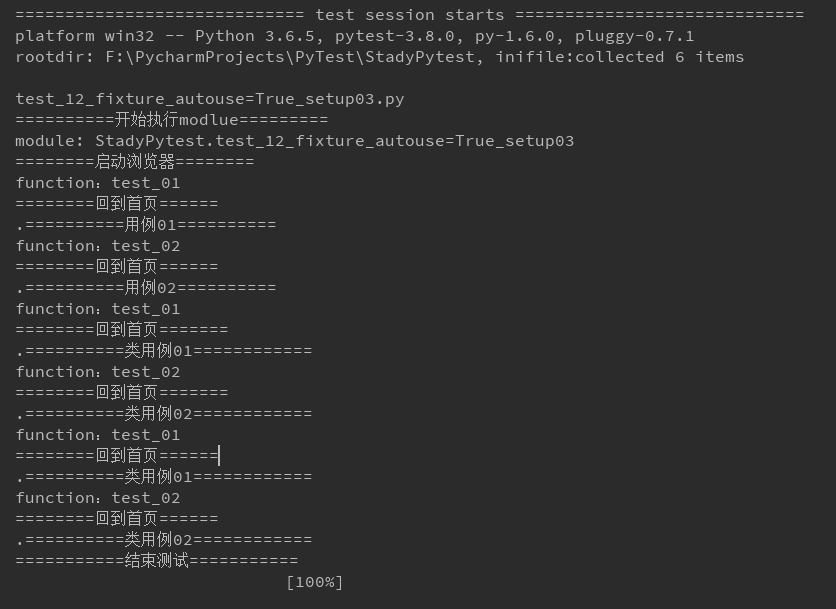
1.start 设置 scope 为 module 级别,在当前.py 用例模块只执行一次,autouse=True 自动使用
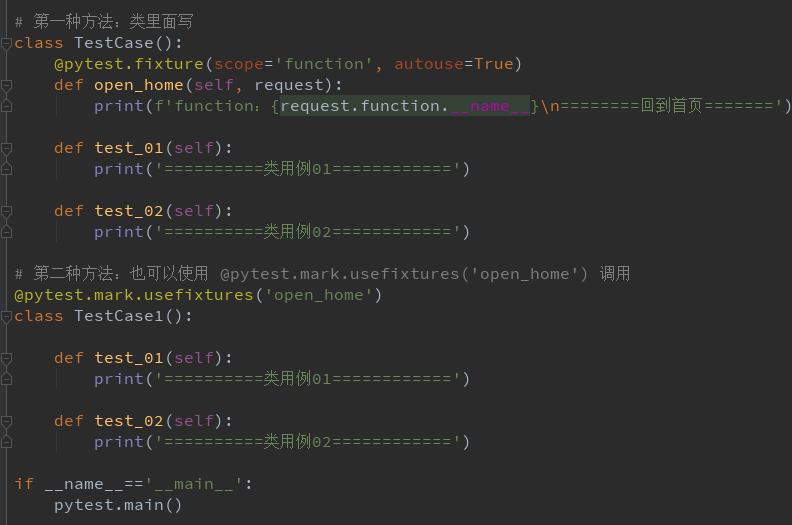
2.open_home 设置 scope 为 function 级别,每个用例前都调用一次,自动使用

import time
import pytest

@pytest.fixture(scope='module', autouse=True)
def start(request):
    print('\n==========开始执行modlue=========')
    print(f'module: {request.module.__name__}')
    print('========启动浏览器========')
    yield
    print('===========结束测试===========')

@pytest.fixture(scope='function', autouse=True)
def open_home(request):
    print(f'function:{request.function.__name__}\n========回到首页======')

def test_01():
    print('==========用例01==========')

def test_02():
    print('==========用例02==========')

# 第一种方法:类里面写
class TestCase():
    @pytest.fixture(scope='function', autouse=True)
    def open_home(self, request):
        print(f'function:{request.function.__name__}\n========回到首页=======')

    def test_01(self):
        print('==========类用例01============')

    def test_02(self):
        print('==========类用例02============')

# 第二种方法:也可以使用 @pytest.mark.usefixtures('open_home') 调用
@pytest.mark.usefixtures('open_home')
class TestCase1():

    def test_01(self):
        print('==========类用例01============')

    def test_02(self):
        print('==========类用例02============')

if __name__=='__main__':
    pytest.main()
pytest五:fixture_autouse=True的更多相关文章
- 学习-Pytest(五)yield操作
1.fixture的teardown操作并不是独立的函数,用yield关键字呼唤teardown操作 2.scope="module" 1.fixture参数scope=”modu ...
- Pytest系列(7) - skip、skipif跳过用例
如果你还想从头学起Pytest,可以看看这个系列的文章哦! https://www.cnblogs.com/poloyy/category/1690628.html 前言 pytest.mark.sk ...
- pytest测试框架 -- assert断言和fixture固件
一.断言 (1)使用assert语句进行断言 # test_run.py @pytest.mark.assert def test_assert(self): r = requests.get(&qu ...
- 2.pytest前后置(固件、夹具)处理
一.setup/teardown/setup_calss/teardown_class 为什么需要这些功能? 比如:我们执行用例之前,需要做的哪些操作,我们用例执行之后,需要做哪些操作 # 在所有用例 ...
- flask-sqlalchemy、pytest 的单元测试和事务自动回滚
flask-sqlalchemy.pytest 的单元测试和事务自动回滚 使用 flask-sqlalchemy 做数据库时,单元测试可以帮助发现一些可能意想不到的问题,像 delete-cascad ...
- pytest进阶之fixture
前言 学pytest就不得不说fixture,fixture是pytest的精髓所在,就像unittest中的setup和teardown一样,如果不学fixture那么使用pytest和使用unit ...
- 【Python】【自动化测试】【pytest】
https://docs.pytest.org/en/latest/getting-started.html#create-your-first-test http://www.testclass.n ...
- pytest 学习笔记一:参数化与组织分层
组织分层: 1.普通方式,和unittest分层类似: setup_module() # 通常放在类外 setup_class(cls) setup(self) teardown(self) tea ...
- pytest的参数化测试
感觉在单元测试当中可能有用, 但在django这种框架中,用途另一说. import pytest import tasks from tasks import Task def test_add_1 ...
随机推荐
- mac 本上对 rar 压缩包解压
以前从晚上各种找软件对 xxx.rar 压缩包文件进行解压,也确实找到过那么几个,要不是不好用就是解压完有乱码,很是头疼. 这次又遇到这样的问题,于是下定决心将这个问题彻底解决好,经过验证,总结一下最 ...
- dubbo注册服务和消费服务---入门篇
本文介绍如何用dubbo+zk来实现一个注册服务 + 消费服务的入门小demo 需要环境:zk服务器 两个maven项目,一个负责提供服务,一个负责消费服务. dubbo-service 服务端 po ...
- POJ - 2635 The Embarrassed Cryptographer(千进制+同余模)
http://poj.org/problem?id=2635 题意 给一个大数K,K一定为两个素数的乘积.现给出一个L,若K的两个因子有小于L的,就输出BAD,并输出较小的因子.否则输出GOOD 分析 ...
- webuploader 百度上传,一个页面多个上传按钮
需求:列表里每条数据需加文件上传 html: <div> <ul class="SR_wrap_pic"></ul> <button ty ...
- LINQ to SQL 实现 GROUP BY、聚合、ORDER BY
Ø 前言 本示例主要实现 LINQ 查询,先分组,再聚合,最后在排序.示例很简单,但是使用 LINQ 却生成了不同的 SQL 实现. 1) 采用手动编写 SQL 实现 SELECT ROW_NU ...
- buildroot构建项目(三)--- u-boot 2017.11 适配开发板修改 1
当前虽然编译成功了,但是对于我们自己的目标板并不太适用.还得做一系列得修改. 一.lds 文件分析 u-boot 中最重要得链接文件即是,u-boot.lds.我们可以查看我们编译出来得 u-boot ...
- APR欺骗
ARP欺骗简介 ARP欺骗是一种在局域网中常用的攻击手段,目的是让局域网中指定的(或全部)的目标机器的数据包都通过攻击者主机进行转发,是实现中间人攻击的常用手段,从而实现数据监听.篡改.重放.钓鱼等攻 ...
- MySQL 之 数据库自动生成ID格式化编号(字符串格式化填充/拼接/时间)
# 用户账号:1-4位:入职年份:5-6位:入职月份:7-11位:员工入职顺序号 select concat( date_format(now(),'%Y'), date_format(now(),' ...
- 如何利用 Python 完成验签操作
柠檬班Python8期的佑佑以及Python7期的掠掠同学昨天都私下问华华老师如何利用Python完成验签的操作. 今天我们就以佑佑的例子来跟大家进行简单的说明以及操作! 一.什么是验签: 用非常简单 ...
- js 判断身份证好是否合法
function cidInfo(sId){ var info="" //if(!/^\d{17}(\d|x)$/i.test(sId))return false; sId=sId ...