
CentOS7部署HDP3.1.0.0
Apache Ambari是一个基于Web的支持Apache Hadoop集群的供应、管理和监控的开源工具,Ambari已支持大多数Hadoop组件,包括HDFS、MapReduce、Hive、Pig、 Hbase、Zookeeper、Sqoop和Hcatalog等。提供Web UI进行可视化的集群管理,简化了大数据平台的安装、使用难度。
主机配置规划
| 主机名 | IP | 配置 | 操作系统 | 角色 |
| c1.heboan.com | 10.1.1.121 | 2核/8G | CentOS Linux release 7.2.1511 | Ambari server, mariadb |
| c2.heboan.com | 10.1.1.120 | 2核/8G | CentOS Linux release 7.2.1511 | agent |
| c3.heboan.com | 10.1.1.120 | 2核/8G | CentOS Linux release 7.2.1511 | agent |
准备好软件包放到/root/rools/目录下

设置主机名
绑定主机名与ip的关系
10.1.1.120 c1.heboan.com

10.1.1.121 c2.heboan.com

10.1.1.122 c3.heboan.com
/etc/hosts
配置文件打开数
#vim /etc/security/limits.conf

//末尾加上

* soft nofile

* hard nofile

* soft nproc

* hard nproc unlimited

* hard memlock ulimited

* soft memlock unlimited
/etc/security/limits.conf
关闭防火墙和selinux
ntp服务配置
设置swap
echo vm.swappiness =  >> /etc/sysctl.conf

sysctl -p
/etc/sysctl.conf
设置透明大页面
# echo never > /sys/kernel/mm/transparent_hugepage/defrag

# echo never > /sys/kernel/mm/transparent_hugepage/enabled

将如下脚本添加到/etc/rc.d/rc.local文件中

if test -f /sys/kernel/mm/transparent_hugepage/enabled; then echo never > /sys/kernel/mm/transparent_hugepage/enabled fi if test -f /sys/kernel/mm/transparent_hugepage/defrag; then echo never > /sys/kernel/mm/transparent_hugepage/defrag fi
设置透明大页面
安装jdk
tar xf jdk-8u131-linux-x64.tar.gz -C /usr/local/

cd /usr/local/;ln -s jdk1..0_131 jdk

vim /etc/profile.d/jdk.sh

    export JAVA_HOME=/usr/local/jdk

    export JAVA_BIN=/usr/local/jdk/bin

    export PATH=$PATH:$JAVA_HOME/bin

    export CLASSPATH=.:$JAVA_HOME/lib/dt.jar:$JAVA_HOME/lib/tools.jar

    export JAVA_HOME JAVA_BIN PATH CLASSPATH

source /etc/profile.d/jdk.sh
/etc/profile.d/jdk.sh
安装jdbc驱动
mkdir /usr/share/java

mv mysql-connector-java-5.1..jar /usr/share/java/mysql-connector-java.jar

chmod +x /usr/share/java/mysql-connector-java.jar
配置ssh免密互信
ssh-keygen

ssh-copy-id -i ~/.ssh/id_rsa.pub c1.heboan.com

ssh-copy-id -i ~/.ssh/id_rsa.pub c2.heboan.com

ssh-copy-id -i ~/.ssh/id_rsa.pub c3.heboan.com

cd .ssh/

scp id_rsa id_rsa.pub c2.heboan.com:/root/.ssh/

scp id_rsa id_rsa.pub c3.heboan.com:/root/.ssh/
ssh配置
搭建本地yum源(c1.heboan.com)
安装httpd服务
yum install -y httpd

systemctl start httpd
配置仓库
yum install -y createrepo

tar xf ambari-2.7.3.0-centos7.tar.gz -C /var/www/html/

tar xf HDP-3.1.0.0-centos7-rpm.tar.gz -C /var/www/html/

tar xf HDP-UTILS-1.1.0.22-centos7.tar.gz -C /var/www/html/

tar xf HDP-GPL-3.1.0.0-centos7-gpl.tar.gz -C /var/www/html/

cd /var/www/html/ambari/;createrepo .

cd /var/www/html/HDP;createrepo .

cd /var/www/html/HDP-UTILS/;createrepo .

cd /var/www/html/HDP-GPL;createrepo .

#/etc/yum.repos.d/am.repo

[amrepo]

name = am_repo

baseurl = http://c1.heboan.com/ambari

enable = true

gpgcheck = false

#/etc/yum.repos.d/hdp.repo

[hdprepo]

name = hdp_repo

baseurl = http://c1.heboan.com/HDP

enable = true

gpgcheck = false

#/etc/yum.repos.d/hdp-utils.repo

[hdp-utils-repo]

name = hdp-utils_repo

baseurl = http://c1.heboan.com/HDP-UTILS

enable = true

gpgcheck = false

#/etc/yum.repos.d/hdp-gpl.repo

[hdp-gpl-repo]

name = hdp-gpl_repo

baseurl = http://c1.heboan.com/HDP-GPL

enable = true

gpgcheck = false

yum repolist

#然后也am.repo, hdp.repo, hdp-utils.repo,hdp-gpl.repo 传到其他机器节点
yum配置
配置数据库MariaDB(c1.heboan.com)
安装数据库
yum install -y mariadb mariadb-server mariadb-devel
修改字符集
# vim /etc/my.cnf.d/server.cnf

...

[mysqld]

lower_case_table_names=

character-set-server = utf8

collation-server = utf8_general_ci
启动数据库并且初始化配置
systemctl start mariadb

systemctl enable mariadb

mysql_secure_installation
创建库并账号授权
> create database ambari;

> grant all privileges on *.* to  'bigdata'@'%' identified by 'Bigdata@123';

> flush privileges;
部署ambari(c1.heoan.com)
安装ambari
yum -y install ambari-server
导入数据库
> use ambari

> source /var/lib/ambari-server/resources/Ambari-DDL-MySQL-CREATE.sql
配置ambari
[root@c1 ~]# ambari-server setup

Using python  /usr/bin/python

Setup ambari-server

Checking SELinux...

SELinux status is 'disabled'

Customize user account for ambari-server daemon [y/n] (n)?

Adjusting ambari-server permissions and ownership...

Checking firewall status...

Checking JDK...

Do you want to change Oracle JDK [y/n] (n)? y

[] Oracle JDK 1.8 + Java Cryptography Extension (JCE) Policy Files

[] Custom JDK

==============================================================================

Enter choice ():

WARNING: JDK must be installed on all hosts and JAVA_HOME must be valid on all hosts.

WARNING: JCE Policy files are required for configuring Kerberos security. If you plan to use Kerberos,please make sure JCE Unlimited Strength Jurisdiction Policy Files are valid on all hosts.

Path to JAVA_HOME: /usr/local/jdk

Validating JDK on Ambari Server...done.

Check JDK version for Ambari Server...

JDK version found:

Minimum JDK version is  for Ambari. Skipping to setup different JDK for Ambari Server.

Checking GPL software agreement...

Completing setup...

Configuring database...

Enter advanced database configuration [y/n] (n)? y

Configuring database...

==============================================================================

Choose one of the following options:

[] - PostgreSQL (Embedded)

[] - Oracle

[] - MySQL / MariaDB

[] - PostgreSQL

[] - Microsoft SQL Server (Tech Preview)

[] - SQL Anywhere

[] - BDB

==============================================================================

Enter choice ():

Hostname (localhost):

Port ():

Database name (ambari):

Username (bigdata): bigdata

Enter Database Password ():

Configuring ambari database...

Should ambari use existing default jdbc /usr/share/java/mysql-connector-java.jar [y/n] (y)? y

Configuring remote database connection properties...

WARNING: Before starting Ambari Server, you must run the following DDL directly from the database shell to create the schema: /var/lib/ambari-server/resources/Ambari-DDL-MySQL-CREATE.sql

Proceed with configuring remote database connection properties [y/n] (y)? y

Extracting system views...

ambari-admin-2.7.3.0..jar

....

Ambari repo file doesn't contain latest json url, skipping repoinfos modification

Adjusting ambari-server permissions and ownership...

Ambari Server 'setup' completed successfully.
配置
启动ambari-server
[root@c1 ~]# ambari-server start

Using python  /usr/bin/python

Starting ambari-server

Ambari Server running with administrator privileges.

Organizing resource files at /var/lib/ambari-server/resources...

Ambari database consistency check started...

Server PID at: /var/run/ambari-server/ambari-server.pid

Server out at: /var/log/ambari-server/ambari-server.out

Server log at: /var/log/ambari-server/ambari-server.log

Waiting for server start............................................

Server started listening on

DB configs consistency check: no errors and warnings were found.

Ambari Server 'start' completed successfully.
浏览器访问http://10.1.1.120:8080, 账号密码:admin/admin
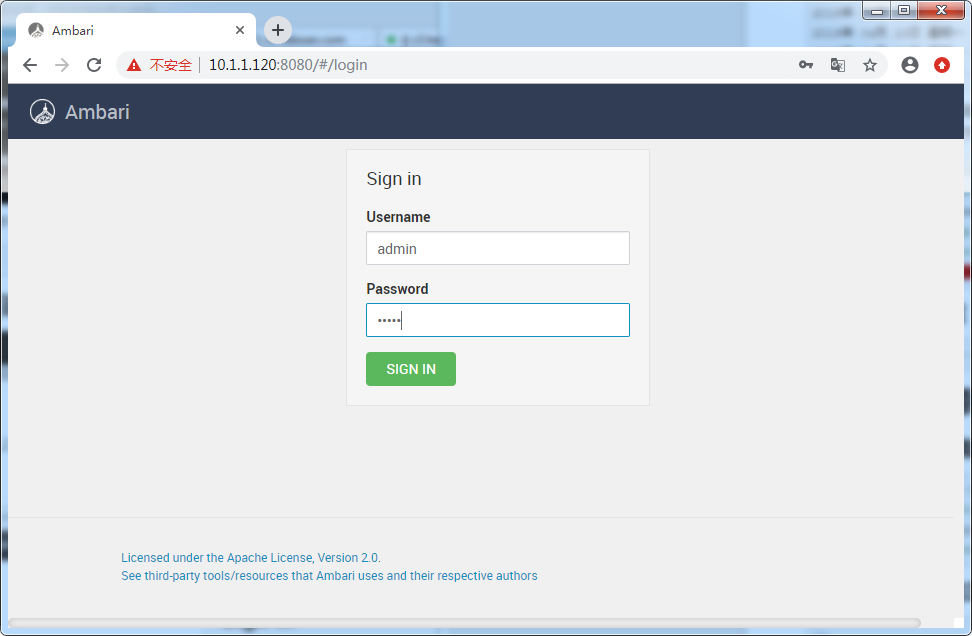
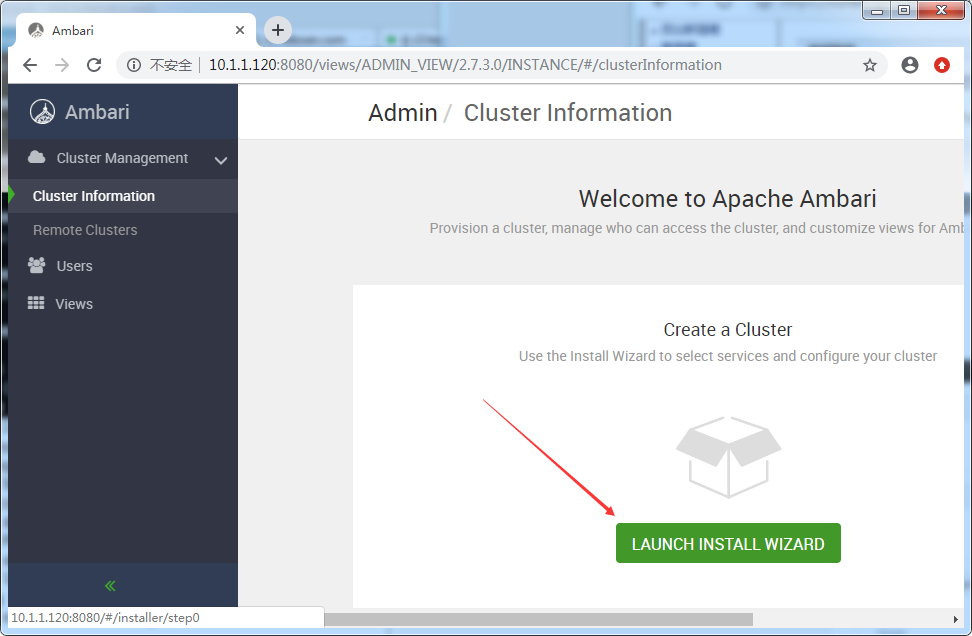
启动向导创建集群
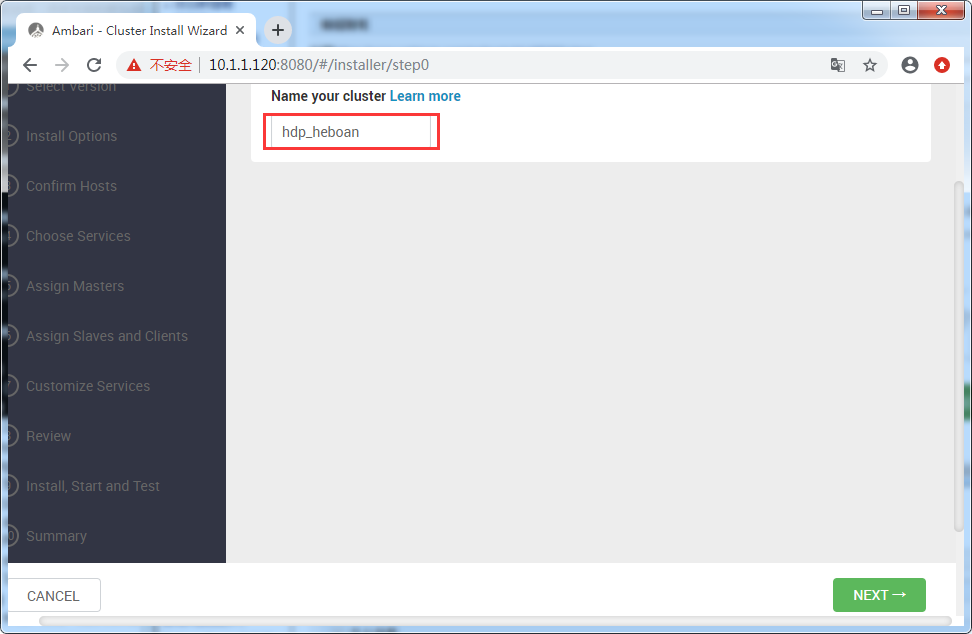
配置集群名字
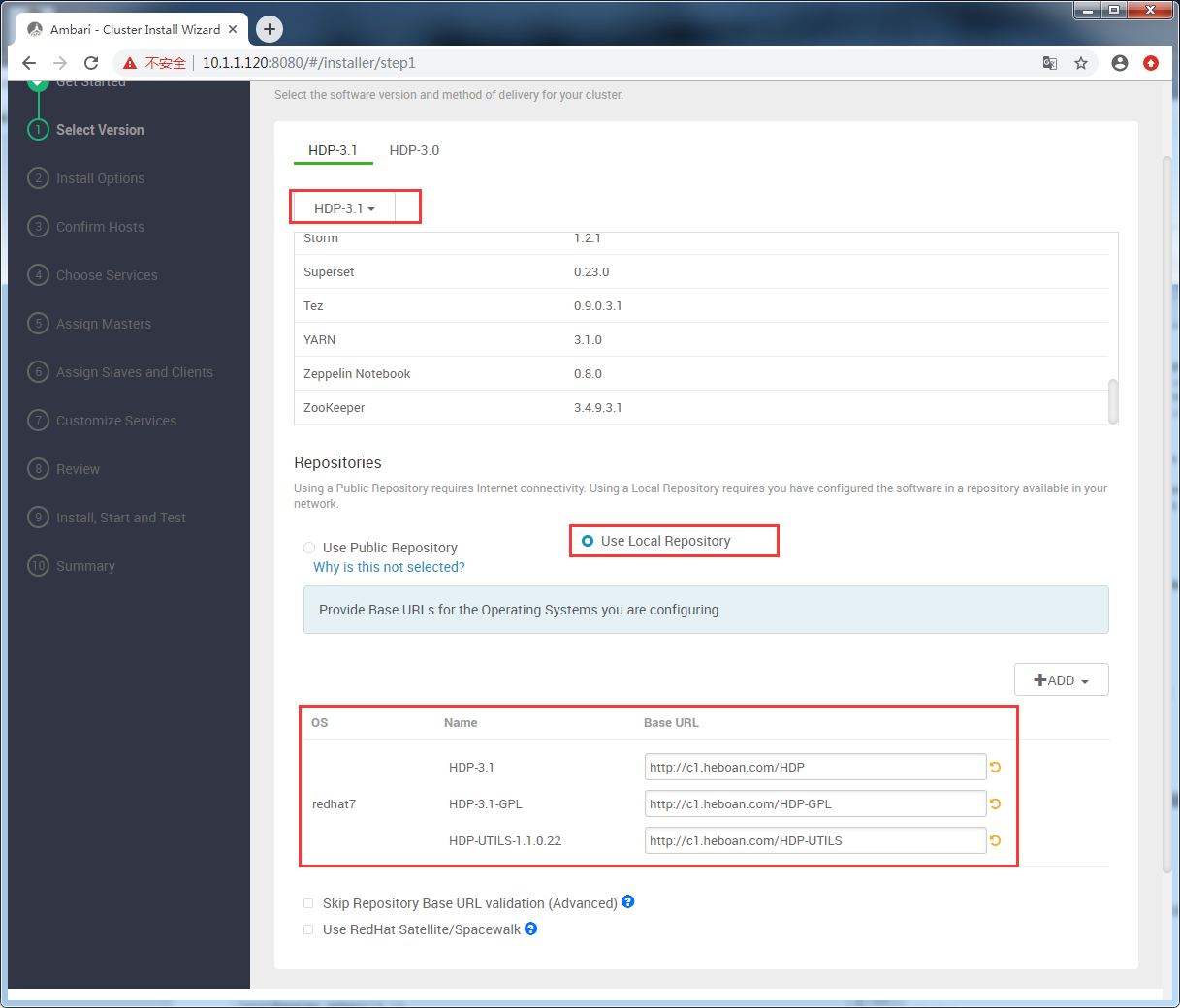
配置本地仓库
配置主机和私钥

配置主机
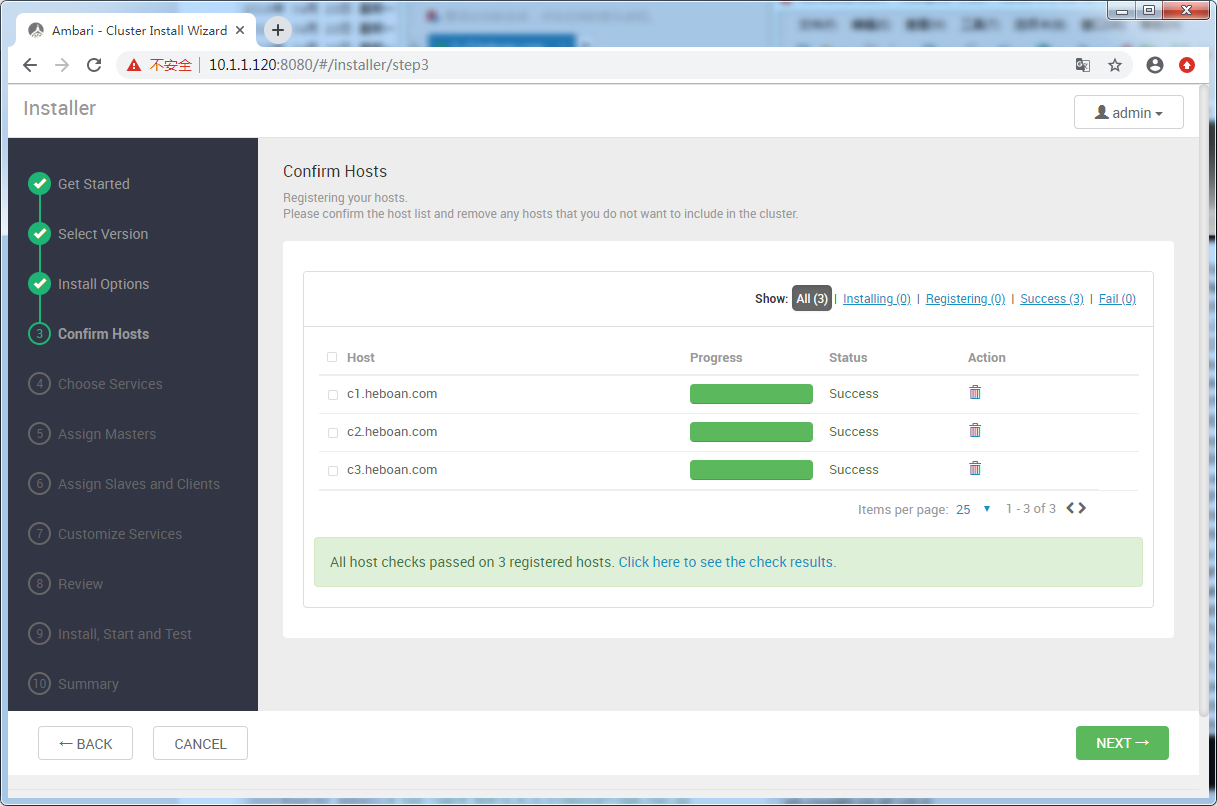
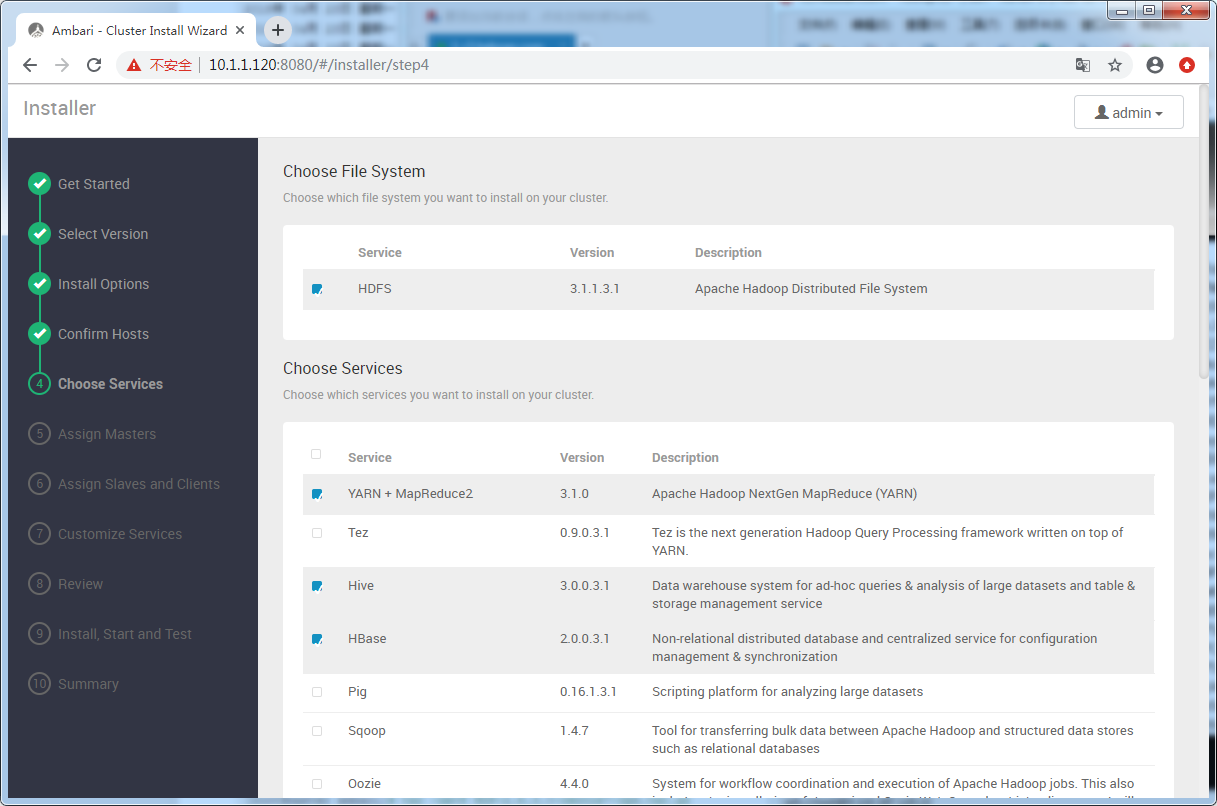
根据实际需求选择安装的组件
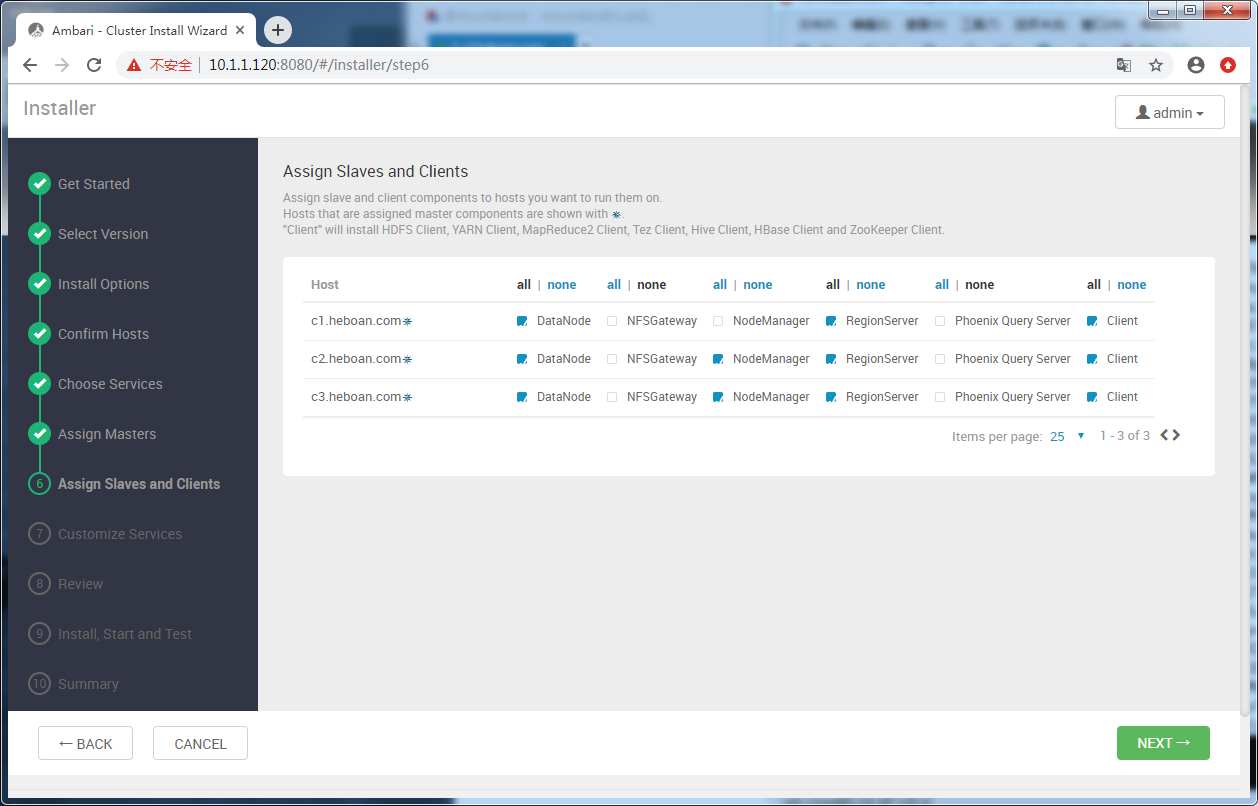
服务节点分布

选择安装slaves and clients
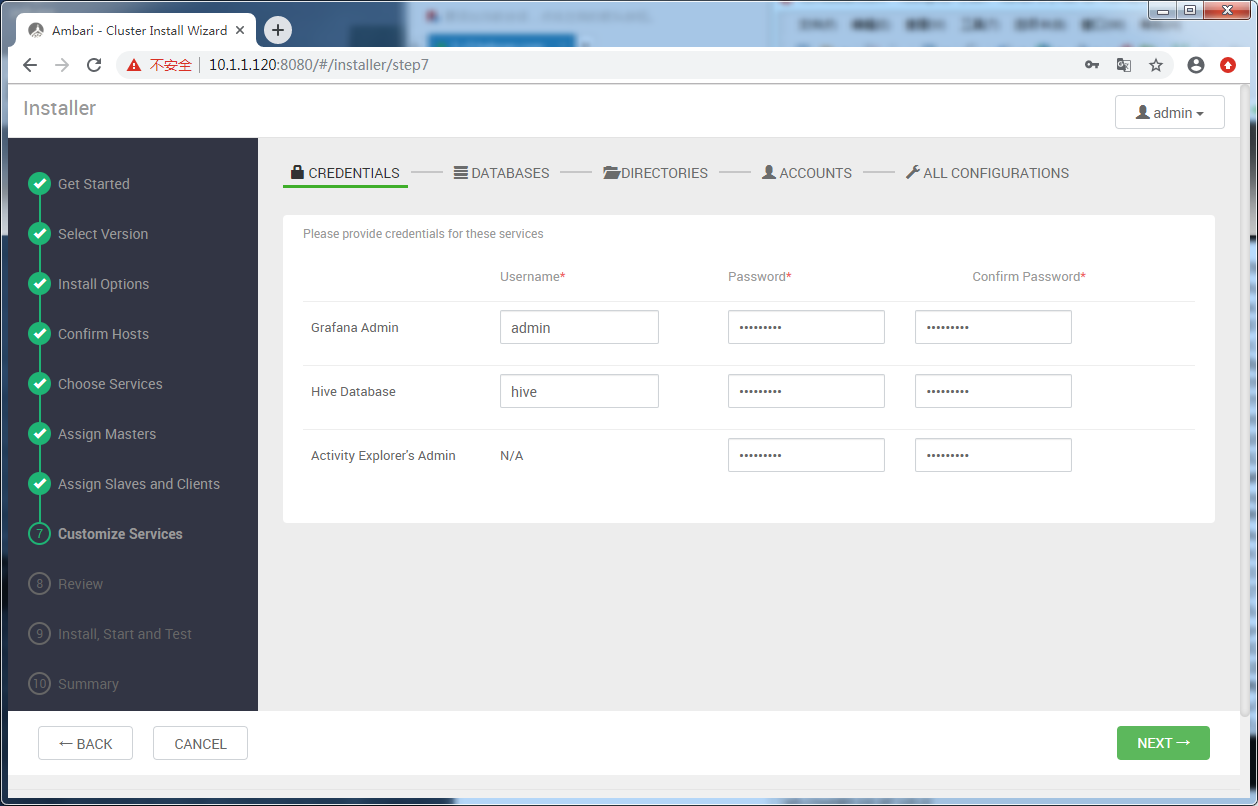
配置密码
配置hive 元数据存储数据库,选择新的mysql
[root@c1 ~]# ambari-server setup --jdbc-db=mysql --jdbc-driver=/usr/share/java/mysql-connector-java.jar
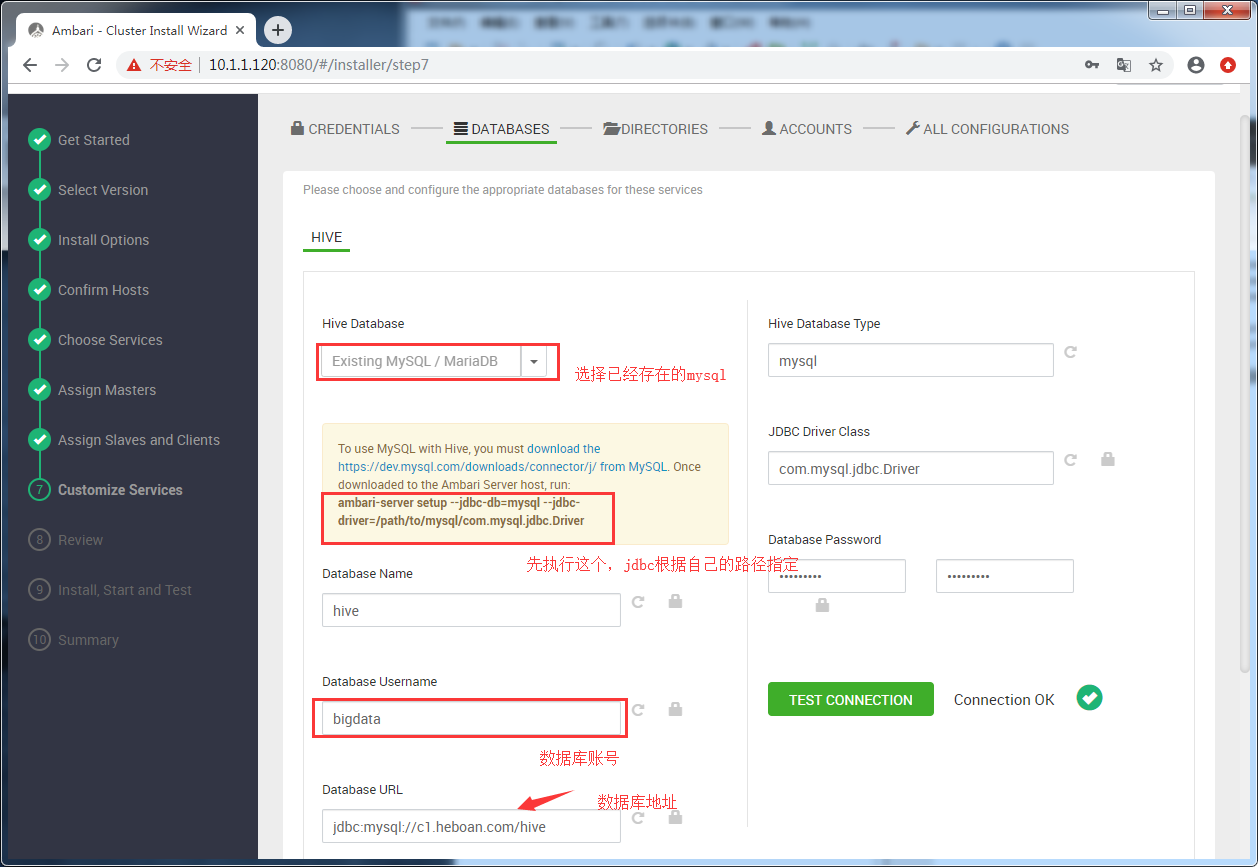
相关服务数据目录配置

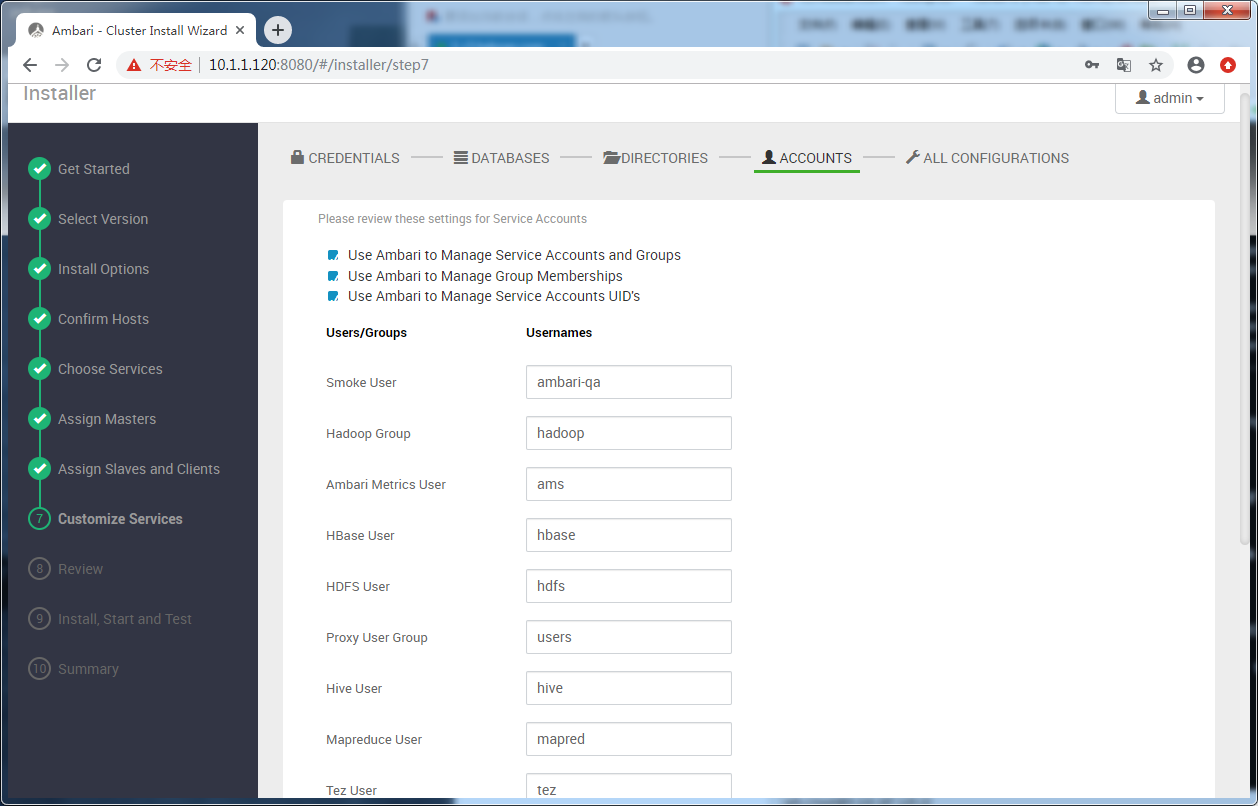
服务运行用户
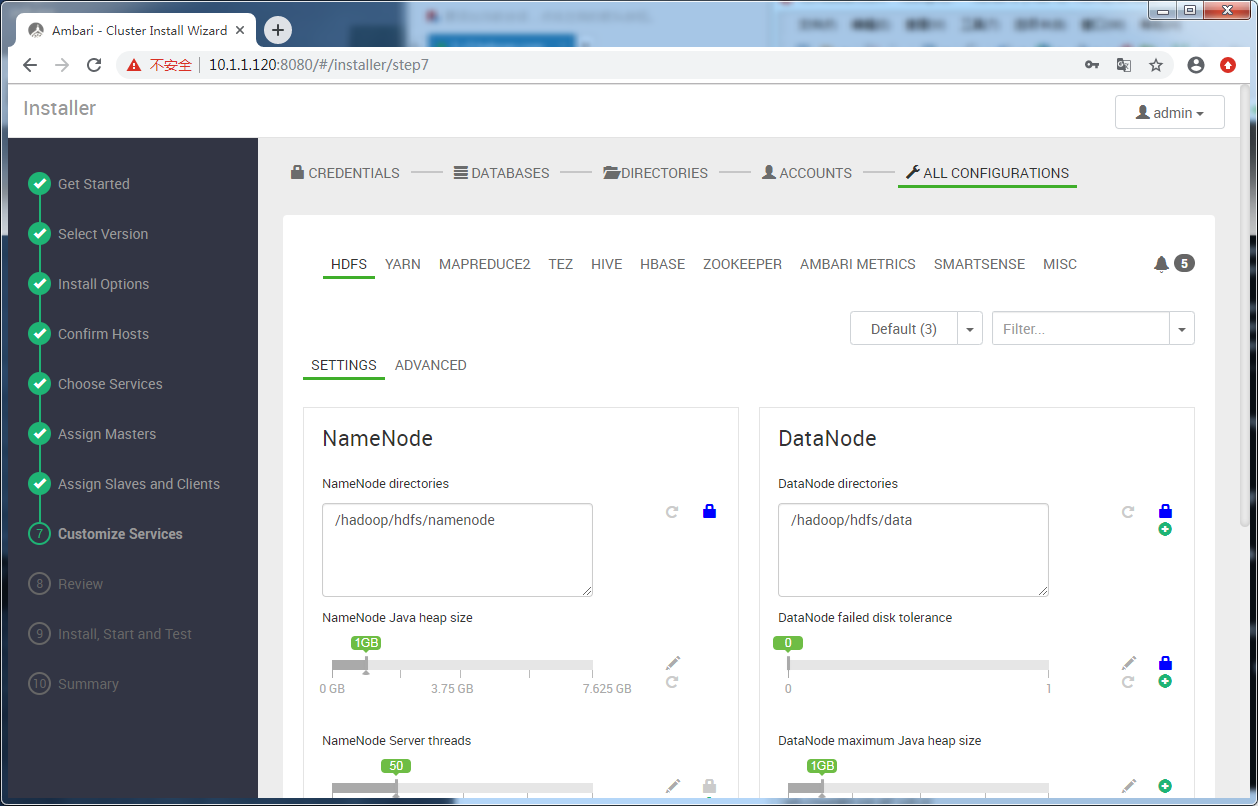
服务资源配置
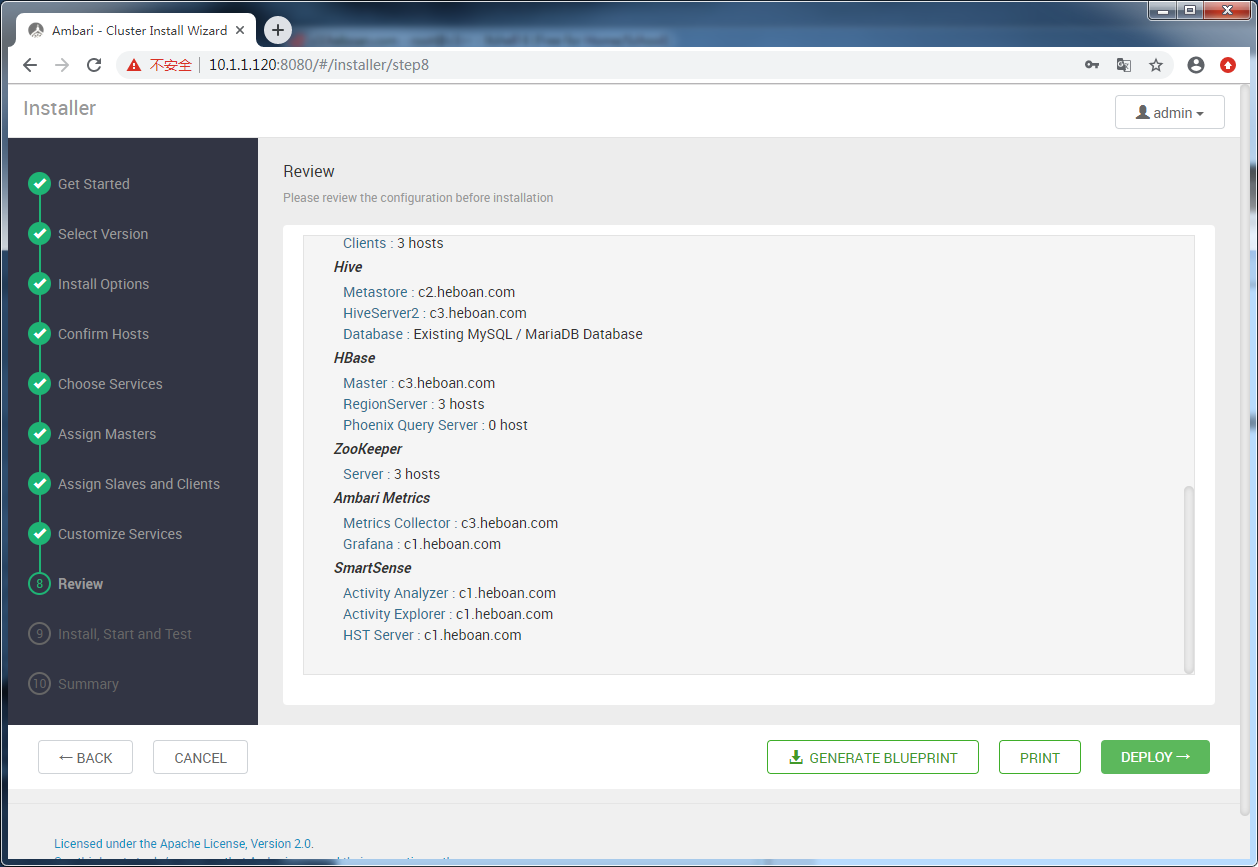
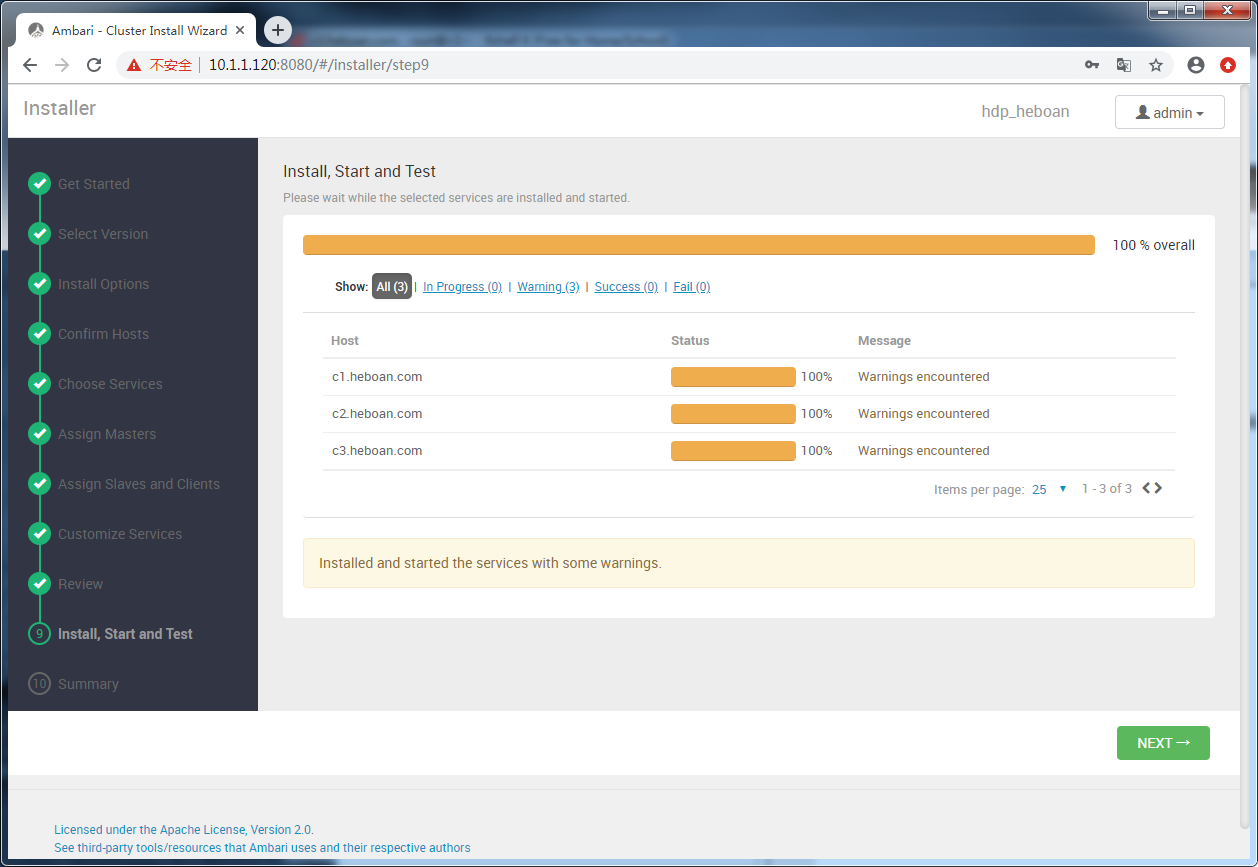
开始部署
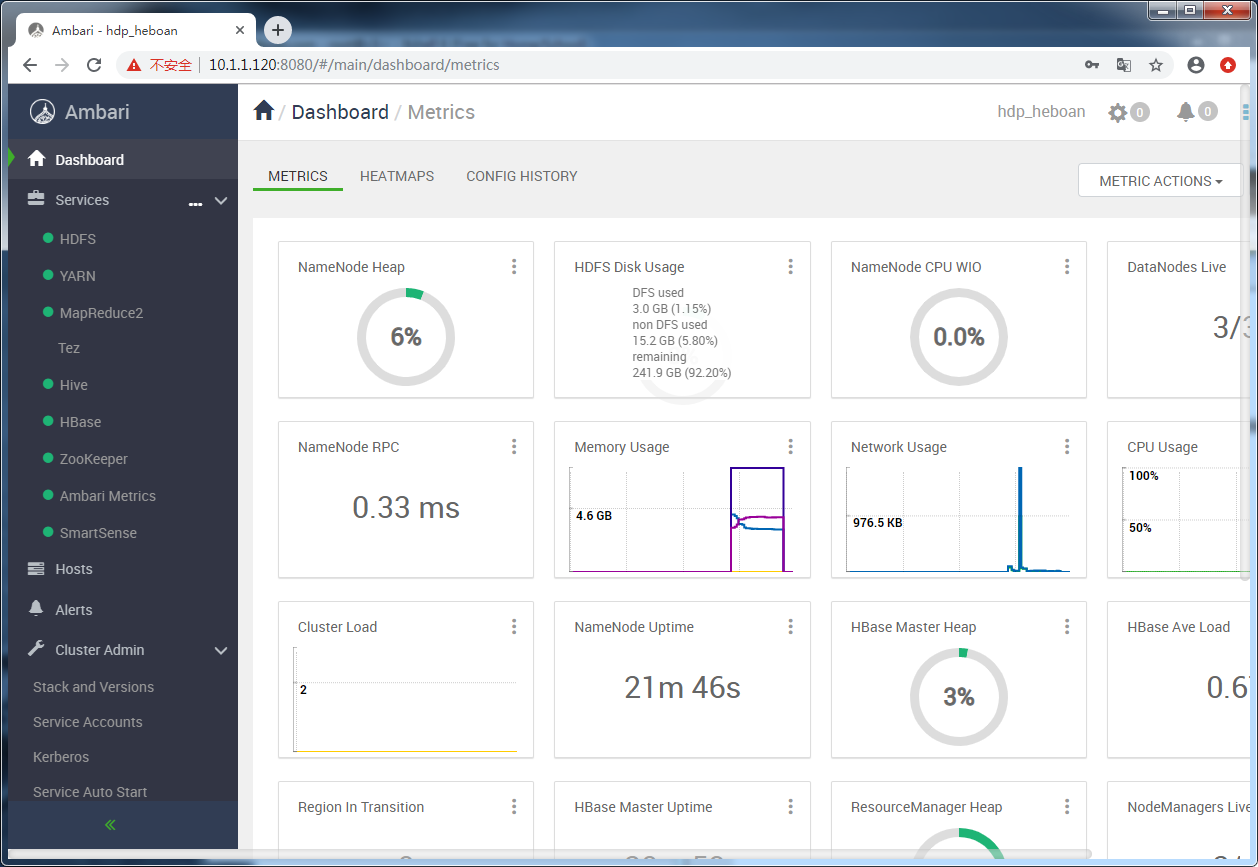
部署完成
CentOS7部署HDP3.1.0.0的更多相关文章
- 基于centos7+nginx+uwsgi+python3+django2.0部署Django项目
0.序言 本文讲解如何基于centos7+nginx+uwsgi+python3+django2.0把windows上的本地项目部署到云服务器上. 本文服务器上的django项目和虚拟环境的路径将建立 ...
- Centos7部署open-falcon 0.2
参考: https://www.cnblogs.com/straycats/p/7199209.html http://book.open-falcon.org/zh_0_2/quick_instal ...
- centos7 部署 open-falcon 0.2.0
=============================================== 2019/4/29_第3次修改 ccb_warlock 更新 ...
- 在阿里云Centos7.6中部署nginx1.16+uwsgi2.0.18+Django2.0.4
上次在网上找了一个在阿里云Centos7.6中部署nginx1.16+uwsgi2.0.18+Django2.0.4的文档,可能是这个文档不是最新版的,安装的时候遇到了很多问题, 最后跟一个大神要了一 ...
- linux centos7 和 windows下 部署 .net core 2.0 web应用
centos7 下部署asp.net core 2.0应用 安装CentOS7 配置网络[可选] 安装.Net core2.0 创建测试Asp.net Core应用程序 正式部署项目 安装VMware ...
- Centos7部署Open-falcon 0.2.0
官方和github上都有教程,但是对于我来说有的部署内容较为陌生,有点错误官方也未在教程中说明,故在此记录方便以后快速部署,本文部署的时间是2018/10/10. 虽然open-falcon是采用了前 ...
- centos7 部署 open-falcon 0.2.1
=============================================== 2019/4/28_第1次修改 ccb_warlock 更新 ...
- 在centos7上安装部署hadoop2.7.3和spark2.0.0
一.安装装备 下载安装包: vmware workstations pro 12 三台centos7.1 mini 虚拟机 网络配置NAT网络如下: 二.创建hadoop用户和hadoop用户组 1. ...
- CentOS7部署.Net Core2.0站点(中)
继续上篇的内容,本篇来学习下nginx的配置和守护进程supervisor的使用. 一.Nginx安装及配置 (1)安装nginx sudo yum install epel-release #添加源 ...
随机推荐
- Linux 通道
简单地说,一个通道接受一个工具软件的输出,然后把那个输出输入到其它工具软件.使用UNIX/Linux的词汇,这个通道接受了一个过程的标准输出,并把这个标准的输出作为另一个过程的标准输入.如果你没有重新 ...
- openstack共享组件--rabbitmq消息队列(1)
一.MQ 全称为 Message Queue, 消息队列( MQ ) 是一种应用程序对应用程序的通信方法.应用程序通过读写出入队列的消息(针对应用程序的数据)来通信,而无需专用连接来链接它们. 消息传 ...
- kvm热迁移(4)
一.迁移简介 迁移分为热迁移和冷迁移,冷迁移是在机器关机的状态下进行迁移,具体操作在之前的博客有体现.热迁移是在机器处于开机状态进行迁移,本次博客主要讲解热迁移. 系统的迁移是指把源主机上的操作系统和 ...
- Redis ==> 集群的三种模式
一.主从同步/复制 通过持久化功能,Redis保证了即使在服务器重启的情况下也不会丢失(或少量丢失)数据,因为持久化会把内存中数据保存到硬盘上,重启会从硬盘上加载数据. 但是由于数据是存储在一台服务器 ...
- nodejs 中间件理解
中间件概念 在NodeJS中,中间件主要是指封装所有Http请求细节处理的方法.一次Http请求通常包含很多工作,如记录日志.ip过滤.查询字符串.请求体解析.Cookie处理.权限验证.参数验证.异 ...
- centos升级glibc2.23编译安装
wget http://ftp.gnu.org/gnu/glibc/glibc-2.23.tar.gz tar -zxvf glibc-2.23.tar.gz cd glibc-2.23 mkdir ...
- Django中间件梳理
Django之中间件 中间件简介 什么是中间件 中间件是一个用来处理Django的请求和响应的框架级别的钩子.它是一个轻量.低级别的插件系统,用于在全局范围内改变Django的输入和输出.每个中间 ...
- Initializer for conditional binding must have Optional type, not 'String'
今天看到问Swift问题: Initializer for conditional binding must have Optional type, not 'String' 以前没遇到过这个问题, ...
- 如何从项目中移除CocoaPods
一.项目Show in Finder: 删除本地文件(Podfile.Podfile.lock.Pods文件夹) 删除本地生成的xcworkspace文件 打开项目,在Frameworks文件夹下,删 ...
- 重置csr
重置csr 注意:下面操作仅在刚安装k8s后24小时内有效 分析:kubelet启动后会生成如下文件.kubelet.conf文件决定了csr的存在,如果要想重新获取csr,可以停掉kubelet,删 ...