
树莓派搭建bt下载机、即是安装transmission
Transmission是一种BitTorrent客户端,
安装:
sudo apt-get install transmission-daemon给用户授权:sudo usermod -a -G pi debian-transmission
设置Transmission的配置文件:sudo vim /etc/transmission-daemon/settings.json
{

    "alt-speed-down": 15,

    "alt-speed-enabled": false,

    "alt-speed-time-begin": 540,

    "alt-speed-time-day": 127,

    "alt-speed-time-enabled": false,

    "alt-speed-time-end": 1020,

    "alt-speed-up": 15,

    "bind-address-ipv4": "0.0.0.0",

    "bind-address-ipv6": "::",

    "blocklist-enabled": true,

    "blocklist-url": "http://list.iblocklist.com/?list=ydxerpxkpcfqjaybcssw&fileformat=p2p&archiveformat=gz",#可以不修改

    "cache-size-mb": 4,

    "dht-enabled": true,

    "download-dir": "/home/pi/Downloads",#修改

    "download-limit": 100,

    "download-limit-enabled": 0,

    "download-queue-enabled": true,

    "download-queue-size": 5,

    "encryption": 1,

    "idle-seeding-limit": 30,

    "idle-seeding-limit-enabled": false,

    "incomplete-dir": "/home/pi/Downloads",#修改

    "incomplete-dir-enabled": true,

    "lpd-enabled": false,

    "max-peers-global": 200,

    "message-level": 2,

    "peer-congestion-algorithm": "",

    "peer-id-ttl-hours": 6,

    "peer-limit-global": 240,

    "peer-limit-per-torrent": 50,

    "peer-port": 51413,

    "peer-port-random-high": 65535,

    "peer-port-random-low": 49152,

    "peer-port-random-on-start": false,

    "peer-socket-tos": "default",

    "pex-enabled": true,

    "port-forwarding-enabled": true,

    "preallocation": 1,

    "prefetch-enabled": 1,

    "queue-stalled-enabled": true,

    "queue-stalled-minutes": 30,

    "ratio-limit": 2,

    "ratio-limit-enabled": false,

    "rename-partial-files": true,

    "rpc-authentication-required": true,

    "rpc-bind-address": "0.0.0.0",

    "rpc-enabled": true,

    "rpc-password": "raspberry",#修改

    "rpc-port": 9091,

    "rpc-url": "/transmission/",

    "rpc-username": "transmission",#修改

    "rpc-whitelist": "127.0.0.1",

    "rpc-whitelist-enabled": false,#修改

    "scrape-paused-torrents-enabled": true,

    "script-torrent-done-enabled": false,

    "script-torrent-done-filename": "",

    "seed-queue-enabled": false,

    "seed-queue-size": 10,

    "speed-limit-down": 100,

    "speed-limit-down-enabled": false,

    "speed-limit-up": 100,

    "speed-limit-up-enabled": false,

    "start-added-torrents": true,

    "trash-original-torrent-files": true,

    "umask": 0,

    "upload-limit": 100,

    "upload-limit-enabled": 0,

    "upload-slots-per-torrent": 14,

    "utp-enabled": true#修改

}
设置下载目录为用户目录下的Downloads文件夹:
"download-dir": "/home/pi/Downloads",
设置未下载完成数据存放地点为Downloads文件夹:
"incomplete-dir": "/home/pi/Downloads",
设置Web登陆密码为:raspberry
"rpc-password": "raspberry",
设置Web登陆用户名:transmission
"rpc-username": "transmission",
允许Web登陆:(设置为true)
"utp-enabled": true
设置完成之后,保存setting.json文件,重新启动transmission服务:
sudo service transmission-daemon reload
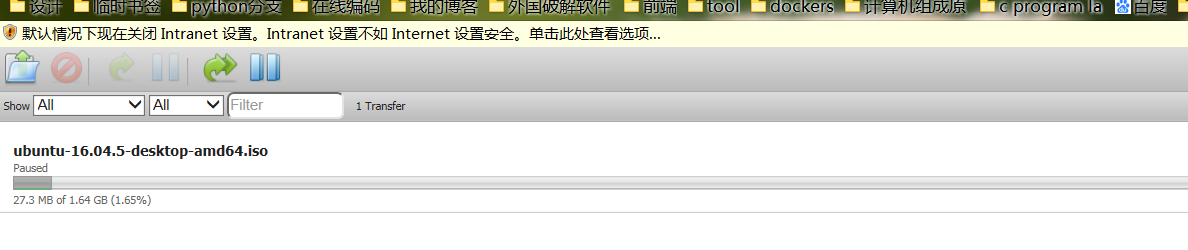
到这里可以在浏览器中输入你的树莓派的ip地址和端口号访问transmission的web界面了,比如你的树莓派地址是:192.168.1.10,那么在浏览器中输入:
192.168.1.10:9091
登陆的用户名和密码使用配置文件中设置的内容,例子中的用户名是:transmission,密码是:raspberry。
如果遇到permission问题,按照文中的下载地址,使用以下命令提升Downloads目录的权限:
sudo chmod 777 -R /home/pi/Downloads/
关于 transmission 配置的详细信息请参考:。
修改 transmission 用户名和密码的方法:
1.先停止服务:
- sudo service transmission-daemon stop
2.修改配置文件,下面两项分别是用户和密码,你看到这个是加密的密码,没关系直接把密码改为你想要的密码明文就可以:
- “rpc-username”: “transmission”,
“rpc-password”: “{2dc2c41724aab07ccc301e97f56360cb35f8ba1fGVVrdHDX”,
3.再此启动服务 :
- sudo service transmission-daemon start 。启动的时候 transmission 会自动把新密码加密。
4. 另外,transmission 默认监听 51413 端口,最好在路由器上做个端口转发,把这个端口转到它的 IP 地址。
树莓派搭建bt下载机、即是安装transmission的更多相关文章
- 极客DIY:使用树莓派制作一套“NAS+私有云盘+下载机”
原创作者:HackLiu 0×00 前言 如果你家里有多台设备需要联网需要娱乐,你一定会或多或少遇到设备碎片化带来的烦恼.当然,已经有很多厂商包括新晋的小米.360在内的互联网公司做了这个事情 ...
- 使用树莓派制作一套“NAS+私有云盘+下载机”
原创作者:HackLiu 0×00 前言 如果你家里有多台设备需要联网需要娱乐,你一定会或多或少遇到设备碎片化带来的烦恼.当然,已经有很多厂商包括新晋的小米.360在内的互联网公司 ...
- 树莓派学习笔记(5):成功实现NAS家庭服务器(流媒体播放、文件共享及下载机)
转载请注明:@小五义http://www.cnblogs.com/xiaowuyiQQ群:64770604 一.家庭服务器实现的主要功能 1.流媒体播放服务:利用DLNA实现电视.手机.电脑播放其上面 ...
- 树莓派做下载机+Web服务器(Aria2下载+yaaw做UI+nginx)
今天收到了小派,UK产的绿板子,还配了个透明盒子,装在里面闪亮亮的很好看,而且只有卡片大小,寻思着用它做什么好呢?想来想去,看到人家拿小派作家庭媒体中心,还有人拿它当下载机,于是就萌生了一个家庭媒体中 ...
- 树莓派实践部分——P2P文件下载机torrent之Raspberry Pi管理
树莓派实践--P2P文件下载机torrent之Raspberry Pi管理 一.树莓派配置文件共享软件deluge 在进行实践之前,先通过命令sudo apt-get update 和sudo apt ...
- 【阿里云】在 Windows Server 2016 下使用 FileZilla Server 安装搭建 FTP 服务
Windows Server 2016 下使用 FileZilla Server 安装搭建 FTP 服务 一.安装 Filezilla Server 下载最新版本的 Filezilla Server ...
- 树莓派 Learning 002 装机后的必要操作 --- 05 给树莓派搭建“x86 + pi”环境 -- 安装**32位运行库** -- 解决`E:未发现软件包 xxx` 问题
树莓派 装机后的必要操作 - 给树莓派搭建"x86 + pi"环境 – 安装32位运行库 – 解决E:未发现软件包 xxx 问题 我的树莓派型号:Raspberry Pi 2 Mo ...
- 树莓派进阶之路 (038) - P2P 文件下载机
硬件要求: 树莓派开发板 USB外接硬盘 一. Together 1. 更新安装程序 sudo apt-get update sudo apt-get upgrade sudo apt-get ins ...
- 树莓派搭建WEB服务器
树莓派搭建WEB的教程网上有许多,但感觉每一篇都有一些问题,这次我将网上的教程汇总,并亲身实践,将注意的问题都写进去,方便新手学习! 目录:1,安装nginx+sqlite+php5打造轻量级服务器, ...
随机推荐
- windows配置mysql权限
想要把csv里面的数据导入mysql,报错.用命令 show variables like '%secure%'; : [2019-04-08 17:04:36] [HY000][129 ...
- solr 分面搜索(转载)
原文地址:http://blog.csdn.net/bingduanlbd/article/details/52199347 分面搜索(Faceting)基于索引词项对搜索结果进行分类,同时返回每个分 ...
- Linux命令之tree(目录树结构)
tree命令 官方下载地址:http://mama.indstate.edu/users/ice/tree/,右键复制如下图地址: 下载: 执行wget http://mama.indstate.e ...
- flex布局详解
1.背景介绍 传统的布局解决方案,基于盒状模型,依赖 display 属性 + position属性 + float属性.它对于那些特殊布局非常不方便,比如,垂直居中就不容易实现. 2009年,W3C ...
- js原型补充
js定义函数: <script> function A() {} let a1 = new A(); let a2 = new A(); // 为A类添加原型 => 类似于类属性 A ...
- BZOJ 2927: [Poi1999]多边形之战 (博弈)
题意 有一个凸多边形,顶点编号逆时针从0到n-1.现在这个n边形被剖分成n-2个三角形,给出这n-2个三角形的顶点,保证这是用n-3条不交叉的对角线划分出来的.现在第一个三角形是黑色,其他都是白色.两 ...
- 4、docker镜像:花卷结构、commit镜像
1.是什么 docker images 镜像是一种轻量级.可执行的独立软件包,用来打包软件运行环境和基于运行环境开发的软件,它包含运行某个软件所需的所有内容,包括代码.运行时.库.环境变量和配置文件. ...
- LDA的参数确定和主题数确定方法
主题数确定:困惑度计算,画出曲线,选择拐点,避免信息丢失和主题冗余 https://blog.csdn.net/u014449866/article/details/80218054 参数调节: 方法 ...
- OFDM留空中央直流子载波目的及原理
目的: 降低峰均比! 原理: IDFT公式: 直流分量k接近0,公式近似于对X(k)进行累加,因此直流分量会产生较大的信号能量,造成严重的峰均比. 详细内容可参考: https://dwz.cn/Zl ...
- 多线程中volatile关键字的作用
原文链接:https://blog.csdn.net/xuwentao37x/article/details/27804169 多线程的程序是出了名的难编写.难验证.难调试.难维护,这通常是件苦差事. ...