
Docker系列(11)- 部署Nginx
step-1 搜索镜像
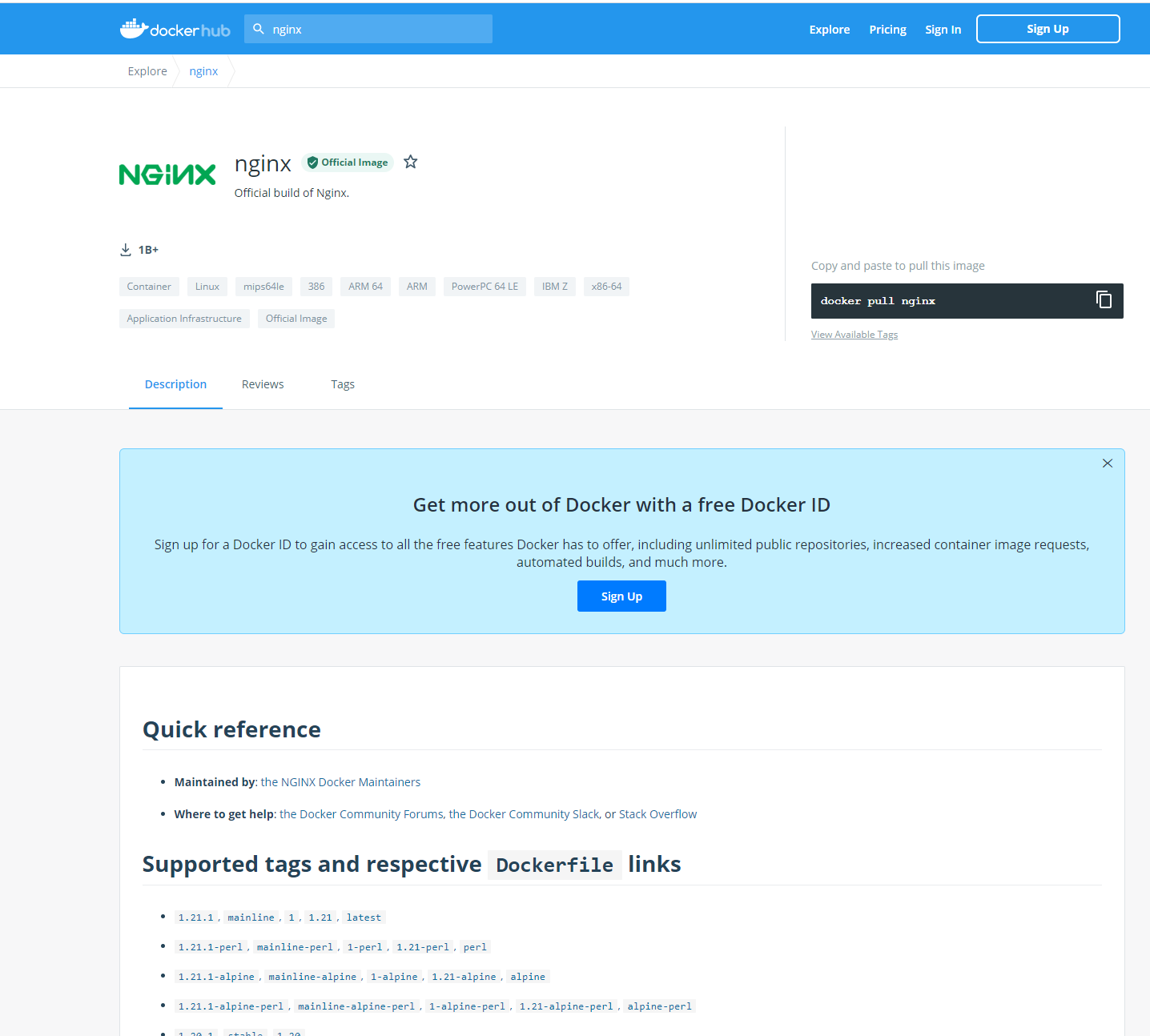
使用search命令,建议去dockerhub上搜索,可以看到帮助文档
[root@localhost ~]# docker search nginx

NAME DESCRIPTION STARS OFFICIAL AUTOMATED

nginx Official build of Nginx. 15364 [OK]

jwilder/nginx-proxy Automated Nginx reverse proxy for docker con… 2060 [OK]

richarvey/nginx-php-fpm Container running Nginx + PHP-FPM capable of… 816 [OK]

jc21/nginx-proxy-manager Docker container for managing Nginx proxy ho… 236

linuxserver/nginx An Nginx container, brought to you by LinuxS… 152

tiangolo/nginx-rtmp Docker image with Nginx using the nginx-rtmp… 139 [OK]

jlesage/nginx-proxy-manager Docker container for Nginx Proxy Manager 132 [OK]

alfg/nginx-rtmp NGINX, nginx-rtmp-module and FFmpeg from sou… 105 [OK]

jasonrivers/nginx-rtmp Docker images to host RTMP streams using NGI… 92 [OK]

nginxdemos/hello NGINX webserver that serves a simple page co… 71 [OK]

privatebin/nginx-fpm-alpine PrivateBin running on an Nginx, php-fpm & Al… 56 [OK]

nginx/nginx-ingress NGINX and NGINX Plus Ingress Controllers fo… 55

nginxinc/nginx-unprivileged Unprivileged NGINX Dockerfiles 46

staticfloat/nginx-certbot Opinionated setup for automatic TLS certs lo… 24 [OK]

nginx/nginx-prometheus-exporter NGINX Prometheus Exporter for NGINX and NGIN… 19

schmunk42/nginx-redirect A very simple container to redirect HTTP tra… 19 [OK]

nginxproxy/nginx-proxy Automated Nginx reverse proxy for docker con… 18

centos/nginx-112-centos7 Platform for running nginx 1.12 or building … 15

centos/nginx-18-centos7 Platform for running nginx 1.8 or building n… 13

bitwarden/nginx The Bitwarden nginx web server acting as a r… 11

flashspys/nginx-static Super Lightweight Nginx Image 10 [OK]

mailu/nginx Mailu nginx frontend 9 [OK]

sophos/nginx-vts-exporter Simple server that scrapes Nginx vts stats a… 7 [OK]

ansibleplaybookbundle/nginx-apb An APB to deploy NGINX 2 [OK]

wodby/nginx Generic nginx 1 [OK]
step-2 下载镜像
[root@localhost ~]# docker pull nginx

Using default tag: latest

latest: Pulling from library/nginx

e1acddbe380c: Pull complete

e21006f71c6f: Pull complete

f3341cc17e58: Pull complete

2a53fa598ee2: Pull complete

12455f71a9b5: Pull complete

b86f2ba62d17: Pull complete

Digest: sha256:4d4d96ac750af48c6a551d757c1cbfc071692309b491b70b2b8976e102dd3fef

Status: Downloaded newer image for nginx:latest

docker.io/library/nginx:latest
step-3 运行测试
[root@localhost ~]# docker images

REPOSITORY   TAG       IMAGE ID       CREATED        SIZE

nginx        latest    dd34e67e3371   8 days ago     133MB

centos       latest    300e315adb2f   8 months ago   209MB

#-d 后台运行
#--name 给容器命名
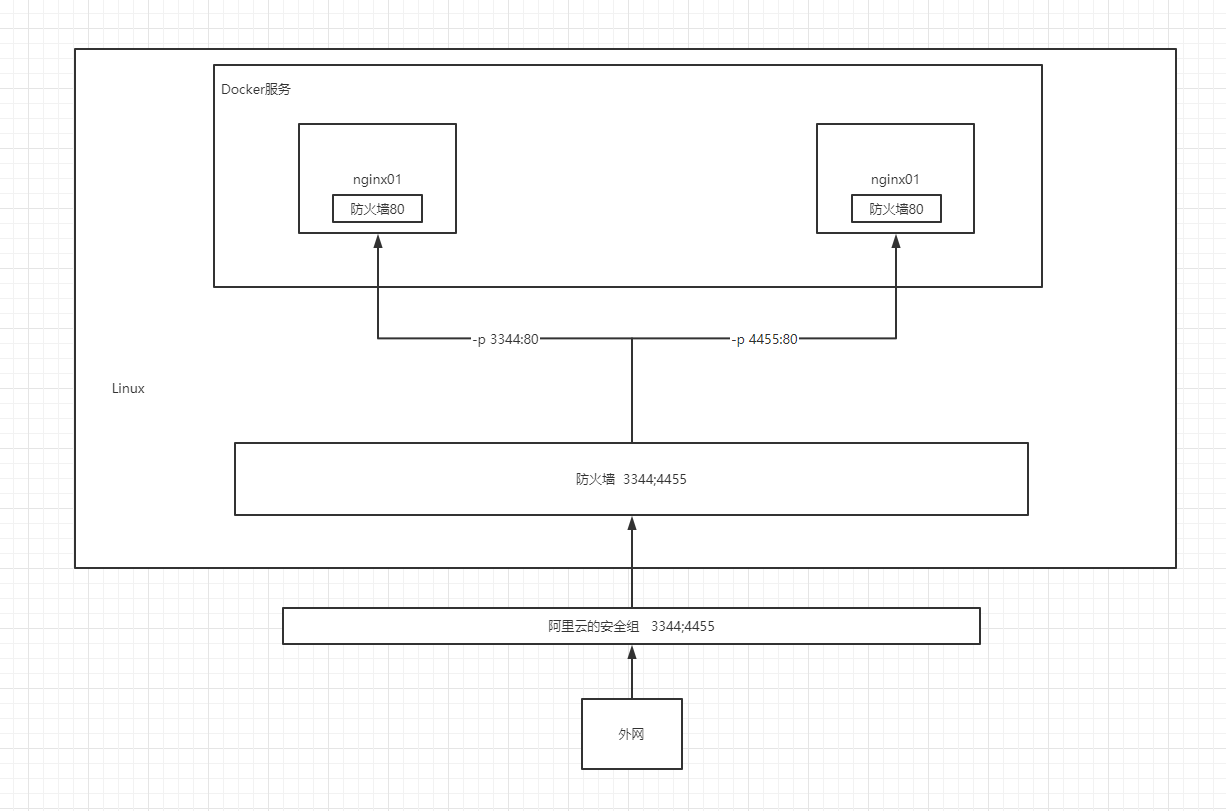
#-p 宿主机端口:容器内部端口  #将容器的端口暴露出来,映射到宿主机的端口上

[root@localhost ~]# docker run -d --name nginx01 -p 3344:80 nginx

e3711d6853698d2028c961cd2b4b2cfc85386ba32ed3a333f2da82dc0de4e0de

[root@localhost ~]# docker ps

CONTAINER ID   IMAGE     COMMAND                  CREATED          STATUS          PORTS                                   NAMES

e3711d685369   nginx     "/docker-entrypoint.…"   11 seconds ago   Up 10 seconds   0.0.0.0:3344->80/tcp, :::3344->80/tcp   nginx01

e88decf20b06   centos    "/bin/bash"              51 minutes ago   Up 49 minutes                                           gallant_chaplygin

[root@localhost ~]# curl localhost:3344

<!DOCTYPE html>

<html>

<head>

<title>Welcome to nginx!</title>

<style>

    body {

        width: 35em;

        margin: 0 auto;

        font-family: Tahoma, Verdana, Arial, sans-serif;

    }

</style>

</head>

<body>

<h1>Welcome to nginx!</h1>

<p>If you see this page, the nginx web server is successfully installed and

working. Further configuration is required.</p>

<p>For online documentation and support please refer to

<a href="http://nginx.org/">nginx.org</a>.<br/>

Commercial support is available at

<a href="http://nginx.com/">nginx.com</a>.</p>

<p><em>Thank you for using nginx.</em></p>

</body>

</html>
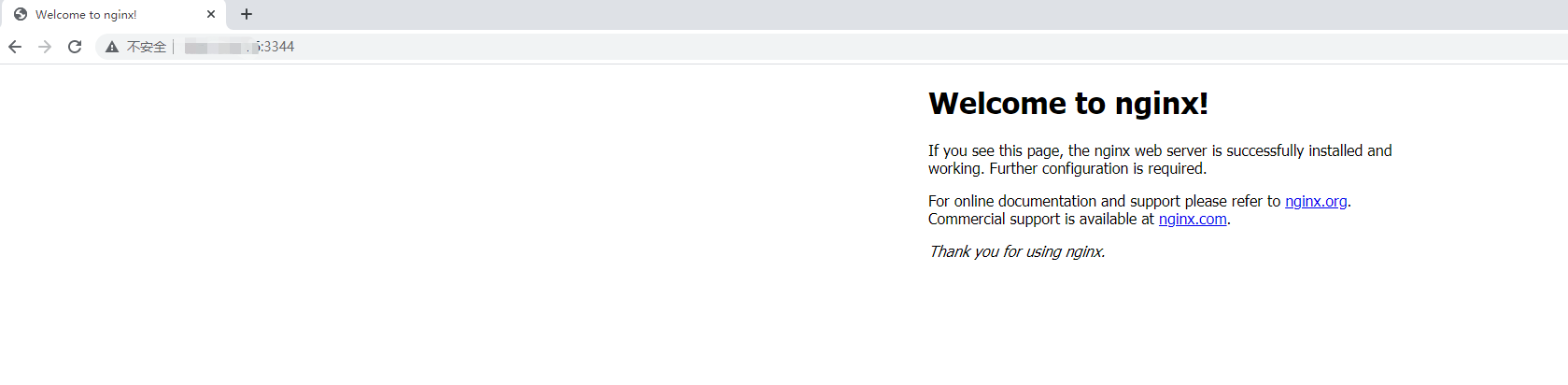
端口暴露逻辑
step-4 进入容器
[root@localhost ~]# docker ps

CONTAINER ID   IMAGE     COMMAND                  CREATED             STATUS             PORTS                                   NAMES

e3711d685369   nginx     "/docker-entrypoint.…"   26 minutes ago      Up 26 minutes      0.0.0.0:3344->80/tcp, :::3344->80/tcp   nginx01

e88decf20b06   centos    "/bin/bash"              About an hour ago   Up About an hour                                           gallant_chaplygin

[root@localhost ~]# docker exec -it nginx01 /bin/bash

root@e3711d685369:/# whereis nginx

nginx: /usr/sbin/nginx /usr/lib/nginx /etc/nginx /usr/share/nginx

root@e3711d685369:/# cd /etc/nginx

root@e3711d685369:/etc/nginx# ls

conf.d    fastcgi_params    mime.types  modules  nginx.conf  scgi_params  uwsgi_params
Docker系列(11)- 部署Nginx的更多相关文章
- Docker Compose 一键部署Nginx代理Tomcat集群
Docker Compose 一键部署Nginx代理Tomcat集群 目录结构 [root@localhost ~]# tree compose_nginx_tomcat/ compose_nginx ...
- [Docker]compose一键部署nginx
Docker-compose部署nginx 创建配置文件 mkdir -p /usr/local/docker/nginx cat > /usr/local/docker/nginx/docke ...
- Docker Compose一键部署Nginx反向代理Tomcat集群
目录结构如下 mysql/conf/my.cnf [mysqld] user=mysql port=3306 datadir=/var/lib/mysql socket=/var/lib/mysql/ ...
- Nginx系列(8)- Nginx安装 | Docker环境下部署
Docker环境下部署Nginx https://www.cnblogs.com/gltou/p/15186971.html
- Docker 06 部署Nginx
参考源 https://www.bilibili.com/video/BV1og4y1q7M4?spm_id_from=333.999.0.0 https://www.bilibili.com/vid ...
- 在Docker下部署Nginx
在Docker下部署Nginx 在Docker下部署Nginx,包括: 部署一个最简单的Nginx,可以通过80端口访问默认的网站 设置记录访问和错误日志的路径 设置静态网站的路径 通过proxy_p ...
- Docker部署Nginx应用(2)
Docker部署Nginx应用(2) 1.拉取Nginx镜像 [root@localhost ~]# docker pull nginx Using default tag: latest lates ...
- 庐山真面目之十微服务架构 Net Core 基于 Docker 容器部署 Nginx 集群
庐山真面目之十微服务架构 Net Core 基于 Docker 容器部署 Nginx 集群 一.简介 前面的两篇文章,我们已经介绍了Net Core项目基于Docker容器部署在Linux服 ...
- 四位一体水溶交融,Docker一拖三Tornado6.2 + Nginx + Supervisord非阻塞负载均衡容器式部署实践
原文转载自「刘悦的技术博客」https://v3u.cn/a_id_203 容器,又见容器.Docker容器的最主要优点就在于它们是可移植的.一套服务,其所有的依赖关系可以捆绑到一个独立于Linux内 ...
随机推荐
- zlib开发笔记(三):zlib库介绍、在ubuntu上进行arm平台交叉编译
前言 方便做嵌入式arm的交叉移植zlib库. Zlib库 zlib被设计为一个免费的,通用的,法律上不受限制的-即不受任何专利保护的无损数据压缩库,几乎可以在任何计算机硬件和操作系统上使 ...
- GithubSearch
https://docs.github.com/cn/github/searching-for-information-on-github/searching-on-github/searching- ...
- 学校acm比赛题
这道题 用位运算必然简单 但是苦逼的是自己不熟练 那就 用本办法 输入一个十进制数 转换成二进制翻转 去掉高位的零 然后再转化为十进制 输出! 1 #include<stdio.h> ...
- mzy git学习,初识git(一)
GIT学习 git工作区.暂存区.本地库.远程库 工作区:实际上我们工作的地方,进行写代码或者文件的地方. 暂存区:我们执行了git add 操作之后,就会被提交到暂存区. 本地库:其实最后我们需要执 ...
- 多线程编程<三>
1 /** 2 * 线程的暂停.恢复和停止 3 * @author Administrator 4 * 5 */ 6 public class ThreadControlDemo { 7 public ...
- unity优化 — UGUI纹理格式的选择
首次界面打开加载的资源(如 贴图)会被缓存在内存中,再次打开界面由于内存中已有了资源 所以会更快.如何让首次打开界面会更快呢? 图片是否进行了有效的压缩.Android 平台下不带透明通道 优先使用E ...
- canvas——动画实例
<!DOCTYPE html> <html lang="en"> <head> <meta charset="UTF-8&quo ...
- Linux centos7 pstree
2021-08-12 1.命令简介pstree (display a tree of processes) 命令用于查看进程树之间的关系,即哪个进程是父进程,哪个是子进程,可以直观地看出是谁创建了谁. ...
- 一键备份公众号的所有文章到PDF,再也不用担心想看的文章被删了
有的时候,我们会发现收藏的某个微信公众号文章会被删或者和谐了,尤其是对自己非常实用的文章,一定会后悔当初怎么没有复制或者备份下来. 单篇的公众号文章要备份,随便百度一下就能找到非常多方法,这里就不多废 ...
- 快速入门PaddleOCR,并试用其开发一个搜题小工具
介绍 PaddleOCR 是一个基于百度飞桨的OCR工具库,包含总模型仅8.6M的超轻量级中文OCR,单模型支持中英文数字组合识别.竖排文本识别.长文本识别.同时支持多种文本检测.文本识别的训练算法. ...