
吴裕雄--天生自然 R语言开发学习:图形初阶
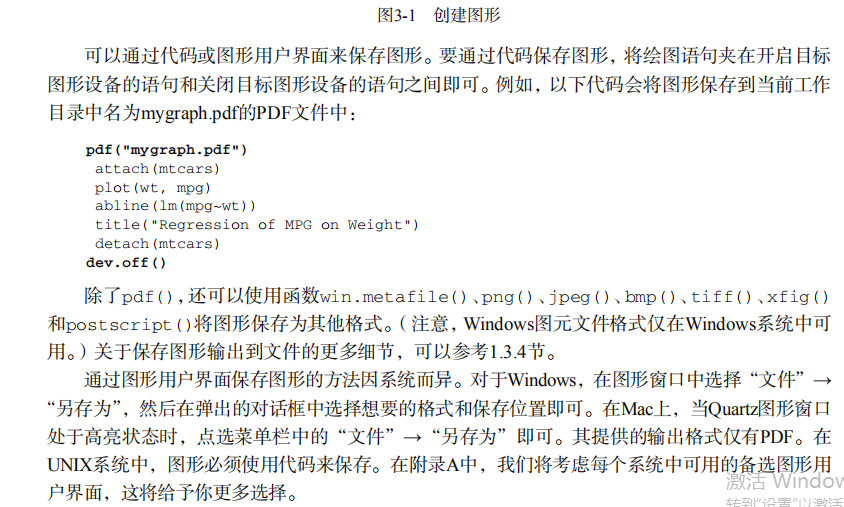

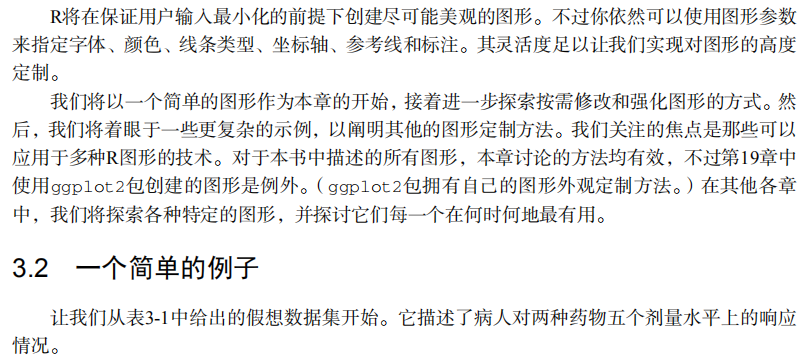






# ----------------------------------------------------#

# R in Action (2nd ed): Chapter 3                     #

# Getting started with graphs                         #

# requires that the Hmisc and RColorBrewer  packages  #

# have been installed                                 #

# install.packages(c("Hmisc", "RColorBrewer"))        #

#-----------------------------------------------------#

par(ask=TRUE)

opar <- par(no.readonly=TRUE) # make a copy of current settings

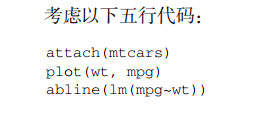
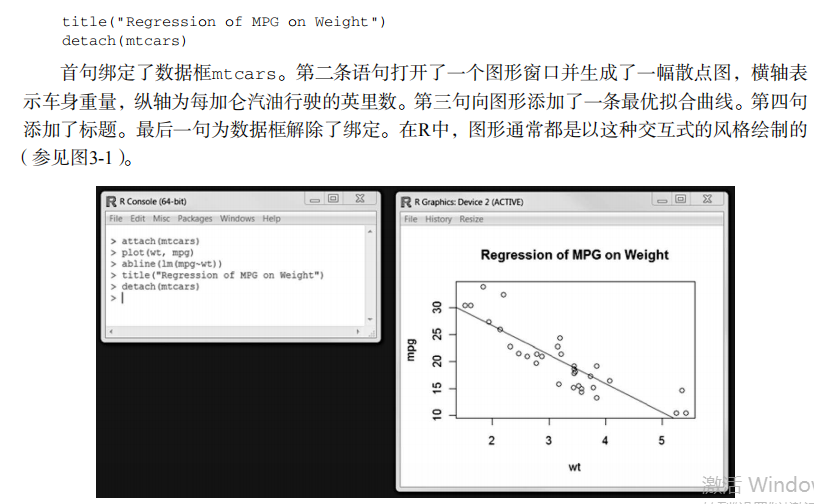
attach(mtcars) # be sure to execute this line

plot(wt, mpg)

abline(lm(mpg~wt))

title("Regression of MPG on Weight")

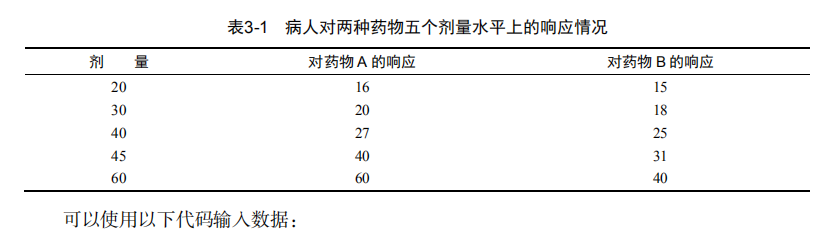
# Input data for drug example

dose  <- c(20, 30, 40, 45, 60)

drugA <- c(16, 20, 27, 40, 60)

drugB <- c(15, 18, 25, 31, 40)

plot(dose, drugA, type="b")

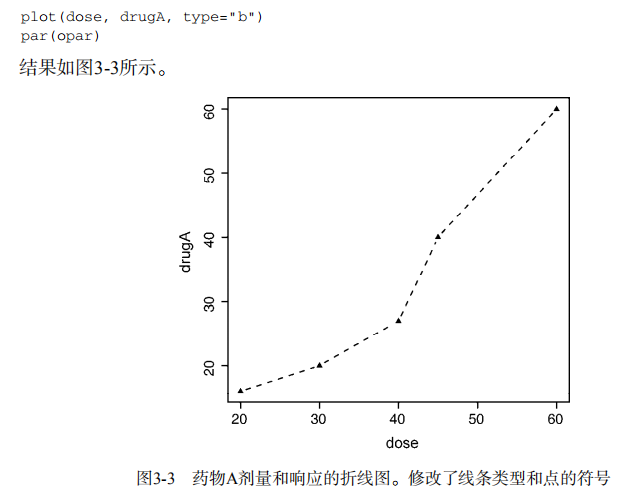
opar <- par(no.readonly=TRUE) # make a copy of current settings

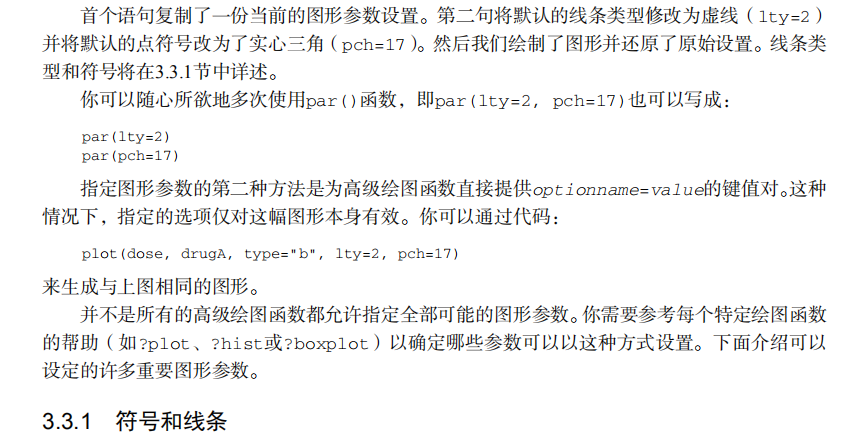
par(lty=2, pch=17)            # change line type and symbol

plot(dose, drugA, type="b")   # generate a plot

par(opar)                     # restore the original settings

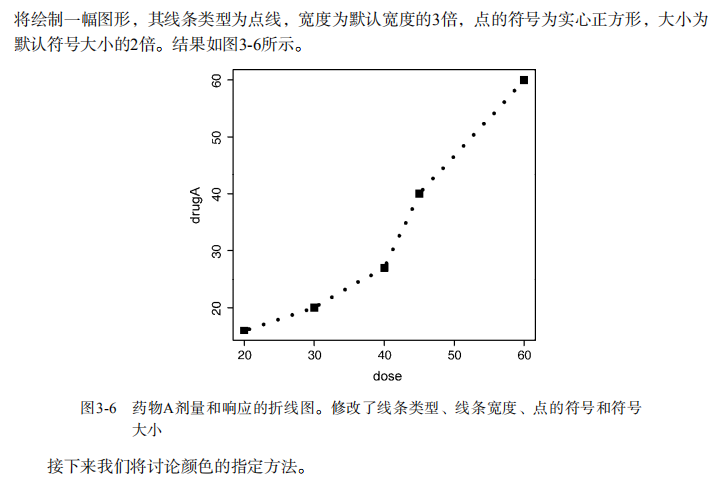
plot(dose, drugA, type="b", lty=3, lwd=3, pch=15, cex=2)

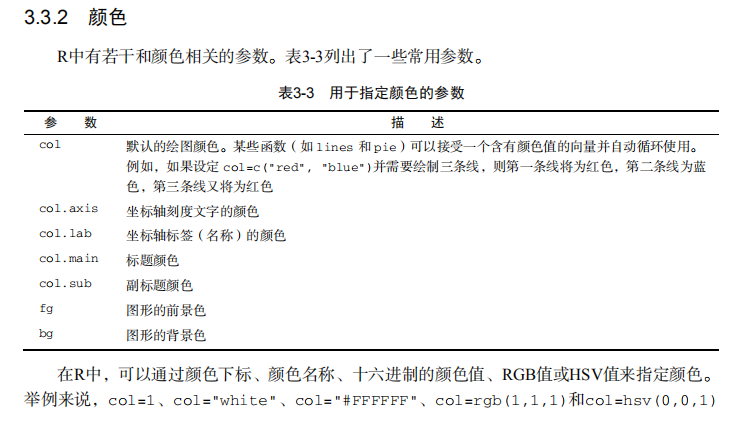
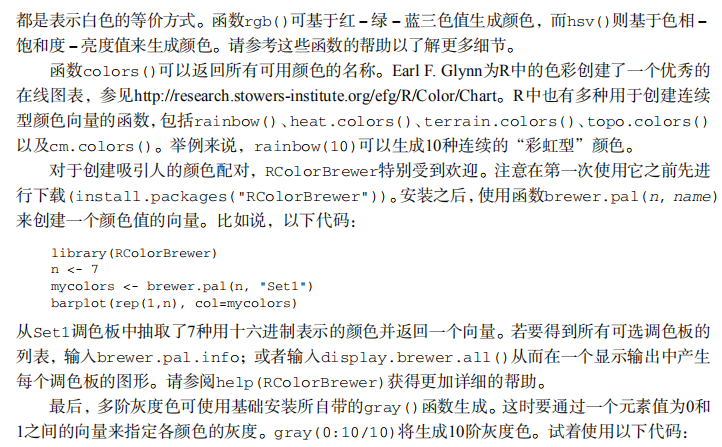
# choosing colors

library(RColorBrewer)

n <- 7

mycolors <- brewer.pal(n, "Set1")

barplot(rep(1,n), col=mycolors)

n <- 10

mycolors <- rainbow(n)

pie(rep(1, n), labels=mycolors, col=mycolors)

mygrays <- gray(0:n/n)

pie(rep(1, n), labels=mygrays, col=mygrays)

# Listing 3.1 - Using graphical parameters to control graph appearance

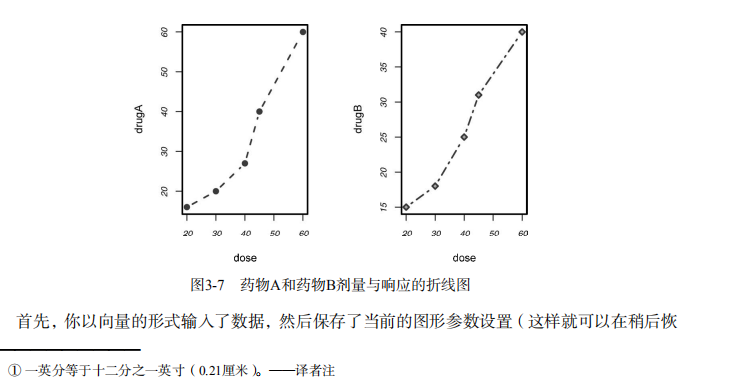
dose <- c(20, 30, 40, 45, 60)

drugA <- c(16, 20, 27, 40, 60)

drugB <- c(15, 18, 25, 31, 40)

opar <- par(no.readonly=TRUE)

par(pin=c(2, 3))

par(lwd=2, cex=1.5)

par(cex.axis=.75, font.axis=3)

plot(dose, drugA, type="b", pch=19, lty=2, col="red")

plot(dose, drugB, type="b", pch=23, lty=6, col="blue", bg="green")

par(opar)

# Adding text, lines, and symbols

plot(dose, drugA, type="b",

     col="red", lty=2, pch=2, lwd=2,

     main="Clinical Trials for Drug A",

     sub="This is hypothetical data",

     xlab="Dosage", ylab="Drug Response",

     xlim=c(0, 60), ylim=c(0, 70))

# Listing 3.2 - An Example of Custom Axes

x <- c(1:10)

y <- x

z <- 10/x

opar <- par(no.readonly=TRUE)

par(mar=c(5, 4, 4, 8) + 0.1)

plot(x, y, type="b",

     pch=21, col="red",

     yaxt="n", lty=3, ann=FALSE)

lines(x, z, type="b", pch=22, col="blue", lty=2)

axis(2, at=x, labels=x, col.axis="red", las=2)

axis(4, at=z, labels=round(z, digits=2),

     col.axis="blue", las=2, cex.axis=0.7, tck=-.01)

mtext("y=1/x", side=4, line=3, cex.lab=1, las=2, col="blue")

title("An Example of Creative Axes",

      xlab="X values",

      ylab="Y=X")

par(opar)

# Listing 3.3 - Comparing Drug A and Drug B response by dose

dose <- c(20, 30, 40, 45, 60)

drugA <- c(16, 20, 27, 40, 60)

drugB <- c(15, 18, 25, 31, 40)

opar <- par(no.readonly=TRUE)

par(lwd=2, cex=1.5, font.lab=2)

plot(dose, drugA, type="b",

     pch=15, lty=1, col="red", ylim=c(0, 60),

     main="Drug A vs. Drug B",

     xlab="Drug Dosage", ylab="Drug Response")

lines(dose, drugB, type="b",

      pch=17, lty=2, col="blue")

abline(h=c(30), lwd=1.5, lty=2, col="gray")

library(Hmisc)

minor.tick(nx=3, ny=3, tick.ratio=0.5)

legend("topleft", inset=.05, title="Drug Type", c("A","B"),

       lty=c(1, 2), pch=c(15, 17), col=c("red", "blue"))

par(opar)

# Example of labeling points

attach(mtcars)

plot(wt, mpg,

     main="Mileage vs. Car Weight",

     xlab="Weight", ylab="Mileage",

     pch=18, col="blue")

text(wt, mpg,

     row.names(mtcars),

     cex=0.6, pos=4, col="red")

detach(mtcars)

# View font families

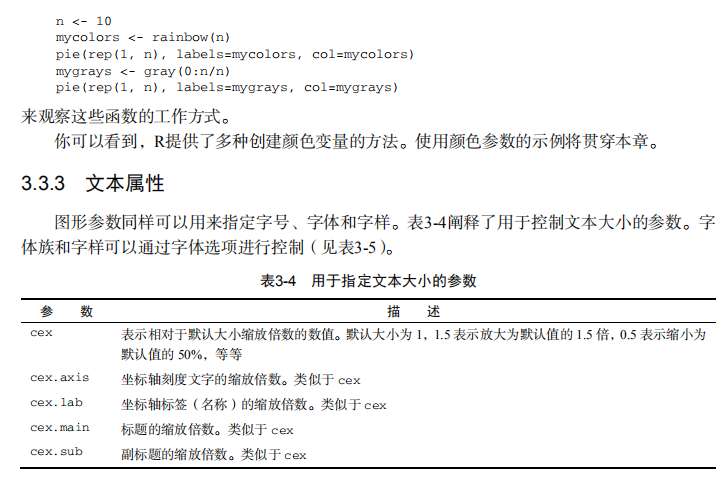
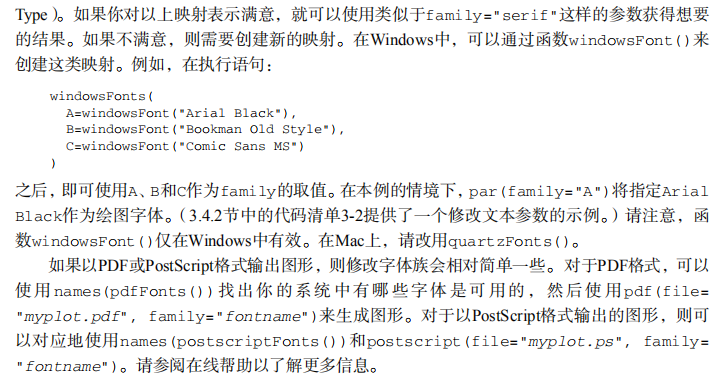
opar <- par(no.readonly=TRUE)

par(cex=1.5)

plot(1:7,1:7,type="n")

text(3,3,"Example of default text")

text(4,4,family="mono","Example of mono-spaced text")

text(5,5,family="serif","Example of serif text")

par(opar)

# Combining graphs

attach(mtcars)

opar <- par(no.readonly=TRUE)

par(mfrow=c(2,2))

plot(wt,mpg, main="Scatterplot of wt vs. mpg")

plot(wt,disp, main="Scatterplot of wt vs. disp")

hist(wt, main="Histogram of wt")

boxplot(wt, main="Boxplot of wt")

par(opar)

detach(mtcars)

attach(mtcars)

opar <- par(no.readonly=TRUE)

par(mfrow=c(3,1))

hist(wt)

hist(mpg)

hist(disp)

par(opar)

detach(mtcars)

attach(mtcars)

layout(matrix(c(1,1,2,3), 2, 2, byrow = TRUE))

hist(wt)

hist(mpg)

hist(disp)

detach(mtcars)

attach(mtcars)

layout(matrix(c(1, 1, 2, 3), 2, 2, byrow = TRUE),

       widths=c(3, 1), heights=c(1, 2))

hist(wt)

hist(mpg)

hist(disp)

detach(mtcars)

# Listing 3.4 - Fine placement of figures in a graph

opar <- par(no.readonly=TRUE)

par(fig=c(0, 0.8, 0, 0.8))

plot(mtcars$mpg, mtcars$wt,

     xlab="Miles Per Gallon",

     ylab="Car Weight")

par(fig=c(0, 0.8, 0.55, 1), new=TRUE)

boxplot(mtcars$mpg, horizontal=TRUE, axes=FALSE)

par(fig=c(0.65, 1, 0, 0.8), new=TRUE)

boxplot(mtcars$wt, axes=FALSE)

mtext("Enhanced Scatterplot", side=3, outer=TRUE, line=-3)

par(opar)
吴裕雄--天生自然 R语言开发学习:图形初阶的更多相关文章
- 吴裕雄--天生自然 R语言开发学习:R语言的安装与配置
下载R语言和开发工具RStudio安装包 先安装R
- 吴裕雄--天生自然 R语言开发学习:数据集和数据结构
数据集的概念 数据集通常是由数据构成的一个矩形数组,行表示观测,列表示变量.表2-1提供了一个假想的病例数据集. 不同的行业对于数据集的行和列叫法不同.统计学家称它们为观测(observation)和 ...
- 吴裕雄--天生自然 R语言开发学习:导入数据
2.3.6 导入 SPSS 数据 IBM SPSS数据集可以通过foreign包中的函数read.spss()导入到R中,也可以使用Hmisc 包中的spss.get()函数.函数spss.get() ...
- 吴裕雄--天生自然 R语言开发学习:使用键盘、带分隔符的文本文件输入数据
R可从键盘.文本文件.Microsoft Excel和Access.流行的统计软件.特殊格 式的文件.多种关系型数据库管理系统.专业数据库.网站和在线服务中导入数据. 使用键盘了.有两种常见的方式:用 ...
- 吴裕雄--天生自然 R语言开发学习:R语言的简单介绍和使用
假设我们正在研究生理发育问 题,并收集了10名婴儿在出生后一年内的月龄和体重数据(见表1-).我们感兴趣的是体重的分 布及体重和月龄的关系. 可以使用函数c()以向量的形式输入月龄和体重数据,此函 数 ...
- 吴裕雄--天生自然 R语言开发学习:基础知识
1.基础数据结构 1.1 向量 # 创建向量a a <- c(1,2,3) print(a) 1.2 矩阵 #创建矩阵 mymat <- matrix(c(1:10), nrow=2, n ...
- 吴裕雄--天生自然 R语言开发学习:图形初阶(续二)
# ----------------------------------------------------# # R in Action (2nd ed): Chapter 3 # # Gettin ...
- 吴裕雄--天生自然 R语言开发学习:图形初阶(续一)
# ----------------------------------------------------# # R in Action (2nd ed): Chapter 3 # # Gettin ...
- 吴裕雄--天生自然 R语言开发学习:基本图形(续二)
#---------------------------------------------------------------# # R in Action (2nd ed): Chapter 6 ...
随机推荐
- 吴裕雄--天生自然TensorFlow2教程:Tensor数据类型
list: [1,1.2,'hello'] ,存储图片占用内存非常大 np.array,存成一个静态数组,但是numpy在深度学习之前就出现了,所以不适合深度学习 tf.Tensor,为了弥补nump ...
- Linux系统的限制
1.总结系统限制有: /proc/sys/kernel/pid_max #查系统支持的最大线程数,一般会很大,相当于理论值 /proc/sys/kernel/thread-max m ...
- unity学习 5.x依赖打包和解包
unity5已经封装好了接口,所以依赖打包并没有那么神秘和复杂了. 打包: 1.定义好资源的assetBundleName 2.BuildPipeline.BuildAssetBundles,指定资源 ...
- SRS|Stratified sampling|系统抽样|Cluster sampling|multistage sampling|
生物统计学 总体和抽样 抽样方法: ========================================================= 简单随机抽样SRS:随机误差,系统误差 标准误, ...
- Linux下切换用户出现su: Authentication failure的解决办法
在切换用户时,密码没有输错,但始终无法成功地切换,还报出身份验证失败的错误,下面是具体解决方案: 在终端上输入指令sudo passwd root 此时输入你的密码 重复再次输入你的密码 再次用su指 ...
- BBS配置
BBS配置 一.url路由 """BBS URL Configuration The `urlpatterns` list routes URLs to views. F ...
- Django框架(六):模型(二) 字段查询、查询集
1. 字段查询 通过模型类.objects属性可以调用如下函数,实现对模型类对应的数据表的查询. 函数名 功能 返回值 说明 get 返回表中满足条件的一条且只能有一条数据. 返回值是一个模型类对象. ...
- mysql之DTS的那些事
最近才考虑数据库迁移,想起了之前做DTS踩过的那些坑. 基于数据库迁移,比如从源A库迁移到源B库,包括但不限于数据库上云. 数据库迁移方案有两种场景: (1).停机迁移方案 这种方案是允许停服的场景, ...
- Java复习(三)类中的方法
3.1方法的控制流程 与C/C++类似 3.2异常处理 Java处理错误的方法 抛出(throw)异常 在方法的运行过程中,如果发生了异常,则该方法生成一个代表该异常的代码并把它交给运行时系统,运行时 ...
- Java操作redis客户端Jedis连接集群(Cluster)
创建JedisCluster类连接redis集群. @Test public void testJedisCluster() throws Exception { //创建一连接,JedisClust ...