
Properties类(一)
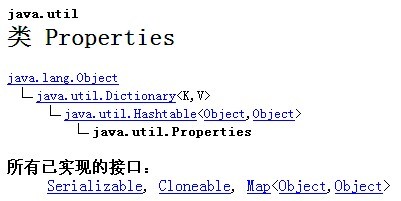
- package apistudy;
- import java.io.File;
- import java.io.FileInputStream;
- import java.io.FileOutputStream;
- import java.io.IOException;
- import java.io.InputStream;
- import java.io.OutputStream;
- import java.io.UnsupportedEncodingException;
- import java.util.Properties;
- public class PropertiesTest
- {
- public static void main(String[] args)
- {
- String readfile = "d:" + File.separator + "readfile.properties";
- String writefile = "d:" + File.separator + "writefile.properties";
- String readxmlfile = "d:" + File.separator + "readxmlfile.xml";
- String writexmlfile = "d:" + File.separator + "writexmlfile.xml";
- String readtxtfile = "d:" + File.separator + "readtxtfile.txt";
- String writetxtfile = "d:" + File.separator + "writetxtfile.txt";
- readPropertiesFile(readfile); //读取properties文件
- writePropertiesFile(writefile); //写properties文件
- readPropertiesFileFromXML(readxmlfile); //读取XML文件
- writePropertiesFileToXML(writexmlfile); //写XML文件
- readPropertiesFile(readtxtfile); //读取txt文件
- writePropertiesFile(writetxtfile); //写txt文件
- }
- //读取资源文件,并处理中文乱码
- public static void readPropertiesFile(String filename)
- {
- Properties properties = new Properties();
- try
- {
- InputStream inputStream = new FileInputStream(filename);
- properties.load(inputStream);
- inputStream.close(); //关闭流
- }
- catch (IOException e)
- {
- e.printStackTrace();
- }
- String username = properties.getProperty("username");
- String passsword = properties.getProperty("password");
- String chinese = properties.getProperty("chinese");
- try
- {
- chinese = new String(chinese.getBytes("ISO-8859-1"), "GBK"); // 处理中文乱码
- }
- catch (UnsupportedEncodingException e)
- {
- e.printStackTrace();
- }
- System.out.println(username);
- System.out.println(passsword);
- System.out.println(chinese);
- }
- //读取XML文件,并处理中文乱码
- public static void readPropertiesFileFromXML(String filename)
- {
- Properties properties = new Properties();
- try
- {
- InputStream inputStream = new FileInputStream(filename);
- properties.loadFromXML(inputStream);
- inputStream.close();
- }
- catch (IOException e)
- {
- e.printStackTrace();
- }
- String username = properties.getProperty("username");
- String passsword = properties.getProperty("password");
- String chinese = properties.getProperty("chinese"); //XML中的中文不用处理乱码,正常显示
- System.out.println(username);
- System.out.println(passsword);
- System.out.println(chinese);
- }
- //写资源文件,含中文
- public static void writePropertiesFile(String filename)
- {
- Properties properties = new Properties();
- try
- {
- OutputStream outputStream = new FileOutputStream(filename);
- properties.setProperty("username", "myname");
- properties.setProperty("password", "mypassword");
- properties.setProperty("chinese", "中文");
- properties.store(outputStream, "author: shixing_11@sina.com");
- outputStream.close();
- }
- catch (IOException e)
- {
- e.printStackTrace();
- }
- }
- //写资源文件到XML文件,含中文
- public static void writePropertiesFileToXML(String filename)
- {
- Properties properties = new Properties();
- try
- {
- OutputStream outputStream = new FileOutputStream(filename);
- properties.setProperty("username", "myname");
- properties.setProperty("password", "mypassword");
- properties.setProperty("chinese", "中文");
- properties.storeToXML(outputStream, "author: shixing_11@sina.com");
- outputStream.close();
- }
- catch (IOException e)
- {
- e.printStackTrace();
- }
- }
- }
username=mynamepassword=mypasswordchinese=中文
#author: shixing_11@sina.com#Fri May 28 22:19:44 CST 2010password=mypasswordchinese=/u4E2D/u6587username=myname
3. readxmlfile.xml
<?xml version="1.0" encoding="UTF-8" standalone="no"?>
<!DOCTYPE properties SYSTEM "http://java.sun.com/dtd/properties.dtd"><properties><entry key="password">mypassword</entry><entry key="chinese">中文</entry><entry key="username">myname</entry></properties>
<?xml version="1.0" encoding="UTF-8" standalone="no"?><!DOCTYPE properties SYSTEM "http://java.sun.com/dtd/properties.dtd"><properties><comment>author: shixing_11@sina.com</comment><entry key="password">mypassword</entry><entry key="chinese">中文</entry><entry key="username">myname</entry></properties>
#author: shixing_11@sina.com#Fri May 28 22:25:16 CST 2010password=mypasswordchinese=/u4E2D/u6587username=myname
Properties类(一)的更多相关文章
- Java中Properties类知识的总结
一.Properties类与配置文件 注意:是一个Map集合,该集合中的键值对都是字符串.该集合通常用于对键值对形式的配置文件进行操作. 配置文件:将软件中可变的部分数据可以定义到一个文件中,方便以后 ...
- java编程中Properties类的具体作用和使用
如果不熟悉 java.util.Properties类,那么现在告诉您它是用来在一个文件中存储键-值对的,其中键和值是用等号分隔的.(如清单 1 所示).最近更新的java.util.Properti ...
- 【JAVA Properties类概述】
一.概述. 之前说过,该对象是和IO流相结合的技术,所以和IO流结合在一起来讲比较合适. public class Propertiesextends Hashtable<Object,Obje ...
- java 21 - 14 Properties类
类 Properties Properties 类表示了一个持久的属性集.Properties 可保存在流中或从流中加载.属性列表中每个键及其对应值都是一个字符串. 注意:Properties是Has ...
- Java中Properties类的操作
知识学而不用,就等于没用,到真正用到的时候还得重新再学.最近在看几款开源模拟器的源码,里面涉及到了很多关于Properties类的引用,由于Java已经好久没用了,而这些模拟器大多用Java来写,外加 ...
- Properties类一些常用的用法
直接上代码: package test.properties; import java.io.File; import java.io.FileInputStream; import java.io. ...
- Java常用类之Properties类
1.特性 Properties类表示了一个持久的属性集,可保存在流中或从流中加载,实现内存和文件的交互.Properties继承了Hashtable<Object,Object>类,可以使 ...
- Java的Properties类和读取.properties文件
一..properties文件的作用 Properties属性文件在JAVA应用程序中是经常可以看得见的,也是特别重要的一类文件.它用来配置应用程序的一些信息,不过这些信息一般都是比较少的数据,没有必 ...
- Java中Properties类的操作配置文件
知识学而不用,就等于没用,到真正用到的时 候还得重新再学.最近在看几款开源模拟器的源码,里面涉及到了很多关于Properties类的引用,由于Java已经好久没用了,而这些模拟器大多用 Java来写, ...
- Properties类与读取properties文件
Properties类 在Java中,其配置文件常为.properties文件,格式为文本文件,文件的内容的格式是“键=值”的格式,文本注释信息可以用"#"来注释. 这个类的几个常 ...
随机推荐
- 使用BurpSuite和Hydra爆破相关的服务(9.25 第十一天)
使用BP和Hydra爆破相关的服务 Hydra:九头蛇,开源的功能强大的爆破工具,支持的服务有很多,使用Hydra爆破C/S架构的服务. 使用BurpSuite爆破web服务 DVWA:web应用程序 ...
- 数据库的交互模式 常用的dos命令 (第一天)
浏览器和服务器和数据库的交互模式 windows nt(windows系统)的分类:服务操作系统有(server03 server08(R2) 12 16) 个人操作系统有(xp win7 win8 ...
- 【pwnable.kr】 shellshock
pwnable从入门到放弃,第五题. ssh shellshock@pwnable.kr -p2222 (pw:guest) 这题主要涉及了一个关于bash的CVE漏洞. 首先还是下载源代码审计一下, ...
- HDU_1059 多重背包问题
F - Dividing Time Limit:1000MS Memory Limit:10000KB 64bit IO Format:%I64d & %I64u Submit ...
- mybatis的一对多和多对一的连接查询
实体类: package com.entity; import java.util.List; public class Dept { private Integer deptId; private ...
- python刷LeetCode:27. 移除元素
难度等级:简单 题目描述: 给定一个数组 nums 和一个值 val,你需要原地移除所有数值等于 val 的元素,返回移除后数组的新长度. 不要使用额外的数组空间,你必须在原地修改输入数组并在使用 O ...
- Python多线程,线程死锁及解决,生产者与消费者问题
1.Thread类 普通调用 t = Thread(target=test, args=(i,)) # test为目标函数名, 若函数需要参数将其以元组形 # 式赋给args, 若无参数可不写 t.s ...
- find_element_by_xpath()的6种方法
Xpath (XML Path Language),是W3C定义的用来在XML文档中选择节点的语言 一:从根目录/开始 有点像Linux的文件查看,/代表根目录,一级一级的查找,直接子节点,相当于cs ...
- 18 12 2 数据库 sql 的增删改查
---恢复内容开始--- 1 开始进入MySQL 的安装 https://www.cnblogs.com/ayyl/p/5978418.html 膜拜大神的博客 2 默认安装的时候 m ...
- mysql数值类型总结及常用函数
最近在学习下,总结一下mysql数值类型: mysql字符类型分: 1.整数类型: 字节 值范围 INTERGER 1 ...