
TB3_Autorace之交通杆检测
利用blob检测算法识别交通杆,控制TB3机器人完成对交通杆的起停动作!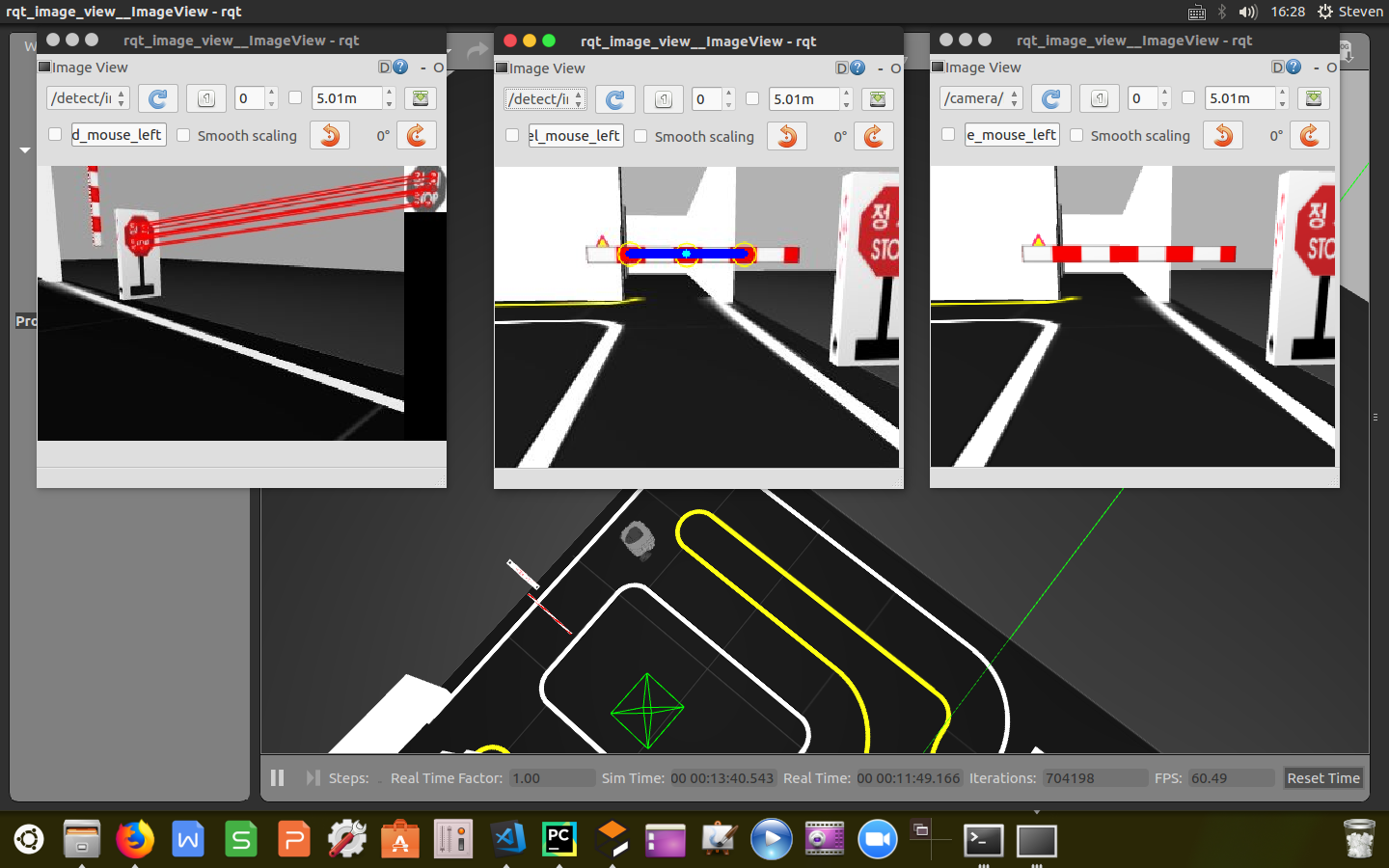
上一篇博文中《TB3_Autorace之路标检测》订阅了原始图像信息,经过SIFT检测识别出道路交通标志,这里我们同样订阅树莓派摄像头的原始图像信息对交通杆进行识别,同时我们还订阅了交通杆的状态信息以及任务完成信息,实现杆落即停,杆起即过的功能。
1
2
3
4
5
6
7
8
9
10
11
12
13
14
self.sub_image_type = "raw"
self.pub_image_type = "raw"

if self.sub_image_type == "compressed":

    self.sub_image_original = rospy.Subscriber('/detect/image_input/compressed', CompressedImage,
                                               self.cbGetImage, queue_size=1)
elif self.sub_image_type == "raw":

    self.sub_image_original = rospy.Subscriber('/detect/image_input', Image, self.cbGetImage, queue_size=1)
self.sub_level_crossing_order = rospy.Subscriber('/detect/level_crossing_order', UInt8,
                                                 self.cbLevelCrossingOrder, queue_size=1)
self.sub_level_crossing_finished = rospy.Subscriber('/control/level_crossing_finished', UInt8,
                                                    self.cbLevelCrossingFinished, queue_size=1)
发布话题
发布图像信息,交通杆的状态信息/detect/level_crossing_stamped、任务开始信息/control/level_crossing_start以及速度控制信息/control/max_vel。
1 |
if self.pub_image_type == "compressed": |
设定检测状态
这里我们利用python的枚举操作将路标检测封装为几个不同状态,包括识别标志、检测交通杆、识别交通杆、停车、通过等状态。根据不同的识别状态执行相应的控制命令。
1
2
3
4
5
6
self.StepOfLevelCrossing = Enum('StepOfLevelCrossing',
'searching_stop_sign '
'searching_level '
'watching_level '
'stop '
'pass_level')
距离计算
计算点到直线的距离,代码封装如下:
1
2
distance = abs(x0 * a + y0 * b + c) / math.sqrt(a * a + b * b)
return distance
计算点到点的距离(欧式),代码封装如下:
1
2
distance = math.sqrt((x2 - x1) * (x2 - x1) + (y2 - y1) * (y2 - y1))
return distance
线性判断
利用blob算法检测出的红色块,得出色块的坐标对,根据三点呈一线的原理,计算直线方程并判断检测出的点是否呈线性,代码封装如下:
1
2
3
4
5
6
7
8
9
10
11
12
13
14
15
16
17
def (point1, point2, point3):
# 判断是否呈线性
threshold_linearity = 50
x1, y1 = point1
x2, y2 = point3
if x2 - x1 != 0:
a = (y2 - y1) / (x2 - x1)
else:
a = 1000
b = -1
c = y1 - a * x1
err = fnCalcDistanceDot2Line(a, b, c, point2[0], point2[1])
if err < threshold_linearity:
return True
else:
return False
距离判断
利用blob算法检测出的三个红色块,得出三个色块的坐标对并计算相互之间的距离,判断距离是否相等,代码封装如下:
1
2
3
4
5
6
7
8
9
10
11
def (point1, point2, point3):
# 判断距离是否相等
threshold_distance_equality = 3
distance1 = fnCalcDistanceDot2Dot(point1[0], point1[1], point2[0], point2[1])
distance2 = fnCalcDistanceDot2Dot(point2[0], point2[1], point3[0], point3[1])
std = np.std([distance1, distance2])
if std < threshold_distance_equality:
return True
else:
return False
格式转换
设定合适的帧率,将订阅到的原始图像信息格式转换成OpenCV库能够处理的信息格式,代码封装如下:
1
2
3
4
5
6
7
8
9
10
11
12
def cbGetImage(self, image_msg):
if self.counter % 3 != 0:
self.counter += 1
return
else:
self.counter = 1
if self.sub_image_type == "compressed":
np_arr = np.fromstring(image_msg.data, np.uint8)
self.cv_image = cv2.imdecode(np_arr, cv2.IMREAD_COLOR)
else:
self.cv_image = self.cvBridge.imgmsg_to_cv2(image_msg, "bgr8")
注:根据计算机处理能力设定帧率,这里设置成10fps,不合适的帧率设置容易产生掉帧的现象,会影响最终的检测。
提取色块
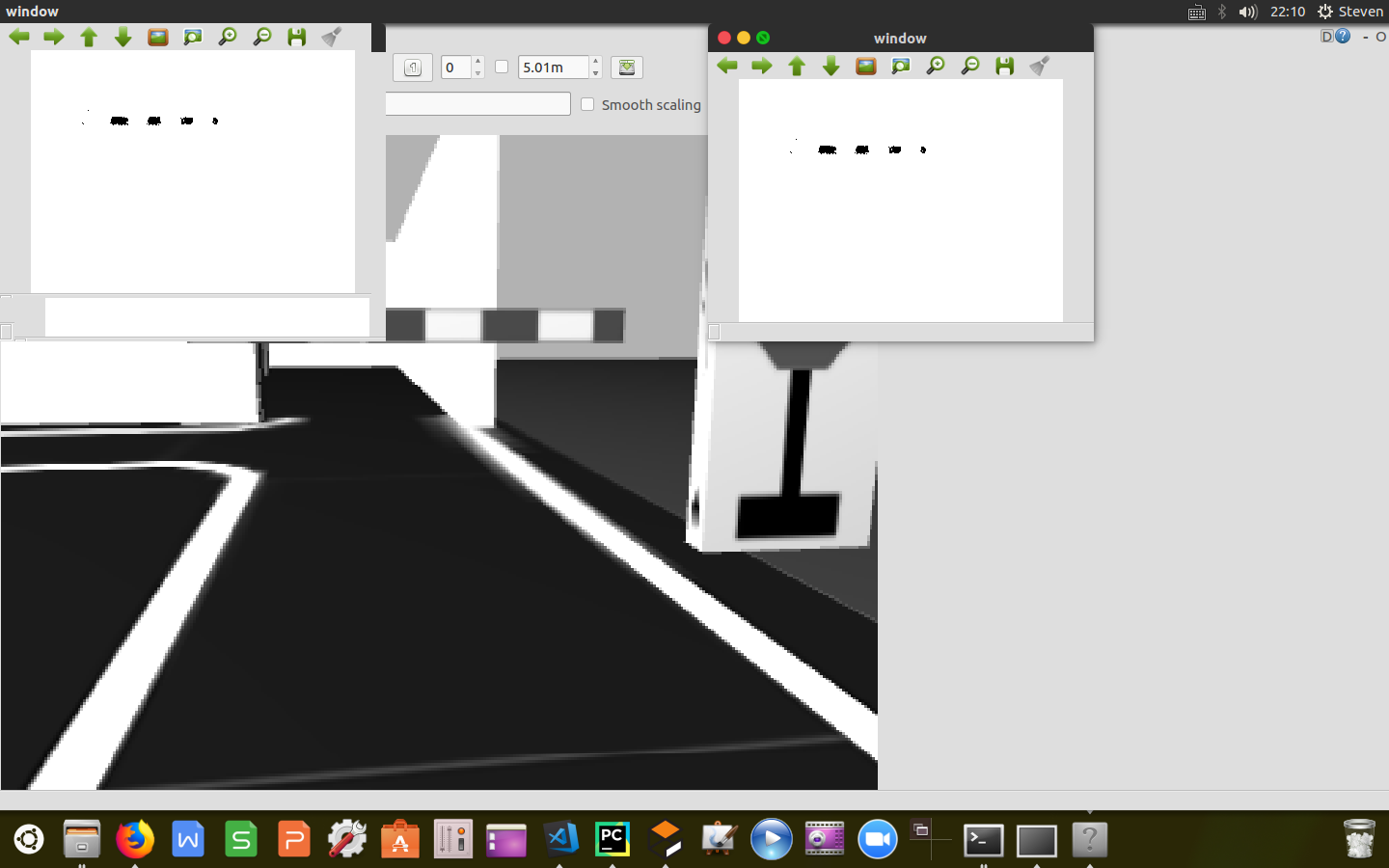
利用掩膜操作,设定颜色阈值,将RGB图像转换成HSV格式图像,根据颜色阈值提取出交通杆上的红色色块,返回掩膜后的0-1图像。代码封装如下:
1
2
3
4
5
6
7
8
9
10
11
12
13
14
15
16
17
18
19
20
21
22
23
24
25
26
27
28
def fnMaskRedOfLevel(self):
image = np.copy(self.cv_image)
# Convert BGR to HSV
hsv = cv2.cvtColor(image, cv2.COLOR_BGR2HSV)
Hue_l = self.hue_red_l
Hue_h = self.hue_red_h
Saturation_l = self.saturation_red_l
Saturation_h = self.saturation_red_h
Lightness_l = self.lightness_red_l
Lightness_h = self.lightness_red_h
# define range of red color in HSV
lower_red = np.array([Hue_l, Saturation_l, Lightness_l])
upper_red = np.array([Hue_h, Saturation_h, Lightness_h])
# Threshold the HSV image to get only red colors
mask = cv2.inRange(hsv, lower_red, upper_red)
if self.is_calibration_mode == True:
if self.pub_image_type == "compressed":
self.pub_image_color_filtered.publish(self.cvBridge.cv2_to_compressed_imgmsg(mask, "jpg"))
elif self.pub_image_type == "raw":
self.pub_image_color_filtered.publish(self.cvBridge.cv2_to_imgmsg(mask, "mono8"))
mask = cv2.bitwise_not(mask)
return mask
速度控制
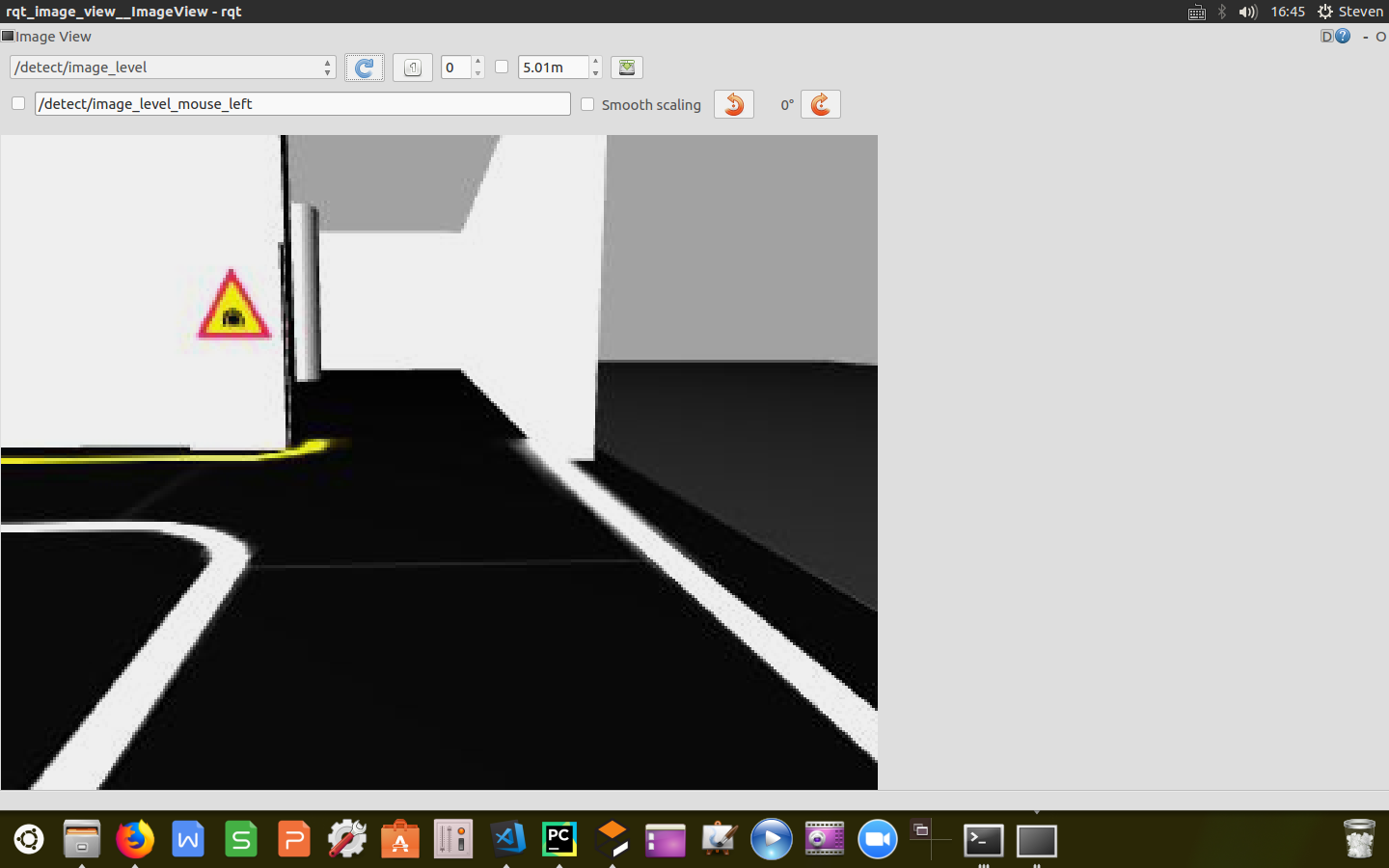
根据订阅到的交通杆状态信息/detect/level_crossing_order,实时发布目前的检测状态以及速度命令控制小车由减速到停车再到启动的全过程。代码封装如下:
1
2
3
4
5
6
7
8
9
10
11
12
13
14
15
16
17
18
19
20
21
22
23
24
25
26
27
28
29
30
31
32
33
34
35
36
37
38
大专栏 TB3_Autorace之交通杆检测e">39
40
41
42
43
44
45
46
47
48
49
50
51
52
53
54
55
56
57
58
59
60
61
62
63
64
65
66
67
68
69
70
71
def cbLevelCrossingOrder(self, order):
    pub_level_crossing_return = UInt8()

    if order.data == self.StepOfLevelCrossing.searching_stop_sign.value:
        rospy.loginfo("Now lane_following")

        pub_level_crossing_return.data = self.StepOfLevelCrossing.searching_stop_sign.value

    elif order.data == self.StepOfLevelCrossing.searching_level.value:
        rospy.loginfo("Now searching_level")

        msg_pub_max_vel = Float64()
        msg_pub_max_vel.data = 0.10
        self.pub_max_vel.publish(msg_pub_max_vel)

        while True:
            is_level_detected, _, _ = self.fnFindLevel()
            if is_level_detected == True:
                break
            else:
                pass

        rospy.loginfo("SLOWDOWN!!")

        msg_pub_max_vel.data = 0.04
        self.pub_max_vel.publish(msg_pub_max_vel)

        pub_level_crossing_return.data = self.StepOfLevelCrossing.searching_level.value

    elif order.data == self.StepOfLevelCrossing.watching_level.value:
        rospy.loginfo("Now watching_level")

        while True:
            _, is_level_close, _ = self.fnFindLevel()
            if is_level_close == True:
                break
            else:
                pass

        rospy.loginfo("STOP~~")

        msg_pub_max_vel = Float64()
        msg_pub_max_vel.data = 0.0
        self.pub_max_vel.publish(msg_pub_max_vel)

        pub_level_crossing_return.data = self.StepOfLevelCrossing.watching_level.value

    elif order.data == self.StepOfLevelCrossing.stop.value:
        rospy.loginfo("Now stop")

        while True:
            _, _, is_level_opened = self.fnFindLevel()
            if is_level_opened == True:
                break
            else:
                pass

        rospy.loginfo("GO~~")

        msg_pub_max_vel = Float64()
        msg_pub_max_vel.data = 0.04
        self.pub_max_vel.publish(msg_pub_max_vel)

        pub_level_crossing_return.data = self.StepOfLevelCrossing.stop.value

    elif order.data == self.StepOfLevelCrossing.pass_level.value:
        rospy.loginfo("Now pass_level")

        pub_level_crossing_return.data = self.StepOfLevelCrossing.pass_level.value

    self.pub_level_crossing_return.publish(pub_level_crossing_return)
交通杆检测
这里主要利用blob斑点检测算法,在上一篇文章中《TB3_Autorace之路标检测》提到的通过设定几个检测指标对掩膜后的图像进行关键点检测,将识别出的色块用黄色圆标识。当检测到3个红色矩形框时,计算关键点的平均坐标以及关键点到平均点的距离列表,通过计算三个红色块之间的距离以及校验三个色块的线性情况判断是否检测到交通杆,将斑点用蓝色线连接标识,计算交通杆的斜率,根据斜率值的大小说明到拦路杆的距离,判断拦路杆的状态;通过计算self.stop_bar_count的值判断交通杆已经收起,小车可以通过,返回交通杆的三个状态(小车减速,停车,通过),代码封装如下:
1 |
def fnFindRectOfLevel(self, mask): |
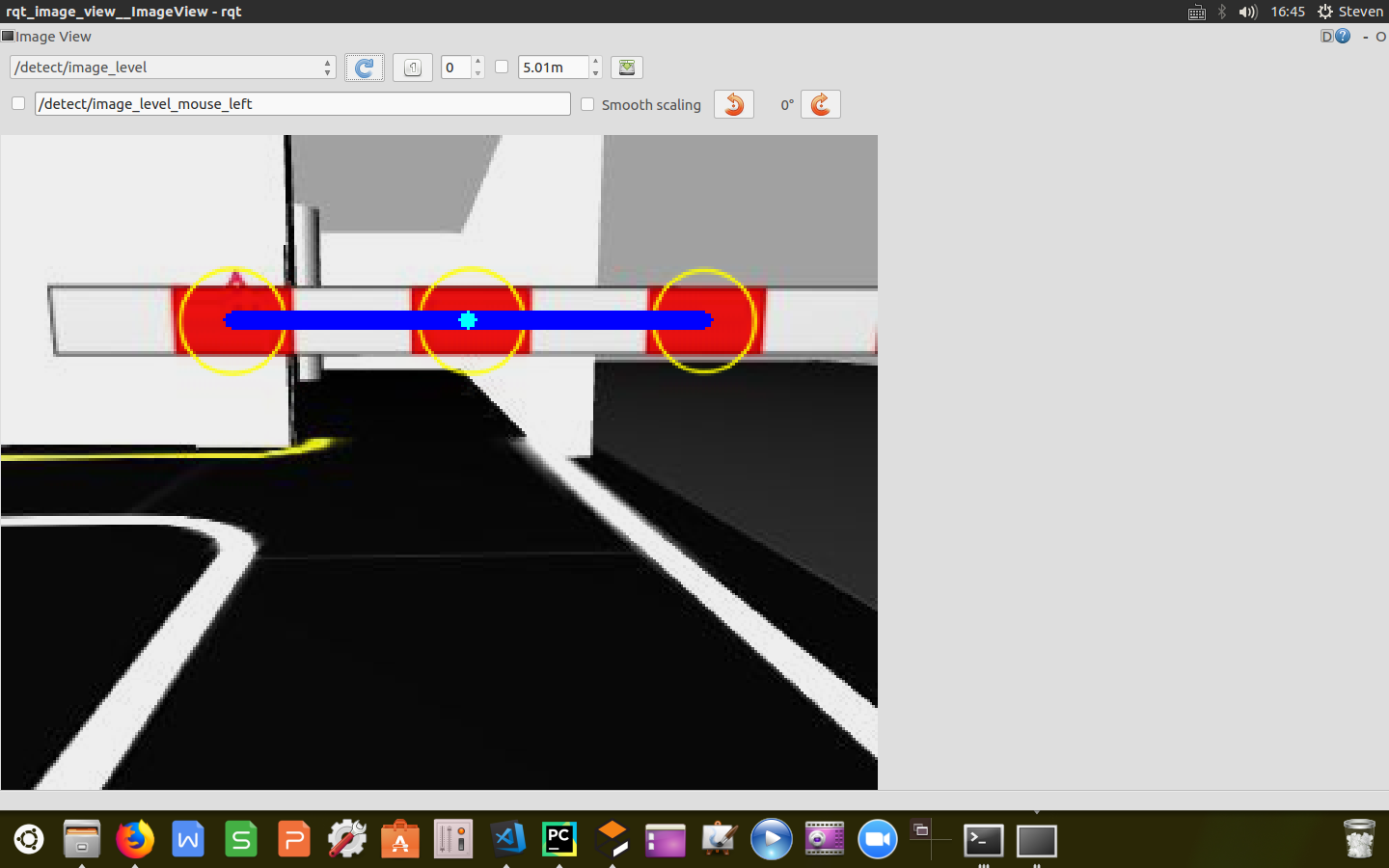
至此,已经完成对交通杆的检测工作,根据交通杆下放过程中实时计算的杆子斜率指标给小车发布速度控制命令,实现了减速,停车,通过全过程。
附
完整进程源代码:https://github.com/sun-coke/TB3_Autorace
TB3_Autorace之交通杆检测的更多相关文章
- TSR交通标志检测与识别
TSR交通标志检测与识别 说明: 传统图像处理算法的TSR集成在在ARM+DSP上运行,深度学习开发的TSR集成到FPGA上运行. 输入输出接口 Input: (1)图像视频分辨率(整型int) (2 ...
- SCNN车道线检测--(SCNN)Spatial As Deep: Spatial CNN for Traffic Scene Understanding(论文解读)
Spatial As Deep: Spatial CNN for Traffic Scene Understanding 收录:AAAI2018 (AAAI Conference on Artific ...
- 迅为IMX6Q开发板在道路交通信号控制系统解决方案中的应用
智能交通综合管控平台是为交通指挥系统服务的统一信息平台,以信息技术为主导,以计算机通信网络和智能化指挥控制管理为基础,建成集高新技术应用为一体的智能化指挥调度集成平台,实现信息交换与共享.快速反应决策 ...
- AI佳作解读系列(五) - 目标检测二十年技术综述
计算机视觉中的目标检测,因其在真实世界的大量应用需求,比如自动驾驶.视频监控.机器人视觉等,而被研究学者广泛关注. 上周四,arXiv新出一篇目标检测文献<Object Detection ...
- Yolo车辆检测+LaneNet车道检测
Yolo车辆检测+LaneNet车道检测 源代码:https://github.com/Dalaska/Driving-Scene-Understanding/blob/master/README.m ...
- ITS智能交通监控系统技术解析
ITS智能交通监控系统技术解析 红灯,逆行,变 车辆抓拍和车速检测 非法停车和交通流量检测 交叉路口违法检测 发生碰撞的交叉口是智能交通管理. 机动执法 当你需要一个可以移动的系统时,会跟着你移动.移 ...
- 点云配准的端到端深度神经网络:ICCV2019论文解读
点云配准的端到端深度神经网络:ICCV2019论文解读 DeepVCP: An End-to-End Deep Neural Network for Point Cloud Registration ...
- WIN 下的超动态菜单(三)代码
WIN 下的超动态菜单(一)简介 WIN 下的超动态菜单(二)用法 WIN 下的超动态菜单(三)代码 作者:黄山松,发表于博客园:http://www.cnblogs.com/tomview/ 超动态 ...
- 国内外从事CV相关的企业
提示:本文为笔者原创,转载请注明出处:blog.csdn.net/carson2005 经常碰到朋友问我国内从事计算机视觉(CV)领域的公司的发展情况,产品情况,甚至找工作等问题,这里,我给出自己收集 ...
随机推荐
- IO流处理文件读取到字节数组,再从字节数组读取到文件,Java实现
package cn.zhang.io; import java.io.ByteArrayInputStream; import java.io.ByteArrayOutputStream; impo ...
- SQL注入——报错注入
0x00 背景 SQL注入长期位于OWASP TOP10 榜首,对Web 安全有着很大的影响,黑客们往往在注入过程中根据错误回显进行判断,但是现在非常多的Web程序没有正常的错误回显,这样就需要我们利 ...
- 苹果智能AR挡风玻璃靠谱吗?
在过去十年,外界给苹果的形象一直是"伟大的硬件公司",他们的产品在外观方面往往比内涵更加引人注目,兼具娱乐性和艺术性, iPhone/iPad/iPod莫不如此,所以,当坊间传闻苹 ...
- Android studio中2种build.gradle文件介绍
根目录下的build.gradle通常不需要修改这个文件中的内容,除非需要添加一些全局的项目构建配置 buildscript { repositories { google() //声明代码托管仓库G ...
- Println(Object)小贴士
println public void println(Object x) 打印 Object,然后终止该行.此方法首先调用 String.valueOf(x) 获取打印对象的字符串值,然后的行为如同 ...
- leetcode中的sql
1 组合两张表 组合两张表, 题目很简单, 主要考察JOIN语法的使用.唯一需要注意的一点, 是题目中的这句话, "无论 person 是否有地址信息".说明即使Person表, ...
- 关于Vue.js的认识(第一部分)[转载]
一.关于v-bind 1.初识v-bind (1).加冒号的是 vue 的 v-bind 语法糖(指计算机语言中添加的某种语法,这种语法对语言的功能并没有影响,但是更方便程序员使用),绑定vue的一个 ...
- [NOI2014]魔法森林(LCT)
蒟蒻又发现自己还没写过LCT…… 首先显然按照权值a从小到大排序,维护b的最小生成树.然后直接扫,代价是加入b的最大值,然后动态加边,因为有边权,所以在lct中边应该理解为点.每次连接(u,v)时,若 ...
- Linux中PATH、 LIBRARY_PATH、 LD_LIBRARY_PATH和ROS_PACKAGE_PATH
PATH 保存可执行文件程序路径,我们命令行中每一句能运行的命令都是系统先通过PATH来找到命令执行文件所在的位置,再运行这个命令. 实验:执行echo $PATH 能看到当前环境PATH都是配置了哪 ...
- selenium自学进度-2014.12.3
今天把小米系列的视频看到了倒数第二课 他讲得很好,只是我现在是看第一遍,回头还需要照着视频多练练. 成长的道路问题艰辛的,学习的道路问题孤独的,希望自己能够坚持下去. 不要让今天的努力白费,不能让未来 ...