
java创建XML及开源DOM4J的使用
java
 import java.io.File;

 import java.io.StringWriter;

 import javax.xml.parsers.DocumentBuilder;

 import javax.xml.parsers.DocumentBuilderFactory;

 import javax.xml.parsers.ParserConfigurationException;

 import javax.xml.transform.Transformer;

 import javax.xml.transform.TransformerConfigurationException;

 import javax.xml.transform.TransformerException;

 import javax.xml.transform.TransformerFactory;

 import javax.xml.transform.dom.DOMSource;

 import javax.xml.transform.stream.StreamResult;

 import org.w3c.dom.Document;

 import org.w3c.dom.Element;

 public class CreatXML {

     public static void main(String[] args) {

         try {

             //DOM

             DocumentBuilderFactory factory = DocumentBuilderFactory.newInstance();

             DocumentBuilder builder = factory.newDocumentBuilder();

             Document document = builder.newDocument();

             Element root = document.createElement("Languages");

             root.setAttribute("cat", "it");

             Element lan1 = document.createElement("lan");

             lan1.setAttribute("id", "1");

             Element name1 = document.createElement("name");

             name1.setTextContent("Java");

             Element ide1 = document.createElement("ide");

             ide1.setTextContent("Eclipse");

             lan1.appendChild(name1);

             lan1.appendChild(ide1);

             Element lan2 = document.createElement("lan");

             lan2.setAttribute("id", "2");

             Element name2 = document.createElement("name");

             name2.setTextContent("Swift");

             Element ide2 = document.createElement("ide");

             ide2.setTextContent("XCode");

             lan2.appendChild(name2);

             lan2.appendChild(ide2);

             Element lan3 = document.createElement("lan");

             lan3.setAttribute("id", "3");

             Element name3 = document.createElement("name");

             name3.setTextContent("C#");

             Element ide3 = document.createElement("ide");

             ide3.setTextContent("Visual Studio");

             lan3.appendChild(name3);

             lan3.appendChild(ide3);

             root.appendChild(lan1);

             root.appendChild(lan2);

             root.appendChild(lan3);

             document.appendChild(root);

             //-------------

             TransformerFactory transformerFactory = TransformerFactory.newInstance();

             Transformer transformer = transformerFactory.newTransformer();

             transformer.setOutputProperty("encoding", "UTF-8");

             StringWriter writer = new StringWriter();

             transformer.transform(new DOMSource(document), new StreamResult(writer));

             System.out.println(writer.toString());

             transformer.transform(new DOMSource(document), new StreamResult(new File("newxml.xml")));

         } catch (ParserConfigurationException e) {

             e.printStackTrace();

         } catch (TransformerConfigurationException e) {

             e.printStackTrace();

         } catch (TransformerException e) {

             e.printStackTrace();

         }

     }

 }
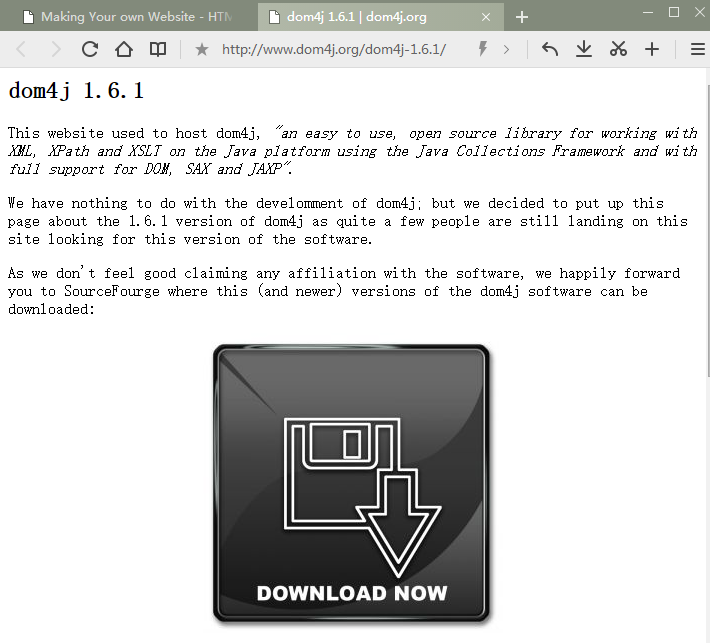
下载地址
DOM4j的使用
 import org.dom4j.Document;

 import org.dom4j.DocumentException;

 import org.dom4j.DocumentHelper;

 public class Test {

     public static void main(String[] args) {

         String xmlString = "<root><people>ACELY</people></root>";

         try {

             Document document = DocumentHelper.parseText(xmlString);

             System.out.println(document.asXML());

         } catch (DocumentException e) {

             e.printStackTrace();

         }

     }

 }
DOM4j使用文档
Parsing XML
One of the first things you'll probably want to do is to parse an XML document of some kind. This is easy to do in dom4j. The following code demonstrates how to this.
import java.net.URL;

import org.dom4j.Document;

import org.dom4j.DocumentException;

import org.dom4j.io.SAXReader;

public class Foo {

    public Document parse(URL url) throws DocumentException {

        SAXReader reader = new SAXReader();

        Document document = reader.read(url);

        return document;

    }

}
Using Iterators
A document can be navigated using a variety of methods that return standard Java Iterators. For example
    public void bar(Document document) throws DocumentException {

        Element root = document.getRootElement();

        // iterate through child elements of root

        for ( Iterator i = root.elementIterator(); i.hasNext(); ) {

            Element element = (Element) i.next();

            // do something

        }

        // iterate through child elements of root with element name "foo"

        for ( Iterator i = root.elementIterator( "foo" ); i.hasNext(); ) {

            Element foo = (Element) i.next();

            // do something

        }

        // iterate through attributes of root

        for ( Iterator i = root.attributeIterator(); i.hasNext(); ) {

            Attribute attribute = (Attribute) i.next();

            // do something

        }

     }
Powerful Navigation with XPath
In dom4j XPath expressions can be evaluated on the Document or on any Node in the tree (such as Attribute, Element or ProcessingInstruction). This allows complex navigation throughout the document with a single line of code. For example.
    public void bar(Document document) {

        List list = document.selectNodes( "//foo/bar" );

        Node node = document.selectSingleNode( "//foo/bar/author" );

        String name = node.valueOf( "@name" );

    }
For example if you wish to find all the hypertext links in an XHTML document the following code would do the trick.
    public void findLinks(Document document) throws DocumentException {

        List list = document.selectNodes( "//a/@href" );

        for (Iterator iter = list.iterator(); iter.hasNext(); ) {

            Attribute attribute = (Attribute) iter.next();

            String url = attribute.getValue();

        }

    }
If you need any help learning the XPath language we highly recommend the Zvon tutorial which allows you to learn by example.
Fast Looping
If you ever have to walk a large XML document tree then for performance we recommend you use the fast looping method which avoids the cost of creating an Iterator object for each loop. For example
    public void treeWalk(Document document) {

        treeWalk( document.getRootElement() );

    }

    public void treeWalk(Element element) {

        for ( int i = 0, size = element.nodeCount(); i < size; i++ ) {

            Node node = element.node(i);

            if ( node instanceof Element ) {

                treeWalk( (Element) node );

            }

            else {

                // do something....

            }

        }

    }
Creating a new XML document
Often in dom4j you will need to create a new document from scratch. Here's an example of doing that.
import org.dom4j.Document;

import org.dom4j.DocumentHelper;

import org.dom4j.Element;

public class Foo {

    public Document createDocument() {

        Document document = DocumentHelper.createDocument();

        Element root = document.addElement( "root" );

        Element author1 = root.addElement( "author" )

            .addAttribute( "name", "James" )

            .addAttribute( "location", "UK" )

            .addText( "James Strachan" );

        Element author2 = root.addElement( "author" )

            .addAttribute( "name", "Bob" )

            .addAttribute( "location", "US" )

            .addText( "Bob McWhirter" );

        return document;

    }

}
Writing a document to a file
A quick and easy way to write a Document (or any Node) to a Writer is via the write() method.
  FileWriter out = new FileWriter( "foo.xml" );

  document.write( out );
If you want to be able to change the format of the output, such as pretty printing or a compact format, or you want to be able to work with Writer objects or OutputStream objects as the destination, then you can use the XMLWriter class.
import org.dom4j.Document;

import org.dom4j.io.OutputFormat;

import org.dom4j.io.XMLWriter;

public class Foo {

    public void write(Document document) throws IOException {

        // lets write to a file

        XMLWriter writer = new XMLWriter(

            new FileWriter( "output.xml" )

        );

        writer.write( document );

        writer.close();

        // Pretty print the document to System.out

        OutputFormat format = OutputFormat.createPrettyPrint();

        writer = new XMLWriter( System.out, format );

        writer.write( document );

        // Compact format to System.out

        format = OutputFormat.createCompactFormat();

        writer = new XMLWriter( System.out, format );

        writer.write( document );

    }

}
Converting to and from Strings
If you have a reference to a Document or any other Node such as an Attribute or Element, you can turn it into the default XML text via the asXML() method.
        Document document = ...;

        String text = document.asXML();
If you have some XML as a String you can parse it back into a Document again using the helper method DocumentHelper.parseText()
        String text = "<person> <name>James</name> </person>";

        Document document = DocumentHelper.parseText(text);
Styling a Document with XSLT
Applying XSLT on a Document is quite straightforward using the JAXP API from Sun. This allows you to work against any XSLT engine such as Xalan or SAXON. Here is an example of using JAXP to create a transformer and then applying it to a Document.
import javax.xml.transform.Transformer;

import javax.xml.transform.TransformerFactory;

import org.dom4j.Document;

import org.dom4j.io.DocumentResult;

import org.dom4j.io.DocumentSource;

public class Foo {

    public Document styleDocument(

        Document document,

        String stylesheet

    ) throws Exception {

        // load the transformer using JAXP

        TransformerFactory factory = TransformerFactory.newInstance();

        Transformer transformer = factory.newTransformer(

            new StreamSource( stylesheet )

        );

        // now lets style the given document

        DocumentSource source = new DocumentSource( document );

        DocumentResult result = new DocumentResult();

        transformer.transform( source, result );

        // return the transformed document

        Document transformedDoc = result.getDocument();

        return transformedDoc;

    }

}
java创建XML及开源DOM4J的使用的更多相关文章
- 【Java】XML解析之DOM4J
DOM4J介绍 dom4j是一个简单的开源库,用于处理XML. XPath和XSLT,它基于Java平台,使用Java的集合框架,全面集成了DOM,SAX和JAXP,使用需要引用dom4j.jar包 ...
- 当Java遇到XML 的邂逅+dom4j
XML简介: XML:可扩展标记语言! 01.很象html 02.着重点是数据的保存 03.无需预编译 04.符合W3C标准 可扩展:我们可以自定义,完全按照自己的规则来! 标记: 计算机所能认识的信 ...
- 通过Java创建XML(中文乱码已解决)
package com.zyb.xml; import java.io.FileOutputStream; import java.io.OutputStream; import java.io.Ou ...
- Java 创建xml文件和操作xml数据
java中的代码 import java.io.File; import java.io.StringWriter; import javax.xml.parsers.DocumentBuilder; ...
- Java 读写XML文件 API--org.dom4j
om4j是一个Java的XML API,类似于jdom,用来读写XML文件的.dom4j是一个十分优秀的JavaXML API,具有性能优异.功能强大和极其易使用的特点,同时它也是一个开放源代码的软件 ...
- 使用Java创建XML数据
------------siwuxie095 工程名:TestCreateXML 包名:com.siwuxie095.xml 类名:CreateXML. ...
- xml介绍+xml创建+xml读取
1.xml介绍:(URL:https://blog.csdn.net/weixin_37861326/article/details/81082144) xml是用来传输内容的,是w3c推荐的 2.使 ...
- Java XML解析工具 dom4j介绍及使用实例
Java XML解析工具 dom4j介绍及使用实例 dom4j介绍 dom4j的项目地址:http://sourceforge.net/projects/dom4j/?source=directory ...
- Java进阶(二十七)使用Dom4j解析XML文件
使用Dom4j解析XML文件 写在前面的话 由于论文实验要求,需要实现操作XML文档,为此想到了dom4j这个工具,使用之后深感受益.在此分享给大家,以此共勉. 注:本文转载自http://blog. ...
随机推荐
- centos 安装nginx
centos 安装nginx 安装依赖 更换源 yum install http://mirrors.163.com/centos/6.8/extras/x86_64/Packages/epel-re ...
- chrome浏览的下载扩展程序
C:\Users\XXXX\AppData\Local\Google\Chrome\User Data\Default\Extensions 地址栏输入chrome://extensions/并回车打 ...
- maven指定构建的编码格式
pom.xml文件添加如下内容: <properties> <project.build.sourceEncoding>UTF-8</project.build.s ...
- c#字符串驻留机制
http://www.cnblogs.com/instance/archive/2011/05/24/2056091.html
- JqueryAjax
1. 2. 3. 4. 5. 6. 7.
- 【原】push过快的错误 (Pushing the same view controller instance more than once is not supported)
今天在点击按钮push viewController 时,控制台报错: Terminating app due to uncaught exception 'NSInvalidArgumentExce ...
- OC - 20.多图下载
效果图 常见问题及解决方法 图片重复下载 将内存保存在内存或沙盒中. 若下载的图片量较大,则会出现UI界面不流畅的现象 在子线程中执行下载操作,然后回到主线程成中进行UI界面的刷新. 由于cell的循 ...
- c#读取通达信历史数据的方法
public Bar ReadBarMin(BinaryReader br, int instrumentId, long size) { int date = br.ReadUInt16(); in ...
- 百度分享share.js插件
//百度分享window._bd_share_config = { common : { bdText : '分享标题', bdDesc : '分享描述', bdUrl : '分享链接', bdPic ...
- MapReduce概念(转)
昨天,我在Xebia印度办公室发表了一个关于MapReduce的演说.演说进行得很顺利,听众们都能够理解MapReduce的概念(根据他们的反馈).我成功地向技术听众们(主要是Java程序员,一些Fl ...