
WPF 对控件进行截图且不丢失范围(转载)
I was recently working on a Surface project at Microsoft (that will be shown at BETT ) and one of the requirements was to provide an external “administration console”. As part of that console I wanted to show an “screenshot” of the current game running on the Surface unit; after playing around for a while it turned out it was pretty straightforward.
We did consider sending over the RAW XAML from the Surface to the Console, but that would potentially have issues when resources weren’t available, so the approach that was taken was to create a JPG screenshot and send it over as a byte array via WCF.
Rendering to a BitmapFrame
The key to this approach is RenderTargetBitmap which allows us to render any WPF Visual to a BitmapFrame as follows:
RenderTargetBitmap renderTarget = new RenderTargetBitmap(, , , , PixelFormats.Pbgra32);

renderTarget.Render(myVisual);

BitmapFrame bitmapFrame = BitmapFrame.Create(renderTarget);
Then from there we can use JpegBitmapEncoder to create a JPG from that BitmapFrame:
JpegBitmapEncoder jpgEncoder = new JpegBitmapEncoder();

jpgEncoder.Frames.Add(bitmapFrame);
Then we can output that JPG to a stream of our choice using the Save() method.
Problems
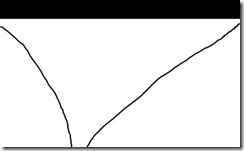
While this works for many cases, and indeed worked perfectly for the Surface application, we do encounter problems when the source we are rendering has Transforms applied or when it’s not positioned at 0,0. When this occurs the screenshots we take will have the content shifted“out of frame” resulting in black borders, or content missing altogether. The following screenshot demonstrates the problem:
Workaround
To work around the problem we can use a VisualBrush to “draw” our source element onto a new Visual, and render that with our RenderTargetBitmap:
DrawingVisual drawingVisual = new DrawingVisual();

DrawingContext drawingContext = drawingVisual.RenderOpen();

using (drawingContext)

{

    drawingContext.DrawRectangle(sourceBrush, null, new Rect(new Point(, ), new Point(, )));

}

renderTarget.Render(drawingVisual);
It’s not ideal, but I’ve yet to find a better workaround for it.
Putting it all Together
To make it more useful, we can wrap the whole lot up into a Extension Method. Rather than extending Visual, I’ve chosen to use UIElement so I have access to the RenderSize to calculate the required size of the output bitmap. I’ve also included parameters to scale the resulting bitmap and to set the JPG quality level:
///

/// Gets a JPG "screenshot" of the current UIElement

///

/// UIElement to screenshot

/// Scale to render the screenshot

/// JPG Quality

/// Byte array of JPG data

public static byte[] GetJpgImage(this UIElement source, double scale, int quality)

{

    double actualHeight = source.RenderSize.Height;

    double actualWidth = source.RenderSize.Width;

    double renderHeight = actualHeight * scale;

    double renderWidth = actualWidth * scale;

    RenderTargetBitmap renderTarget = new RenderTargetBitmap((int) renderWidth, (int) renderHeight, , , PixelFormats.Pbgra32);

    VisualBrush sourceBrush = new VisualBrush(source);

    DrawingVisual drawingVisual = new DrawingVisual();

    DrawingContext drawingContext = drawingVisual.RenderOpen();

    using (drawingContext)

    {

        drawingContext.PushTransform(new ScaleTransform(scale, scale));

        drawingContext.DrawRectangle(sourceBrush, null, new Rect(new Point(, ), new Point(actualWidth, actualHeight)));

    }

    renderTarget.Render(drawingVisual);

    JpegBitmapEncoder jpgEncoder = new JpegBitmapEncoder();

    jpgEncoder.QualityLevel = quality;

    jpgEncoder.Frames.Add(BitmapFrame.Create(renderTarget));

    Byte[] _imageArray;

    using (MemoryStream outputStream = new MemoryStream())

    {

        jpgEncoder.Save(outputStream);

        _imageArray = outputStream.ToArray();

    }

    return _imageArray;

}
WPF 对控件进行截图且不丢失范围(转载)的更多相关文章
- wpf 对控件进行截图,获取快照
有时候我们项目,在执行某个操作后,会生成一些数据结果,如报表一类的东西,我们需要对结果进行保存,甚至是生成word文档. 那么首先获取到控件快照就最基本的条件. 生成快照的静态方法类 using Sy ...
- WPF常用控件应用demo
WPF常用控件应用demo 一.Demo 1.Demo截图如下: 2.demo实现过程 总体布局:因放大缩小窗体,控件很根据空间是否足够改变布局,故用WrapPanel布局. <ScrollVi ...
- WPF开源控件扩展库 - MaterialDesignExtensions
Material Design Extensions 在WPF开源控件库 Material Design in XAML Toolkit(本站介绍:链接)的基础上进行了控件扩展和特性新增.本开源项目中 ...
- C# WPF开源控件库:MahApps.Metro
其实站长很久之前就知道这个开源WPF控件库了,只是一直欣赏不了这种风格,但也star了该项目.每次浏览该仓库时,发现star越来越多,也看到很多网友对它的褒奖,所以今天就向大家推荐这款WPF控件库. ...
- WPF Popup 控件导致被遮挡内容不刷新的原因
WPF Popup 控件导致被遮挡内容不刷新的原因 周银辉 今天在写一个WPF控件时用到了Popup控件,很郁闷的情况是:当popup关闭时,原来被popup挡住的界面部分不刷新,非要手动刷新一下(比 ...
- 创建 WPF 工具箱控件
创建 WPF 工具箱控件 WPF (Windows Presentation Framework) 工具箱控件模板允许您创建 WPF 控件,会自动添加到 工具箱 安装扩展的安装. 本主题演示如何使用模 ...
- wpf打印控件 实现分页打印控件功能
因为 要实现打印 wpf listbox控件 数据特别多 要打印在 几张纸上 找了几天 都没有找到相关的例子 现在 解决了 在这里和大家分享一下 public void print(Fram ...
- WPF 分页控件 WPF 多线程 BackgroundWorker
WPF 分页控件 WPF 多线程 BackgroundWorker 大家好,好久没有发表一篇像样的博客了,最近的开发实在头疼,很多东西无从下口,需求没完没了,更要命的是公司的开发从来不走正规流程啊, ...
- WPF Image控件中的ImageSource与Bitmap的互相转换
原文:WPF Image控件中的ImageSource与Bitmap的互相转换 1.从bitmap转换成ImageSource [DllImport("gdi32.dll", ...
随机推荐
- Pytorch tutorial 之Datar Loading and Processing (1)
引自Pytorch tutorial: Data Loading and Processing Tutorial 这节主要介绍数据的读入与处理. 数据描述:人脸姿态数据集.共有69张人脸,每张人脸都有 ...
- python操作三大主流数据库(4)python操作mysql④python服务端flask和前端bootstrap框架结合实现新闻展示
python操作mysql④python服务端flask和前端bootstrap框架结合实现新闻展示 参考文档http://flask.pocoo.org/docs/0.11/http://flask ...
- bootstrapValidator使用总结
1.根据条件动态增删检查条件 参考文章:https://blog.csdn.net/sxlzs_/article/details/78211928 #去除某字段的验证 $("#formRes ...
- JS:判断是否是移动端
通过User-Agent判断 代码: if(navigator.userAgent.match(/mobile/i)) { //业务层代码 $('body').removeClass("si ...
- Appium新版本不再支持ByName定位了怎么办
appium版本在1.5以后就不再支持ByName的定位,本文章仅介绍在appium1.6.3/1.6.4/1.6.5版本下如何支持ByName定位,适用于安卓.在使用appium1.5之后的版本时, ...
- Linux学习之CentOS(三)--初识linux的文件系统以及用户组等概念
Linux学习之CentOS(三)--初识linux的文件系统以及用户组等概念 进入到了Linux学习之CentOS第三篇了,这篇文章主要记录下对linux文件系统的初步认识,以及用户组.用户权限.文 ...
- Bootstrap 固定底部导航栏菜单
直接上代码: <!DOCTYPE html> <html> <head> <meta http-equiv="content-type" ...
- swift 实践- 13 -- UIStepper
import UIKit class ViewController: UIViewController { var stepper: UIStepper! var label: UILabel! ov ...
- Confluence 6 使用页面请求属性来对慢性能进行问题解决
这个页面告诉你如何启用页面请求属性.当这个属性启用以后,你可以查看在 Confluence 任何页面完成的一个记录消耗的时间(毫秒).如果 Confluence 反应缓慢的话,一个关于慢页面请求的内部 ...
- Confluence 6 编辑站点欢迎消息
通过编辑欢迎信息能够为你站点的主页面添加一些个人信息. 站点的欢迎信息显示在站点主面板的右侧,这是你对站点添加声明,连接,有关你项目组美好回忆照片的完美位置. 你需要 Confluence 管理员权限 ...