
ELK系列七:Elasticsearch的集群配置和监控以及在部署ELK中踩的坑
1、基本下载安装
#按照ELK系列一博客安装启动即可,没有大坑,注意一下权限即可

chmod -R 777 ./elasticsearch

#此外没有java的,注意安装下JDK,我这次部署的环境是CentOS-7.x,使用yum安装

sudo yum -y list java*

sudo yum install java-1.8.0-openjdk.x86_64
2、集群配置:
2.1、配置过程
编辑好elasticseach-1的配置之后,复制出elasticsearch-2,然后修改结点名称、http端口和tcp端口,启动两个进程实例

大坑:

要记得删除复制出来的elasticsearch-2中的data目录下的所有文件

rm -rf ./elasticsearch-2/data/*
2.2、配置文件详解
# ======================== Elasticsearch Configuration =========================

#

# NOTE: Elasticsearch comes with reasonable defaults for most settings.

#       Before you set out to tweak and tune the configuration, make sure you

#       understand what are you trying to accomplish and the consequences.

#

# The primary way of configuring a node is via this file. This template lists

# the most important settings you may want to configure for a production cluster.

#

# Please consult the documentation for further information on configuration options:

# https://www.elastic.co/guide/en/elasticsearch/reference/index.html

#

# ---------------------------------- Cluster -----------------------------------

#

# Use a descriptive name for your cluster:

#

cluster.name: XXXXXX    #集群名称

#

# ------------------------------------ Node ------------------------------------

#

# Use a descriptive name for the node:

#

node.name: ES02    #结点名称

node.master: true    #主结点标识

#node.data: false    #数据结点标识

#

# Add custom attributes to the node:

#

#node.attr.rack: r1

#

# ----------------------------------- Paths ------------------------------------

#

# Path to directory where to store the data (separate multiple locations by comma):

#

path.data: /xxxxx/elasticsearch-x/data

#

# Path to log files:

#

path.logs: /xxxxx/elasticsearch-x/logs

#

# ----------------------------------- Memory -----------------------------------

#

# Lock the memory on startup:

#

#bootstrap.memory_lock: true

#bootstrap.system_call_filter: false

#

# Make sure that the heap size is set to about half the memory available

# on the system and that the owner of the process is allowed to use this

# limit.

#

# Elasticsearch performs poorly when the system is swapping the memory.

#

# ---------------------------------- Network -----------------------------------

#

# Set the bind address to a specific IP (IPv4 or IPv6):

#

#network.host: 192.168.0.1

#

# Set a custom port for HTTP:

#

http.port: 9201 #web服务的端口

http.cors.enabled: true

http.cors.allow-origin: "*"

http.cors.allow-headers: Authorization,X-Requested-With,Content-Length,Content-Type

#

# For more information, consult the network module documentation.

#

# --------------------------------- Discovery ----------------------------------

#

# Pass an initial list of hosts to perform discovery when new node is started:

# The default list of hosts is ["127.0.0.1", "[::1]"]

#

discovery.zen.ping.unicast.hosts: ["127.0.0.1:9300", "127.0.0.1:9301"]    #结点发现功能

#

# Prevent the "split brain" by configuring the majority of nodes (total number of master-eligible nodes / 2 + 1):

#

discovery.zen.minimum_master_nodes: 1    #最小master节点数,配置后不按照上方的算法计算最小节点数,按照配置的节点数选举合适数量的master节点

#

# For more information, consult the zen discovery module documentation.

#

# ---------------------------------- Gateway -----------------------------------

#

# Block initial recovery after a full cluster restart until N nodes are started:

#

#gateway.recover_after_nodes: 3

#

# For more information, consult the gateway module documentation.

#

# ---------------------------------- Various -----------------------------------

#

# Require explicit names when deleting indices:

#

#action.destructive_requires_name: true

transport.tcp.port: 9301   #集群的心跳打点端口
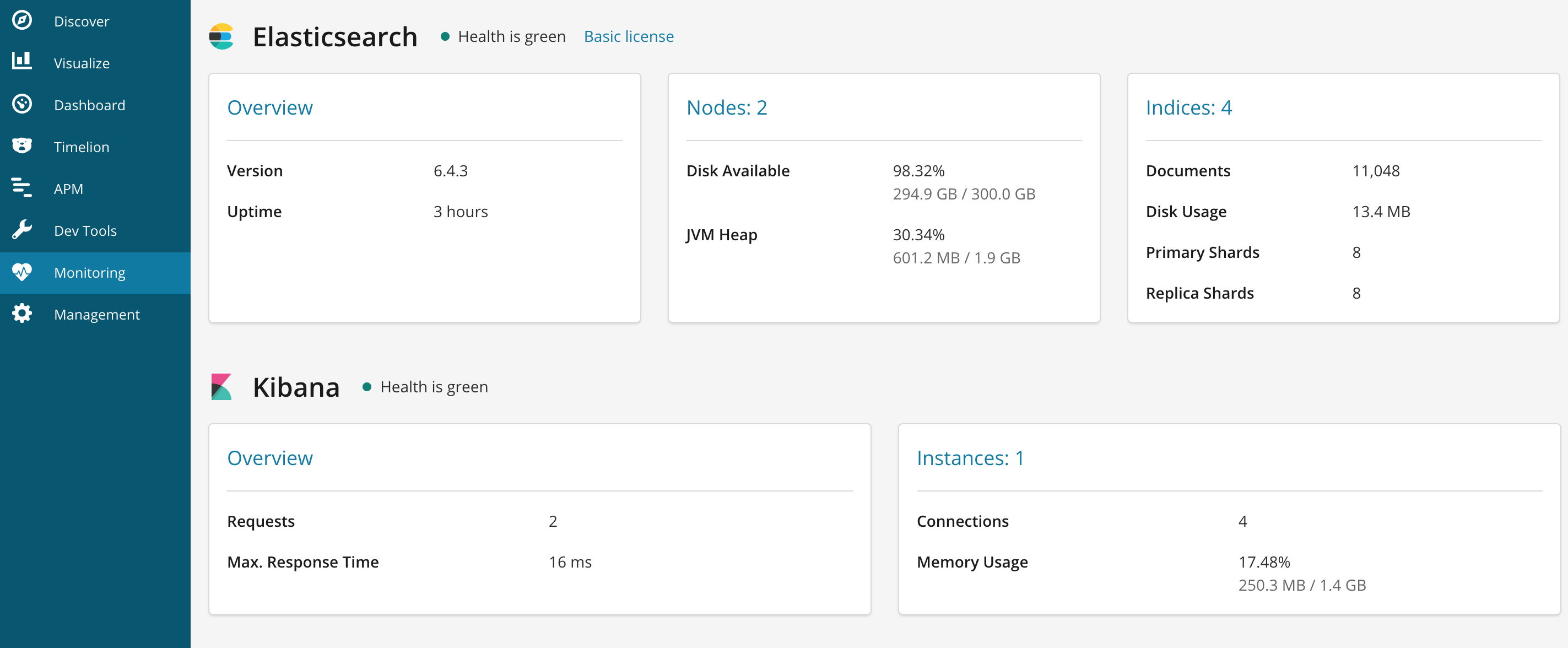
2.3、验证与状态监控:
curl -XGET 'http://127.0.0.1:9200/_cat/nodes?pretty'

ELK系列七:Elasticsearch的集群配置和监控以及在部署ELK中踩的坑的更多相关文章
- ES系列十六、集群配置和维护管理
一.修改配置文件 1.节点配置 1.vim elasticsearch.yml # ======================== Elasticsearch Configuration ===== ...
- Elasticsearch静态集群配置
这两天需要将ELK中的单节点运行的ES扩展为双节点,查询了下集群配置,百度搜索结果还是一如既往的坑,基本都是各种转帖,以下记录配置静态集群的步骤: * * * <pre><code& ...
- 搭建ELK日志分析平台(上)—— ELK介绍及搭建 Elasticsearch 分布式集群
笔记内容:搭建ELK日志分析平台(上)-- ELK介绍及搭建 Elasticsearch 分布式集群笔记日期:2018-03-02 27.1 ELK介绍 27.2 ELK安装准备工作 27.3 安装e ...
- CentOS6安装各种大数据软件 第四章:Hadoop分布式集群配置
相关文章链接 CentOS6安装各种大数据软件 第一章:各个软件版本介绍 CentOS6安装各种大数据软件 第二章:Linux各个软件启动命令 CentOS6安装各种大数据软件 第三章:Linux基础 ...
- Centos6 安装 Redis 和集群配置
Redis安装 先确认gcc和tcl已经安装 sudo yum install gcc-c++ sudo yum install tcl 解压, 编译和安装 .tar.gz /usr/src/ cd ...
- ES2:ElasticSearch 集群配置
ElasticSearch共有两个配置文件,都位于config目录下,分别是elasticsearch.yml和logging.yml,其中,elasticsearch.yml 用来配置Elastic ...
- ElasticSearch入门 第二篇:集群配置
这是ElasticSearch 2.4 版本系列的第二篇: ElasticSearch入门 第一篇:Windows下安装ElasticSearch ElasticSearch入门 第二篇:集群配置 E ...
- ELK——Elasticsearch 搭建集群经验
本文内容 背景 ES集群中第一个master节点 ES slave节点 本文总结 Elasticsearch(以下简称ES)搭建集群的经验.以 Elasticsearch-rtf-2.2.1 版本为例 ...
- elasticsearch系列八:ES 集群管理(集群规划、集群搭建、集群管理)
一.集群规划 搭建一个集群我们需要考虑如下几个问题: 1. 我们需要多大规模的集群? 2. 集群中的节点角色如何分配? 3. 如何避免脑裂问题? 4. 索引应该设置多少个分片? 5. 分片应该设置几个 ...
随机推荐
- Nginx安装 默认虚拟主机 Nginx用户认证 Nginx域名重定向
Nginx安装 cd /usr/local/src (http://nginx.org/en/download.html) wget http://nginx.org/download/nginx-1 ...
- 创建 React-Native 工程时,如何指定特定的 React-Native 版本
react-native 可能会出现一种情况,就是版本最高的可能出现有些东西不太稳定,这时候要用到旧的版本怎么办?就可以用以下方法创建项目. 0. 原因 创建新的 React-Native (以下简称 ...
- Android学习之——ListView下拉刷新
背景知识 ListView使用非常广泛,对于使用ListView的应用来说,下拉刷新是必不可少要实现的功能. 我们常用的微博.网易新闻,搜狐新闻都使用了这一功能,如下图所示. 微博 搜狐新闻 ...
- 理解IOC
理解IOC 1 IoC理论的背景 我们都知道,在采用面向对象方法设计的软件系统中,它的底层实现都是由N个对象组成的,所有的对象通过彼此的合作,最终实现系统的业务逻辑. 图1:软件系统中耦合的对象 ...
- 纯CSS实现瀑布流布局
https://www.w3cplus.com/css/pure-css-create-masonry-layout.html
- Office2007打开文件提示“您尝试打开的文件xxx.xls的格式与文件扩展名指定的格式不一致”的解决办法
添加如下注册表 Windows Registry Editor Version 5.00 [HKEY_CURRENT_USER\Software\Microsoft\Office\12.0\Excel ...
- centos下快速安装JDK
Linux系统自带了jdk(当然,如果没有,可以忽略这个步骤),但还是1.4的老版本,所以需要先卸载,然后在安装1.6,卸载步骤如下: [root@localhost ~]# rpm -qa | gr ...
- SpringMVC -- 梗概--源码--壹--跳转
1.配置web.xml <?xml version="1.0" encoding="UTF-8"?> <web-app version=&qu ...
- 【代码审计】CLTPHP_v5.5.3后台目录遍历漏洞分析
0x00 环境准备 CLTPHP官网:http://www.cltphp.com 网站源码版本:CLTPHP内容管理系统5.5.3版本 程序源码下载:https://gitee.com/chich ...
- VisualSVN破解
先讲下破解原理 首先,去VisualSVN官网下载最新版本. 传送门:http://www.visualsvn.com/server/download/ 定位到VisualSVN安装目录,C:\Pro ...