
VS2015下的Android开发系列02——用VS开发第一个Android APP
配置Android模拟器
这算是第一篇漏下说的,配置好VS的各参数,新建Android项目后,会发现菜单下的工具栏会多出Android相关的工具栏,红色圈出的就是AVD。

打开AVD后可以从模版处选一个设备,然后自己再做细节参数调整。
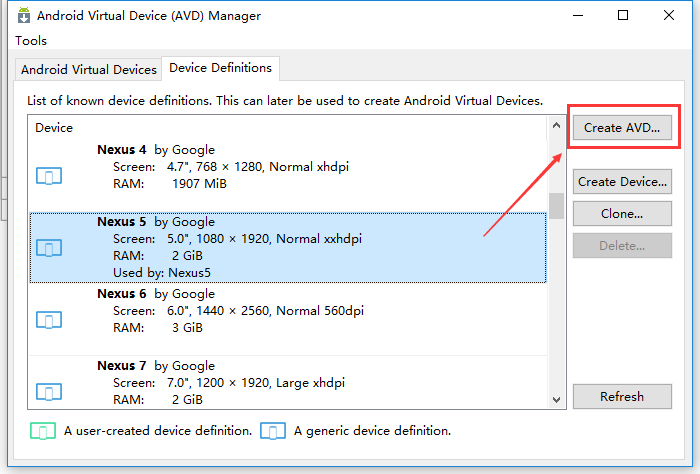
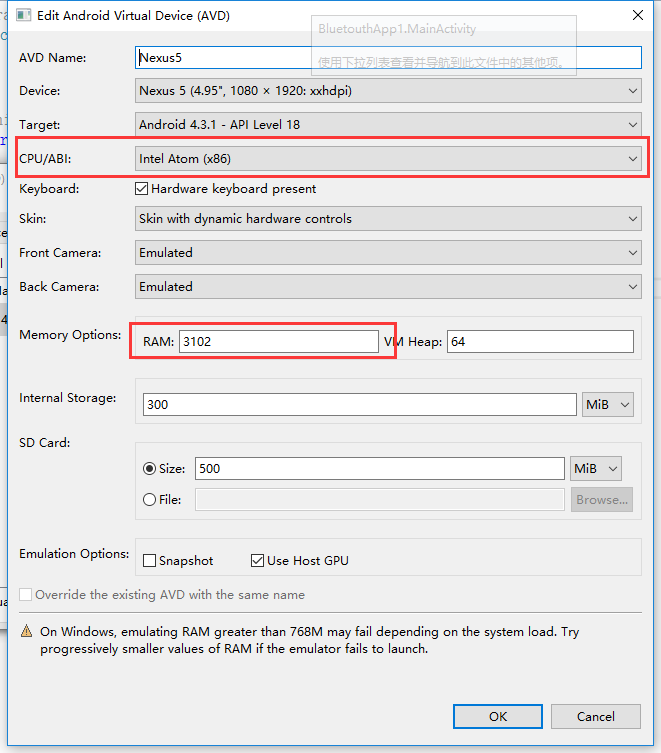
然后选择要模拟的版本,因为APP有蓝牙BLE的支持需求,所以选择了至少API Level18,注意如果安装了HAXM,CPU/ABI项一定要选"Intel Atom (x86)",如果没有,说明组件未安装,赶紧去下载后再来;另外一个注意点是内存至少3G,要不运行起来卡成狗,不要问我是怎么知道的……
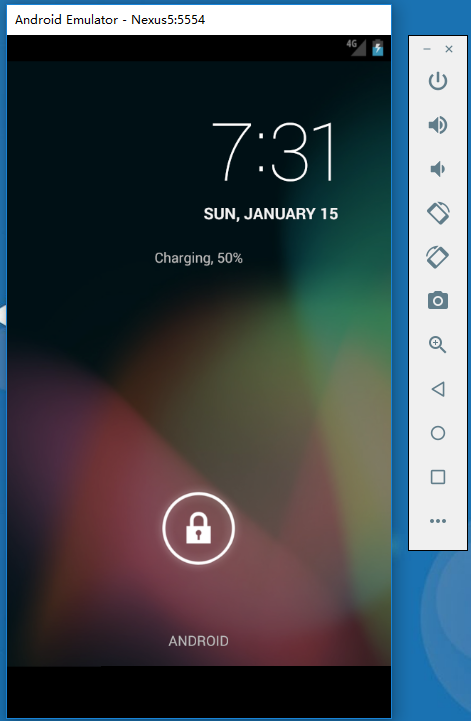
运行效果
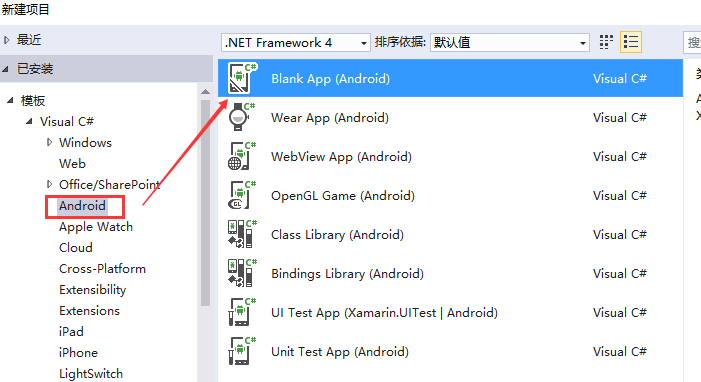
建立一个Android APP
通过新建项目对话框,新建一个空的Android项目
新建后的项目基本目录如下(里头的layout1.axml和Activity1.cs是后面加的)
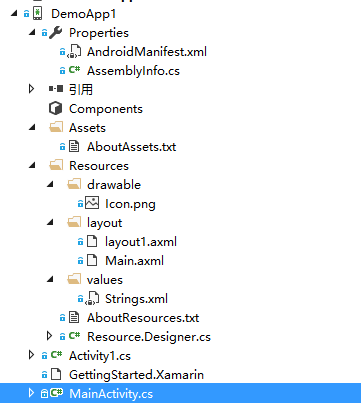
AndroidManifest.xml
首选第一个要说的是AndroidManifest.xml,这是APP中非常重要的一部分,但在VS中不用像JAVA的开发环境中一样把相关配置写全,打开只看到基本的部分,其余的VS会在编译时补全。AndroidManifest.xml中的内容基本可以在项目属性中配置完成

(namespace、API Level等的配置)
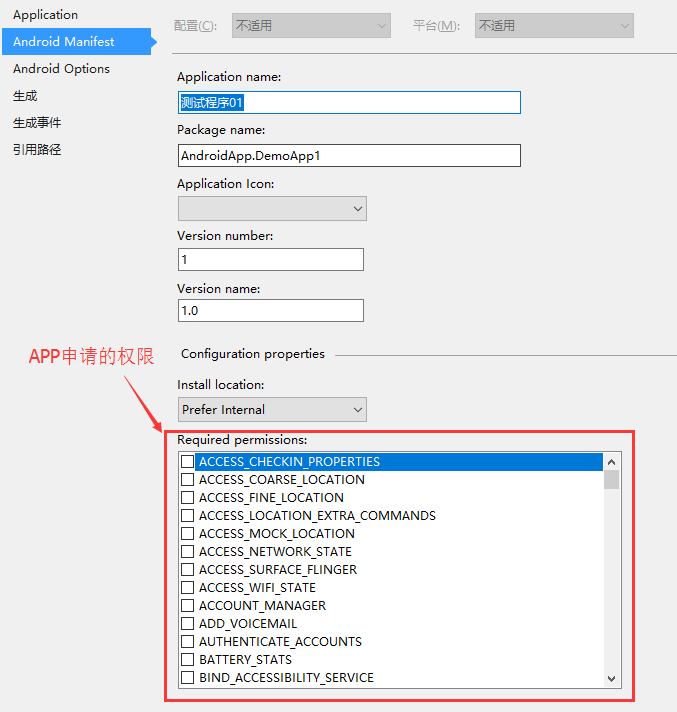
(APP版本、名称、权限等)
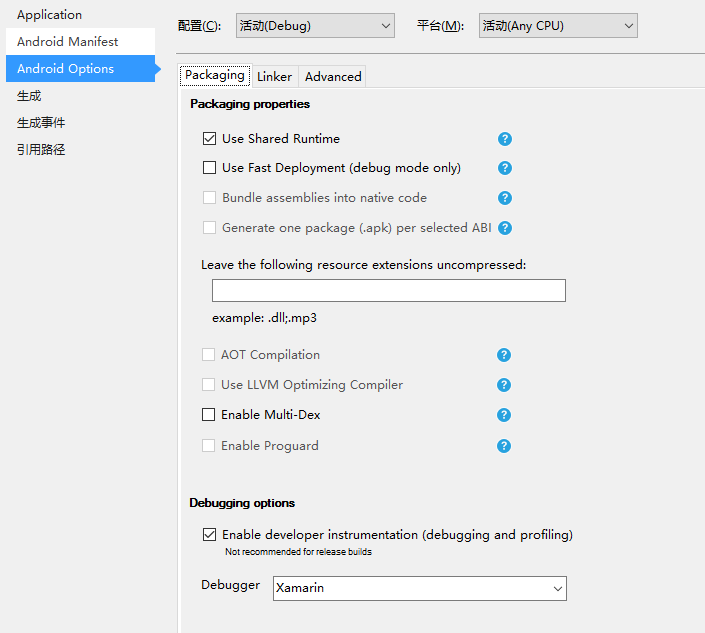
(这里还没实际经验,保持默认,等搞清楚了再来说)
Assets和Resource资源目录
Assets里放的是二进制资源文件,如字体、声音,访问方式如下(具体参考Assets目录下的AboutAssets.txt文件里面有示例代码):
//Any raw assets you want to be deployed with your application can be placed in

//this directory (and child directories) and given a Build Action of "AndroidAsset".

//

//These files will be deployed with you package and will be accessible using Android's

//AssetManager, like this:

public class ReadAsset : Activity

{

    protected override void OnCreate (Bundle bundle)

    {

        base.OnCreate (bundle);

        InputStream input = Assets.Open ("my_asset.txt");

    }

}

//Additionally, some Android functions will automatically load asset files:

Typeface tf = Typeface.CreateFromAsset (Context.Assets, "fonts/samplefont.ttf");
Resource目录中包含了布局、图片、字符串字典等资源文件,同样来看下资源的调用说明(目录中的AboutResources.txt):
/*

Images, layout descriptions, binary blobs and string dictionaries can be included

in your application as resource files.  Various Android APIs are designed to

operate on the resource IDs instead of dealing with images, strings or binary blobs

directly.

For example, a sample Android app that contains a user interface layout (main.axml),

an internationalization string table (strings.xml) and some icons (drawable-XXX/icon.png)

would keep its resources in the "Resources" directory of the application:

Resources/

    drawable/

        icon.png

    layout/

        main.axml

    values/

        strings.xml

In order to get the build system to recognize Android resources, set the build action to

"AndroidResource".  The native Android APIs do not operate directly with filenames, but

instead operate on resource IDs.  When you compile an Android application that uses resources,

the build system will package the resources for distribution and generate a class called "R"

(this is an Android convention) that contains the tokens for each one of the resources

included. For example, for the above Resources layout, this is what the R class would expose:

*/

public class R {

    public class drawable {

        public const int icon = 0x123;

    }

    public class layout {

        public const int main = 0x456;

    }

    public class strings {

        public const int first_string = 0xabc;

        public const int second_string = 0xbcd;

    }

}

/*

You would then use R.drawable.icon to reference the drawable/icon.png file, or R.layout.main

to reference the layout/main.axml file, or R.strings.first_string to reference the first

string in the dictionary file values/strings.xml.

*/
Activity代码
除了这些目录以外,别的就是Activity的代码及自己的类代码啦,APP的默认启动Activity只要设备类的相关属性就OK了,不需要特定的名字,重点注意:“MainLauncher = true, Icon = "@drawable/icon"”。至于别的代码是不是和JAVA的基本一样一样的?
[Activity(Label = "演示APP_01", MainLauncher = true, Icon = "@drawable/icon")]

    public class MainActivity : Activity

    {

        protected override void OnCreate(Bundle bundle)

        {

            base.OnCreate(bundle);

            // Set our view from the "main" layout resource

            SetContentView(Resource.Layout.Main);

            // Get our button from the layout resource,

            // and attach an event to it

        }

    }
如点击按钮启动另外一个Activity的代码,有没有熟悉的感觉?
Button btnOpenActivity = FindViewById<Button>(Resource.Id.btnOpenActivity);

btnOpenActivity.Click += (sender, e) =>

            {

                Intent intent = new Intent(this, typeof(Activity1));

                StartActivity(intent);

            };
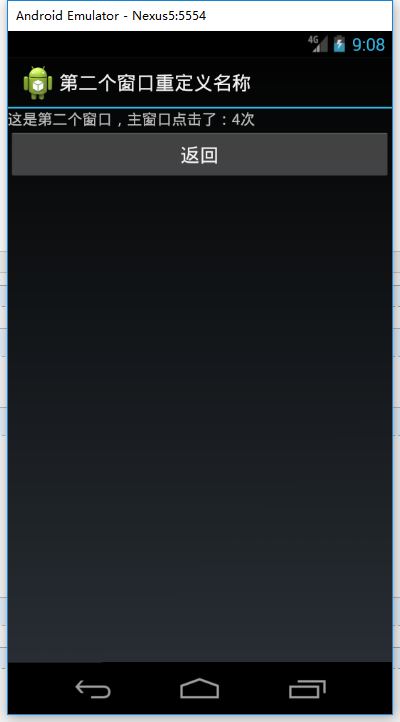
为Activity添加两个按钮和一些简单的代码后调试运行效果图:

VS2015下的Android开发系列02——用VS开发第一个Android APP的更多相关文章
- [eShopOnContainers 学习系列] - 02 - vs 2017 开发环境配置
[eShopOnContainers 学习系列] - 02 - vs 2017 开发环境配置 https://github.com/dotnet-architecture/eShopOnContain ...
- BizTalk开发系列(二十二) 开发自定义Map Functoid
尽管 BizTalk Server 提供许多Functoid以支持一系列不同的操作,但仍可能会遇到需要其他方法的情况.<BizTalk开发系列 Map扩展开发>介绍了通过使用自定义 XSL ...
- ❤️【Android精进之路-03】创建第一个Android应用程序竟然如此简单❤️
您好,我是码农飞哥,感谢您阅读本文,欢迎一键三连哦. 本文会重点介绍如何创建第一个Android应用,以及如何使用Android Studio进行调试 干货满满,建议收藏,需要用到时常看看.小伙伴们如 ...
- [Intel Edison开发板] 02、Edison开发板入门
一.前言 Start from the link: 开始学习的链接 上面链接是官网的教程,按照教程可以开发板入门: 其中第一步是了解开发板,涉及到如何组装.如何连线.一些主要的接口简单介绍等信息: 第 ...
- (转)Android Studio系列教程一下载与安装 背景Android Studio VS Eclipse准备下载创建HelloWorld项目
背景 相信大家对Android Studio已经不陌生了,Android Studio是Google于2013 I/O大会针对Android开发推出的新的开发工具,目前很多开源项目都已经在采用,Goo ...
- Android应用系列:手把手教你做一个小米通讯录(附图附源码)
前言 最近心血来潮,突然想搞点仿制品玩玩,很不幸小米成为我苦逼的第一个试验品.既然雷布斯的MIUI挺受欢迎的(本人就是其的屌丝用户),所以就拿其中的一些小功能做一些小demo来玩玩.小米的通讯录大家估 ...
- 微信开发系列----02:实现POST请求响应
继续昨天的,现在我们的微信测试成功了,可以开发实现微信的各种功能,今天主要实现微信的简单交互,比如发送语音,图片,文本等请求,网站服务器发送对应的响应. 项目GitHub地址: https://gi ...
- Android开发系列(十六):【Android小游戏成语连连看】第二篇
写的晚了,在分工个Z市高中的一个成绩查询的系统,原系统居然是用VB写的,我不得不佩服原本写系统的那位哥们真能耐得住. 明天搭建下SVN就等着先发project款然后開始项目了.想想有工资进账,心里也为 ...
- Android开发系列(十五):【Android小游戏成语连连看】第一篇
学了一个多月安卓.由于暑假的时候要给朋友说写个小游戏.并且也想检測下自己的能力,所以说从7号開始就着手写这个小游戏了,前前后后带上课到今天总算是写完了,可是写的这个小游戏还是有非常多问 ...
随机推荐
- c#登录时保存账号密码到cookie
登陆界面有用户名.密码输入框,一个’记住账号密码‘的复选框. 1.登录时,勾选‘记住账号密码‘复选框,则会把用户名密码保存在客户端cookie里,保存时间为最大值(直到用户清除浏览器缓存或者取消勾选’ ...
- 项目笔记---CSharp图片处理
原文:项目笔记---CSharp图片处理 项目笔记---CSharp图片处理 最近由于项目上需要对图片进行二值化处理,就学习了相关的图片处理上的知识,从开始的二值化的意义到动态阀值检测二值化等等,并用 ...
- 使用Oracle 9i工具管理数据库 - 初学者系列 - 学习者系列文章
前面介绍了Oracle 9i的安装,本文大概介绍下Oracle 9i提供的管理工具的使用. 1 打开数据库配置工具 2 下一步 3 下一步 4 下一步.这里输入数据库名和SID 5 下一步 6 下一步 ...
- PLSQL导入/导出数据方法
PLSQL导入/导出数据方法 PLSQL导入/导出数据方法 以前导数据库信息的时候,总是会先开启sql窗口,把自己手写的建表文件复制进去,然后再导入数据信息. 今天突然懒得去找以前的建表文件,而想用S ...
- leetcode[96] Binary Tree Inorder Traversal
给定树根root.实现中序遍历,也就是左根右. 用递归的话,很简单,左边的返回值加上root的再加上右边的就行. 我自己写的有点挫: /** * Definition for binary tree ...
- ASP.NET MVC IOC之Unity攻略
ASP.NET MVC IOC之Unity攻略 一.你知道IOC与DI吗? 1.IOC(Inversion of Control )——控制反转 即依赖对象不在被依赖模块的类中直接通过new来获取 先 ...
- Random随机数
Random类的常用方法 方法 备注 Int nextInt() 返回一个int类型的随机数 Int nextInt(n) 返回一个0到n之间的数,不包括n Double nextDouble() 返 ...
- SpringMVC表单标签
SpringMVC学习系列(11) 之 表单标签 本篇我们来学习Spring MVC表单标签的使用,借助于Spring MVC提供的表单标签可以让我们在视图上展示WebModel中的数据更加轻松. ...
- ASP.NET Identity登录原理 - Claims-based认证和OWIN
MVC5 - ASP.NET Identity登录原理 - Claims-based认证和OWIN 在Membership系列的最后一篇引入了ASP.NET Identity,看到大家对它还是挺感兴趣 ...
- Effective C++(12) 复制对象时要复制每一个成员
问题聚焦: 负责拷贝的两个操作:拷贝构造函数和重载赋值操作符. 一句话总结,确保被拷贝对象的所有成员变量都做一份拷贝. Demo void logCall(const std::string&am ...