
一百四十五:CMS系统之帖子加精和取消加精
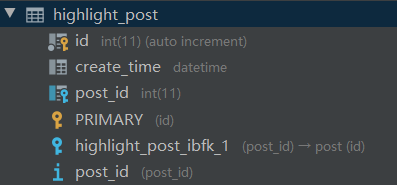
模型

class HighlightPostModel(db.Model):
    """ 帖子加精信息 """
    __tablename__ = 'highlight_post'
    id = db.Column(db.Integer, primary_key=True, autoincrement=True)
    post_id = db.Column(db.Integer, db.ForeignKey('post.id'))
    create_time = db.Column(db.DateTime, default=datetime.now)
    post = db.relationship('PostModel', backref='highlight')
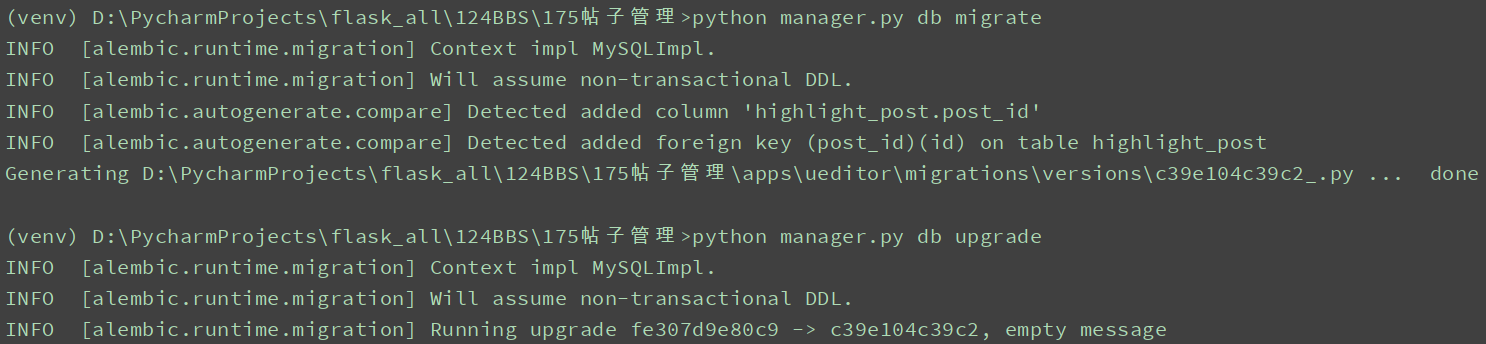
执行数据库迁移:
python manager.py db migrate
python manager.py db upgrade
后台渲染帖子
视图

@bp.route('/posts/')
@login_required
@permission_required(CMSPersmission.POSTER)
def posts():
    """ 帖子管理板块 """
    context = {'posts': PostModel.query.all()}
    return render_template('cms/cms_posts.html', **context)
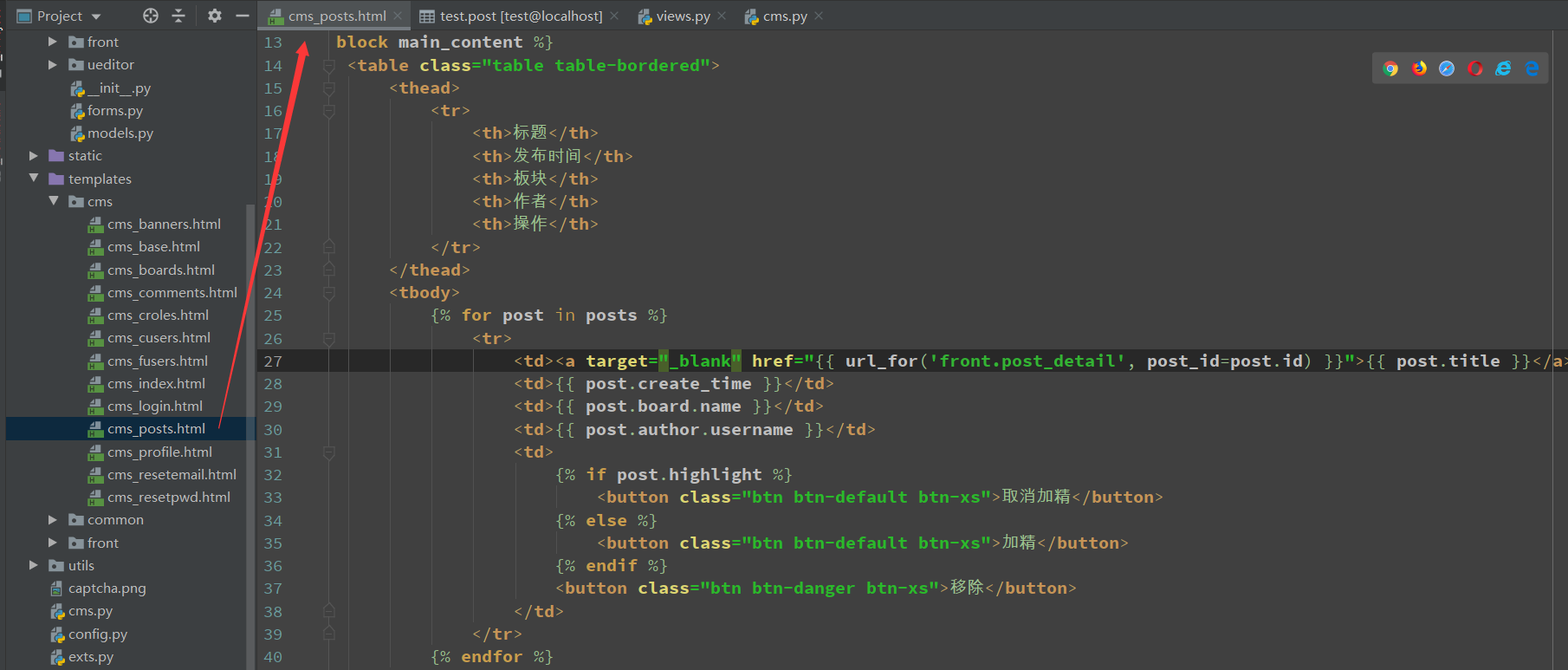
页面
{% extends 'cms/cms_base.html' %}

{% block title %}帖子管理{% endblock %}

{% block head %}

{% endblock %}

{% block page_title %}
    {{ self.title() }}
{% endblock %}

{% block main_content %}
    <table class="table table-bordered">
        <thead>
            <tr>
                <th>标题</th>
                <th>发布时间</th>
                <th>板块</th>
                <th>作者</th>
                <th>操作</th>
            </tr>
        </thead>
        <tbody>
            {% for post in posts %}
                <tr>
                    <td><a target="_blank" href="{{ url_for('front.post_detail', post_id=post.id) }}">{{ post.title }}</a></td>
                    <td>{{ post.create_time }}</td>
                    <td>{{ post.board.name }}</td>
                    <td>{{ post.author.username }}</td>
                    <td>
                        {% if post.highlight %}
                            <button class="btn btn-default btn-xs">取消加精</button>
                        {% else %}
                            <button class="btn btn-default btn-xs">加精</button>
                        {% endif %}
                        <button class="btn btn-danger btn-xs">移除</button>
                    </td>
                </tr>
            {% endfor %}

        </tbody>
    </table>
{% endblock %}
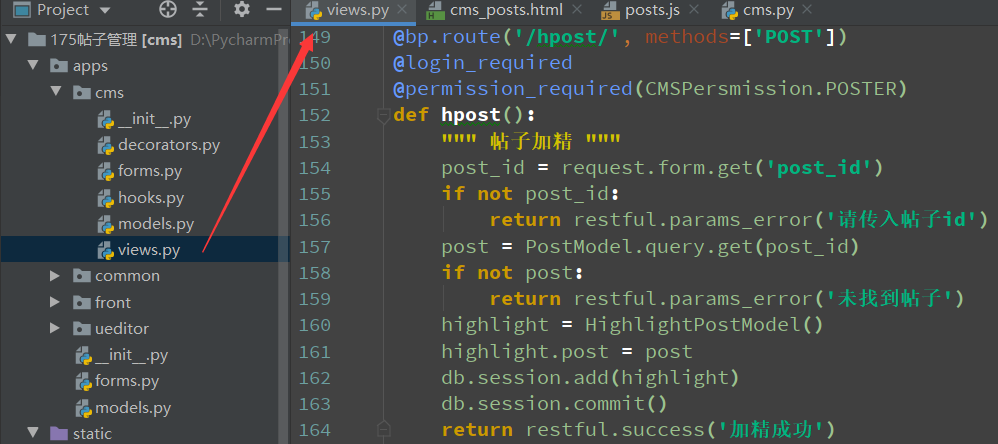
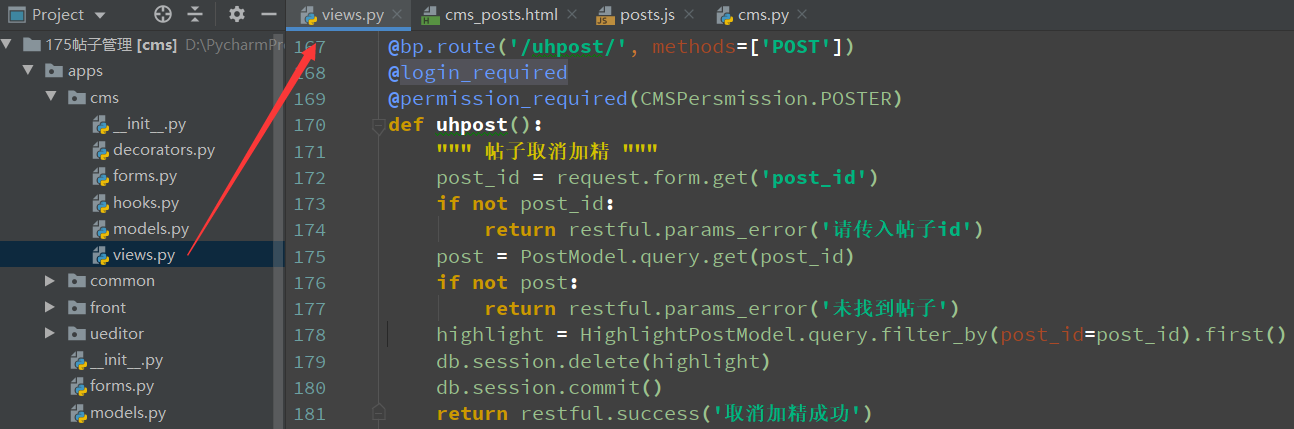
加精和取消加精视图
@bp.route('/hpost/', methods=['POST'])
@login_required
@permission_required(CMSPersmission.POSTER)
def hpost():
    """ 帖子加精 """
    post_id = request.form.get('post_id')
    if not post_id:
        return restful.params_error('请传入帖子id')
    post = PostModel.query.get(post_id)
    if not post:
        return restful.params_error('未找到帖子')
    highlight = HighlightPostModel()
    highlight.post = post
    db.session.add(highlight)
    db.session.commit()
    return restful.success('加精成功')

@bp.route('/uhpost/', methods=['POST'])
@login_required
@permission_required(CMSPersmission.POSTER)
def uhpost():
    """ 帖子取消加精 """
    post_id = request.form.get('post_id')
    if not post_id:
        return restful.params_error('请传入帖子id')
    post = PostModel.query.get(post_id)
    if not post:
        return restful.params_error('未找到帖子')
    highlight = HighlightPostModel.query.filter_by(post_id=post_id).first()
    db.session.delete(highlight)
    db.session.commit()
    return restful.success('取消加精成功')
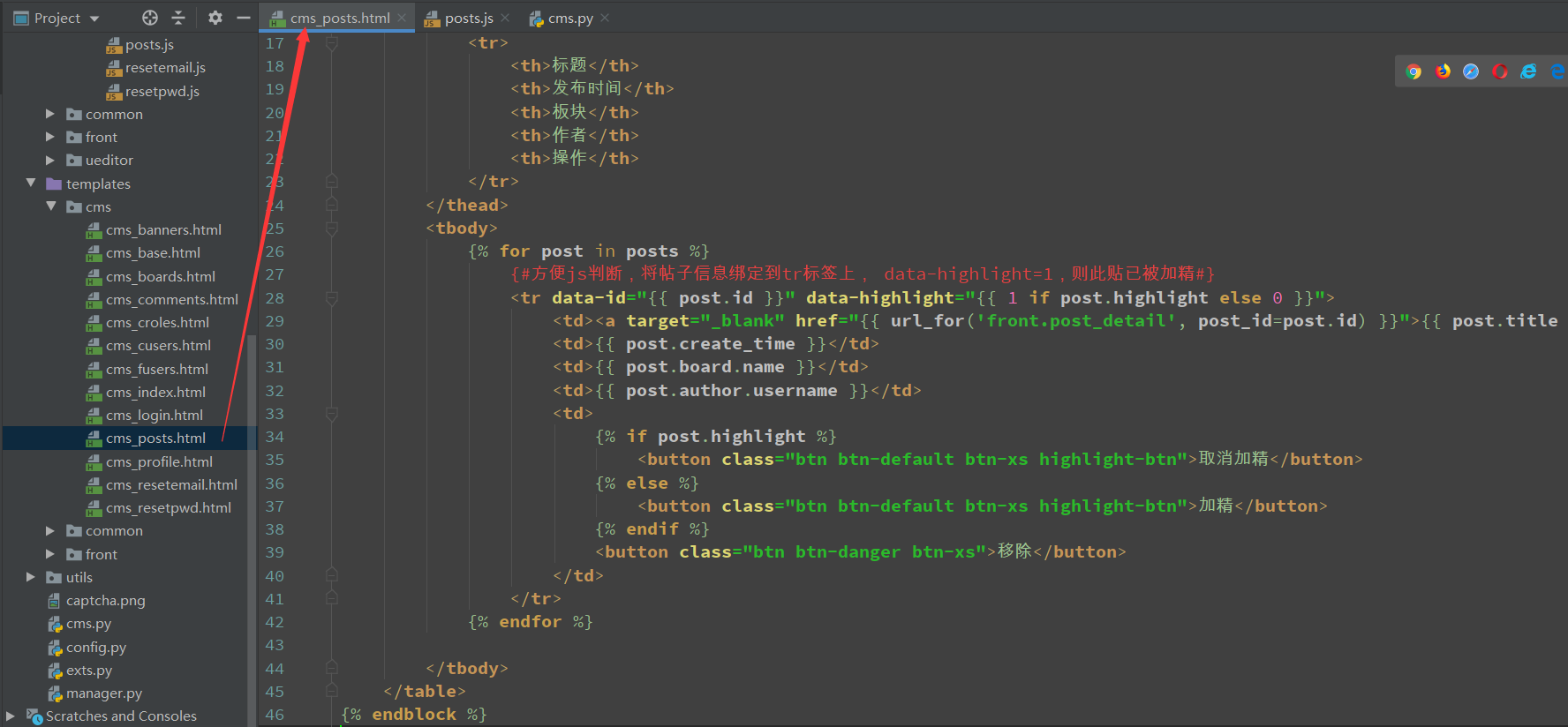
html
{% extends 'cms/cms_base.html' %}
{% from 'common/_macros.html' import static %}

{% block title %}帖子管理{% endblock %}

{% block head %}
    <script src="{{ static('cms/js/posts.js') }}"></script>
{% endblock %}

{% block page_title %}
    {{ self.title() }}
{% endblock %}

{% block main_content %}
    <table class="table table-bordered">
        <thead>
            <tr>
                <th>标题</th>
                <th>发布时间</th>
                <th>板块</th>
                <th>作者</th>
                <th>操作</th>
            </tr>
        </thead>
        <tbody>
            {% for post in posts %}
                {#方便js判断,将帖子信息绑定到tr标签上, data-highlight=1,则此贴已被加精#}
                <tr data-id="{{ post.id }}" data-highlight="{{ 1 if post.highlight else 0 }}">
                    <td><a target="_blank" href="{{ url_for('front.post_detail', post_id=post.id) }}">{{ post.title }}</a></td>
                    <td>{{ post.create_time }}</td>
                    <td>{{ post.board.name }}</td>
                    <td>{{ post.author.username }}</td>
                    <td>
                        {% if post.highlight %}
                            <button class="btn btn-default btn-xs highlight-btn">取消加精</button>
                        {% else %}
                            <button class="btn btn-default btn-xs highlight-btn">加精</button>
                        {% endif %}
                        <button class="btn btn-danger btn-xs">移除</button>
                    </td>
                </tr>
            {% endfor %}

        </tbody>
    </table>
{% endblock %}
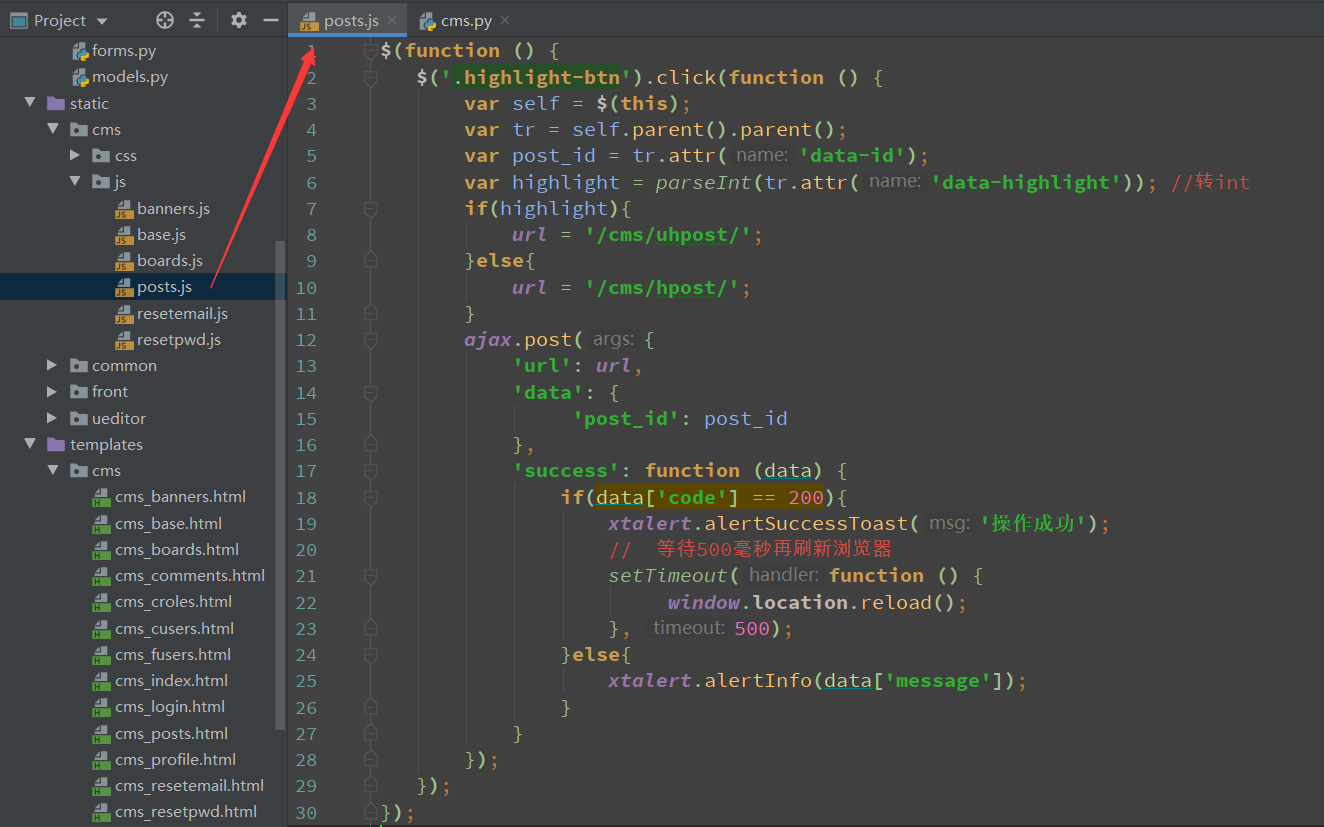
js
$(function () {
   $('.highlight-btn').click(function () {
       var self = $(this);
       var tr = self.parent().parent();
       var post_id = tr.attr('data-id');
       var highlight = parseInt(tr.attr('data-highlight')); //转int
       if(highlight){
           url = '/cms/uhpost/';
       }else{
           url = '/cms/hpost/';
       }
       ajax.post({
           'url': url,
           'data': {
                'post_id': post_id
           },
           'success': function (data) {
               if(data['code'] == 200){
                   xtalert.alertSuccessToast('操作成功');
                   //  等待500毫秒再刷新浏览器
                   setTimeout(function () {
                        window.location.reload();
                   }, 500);
               }else{
                   xtalert.alertInfo(data['message']);
               }
           }
       });
   });
});
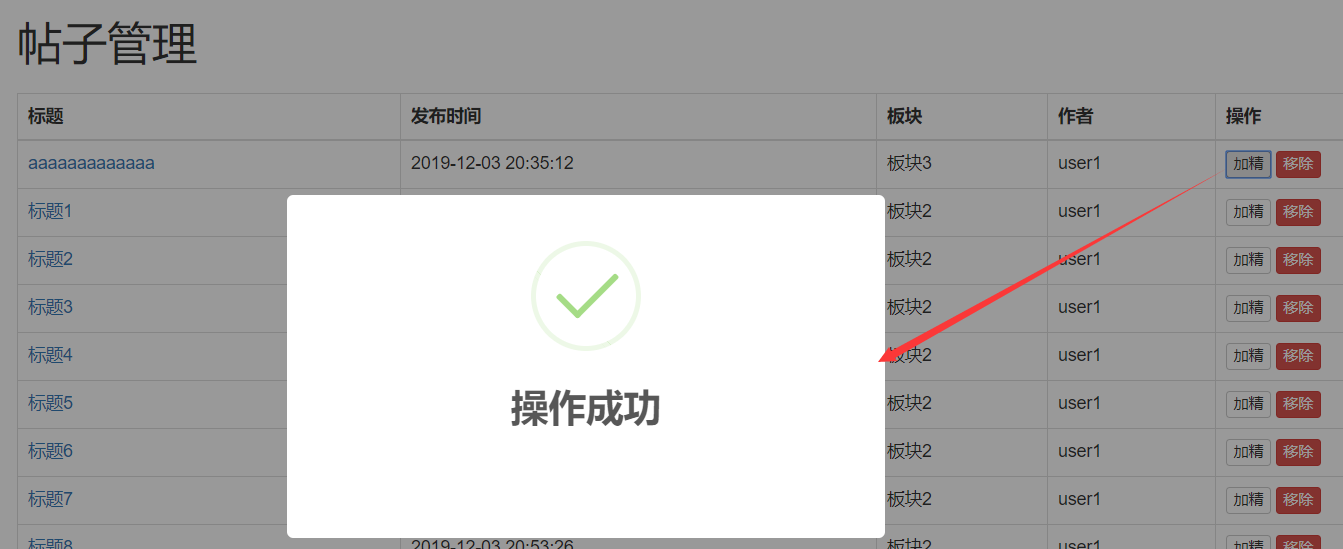
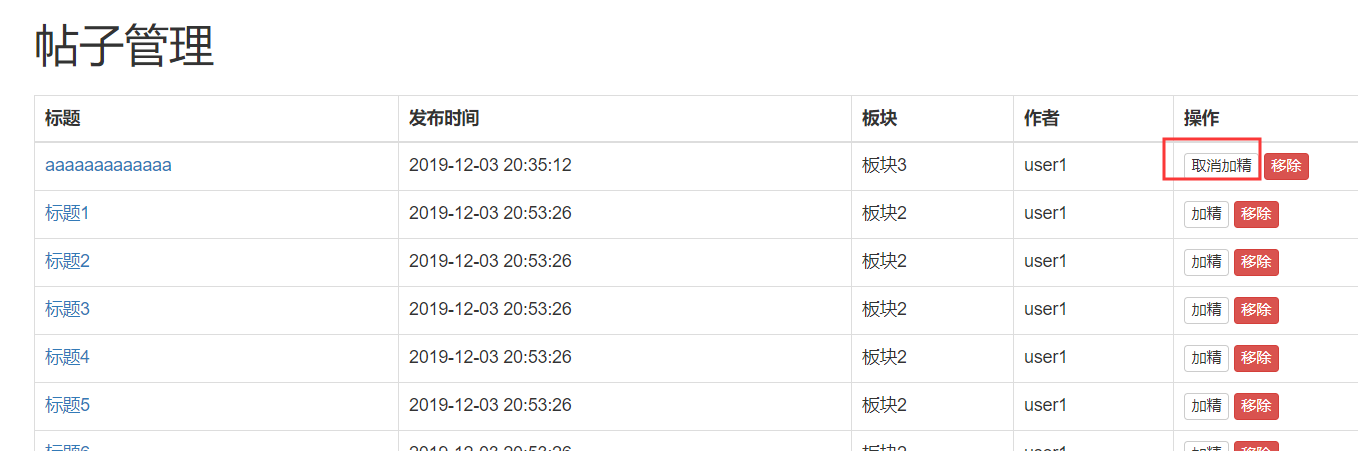
效果
一百四十五:CMS系统之帖子加精和取消加精的更多相关文章
- 一百四十:CMS系统之使用flask-paginate实现分页功能
官方文档:https://pythonhosted.org/Flask-paginate/ 安装:pip install flask-paginate 在没有分页的情况下,默认会加载所有内容 在con ...
- 第三百四十五节,Python分布式爬虫打造搜索引擎Scrapy精讲—爬虫和反爬的对抗过程以及策略—scrapy架构源码分析图
第三百四十五节,Python分布式爬虫打造搜索引擎Scrapy精讲—爬虫和反爬的对抗过程以及策略—scrapy架构源码分析图 1.基本概念 2.反爬虫的目的 3.爬虫和反爬的对抗过程以及策略 scra ...
- Flask实战第64天:帖子加精和取消加精功能完成
帖子加精和取消加精是在cms后台来设置的 后台逻辑 首页个帖子加精设计个模型表,编辑apps.models.py class HighlightPostModel(db.Model): __table ...
- 一百四十六:CMS系统之帖子按照发布时间和评论数量排序
按照不同选项进行排序 视图 @bp.route('/')def index(): board_id = request.args.get('board_id', type=int, default=N ...
- 一百四十二:CMS系统之帖子详情页面布局
定义一个404页面 <!DOCTYPE html><html lang="en"><head> <meta charset="U ...
- 一百四十一:CMS系统之根据板块过滤显示帖子
视图,根据传过来的板块id查数据 @bp.route('/')def index(): board_id = request.args.get('board_id', type=int, defaul ...
- 完成将 toChineseNum, 可以将数字转换成中文大写的表示,处理到万级别,例如 toChineseNum(12345),返回 一万二千三百四十五
const toChineseNum = (num) => { const unit = ['', '十', '百', '千'] const counts = ['零', '一', '二', ' ...
- 一百一十:CMS系统之剩余菜单栏的页面和视图
增加所有剩余菜单的页面,并用视图渲染,方便后面调试权限控制 {% extends 'cms/cms_base.html' %} {% block title %}板块管理{% endblock %} ...
- 一百四十三:CMS系统之评论布局和功能一
模型 class CommentModel(db.Model): """ 评论 """ __tablename__ = 'comment' ...
随机推荐
- 第七届蓝桥杯C/C++程序设计本科B组决赛 ——机器人塔(程序大题)
机器人塔 X星球的机器人表演拉拉队有两种服装,A和B.他们这次表演的是搭机器人塔. 类似: A B B A B A A A B B B B B A BA B A B B A 队内的组塔规则是: A 只 ...
- tomcat实现文件上传下载
实现下载 修改server.xml修改web.xml 实现上传 实现客户端的上传post请求代码实现 实现服务端的处理 小结 实现下载 实现下载需要 - 修改Tomcat中的 ...
- 使用druid连接池的超时回收机制排查连接泄露
起因:系统连接池满了 Exception wait millis 60012, active 2000, maxActive 2000, creating 0 加配置排查: <!-- 超过时间限 ...
- 24 | MySQL是怎么保证主备一致的?
在前面的文章中,我不止一次地和你提到了binlog,大家知道binlog可以用来归档,也可以用来做主备同步,但它的内容是什么样的呢?为什么备库执行了binlog就可以跟主库保持一致了呢?今天我就正式地 ...
- springboot使用rabbitmq-Topic模式,亲自实测能用!!!
0.项目目录截图 ===================================================================== springboot的版本: <gr ...
- elment-ui的validate
https://blog.csdn.net/qq469234155/article/details/84034816 validate()时elment-ui封装好的用于对整个表单进行验证valida ...
- Bzoj 3122 [Sdoi2013]随机数生成器(BSGS+exgcd)
Input 输入含有多组数据,第一行一个正整数T,表示这个测试点内的数据组数. 接下来T行,每行有五个整数p,a,b,X1,t,表示一组数据.保证X1和t都是合法的页码. 注意:P一定为质数 Outp ...
- [转]protobuf的编译安装
github地址:https://github.com/google/protobuf支持多种语言,有多个语言的版本,本文采用的是在centos7下编译源码进行安装. github上有详细的安装说明: ...
- 数据结构实验之查找三:树的种类统计(SDUT 3375)
C: #include <stdio.h> #include <stdlib.h> #include <string.h> struct node { char d ...
- jenkins之docker安装(jenkins/jenkins:lts)
建议使用此镜像安装,不要使用官网推荐的jenkinsci/blueocean镜像,使用它构建node程序会出现问题. 1.宿主服务器jenkins_home目录权限 为了方便安装插件,升级,迁移,因此 ...