
Django项目:CMDB(服务器硬件资产自动采集系统)--02--02CMDB将服务器基本信息提交到API接口
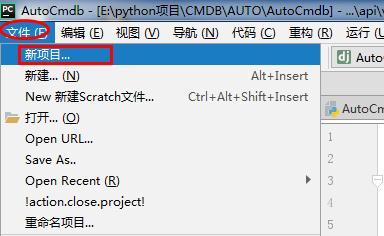
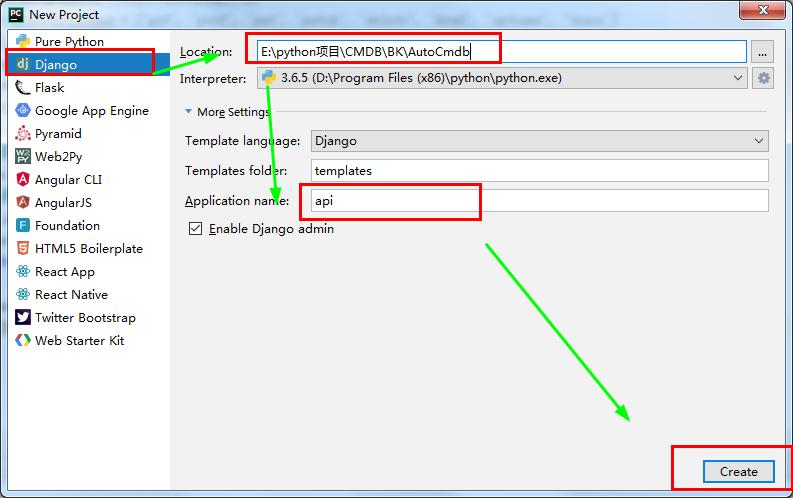
AutoCmdb
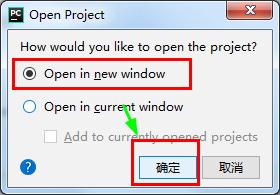
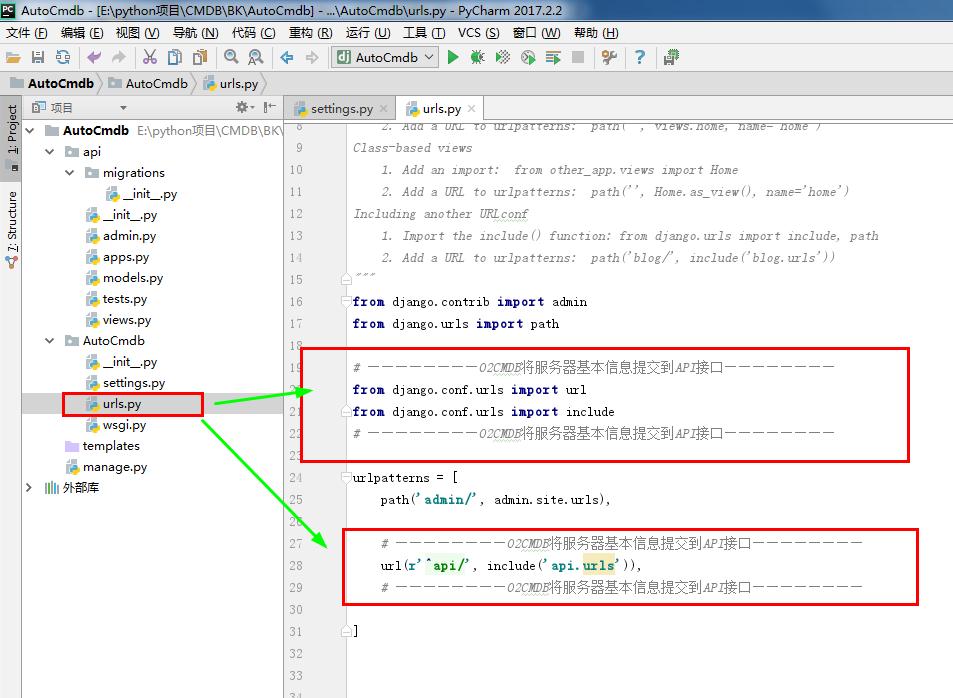
 # urls.py

 """AutoCmdb URL Configuration

 The `urlpatterns` list routes URLs to views. For more information please see:

     https://docs.djangoproject.com/en/2.0/topics/http/urls/

 Examples:

 Function views

     1. Add an import:  from my_app import views

     2. Add a URL to urlpatterns:  path('', views.home, name='home')

 Class-based views

     1. Add an import:  from other_app.views import Home

     2. Add a URL to urlpatterns:  path('', Home.as_view(), name='home')

 Including another URLconf

     1. Import the include() function: from django.urls import include, path

     2. Add a URL to urlpatterns:  path('blog/', include('blog.urls'))

 """

 from django.contrib import admin

 from django.urls import path

 # ————————02CMDB将服务器基本信息提交到API接口————————

 from django.conf.urls import url

 from django.conf.urls import include

 # ————————02CMDB将服务器基本信息提交到API接口————————

 urlpatterns = [

     path('admin/', admin.site.urls),

     # ————————02CMDB将服务器基本信息提交到API接口————————

     url(r'^api/', include('api.urls')),

     # ————————02CMDB将服务器基本信息提交到API接口————————

 ]
# urls.py
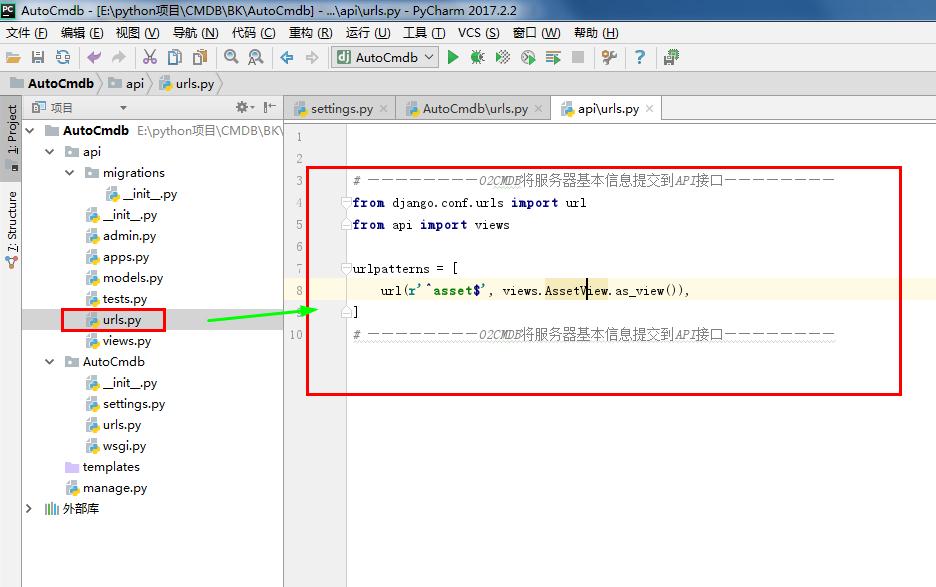
 # urls.py

 # ————————02CMDB将服务器基本信息提交到API接口————————

 from django.conf.urls import url

 from api import views

 urlpatterns = [

     url(r'^asset$', views.AssetView.as_view()),

 ]

 # ————————02CMDB将服务器基本信息提交到API接口————————
# urls.py
 from django.shortcuts import render

 # Create your views here.

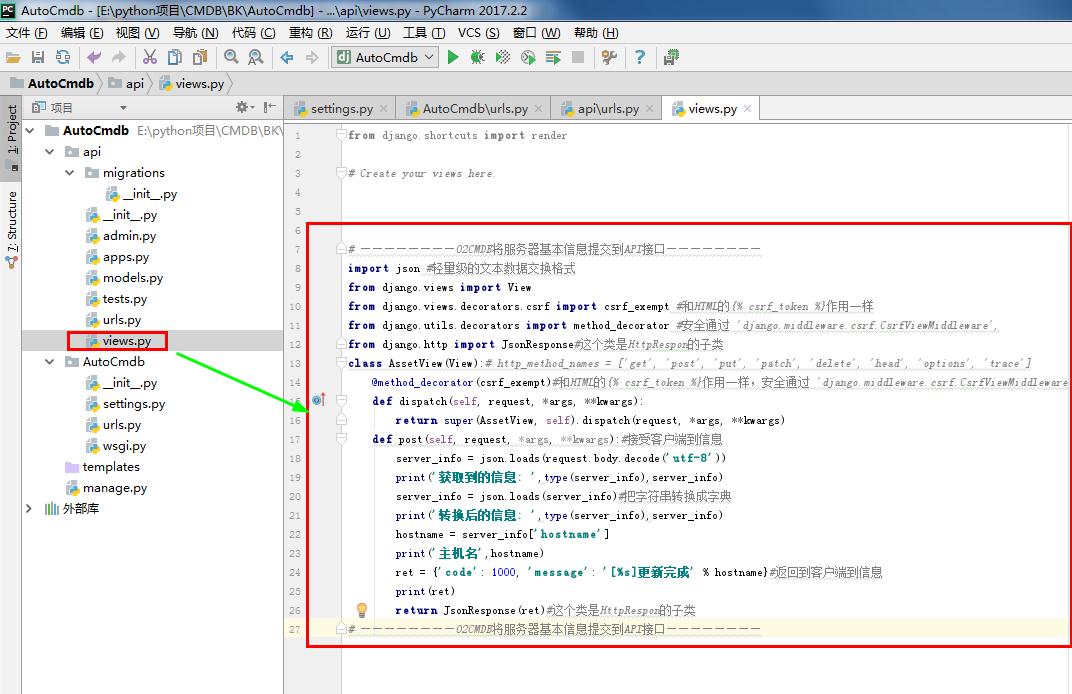
 # views.py

 # ————————02CMDB将服务器基本信息提交到API接口————————

 import json #轻量级的文本数据交换格式

 from django.views import View

 from django.views.decorators.csrf import csrf_exempt #和HTML的{% csrf_token %}作用一样

 from django.utils.decorators import method_decorator #安全通过 'django.middleware.csrf.CsrfViewMiddleware',

 from django.http import JsonResponse#这个类是HttpRespon的子类

 class AssetView(View):# http_method_names = ['get', 'post', 'put', 'patch', 'delete', 'head', 'options', 'trace']

     @method_decorator(csrf_exempt)#和HTML的{% csrf_token %}作用一样,安全通过 'django.middleware.csrf.CsrfViewMiddleware',

     def dispatch(self, request, *args, **kwargs):

         return super(AssetView, self).dispatch(request, *args, **kwargs)

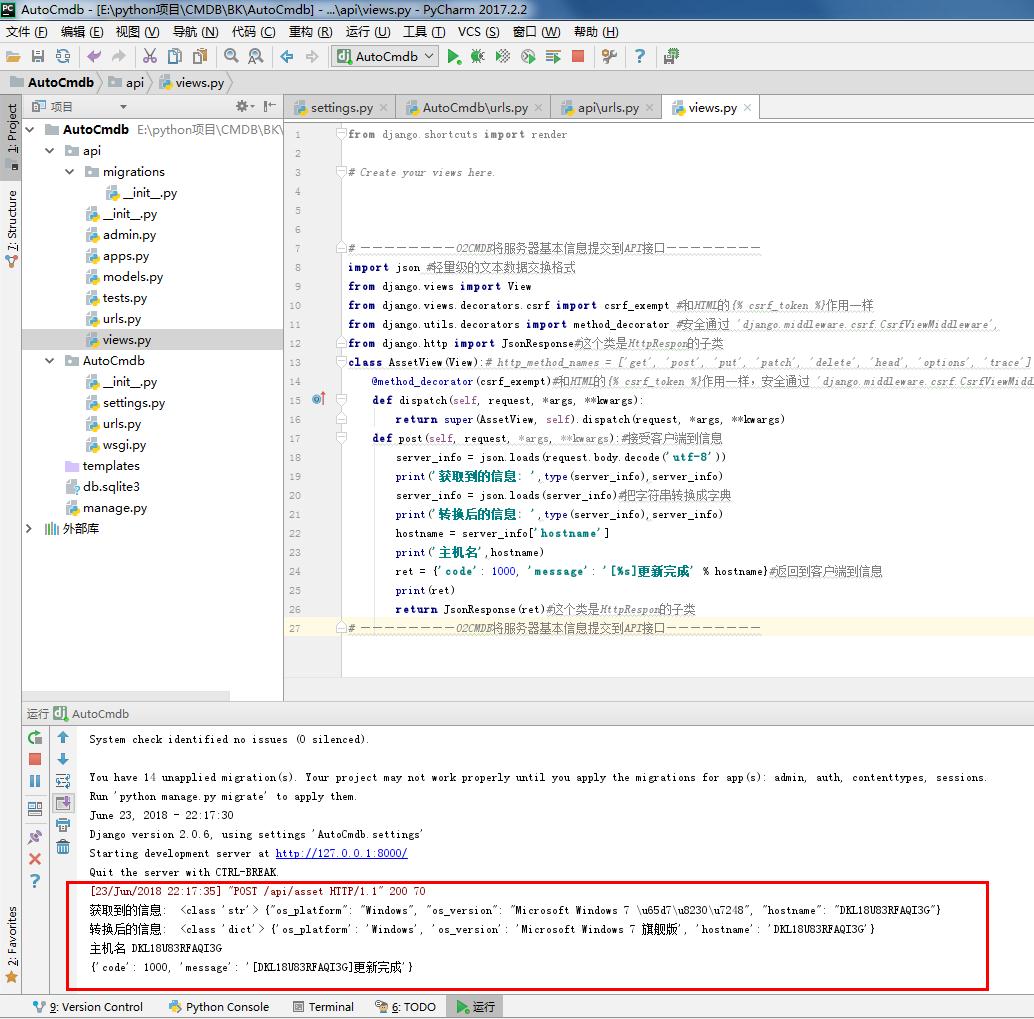
     def post(self, request, *args, **kwargs):#接受客户端到信息

         server_info = json.loads(request.body.decode('utf-8'))

         print('获取到的信息: ',type(server_info),server_info)

         server_info = json.loads(server_info)#把字符串转换成字典

         print('转换后的信息: ',type(server_info),server_info)

         hostname = server_info['hostname']

         print('主机名',hostname)

         ret = {'code': 1000, 'message': '[%s]更新完成' % hostname}#返回到客户端到信息

         print(ret)

         return JsonResponse(ret)#这个类是HttpRespon的子类

 # ————————02CMDB将服务器基本信息提交到API接口————————
# views.py

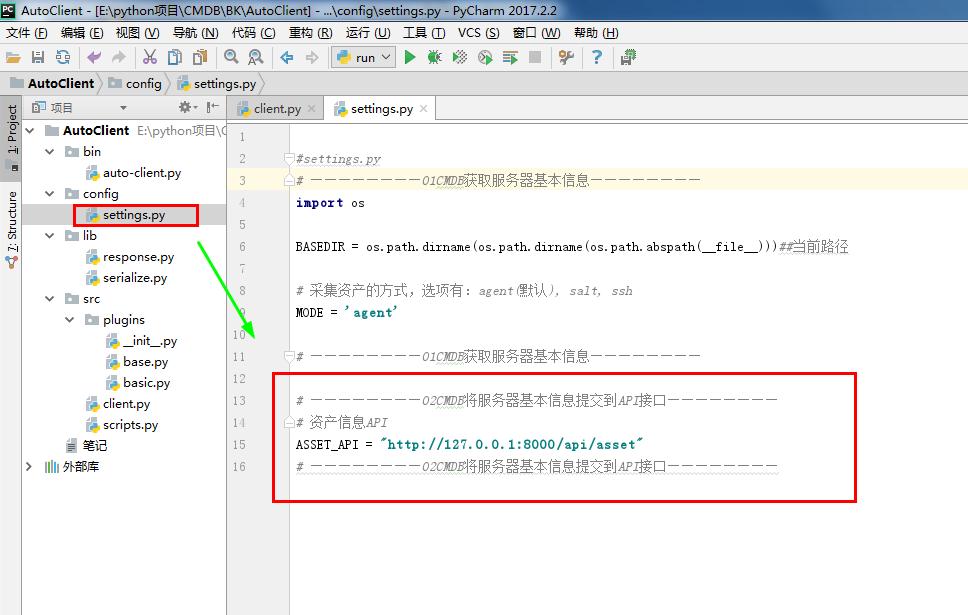
 #settings.py

 # ————————01CMDB获取服务器基本信息————————

 import os

 BASEDIR = os.path.dirname(os.path.dirname(os.path.abspath(__file__)))##当前路径

 # 采集资产的方式,选项有:agent(默认), salt, ssh

 MODE = 'agent'

 # ————————01CMDB获取服务器基本信息————————

 # ————————02CMDB将服务器基本信息提交到API接口————————

 # 资产信息API

 ASSET_API = "http://127.0.0.1:8000/api/asset"

 # ————————02CMDB将服务器基本信息提交到API接口————————
#settings.py
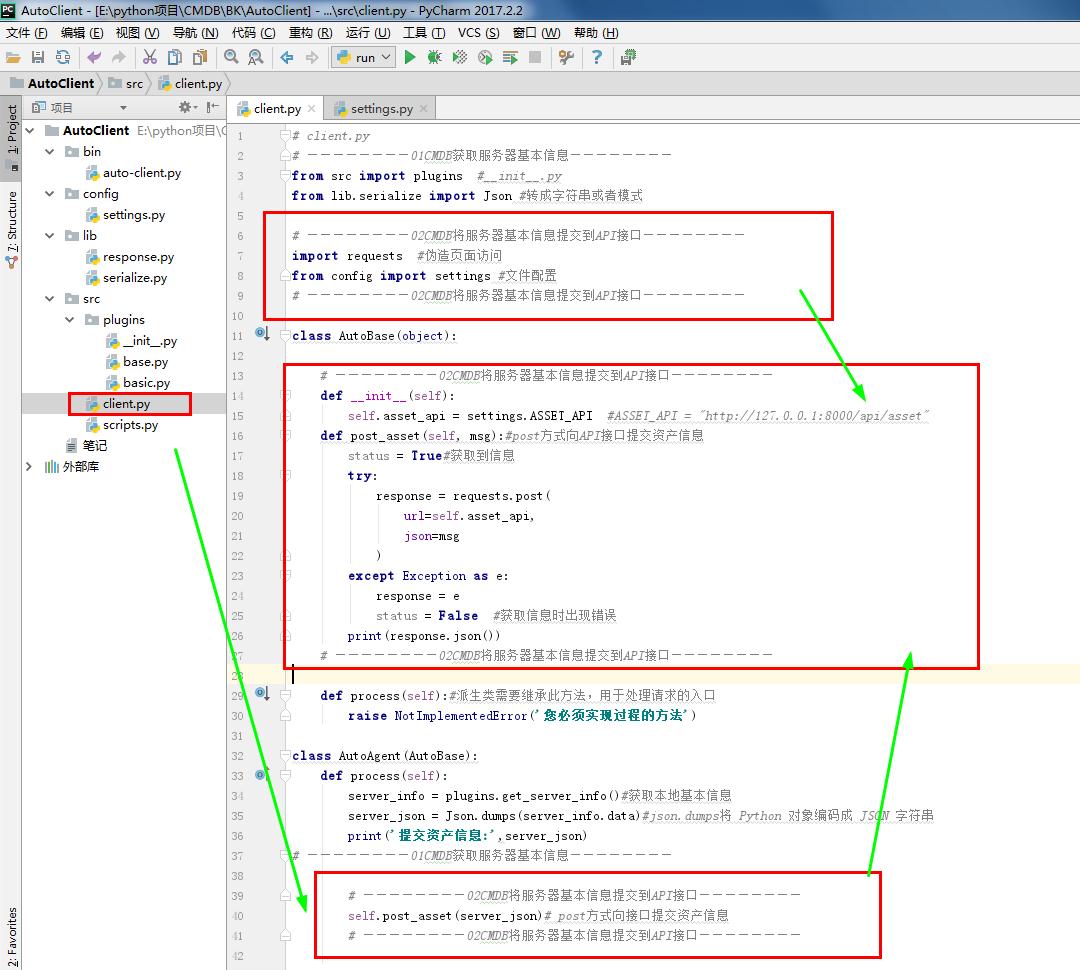
 # client.py

 # ————————01CMDB获取服务器基本信息————————

 from src import plugins  #__init__.py

 from lib.serialize import Json #转成字符串或者模式

 # ————————02CMDB将服务器基本信息提交到API接口————————

 import requests  #伪造页面访问

 from config import settings #文件配置

 # ————————02CMDB将服务器基本信息提交到API接口————————

 class AutoBase(object):

     # ————————02CMDB将服务器基本信息提交到API接口————————

     def __init__(self):

         self.asset_api = settings.ASSET_API  #ASSET_API = "http://127.0.0.1:8000/api/asset"

     def post_asset(self, msg):#post方式向API接口提交资产信息

         status = True#获取到信息

         try:

             response = requests.post(

                 url=self.asset_api,

                 json=msg

             )

         except Exception as e:

             response = e

             status = False  #获取信息时出现错误

         print(response.json())

     # ————————02CMDB将服务器基本信息提交到API接口————————

     def process(self):#派生类需要继承此方法,用于处理请求的入口

         raise NotImplementedError('您必须实现过程的方法')

 class AutoAgent(AutoBase):

     def process(self):

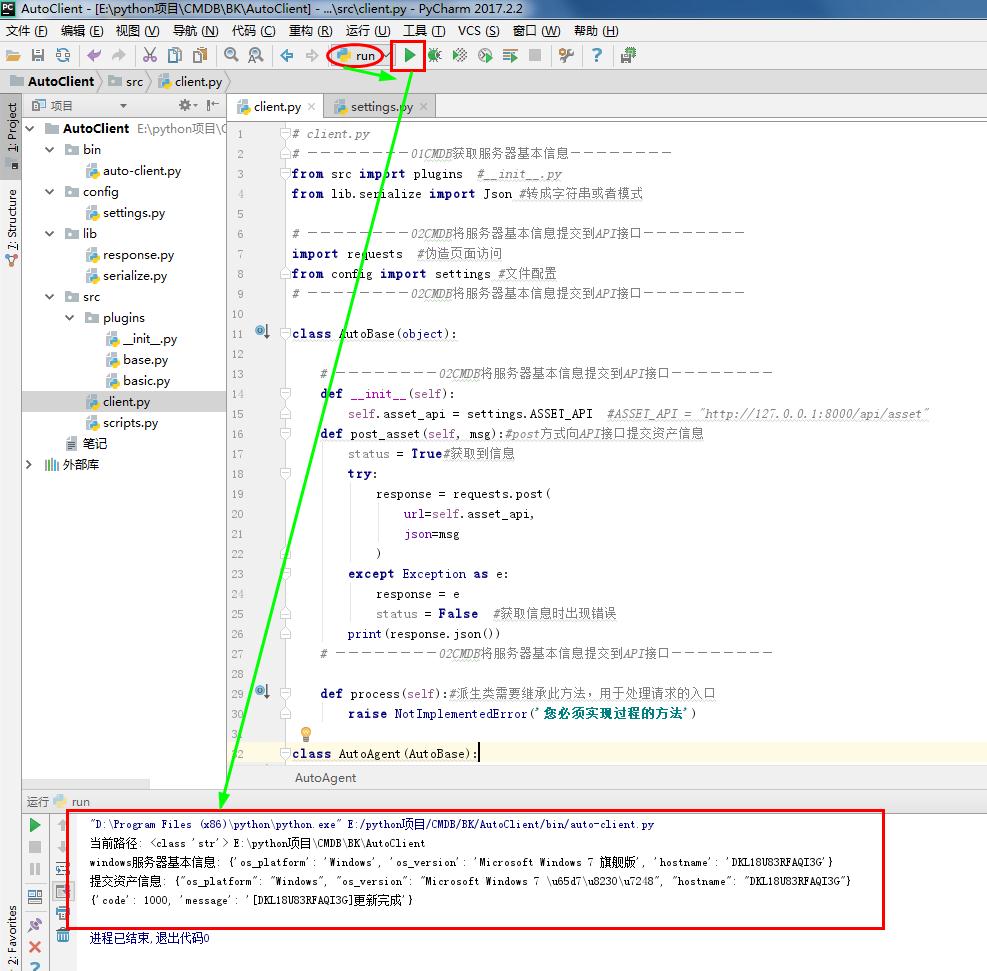
         server_info = plugins.get_server_info()#获取本地基本信息

         server_json = Json.dumps(server_info.data)#json.dumps将 Python 对象编码成 JSON 字符串

         print('提交资产信息:',server_json)

 # ————————01CMDB获取服务器基本信息————————

         # ————————02CMDB将服务器基本信息提交到API接口————————

         self.post_asset(server_json)# post方式向接口提交资产信息

         # ————————02CMDB将服务器基本信息提交到API接口————————
# client.py
Django项目:CMDB(服务器硬件资产自动采集系统)--02--02CMDB将服务器基本信息提交到API接口的更多相关文章
- Django项目:CMDB(服务器硬件资产自动采集系统)--03--03CMDB信息安全API接口交互认证
#settings.py """ Django settings for AutoCmdb project. Generated by 'django-admin sta ...
- Django项目:CMDB(服务器硬件资产自动采集系统)--12--08CMDB采集硬件数据日志记录
#settings.py # ————————01CMDB获取服务器基本信息———————— import os BASEDIR = os.path.dirname(os.path.dirname(o ...
- Django项目:CMDB(服务器硬件资产自动采集系统)--11--07CMDB文件模式测试采集硬件数据
#settings.py # ————————01CMDB获取服务器基本信息———————— import os BASEDIR = os.path.dirname(os.path.dirname(o ...
- Django项目:CMDB(服务器硬件资产自动采集系统)--06--06CMDB测试Linux系统采集硬件数据的命令01
#base.py # ————————01CMDB获取服务器基本信息———————— from config import settings #配置文件 class BasePlugin(object ...
- Django项目:CMDB(服务器硬件资产自动采集系统)--05--05CMDB采集硬件数据的插件
#__init__.py # ————————05CMDB采集硬件数据的插件———————— from config import settings import importlib # —————— ...
- Django项目:CMDB(服务器硬件资产自动采集系统)--04--04CMDB本地(Agent)模式客户端唯一标识(ID)
# client.py # ————————01CMDB获取服务器基本信息———————— from src import plugins #__init__.py from lib.serializ ...
- Django项目:CMDB(服务器硬件资产自动采集系统)--07--06CMDB测试Linux系统采集硬件数据的命令02
#settings.py """ Django settings for AutoCmdb project. Generated by 'django-admin sta ...
- Django项目:CMDB(服务器硬件资产自动采集系统)--01--01CMDB获取服务器基本信息
AutoClient #settings.py # ————————01CMDB获取服务器基本信息———————— import os BASEDIR = os.path.dirname(os.pat ...
- Django项目:CMDB(服务器硬件资产自动采集系统)--10--06CMDB测试Linux系统采集硬件数据的命令05
cd /py/AutoClient/bin python3 auto-client.py /usr/local/python3/bin/pip install requests python3 aut ...
随机推荐
- input、textarea等输入框输入中文时,拼音在输入框内会触发input事件的问题
监听文本输入框的input事件,在拼写汉字(输入法)但汉字并未实际填充到文本框中(选词)时会触发input事件,如图: 但是在很多情况下,只需要输入到输入框的中文字符. 解决办法: 通过查阅资料得知在 ...
- 牛客多校第五场 A digits 2 签到
题意: 给定一个n,输出一个数,要求这个数所有位之和整除n,并且这个数也整除n,并且位数不许多于1e4 题解: 把这个数n输出n遍. #include<iostream> using na ...
- Windows下DNS ID欺骗的原理与实现
域名系统(DNS)是一种用于TCP/IP应用程序的分布式数据库,它提供主机名字和IP地址之间的转换信息.通常,网络用户通过UDP协议和DNS服务器进行通信,而服务器在特定的53端口监听,并返回用户所需 ...
- System.Web.Mvc.IActionFilter.cs
ylbtech-System.Web.Mvc.IActionFilter.cs 1.程序集 System.Web.Mvc, Version=5.2.3.0, Culture=neutral, Publ ...
- .NETFramework:Exception
ylbtech-System.Exception.cs 1.返回顶部 1. #region 程序集 mscorlib, Version=4.0.0.0, Culture=neutral, Public ...
- k8s 是什么,有什么功能
k8s是一个docker集群的管理工具 k8s是容器的编排工具 1. k8s的核心功能 自愈: 重新启动失败的容器,在节点不可用时,替换和重新调度节点上的容器,对用户定义的健康检查不响应党的容器会被中 ...
- npm安装vuex及防止页面刷新数据丢失
npm install vuex 在项目scr目录下新建store文件夹,在store文件夹下新建index.js文件. import Vue from 'vue'; import Vuex from ...
- Java 10的10个新特性,将彻底改变你写代码的方式!
Java 9才发布几个月,很多玩意都没整明白,现在Java 10又快要来了.. 这时候我真尼玛想说:线上用的JDK 7 甚至JDK 6,JDK 8 还没用熟,JDK 9 才发布不久不知道啥玩意,JDK ...
- pycharm新建ini文件或创建ini文件失败
1.pycharm创建ini格式的文件,没有对应的 ini 文件类型-------需要更新 Ini 2.setting–>marketplace 搜索 Ini ,然后进行安装,重启pycharm ...
- <jquery>基本的模态框
<!DOCTYPE html> <html lang="en"> <head> <meta charset="UTF-8&quo ...