
UWP 应用程序内购
今天来说一下应用程序内购的问题,这里面有坑,给自己做个笔记,也给需要的人提个醒。
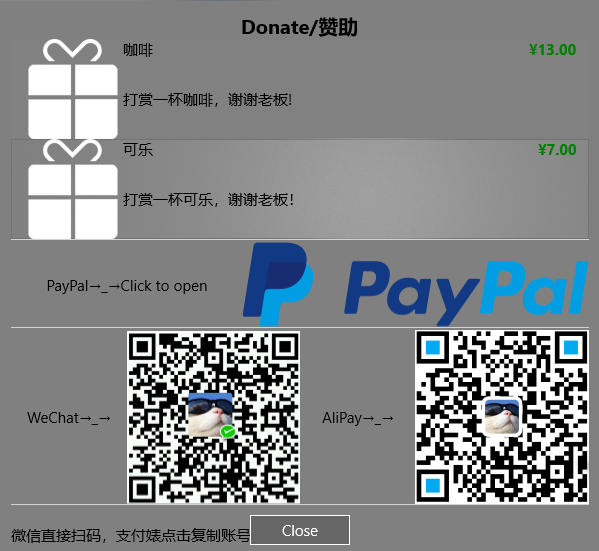
我目前的需要是可以允许用户捐赠赞助App的形式内购,最终效果如下
只讲上面的列表部分,下面的就是图片布局啥的,没意思了
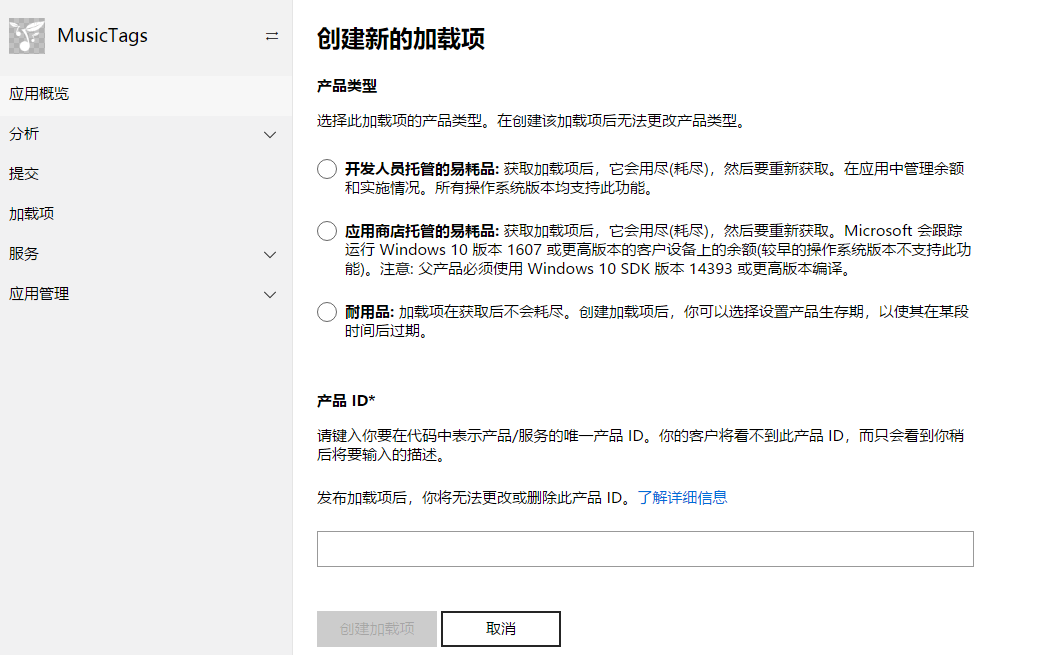
应用程序内购,在商店后台叫做“加载项”,你需要按照流程一步一步创建新的加载项即可。。。产品类型我选择的是耐用性(Durable),你也可以选择其他,具体看官方解释
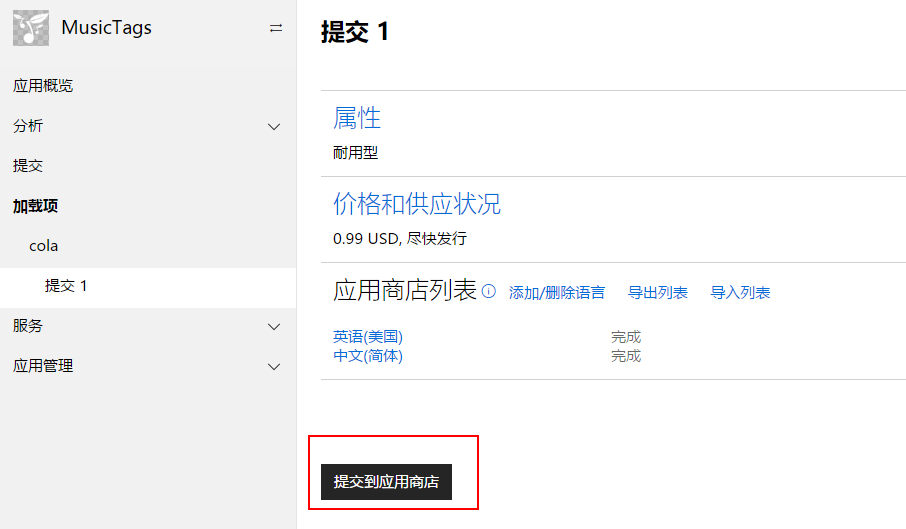
创建好之后,需要提交应用商店审核。
注意!!!坑爹的地方来了
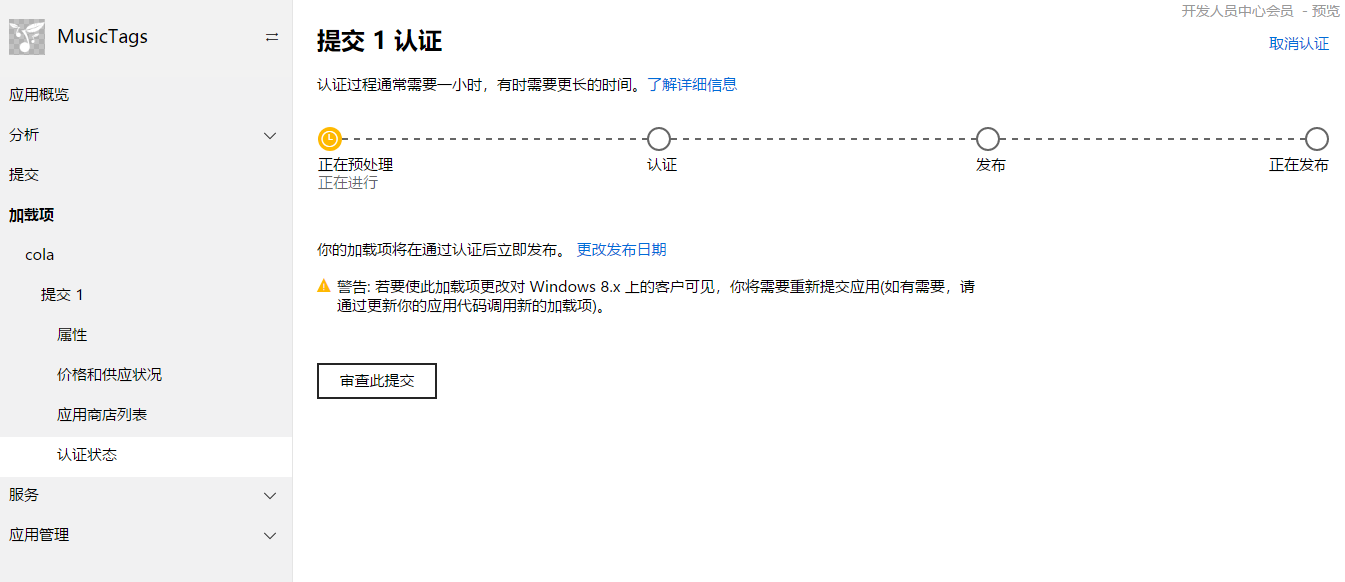
这面即使商店认证通过,你的App也获取不到你创建的加载项!!!【没错,微软经常把你们当爹的,坑的就是你们】
解决办法:
App不是也有一个提交么,要提交一次App更新,并且认证通过,这样才能算是真正的审核通过!!!
=========================华丽丽的分割线=========================
下面开始撸xaml代码了
       <ListView Grid.Row="" x:Name="listProducts" IsItemClickEnabled="True" SelectionMode="Single" ItemClick="listProducts_ItemClick">

                <ListView.ItemContainerStyle>

                    <Style TargetType="ListViewItem">

                        <Setter Property="HorizontalContentAlignment" Value="Stretch"></Setter>

                    </Style>

                </ListView.ItemContainerStyle>

                <ListView.ItemTemplate>

                    <DataTemplate>

                        <Grid BorderBrush="White" BorderThickness="0,0,0,0">

                            <Grid.ColumnDefinitions>

                                <ColumnDefinition Width=""/>

                                <ColumnDefinition Width="4*"/>

                            </Grid.ColumnDefinitions>

                            <Image Stretch="UniformToFill" Source="{Binding ProductImage}"/>

                            <Grid Grid.Column="">

                                <Grid.RowDefinitions>

                                    <RowDefinition Height="2*"/>

                                    <RowDefinition Height="8*"/>

                                </Grid.RowDefinitions>

                                <Grid>

                                    <Grid.ColumnDefinitions>

                                        <ColumnDefinition Width="*"/>

                                        <ColumnDefinition Width="*"/>

                                    </Grid.ColumnDefinitions>

                                    <TextBlock Text="{Binding Title}" VerticalAlignment="Center"/>

                                    <TextBlock Grid.Column="" FontWeight="Bold" Foreground="Green" Text="{Binding Price}" HorizontalAlignment="Right" VerticalAlignment="Center"/>

                                </Grid>

                                <TextBlock Grid.Row="" TextWrapping="WrapWholeWords" Text="{Binding Description}" VerticalAlignment="Center"/>

                            </Grid>

                        </Grid>

                    </DataTemplate>

                </ListView.ItemTemplate>

            </ListView>
用这个列表来装新建的加载项
然后在用户点击“赞助”按钮的时候相应一个事件,来向应用商店发送请求,下载你的加载项内容。
    StoreContext context = null;
    public async Task GetAddOnInfo()

        {

            if (context == null)

            {

                context = StoreContext.GetDefault();

                // If your app is a desktop app that uses the Desktop Bridge, you

                // may need additional code to configure the StoreContext object.

                // For more info, see https://aka.ms/storecontext-for-desktop.

            }

            // Specify the kinds of add-ons to retrieve.

            string[] productKinds = { "Durable" };

            List<String> filterList = new List<string>(productKinds);

            StoreProductQueryResult queryResult = await context.GetAssociatedStoreProductsAsync(productKinds);

            if (queryResult.ExtendedError != null)

            {

                // The user may be offline or there might be some other server failure.

                return;

            }

            //后面有代码接着

        }
蓝后定义一个Product类
public class Product

    {

        public string StoreId { get; set; }

        public string Title { get; set; }

        public string Description { get; set; }

        public string Price { get; set; }

        public string ProductImage { get; set; }

    }
接上面的代码,根据返回的结果,循环添加在列表的 ItemsSource即可。
      foreach (KeyValuePair<string, StoreProduct> item in queryResult.Products)

            {

                // Access the Store product info for the add-on.

                StoreProduct product = item.Value;

                // Use members of the product object to access listing info for the add-on...

                Product pd = new Product()

                {

                    StoreId = product.StoreId,

                    Title = product.Title,

                    Price = product.Price.FormattedPrice,

                    Description = product.Description,

                    ProductImage = product.Images[].Uri.OriginalString

                };

                lProducts.Add(pd);

            }

            listProducts.ItemsSource = lProducts;
这样也就完成了加载项的列表显示。
=========================华丽丽的分割线=========================
但是你光显示也不行啊,我要点击,内购哇!!!
所以接着撸代码
private async void listProducts_ItemClick(object sender, ItemClickEventArgs e)

        {

            StoreContext context = StoreContext.GetDefault();

            var product = e.ClickedItem as Product;

            var result = await context.RequestPurchaseAsync(product.StoreId);

            if (result.Status == StorePurchaseStatus.Succeeded)

            {

                // 成功购买

                textPurchaseResult.Text = "Thank you.";

            }

            else if (result.Status == StorePurchaseStatus.AlreadyPurchased)

            {

                // 已经购买过了

                textPurchaseResult.Text = "You have already purchased.";

            }

            else if (result.Status == StorePurchaseStatus.NotPurchased)

            {

                // 用户没购买,即用户中途取消了操作

                textPurchaseResult.Text = "You have canceled the purchase.";

            }

            else if (result.Status == StorePurchaseStatus.ServerError || result.Status == StorePurchaseStatus.NetworkError)

            {

                // 发生错误

                textPurchaseResult.Text = "Sorry, something went wrong with the microsoft server or something else.";

            }

        }
OK!!!碎觉!!!
UWP 应用程序内购的更多相关文章
- [Swift通天遁地]四、网络和线程-(15)程序内购功能
★★★★★★★★★★★★★★★★★★★★★★★★★★★★★★★★★★★★★★★★➤微信公众号:山青咏芝(shanqingyongzhi)➤博客园地址:山青咏芝(https://www.cnblogs. ...
- IAP 程序内购
最近用到IAP内置购买,阅读官方文档,在网上找了些资料,在这里作下整理,以便日后查找和修改,主要流程方向确定,文档和相关转载内容截图不一一指出,google一堆. 1.查找官方文档,两张目录截图,对主 ...
- UWP: 体验应用内购新接口——StoreContext类
Windows 1607 版本(内部版本 14393)之后,微软在 SDK 添加了一些与应用商店相关的新接口,像应用试用与购买.应用内购等.这些接口相对于原来的接口要方便很多.就拿应用内购来说,以前的 ...
- AppStore ipa (苹果内购)笔记
内购示意图 准备条件 苹果的开发者证书,已经为应用启用App内购,并在Xcode更新配置文件 itunes store设置 itunes中创建App及其它设置 参考:iOS应用程序内购/内付费(一) ...
- iOS开发系列--通讯录、蓝牙、内购、GameCenter、iCloud、Passbook系统服务开发汇总
--系统应用与系统服务 iOS开发过程中有时候难免会使用iOS内置的一些应用软件和服务,例如QQ通讯录.微信电话本会使用iOS的通讯录,一些第三方软件会在应用内发送短信等.今天将和大家一起学习如何使用 ...
- iOS--通讯录、蓝牙、内购、GameCenter、iCloud、Passbook等系统服务开发汇总
iOS开发过程中有时候难免会使用iOS内置的一些应用软件和服务,例如QQ通讯录.微信电话本会使用iOS的通讯录,一些第三方软件会在应用内发送短信等.今天将和大家一起学习如何使用系统应用.使用系统服务: ...
- 瘟疫公司中国版(Android)手动破解内购
前言 洒家近日下载了个瘟疫公司中国版(安卓版)(com.easymobi.plagueinc.mi ,版本 1.1.2(5)(.mi 小米版)),发现游戏需要内购而且价格不菲. 需求 root权限 文 ...
- [IPA]IOS In App Purchase(内购)验证
参考我之前的笔记 苹果内购笔记,在客户端向苹果购买成功之后,我们需要进行二次验证. 二次验证 IOS在沙箱环境下购买成功之后,向苹果进行二次验证,确认用户是否购买成功. 当应用向Apple服务器请求购 ...
- ios内购
1.添加框架,storeKit.framework 需要真机调试 /* 内购五步: 1.请求可销售商品的列表 2.展示课销售的商品 3.点击购买 4.开具小票 5.创建交易对象并添加到交易队列 6.创 ...
随机推荐
- fiddler学习资源
小坦克 fiddler教程:http://www.cnblogs.com/TankXiao/archive/2012/04/25/2349049.htmlps:另外博主其他测试文章也值得一看 涂根 ...
- angular1.x + ES6开发风格记录
angular1.x和ES6开发风格 一.Module ES6有自己的模块机制,所以我们要通过使用ES6的模块机制来淡化ng的框架,使得各业务逻辑层的看不出框架的痕迹,具体的做法是: 把各功能模块的具 ...
- 暑假练习赛 007 E - Pairs
E - Pairs Description standard input/outputStatements In the secret book of ACM, it’s said: “Glory f ...
- JavaScript基础一(js基础函数与运算符)
[使用js的三种方式] 1.在HTML标签中,直接内嵌js(并不提倡使用) <button onclick=" alert('点就点')"> 点我啊</butto ...
- windows 上rsync客户端使用方法
1.1 获取 windows上实现rsync的软件(cwRsync) cwRsync是Windows 客户端GUI的一个包含Rsync的包装.您可以使用cwRsync快速远程文件备份和同步. 1.1. ...
- Android 开发笔记___SQLite__优化记住密码功能
package com.example.alimjan.hello_world; /** * Created by alimjan on 7/4/2017. */ import com.example ...
- ⒃bootstrap组件 轮播图 基础案例
<!DOCTYPE html> <html lang="en"> <head> <meta charset="UTF-8&quo ...
- 使用js获取数组中最大、最小的数字
1.查询最大值 var maxValue=Math.max.apply(Math,array); 2.查询最小值 var minValue=Math.min.apply(Math,array);
- wx:for修改样式
在获取文字识别数据之后,对数据进行wx:for循环加了边框如图效果: 需求:点击不同边框获取不同文字,再次点击取消选中:选中背景为#999: <view wx:for="{{img_d ...
- ldap数据库--ldapsearch,ldapmodify
简单介绍一下ldapsearch命令,在ldap搜索条目时很有用,只要适当调整filter就可以. 命令如下: ldapsearch -h hostname -p port -b baseDN -D ...