
SkyWalking系列(一):初探
SkyWalking已经再微服务商城系列里使用了,本篇将介绍如何再Windows系统下安装并简单使用。
1.下载SkyWaling
本篇测试使用6.0版本:http://skywalking.apache.org/downloads/

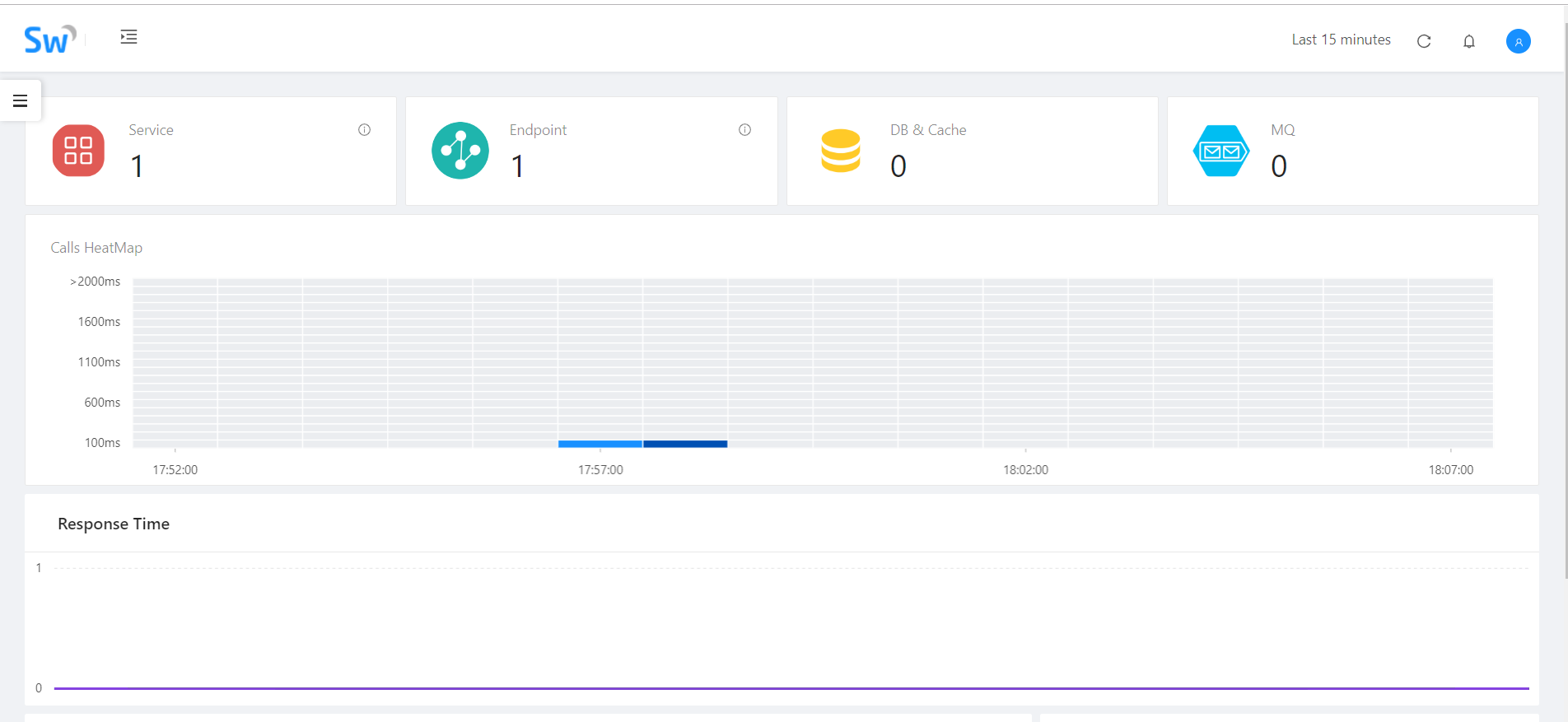
如果只是简单测试我们无需任何修改,直接启用bin文件夹里的startup.bat,默认使用内存H2存储,等会换成ES,然后直接防卫localhost:8080:
安装 SkyAPM.DotNet.CLI:
dotnet tool install -g SkyAPM.DotNet.CLI
2.在.net core中使用SkyWalking:
创建.net core API项目SkyWalking_Practice,通过NuGet引用SkyAPM.Agent.AspNetCore(最新版SkyWalking已改名SkyAPM)。
右键属性,在调试中添加环境变量:
ASPNETCORE_HOSTINGSTARTUPASSEMBLIES:SkyAPM.Agent.AspNetCore
SKYWALKING__SERVICENAME:SkyWalking_Practice(这里配置项目程序集名称)
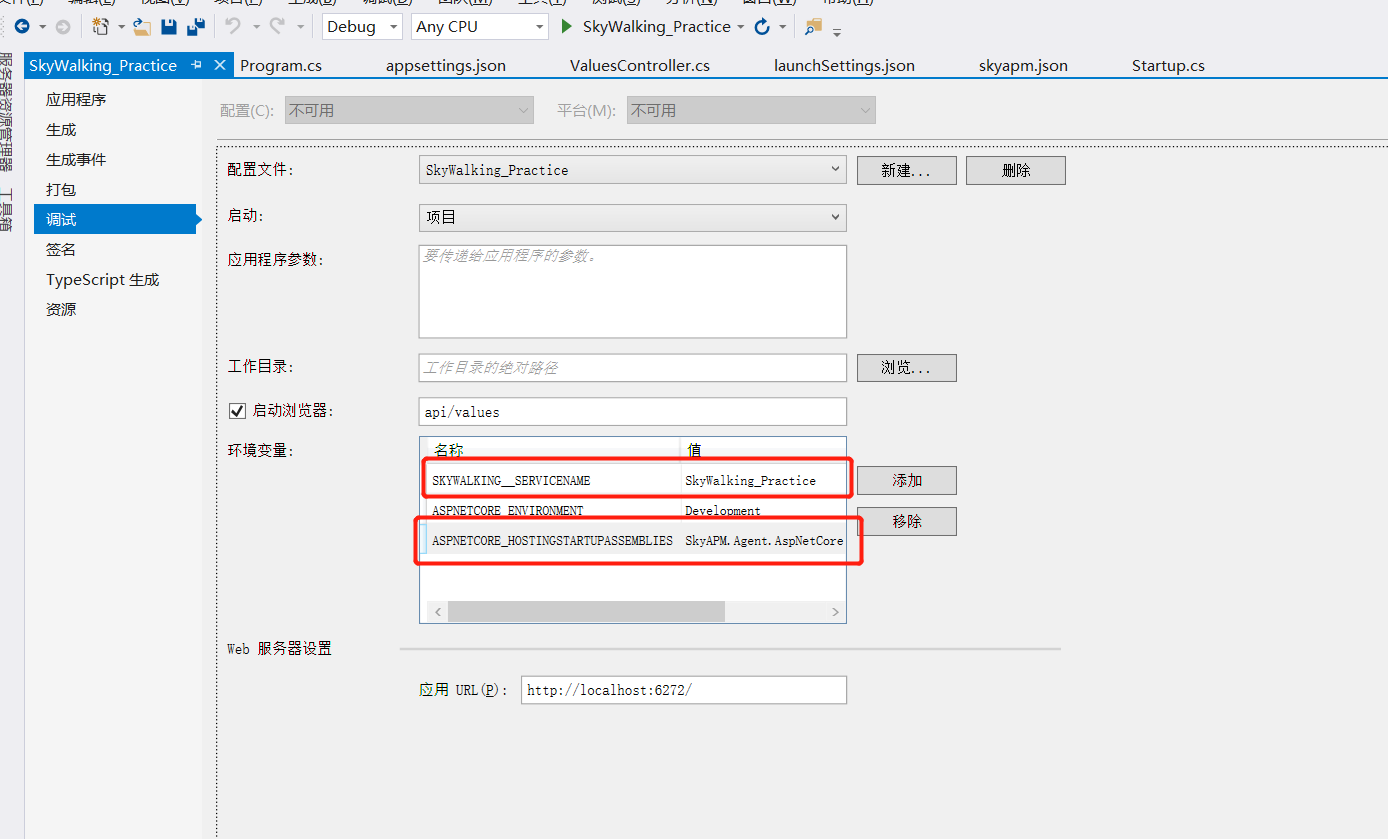
然后我们就需要配置SkyWalking了,配置方式有两种,一种是在Startup.cs的ConfigureServices中配置相关信息,另一种是通过配置文件的方式,本篇将通过配置文件的方式来实现:
在CMD命令行中cd到项目文件根目录,使用如下命令自动生成Json配置文件(11800端口是其数据采上报端口):
dotnet skyapm config SkyWalking_Practice localhost:
命令执行成功后会自动生成:skyapm.json,可以根据实际情况进行更改调整。
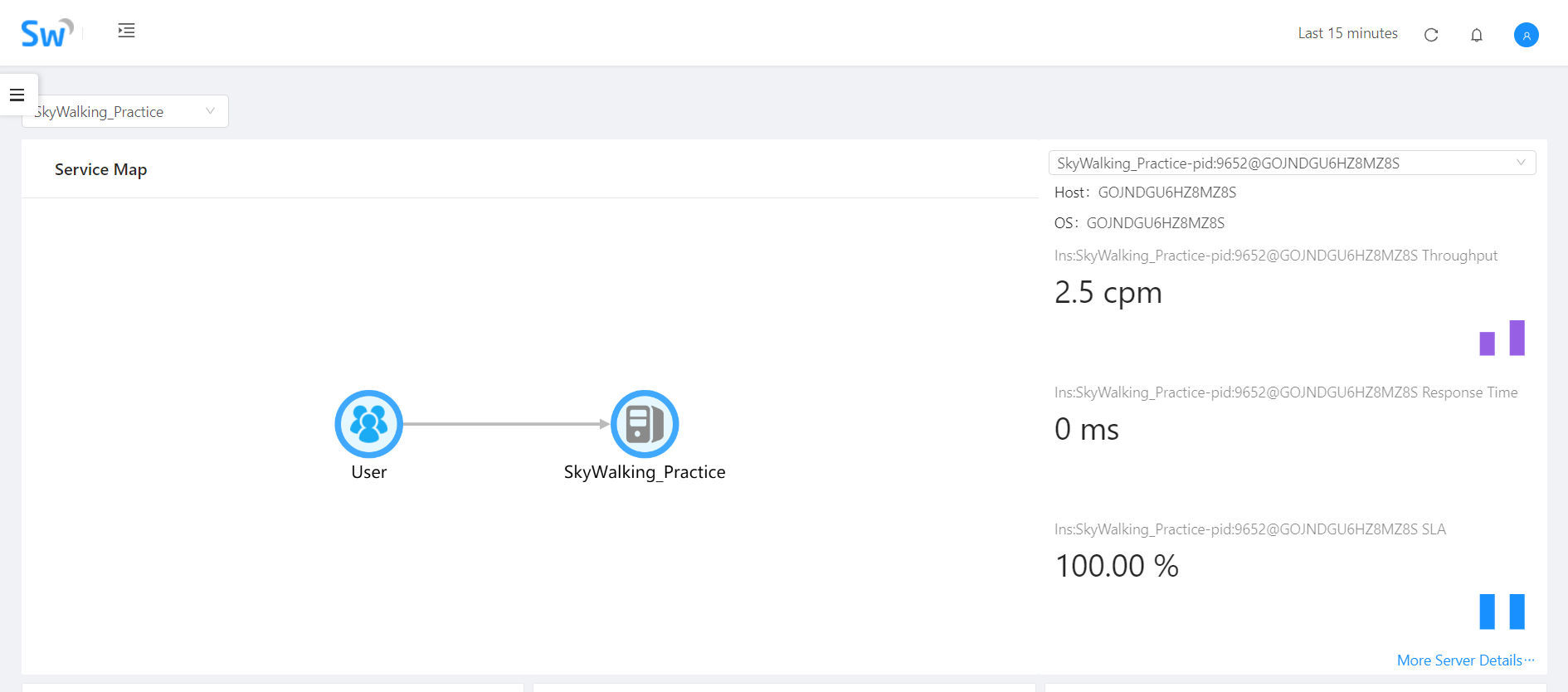
到这里配置环节就算完成了,我们可以直接运行当前项目,多访问几次后查看SkyWalking的UI,会看到对应访问数据:

配置ElasticSearch作为存储程序
Skying的不同版本对于ES的版本是有要求的,6.X的SkyWalking要求使用6.X的ES,首先我们需要下载ES:https://www.elastic.co/cn/downloads/elasticsearch
下载完成后修改config文件夹下的elasticsearch.yml配置文件:
cluster.name: mi

bootstrap.memory_lock: false

network.host: localhost

http.port:
cluster.Name需要小写,之前大写报错。cluster.name需要和SkyWalking中的保持一致,默认CollectorDBCluster,大家可以自行修改。
贴一下完整配置当记录:
# ======================== Elasticsearch Configuration =========================

#

# NOTE: Elasticsearch comes with reasonable defaults for most settings.

#       Before you set out to tweak and tune the configuration, make sure you

#       understand what are you trying to accomplish and the consequences.

#

# The primary way of configuring a node is via this file. This template lists

# the most important settings you may want to configure for a production cluster.

#

# Please consult the documentation for further information on configuration options:

# https://www.elastic.co/guide/en/elasticsearch/reference/index.html

#

# ---------------------------------- Cluster -----------------------------------

#

# Use a descriptive name for your cluster:

#

cluster.name: mi

#

# ------------------------------------ Node ------------------------------------

#

# Use a descriptive name for the node:

#

#node.name: node-

#

# Add custom attributes to the node:

#

#node.attr.rack: r1

#

# ----------------------------------- Paths ------------------------------------

#

# Path to directory where to store the data (separate multiple locations by comma):

#

#path.data: /path/to/data

#

# Path to log files:

#

#path.logs: /path/to/logs

#

# ----------------------------------- Memory -----------------------------------

#

# Lock the memory on startup:

#

bootstrap.memory_lock: false

#

# Make sure that the heap size is set to about half the memory available

# on the system and that the owner of the process is allowed to use this

# limit.

#

# Elasticsearch performs poorly when the system is swapping the memory.

#

# ---------------------------------- Network -----------------------------------

#

# Set the bind address to a specific IP (IPv4 or IPv6):

#

network.host: localhost

#

# Set a custom port for HTTP:

#

http.port:

#

# For more information, consult the network module documentation.

#

# --------------------------------- Discovery ----------------------------------

#

# Pass an initial list of hosts to perform discovery when new node is started:

# The default list of hosts is ["127.0.0.1", "[::1]"]

#

#discovery.zen.ping.unicast.hosts: ["host1", "host2"]

#

# Prevent the "split brain" by configuring the majority of nodes (total number of master-eligible nodes /  + ):

#

#discovery.zen.minimum_master_nodes:

#

# For more information, consult the zen discovery module documentation.

#

# ---------------------------------- Gateway -----------------------------------

#

# Block initial recovery after a full cluster restart until N nodes are started:

#

#gateway.recover_after_nodes:

#

# For more information, consult the gateway module documentation.

#

# ---------------------------------- Various -----------------------------------

#

# Require explicit names when deleting indices:

#

#action.destructive_requires_name: true
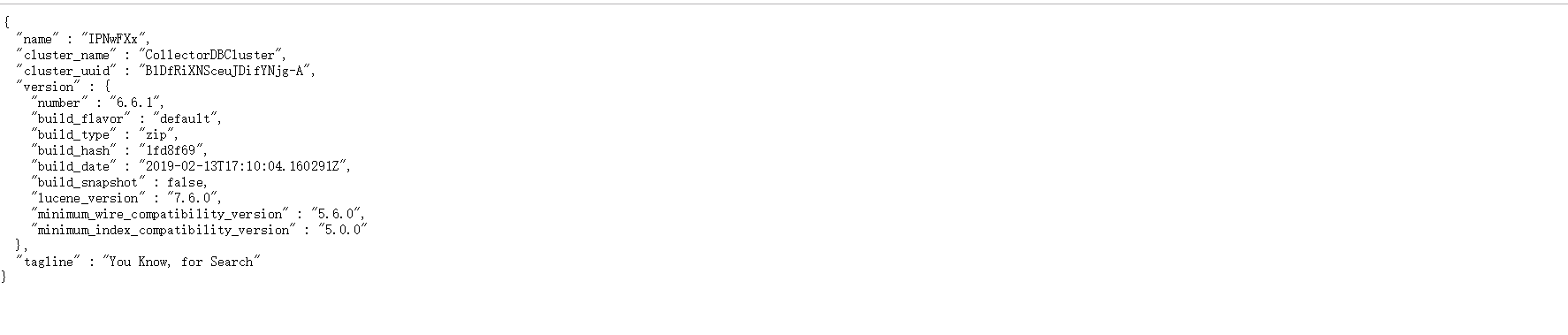
完成后启动ES,通过bin文件下的elasticsearch.bat启动,启动后访问 http://localhost:9200/:
ES启动之后我们需要修改下SkyWalking的配置以支持ES:
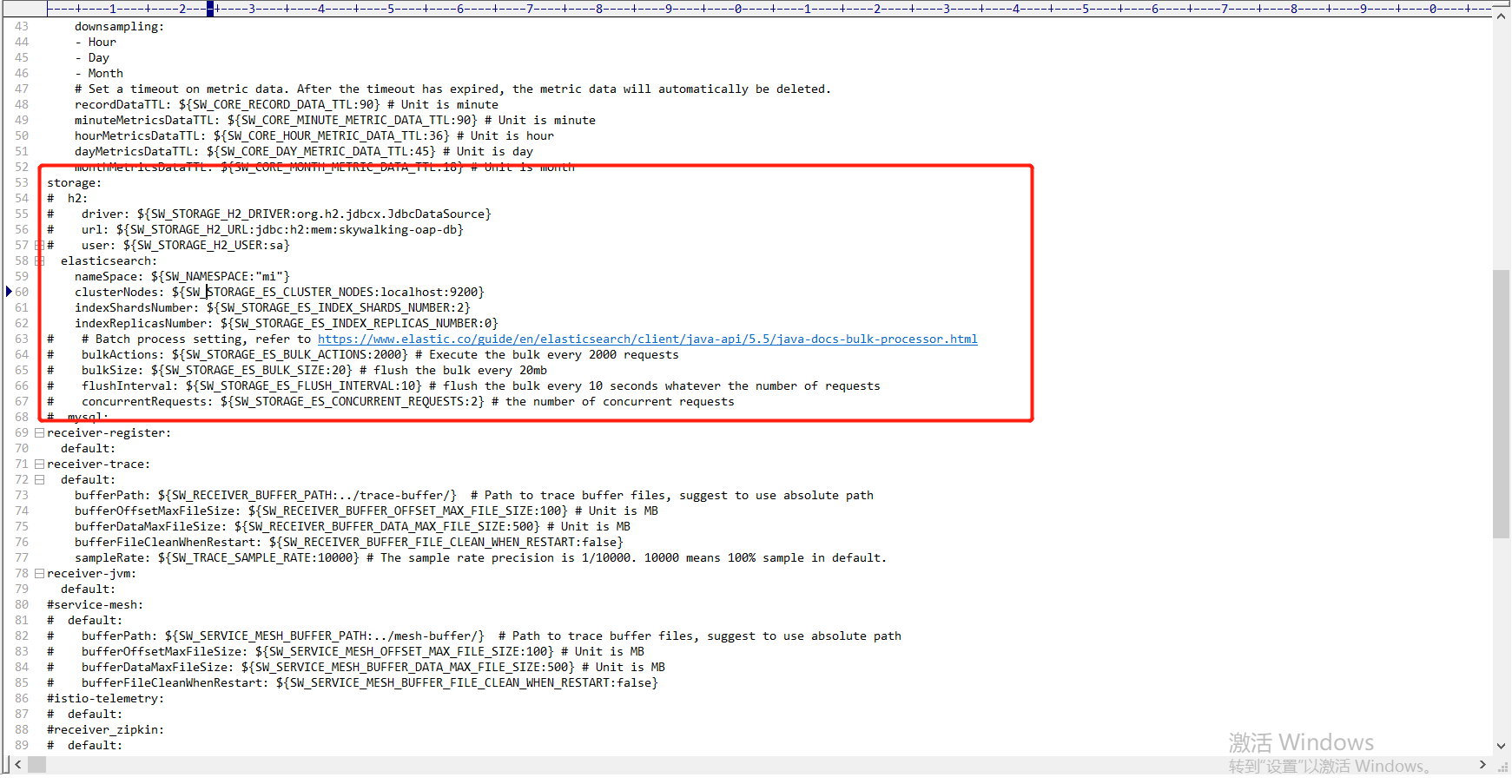
需要将nameSpace改成和ES中一致,这里也贴一下完整配置做个记录:
# Licensed to the Apache Software Foundation (ASF) under one

# or more contributor license agreements.  See the NOTICE file

# distributed with this work for additional information

# regarding copyright ownership.  The ASF licenses this file

# to you under the Apache License, Version 2.0 (the

# "License"); you may not use this file except in compliance

# with the License.  You may obtain a copy of the License at

#

#     http://www.apache.org/licenses/LICENSE-2.0

#

# Unless required by applicable law or agreed to in writing, software

# distributed under the License is distributed on an "AS IS" BASIS,

# WITHOUT WARRANTIES OR CONDITIONS OF ANY KIND, either express or implied.

# See the License for the specific language governing permissions and

# limitations under the License.

cluster:

  standalone:

  # Please check your ZooKeeper is 3.5+, However, it is also compatible with ZooKeeper 3.4.x. Replace the ZooKeeper 3.5+

  # library the oap-libs folder with your ZooKeeper 3.4.x library.

#  zookeeper:

#    nameSpace: ${SW_NAMESPACE:""}

#    hostPort: ${SW_CLUSTER_ZK_HOST_PORT:localhost:}

#    #Retry Policy

#    baseSleepTimeMs: ${SW_CLUSTER_ZK_SLEEP_TIME:} # initial amount of time to wait between retries

#    maxRetries: ${SW_CLUSTER_ZK_MAX_RETRIES:} # max number of times to retry

#  kubernetes:

#    watchTimeoutSeconds: ${SW_CLUSTER_K8S_WATCH_TIMEOUT:}

#    namespace: ${SW_CLUSTER_K8S_NAMESPACE:default}

#    labelSelector: ${SW_CLUSTER_K8S_LABEL:app=collector,release=skywalking}

#    uidEnvName: ${SW_CLUSTER_K8S_UID:SKYWALKING_COLLECTOR_UID}

#  consul:

#    serviceName: ${SW_SERVICE_NAME:"SkyWalking_OAP_Cluster"}

#     Consul cluster nodes, example: 10.0.0.1:,10.0.0.2:,10.0.0.3:

#    hostPort: ${SW_CLUSTER_CONSUL_HOST_PORT:localhost:}

core:

  default:

    restHost: ${SW_CORE_REST_HOST:0.0.0.0}

    restPort: ${SW_CORE_REST_PORT:}

    restContextPath: ${SW_CORE_REST_CONTEXT_PATH:/}

    gRPCHost: ${SW_CORE_GRPC_HOST:0.0.0.0}

    gRPCPort: ${SW_CORE_GRPC_PORT:}

    downsampling:

    - Hour

    - Day

    - Month

    # Set a timeout on metric data. After the timeout has expired, the metric data will automatically be deleted.

    recordDataTTL: ${SW_CORE_RECORD_DATA_TTL:} # Unit is minute

    minuteMetricsDataTTL: ${SW_CORE_MINUTE_METRIC_DATA_TTL:} # Unit is minute

    hourMetricsDataTTL: ${SW_CORE_HOUR_METRIC_DATA_TTL:} # Unit is hour

    dayMetricsDataTTL: ${SW_CORE_DAY_METRIC_DATA_TTL:} # Unit is day

    monthMetricsDataTTL: ${SW_CORE_MONTH_METRIC_DATA_TTL:} # Unit is month

storage:

#  h2:

#    driver: ${SW_STORAGE_H2_DRIVER:org.h2.jdbcx.JdbcDataSource}

#    url: ${SW_STORAGE_H2_URL:jdbc:h2:mem:skywalking-oap-db}

#    user: ${SW_STORAGE_H2_USER:sa}

  elasticsearch:

    nameSpace: ${SW_NAMESPACE:"mi"}

    clusterNodes: ${SW_STORAGE_ES_CLUSTER_NODES:localhost:}

    indexShardsNumber: ${SW_STORAGE_ES_INDEX_SHARDS_NUMBER:}

    indexReplicasNumber: ${SW_STORAGE_ES_INDEX_REPLICAS_NUMBER:}

#    # Batch process setting, refer to https://www.elastic.co/guide/en/elasticsearch/client/java-api/5.5/java-docs-bulk-processor.html

#    bulkActions: ${SW_STORAGE_ES_BULK_ACTIONS:} # Execute the bulk every  requests

#    bulkSize: ${SW_STORAGE_ES_BULK_SIZE:} # flush the bulk every 20mb

#    flushInterval: ${SW_STORAGE_ES_FLUSH_INTERVAL:} # flush the bulk every  seconds whatever the number of requests

#    concurrentRequests: ${SW_STORAGE_ES_CONCURRENT_REQUESTS:} # the number of concurrent requests

#  mysql:

receiver-register:

  default:

receiver-trace:

  default:

    bufferPath: ${SW_RECEIVER_BUFFER_PATH:../trace-buffer/}  # Path to trace buffer files, suggest to use absolute path

    bufferOffsetMaxFileSize: ${SW_RECEIVER_BUFFER_OFFSET_MAX_FILE_SIZE:} # Unit is MB

    bufferDataMaxFileSize: ${SW_RECEIVER_BUFFER_DATA_MAX_FILE_SIZE:} # Unit is MB

    bufferFileCleanWhenRestart: ${SW_RECEIVER_BUFFER_FILE_CLEAN_WHEN_RESTART:false}

    sampleRate: ${SW_TRACE_SAMPLE_RATE:} # The sample rate precision is /.  means % sample in default.

receiver-jvm:

  default:

#service-mesh:

#  default:

#    bufferPath: ${SW_SERVICE_MESH_BUFFER_PATH:../mesh-buffer/}  # Path to trace buffer files, suggest to use absolute path

#    bufferOffsetMaxFileSize: ${SW_SERVICE_MESH_OFFSET_MAX_FILE_SIZE:} # Unit is MB

#    bufferDataMaxFileSize: ${SW_SERVICE_MESH_BUFFER_DATA_MAX_FILE_SIZE:} # Unit is MB

#    bufferFileCleanWhenRestart: ${SW_SERVICE_MESH_BUFFER_FILE_CLEAN_WHEN_RESTART:false}

#istio-telemetry:

#  default:

#receiver_zipkin:

#  default:

#    host: ${SW_RECEIVER_ZIPKIN_HOST:0.0.0.0}

#    port: ${SW_RECEIVER_ZIPKIN_PORT:}

#    contextPath: ${SW_RECEIVER_ZIPKIN_CONTEXT_PATH:/}

query:

  graphql:

    path: ${SW_QUERY_GRAPHQL_PATH:/graphql}

alarm:

  default:

telemetry:

  none:
然后通过bin文件夹下的startup.bat批处理命令启动SkyWalking,然后访问http://localhost:8080能够出现UI界面则正常,然后启动我们的.net core API项目,出现数据:
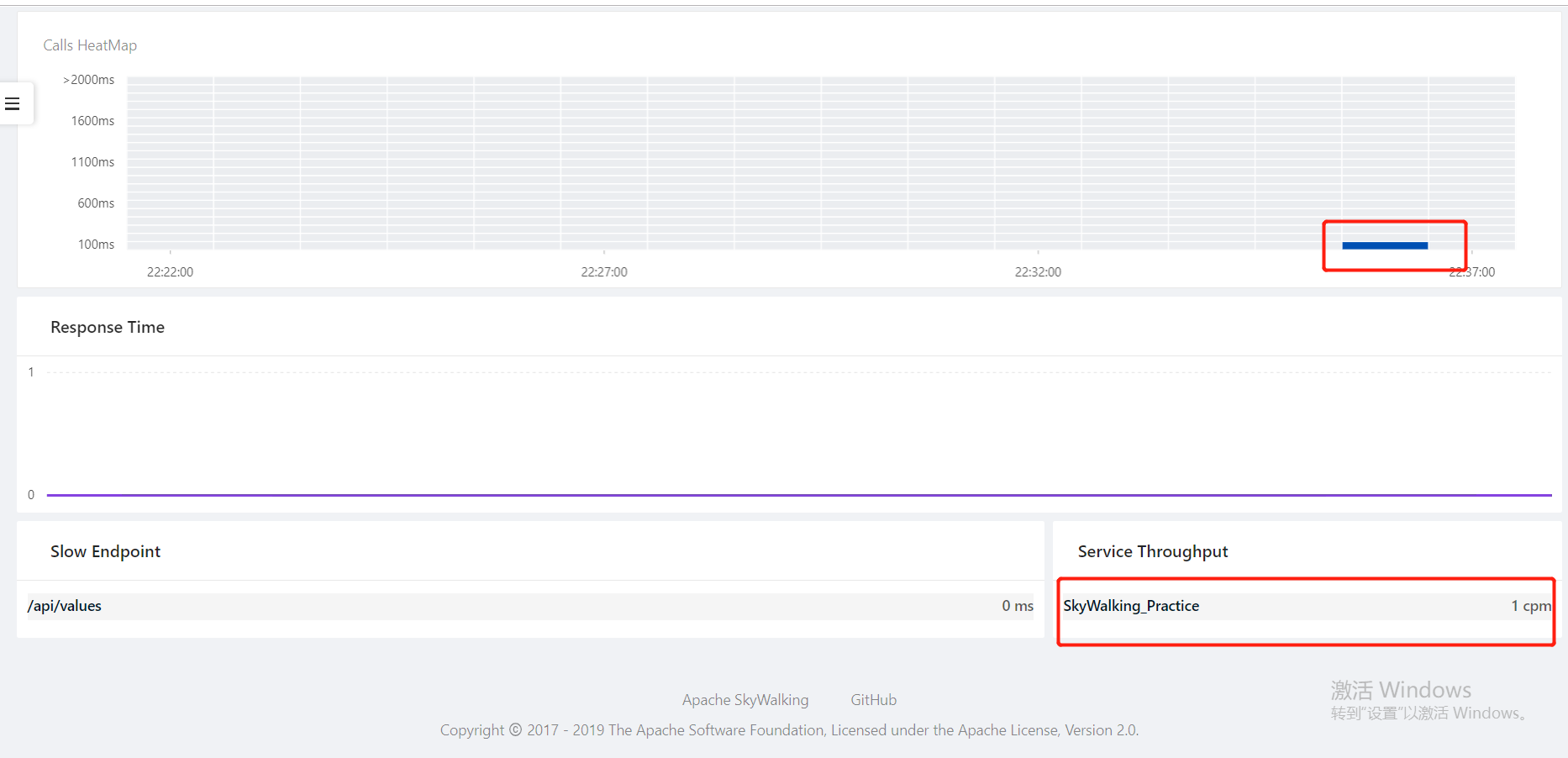
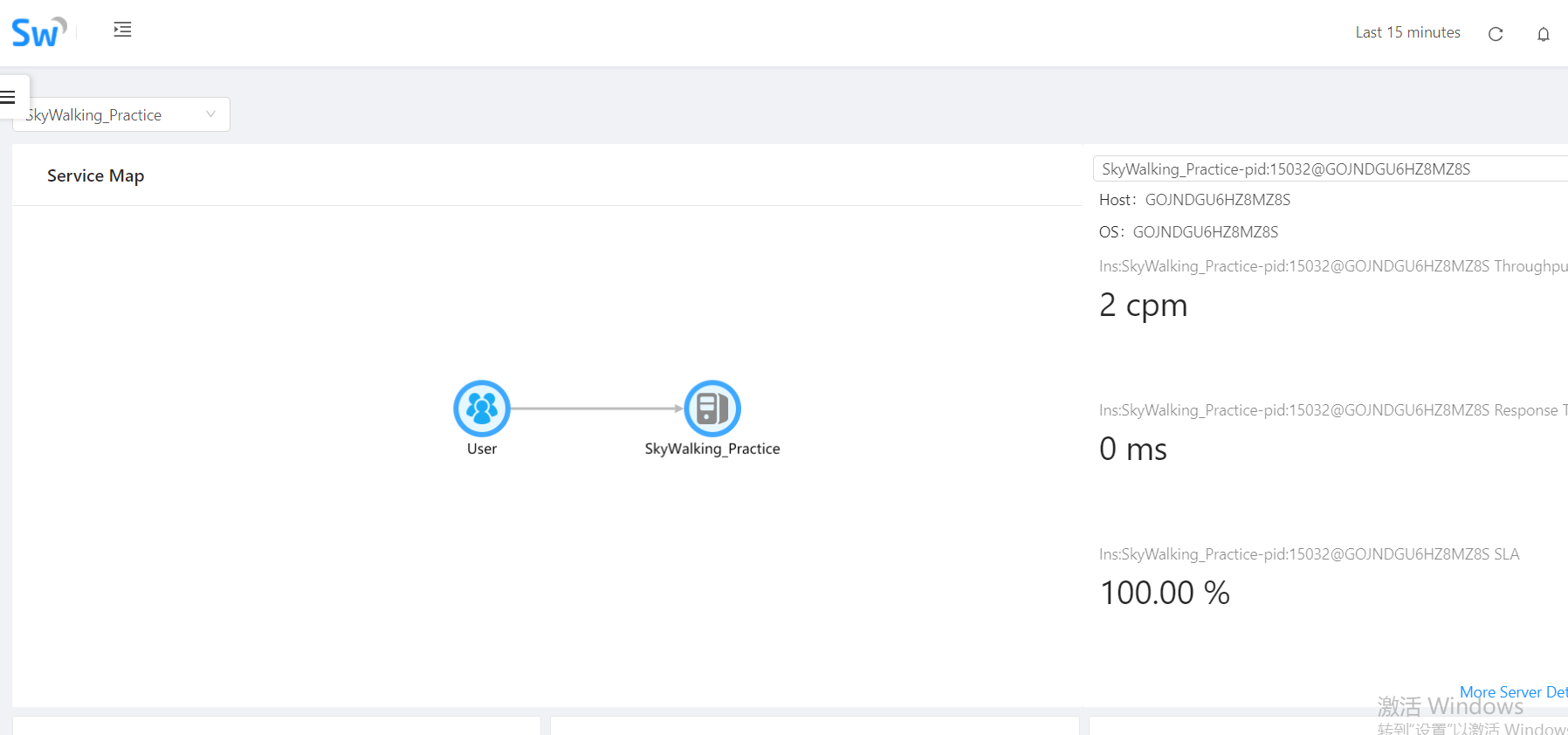
OK,到此完成。
SkyWalking系列(一):初探的更多相关文章
- 构建安全的Xml Web Service系列之初探使用Soap头
原文:构建安全的Xml Web Service系列之初探使用Soap头 Xml Web Service 从诞生那天就说自己都么都么好,还津津乐道的说internet也会因此而进入一个新纪元,可5年多来 ...
- openlayers5-webpack 入门开发系列一初探篇(附源码下载)
前言 openlayers5-webpack 入门开发系列环境知识点了解: node 安装包下载webpack 打包管理工具需要依赖 node 环境,所以 node 安装包必须安装,上面链接是官网下载 ...
- leaflet-webpack 入门开发系列一初探篇(附源码下载)
前言 leaflet-webpack 入门开发系列环境知识点了解: node 安装包下载webpack 打包管理工具需要依赖 node 环境,所以 node 安装包必须安装,上面链接是官网下载地址 w ...
- 【集合系列】- 初探java集合框架图
一.集合类简介 Java集合就像一种容器,可以把多个对象(实际上是对象的引用,但习惯上都称对象)"丢进"该容器中.从Java 5 增加了泛型以后,Java集合可以记住容器中对象的数 ...
- cesium-webpack 入门开发系列一初探篇(附源码下载)
前言 cesium-webpack 入门开发系列环境知识点了解: node 安装包下载webpack 打包管理工具需要依赖 node 环境,所以 node 安装包必须安装,上面链接是官网下载地址 we ...
- STM32系列之初探(二)
问题一: 什么是STM32 新的基于ARM内核的32位MCU系列 内核为ARM公司为要求高性能,低成本,低功耗的嵌入式应用专门设计的Crotex-M内核 标准的ARM体系 特点: 高性能 低电压 低功 ...
- Esper系列(一)初探
Esper介绍 Esper是一个Java开发并且开源的轻量级和可扩展的事件流处理和复合事件处理引擎,并提供了定制的事件处理语言(EPL). 应用场景 某个用户在请求登录服务时,n秒内连续m次未登录成功 ...
- ASP.NET MVC学习系列 WebAPI初探
转自http://www.cnblogs.com/babycool/p/3922738.html 一.无参数Get请求 一般的get请求我们可以使用jquery提供的$.get() 或者$.ajax( ...
- Python3画图系列——NetworkX初探
NetworkX 概述 NetworkX 主要用于创造.操作复杂网络,以及学习复杂网络的结构.动力学及其功能.用于分析网络结构,建立网络模型,设计新的网络算法,绘制网络等等.安装networkx看以参 ...
随机推荐
- 深入理解static关键字
class A{ public int i = 10; public void show(){ System.out.printf("%d",i); } } class M{ pu ...
- 牛客 136G-指纹锁 set容器重载
136G-指纹锁 题意: 设计一个容器,支持插入x,若与容器中的值最小相差为k,则自动忽略.删除操作,把与x相差为k的值都从容器中删除.查询操作,问容器中有没有和x相差为k的数值. 思路: 一个stl ...
- CF1028D Order book 思维
Order book time limit per test 2 seconds memory limit per test 256 megabytes input standard input ou ...
- 51nod 1060 最复杂的数(数论,反素数)
题目链接:https://www.51nod.com/onlineJudge/questionCode.html#!problemId=1060 题解:可以去学习一下反素数. #include < ...
- codeforces 749D Leaving Auction(二分)
题目链接:http://codeforces.com/problemset/problem/749/D 题意:就是类似竞拍,然后报价肯定要比上一个高,然后查询输入k个数表示那些人的竞拍无效, 输出最后 ...
- 原来JS是这样的 - 对象属性
引子 在上一篇(原来JS是这样的 (2))刚发布的时候就阅读了那篇文章的人可能会注意到那篇曾用过"JavaScript 中万物皆对象"的说法,而在随后我发现错误后立即更新改掉了这个 ...
- JavaScript数组方法速查,32个数组的常用方法和属性
JavaScript数组方法速查手册极简版 http://30ke.cn/doc/js-array-method JavaScript数组方法速查手册极简版中共收了32个数组的常用方法和属性,并根据方 ...
- MySQL性能调优与架构设计(简朝阳)
https://www.cnblogs.com/crazylqy/category/625963.html
- 每天学会一点点(HashMap实现原理及源码分析)
HashMap实现原理及源码分析 哈希表(hash table)也叫散列表,是一种非常重要的数据结构,应用场景及其丰富,许多缓存技术(比如memcached)的核心其实就是在内存中维护一张大的哈希 ...
- Winform中实现ZedGraph曲线图的图像复制到剪切板、打印预览、获取图片并保存、另存为的功能
场景 Winforn中设置ZedGraph曲线图的属性.坐标轴属性.刻度属性: https://blog.csdn.net/BADAO_LIUMANG_QIZHI/article/details/10 ...