
触摸屏键盘插件Virtual Keyboard 该怎么用 Virtual Keyboard 入门指南
最近公司有个项目,这个项目的显示器是触摸屏,
所以在一些需要简单输入的input需要加一个触摸屏的软键盘,
我在github上找了很多开源项目,最后选择了Virtual Keyboard,
以下是我自己学习和使用Virtual Keyboard的经验和理解,可能不是很深入,嘿嘿。。。。。。
以下是正文
首先我们需要从github上把项目的代码拉下来,地址:https://github.com/Mottie/Keyboard
Virtual Keyboard官网地址:http://mottie.github.io/Keyboard/
把代码拉下来之后呢,把Keyboard-master文件整个考到你的项目中,(有小伙伴会问,这个文件太大了,怎么办,先不管,后来删没有用到的就好啦)
然后根据你引入文件的路径,把下面这些文件引入你的项目的index之类(就是你自己通常往哪里引入js,css)
  jquery.min.js
  jquery-ui.css
  bootstrap.min.css
  jquery-ui.min.js
  keyboard.css
 jquery.keyboard.js
 keyboard-previewkeyset.css
jquery.keyboard.extension-all.js
引入之后,你哪个input需要软键盘,就把它的id设成keyboard,然后设置一下自己的js,
 代码是在是太多了,
            $('#keyboard').keyboard({
           language     : null,  // string or array
            rtl          : false, // language direction right-to-left
              layout       : 'qwerty',  //键盘的种类
           customLayout : { 'normal': ['{cancel}'] },
               position : {
                   of : null,
                 my : 'center top',
                 at : 'center top',
                 at2: 'center bottom'
               },
                reposition : true,
               usePreview : true,
               alwaysOpen : false,
               initialFocus : true,
              noFocus : false,
             stayOpen : false,
              userClosed : false,
               ignoreEsc : false,
               closeByClickEvent : false,
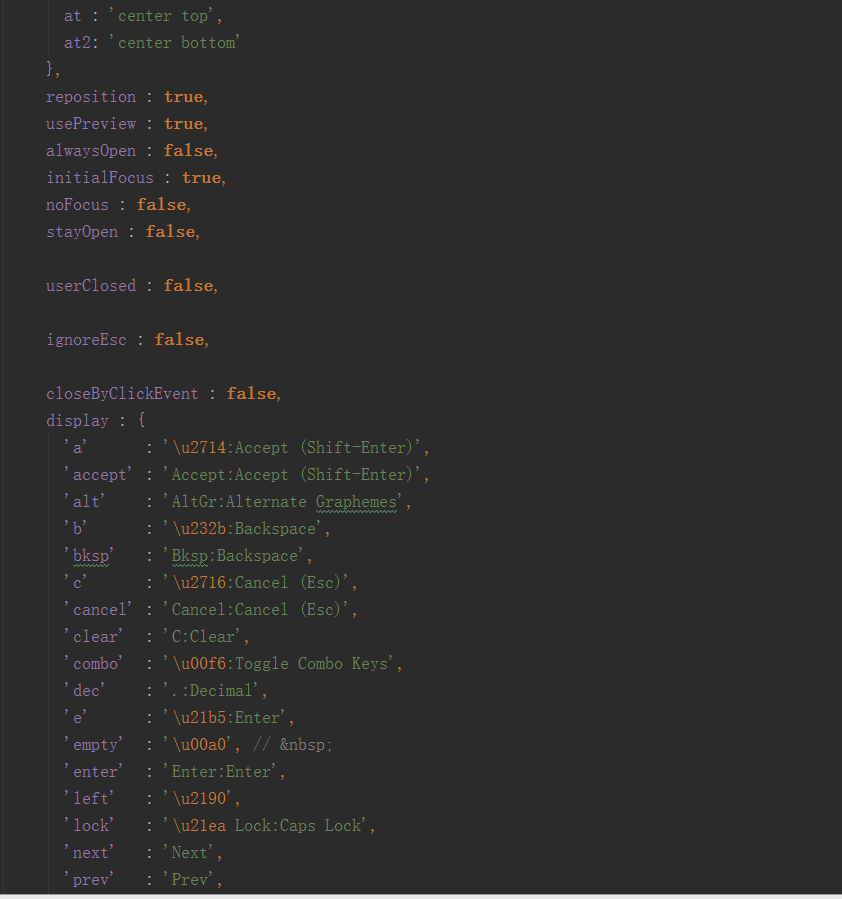
               display : {
               'a'      : '\u2714:Accept (Shift-Enter)',
                'accept' : 'Accept:Accept (Shift-Enter)',
                'alt'    : 'AltGr:Alternate Graphemes',
                'b'      : '\u232b:Backspace',
                'bksp'   : 'Bksp:Backspace',
                'c'      : '\u2716:Cancel (Esc)',
                'cancel' : 'Cancel:Cancel (Esc)',
                 'clear'  : 'C:Clear',
                 'combo'  : '\u00f6:Toggle Combo Keys',
                 'dec'    : '.:Decimal',
                 'e'      : '\u21b5:Enter',
                 'empty'  : '\u00a0', //
                'enter'  : 'Enter:Enter',
                'left'   : '\u2190',
                'lock'   : '\u21ea Lock:Caps Lock',
                 'next'   : 'Next',
                'prev'   : 'Prev',
                'right'  : '\u2192',
                 's'      : '\u21e7:Shift',
                'shift'  : 'Shift:Shift',
               'sign'   : '\u00b1:Change Sign',
                'space'  : ' :Space',
                 't'      : '\u21e5:Tab',
                'tab'    : '\u21e5 Tab:Tab',
                'toggle' : ' ',
                'valid': 'valid',
                'invalid': 'invalid',
                 'active': 'active',
               'disabled': 'disabled'
              },
              wheelMessage : 'Use mousewheel to see other keys',
                css : {
               input          : 'ui-widget-content ui-corner-all',
                container      : 'ui-widget-content ui-widget ui-corner-all ui-helper-clearfix',
                popup: '',
                buttonDefault  : 'ui-state-default ui-corner-all',
                 buttonHover    : 'ui-state-hover',
                 buttonAction   : 'ui-state-active',
                buttonDisabled : 'ui-state-disabled',
                 buttonEmpty    : 'ui-keyboard-empty'
              },
             autoAccept : true,
               autoAcceptOnEsc : false,
              lockInput : false,
              restrictInput : true,
              restrictInclude : '', // e.g. 'a b foo \ud83d\ude38'
               acceptValid : true,
              autoAcceptOnValid : false,
             cancelClose : true,
              tabNavigation : false,
               enterNavigation : true,
               enterMod : 'altKey',
              stopAtEnd : true,
              appendLocally : false,
               appendTo : 'body',
             stickyShift : true,
              caretToEnd : false,
              preventPaste : true,
             scrollAdjustment : 10,
              maxLength : false,
              maxInsert : true,
              repeatDelay : 500,
              repeatRate : 20,
              resetDefault : false,
              openOn : 'focus',
             keyBinding : 'mousedown touchstart',
               useWheel : true,
              useCombos : true,
              initialized   : function(e, keyboard, el) {},
              beforeVisible : function(e, keyboard, el) {},
               visible       : function(e, keyboard, el) {},
              beforeInsert  : function(e, keyboard, el, textToAdd) { return textToAdd; },
               change        : function(e, keyboard, el) {},
              beforeClose   : function(e, keyboard, el, accepted) {},
               accepted      : function(e, keyboard, el) {},
               canceled      : function(e, keyboard, el) {},
              restricted    : function(e, keyboard, el) {},
               hidden        : function(e, keyboard, el) {},
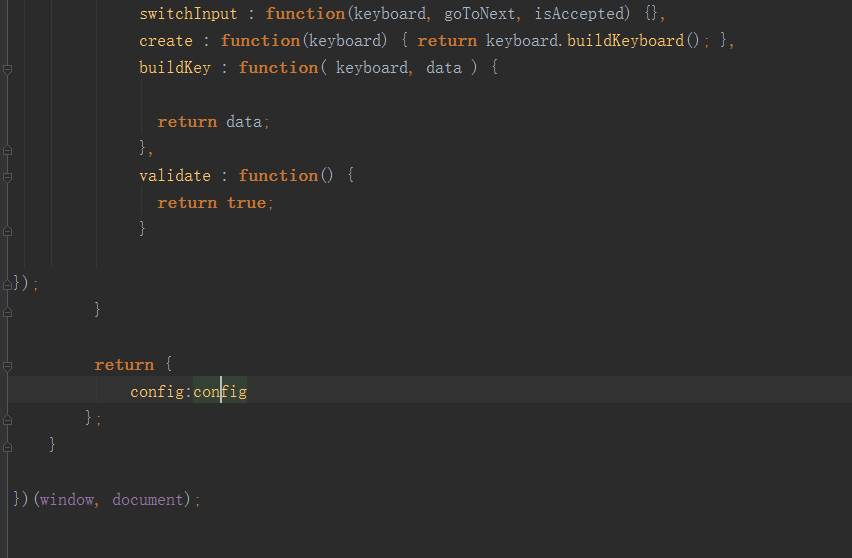
              switchInput : function(keyboard, goToNext, isAccepted) {},
               create : function(keyboard) { return keyboard.buildKeyboard(); },
               buildKey : function( keyboard, data ) {
                return data;               },
              validate : function() {
                return true;               }
});
如果需要数字键盘,可以把这些参数设成true
            layout : 'num',

		restrictInput : true, // Prevent keys not in the displayed keyboard from being typed in

		preventPaste : true,  // prevent ctrl-v and right click

		autoAccept : true
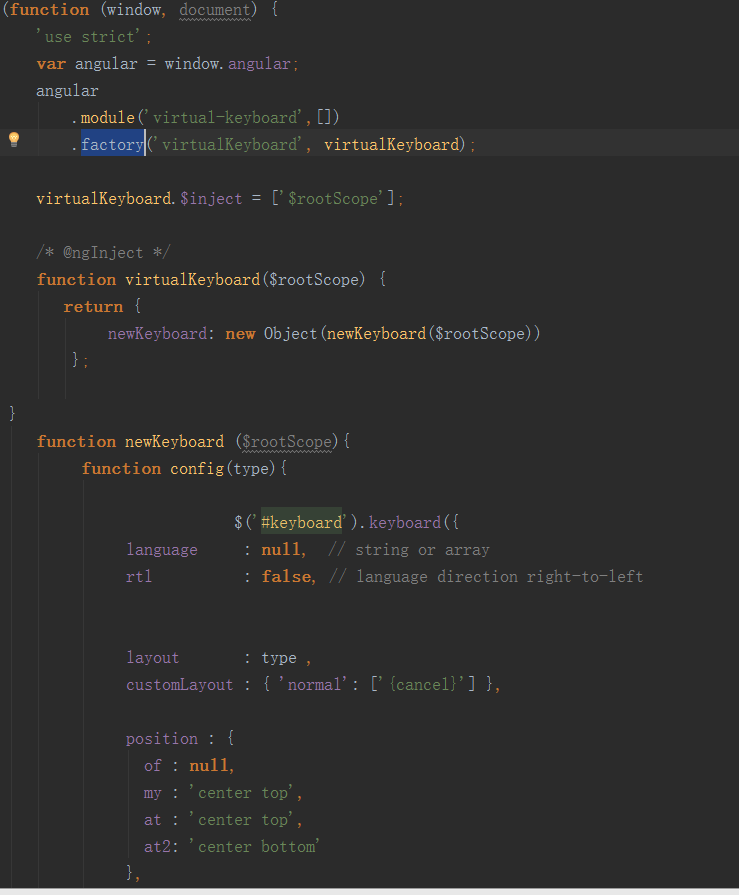
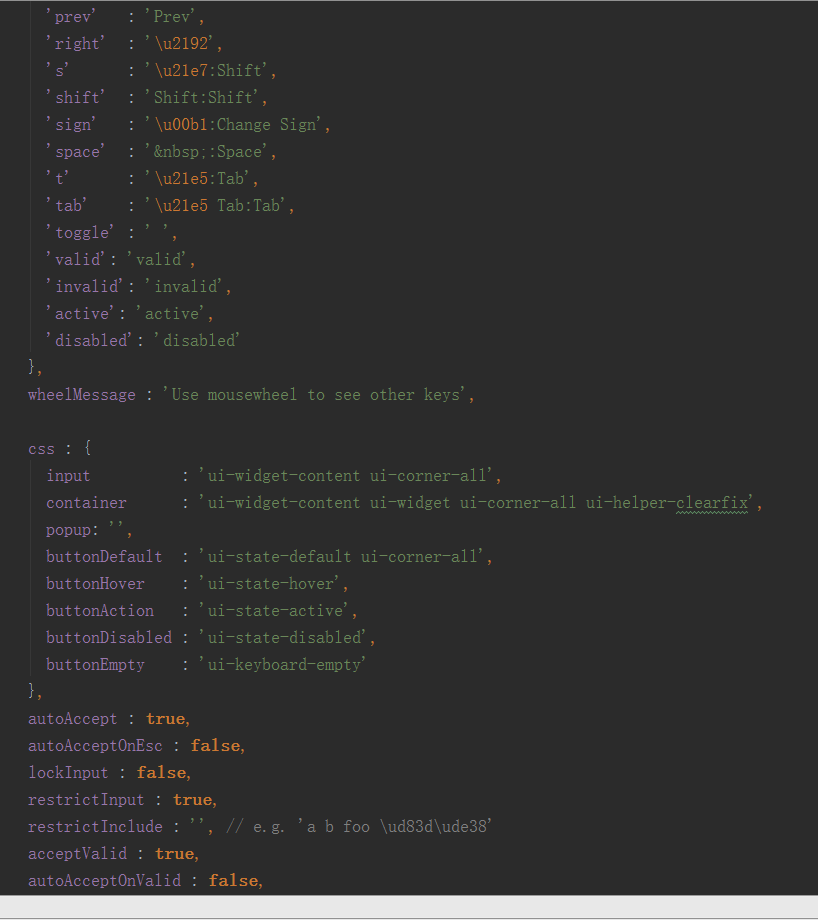
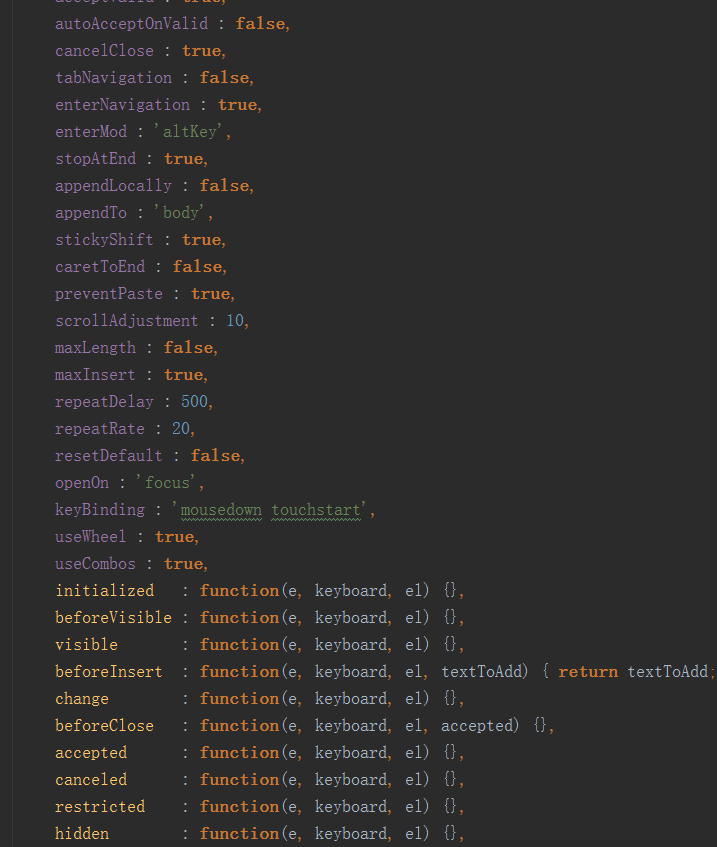
我自己是用angular开发的,为了在项目中可以哪里需要哪里调用,我封装在一个factory里面,
下面送上我的源码
html:

js:

factory:
触摸屏键盘插件Virtual Keyboard 该怎么用 Virtual Keyboard 入门指南的更多相关文章
- jQuery软键盘插件
1.html: <!DOCTYPE html PUBLIC "-//W3C//DTD XHTML 1.0 Strict//EN" "http://www.w3.or ...
- 基于jQuery的数字键盘插件
有时,我们需要在网页上使用软键盘.今天,就给大家带来一个基于jQuery的数字键盘插件,除了jQuery,不需要依赖任何文件资源.纯数字键盘,有退格,有清除,不支持输入小数(需要的可以自己改一下,主要 ...
- apple mac 下使用机械键盘的办法,键盘映射工具软件,apple mac Mechanical keyboard
apple mac 下使用机械键盘的办法,键盘映射工具软件,apple mac Mechanical keyboard 想在苹果电脑 mac 系统下使用 机械键盘,大部分机械键盘不是为mac设计的,所 ...
- [New Portal]Windows Azure Virtual Machine (19) 关闭Azure Virtual Machine与VIP Address,Internal IP Address的关系(1)
<Windows Azure Platform 系列文章目录> 默认情况下,通过Azure Management Portal创建的Public IP和Private IP都是随机分配的. ...
- [New Portal]Windows Azure Virtual Machine (20) 关闭Azure Virtual Machine与VIP Address,Internal IP Address的关系(2)
<Windows Azure Platform 系列文章目录> 默认情况下,通过Azure Management Portal创建的Public IP和Private IP都是随机分配的. ...
- Windows Azure Virtual Network (7) 设置Azure Virtual Machine固定公网IP (Virtual IP Address, VIP) (2)
<Windows Azure Platform 系列文章目录> 本文介绍的是,当用户在创建Azure Virtual Machine的时候,忘记绑定公网IP,需要重新绑定公网IP的具体操作 ...
- yarn 报错 requested virtual cores < 0, or requested virtual cores > max configured, requestedVirtualCores=6, maxVirtualCores=4 原因
INFO ApplicationMaster:54 - Final app status: FAILED, exitCode: 13, (reason: Uncaught exception: org ...
- 《Three.js 入门指南》3.1.2 - 一份整齐的代码结构以及使用ORBIT CONTROLS插件(轨道控制)实现模型控制
3.1.2 正式代码结构 & ORBIT CONTROLS插件(轨道控制) 说明 本节内容属于插入节,<Three.js入门指南>这本书中,只是简单的介绍了一些概念,是一本基础的入 ...
- Windows Azure Virtual Network (5) 设置Azure Virtual Machine固定Private IP
<Windows Azure Platform 系列文章目录> 注意:本文介绍的是Global Azure (http://www.windowsazure.com),如果你使用的是由世纪 ...
随机推荐
- [Leetcode] 第319题 灯泡开关
一.题目描述 初始时有 n 个灯泡关闭. 第 1 轮,你打开所有的灯泡. 第 2 轮,每两个灯泡你关闭一次. 第 3 轮,每三个灯泡切换一次开关(如果关闭则开启,如果开启则关闭).第 i 轮,每 i ...
- .ssh/config 文件的解释算法及配置原则
前言 SSH 是连接远程主机最常用的方式,尽管连接到耽搁主机的基本操作非常直接,但当你开始使用大量的远程系统时,这就会成为笨重和复杂的任务. 幸运的是,OpenSSH 允许您提供自定义的客户端连接选项 ...
- SpringCloud搭建注册中心与服务注册
上一篇文章<微服务注册中心原理,看这篇就够了!>介绍了注册中心的概念和原理,本文将介绍下利用Eureka搭建中心并注册服务到注册中心的过程. 本文目录 一.Eureka介绍二.搭建注册中心 ...
- 【SQL server初级】SQL SERVER Transactional Replication中添加新表如何不初始化整个快照
在SQL SERVER的复制(Replication)中,有可能出现由于业务需求变更,需要新增一张表或一些表到已有的复制(发布订阅)当中,这种需求应该是很正常,也很常见的.但是在已有的复制(发布订阅) ...
- 如何搭建基于Docker的gitlab服务器集成CI/CD实现DEVOPS(完整版)
From this lesson you will learn about 1,How to install and configure a docker based gitlab server 2, ...
- Cocos Creator 3D 打砖块图文教程(一)
在线体验链接: http://example.creator-star.cn/block3d/ 上面图中是打砖块游戏的主要 3D 节点元素,Shawn 这两天在学习 Unity 与 Creator3D ...
- 【Java基础】让编码不再让你困惑
目录 1. ASCII编码 2. Unicode编码 3. UTF-8编码 4. UTF8.UTF16和UTF32之间的区别 5. GBK.GB2312和GB18030之间的区别 6. Java中的编 ...
- B/S 工业互联网 地铁行业
前言 近几年,互联网与交通运输的融合,改变了交易模式,影响着运输组织和经营方式,改变了运输主体的市场结构.模糊了运营与非营运的界限,也更好的实现了交通资源的集约共享,同时使得更多依靠外力和企业推动交通 ...
- [Swoole] 在Ubuntu下安装、快速开始
本文主要讲述在 Ubuntu 下编译安装 Swoole,并根据官方文档给出的demo进行了测试和搬运,包括:TCP服务器.UDP服务器.HTTP服务器.WebSocket服务器.异步客户端.定时器和协 ...
- asp.net core learn
.NET Core WebApi RESTful规范 RESTful API 最佳实践 理解RESTful架构 接口版本控制 Support multiple versions of ASP.NET ...