
分享JQuery动画插件Velocity.js的六种列表加载特效
分享JQuery动画插件Velocity.js的六种列表加载特效。在这款实例中给中六种不同的列表加载效果。分别为从上飞入、从右侧飞入、从左侧飞入、和渐显。一起看下效果图:
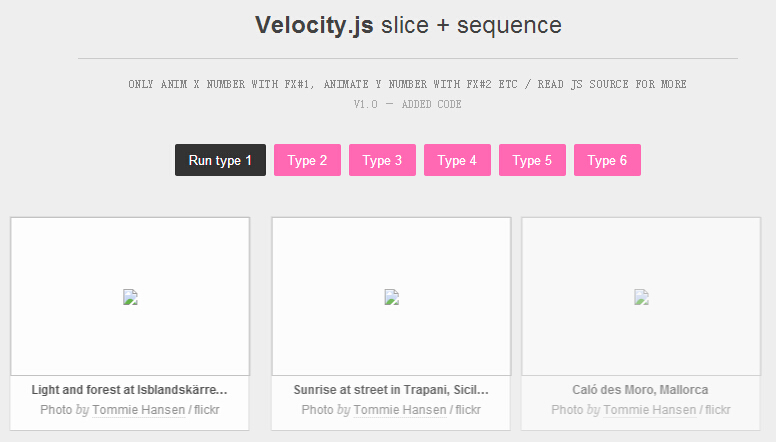
实现的代码。
html代码:
<h1>
Velocity.js <i>slice + sequence</i></h1>
<pre>Only anim X number with FX#1, animate Y number with FX#2 etc / Read JS source for more
<span>v1.0 – Added code</span>
</pre>
<div id="btn">
<i class="type1">Run type 1</i> <i class="type2">Type 2</i> <i class="type3">Type 3</i>
<i class="type4">Type 4</i> <i class="type5">Type 5</i> <i class="type6">Type 6</i></div>
<div id="boxes">
<!-- load via JSONP -->
</div>
<!-- /#boxes -->
<script src='jquery.js'></script>
<script src='velocity.min.js'></script>
<script src='velocity.ui.min.js'></script>
<script>/*
+ jquery.js
+ velocity.js
+ velocity.ui.js
*/ /* ----------------------------------------------------- VELOCITY.JS SLUCE + SEQUENCE Animate different boxes with different animations and sequence it.
This demo has a bounch of stuff not needed for a basic slice + sequence
since everything is wrapped up in a function and lots of if/else statements. For basic usage of using Velocity sequence go to:
http://julian.com/research/velocity/#uiPack ----------------------------------------------------- */ // Define base div
var boxes = $('#boxes'); /* -----------------------------------------------------
REGISTER CLICK EVENTS FOR BUTTONS
----------------------------------------------------- */ $('.type1').click(function(){
goVelocity(true);
}) $('.type2').click(function(){
goVelocity(true, 'custom.flickDownIn', 'custom.flickUpIn', vOption2);
}) $('.type3').click(function(){
goVelocity(true, 'custom.zoomOutIn', 'custom.zoomInIn', vOption3);
}) $('.type4').click(function(){
goVelocity(true, 'custom.superZoomOutIn', 'custom.superZoomOutIn', vOption4);
}) $('.type5').click(function(){
goVelocity('type5', '', '', vOption5);
}) $('.type6').click(function(){
goVelocity('type7', '', '', vOption5);
}) /* -----------------------------------------------------
GET SOME CONTENTS
100% UNRELATED to animation, scroll down the 'real' stuff
----------------------------------------------------- */ boxes.append('<div id="load">Loading data...</div>') var getMax = 12;
var str = '';
//var tags = 'tommiehansen+sunset';
var
tags = 'tommiehansen',
sort = 'interestingness-desc';
uri = "http://pipes.yahoo.com/pipes/pipe.run?_id=6b12dfa3cc61dcafcdcb116bc8114e0b&_render=json&search="+tags+"&sort="+sort+"&num="+getMax;
$.getJSON(uri,
function(data) {
$.each(data.value.items, function(i,item){
//var img = item.media.m;
var img = item.guid; img = img.replace('.jpg','_m.jpg'); str += '<div class="box">';
str += '<a href="' + "http://www.w2bc.com" + '" target="_blank">';
str += '<img src="' + img + '" width="240" height="159" /></a>';
str += '<div class="boxRight"><h3>' + item.title + '</h3><i>Photo <span>by</span> ';
str += '<a href="' + "http://www.w2bc.com" + '" target="_blank">Tommie Hansen</a> / flickr</i>';
str += '</div></div>'; if (i == getMax-1) { return false; }
}); boxes.empty().append(str);
goVelocity(); // run initial
}); /* -----------------------------------------------------
BEGIN VELOCITY ANIMATIONS
----------------------------------------------------- */ // Register new animations $.Velocity.RegisterUI("custom.slideUpIn", {
defaultDuration: 500,
calls: [[ { opacity: [1,0], translateY: [0,90], translateZ: 0 } ]]
}); $.Velocity.RegisterUI("custom.slideDownIn", {
defaultDuration: 500,
calls: [[ { opacity: [1,0], translateY: [0,-90], translateZ: 0 } ]]
}); $.Velocity.RegisterUI("custom.slideLeftIn", {
defaultDuration: 500,
calls: [[ { opacity: [1,0], translateX: [0,-90], translateZ: 0 } ]]
}); $.Velocity.RegisterUI("custom.slideRightIn", {
defaultDuration: 500,
calls: [[ { opacity: [1,0], translateX: [0,90], translateZ: 0 } ]]
}); $.Velocity.RegisterUI("custom.zoomOutIn", {
defaultDuration: 500,
calls: [[ { opacity: [1,0], scale:[1,1.5], translateZ: 0 } ]]
}); $.Velocity.RegisterUI("custom.zoomInIn", {
defaultDuration: 500,
calls: [[ { opacity: [1,0], scale:[1,0.5], translateZ: 0 } ]]
}); $.Velocity.RegisterUI("custom.superZoomOutIn", {
defaultDuration: 500,
calls: [[ { opacity: [1,0], scale:[1,5], translateZ: 0, translateY: [0,500] } ]],
}); $.Velocity.RegisterUI("custom.flickUpIn", {
defaultDuration: 500,
calls: [[ { opacity: [1,0], translateY: [0,90], rotateZ: [0,10], translateZ: 0 } ]]
}); $.Velocity.RegisterUI("custom.flickDownIn", {
defaultDuration: 500,
calls: [[ { opacity: [1,0], translateY: [0,-90], rotateZ: [0,-10], translateZ: 0 } ]]
}); $.Velocity.RegisterUI("custom.fadeOut", {
defaultDuration: 300,
calls: [[ { opacity: 0, translateZ: 0 } ]],
reset: { translateY:0, opacity:0, rotateZ:0, scale:1, translateX:0 }
}); // Define some Velocity option VARs for re-use etc var vOption = { duration: 400, stagger: 60, easing: 'easeOutQuad', display: false };
var vOption2 = { duration: 300, stagger: 90, easing: 'easeOutExpo', display: false };
var vOption3 = { duration: 300, stagger: 60, easing: 'easeOutQuad', display: false };
var vOption4 = { duration: 700, stagger: 60, easing:'easeOutQuad', display: false };
var vOption5 = { duration: 500, easing:'easeOutQuad', display: false };
var vOption6 = { duration: 500, easing:'easeOutQuad', display: false, sequenceQueue: false }; // Default transitions
var
anim1 = 'custom.slideLeftIn',
anim2 = 'custom.slideRightIn'; function goVelocity(isOut, ani1, ani2, vOpt) { if(!ani1) { ani1 = anim1, ani2 = anim2 };
if(!vOpt) { vOpt = vOption; }; // base VARs
var box = boxes.find('.box'); // Slice boxes to different groups (for IN-transitions)
var
slice1 = 3, // 1-3
slice2 = 6, // 4-6
slice3 = 9; // 7-9 // setup Velocity sequence
var
seq1 = box.slice(0, slice1).get(), // .get() = transform jquery object to raw DOM nodes
seq2 = box.slice(slice1, slice2).get(),
seq3 = box.slice(slice2, slice3).get(),
seq4 = box.slice(slice3).get(); // rest of elements after slice3 var velocitySequence;
$.Velocity(box.get(), "stop"); // stop all animation if one is already running // Begin a lot of if() if(isOut==true){
velocitySequence = [
{ elements: box.get(), properties: 'custom.fadeOut', options: vOption },
{ elements: seq1, properties: ani1, options: vOpt },
{ elements: seq2, properties: ani2, options: vOpt },
{ elements: seq3, properties: ani1, options: vOpt },
{ elements: seq4, properties: ani2, options: vOpt }
]; $.Velocity.RunSequence(velocitySequence);
} else if(isOut=='type5'){
var b = box.get(); // convert to raw dom nodes
var nth1 = box.filter(':nth-child(3n+1)').get();
var nth2 = box.filter(':nth-child(3n)').get();
var nth3 = box.filter(':nth-child(3n-1)').get();
velocitySequence = [
{ elements: b, properties: 'custom.fadeOut', options: vOption },
{ elements: nth1, properties: 'custom.slideDownIn', options: vOpt },
{ elements: nth2, properties: 'custom.slideUpIn', options: vOption6 },
{ elements: nth3, properties: 'custom.zoomOutIn', options: vOption3 },
]; $.Velocity.RunSequence(velocitySequence);
} else if(isOut=='type6'){
var b = box.get(); // convert to raw dom nodes
var one = box.slice(0,1)
var two = box.slice(1,3);
var three = box.slice(3);
velocitySequence = [
{ elements: b, properties: 'custom.fadeOut', options: vOption },
{ elements: one, properties: 'custom.slideDownIn', options: vOpt },
{ elements: two, properties: 'transition.slideUpIn', options: vOption6 },
{ elements: three, properties: 'transition.slideDownIn', options: vOption5 },
]; $.Velocity.RunSequence(velocitySequence);
} else if(isOut=='type7'){
var b = box.get(); // convert to raw dom nodes
//var s1 = box.eq(0);
//var s2 = box.eq(4)
var s0 = box.slice(0,1);
var s1 = box.slice(1,2);
var s2 = box.slice(2,3);
var s3 = box.filter(':nth-child(3n-1)');
s3 = s3.slice(1); // skip first
var s4 = box.filter(':nth-child(3n+1)');
s4 = s4.slice(1); // skip first
var s5 = box.filter(':nth-child(3n)');
s5 = s5.slice(1); // skip first
velocitySequence = [
{ elements: b, properties: 'custom.fadeOut', options: vOption },
{ elements: s0, properties: 'custom.slideLeftIn', options: vOpt },
{ elements: s1, properties: 'custom.slideDownIn', options: vOption6 },
{ elements: s2, properties: 'custom.slideRightIn', options: vOption6 },
{ elements: s3, properties: 'custom.slideUpIn', options: vOpt },
{ elements: s4, properties: 'custom.slideLeftIn', options: vOpt },
{ elements: s5, properties: 'custom.slideRightIn', options: vOption6 },
]; $.Velocity.RunSequence(velocitySequence);
} else {
// Page load animation
box.css('opacity', 0);
velocitySequence = [
{ elements: seq1, properties: ani1, options: vOpt },
{ elements: seq2, properties: ani2, options: vOpt },
{ elements: seq3, properties: ani1, options: vOpt },
{ elements: seq4, properties: ani2, options: vOpt }
]; $.Velocity.RunSequence(velocitySequence);
} } // end goVelocity()//@ sourceURL=pen.js
</script>
css代码:
 html, body

        {

            min-height: 100%;

        }

        body

        {

            font-family: "Open Sans" , helvetica,arial,sans-serif;

            font-size: 13px;

            line-height: 160%;

            font-weight:;

            color: #444;

            background: #eee;

        }

        *, *:before, *:after

        {

            box-sizing: border-box;

        }

        img

        {

            display: block;

        }

        i

        {

            font-style: normal;

        }

        em

        {

            font-style: italic;

        }

        /* Refresh, add boxes etc */

        #a

        {

            position: absolute;

            top: 20px;

            right: 20px;

            display: block;

            background: #eee;

            color: #aaa;

            -webkit-user-select: none;

            user-select: none;

        }

        #a i

        {

            cursor: pointer;

            font-size: 11px;

            padding: 8px 10px;

            border: 1px dotted #ccc;

            transition: all .12s;

            margin-left: -1px;

        }

        #a .fa

        {

            font-family: "Open Sans" , sans-serif;

        }

        #a .fa:last-child

        {

            background: #d00;

            border-color: #d00;

            color: #fff;

        }

        #a .fa:last-child:hover

        {

            background: #a00;

            border-color: #a00;

        }

        #btn

        {

            text-align: center;

            margin-top: -30px;

        }

        #btn i

        {

            cursor: pointer;

            background: hotpink;

            color: #fff;

            padding: 0 14px;

            margin: 0 2px;

            line-height: 250%;

            display: inline-block;

            transition: all .2s ease;

            border-radius: 2px;

        }

        #btn i:hover

        {

            background: #333;

        }

        /* ----- end defaults ---- */

        /* Main layout */

        #boxes

        {

            padding-bottom: 1000px;

        }

        #boxes, h1, pre

        {

            width: 660px;

            margin: 40px auto;

            text-align: center;

            position: relative;

        }

        #boxes

        {

            width: auto;

            max-width: 850px;

            text-align: center;

        }

        /*#boxes, .box  { transform: translate3d(0,0,0); }*/

        /* Headers */

        h1, h2

        {

            font-size: 21px;

            line-height: 100%;

            font-weight:;

        }

        h1

        {

            font-size: 24px;

            font-weight:;

            border-bottom: 1px solid #ccc;

        }

        h1 i

        {

            font-weight:;

        }

        pre

        {

            display: block;

            margin-top: -25px;

            text-transform: uppercase;

            color: #888;

            font-size: 11px;

            letter-spacing: .5px;

        }

        pre i

        {

            cursor: help;

            display: inline-block;

            margin: 0 0 0 3px;

        }

        pre i:hover

        {

            color: #222;

        }

        pre span

        {

            color: #aaa;

            display: block;

            letter-spacing:;

        }

        /* Paddings / Margins */

        h1

        {

            padding: 20px 0;

        }

        h2, h3

        {

            margin: 0 0 12px;

        }

        h3

        {

            font-size: 12px;

            white-space: nowrap;

            width: auto;

            overflow: hidden;

            text-overflow: ellipsis;

            display: block;

            margin-top: 4px;

        }

        .box

        {

            margin: 0 15px 30px;

        }

        /* inline-block adds +4px margin */

        .box img.full

        {

            margin: -1px 0 9px -1px;

        }

        .box a

        {

            color: inherit;

            text-decoration: none;

            border-bottom: 1px dotted #ccc;

        }

        .box a:hover

        {

            border-color: hotpink;

            color: hotpink;

        }

        /* Boxes */

        .box

        {

            height: 150px;

            _opacity:;

            display: block;

            text-align: left;

            border: 1px solid #ddd;

            border-bottom: 1px solid #ccc;

            background: #fff;

            width: 240px;

            height: auto;

            display: inline-block;

        }

        .boxRight

        {

            _padding: 15px 40px 0 0;

            padding: 0 20px;

            text-align: center;

        }

        .boxRight h3

        {

            margin-bottom:;

        }

        .boxRight i

        {

            display: block;

            font-size: 11px;

            color: #888;

            font-style: normal;

            margin: 0 0 10px 0;

        }

        .boxRight i span

        {

            font-family: georgia, serif;

            font-style: italic;

            font-size: 11px;

            color: #aaa;

        }
注:本文爱编程原创文章,转载请注明原文地址:http://www.w2bc.com/Article/8233
分享JQuery动画插件Velocity.js的六种列表加载特效的更多相关文章
- JQuery动画插件Velocity.js发布:更快的动画切换速度
5月3日,Julian在其GitHub上发布了Velocity.js.Velocity.js是一款动画切换的jQuery插件,它重新实现了jQuery的$.animate()方法从而加快动画切换的速度 ...
- js之页面列表加载常用方法总结
导语:最近由于一些事情需要处理,所以没来得及写技术总结了.今天终于可以坐下来好好的梳理一下脉络,说一下那个在日常前端开发过程中,常用到的页面列表加载的方法总结.这里介绍三种方法,分别是分页加载.按钮加 ...
- JQuery浮动层Loading页面加载特效
之前做项目,经常需要一些浮动层加载Loading. 现在好多前端框架都能实现了,最常用的就是 artDialog 下面记录下当时的代码. <!DOCTYPE html PUBLIC " ...
- jQuery动画切换引擎插件Velocity.js
Velocity.js 官网 Velocity.js实现弹出式相框 慕课网 极棒的jquery动画切换引擎插件Velocity.js jQ库 (function($){ // 普通调用 /*$('#d ...
- Velocity – 另外一款加速的 jQuery 动画插件
Velocity 是一款 jQuery 插件,重新实现了 $.animate() 方法,提供更高的性能(比 CSS 动画还更快),同时包括一些新的功能,以改进动画工作流程.Velocity 除了包括所 ...
- 让网站动起来!12款优秀的 jQuery 动画插件推荐
如今,大多数设计师和开发人员被要客户要求开发动态的网站.创造视觉震撼和醒目的动态网站是艰巨的任务,因为它需要大量的努力和创造力.在网络上有大量的工具和插件可用于创建网站动画.许多开发人员正在使用 HT ...
- 基于jquery的插件turn.js学习笔记
基于jquery的插件turn.js学习笔记 简介 turn.js是一个可以实现3d书籍展示效果的jq插件,使用html5和css3来执行效果.可以很好的适应于ios和安卓等触摸设备. How it ...
- 一款很好用的页面滚动元素动画插件-AOS.JS
aos.js是一款效果超赞的页面滚动元素动画jQuery动画库插件.该动画库可以在页面滚动时提供28种不同的元素动画效果,以及多种easing效果.在页面往回滚动时,元素会恢复到原来的状态. 加载方法 ...
- Jquery放大镜插件---imgzoom.js(原创)
Jquery放大镜插件imgzoom能够实现图片放大的功能,便于与原图进行比较. 使用方法: 1.引入jQuery与imgzoom,imgzoom.css <link rel="sty ...
随机推荐
- php 5.3新特性
1.命名空间 解决了类,函数和常量名冲突的问题 2.静态绑定 继承时父类可以直接调用子类重写父类的方法 class A { public static function who() { echo __ ...
- 在shell中使用sed命令替换/为\/
sed命令相关: https://www.cnblogs.com/ggjucheng/archive/2013/01/13/2856901.html https://www.cnblogs.com/D ...
- C#:定义窗口快捷键
事情的关键是要设置Form的KeyPreview属性,然后再在KeyDown事件中检查按键. public class TEST : Form { public TEST() { Initialize ...
- 訪问可能没有定义的data (通过static类型flash.net:FileReference引用)
今天使用Flex实现了图片预览及其上传的功能,在整个开发过程中遇到了"訪问可能没有定义的data (通过static类型flash.net:FileReference引用)"错误, ...
- 【微信小程序】解决 竖向<scroll-view>组件 “竖向滚动页面出现遮挡”问题
问题图: 问题原因: <scroll-view class="scroll-container" upper-threshold="{{sortPanelDist} ...
- jsp中获取当前项目名称
在JSP页面获取当前项目名称的方法: 方法1: <%= this.getServletContext().getContextPath() %> 方法2: 使用EL表达式 ${pageCo ...
- js LINQ教程
在说LINQ之前必须先说说几个重要的C#语言特性 一:与LINQ有关的语言特性 1.隐式类型 (1)源起 在隐式类型出现之前, 我们在声明一个变量的时候, 总是要为一个变量指定他的类型 甚至在fore ...
- C# 采用钩子捕获键盘和鼠标事件-验证是否处于无人操作状态
原文地址:https://www.cnblogs.com/gc2013/p/4036414.html 全局抽象类定义 using System; using System.Collections.Ge ...
- malloc的内存分配原理
0 堆内存的在计算机内存中的形式 根据<The C Programming language>推测得到堆内存,图中的Heap区域即为堆内存块(Heap区域的数目不代表计算机堆内存的真实数目 ...
- 计算机科学基础知识(一)The Memory Hierarchy
一.前言 最近一个问题经常萦绕在我的脑海:一个学习电子工程的机械师如何称为优秀的程序员?(注:本文作者本科学习机械设计,研究生转到电子工程系学习,毕业后却选择了系统程序员这样的职业).经过思考,我认为 ...