
[翻译] JSAnimatedImagesView
JSAnimatedImagesView

本人测试的效果:

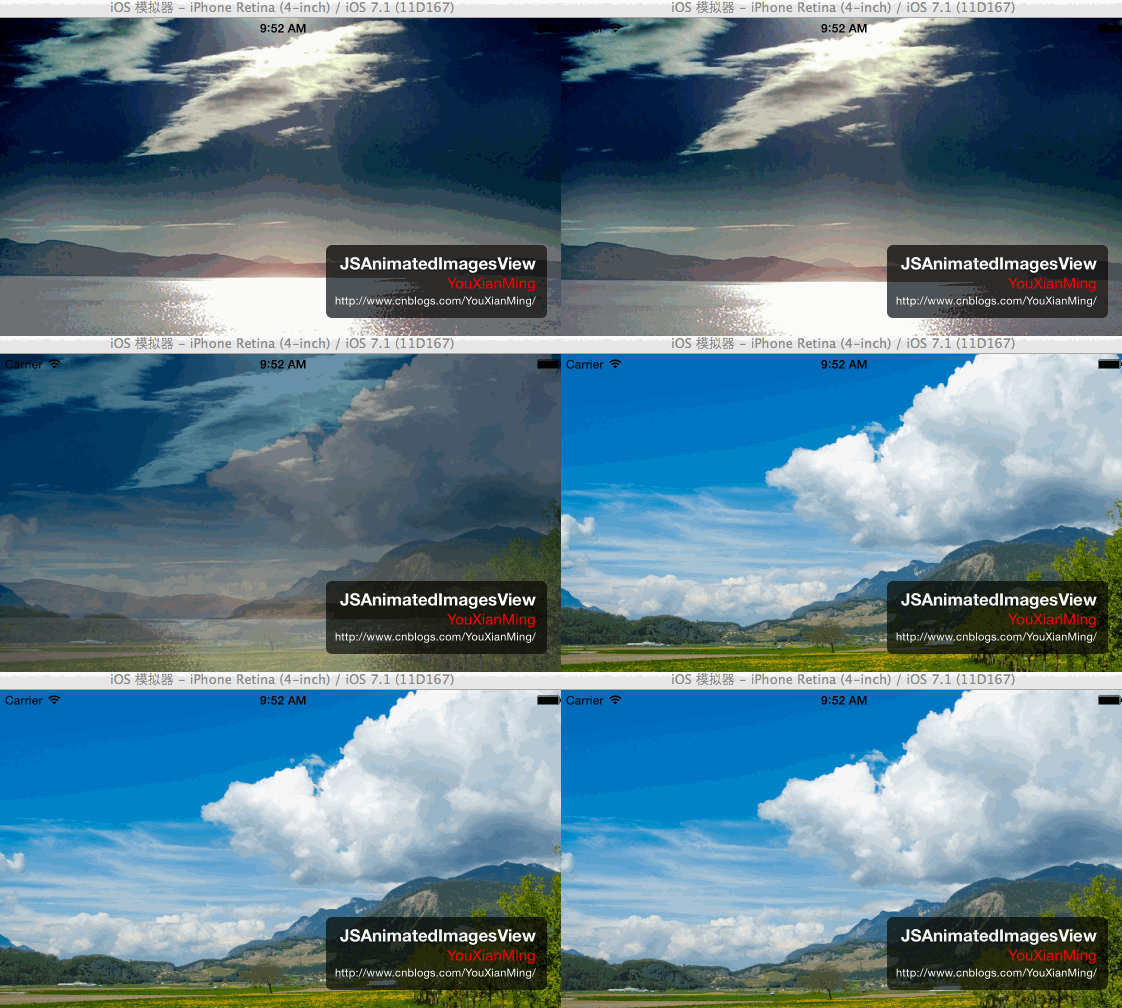
Description:描述
Easy to use UIView subclass to quickly add a cool animated carrousel of pictures to your app.
Documentation: http://cocoadocs.org/docsets/JSAnimatedImagesView/
可以非常简易的将旋转木马效果添加到你的应用当中。
Usage:使用
- Using CocoaPods:
- Add
pod 'JSAnimatedImagesView', '~> 1.0.'to yourPodfile. - You're done!
-- or --
- Clone the repository:
$ git clone git@github.com:JaviSoto/JSAnimatedImagesView.git
- Update the submodules:
$ git submodule update --init
- Check out the sample project. 检查项目文件
- Drag the two files
JSAnimatedImagesView.(h/m)onto your project. 将这两个文件JSAnimatedImagesView.(h/m)拖入到你的工程项目当中 - Drag
Dependencies/MSWeakTimer/MSWeakTimer.(h/m)onto your project. 将这两个文件/MSWeakTimer/MSWeakTimer.(h/m)拖入到你的工程项目当中 - Include the header file
JSAnimatedImagesView.hinto the controller where you want to use it. 添加上头文件 - Create a
JSAnimatedImagesViewinstance either via code, or in interface builder (by creating a UIView and changing its class toJSAnimatedImagesView). 通过代码创建出JSAnimatedImagesView的实例对象,或者通过IB - Set the data source property on the view (probably on the
viewDidLoadmethod): 设置图片数据源即可
self.animatedImagesView.dataSource = self;
- Implement the data source methods: 实现data source方法
@interface MyViewController () <JSAnimatedImagesViewDataSource> // Conform to the protocol

@end
@implementation MyViewController

- (NSUInteger)animatedImagesNumberOfImages:(JSAnimatedImagesView *)animatedImagesView

{

    return self.myImageNames.count;

}

- (UIImage *)animatedImagesView:(JSAnimatedImagesView *)animatedImagesView imageAtIndex:(NSUInteger)index

{

    return [UIImage imageNamed:[self.myImageNames objectAtIndex:index]];

}

@end
Configuration:配置
@property (nonatomic, assign) NSTimeInterval timePerImage;
Specifies the time each image is viewed until the next image is faded in.
精确设置每一张淡入淡出的图片的时间
@property (nonatomic, assign) NSTimeInterval transitionDuration;
Specifies the duration of the transition (fade-out/fade-in) animation.
精确设置淡入淡出的时间间隔
Compatibility:兼容性
JSAnimatedImagesViewis compatible with iOS5.0+ 兼容iOS5.0+以上JSAnimatedImagesViewrequires ARC. 需要开启ARC
[翻译] JSAnimatedImagesView的更多相关文章
- 《Django By Example》第五章 中文 翻译 (个人学习,渣翻)
书籍出处:https://www.packtpub.com/web-development/django-example 原作者:Antonio Melé (译者@ucag注:大家好,我是新来的翻译, ...
- 《Django By Example》第四章 中文 翻译 (个人学习,渣翻)
书籍出处:https://www.packtpub.com/web-development/django-example 原作者:Antonio Melé (译者注:祝大家新年快乐,这次带来<D ...
- [翻译]开发文档:android Bitmap的高效使用
内容概述 本文内容来自开发文档"Traning > Displaying Bitmaps Efficiently",包括大尺寸Bitmap的高效加载,图片的异步加载和数据缓存 ...
- 【探索】机器指令翻译成 JavaScript
前言 前些时候研究脚本混淆时,打算先学一些「程序流程」相关的概念.为了不因太枯燥而放弃,决定想一个有趣的案例,可以边探索边学. 于是想了一个话题:尝试将机器指令 1:1 翻译 成 JavaScript ...
- 《Django By Example》第三章 中文 翻译 (个人学习,渣翻)
书籍出处:https://www.packtpub.com/web-development/django-example 原作者:Antonio Melé (译者注:第三章滚烫出炉,大家请不要吐槽文中 ...
- 《Django By Example》第二章 中文 翻译 (个人学习,渣翻)
书籍出处:https://www.packtpub.com/web-development/django-example 原作者:Antonio Melé (译者注:翻译完第一章后,发现翻译第二章的速 ...
- 《Django By Example》第一章 中文 翻译 (个人学习,渣翻)
书籍出处:https://www.packtpub.com/web-development/django-example 原作者:Antonio Melé (译者注:本人目前在杭州某家互联网公司工作, ...
- 【翻译】Awesome R资源大全中文版来了,全球最火的R工具包一网打尽,超过300+工具,还在等什么?
0.前言 虽然很早就知道R被微软收购,也很早知道R在统计分析处理方面很强大,开始一直没有行动过...直到 直到12月初在微软技术大会,看到我软的工程师演示R的使用,我就震惊了,然后最近在网上到处了解和 ...
- ASP.NET MVC with Entity Framework and CSS一书翻译系列文章之第一章:创建基本的MVC Web站点
在这一章中,我们将学习如何使用基架快速搭建和运行一个简单的Microsoft ASP.NET MVC Web站点.在我们马上投入学习和编码之前,我们首先了解一些有关ASP.NET MVC和Entity ...
随机推荐
- eclipse中提示js或者JQuery代码
当你在eclipse中的JSP中写JavaScript或者JQuery代码的时候,eclipse是不会自动提示的,所以你需要在eclipse中安装一下插件,该插件的名字叫:Spket IDE,它可以作 ...
- unity编辑器教程
https://blog.csdn.net/candycat1992/article/details/52067975
- Hibernate 查询语句基本用法
转发: http://459104018-qq-com.iteye.com/blog/720538
- WPF中Label使用StringFormat
1. 在WPF中Label的Content有时内容只需要改变个别数字,而不需要所以内容都修改,这时候就要使用StringFormat, 如: <Label Content="I hav ...
- Ubuntu双网卡不双待攻略
特别不喜欢基于Windows的工作环境,这对一个Unix/Linux程序员来说,可以说是一种信仰.要不是电子邮件客户端被牢牢绑定在可恶的Outlook 2013上(因为加密邮件要求, 想使用Thund ...
- Android Studio 和 gradle 修改缓存文件夹路径
Android Studio的缓存文件主要有四个文件夹,分别是 .android 这个文件夹是Android SDK生成的AVD(Android Virtual Device Manager)即模拟器 ...
- 设置主外键时 ORA-02298: 无法验证 - 未找到父项关键字 --NOVALIDATE;
主要原因是: 在添加CONSTRAINT的时候,默认是需要VALIDATE表中的已有数据的. 你要插入的表A里,有外键连接到另一个表B的主键,你在表A的外键列插入的值,在表B的主键列找不到就不能插入. ...
- 6.046 Design and Analysis of Algorithms
课程信息 6.046 Design and Analysis of Algorithms
- 相对布局--RelativeLayout
<?xml version="1.0" encoding="utf-8"?> <RelativeLayout xmlns:android=&q ...
- java并发编程(7)构建自定义同步工具及条件队列
构建自定义同步工具 一.通过轮询与休眠的方式实现简单的有界缓存 public void put(V v) throws InterruptedException { while (true) { // ...