
python爬虫---从零开始(五)pyQuery库
什么是pyQuery:
强大又灵活的网页解析库。如果你觉得正则写起来太麻烦(我不会写正则),如果你觉得BeautifulSoup的语法太难记,如果你熟悉JQuery的语法,那么PyQuery就是你最佳的选择。
pyQuery的安装pip3 install pyquery即可安装啦。
pyQuery的基本用法:
初始化:
字符串初始化:
#!/usr/bin/env python

# -*- coding: utf-8 -*-

html = """

<html><head><title>The Dormouse's story</head>

<body>

<p class="title" name="dromouse"><b>The Dormouse's story</b></p>

<p class="story">Once upon a time there were three little sisters;and thier names were

<a href ="http://example.com/elsie" class="sister" id="link1"><!-- Elsie --></a>

<a href ="http://example.com/lacle" class="sister" id="link2">Lacie</a> and

<a href ="http://example.com/title" class="sister" id="link3">Title</a>; and they lived at the boottom of a well.</p>

<p class="story">...</p>

"""

from pyquery import PyQuery as pq

doc = pq(html)

print(doc('a'))
运行结果:

URL初始化:
#!/usr/bin/env python

# -*- coding: utf-8 -*-

# URL初始化

from pyquery import PyQuery as pq

doc = pq('http://www.baidu.com')

print(doc('input'))
运行结果:

文件初始化:
#!/usr/bin/env python

# -*- coding: utf-8 -*-

# 文件初始化

from pyquery import PyQuery as pq

doc = pq(filename='baidu.html')

print(doc('title'))
运行结果:
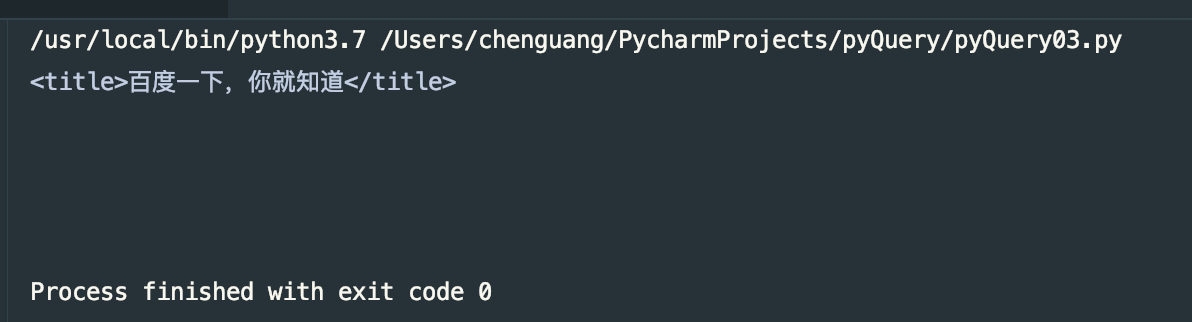
选择方式和jquery一致,id、name、class都是如此,还有很多都和jquery一致。
基本CSS选择器:
#!/usr/bin/env python

# -*- coding: utf-8 -*-

# Css选择器

html = """

<html><head><title>The Dormouse's story</head>

<body>

<p class="title" name="dromouse"><b>The Dormouse's story</b></p>

<p class="story">Once upon a time there were three little sisters;and thier names were

<a href ="http://example.com/elsie" class="sister" id="link1"><!-- Elsie --></a>

<a href ="http://example.com/lacle" class="sister" id="link2">Lacie</a> and

<a href ="http://example.com/title" class="title" id="link3">Title</a>; and they lived at the boottom of a well.</p>

<p class="story">...</p>

"""

from pyquery import PyQuery as pq

doc = pq(html)

print(doc('.title'))
运行结果:

查找元素:
子元素:
#!/usr/bin/env python

# -*- coding: utf-8 -*-

# 子元素

html = """

<html><head><title>The Dormouse's story</head>

<body>

<p class="title" name="dromouse"><b>The Dormouse's story</b></p>

<p class="story">Once upon a time there were three little sisters;and thier names were

<a href ="http://example.com/elsie" class="sister" id="link1"><!-- Elsie --></a>

<a href ="http://example.com/lacle" class="sister" id="link2">Lacie</a> and

<a href ="http://example.com/title" class="title" id="link3">Title</a>; and they lived at the boottom of a well.</p>

<p class="story">...</p>

"""

from pyquery import PyQuery as pq

doc = pq(html)

items = doc('.title')

print(type(items))

print(items)

p = items.find('b')

print(type(p))

print(p)
该代码为查找id为title的标签,我们可以看到id为title的标签有两个一个是p标签,一个是a标签,然后我们再使用find方法,查找出我们需要的p标签,运行结果:

这里需要注意的是,我们所使用的find是查找每一个元素内部的标签.
children:
#!/usr/bin/env python

# -*- coding: utf-8 -*-

# 子元素

html = """

<html><head><title>The Dormouse's story</head>

<body>

<p class="title" name="dromouse"><b>The Dormouse's story</b></p>

<p class="story">Once upon a time there were three little sisters;and thier names were

<a href ="http://example.com/elsie" class="sister" id="link1"><!-- Elsie --></a>

<a href ="http://example.com/lacle" class="sister" id="link2">Lacie</a> and

<a href ="http://example.com/title" class="title" id="link3">Title</a>; and they lived at the boottom of a well.</p>

<p class="story">...</p>

"""

from pyquery import PyQuery as pq

doc = pq(html)

items = doc('.title')

print(items.children())
运行结果:

也可以在children()内添加选择器条件:
#!/usr/bin/env python

# -*- coding: utf-8 -*-

# 子元素

html = """

<html><head><title>The Dormouse's story</head>

<body>

<p class="title" name="dromouse"><b>The Dormouse's story</b></p>

<p class="story">Once upon a time there were three little sisters;and thier names were

<a href ="http://example.com/elsie" class="sister" id="link1"><!-- Elsie --></a>

<a href ="http://example.com/lacle" class="sister" id="link2">Lacie</a> and

<a href ="http://example.com/title" class="title" id="link3">Title</a>; and they lived at the boottom of a well.</p>

<p class="story">...</p>

"""

from pyquery import PyQuery as pq

doc = pq(html)

items = doc('.title')

print(items.children('b'))
输出结果和上面的一致。
父元素:
#!/usr/bin/env python

# -*- coding: utf-8 -*-

# 子元素

html = """

<html><head><title>The Dormouse's story</head>

<body>

<p class="title" name="dromouse"><b>The Dormouse's story</b></p>

<p class="story">Once upon a time there were three little sisters;and thier names were

<a href ="http://example.com/elsie" class="sister" id="link1"><!-- Elsie --></a>

<a href ="http://example.com/lacle" class="sister" id="link2">Lacie</a> and

<a href ="http://example.com/title" class="title" id="link3">Title</a>; and they lived at the boottom of a well.</p>

<p class="story">...</p>

"""

from pyquery import PyQuery as pq

doc = pq(html)

items = doc('#link1')

print(items)

print(items.parent())
运行结果:
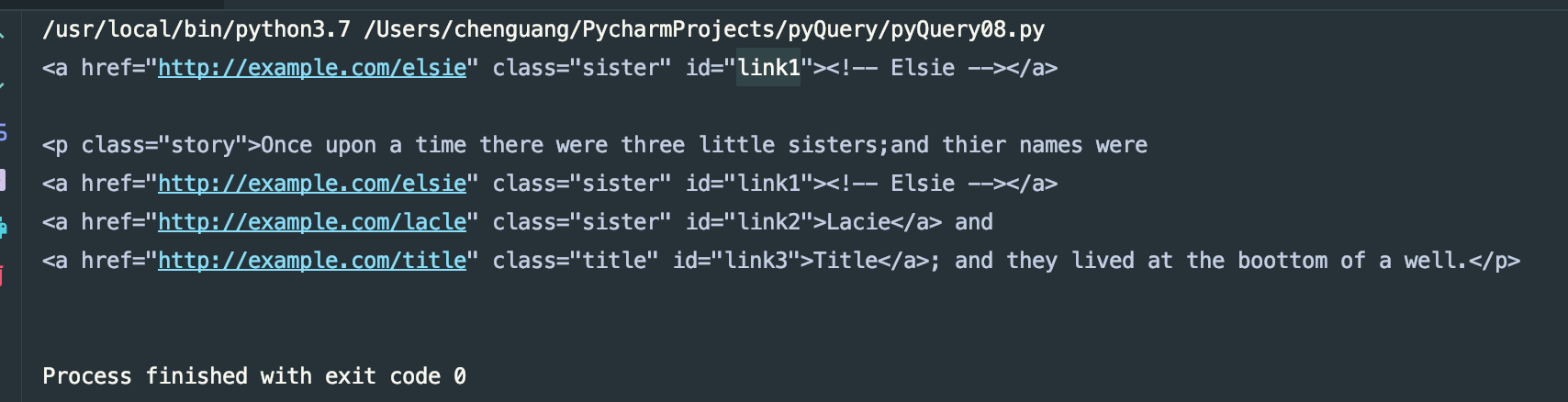
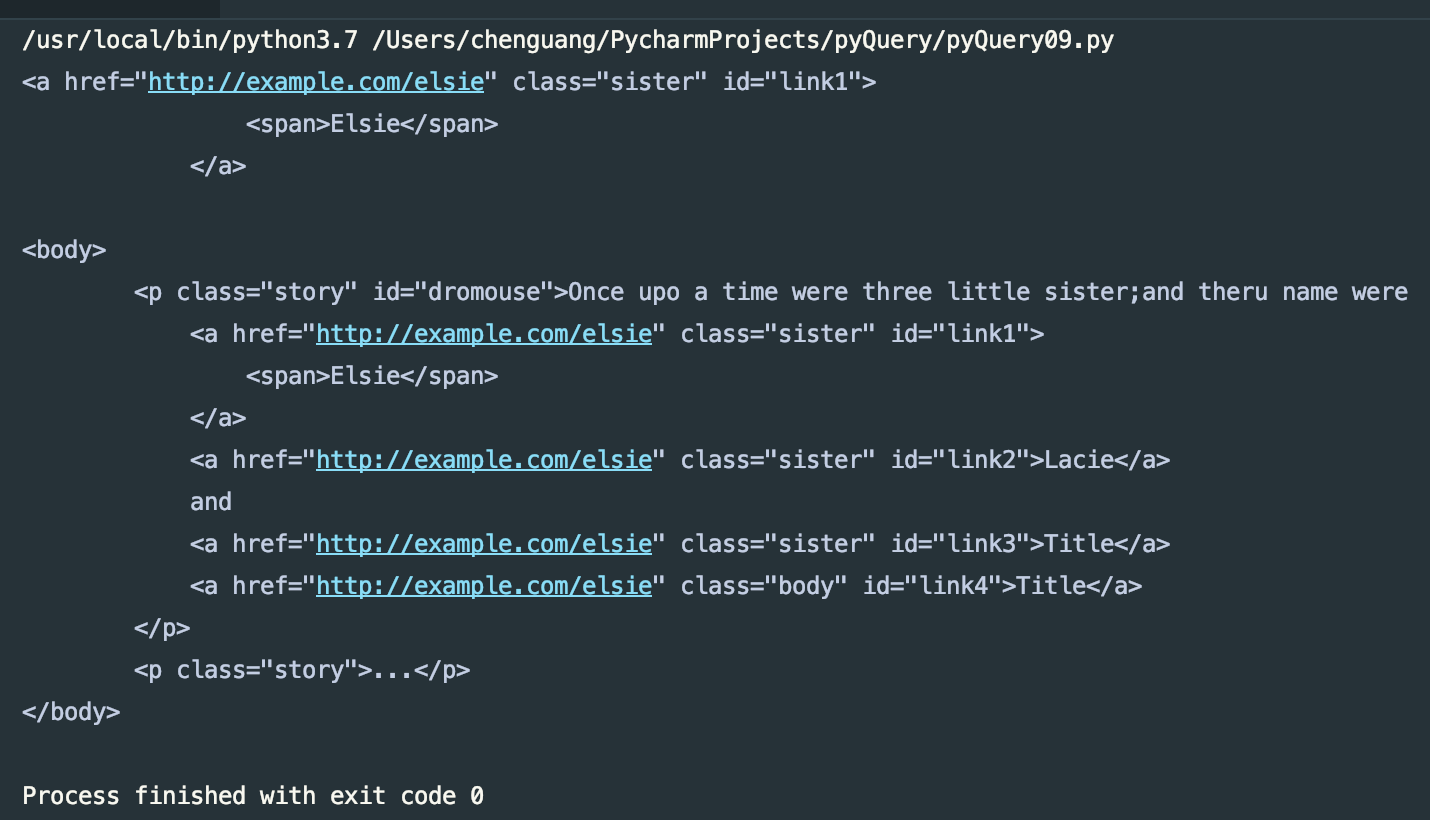
这里只输出一个父元素。这里我们用parents方法会给予我们返回所有父元素,祖先元素
#!/usr/bin/env python

# -*- coding: utf-8 -*-

# 祖先元素

html = """

<html>

    <head>

        <title>The Dormouse's story</title>

    </head>

    <body>

        <p class="story" id="dromouse">Once upo a time were three little sister;and theru name were

            <a href="http://example.com/elsie" class="sister" id="link1">

                <span>Elsie</span>

            </a>

            <a href="http://example.com/elsie" class="sister" id="link2">Lacie</a>

            and

            <a href="http://example.com/elsie" class="sister" id="link3">Title</a>

            <a href="http://example.com/elsie" class="body" id="link4">Title</a>

        </p>

        <p class="story">...</p>

"""

from pyquery import PyQuery as pq

doc = pq(html)

items = doc('#link1')

print(items)

print(items.parents('body'))
运行结果:
兄弟元素:
#!/usr/bin/env python

# -*- coding: utf-8 -*-

# 兄弟元素

html = """

<html>

    <head>

        <title>The Dormouse's story</title>

    </head>

    <body>

        <p class="story" id="dromouse">Once upo a time were three little sister;and theru name were

            <a href="http://example.com/elsie" class="sister" id="link1">

                <span>Elsie</span>

            </a>

            <a href="http://example.com/elsie" class="sister" id="link2">Lacie</a>

            and

            <a href="http://example.com/elsie" class="sister" id="link3">Title</a>

            <a href="http://example.com/elsie" class="body" id="link4">Title</a>

        </p>

        <p class="story">...</p>

"""

from pyquery import PyQuery as pq

doc = pq(html)

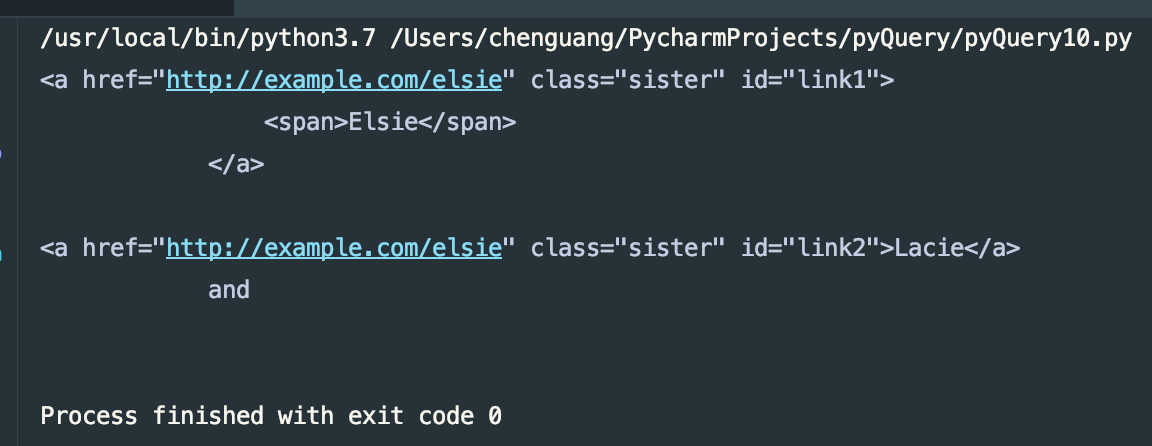
items = doc('#link1')

print(items)

print(items.siblings('#link2'))
运行结果:
上面就把查找元素的方法都说了,下面我来看一下如何遍历元素。
遍历
#!/usr/bin/env python

# -*- coding: utf-8 -*-

# 兄弟元素

html = """

<html>

    <head>

        <title>The Dormouse's story</title>

    </head>

    <body>

        <p class="story" id="dromouse">Once upo a time were three little sister;and theru name were

            <a href="http://example.com/elsie" class="sister" id="link1">

                <span>Elsie</span>

            </a>

            <a href="http://example.com/elsie" class="sister" id="link2">Lacie</a>

            and

            <a href="http://example.com/elsie" class="sister" id="link3">Title</a>

            <a href="http://example.com/elsie" class="body" id="link4">Title</a>

        </p>

        <p class="story">...</p>

"""

from pyquery import PyQuery as pq

doc = pq(html)

items = doc('a')

for k,v in enumerate(items.items()):

    print(k,v)
运行结果:

获取信息:
获取属性:
#!/usr/bin/env python

# -*- coding: utf-8 -*-

# 获取属性

html = """

<html>

    <head>

        <title>The Dormouse's story</title>

    </head>

    <body>

        <p class="story" id="dromouse">Once upo a time were three little sister;and theru name were

            <a href="http://example.com/elsie" class="sister" id="link1">

                <span>Elsie</span>

            </a>

            <a href="http://example.com/elsie" class="sister" id="link2">Lacie</a>

            and

            <a href="http://example.com/elsie" class="sister" id="link3">Title</a>

            <a href="http://example.com/elsie" class="body" id="link4">Title</a>

        </p>

        <p class="story">...</p>

"""

from pyquery import PyQuery as pq

doc = pq(html)

items = doc('a')

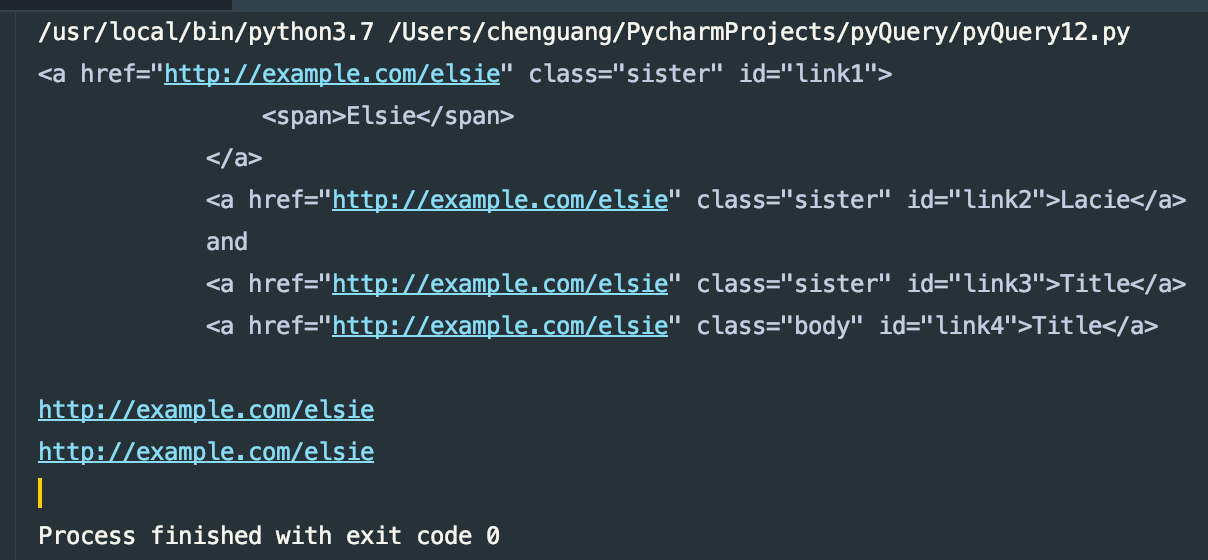
print(items)

print(items.attr('href'))

print(items.attr.href)
运行结果:
获得文本:
#!/usr/bin/env python

# -*- coding: utf-8 -*-

# 获取属性

html = """

<html>

    <head>

        <title>The Dormouse's story</title>

    </head>

    <body>

        <p class="story" id="dromouse">Once upo a time were three little sister;and theru name were

            <a href="http://example.com/elsie" class="sister" id="link1">

                <span>Elsie</span>

            </a>

            <a href="http://example.com/elsie" class="sister" id="link2">Lacie</a>

            and

            <a href="http://example.com/elsie" class="sister" id="link3">Title</a>

            <a href="http://example.com/elsie" class="body" id="link4">Title</a>

        </p>

        <p class="story">...</p>

"""

from pyquery import PyQuery as pq

doc = pq(html)

items = doc('a')

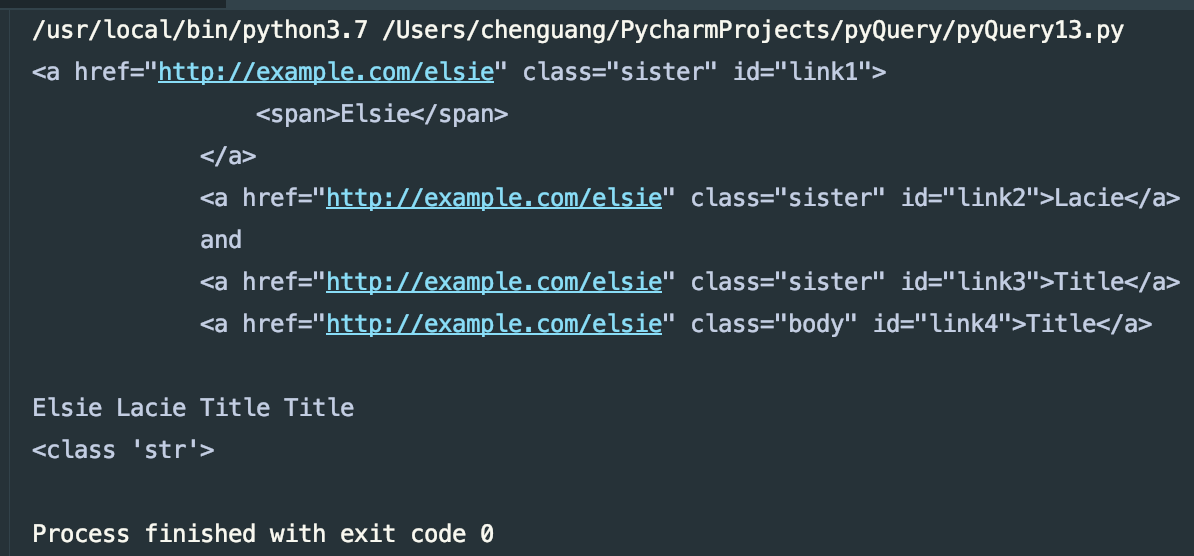
print(items)

print(items.text())

print(type(items.text()))
运行结果:
获得HTML:
#!/usr/bin/env python

# -*- coding: utf-8 -*-

# 获取属性

html = """

<html>

    <head>

        <title>The Dormouse's story</title>

    </head>

    <body>

        <p class="story" id="dromouse">Once upo a time were three little sister;and theru name were

            <a href="http://example.com/elsie" class="sister" id="link1">

                <span>Elsie</span>

            </a>

            <a href="http://example.com/elsie" class="sister" id="link2">Lacie</a>

            and

            <a href="http://example.com/elsie" class="sister" id="link3">Title</a>

            <a href="http://example.com/elsie" class="body" id="link4">Title</a>

        </p>

        <p class="story">...</p>

"""

from pyquery import PyQuery as pq

doc = pq(html)

items = doc('a')

print(items.html())
运行结果:

DOM操作:
addClass、removeClass
#!/usr/bin/env python

# -*- coding: utf-8 -*-

# DOM操作,addClass、removeClass

html = """

<html>

    <head>

        <title>The Dormouse's story</title>

    </head>

    <body>

        <p class="story" id="dromouse">Once upo a time were three little sister;and theru name were

            <a href="http://example.com/elsie" class="sister" id="link1">

                <span>Elsie</span>

            </a>

            <a href="http://example.com/elsie" class="sister" id="link2">Lacie</a>

            and

            <a href="http://example.com/elsie" class="sister" id="link3">Title</a>

            <a href="http://example.com/elsie" class="body" id="link4">Title</a>

        </p>

        <p class="story">...</p>

"""

from pyquery import PyQuery as pq

doc = pq(html)

items = doc('#link2')

print(items)

items.addClass('addStyle') # add_class

print(items)

items.remove_class('sister') # removeClass

print(items)
运行结果:

attr、css:
#!/usr/bin/env python

# -*- coding: utf-8 -*-

# DOM操作,attr,css

html = """

<html>

    <head>

        <title>The Dormouse's story</title>

    </head>

    <body>

        <p class="story" id="dromouse">Once upo a time were three little sister;and theru name were

            <a href="http://example.com/elsie" class="sister" id="link1">

                <span>Elsie</span>

            </a>

            <a href="http://example.com/elsie" class="sister" id="link2">Lacie</a>

            and

            <a href="http://example.com/elsie" class="sister" id="link3">Title</a>

            <a href="http://example.com/elsie" class="body" id="link4">Title</a>

        </p>

        <p class="story">...</p>

"""

from pyquery import PyQuery as pq

doc = pq(html)

items = doc('#link2')

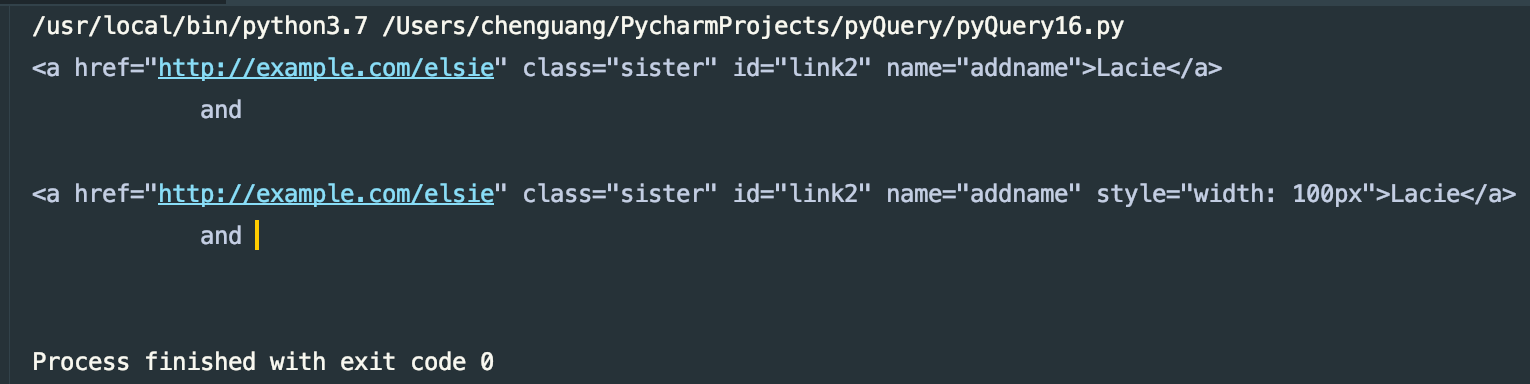
items.attr('name','addname')

print(items)

items.css('width','100px')

print(items)
可以给予新的属性,如果原来有该属性,会覆盖掉原有的属性
运行结果:
remove:
#!/usr/bin/env python

# -*- coding: utf-8 -*-

# DOM操作,remove

html = """

<div class="wrap">

    Hello World

    <p>This is a paragraph.</p>

</div>

"""

from pyquery import PyQuery as pq

doc = pq(html)

wrap = doc('.wrap')

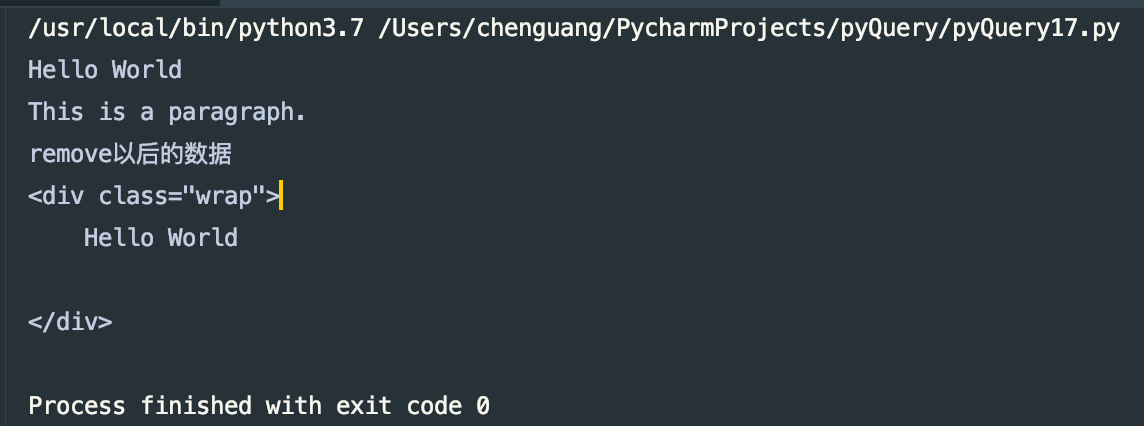
print(wrap.text())

wrap.find('p').remove()

print("remove以后的数据")

print(wrap)
运行结果:
还有很多其他的DOM方法,想了解更多的小伙伴可以阅读其官方文档,地址:https://pyquery.readthedocs.io/en/latest/api.html
伪类选择器:
#!/usr/bin/env python

# -*- coding: utf-8 -*-

# DOM操作,伪类选择器

html = """

<html>

    <head>

        <title>The Dormouse's story</title>

    </head>

    <body>

        <p class="story" id="dromouse">Once upo a time were three little sister;and theru name were

            <a href="http://example.com/elsie" class="sister" id="link1">

                <span>Elsie</span>

            </a>

            <a href="http://example.com/elsie" class="sister" id="link2">Lacie</a>

            and

            <a href="http://example.com/elsie" class="sister" id="link3">Title</a>

            <a href="http://example.com/elsie" class="body" id="link4">Title</a>

        </p>

        <p class="story">...</p>

"""

from pyquery import PyQuery as pq

doc = pq(html)

# print(doc)

wrap = doc('a:first-child') # 第一个标签

print(wrap)

wrap = doc('a:last-child')  # 最后一个标签

print(wrap)

wrap = doc('a:nth-child(2)') # 第二个标签

print(wrap)

wrap = doc('a:gt(2)') # 比2大的索引 标签  即为  0 1 2 3 4 从0开始的  不是1

print(wrap)

wrap = doc('a:nth-child(2n)') # 第 2的整数倍 个标签

print(wrap)

wrap = doc('a:contains(Lacie)') # 包含Lacie文本的标签

print(wrap)
这里不在详细的一一列举了,了解更多CSS选择器可以查看官方文档,由W3C提供地址:http://www.w3school.com.cn/css/index.asp
到这里我们就把pyQuery的使用方法大致的说完了,想了解更多,更详细的可以阅读官方文档,地址:https://pyquery.readthedocs.io/en/latest/
上述代码地址:https://gitee.com/dwyui/pyQuery.git
感谢大家的阅读,不正确的地方,还希望大家来斧正,鞠躬,谢谢
python爬虫---从零开始(五)pyQuery库的更多相关文章
- PYTHON 爬虫笔记六:PyQuery库基础用法
知识点一:PyQuery库详解及其基本使用 初始化 字符串初始化 html = ''' <div> <ul> <li class="item-0"&g ...
- PYTHON 爬虫笔记五:BeautifulSoup库基础用法
知识点一:BeautifulSoup库详解及其基本使用方法 什么是BeautifulSoup 灵活又方便的网页解析库,处理高效,支持多种解析器.利用它不用编写正则表达式即可方便实现网页信息的提取库. ...
- Python爬虫进阶五之多线程的用法
前言 我们之前写的爬虫都是单个线程的?这怎么够?一旦一个地方卡到不动了,那不就永远等待下去了?为此我们可以使用多线程或者多进程来处理. 首先声明一点! 多线程和多进程是不一样的!一个是 thread ...
- python爬虫之re正则表达式库
python爬虫之re正则表达式库 正则表达式是用来简洁表达一组字符串的表达式. 编译:将符合正则表达式语法的字符串转换成正则表达式特征 操作符 说明 实例 . 表示任何单个字符 [ ] 字符集,对单 ...
- Python爬虫实战五之模拟登录淘宝并获取所有订单
经过多次尝试,模拟登录淘宝终于成功了,实在是不容易,淘宝的登录加密和验证太复杂了,煞费苦心,在此写出来和大家一起分享,希望大家支持. 温馨提示 更新时间,2016-02-01,现在淘宝换成了滑块验证了 ...
- Python爬虫入门五之URLError异常处理
大家好,本节在这里主要说的是URLError还有HTTPError,以及对它们的一些处理. 1.URLError 首先解释下URLError可能产生的原因: 网络无连接,即本机无法上网 连接不到特定的 ...
- Python爬虫--- 1.1请求库的安装与使用
来说先说爬虫的原理:爬虫本质上是模拟人浏览信息的过程,只不过他通过计算机来达到快速抓取筛选信息的目的所以我们想要写一个爬虫,最基本的就是要将我们需要抓取信息的网页原原本本的抓取下来.这个时候就要用到请 ...
- 转 Python爬虫入门五之URLError异常处理
静觅 » Python爬虫入门五之URLError异常处理 1.URLError 首先解释下URLError可能产生的原因: 网络无连接,即本机无法上网 连接不到特定的服务器 服务器不存在 在代码中, ...
- python爬虫---从零开始(四)BeautifulSoup库
BeautifulSoup是什么? BeautifulSoup是一个网页解析库,相比urllib.Requests要更加灵活和方便,处理高校,支持多种解析器. 利用它不用编写正则表达式即可方便地实现网 ...
- python爬虫知识点总结(一)库的安装
环境要求: 1.编程语言版本python3: 2.系统:win10; 3.浏览器:Chrome68.0.3440.75:(如果不是最新版有可能影响到程序执行) 4.chromedriver2.41 注 ...
随机推荐
- 【215】◀▶ IDL 文件操作说明 (黑底)
参考:I/O - General File Access Routines —— 基本文件操作函数 01 CD 修改当前的工作空间路径. 02 FILE_SEARCH 对文件名进行特定的查找. ...
- 6-12 SVM小结
介绍了SVM的概念以及如何利用SVM进行一个身高体重的训练和预测.如果类别比较简单的话,那么在二维空间上它有可能就是一条直线.如果类别比较复杂,那么投影到高维空间上它就是一个超平面.所以SVM的本质它 ...
- 斯坦福CS231n—深度学习与计算机视觉----学习笔记 课时2
课时2 计算机视觉历史回顾与介绍中 1966年是计算机视觉的诞生年. 视觉处理流程的第一步,是对简单的形状结构处理,边缘排列. 边缘决定了结构. David Marr写了一本非常有影响力的书,视觉是分 ...
- Codeforces Round #408 (Div. 2) C.Bank Hacking(二分)
传送门 题意 给出n个银行,银行之间总共有n-1条边,定义i与j有边相连为neighboring,i到j,j到k有边,则定义i到k的关系为semi- neighboring, 每家银行hack的难度为 ...
- 国产spfa瞎几把嗨
//在各种不利的因素下,我居然就这么水过了这题最短路,然而还wa了一次,因为路是双向的... //这题姿势很多啊,但自从会了国产spfa就是最短路能搞的就是spfa,优点太多了!!! //也是瞎几把打 ...
- 自定义层or网络
目录 Outline keras.Sequential Layer/Model MyDense MyModel Outline keras.Sequential keras.layers.Layer ...
- (九)SpringBoot整合redis框架
二:添加Redis依赖 <dependency> <groupId>org.springframework.boot</groupId> <artifactI ...
- hdu1598 find the most comfortable road 枚举+最小生成树
#include<cstdio> #include<cstring> #include<algorithm> #define MAXN 210 #define IN ...
- UWP 实现分享功能
一:需求 实现点击分享按钮,分享内容到微博,邮箱等.. like this 二:DataTransferManager 数据传输管理类 DataTransferManager dataTransfer ...
- Lucky Array Codeforces - 121E && Bear and Bad Powers of 42 Codeforces - 679E
http://codeforces.com/contest/121/problem/E 话说这题貌似暴力可A啊... 正解是想出来了,结果重构代码,调了不知道多久才A 错误记录: 1.线段树搞混num ...