
023_System Integrity Protection in macos
背景:之前写的在/usr/bin下的一个登陆线上脚本,由于使用timemachine还原了系统,发现怎么也修改不了,加sudo也不行.

后来查询才得知系统默认开启了"系统集成保护",下面介绍如何关闭/开启。如下图所示我的电脑是开启"系统集成保护的"
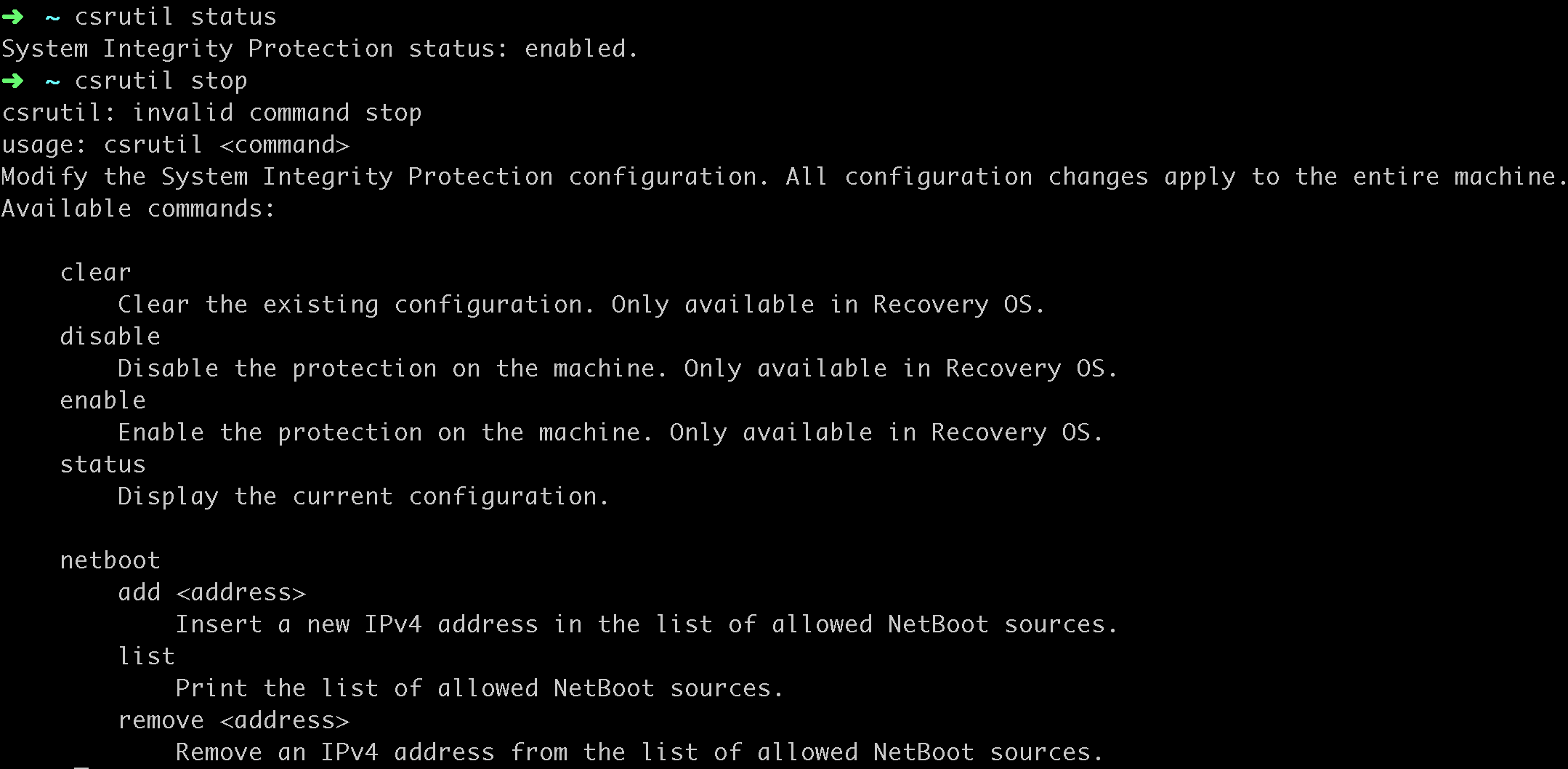
一、关闭mac的system-integrity-protect设置
1.点击mac左上角的mac图标,重启mac
2.按住command+R直到出现苹果图标
3.选择如下图的utilities -> terminal
4.输入命令"csrutil disable"即可.

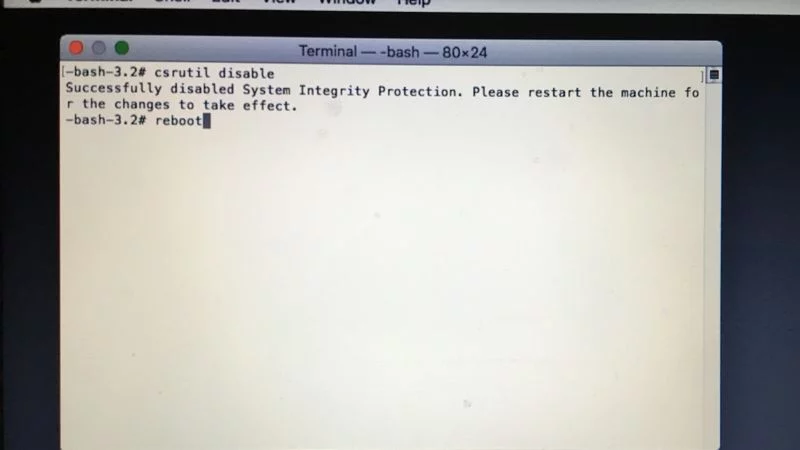
二、开启mac的system-integrity-protect设置
1-3同步骤一,只需要在恢复模式"csrutil enable"即可开启.
Reference:
023_System Integrity Protection in macos的更多相关文章
- MacOS changed System Integrity Protection status
禁止 System Integrity Protection 按住 command + R 重启系统 进入单用户模式 启动bash工具: 输入: csrutil disable 输入:reboot 启 ...
- How to Disable System Integrity Protection (rootless) in OS X El Capitan
mac在10.11之后增加了一个功能,号称"System Integrity Protection, often called rootless",有了这个功能,以下目录的东西都不 ...
- Mac OS X El Capitan系统完整性保护System Integrity Protection (SIP)
http://blog.csdn.net/yulimin/article/details/49992031 引言:前段时间经历了XCode编译器代码被注入的事件后,这次 Mac OS X El Cap ...
- 如何关闭OSX 10.11 SIP (System Integrity Protection)
http://www.jianshu.com/p/0572336a0771 注意:SIP功能是Apple在OSX上推出的系统完整性保护功能,对于普通MAC用户来说是一项安全保护功能,如果不了解他的作用 ...
- 关闭 OSX 10.11 SIP (System Integrity Protection) 功能
关闭 OSX 10.11 SIP (System Integrity Protection) 功能 来源 https://cms.35g.tw/coding/%E9%97%9C%E9%96%89-os ...
- mac 关闭系统完整性保护 SIP(System Integrity Protection)的方法
在 OS X El Capitan 中有一个跟安全相关的模式叫 SIP(System Integrity Protection ) ,它禁止让软件以 root 身份来在 mac 上运行,并且对于目录 ...
- 在macOS Sierra 10.12搭建PHP开发环境
macOS Sierra 11.12 已经帮我们预装了 Ruby.PHP(5.6).Perl.Python 等常用的脚本语言,以及 Apache HTTP 服务器.由于 nginx 既能作为 HTTP ...
- vm15安装MACOS
VMWare15 安装 Mac OS 系统文章目录VMWare15 安装 Mac OS 系统安装环境工具准备准备工作MAC虚拟机设置启动MAC前准备工作安装系统安装VMware Tool注意事项参考链 ...
- macOS SIP 权限设置
1.macOS SIP 权限设置 对于 macOS 10.11+ 用户,由于系统启用了 SIP(System Integrity Protection), 导致 root 用户也没有权限修改 /usr ...
随机推荐
- Hyperscan-5.1.0 安装
安装依赖ragel ragel源码下载地址 编译安装 $ tar -xvf ragel-6.10.tar.gz $ cd ragel-6.10 $ ./configure $ make $ sudo ...
- PHP 面试知识点整理归纳
基础篇了解大部分数组处理函数 array_chunk — 将一个数组分割成多个 array_column — 返回数组中指定的一列 array_combine — 创建一个数组,用一个数组 ...
- mysql和mariadb备份工具xtrabackup和mariabackup(mariadb上版本必须用这个)
简介 xtraBackup(PXB) 工具是 Percona 公司用 perl 语言开发的一个用于 MySQL 数据库物理热备的备份工具,支持 MySQl(Oracle).Percona Server ...
- Iterator和Enumeration的区别
从源码可以看出,Iterator除了能读取集合的数据之外,也能数据进行删除操作:而Enumeration只能读取集合的数据,而不能对数据进行修改. Iterator支持fail-fast机制,而Enu ...
- C++编程音视频库ffmpeg的pts时间换算方法
ffmpeg中的pts,dts,duration时间记录都是基于timebase换算,我们主要分析下pts的时间怎么换算,其它的是一样的换算.ffmpeg的时间换算对许多新接触同学算是一个大坑,很多刚 ...
- HDU 4547 CD操作
传送门 没啥好说的.就是一个LCA. 不过就是有从根到子树里任意一个节点只需要一次操作,特判一下LCA是不是等于v.相等的话不用走.否则就是1次操作. 主要是想写一下倍增的板子. 倍增基于二进制.暴力 ...
- Retrofit原理
Retrofit原理解析最简洁的思路 Retrofit 工作原理总结 从架构角度看Retrofit的作用.原理和启示 Retrofit主要是在create方法中采用动态代理模式实现接口方法:这个过程构 ...
- pycharm中查找一个对象在哪里被引用
pycharm中查找一个对象在哪里被引用 2018年10月28日 19:22:20 vivian_wanjin 阅读数:1600 PyCharm的Find Usages功能可以查找某个对象(变量. ...
- MySQL——修改用户密码 | 移除权限
修改用户密码 '; 移除权限 REVOKE Delete, Drop ON *.* FROM `root`@`localhost`; 权限列表
- rnn_model.fit Incompatible shapes
pip3 install git+https://github.com/keras-team/keras.git -U Restart notebook