
Python学习之turtle绘图篇
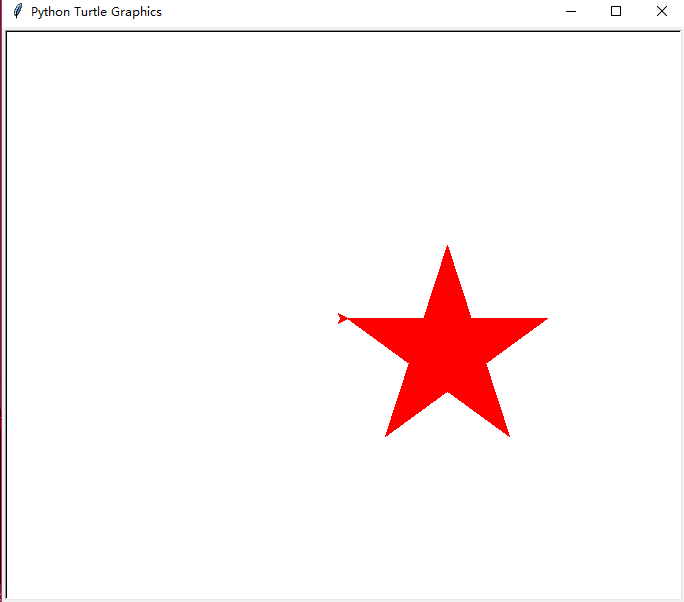
画一个红色的五角星
from turtle import *

color('red','red')

begin_fill()

for i in range(5):

    fd(200)

    rt(144)

end_fill()

done()
效果图:
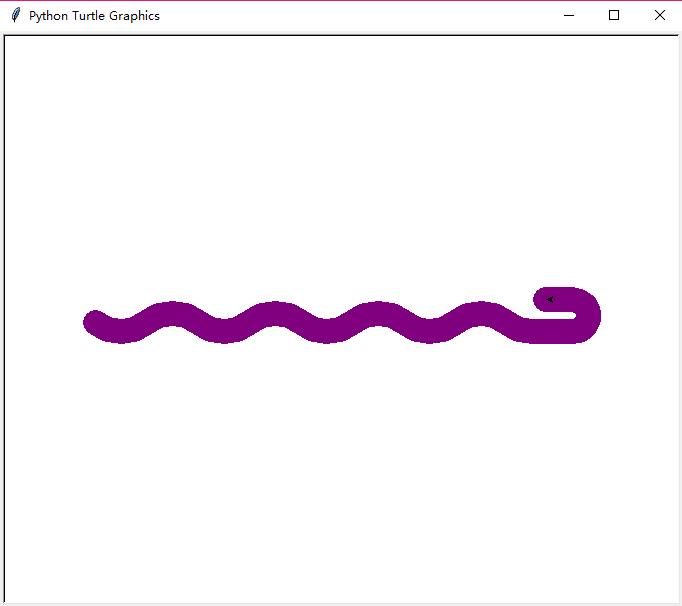
画一条蟒蛇
#PythonDraw.py

import turtle

#turtle.setup(650,350,200,200)

turtle.penup()

turtle.fd(-250)

turtle.pendown()

turtle.pensize(25)

turtle.pencolor("purple")

turtle.seth(-40)

for i in range(4):

    turtle.circle(40,80)

    turtle.circle(-40,80)

turtle.circle(40,80/2)

turtle.fd(40)

turtle.circle(16,180)

turtle.fd(40*2/3)
效果图:
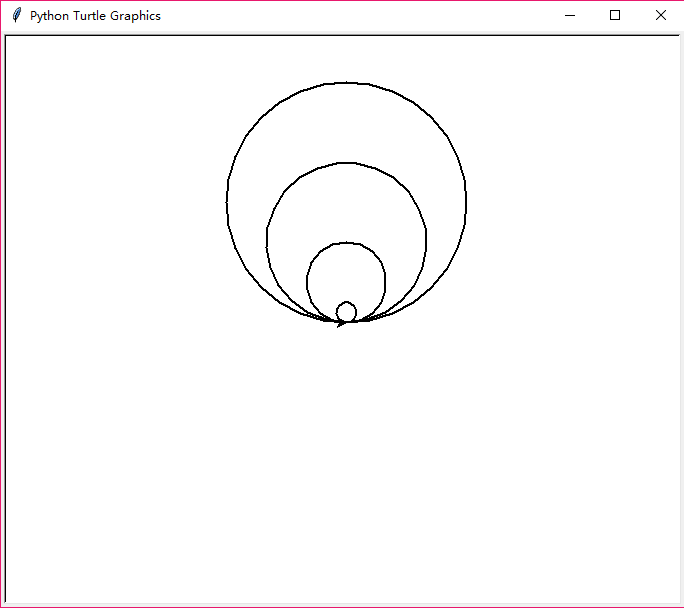
画一组内切圆
import turtle

turtle.pensize(2)

turtle.circle(10)

turtle.circle(40)

turtle.circle(80)

turtle.circle(120)
效果图:
画一个社会人小猪佩奇,代码是借鉴某位大佬的
from turtle import *

def nose(x,y):

    pu()

    goto(x,y)

    pd()

    seth(-30)

    begin_fill()

    a=0.4

    for i in range(120):

        if 0<=i<30 or 60<=i<90:

            a=a+0.08

            lt(3)

            fd(a)

        else:

            a=a-0.08

            lt(3)

            fd(a)

    end_fill()

    pu()

    seth(90)

    fd(25)

    seth(0)

    fd(10)

    pd()

    pencolor(255,155,192)

    seth(10)

    begin_fill()

    circle(5)

    color(160,82,45)

    end_fill()

    pu()

    seth(0)

    fd(20)

    pd()

    pencolor(255,155,192)

    seth(10)

    begin_fill()

    circle(5)

    color(160,82,45)

    end_fill()

def head(x,y):

    color((255,155,192),"pink")

    pu()

    goto(x,y)

    seth(0)

    pd()

    begin_fill()

    seth(180)

    circle(300,-30)

    circle(100,-60)

    circle(80,-100)

    circle(150,-20)

    circle(60,-95)

    seth(161)

    circle(-300,15)

    pu()

    goto(-100,100)

    pd()

    seth(-30)

    a=0.4

    for i in range(60):

        if 0<=i<30 or 60<=i<90:

            a=a+0.08

            lt(3)

            fd(a)

        else:

            a=a-0.08

            lt(3)

            fd(a)

    end_fill()

def ears(x,y):

    color((255,155,192),"pink")

    pu()

    goto(x,y)

    pd()

    begin_fill()

    seth(100)

    circle(-50,50)

    circle(-10,120)

    circle(-50,54)

    end_fill()

    pu()

    seth(90)

    fd(-12)

    seth(0)

    fd(30)

    pd()

    begin_fill()

    seth(100)

    circle(-50,50)

    circle(-10,120)

    circle(-50,56)

    end_fill()

def eyes(x,y):

    color((255,155,192),"white")

    pu()

    seth(90)

    fd(-20)

    seth(0)

    fd(-95)

    pd()

    begin_fill()

    circle(15)

    end_fill()

    color("black")

    pu()

    seth(90)

    fd(12)

    seth(0)

    fd(-3)

    pd()

    begin_fill()

    circle(3)

    end_fill()

    color((255,155,192),"white")

    pu()

    seth(90)

    fd(-25)

    seth(0)

    fd(40)

    pd()

    begin_fill()

    circle(15)

    end_fill()

    color("black")

    pu()

    seth(90)

    fd(12)

    seth(0)

    fd(-3)

    pd()

    begin_fill()

    circle(3)

    end_fill()

def cheek(x,y):

    color((255,155,192))

    pu()

    goto(x,y)

    pd()

    seth(0)

    begin_fill()

    circle(30)

    end_fill()

def mouth(x,y):

    color(239,69,19)

    pu()

    goto(x,y)

    pd()

    seth(-80)

    circle(30,40)

    circle(40,80)

def body(x,y):

    color("red",(255,99,71))

    pu()

    goto(x,y)

    pd()

    begin_fill()

    seth(-130)

    circle(100,10)

    circle(300,30)

    seth(0)

    fd(230)

    seth(90)

    circle(300,30)

    circle(100,3)

    color((255,155,192),(255,100,100))

    seth(-135)

    circle(-80,63)

    circle(-150,24)

    end_fill()

def hands(x,y):

    color((255,155,192))

    pu()

    goto(x,y)

    pd()

    seth(-160)

    circle(300,15)

    pu()

    seth(90)

    fd(15)

    seth(0)

    fd(0)

    pd()

    seth(-10)

    circle(-20,90)

    pu()

    seth(90)

    fd(30)

    seth(0)

    fd(237)

    pd()

    seth(-20)

    circle(-300,15)

    pu()

    seth(90)

    fd(20)

    seth(0)

    fd(0)

    pd()

    seth(-170)

    circle(20,90)

def foot(x,y):

    pensize(10)

    color((240,128,128))

    pu()

    goto(x,y)

    pd()

    seth(-90)

    fd(40)

    seth(-180)

    color("black")

    pensize(15)

    fd(20)

    pensize(10)

    color((240,128,128))

    pu()

    seth(90)

    fd(40)

    seth(0)

    fd(90)

    pd()

    seth(-90)

    fd(40)

    seth(-180)

    color("black")

    pensize(15)

    fd(20)

def tail(x,y):

    pensize(4)

    color((255,155,192))

    pu()

    goto(x,y)

    pd()

    seth(0)

    circle(70,20)

    circle(10,330)

    circle(70,30)

def setting():

    pensize(4)

    hideturtle()

    colormode(255)

    color((255,155,192),"pink")

    setup(840,500)

    speed(10)

def main():

    setting()

    nose(-100,100)

    head(-69,167)

    ears(0,160)

    eyes(0,140)

    cheek(80,10)

    mouth(-20,30)

    body(-32,-8)

    hands(-56,-45)

    foot(2,-177)

    tail(148,-155)

    done()

main()
效果极佳:

简单总结一下好了,其实turtle库还是非常有用的,以后可以画张很有创意的图片去表白女神了,讲不好那天就用上了呢:
显示器和turtle窗体的左上角都是原点
turtle.setup(width,height,startx,starty)设置窗体大小及位置,后面两个参数可选,非必需
空间坐标:绝对坐标:右方向x轴,上方向为y轴,正中心为原点,turtle.goto(x,y)让在任何位置的海龟到达指定的位置
海龟坐标:turtle.fd(d)海龟向前行多少像素
turtle.bk(d)向海龟的反方向运行
turtle.circle(r,angle)以海龟左边的某一点为圆心进行曲线运行
角度坐标:绝对角度:turtle.seth(angle)angle为绝对度数,表示改变海龟的运行方向
海龟角度:turtle.right(angle),turtle.left(angle)改变海龟的运行方向
RGB体系:turtle.colormode(mode)mode=1.0则改用0和1表示,mode=255则改用255和0表示,默认为小数
库引用:import <库名>,from <库名> import *或者from <库名> import <函数名>,import <库名> as <库别名>
画笔控制函数:turtle.penup()别名:turtle.pu()抬起画笔,turtle.pendown()别名:turtle.pd()落下画笔,turtle.pensize(width)别名:turtle.width(width)设置画笔宽度,turtle.pencolor(color)设置画笔颜色,color有三种方式,颜色字符串,或者RGB小数值,或者RGB元组值,例如:turtle.pencolor((0.63,0.13,0.94))
运动控制函数:turtle.circle(r,angle),r(海龟左方向)表示半径,angle表示绘制的角度,默认是360度
方向控制函数:turtle.seth(angle)改变海龟的行进方向,顺时针转向
Python学习之turtle绘图篇的更多相关文章
- Python学习笔记之基础篇(-)python介绍与安装
Python学习笔记之基础篇(-)初识python Python的理念:崇尚优美.清晰.简单,是一个优秀并广泛使用的语言. python的历史: 1989年,为了打发圣诞节假期,作者Guido开始写P ...
- Python学习总结之一 -- 基础篇
Python学习第一篇 一:写在前面 啊,最近我的新博客一直都没有更新学习内容了,只是最近一直都在忙着寻找实习机会(或许这只是一个借口,真实原因是我太懒惰了,改改改!).终于今天又投递了几个新的实习职 ...
- python 学习分享-装饰器篇
本篇内容为偷窃的~哈哈,借用一下,我就是放在自己这里好看. 引用地址:http://www.cnblogs.com/rhcad/archive/2011/12/21/2295507.html 第一步: ...
- Python学习【第五篇】:面向对象及相关
面向对象基础 基础内容介绍详见一下两篇博文: 面向对象初级篇 面向对象进阶篇 其他相关 一.isinstance(obj, cls) 检查是否obj是否是类 cls 的对象 1 2 3 4 5 6 c ...
- Python学习之turtle库和蟒蛇绘制程序
Python的函数库 Python语言与C语言Java类似,可以大量使用外部函数库包含在安装包中的函数库:. 比如math, random, turtle等其他函数库,其他函数库用户根据代码需求自行安 ...
- python学习之路入门篇
本文是up学习python过程中遇到的一些问题及总结归纳,本小节是入门篇. python基本语法 循环.分支不多赘述. 模块:一个.py文件就是一个模块. 文件和异常 模式 含义解释 “r” 读模式 ...
- Python学习【第十一篇】模块(1)
模块 模块让你能够有逻辑地组织你的Python代码段. 把相关的代码分配到一个模块里能让你的代码更好用,更易懂. 模块也是Python对象,具有随机的名字属性用来绑定或引用. 简单地说,模块就是一个保 ...
- Python学习【第四篇】用户输入及判断
用户输入: 例1.写一个用户输入密码的小程序,流程如下: 1.用户输入自己的用户名 2.打印"Hello+用户名" #!/usr/bin/env python #name = ra ...
- 初学者的python学习笔记1——作业篇
既然是学习,作业必不可少,其实在看后面讲思路之前还是感觉自己写的不错,但是和后面一对比,感觉实在是想的太片面太肤浅了,还需要太多太多改进的地方. 首先放一下作业要求. 最开始做的时候真的是完全按照字面 ...
随机推荐
- java学习笔记之原型模式及深浅拷贝
一.原型模式的基本介绍 在聊原型模式之前,我们来思考一个小问题,传统的方式我们是如何克隆对象呢? 那我们以多利羊(Sheep)为例,来说明上述这个问题,具体代码见下面: 多利羊(Sheep) publ ...
- nexus 启用ldap认证
使用自己搭建的openldap 使用用户中心的openldap 修改完后,重启服务 # cd /opt/sonarqube-6.7.3/bin/linux-x86-64/ && ./s ...
- Java IO流基础总结
前言 好久不用Java的IO流,把好多的基础知识都忘了,昨天在写一段代码,发现好多细节都忘了.那天在组织组内代码评审的时候,发现有人在乱用IO流相关的类,所以还是写篇文章,把这个知识点总结一下. IO ...
- Appium自动化(9) - appium元素定位的快速入门
如果你还想从头学起Appium,可以看看这个系列的文章哦! https://www.cnblogs.com/poloyy/category/1693896.html 快速入门栗子:boss直聘 app ...
- 微信小程序入门知识点总结
微信小程序入门知识点总结 前情介绍 微信小程序就不多介绍了,我们想要开发微信小程序首先得到微信公众平台 下方的小程序处注册相关账号并登录,接着填写小程序相关资料.在设置处可找到AppID用以开发微 ...
- iscroll在谷歌浏览器中bug
https://segmentfault.com/q/1010000008489619 iscroll 在安卓app嵌套html页面时,导致列表页滑动不起来,并且在chorme浏览器中使用手机模式,也 ...
- Smarty模板引擎原理概述
smarty(模板引擎,模板技术) 使用smarty主要是为了实现逻辑和外在内容的分离: 特点: 1.速度快(因为第二次执行的时候使用第一次执行时生成的编译文件) 2.缓存技术(正是因为缓存技术,使得 ...
- Istio Sidecar注入原理
概念 简单来说,Sidecar 注入会将额外容器的配置添加到 Pod 模板中.这里特指将Envoy容器注应用所在Pod中. Istio 服务网格目前所需的容器有: istio-init 用于设置 ip ...
- JS 写逻辑判断,不要只知道用 if-else 和 switch
我们在编写 JS 代码时,经常会遇到逻辑判断复杂的情况.一般情况下,可以用 if/else 或 switch 来实现多个条件判断,但会出现一个问题:随着逻辑复杂度的增加,代码中的 if/else 和 ...
- Python 每日一练(3)
引言 今天的每日一练,学习了一下用Python生成四位的图像验证码,就是我们常常在登录时见到的那种(#`O′) 思路分析 正如常见的那种图像验证码,它是由数字和字母的随机组合产生的,所以我们首先的第一 ...