
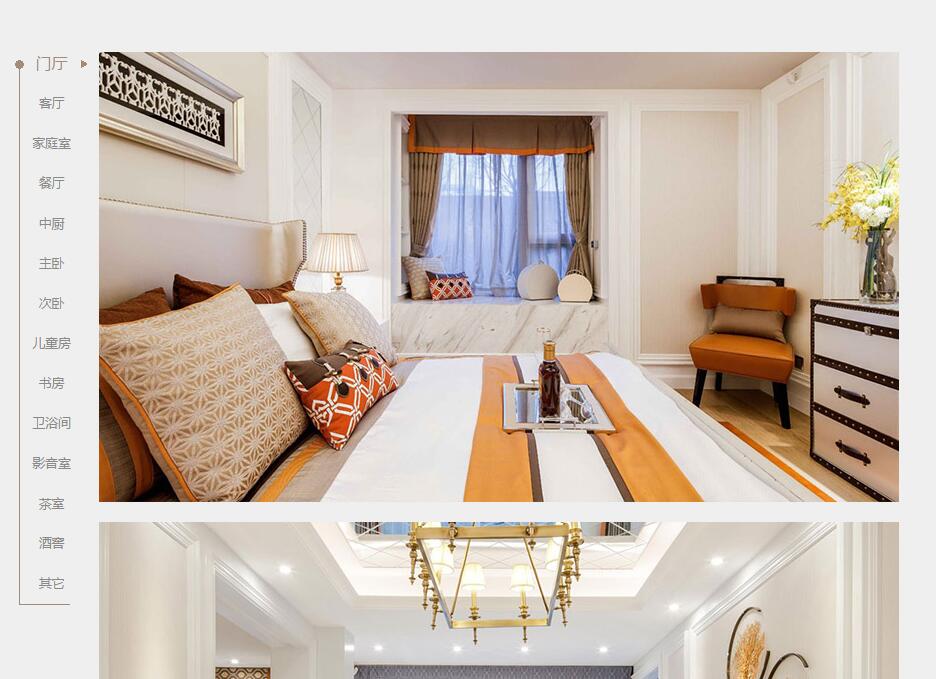
jquery 滚轴滚动 导航定位和锚点定位
自己写的,只测试了ie9+, firefox,chrome
以下js更好
    var fixbar={

      init:function(){

        "use strict";

        // 滚轴 导航位置变化

        var that=this;

        this._navbar=$("#navbar");

        this._navbody=$("#navbody");

        this._navbodyTop=this._navbody.offset().top; //导航目标标签 距离页面顶部高度

        console.log(this._navbodyTop+"====")

        this._navbarH=this._navbar.outerHeight(); //导航高度

        this._navbodyH=this._navbarH;// 给内容默认导航的高度

        this._navbodyBottom=this._navbodyTop; //内容页的最底端距离页面顶部高度

        this._navbodyBottomFix=this._navbodyTop; //内容页的最底端距离页面顶部高度 - 导航的高度

        this._navbarTop=0; //导航 距离内容页顶部的高度

        this._imgh=[]; //内容页 图片距离页面顶部的高度

        // this._lastimg= this._navbody.find("img:last-child");

        // if(this._lastimg[0].complete){console.log(1); //ie使用

        //   this.setH();

        // }else{   console.log(0);

          // this._lastimg.load(function(){  that.setH();});

          $(window).load(function(){  that.setH();});

          // this.scrollGoto();

        // }

        this.linkhref();

        $(window).scroll(function() {

            that.scrollGoto();

        });

      },

      setH:function(){

          //导航定位

          this._navbodyH=this._navbody.outerHeight();

          this._navbodyBottom=this._navbodyTop+this._navbodyH;

          this._navbodyBottomFix=this._navbodyTop+this._navbodyH-this._navbarH;

          this._navbarTop=this._navbodyH-this._navbarH-10;

          // 导航锚点定位

          var that=this;

          this._navbody.find("img").each(function(){

              that._imgh.push($(this).offset().top-100);

          });

          this.scrollGoto();

      },

      scrollGoto:function(){

          this._scrollT=$(window).scrollTop();

          if(this._scrollT>this._navbodyTop){

            //修改导航位置

            if(this._scrollT<this._navbodyBottomFix){

              this._navbar.addClass("fixed").removeAttr("style");

            }else{

              this._navbar.removeClass("fixed").css({"margin-top":this._navbarTop+"px"});

            }

            //修改导航锚点样式

            if(this._scrollT<this._navbodyBottom){

              var lii=0;

              for(var i=0;i<this._imgh.length;i++){

                if(this._imgh[i]<this._scrollT){

                  lii=i;

                }else{

                  break;

                }

              }

              this._navbar.find("li").eq(lii).addClass("on").siblings("li").removeClass("on");

            }

          }else{

            this._navbar.removeClass("fixed").removeAttr("style");

            this._navbar.find("li").eq(0).addClass("on").siblings("li").removeClass("on");

          }

      },

      linkhref:function(){

        //点击跳转

        var that=this;

        this._navbar.find("li").click(function(){

          // var thisli=$(this);

          this._gotoTop=that._navbody.find("img[data-loc="+$(this).attr("data-href")+"]").offset().top;

          if(undefined!=this._gotoTop){

            // $(window).scrollTop(gotoTop,5000);

            $(this).addClass("on").siblings("li").removeClass("on");

            $('html,body').animate({scrollTop:this._gotoTop+"px"},500);

          }

        });

      }

    }

    $(function(){

       fixbar.init();

    })
缺点:1.未封装的方法 2.点击最后一个li导航时,定位到倒数li导航会定位到倒数第二个去
    $(function (){

      "use strict";

        //左侧导航 start

        // 滚轴 导航位置变化

        var $navbar=$("#navbar"), $navbody=$("#navbody");

        var navbodyTop=$navbody.offset().top; //导航目标标签 距离页面顶部高度

        var navbarH=$navbar.outerHeight(); //导航高度

        var navbodyH=navbarH;// 给内容默认导航的高度

        var navbodyBottom=0; //内容页的最底端距离页面顶部高度

        var navbodyBottomFix=0; //内容页的最底端距离页面顶部高度 - 导航的高度

        var navbarTop=0; //导航 距离内容页顶部的高度

        var imgh=[]; //内容页 图片距离页面顶部的高度

        var $lastimg= $navbody.find("img:last-child");

        if($lastimg[0].complete){console.log(1); //ie使用

          setH();

        }else{   console.log(0);

          $lastimg.load(function(){setH();});

        }

        function setH(){ console.log(2);

            //导航定位

            navbodyH=$navbody.outerHeight();

            navbodyBottom=navbodyTop+navbodyH;

            navbodyBottomFix=navbodyTop+navbodyH-navbarH;

            navbarTop=navbodyH-navbarH-10;

            // 导航锚点定位

            $navbody.find("img").each(function(){

                imgh.push($(this).offset().top-100);

            });

            scrollGoto();

        }

        $(window).scroll(function() {

              scrollGoto();

        });

        //定义滚动操作

        function scrollGoto(){

          var scrollT=$(window).scrollTop(); //alert(scrollT);

          // console.log(scrollT); //alert(scrollT);

          if(scrollT>navbodyTop){ //console.log(navbodyBottomFix);

            //修改导航位置

            if(scrollT<navbodyBottomFix){

              $navbar.addClass("fixed").removeAttr("style");

            }else{

              $navbar.removeClass("fixed").css({"margin-top":navbarTop+"px"});//.css({});

            }

            //修改导航锚点样式

            if(scrollT<navbodyBottom){

              for(var i=0;i<imgh.length;i++){

                if(imgh[i]>scrollT){

                  $navbar.find("li").eq(i-1).addClass("on").siblings("li").removeClass("on");

                  break;

                }

              }

            }

          }else{ //console.log(1);

            $navbar.removeClass("fixed").removeAttr("style");

            $navbar.find("li").eq(0).addClass("on").siblings("li").removeClass("on");

          }

        }

        //点击跳转

        $navbar.find("li").click(function(){

          var gotoTop=$navbody.find("img[data-loc="+$(this).attr("data-href")+"]").offset().top;

          if(undefined!=gotoTop){

            // $(window).scrollTop(gotoTop,5000);

            $(this).addClass("on").siblings("li").removeClass("on");

            $('html,body').animate({scrollTop:gotoTop+"px"},500);

          }

        });

        //左侧导航 end

    })

    </script>
jquery 滚轴滚动 导航定位和锚点定位的更多相关文章
- jquery页面滚动显示浮动菜单栏锚点定位效果
<!DOCTYPE html> <html> <head> <meta http-equiv="Content-Type" content ...
- 当锚点定位遇上position: fixed
<!DOCTYPE html><html> <head> <title>当锚点定位遇上position: fixed</title> < ...
- 使用 jQuery.Pin 垂直滚动时固定导航
ZKEACMS的导航默认是不能固定的,随着页面的滚动而滚动,为了有更好的用户体验,当页面往下滚动时,可以将导航固定在顶端,这样方便用户点击. jQuery Pin 借助jQuery的一个插件 jQue ...
- 锚点定位,jquery定位到页面指定位置
jquery锚点定位 $('body,html').animate({scrollTop: $('#ter1').offset().top}, 500);#ter1是你要定位的id对象,500是0.5 ...
- 基于jquery的水平滚轴组件,多参数可设置。
闲来无事,继续封装.此次封装的为水平滚轴组件,可选择滚动的距离大小.闲话不多说,直接上图. 参数说明: vis:4 中间区域可显示的 li 个数 scroll:4 ...
- jQuery全屏滚动插件fullPage.js中文帮助文档API
jQuery全屏滚动插件fullPage.js中文帮助文档API 发现了一个fullPage.js插件,于是百度了一下,还就是这个插件的作用,其实有很多网站都做了全屏滚动的特效,效果也很好看,今天 ...
- html锚点定位不准确问题
问题描述 当顶部固定时,点击锚点,会跳转到锚点以下. <style> #one,#two,#three{ height: 500px; } #top{ position: fixed; h ...
- 微信小程序基于scroll-view实现锚点定位
代码地址如下:http://www.demodashi.com/demo/14009.html 一.前期准备工作 软件环境:微信开发者工具 官方下载地址:https://mp.weixin.qq.co ...
- jQuery图片无缝滚动JS代码ul/li结构
<!DOCTYPE html PUBLIC "-//W3C//DTD XHTML 1.0 Transitional//EN" "http://www.w3.org/ ...
随机推荐
- 美版健康码要来了!苹果Google被网友质疑:这是变相的监视系统吗?
4 月 30 日消息,据外媒报道,由苹果和谷歌合作开发一个冠状病毒追踪系统将在 5 月 1 日正式上架,今天已经进入测试阶段. 图自:techcrunch 这款应用可以让 iOS 和 Android ...
- 【Linux常见命令】tr命令
tr - translate or delete characters tr 命令用于转换或删除文件中的字符. tr 指令从标准输入设备读取数据,经过字符串转译后,将结果输出到标准输出设备. 语法: ...
- SaltStack的数据系统
一.SaltStack数据系统的分类 1.Grains(收集的是静态数据) 官方使用文档:https://www.unixhot.com/docs/saltstack/topics/targeting ...
- 再砸4.35亿美元,LG疯狂扩建太阳能电池生产线
LG在收缩高分辨率电视和其他消费电子产品业务的同时,在太阳能面板业务上却很明显一直在进行扩张.LG公司表示,他们将斥资4.35亿美元在韩国工厂增加超过6条生产线,使其太阳能电池生产量能够在2018年达 ...
- axis2 411
返回411加个这个就行了 _operationClient.getOptions().setProperty(HTTPConstants.CHUNKED, false); 本文转自 cd1989929 ...
- 解析.xml并保存结点信息至.txt中
@ 思路 利用java开源库dom4j解析.xml: dom4j操作xml - 读取xml,生成一个document实例: SAXReader reader = new SAXReader(); Do ...
- OpenRASP管理后台安装记录
OpenRASP项目地址https://rasp.baidu.com/ 一.安装java 在CentOS中安装ElasticSearch需要Java1.8.0,可执行命令java -version查看 ...
- 题目分享D 二代目
题意:给定一个T条边的无向图,求S到E恰好经过N条边的最短路径 T≤100 N≤1000000 分析:(据说好像假期学长讲过) 首先很容易想到的是dp[i][j][k]表示从i到j经过k条边的最短路径 ...
- Java——理解面向对象
1.程序设计的三种基本结构 顺序结构 顺序结构表示程序中的各操作是按照它们在源代码中的排列顺序依次执行的 选择结构 选择结构表示程序的处理需要根据某个特定的条件选择其中的一个分支执行.选择结构有单选择 ...
- 前端【JS】,深拷贝与浅拷贝的区别及详解!
我是前端小白一枚,为了巩固知识和增强记忆,开始整理相关的知识,方便以后复习和面试的时候看看.OK,让我们进入正题~ 先说说浅拷贝和深拷贝的理解吧,个人是这样理解的:两个对象A.B, A有数据B为空,B ...