
前端每日实战:132# 视频演示如何用纯 CSS 创作一只思考的手
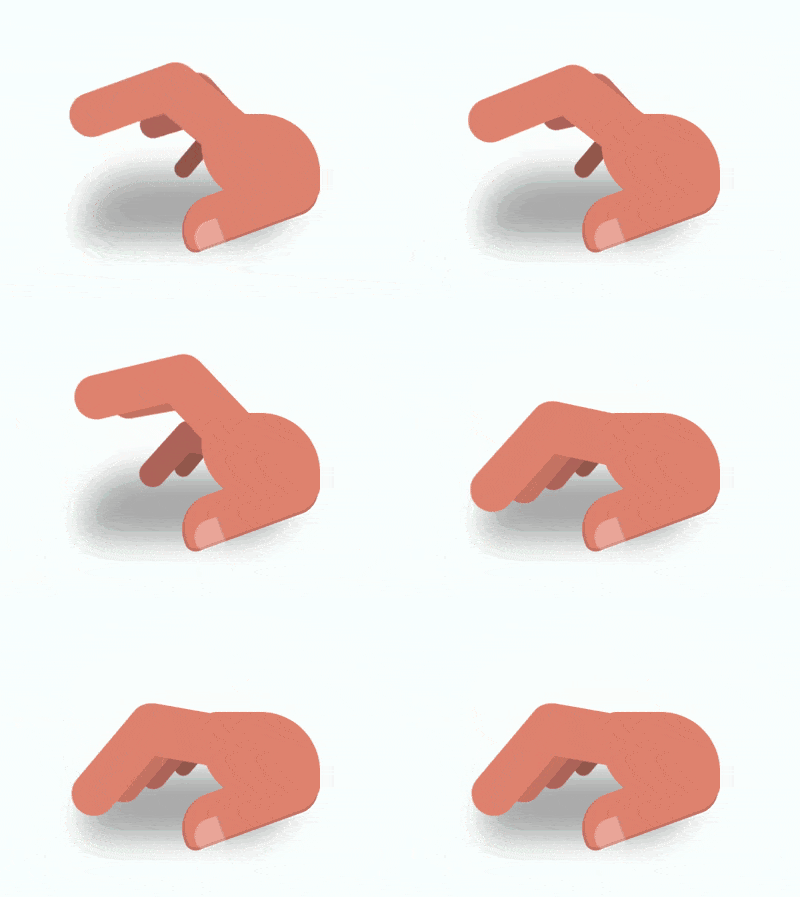
效果预览
按下右侧的“点击预览”按钮可以在当前页面预览,点击链接可以全屏预览。
https://codepen.io/comehope/pen/WgdVyx/
可交互视频
此视频是可以交互的,你可以随时暂停视频,编辑视频中的代码。
请用 chrome, safari, edge 打开观看。
https://scrimba.com/p/pEgDAM/c23zLuN
源代码下载
每日前端实战系列的全部源代码请从 github 下载:
https://github.com/comehope/front-end-daily-challenges
代码解读
定义 dom,容器中的 5 个 .finger 元素代表 5 根手指,.thumb 元素代表大拇指,.palm 元素代表手掌:
<div class="hand">

    <span class="finger thumb"></span>

    <span class="finger"></span>

    <span class="finger"></span>

    <span class="finger"></span>

    <span class="finger"></span>

    <span class="palm"></span>

</div>
居中显示:
body {

    margin: 0;

    height: 100vh;

    display: flex;

    align-items: center;

    justify-content: center;

    background: radial-gradient(white, lightcyan);

}
定义容器尺寸,其中 outline 属性是辅助线:
.hand {

    width: 16em;

    height: 8em;

    font-size: 10px;

    outline: 1px dashed black;

}
画出手掌:
.hand {

    position: relative;

    color: darksalmon;

}

.palm {

    position: absolute;

    width: 8em;

    height: 6em;

    background-color: currentColor;

    border-radius: 1em 4em;

    right: 0;

}
画出大拇指的轮廓:
.thumb {

    position: absolute;

    width: 9.6em;

    height: 3.2em;

    background-color: currentColor;

    border-radius: 3em 2em 2em 1em;

    right: 0;

    bottom: 1em;

    transform-origin: calc(100% - 2em) 2em;

    transform: rotate(-20deg);

    border-bottom: 0.2em solid rgba(0, 0, 0, 0.1);

    border-left: 0.2em solid rgba(0, 0, 0, 0.1);

}
画出大拇指上的指甲:
.thumb::before {

    content: '';

    position: absolute;

    width: 1.9em;

    height: 1.9em;

    background-color: rgba(255, 255, 255, 0.3);

    border-radius: 60% 10% 10% 30%;

    bottom: -0.3em;

    left: 0.5em;

    border-right: 0.1em solid rgba(0, 0, 0, 0.1);

}
画出食指靠近手掌的后半部分:
.finger:not(:first-child) {

    position: absolute;

    width: 6.4em;

    height: 3.5em;

    background-color: currentColor;

    right: 5.2em;

    bottom: 4em;

    transform-origin: 100% 2em;

    transform: rotate(10deg);

}
画出食指的前半部分:
.finger:not(:first-child)::before {

    content: '';

    position: absolute;

    width: 9em;

    height: 3em;

    background-color: currentColor;

    right: 4.2em;

    top: 0.2em;

    border-radius: 2em;

    transform-origin: calc(100% - 2em) 2em;

    transform: rotate(-60deg);

}
为除大拇指以外其他 4 根手指设置下标变量,从食指到小指逐渐缩小并且颜色加深:
.finger:not(:first-child) {

    --scale: calc(1 - (5 - var(--n)) * 0.2);

    transform: rotate(10deg) scale(var(--scale));

    filter: brightness(calc(100% - (5 - var(--n)) * 10%));

}

.finger:nth-child(2) { --n: 2; }

.finger:nth-child(3) { --n: 3; }

.finger:nth-child(4) { --n: 4; }

.finger:nth-child(5) { --n: 5; }
用伪元素画出手的阴影:
.hand::before {

    content: '';

    position: absolute;

    width: 14em;

    height: 4.5em;

    background-color: black;

    border-radius: 4em 1em;

    top: 4em;

    filter: blur(1em) opacity(0.3);

}
增加手指敲击桌面的动画效果:
.finger:not(:first-child) {

    animation: tap-upper 1.2s ease-in-out infinite;

    animation-delay: calc((var(--n) - 2) * 0.1s);

}

@keyframes tap-upper {

    0%, 50%, 100% {

        transform: rotate(10deg) scale(var(--scale));

    }

    40% {

        transform: rotate(50deg) scale(var(--scale));

    }

}
最后,不要忘记删掉辅助线。
大功告成!
前端每日实战:132# 视频演示如何用纯 CSS 创作一只思考的手的更多相关文章
- 前端每日实战:98# 视频演示如何用纯 CSS 创作一只愤怒小鸟中的绿猪
效果预览 按下右侧的"点击预览"按钮可以在当前页面预览,点击链接可以全屏预览. https://codepen.io/comehope/pen/VBGWqX 可交互视频 此视频是可 ...
- 前端每日实战:124# 视频演示如何用纯 CSS 创作一只纸鹤
效果预览 按下右侧的"点击预览"按钮可以在当前页面预览,点击链接可以全屏预览. https://codepen.io/comehope/pen/xagoYb 可交互视频 此视频是可 ...
- 前端每日实战:103# 视频演示如何用纯 CSS 创作一只监视眼
效果预览 按下右侧的"点击预览"按钮可以在当前页面预览,点击链接可以全屏预览. https://codepen.io/comehope/pen/GBzLdy 可交互视频 此视频是可 ...
- 前端每日实战:58# 视频演示如何用纯 CSS 创作一只卡通鹦鹉
效果预览 按下右侧的"点击预览"按钮可以在当前页面预览,点击链接可以全屏预览. https://codepen.io/comehope/pen/vrRmWy 可交互视频 此视频是可 ...
- 前端每日实战:73# 视频演示如何用纯 CSS 创作一只卡通狐狸
效果预览 按下右侧的"点击预览"按钮可以在当前页面预览,点击链接可以全屏预览. https://codepen.io/comehope/pen/OEKZed 可交互视频 此视频是可 ...
- 前端每日实战:111# 视频演示如何用纯 CSS 创作一只艺术的鸭子
效果预览 按下右侧的"点击预览"按钮可以在当前页面预览,点击链接可以全屏预览. https://codepen.io/comehope/pen/aaoveW 可交互视频 此视频是可 ...
- 前端每日实战:70# 视频演示如何用纯 CSS 创作一只徘徊的果冻怪兽
效果预览 按下右侧的"点击预览"按钮可以在当前页面预览,点击链接可以全屏预览. https://codepen.io/comehope/pen/VdOKQG 可交互视频 此视频是可 ...
- 前端每日实战:61# 视频演示如何用纯 CSS 创作一只咖啡壶
效果预览 按下右侧的"点击预览"按钮可以在当前页面预览,点击链接可以全屏预览. https://codepen.io/comehope/pen/ZRjGGy 可交互视频 此视频是可 ...
- 前端每日实战:62# 视频演示如何用纯 CSS 创作一只蒸锅
效果预览 按下右侧的"点击预览"按钮可以在当前页面预览,点击链接可以全屏预览. https://codepen.io/comehope/pen/YvOzNy 可交互视频 此视频是可 ...
随机推荐
- 31)PHP,对象的遍历
对象的遍历: 对象也可以可以使用foreach语句进行便利,有两点注意: 1,只能便利属性.(所以,这个就解决了,为啥之前的数据库类,我只是看到了一些属性名字,而没有得到我的属性值) 2,只能便利“看 ...
- 吴裕雄--天生自然python机器学习:使用Logistic回归从疝气病症预测病马的死亡率
,除了部分指标主观和难以测量外,该数据还存在一个问题,数据集中有 30%的值是缺失的.下面将首先介绍如何处理数据集中的数据缺失问题,然 后 再 利 用 Logistic回 归 和随机梯度上升算法来预测 ...
- 吴裕雄--天生自然python学习笔记:python 文件批量处理
Python 在文件处理方面表现突出,关于文件的处理 也是很多人经常用到的功能. 对 Python 的文件处理的技巧进行综合应用,比如把大量文件 的复制.按指定的文件名进行保存.找出重复的照片.将 所 ...
- Qt LNK1112: 模块计算机类型“x64”与目标计算机类型“X86”冲突问题
解决方法:1.找到选项: 2.点击构建套件kit,选择x86_amd64,之后便不会出现类似问题了
- Invert Binary Tree(easy)
1.直接把递归把左右子树翻转即可 AC代码: /** * Definition for a binary tree node. * struct TreeNode { * int val; * Tre ...
- css样式表---样式表分类、选择器
一.样式表分三类: 1.内联样式表.——放在元素的开始标记中.——只对当前元素起作用.<input name="txt" style="border:0px; bo ...
- django框架基础-django redis-长期维护-20191220
############### django框架-django redis ############### # 学习django redis我能得到什么? # 1,项目中广泛使用到redis ...
- iOS商城demo、音乐播放器、视频通话、自定义搜索、转场动画等源码
iOS精选源码 微信自定义搜索框实现 一个商城Demo,持续更新中 在Object-C中学习数据结构与算法之排序算法 iOS 音乐播放器之锁屏歌词+歌词解析+锁屏效果 XLsn0wPushTimePi ...
- derby数据库的了解及使用
derby数据库 一.简介 Derby 易于管理.当嵌入到客户机应用程序中时, Derby 系统不需要任何管理干预. Derby 是可嵌入的.应用程序可以将数据库管理系统( Database Mana ...
- Jquery中$(document).ready() 和 JavaScript中的window.onload方法 比较
Jquery中$(document).ready()的作用类似于传统JavaScript中的window.onload方法,不过与window.onload方法还是有区别的. 1.执行时间 win ...