
ASP.NET关于书籍详情和删除的Demo(HttpHandler进行页面静态化[自动生成html网页]+Entity Framework通过类创建数据库+EF删查)
这次的Demo如标题所示,
首先第一步EF创建数据库
创建两个类,一个是图书类,一个是图书类别的类
using System;

using System.Collections.Generic;

using System.ComponentModel.DataAnnotations;

using System.Linq;

using System.Web;

namespace WebApplication2.DAL

{

    public class Book

    {

        [Key]

        public int BookId { get; set; }

        public string BookName { get; set; }

        public string BookAuthor { get; set; }

        public virtual BookType TypeId { get; set; }

        public decimal Price { get; set; }

        public DateTime Addtime { get; set; }

        public string Img { get; set; }

    }

}
using System;

using System.Collections.Generic;

using System.ComponentModel.DataAnnotations;

using System.Linq;

using System.Web;

namespace WebApplication2.DAL

{

    public class BookType

    {

        [Key]

        public int TypeId { get; set; }

        public string TyoeName { get; set; }

    }

}
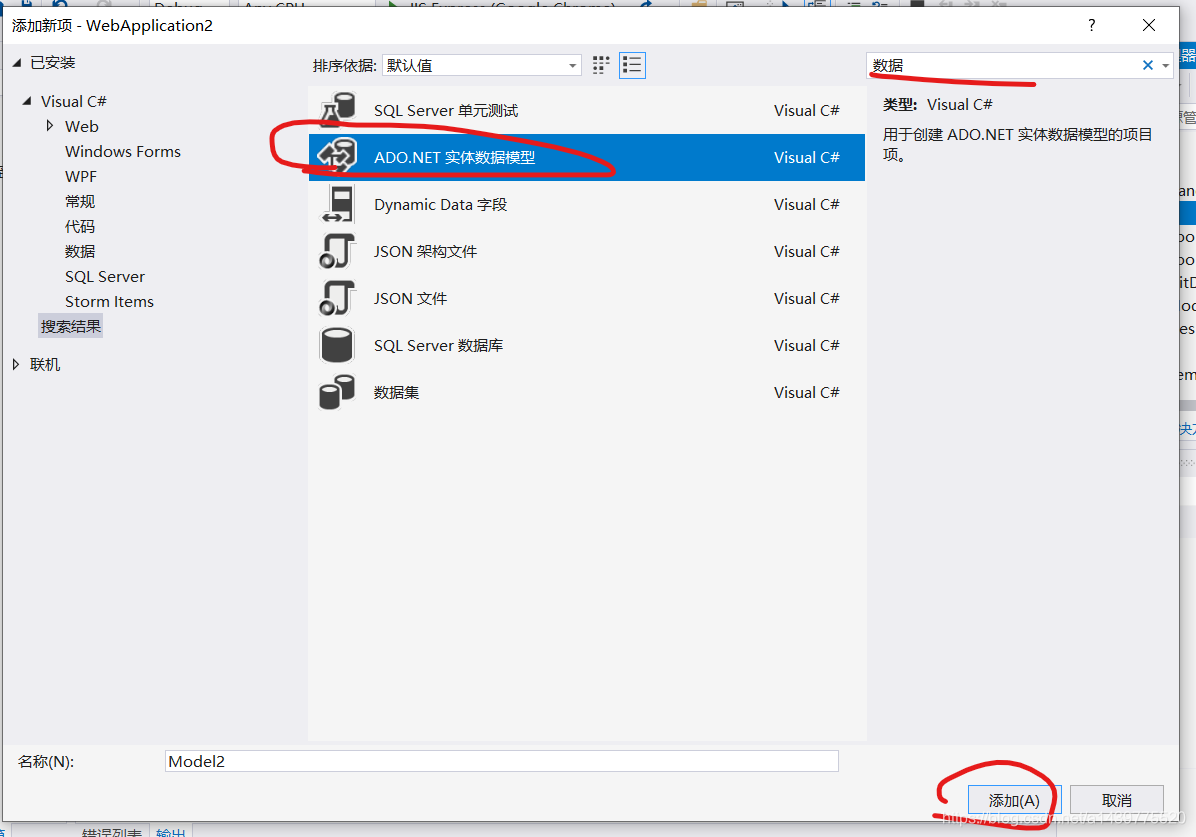
添加一个ef创建数据库
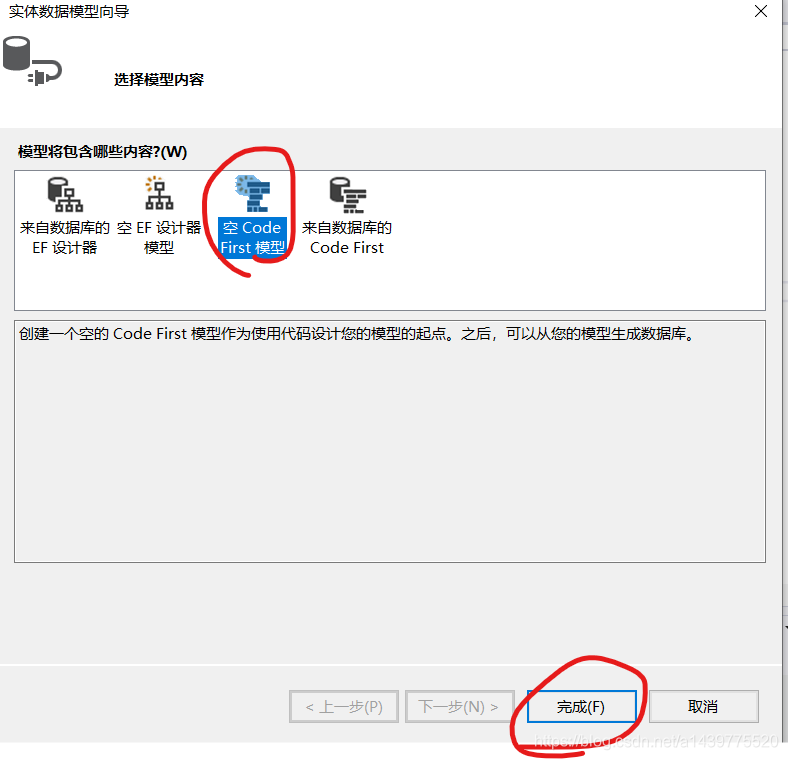
这是EF自动生成的那个类,下面画横线的是需要自己写的,第一行是一个添加数据的类,稍后会在下面附上
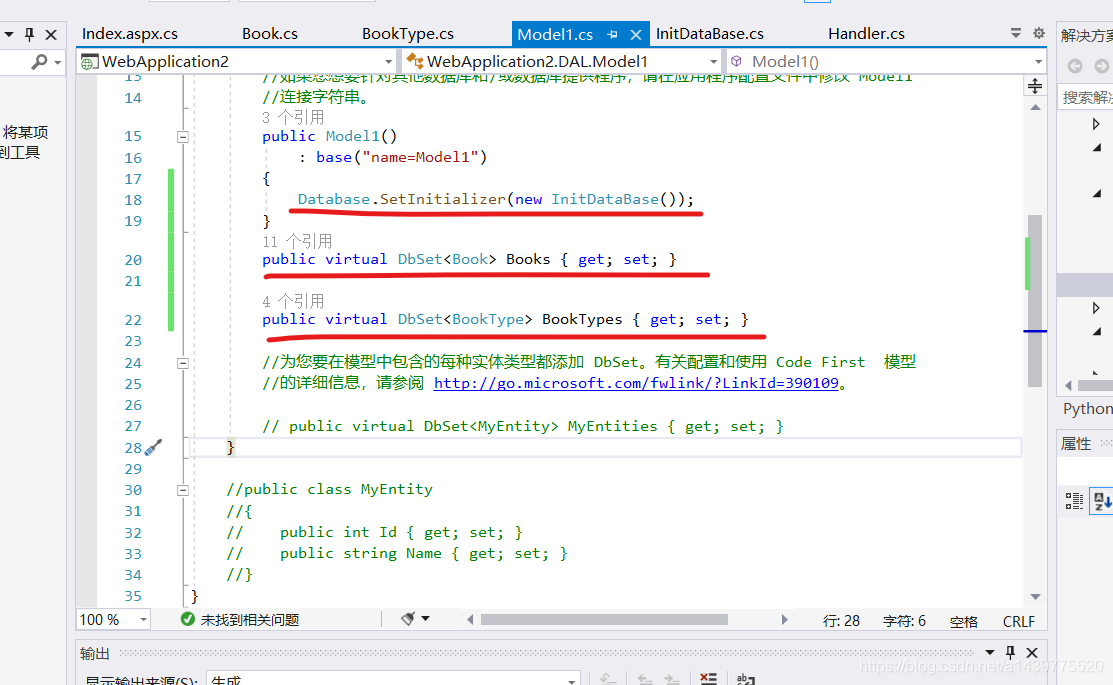
namespace WebApplication2.DAL

{

    using System;

    using System.Data.Entity;

    using System.Linq;

    public class Model1 : DbContext

    {

        //您的上下文已配置为从您的应用程序的配置文件(App.config 或 Web.config)

        //使用“Model1”连接字符串。默认情况下,此连接字符串针对您的 LocalDb 实例上的

        //“WebApplication2.DAL.Model1”数据库。

        //

        //如果您想要针对其他数据库和/或数据库提供程序,请在应用程序配置文件中修改“Model1”

        //连接字符串。

        public Model1()

            : base("name=Model1")

        {

            Database.SetInitializer(new InitDataBase());

        }

        public virtual DbSet<Book> Books { get; set; }

        public virtual DbSet<BookType> BookTypes { get; set; }

        //为您要在模型中包含的每种实体类型都添加 DbSet。有关配置和使用 Code First  模型

        //的详细信息,请参阅 http://go.microsoft.com/fwlink/?LinkId=390109。

        // public virtual DbSet<MyEntity> MyEntities { get; set; }

    }

    //public class MyEntity

    //{

    //    public int Id { get; set; }

    //    public string Name { get; set; }

    //}

}
自动加载数据的类
using System;

using System.Collections.Generic;

using System.Data.Entity;

using System.Linq;

using System.Web;

namespace WebApplication2.DAL

{

    public class InitDataBase : DropCreateDatabaseIfModelChanges<Model1>

    {

        protected override void Seed(Model1 context)

        {

            BookType bookType1 = new BookType

            {

                TyoeName = "武侠"

            };

            BookType bookType4 = new BookType

            {

                TyoeName = "科幻"

            };

            BookType bookType2 = new BookType

            {

                TyoeName = "文学"

            };

            BookType bookType3 = new BookType

            {

                TyoeName = "技术"

            };

            Book bookInfo = new Book

            {

                BookName = "笑傲江湖",

                BookAuthor = "金庸",

                TypeId = bookType1,

                Price = 38,

                Addtime = DateTime.Now,

                Img = "1.jpg"

            };

            Book bookInfo1 = new Book

            {

                BookName = "ASP.NAT高级",

                BookAuthor = "张三",

                TypeId = bookType3,

                Price = 88,

                Addtime = DateTime.Now,

                Img = "2.jpg"

            };

            Book bookInfo2 = new Book

            {

                BookName = "围城",

                BookAuthor = "钱钟书",

                TypeId = bookType2,

                Price = 46,

                Addtime = DateTime.Now,

                Img = "3.jpg"

            };

            Book bookInfo3 = new Book

            {

                BookName = "末日霸权",

                BookAuthor = "梦里银河",

                TypeId = bookType1,

                Price = 26,

                Addtime = DateTime.Now,

                Img = "4.jpg"

            };

            Book bookInfo4 = new Book

            {

                BookName = "萧十一郎",

                BookAuthor = "古龙",

                TypeId = bookType1,

                Price = 39,

                Addtime = DateTime.Now,

                Img = "5.jpg"

            };

            Book bookInfo5 = new Book

            {

                BookName = "C#从入门到精通",

                BookAuthor = "李四",

                TypeId = bookType3,

                Price = 66,

                Addtime = DateTime.Now,

                Img = "6.jpg"

            };

            Book bookInfo6 = new Book

            {

                BookName = "C#从入门到精通",

                BookAuthor = "李四",

                TypeId = bookType3,

                Price = 66,

                Addtime = DateTime.Now,

                Img = "6.jpg"

            };

            context.Books.Add(bookInfo);

            context.Books.Add(bookInfo1);

            context.Books.Add(bookInfo2);

            context.Books.Add(bookInfo3);

            context.Books.Add(bookInfo4);

            context.Books.Add(bookInfo5);

            context.Books.Add(bookInfo6);

            context.BookTypes.Add(bookType4);

            context.BookTypes.Add(bookType1);

            context.BookTypes.Add(bookType2);

            context.BookTypes.Add(bookType3);

        }

    }

}
一个index.aspx页面前台和后台代码
<%@ Page Language="C#" AutoEventWireup="true" CodeBehind="Index.aspx.cs" Inherits="WebApplication2.Index" %>

<!DOCTYPE html>

<html xmlns="http://www.w3.org/1999/xhtml">

<head runat="server">

    <meta http-equiv="Content-Type" content="text/html; charset=utf-8" />

    <title></title>

</head>

<body>

    <form id="form1" runat="server">

        <div>

            <table>

                <tr>

                    <th scope="col">图书编号</th>

                    <th scope="col">图书名称</th>

                    <th scope="col">图书价格</th>

                    <th scope="col">作者</th>

                    <th scope="col">类型</th>

                    <th scope="col">图片</th>

                    <th scope="col">上架时间</th>

                    <th scope="col">操作</th>

                </tr>

                <asp:Repeater ID="Repeater1" runat="server" OnItemCommand="Repeater1_ItemCommand">

                    <ItemTemplate>

                        <tr>  <th scope="row"><%# Eval("BookId") %></th>

                                    <td><%# Eval("BookName") %></td>

                                    <td><%# Eval("Price") %></td>

                                    <td><%# Eval("BookAuthor") %></td>

                                    <td><%# Eval("TypeId.TyoeName") %></td>

                                    <td>

                                        <asp:Image ID="Image1" runat="server" ImageUrl='<%# "~/images/"+ Eval("Img") %>' Width="60" Height="60" /></td>

                                    <td><%# Eval("Addtime") %></td>

                                    <td>

                                        <asp:LinkButton ID="LinkButton1" runat="server" CommandArgument='<%# Eval("BookId") %>' CommandName="delete" OnClientClick="return confirm('确定删除吗?')">删除</asp:LinkButton>

                                        <asp:LinkButton ID="LinkButton2" runat="server" CommandArgument='<%# Eval("BookId") %>' CommandName="xainq">详情</asp:LinkButton>

                                    </td>

                                </tr>

                        </tr>

                    </ItemTemplate>

                </asp:Repeater>

            </table>

        </div>

    </form>

</body>

</html>
后台
using System;

using System.Collections.Generic;

using System.Linq;

using System.Web;

using System.Web.UI;

using System.Web.UI.WebControls;

using WebApplication2.DAL;

namespace WebApplication2

{

    public partial class Index : System.Web.UI.Page

    {

        protected void Page_Load(object sender, EventArgs e)

        {

            if (!IsPostBack)

            {

                select();

            }

        }

        private void select()

        {

            using (Model1 db = new Model1())

            {

                var list = db.Books.ToList();

                Repeater1.DataSource = list;

                Repeater1.DataBind();

            }

        }

        protected void Repeater1_ItemCommand(object source, RepeaterCommandEventArgs e)

        {

            //LinkButton的CommandName,就是操作的标记

            string pand = e.CommandName;

            int id = Convert.ToInt32(e.CommandArgument);

            if (pand == "delete")

            {

                using (Model1 db = new Model1())

                {

                    var sc = db.Books.FirstOrDefault(s => s.BookId == id);

                    db.Books.Remove(sc);

                    db.SaveChanges();

                    select();

                }

            }

            if (pand == "xainq")

            {

                Response.Redirect("New/Info_" + (id - 1) + ".html");

            }

        }

    }

}
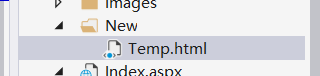
这里还需要做一个模型的html
<!DOCTYPE html>

<html>

<head>

    <meta charset="utf-8" />

    <title></title>

</head>

<body>

    <img src="../images/{$Img}" />

    <p>图书名称:{$BookName}</p>

    <p>图书价格:{$Price}</p>

</body>

</html>
再来一个handler的类,这个类是自动生成网页的
using System;

using System.Collections.Generic;

using System.IO;

using System.Linq;

using System.Web;

using WebApplication2.DAL;

namespace WebApplication2.BLL

{

    public class Handler : IHttpHandler

    {

        public bool IsReusable => true;

        public void ProcessRequest(HttpContext context)

        {

            string url = context.Request.RawUrl;

            int last = url.LastIndexOf("_");

            int dot = url.LastIndexOf(".");

            int newId = int.Parse(url.Substring(last + 1, dot - last - 1)) ;

            string userFilePath = context.Server.MapPath("~/NEW/info_" + newId + ".html");

            if (!File.Exists(userFilePath))

            {

                using (Model1 bd = new Model1())

                {

                    List<Book> news = bd.Books.ToList();

                    string tempPath = context.Server.MapPath("~/New/Temp.html");

                    //一个创建得

                    string tempHtml = ReadTemplate(tempPath);

                    //替换里面得变量

                    tempHtml = tempHtml.Replace("{$Img}", news[newId].Img);

                    tempHtml = tempHtml.Replace("{$Price}", news[newId].Price.ToString());

                    tempHtml = tempHtml.Replace("{$BookName}", news[newId].BookName);

                    //一个输出翻译得文件

                    WriteHtmlFile(userFilePath, tempHtml);

                }

            }

            context.Response.WriteFile(userFilePath);

        }

        private void WriteHtmlFile(string userFilePath, string tempHtml)

        {

            FileStream fs = new FileStream(userFilePath, FileMode.Create);

            StreamWriter sw = new StreamWriter(fs);

            sw.Write(tempHtml);

            sw.Close();

            fs.Close();

        }

        private string ReadTemplate(string tempPath)

        {

            if (!File.Exists(tempPath))

            {

                throw new Exception("新闻详情页面模板文件未找到!");

            }

            FileStream fs = new FileStream(tempPath, FileMode.Open);

            StreamReader sr = new StreamReader(fs);

            string tempHtml = sr.ReadToEnd();

            sr.Close();

            fs.Close();

            return tempHtml;

        }

    }

}
最后记得改配置文件
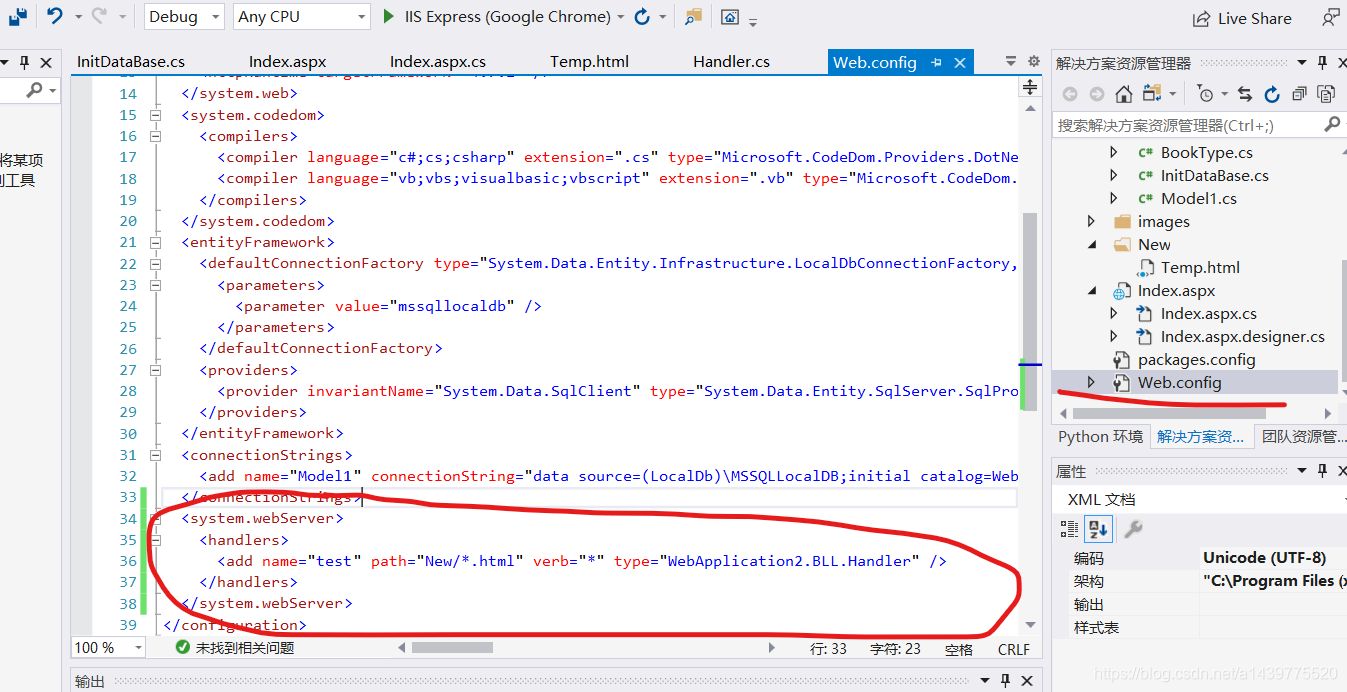
<system.webServer>

    <handlers>

      <add name="test" path="New/*.html" verb="*" type="WebApplication2.BLL.Handler" />

    </handlers>

  </system.webServer>
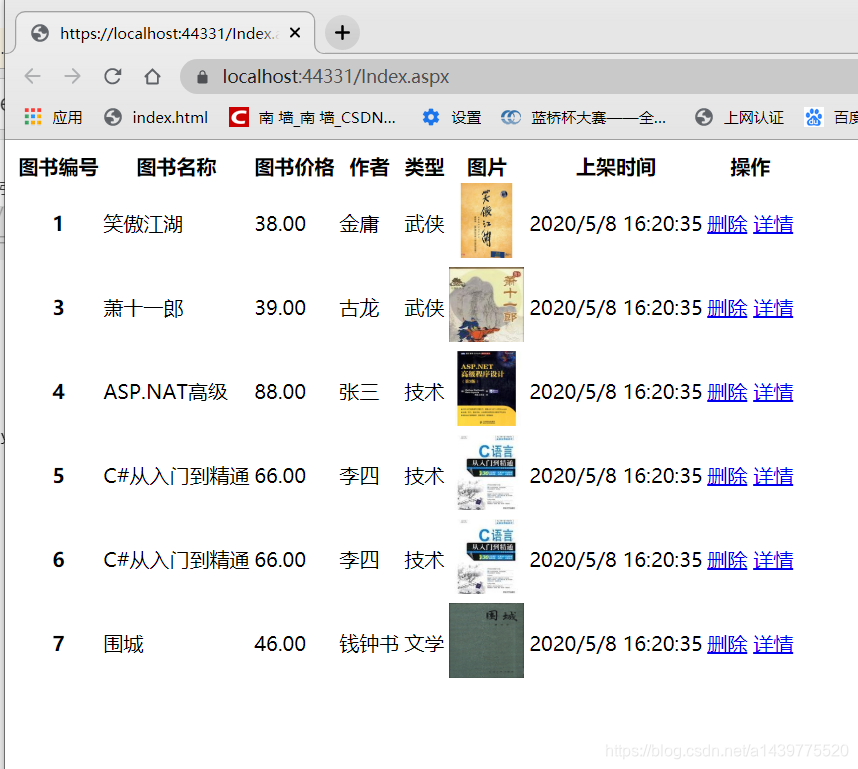
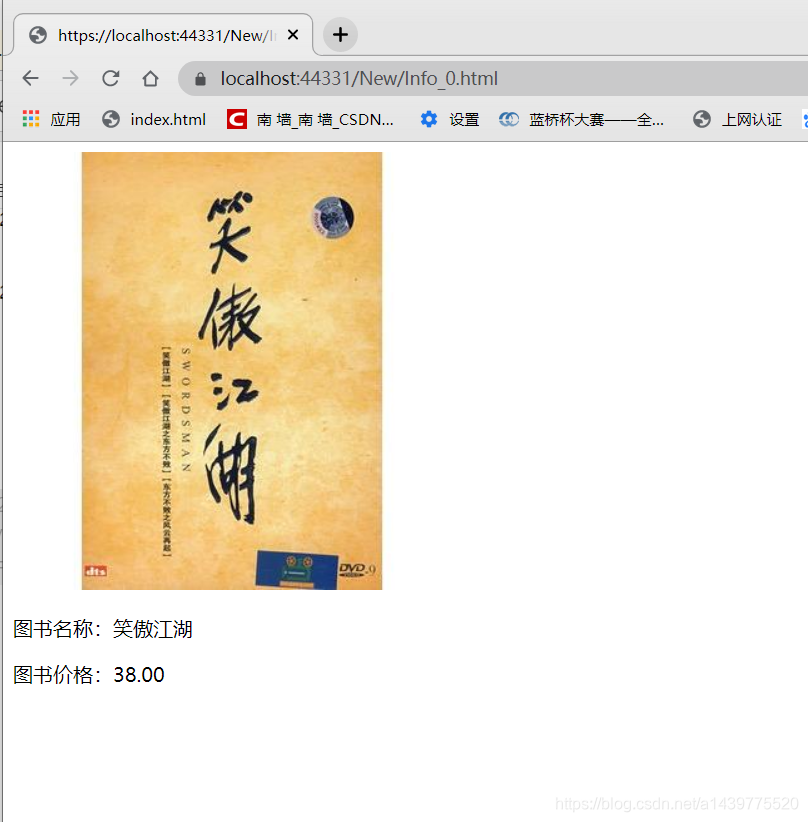
效果图:
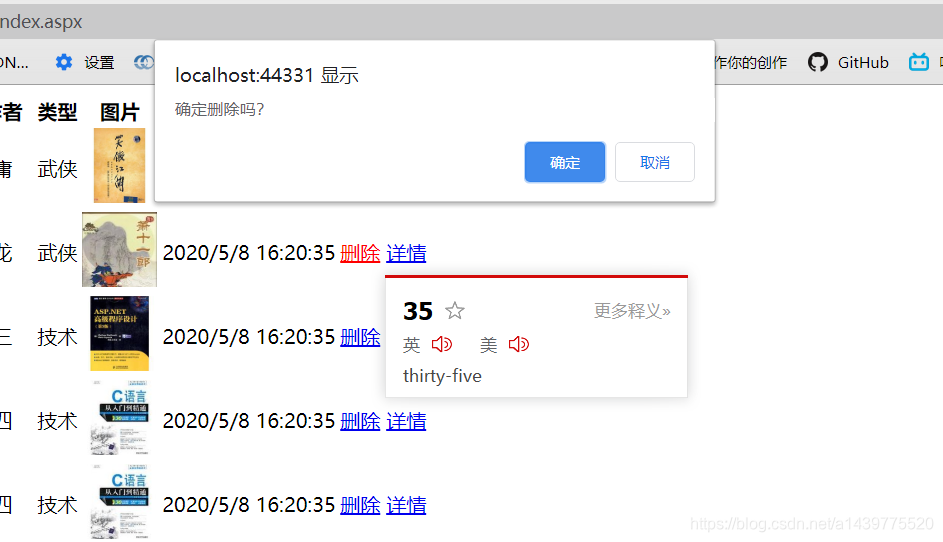
删除操作
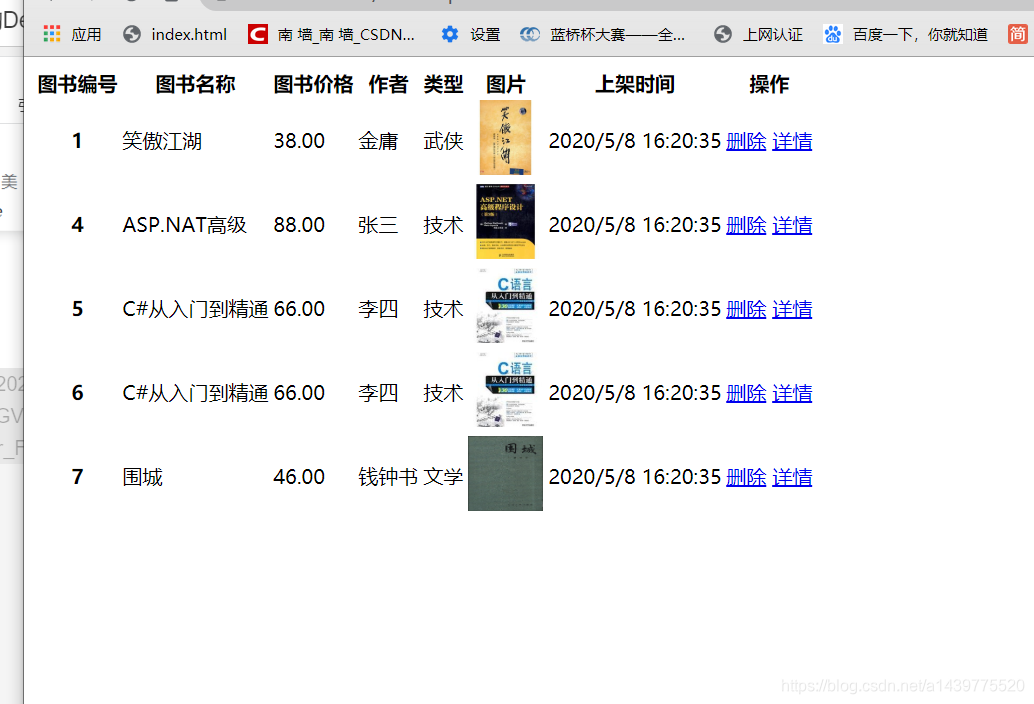
详情页面(自动生成页面)
ASP.NET关于书籍详情和删除的Demo(HttpHandler进行页面静态化[自动生成html网页]+Entity Framework通过类创建数据库+EF删查)的更多相关文章
- ASP.NET使用HttpHandler进行页面静态化(自动生成页面)
这次的Demo是,一个根页面,点击链接创建子页面,子页面都是一个Template页面进行替换的 一个根页面 <%@ Page Language="C#" AutoEventW ...
- 使用ASP.NET Core MVC 和 Entity Framework Core 开发一个CRUD(增删改查)的应用程序
使用ASP.NET Core MVC 和 Entity Framework Core 开发一个CRUD(增删改查)的应用程序 不定时更新翻译系列,此系列更新毫无时间规律,文笔菜翻译菜求各位看官老爷们轻 ...
- ASP.NET MVC 页面静态化操作的思路
本文主要讲述了在asp.net mvc中,页面静态化的几种思路和方法.对于网站来说,生成纯html静态页面除了有利于seo外,还可以减轻网站的负载能力和提高网站性能.在asp.net mvc中,视图的 ...
- asp.net 页面静态化
页面静态化,有三种方式 伪静态 真静态,折中法 现在我做的是折中发 创建一个asp.net 页面, 连接跳转到还未生成的页面 创建HttpHandle类 using System;using ...
- Asp.Net MVC页面静态化功能实现二:用递归算法来实现
上一篇提到采用IHttpModule来实现当用户访问网站的时候,通过重新定义Response.Filter来实现将返回给客户端的html代码保存,以便用户下一次访问是直接访问静态页面. Asp.Net ...
- Asp.Net MVC页面静态化功能实现一:利用IHttpModule,摒弃ResultFilter
上一篇有提到利用IHttpModule和ResultFilter实现页面静态化功能.后来经过一些改动,将ResultFilter中要实现的功能全部转移到IHttpModule中来实现 Asp.Net ...
- Asp.Net MVC页面静态化功能实现一:利用IHttpModule和ResultFilter
由于公司现在所采用的是一套CMS内容管理系统的框架,所以最近项目中有一个需求提到要求实现页面静态化的功能.在网上查询了一些资料和文献,最后采用的是小尾鱼的池塘提供的 利用ResultFilter实现a ...
- 利用ResultFilter实现asp.net mvc 页面静态化
为了提高网站性能.和网站的负载能力,页面静态化是一种有效的方式,这里对于asp.net mvc3 构架下的网站,提供一种个人认为比较好的静态话方式. 实现原理是通过mvc提供的过滤器扩展点实现页面内容 ...
- ASP.NET MVC中,动态处理页面静态化
首先解释一下什么是动态处理页面静态化 对于需要静态化的页面,第一次访问某个Action时,会先执行Action,并在页面渲染后向Response和服务器中网站的目录下都写入需要返回的html,而第二次 ...
随机推荐
- Code::Blocks无法调试 Starting the debuggee failed: No executable specified, use `target exec'
1.必须建立工程 2.工程名不可有特殊字符或空格,可以有字母.数字.下划线 2.编译器设置里勾选-g(产生调试符号) 3.重新编译项目(如果之前编译过了) 4.调试器设置 > Default & ...
- python 读取矢量文件
#导入包 from osgeo import ogr #打开文件(False - read only, True - read/write) filename = "文件名.shp" ...
- Exception in thread "main" java.lang.NoSuchMethodError: scala.Predef$.wrapRefArray([Ljava/lang/Object;)Lscala/collection/mutable/WrappedArray
我是在用akka框架做简单的一个聊天,然而出师不利,刚开始学就遇到这个问题 遇事不决问百度,百度给出的结果是spark中scala版本和你使用的scala的版本不一致,所导致的错误 我用的是akka, ...
- 【Scala】scala的继承能干嘛?这段简单的代码或许能帮你梳理
package cn.itcast.scala.demo2 class Person { //private关键字和final关键字修饰的常量无法被继承重写 val id: Int = 1 var n ...
- 【HBase】HBase和Sqoop整合
目录 需求一 步骤 一.修改sqoop配置文件 二.在mysql中创建数据库和数据表并插入数据 三.将mysql表中的数据导入到HBase表中 四.在HBase表中查看数据 需求二 步骤 一.创建hi ...
- [BC冠军赛(online)]小结
A Movie 题意:给你n个区间,判断能否选出3个不相交的区间. 思路:令f(i)表示能否选出两个不相交区间并且以区间i为右区间的值,g(i)表示能否选出两个不相交区间并且以区间i为左区间的值,如果 ...
- 简述SpringCloud底层原理
目录 一.业务场景介绍 二.Spring Cloud核心组件:Eureka 三.Spring Cloud核心组件:Feign 四.Spring Cloud核心组件:Ribbon 五.Spring Cl ...
- 重要的serialVersionUID
所有序列化的DO都需要加上 serialVersionUID 否则未来可能就有一个坑在等着你 当你需要修改序列化的实体累的时候 之前缓存内容反序列化就会失败,如果这个缓存很多个地方都在存取 使用 那么 ...
- java方法调用顺序
public class JavalearningApplicationTests { static { System.out.println("Test的静态代码块"); } p ...
- 使用js rem动态改变字体大小,自适应
<html> <head> <meta charset="utf-8"> <script> console.log(window.d ...