
vue中element 的上传功能
element 的上传功能
最近有个需求,需要在上传文件前,可以进行弹窗控制是否上传upload
看完文档后,感觉有两种思路可以实现
- 基于
before-upload:上传文件之前的钩子,参数为上传的文件,若返回 false 或者返回 Promise 且被 reject,则停止上传。 - 基于
auto-upload, on-change手动上传来控制
before-upload
初始代码
// template

<el-upload

    class="avatar-uploader"

    action="https://jsonplaceholder.typicode.com/posts/"

    :show-file-list="false"

    :on-success="handleAvatarSuccess"

    :before-upload="beforeAvatarUpload">

    <img v-if="imageUrl" :src="imageUrl" class="avatar">

    <i v-else class="el-icon-plus avatar-uploader-icon"></i>

</el-upload>

// javscript

data() {

    return {

      imageUrl: ""

    };

  },

  methods: {

    handleAvatarSuccess(res, file) {

      this.imageUrl = URL.createObjectURL(file.raw);

    },

    beforeAvatarUpload(file) {

      // 文件类型进行判断

      const isJPG = file.type === "image/jpeg";

      const isLt2M = file.size / 1024 / 1024 < 2;

      if (!isJPG) {

        this.$message.error("上传头像图片只能是 JPG 格式!");

      }

      if (!isLt2M) {

        this.$message.error("上传头像图片大小不能超过 2MB!");

      }

      return isJPG && isLt2M;

    }

  }
初始效果图
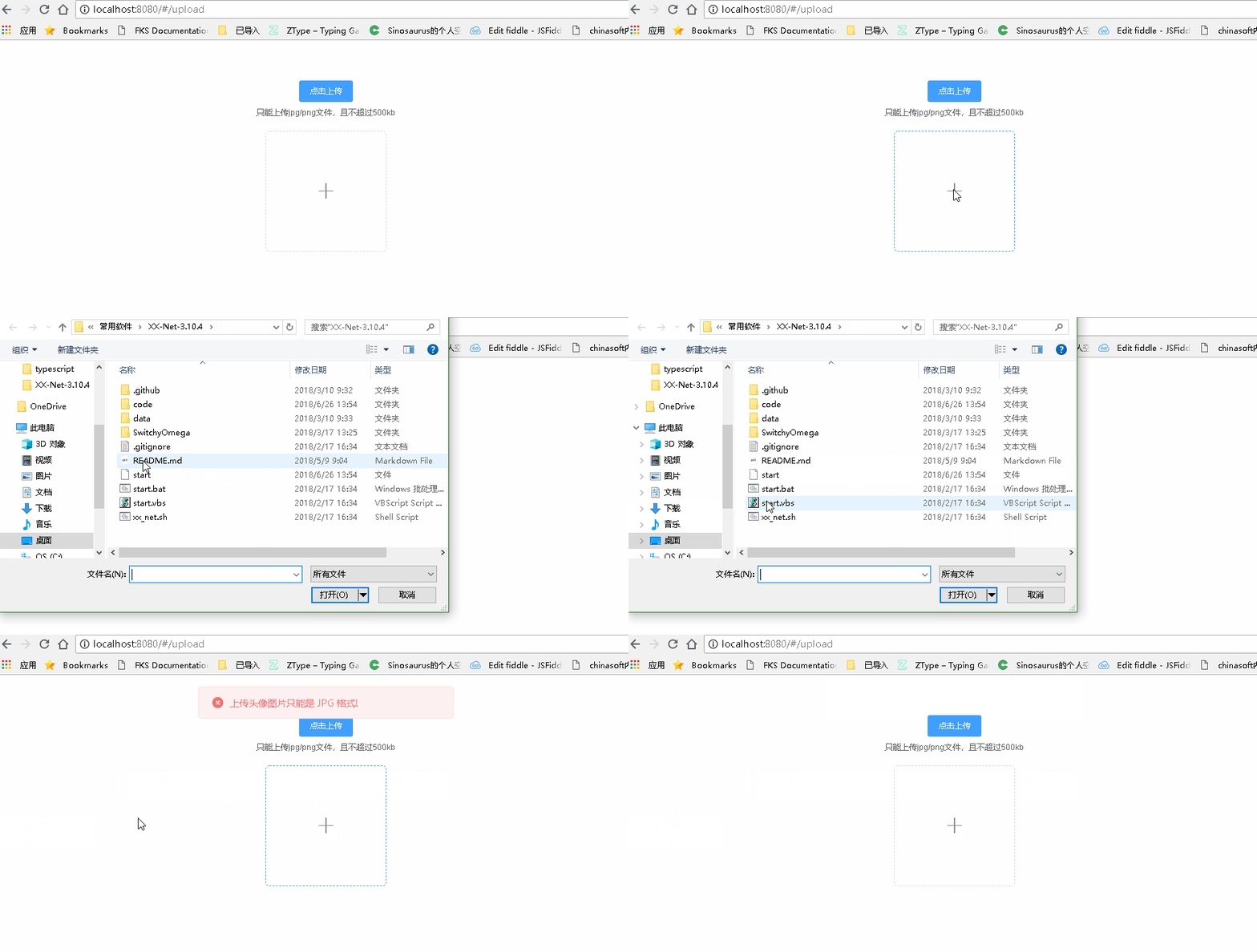
考虑在before-upload中进行弹窗后,
return false | reject()即可
修改代码
由于
this.$confirm是异步操作,因而需要等待其结果才能进行下一步操作
async  beforeAvatarUpload(file) {

      const isSubmit = await this.$confirm('此操作将上传文件, 是否继续?', '提示', {

          confirmButtonText: '确定',

          cancelButtonText: '取消',

          type: 'warning'

        }).then(() => {

          return true

        }).catch(() => {

          return false

        });

        console.log(isSubmit)

      return isSubmit;

  }
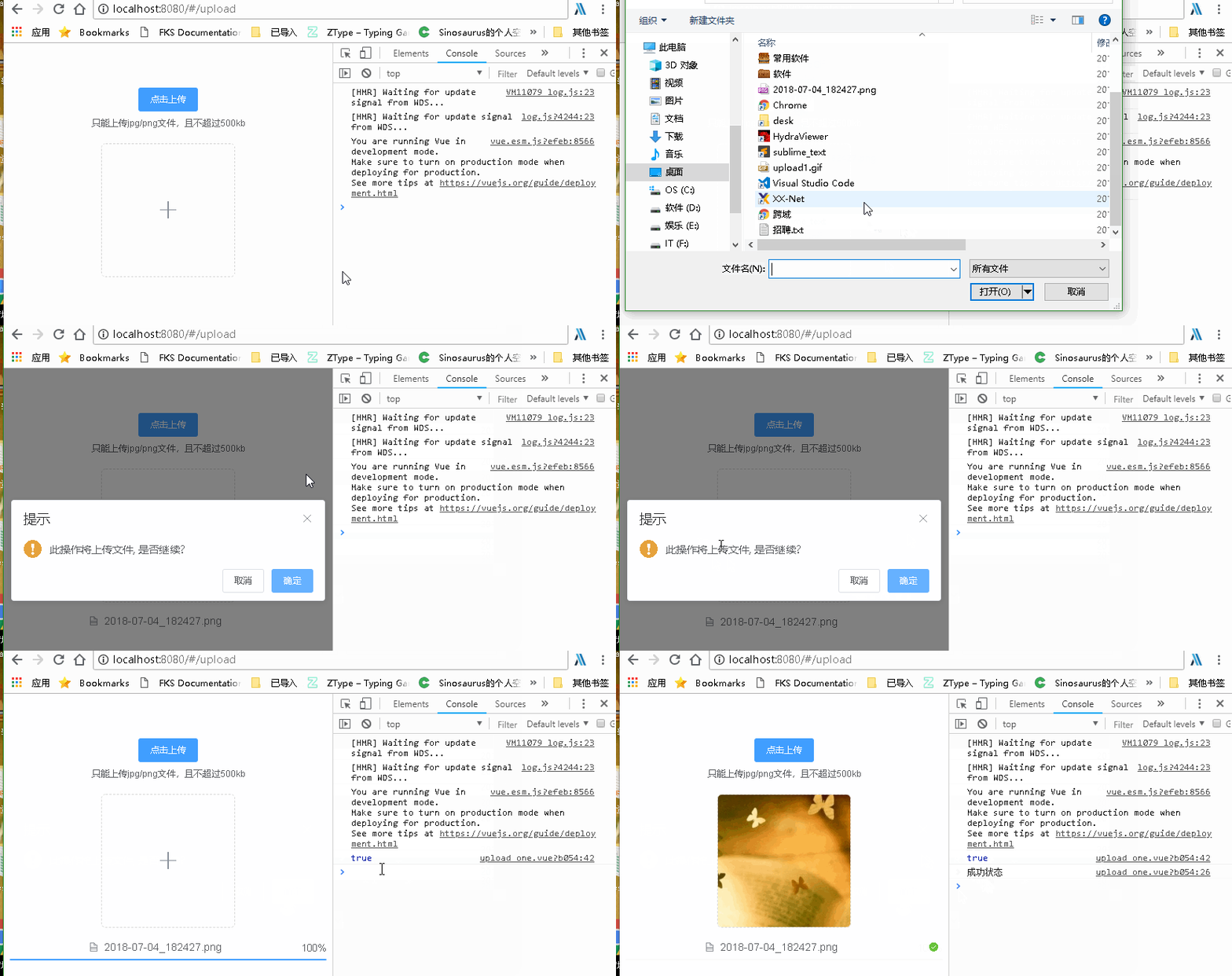
确认提交和取消提交 ==> 结果却一样
确认提交
取消提交
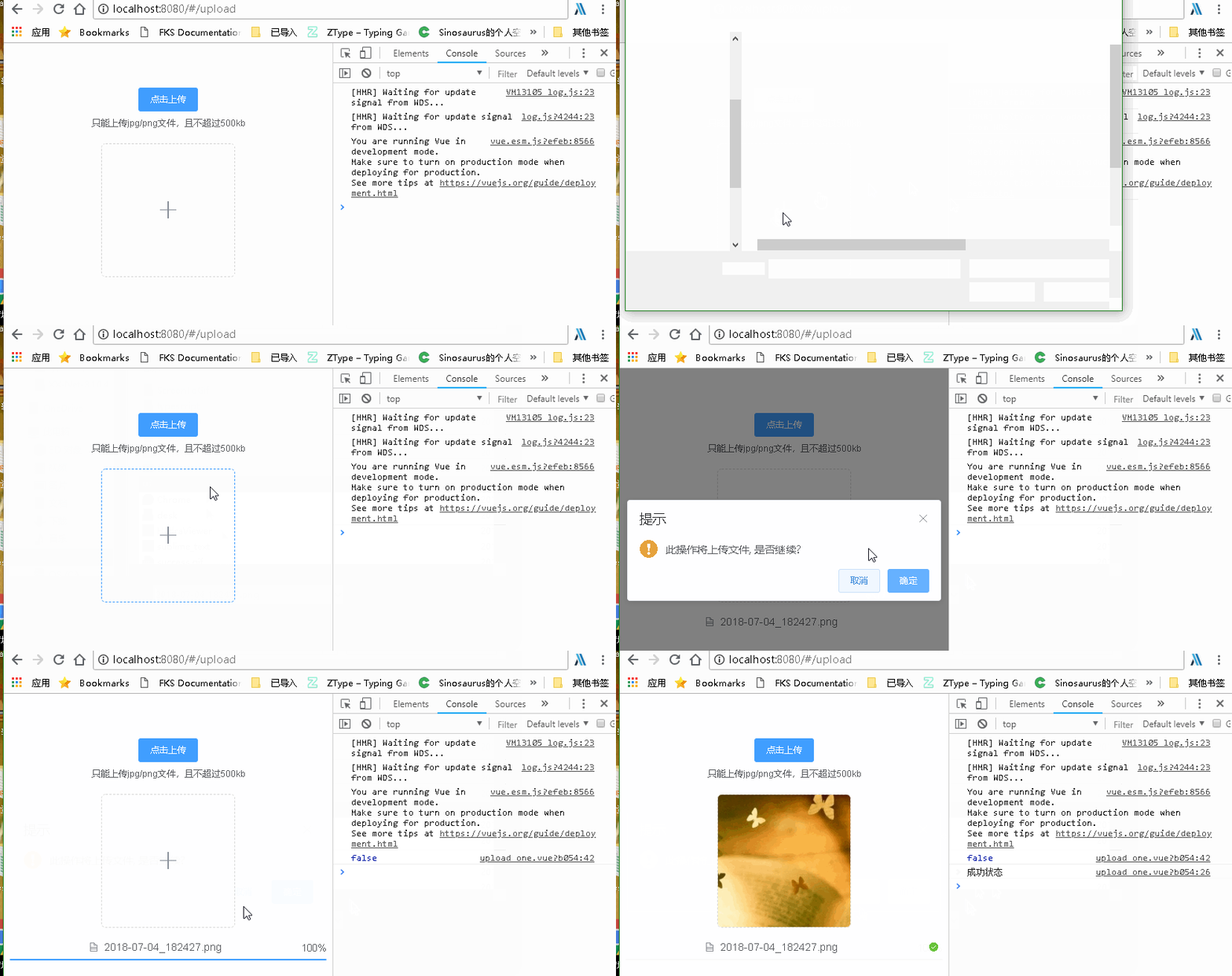
结果却不可以,因而考虑另一种思路了,
before-upload只是进行判断文件是否适合,从而是否上否上传到服务器,而不是用来等待用户进行操作使用的
手动上传
auto-upload设置为文件导入后是否马上上传到服务器on-change用来查看文件现在的转态
// template

<el-upload

  ref="upload"

  class="upload-demo"

  action="https://jsonplaceholder.typicode.com/posts/"

  :on-preview="handlePreview"

  :limit="1"

  :auto-upload="false"

  :on-change="handleChange"

  :show-file-list="true"

  :file-list="fileList"

  :on-error="handleError"

  :on-success="handleSuccess">

  <el-button size="small" type="primary">点击上传</el-button>

</el-upload>

// js

data() {

return {

    fileList: [

    ],

    bool: true

  }

},

methods: {

  handleRemove(file, fileList) {

    console.log(file, fileList);

  },

  handlePreview(file) {

    console.log(file);

  },

  handleError(err, file) {

      alert('失败')

      this.fileList = []

  },

  handleSuccess(res, file) {

    alert('成功')

    this.fileList = []

  },

  handleExceed(files, fileList) {},

  async handleChange() {

    const isSubmit = await this.$confirm('此操作将永久删除该文件, 是否继续?', '提示', {

      confirmButtonText: '确定',

      cancelButtonText: '取消',

      type: 'warning'

    }).then(() => {

      return false

    }).catch(() => {

      return true

    });

    if (isSubmit) {

      this.$refs.upload.submit()

    } else {

      this.fileList = []

    }

  }

}
- 确认提交

+ 取消提交
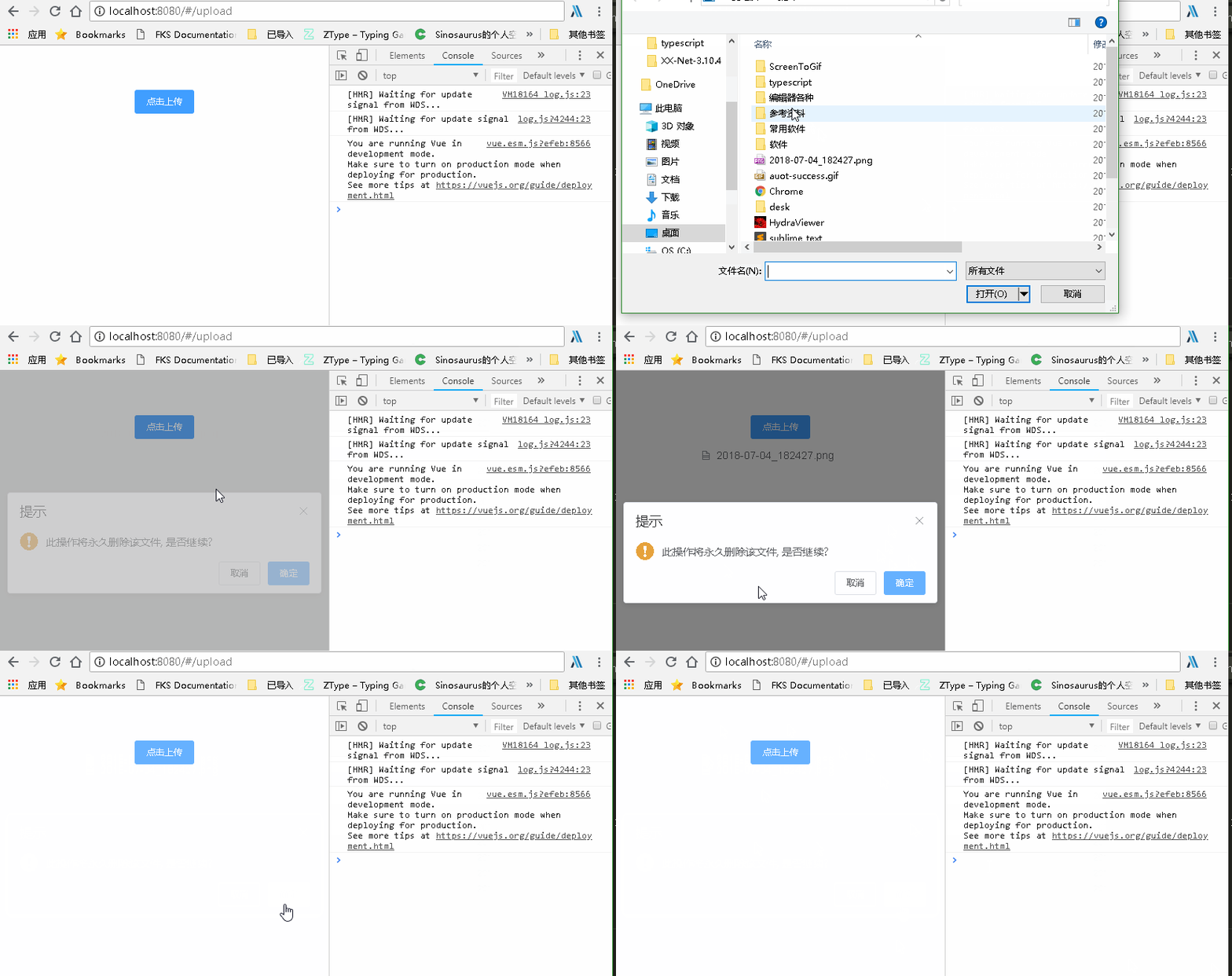
此方法可行,现在就是控制因为文件状态改变而导致两次弹窗, 修改如下
- 文件状态变更 不是成功就是失败,因而在成功失败的函数进行控制即可
添加flag标识进行控制弹窗即可
data() {

  return {

    isConfirm: true

  }

}

async handleChange() {

  if (!this.isConfirm) {

    this.isConfirm = true

    return

  }

  const bo = await this.$confirm('此操作将永久删除该文件, 是否继续?', '提示', {

    confirmButtonText: '确定',

    cancelButtonText: '取消',

    type: 'warning'

  }).then(() => {

    return false

  }).catch(() => {

    return true

  })

  if (bo) {

    this.$refs.upload.submit()

    this.isConfirm = false

  } else {

    this.fileList = []

  }

}
修改后便可以了,只是注意 在
on-error和on-succes中注意清空fileList = [],这样还可以重新添加文件
- 确定上传

- 取消上传
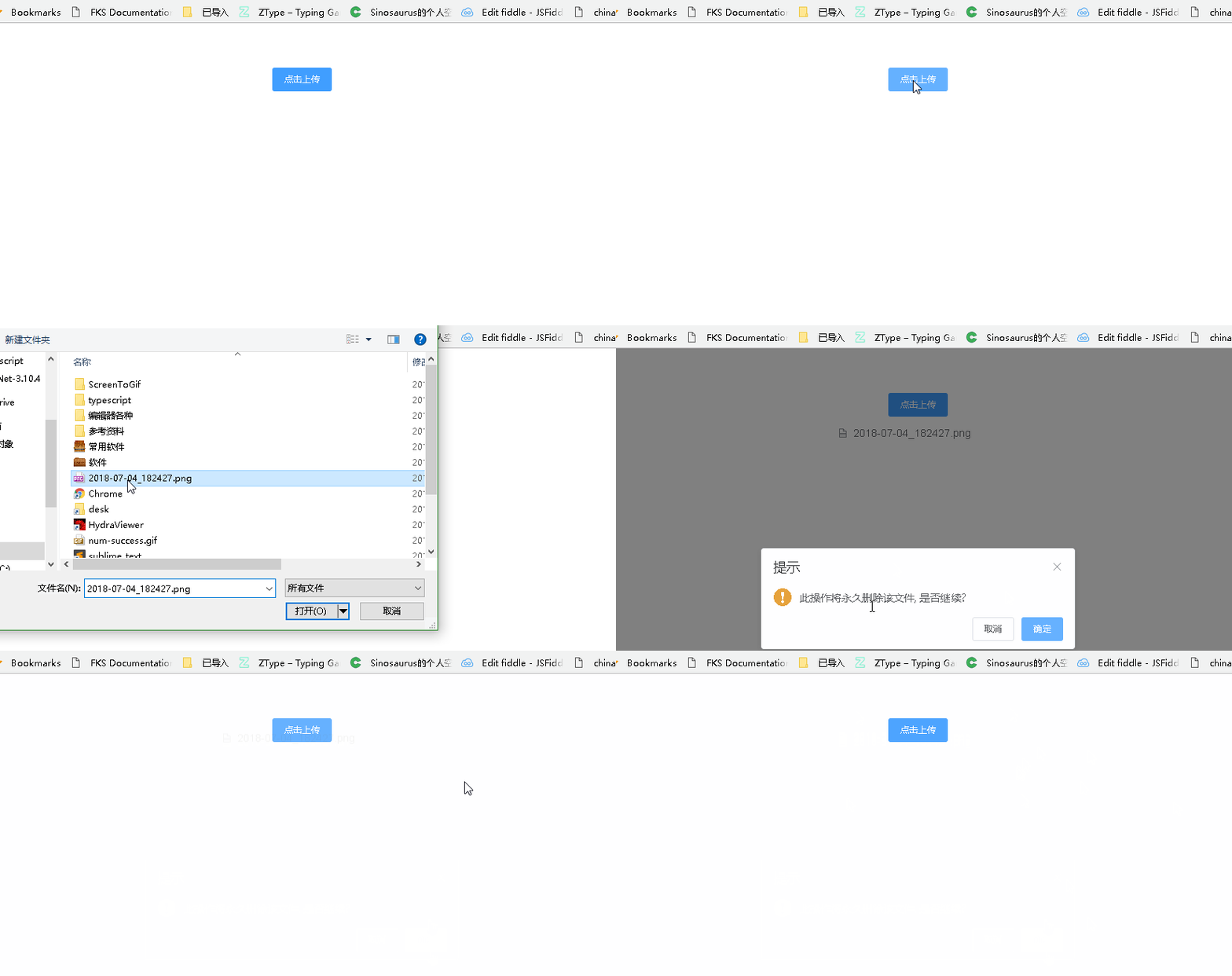
总结
截止目前任务算是完成,只是依旧有些扎心,只好继续笃定前行了
没事的时候,还是多看文档,这样才能避免不要的坑,以及可以有更多的思路
vue中element 的上传功能的更多相关文章
- vue中的文件上传和下载
文件上传 vue中的文件上传主要分为两步:前台获取到文件和提交到后台 获取文件 前台获取文件,主要是采用input框来实现 <el-dialog :title="addName&quo ...
- springmvc中使用文件上传功能
项目代码:https://github.com/PeiranZhang/springmvc-fileupload Servlet3.0之前使用文件上传功能 Servlet3.0之前需要使用common ...
- 给DEDECMS广告管理中增加图片上传功能
dedecms的广告管理功能稍微有点次,本文就是在dedecms广告管理原有的基础上增加广告图片上传功能. 安装方法,对应自己的dedecms版本下载对应的编码然后解压把里面的文件放在后台目录覆盖即可 ...
- 案例52-crm练习新增客户中加入文件上传功能(struts2文件上传)
1 jsp/customer/add.jsp 完整代码: <%@ page language="java" contentType="text/html; char ...
- Vue中删除重复上传的文件
上传控件: <el-upload class="upload-demo" :on-change="filesChange"> filesChang ...
- H5 利用vue实现图片上传功能。
H5的上传图片如何实现呢? 以下是我用vue实现的图片上传功能,仅供参考. <!DOCTYPE html> <html> <head> <meta chars ...
- vue 图片上传功能
这次做了vue页面的图片上传功能,不带裁剪功能的! 首先是html代码,在input框上添加change事件,如下: <ul class="clearfix"> ...
- OneThink实现多图片批量上传功能
OneThink原生系统中的图片上传功能是uploadify.swf插件进行上传的,默认是只能上传一张图片的,但是uploadify.swf是支持多图片批量上传的,那么我们稍加改动就可实现OneThi ...
- flask完成文件上传功能
在使用flask定义路由完成文件上传时,定义upload视图函数 from flask import Flask, render_template from werkzeug.utils import ...
随机推荐
- Linux系统——文件和目录权限
文件及目录权限(七进制表示) r 读权限(4),允许查看文件内容 w 写权限(2),允许修改文件内容 x 可执行权限(1),允许运行程序 - 无权限(0) 属主:拥有该文件的用户账号 属组:拥有该 ...
- 优化css,增加性能
转载自:https://www.cnblogs.com/xiaoloulan/p/5801663.html 前端性能优化一直是一个比较热门的话题,我们总是在尽我们最大的努力去,提高我们的页面性能,比如 ...
- Codeforces Round #409 (rated, Div. 2, based on VK Cup 2017 Round 2) C Voltage Keepsake
地址:http://codeforces.com/contest/801/problem/C 题目: C. Voltage Keepsake time limit per test 2 seconds ...
- web安全学习方向~两图胜千言~~
- javascript 判断数据类型的几种方法
javascript 判断数据类型的几种方法一.typeof 直接返回数据类型字段,但是无法判断数组.null.对象 typeof 1 "number" typeof NaN &q ...
- BeanFactory笔记
BeanFactory是一个工厂接口,在spring中,BeanFactory是IOC容器的核心接口,功能是:实例化.定位.配置应用程序中的对象及建立这些对象间的依赖,但它并不是IOC容器的具体实现, ...
- nginx之proxy、cache、upstream模块学习
nginx之proxy反向代理模块: location ^~ /proxy_path/ { root "/www/html"; 这里没必要配置 index index.html; ...
- 尝试编辑java程序
尝试编译java程序 之前在用软件eclipse编译过简单的hello java程序,因为软件操作简单,后来学会了用命令符来编译程序.代码如下 public class abc { ...
- Bag类的接口的实现与测试(课上测试补做)
Bag类的接口的实现与测试(课上测试补做) 截图 由于截图有一定的的限制就没有吧所有的代码截进去,后面有代码. 代码 package ClassTest; import java.util.Objec ...
- Excel水平线画不直,图形对象对不齐,怎么办
看够了千篇一律的数字报表,不妨添加些图形对象来调剂下,今天小编excel小课堂(ID:excel-xiaoketang 长按复制)给各位分享10个插入图形对象时简单实用的小技巧. 01课题 今天小编e ...