
selenium调用Firefox和Chrome需要注意的一些问题,和出现的报错selenium:expected [object undefined] undefined to be a string
在高版本selenium下如:selenium3.4.3
1.高版本的selenium需要浏览器安装一些补丁驱动
Firefox:geckodriver

下载网址:http://download.csdn.net/detail/ztzy520/9725887 或https://github.com/mozilla/geckodriver/release

如:geckodriver-v0.14.0-win32

Chrome:chromedriver

下载网址:http://chromedriver.storage.googleapis.com/index.html

如:http://chromedriver.storage.googleapis.com/index.html?path=2.30/下

版本:chromedriver_win32.zip
2.直接将geckodriver和chromedriver放到浏览器的目录下
如geckodriver放到路径 C:\Program Files (x86)\Mozilla Firefox

如chromedriver放到路径 C:\Program Files (x86)\Google\Chrome\Application
3.调用方式
#方式一:设置火狐浏览器驱动(使用低于53.0版本火狐,如52.0.2,不然会报错selenium:expected [object undefined] undefined to be a string)

driver = webdriver.Firefox()
# 方式二:设置谷歌浏览器驱动

chromedriver = "C:/Program Files (x86)/Google/Chrome/Application/chromedriver.exe"

os.environ["webdriver.chrome.driver"] = chromedriver

driver = webdriver.Chrome(chromedriver)
4.具体测试代码(demo1.py):
from selenium import webdriver

from selenium.webdriver.common.keys import Keys

import time

import os

#=====================================================================

# 方式一:设置火狐浏览器驱动

driver = webdriver.Firefox()

#=====================================================================

# 方式二:设置谷歌浏览器驱动

#chromedriver = "C:/Program Files (x86)/Google/Chrome/Application/chromedriver.exe"

#os.environ["webdriver.chrome.driver"] = chromedriver

#driver =  webdriver.Chrome(chromedriver)

#=====================================================================

driver.get("http://www.baidu.com")

assert u"百度" in driver.title

elem = driver.find_element_by_name("wd")

elem.clear()

elem.send_keys(u"网络爬虫")

elem.send_keys(Keys.RETURN)

time.sleep(3)

assert u"网络爬虫." not in driver.page_source

driver.close()
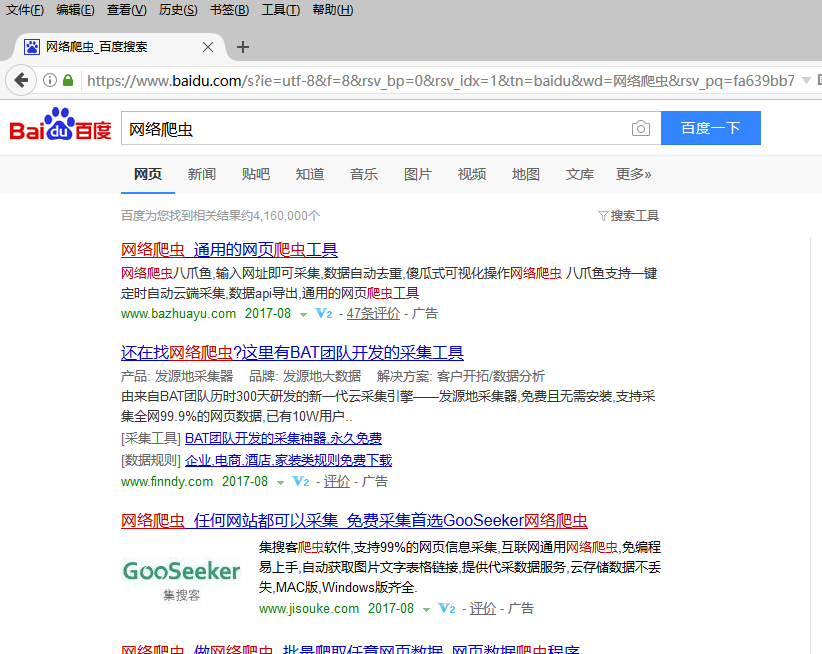
注释:要解决调用火狐是出现"selenium:expected [object undefined] undefined to be a string"问题,需要将火狐的版本降低到53.0以下,如
52.0.2
selenium调用Firefox和Chrome需要注意的一些问题,和出现的报错selenium:expected [object undefined] undefined to be a string的更多相关文章
- robotframework执行用例时,报错selenium.common.exceptions.WebDriverException: Message: unknown error: cannot get automation extension from unknown error: page could not be found: chrome-extension://aapnijgdinl
在用robotframework编写移动端测试用例(用chrome浏览器模拟手机浏览器),执行用例时, 报错selenium.common.exceptions.WebDriverException: ...
- Selenium click不生效 报错selenium.common.exceptions.InvalidArgumentException
记录在使用selenium过程中踩的坑------ 在使用selenium时,用click点击网站弹出的文件上传框的"上传文件"按钮不生效,报错selenium.common.ex ...
- python中使用selenium调用Firefox缺少geckodriver解决方法
from selenium import webdriver driver=webdriver.Firefox() 会报错 解决方法: 因为缺少geckodriver.exe,先到https://gi ...
- python+selenium遇到元素定位不到的问题,顺便记录一下自己这次的错误(报错selenium.common.exceptions.NoSuchElementException)
今天在写selenium一个发送邮件脚本时,遇到一些没有找到页面元素的错误.经过自己反复调试,找原因百度,终于解决了.简单总结一下吧,原因有以下几点: 一:Frame控件嵌套,.Frame/Ifram ...
- windows下使用selenium报错selenium.common.exceptions.WebDriverException: Message: 'geckodriver' executable needs to be in PATH
问题 :执行程序代码报错: WebDriverException:Message:'geckodriver'executable needs to be in Path 或者 selenium.com ...
- python无法启动火狐浏览器且报错“selenium.common.exceptions.WebDriverException: Message: Unable to find a matching set of capabilities”
安装了python2,使用pip安装了selenium,但是在使用时,报了“selenium.common.exceptions.WebDriverException: Message: 'gecko ...
- python3+selenium使用浏览器IE的时候,无法打开IE浏览器,老是报错: Unexpected error launching Internet Explorer. Protected Mode settings are not the same for all zones
python3+selenium使用浏览器IE的时候,老是报错: Unexpected error launching Internet Explorer. Protected Mode settin ...
- vue调用组件,组件回调给data中的数组赋值,报错Invalid prop type check failed for prop value. Expecte
报错信息: 代码信息:调用一个tree组件,选择一些信息 <componentsTree ref="typeTreeComponent" @treeCheck="t ...
- 关于lr调用jar在vuser中可以运行,但是controller中却报错的问题
如题,错误如下:javax.xml.parsers.FactoryConfigurationError: Provider org.apache.xerces.jaxp.DocumentBuilder ...
随机推荐
- laravel中,提交表单后给出提示例如添加成功,添加失败等等
laravel中的表单插入,我想在表单插入成功后,可以像thinkphp一样可以有一个提示内容,上网Google,他们还是给出的方法就是 return redirect('/')->with(' ...
- 多线程-ConcurrentHashMap(JDK1.8)
前言 HashMap非线程安全的,HashTable是线程安全的,所有涉及到多线程操作的都加上了synchronized关键字来锁住整个table,这就意味着所有的线程都在竞争一把锁,在多线程的环境下 ...
- ListView嵌套GridView使用详解及注意事项
ListView嵌套GridView即ListView的每个Item中都包含一个GridView:需要注意的是由于ListView和GridView都是可滑动的控件. 所以需要自定义GridView, ...
- 有效提升大数据量写入excel的效率
在开发过程中经常会有需要将数据导出到 excel 的需求,当数据量很大,达到几万甚至几十万.几百万级别的时候,如何加快生成 excel 的速度呢?首先普及一下知识背景:Excel2003 及以下版本一 ...
- uGUI Anchor
Anchor定位:inspector面板的Rect Transform组件中PosX左边的方框图标就是设置锚点的,做界面自适应时可定位控件在视图中的位置,与NGUI类似.Anchor+Canvas的C ...
- 1年3年5年-我对PHP攻城师有看法
今天早上公车上看微信拉勾的一些岗位推送,挑了几个PHP攻城师看看 15K-20K的 百万级网站架构经验 3年以上开发,至少1年互联网用户产品开团队开发经验 不低于百度T4水平 数据库规划和优化,熟悉常 ...
- 基于虚拟数据的行人检测研究(Expecting the Unexpected: Training Detectors for Unusual Pedestrians with Adversarial Imposters)
Paper Link : https://arxiv.org/pdf/1703.06283 Github: https://github.com/huangshiyu13/RPNplus 摘要: 这篇 ...
- GET 还是 POST?
GET 还是 POST? 与 POST 相比,GET 更简单也更快,并且在大部分情况下都能用. 然而,在以下情况中,请使用 POST 请求: 无法使用缓存文件(更新服务器上的文件或数据库) 向服务器发 ...
- java 关键字static
在Java中static表示“全局”或者“静态”的意思,用来修饰成员变量和成员方法,当然也可以修饰代码块. Java把内存分为栈内存和堆内存, 栈内存用来存放一些基本类型的变量.数组和对象的引用, 堆 ...
- jquery添加!important样式
$("span.colorFlag").parents("th").css("cssText","background-color ...