
OpenShift应用镜像构建(2) - 链式构建
Openshift对于应用构建提供了三种模式
- 从应用的源代码构建并部署,Openshift通过一个S2I的构建过程编译打包并实现发布,具体可以参考
https://www.cnblogs.com/ericnie/p/9677719.html
- 从应用的二进制构建和部署,用户可以指定通过其他工具完成的二进制包,比如war,jar之类,然后openshift将这些文件和基础镜像一起打包发布。
- 在Openshift之外构建源码和镜像
S2I虽然非常方便,个人认为他的定位是
- 适用场景是一些没有通过外部的CICD工具的项目,直接在S2I镜像内完成程序的编译以及形成应用镜像的过程,相对比较小巧而且灵活
- 会把中间的编译依赖包以及其他中间过程打包到同一个运行镜像,这对于一些公司需要符合公司的标准运行镜像,同时只需要一个标准镜像和编译后的二进制以及应用配置这种模式就不太适合了。
链式构建就是主要针对这个问题而出现的,过程如下:
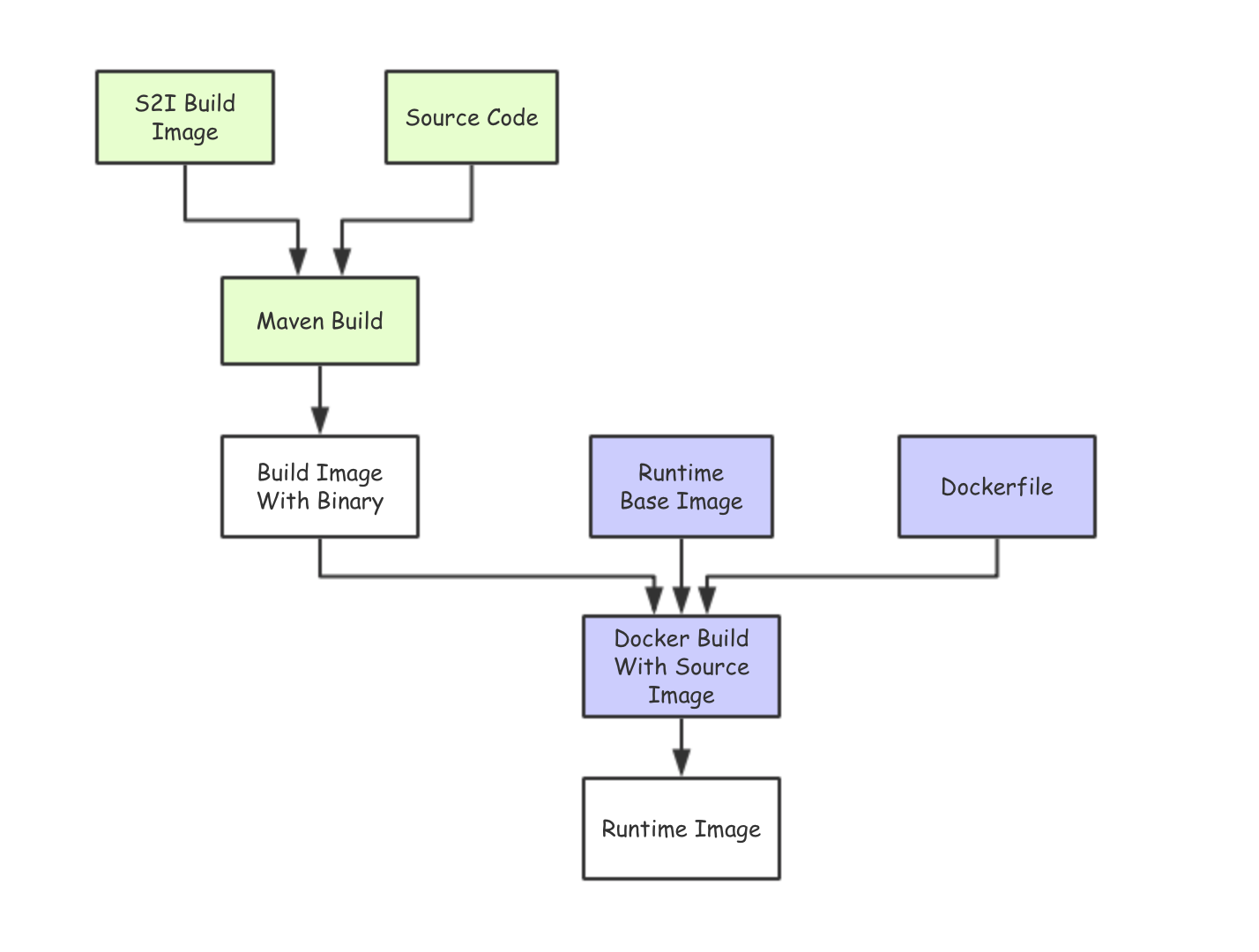
1. 生成Binary的构建
ericdeMacBook-Pro:~ ericnie$ oc new-build s2i-tomcat~https://github.com/ericnie2015/openshift-tomcat --name=builder

--> Found image f000bc5 ( days old) in image stream "openshift/s2i-tomcat" under tag "latest" for "s2i-tomcat"

    Tomcat Builder

    --------------

    Platform for building and running JEE applications on Tomcat

    Tags: builder, tomcat

    * A source build using source code from https://github.com/ericnie2015/openshift-tomcat will be created

      * The resulting image will be pushed to image stream "builder:latest"

      * Use 'start-build' to trigger a new build

--> Creating resources with label build=builder ...

    imagestream "builder" created

    buildconfig "builder" created

--> Success

    Build configuration "builder" created and build triggered.

    Run 'oc logs -f bc/builder' to stream the build progress.
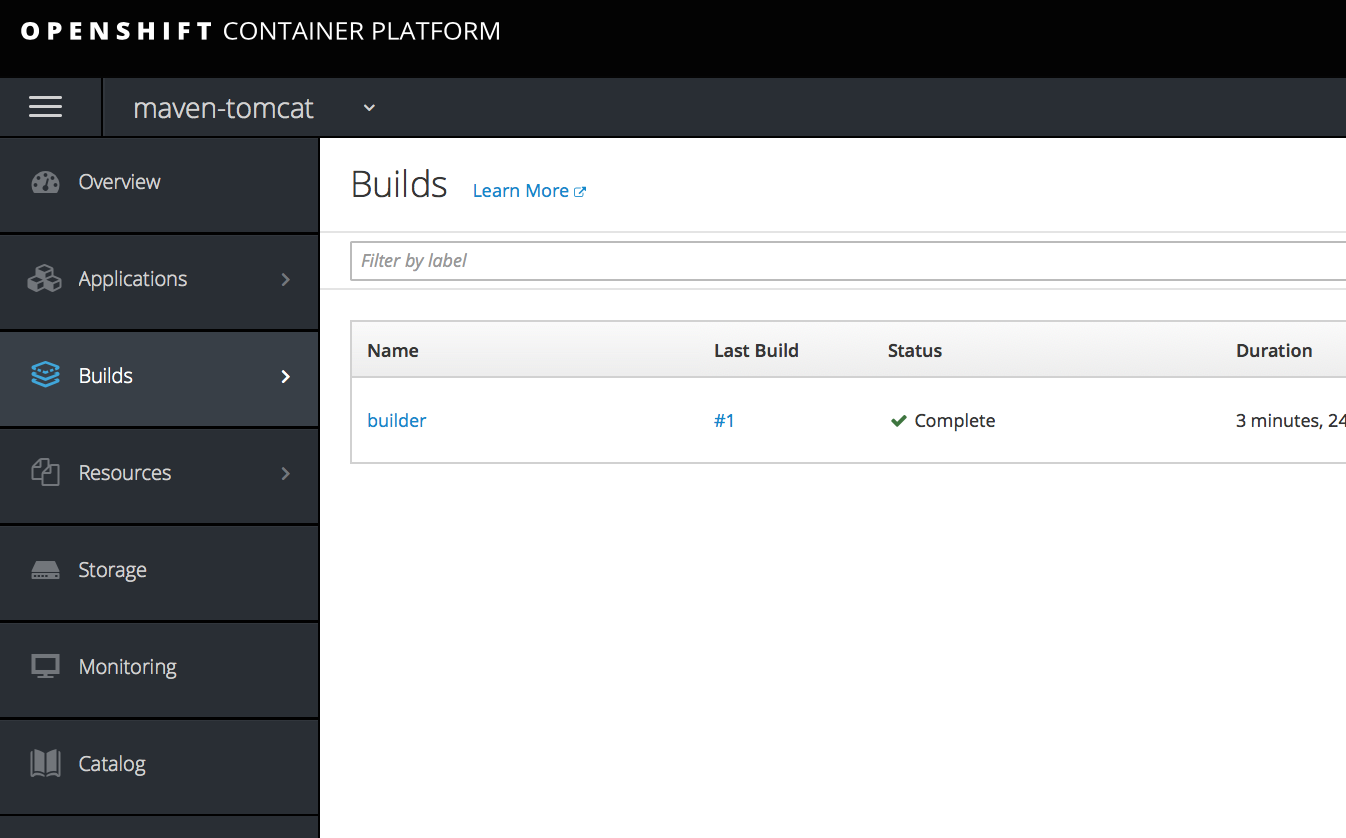
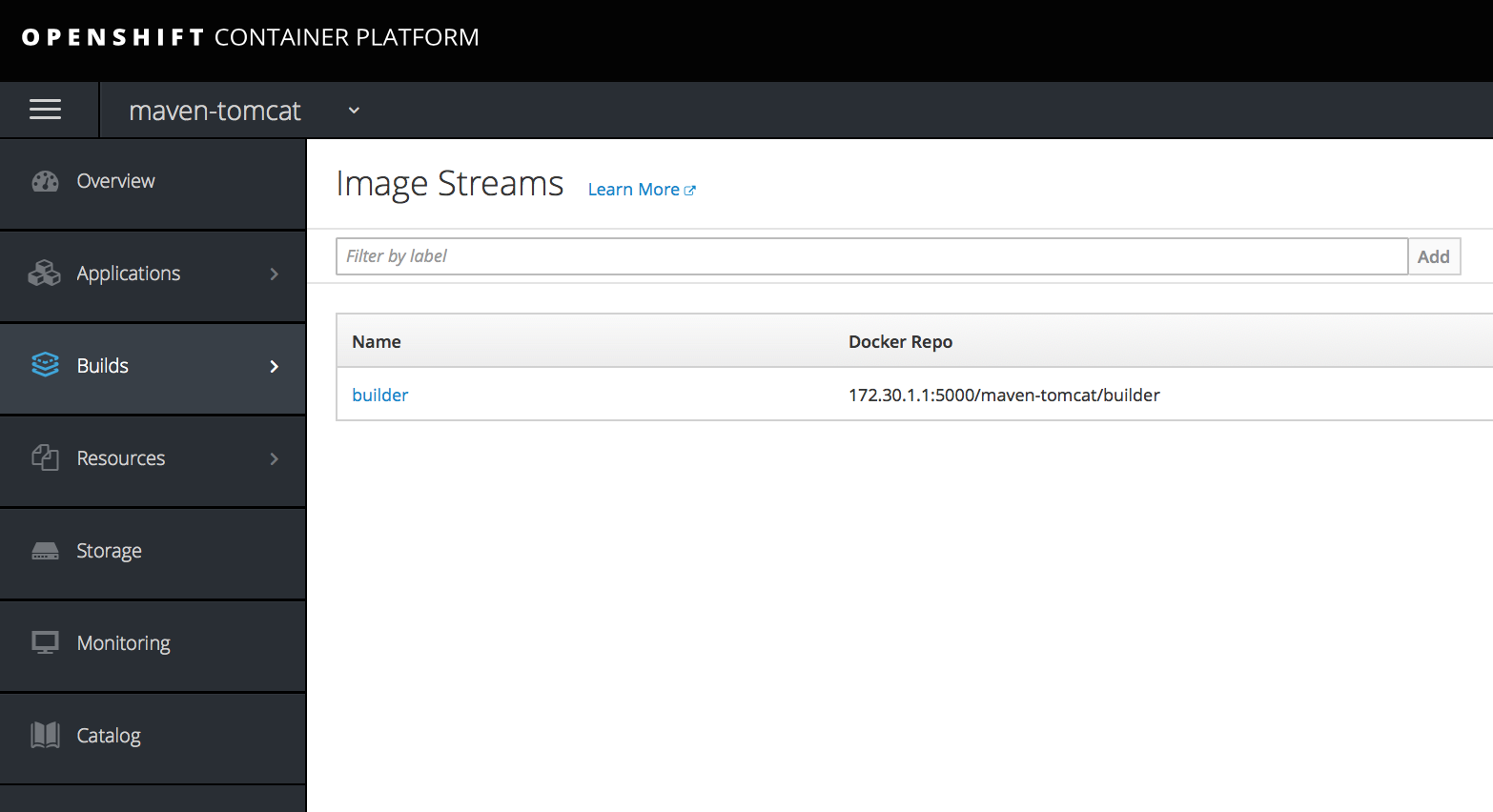
构建完成后看到一个名叫builder的构建和镜像
2.Docker构建生成Runtime Images.
ricdeMacBook-Pro:chainbuilding ericnie$ oc new-build --name=runtime --docker-image=ericnie2017/tomcat:8.5.-jre8 --source-image=builder --source-image-path=/tomcat/webapps/ROOT.war:. --dockerfile=$'FROM ericnie2017/tomcat:8.5.34-jre8\nCOPY ROOT.war /usr/local/tomcat/webapps/myapp.war' --strategy=docker

--> Found Docker image 41a54fe ( weeks old) from Docker Hub for "tomcat:8.5.34-jre8"

    * An image stream will be created as "tomcat:8.5.34-jre8" that will track the source image

    * A Docker build using a predefined Dockerfile will be created

      * The resulting image will be pushed to image stream "runtime:latest"

      * Every time "tomcat:8.5.34-jre8" changes a new build will be triggered

--> Creating resources with label build=runtime ...

    imagestream "runtime" created

    buildconfig "runtime" created

--> Success

    Build configuration "runtime" created and build triggered.

    Run 'oc logs -f bc/runtime' to stream the build progress.
构建日志如下
ericdeMacBook-Pro:chainbuilding ericnie$ oc logs -f bc/runtime

Pulling image tomcat@sha256:e7bff3f32561daf3ba91142bca7c5aeaf49c376ee07e0d6b66e3207aa08a343a ...

Pulled / layers, % complete

Pulled / layers, % complete

Pulled / layers, % complete

Pulled / layers, % complete

Pulled / layers, % complete

Extracting

Step / : FROM tomcat@sha256:e7bff3f32561daf3ba91142bca7c5aeaf49c376ee07e0d6b66e3207aa08a343a

 ---> 41a54fe1f79d

Step / : COPY ROOT.war /usr/local/tomcat/webapps/

 ---> 265bdbdfd823

Removing intermediate container 2eb535912c60

Step / : ENV "OPENSHIFT_BUILD_NAME" "runtime-1" "OPENSHIFT_BUILD_NAMESPACE" "maven-tomcat"

 ---> Running in ab63b922af0e

 ---> a5452c4705d6

Removing intermediate container ab63b922af0e

Step / : LABEL "io.openshift.build.name" "runtime-1" "io.openshift.build.namespace" "maven-tomcat"

 ---> Running in 95e2f78a51c7

 ---> 5a76fcaecd2a

Removing intermediate container 95e2f78a51c7

Successfully built 5a76fcaecd2a

Pushing image 172.30.1.1:/maven-tomcat/runtime:latest ...

Pushed / layers, % complete

Pushed / layers, % complete

Pushed / layers, % complete

Pushed / layers, % complete

Pushed / layers, % complete

Pushed / layers, % complete

Pushed / layers, % complete

Pushed / layers, % complete

Pushed / layers, % complete

Pushed / layers, % complete

Pushed / layers, % complete

Pushed / layers, % complete

Pushed / layers, % complete

Pushed / layers, % complete

Push successful
3.生成新的应用
ericdeMacBook-Pro:chainbuilding ericnie$ oc new-app runtime --name=tomcat-app

--> Found image 5a76fca (About a minute old) in image stream "maven-tomcat/runtime" under tag "latest" for "runtime"

    * This image will be deployed in deployment config "tomcat-app"

    * Port /tcp will be load balanced by service "tomcat-app"

      * Other containers can access this service through the hostname "tomcat-app"

    * WARNING: Image "maven-tomcat/runtime:latest" runs as the 'root' user which may not be permitted by your cluster administrator

--> Creating resources ...

    imagestreamtag "tomcat-app:latest" created

    deploymentconfig "tomcat-app" created

    service "tomcat-app" created

--> Success

    Application is not exposed. You can expose services to the outside world by executing one or more of the commands below:

     'oc expose svc/tomcat-app'

    Run 'oc status' to view your app.
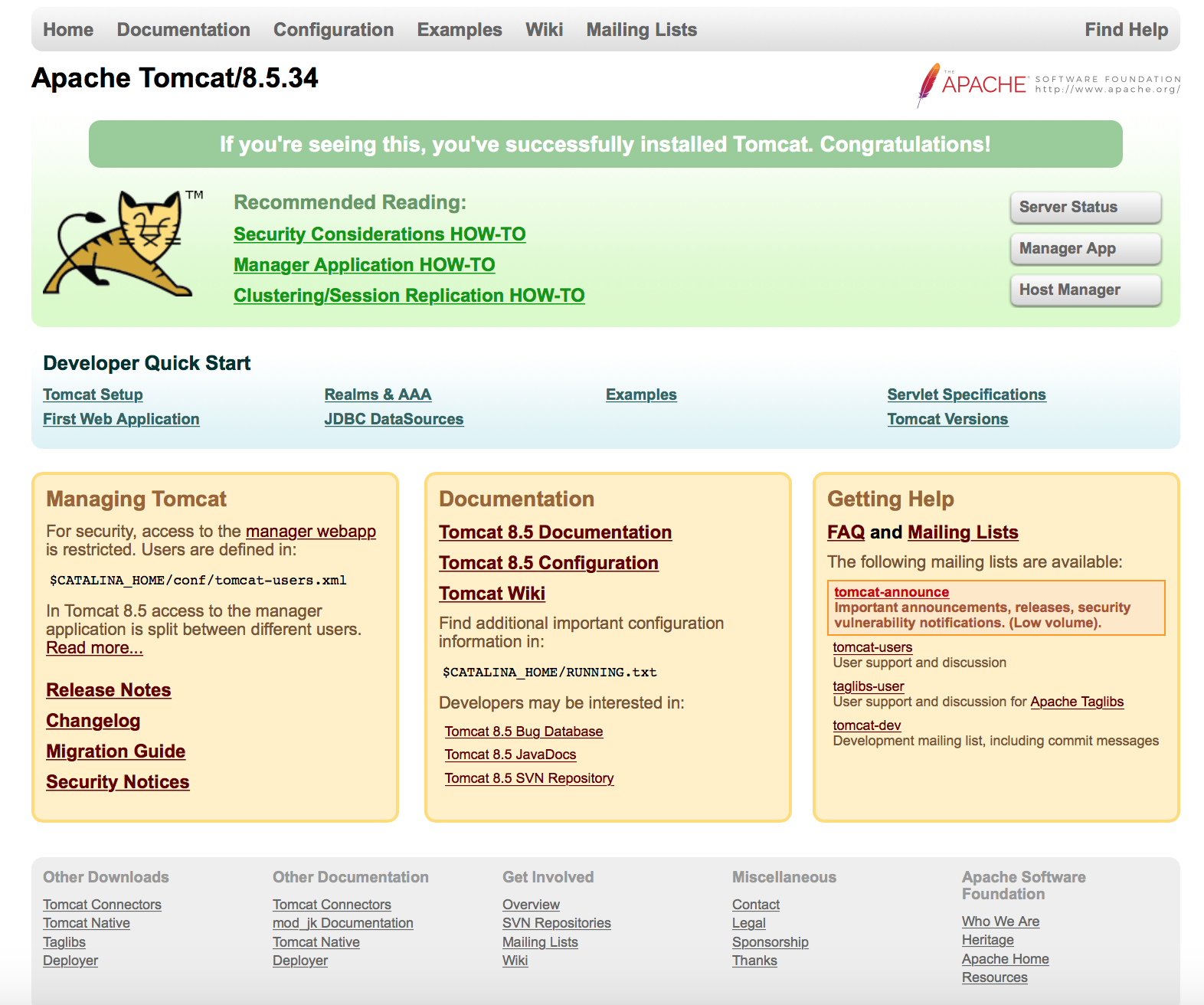
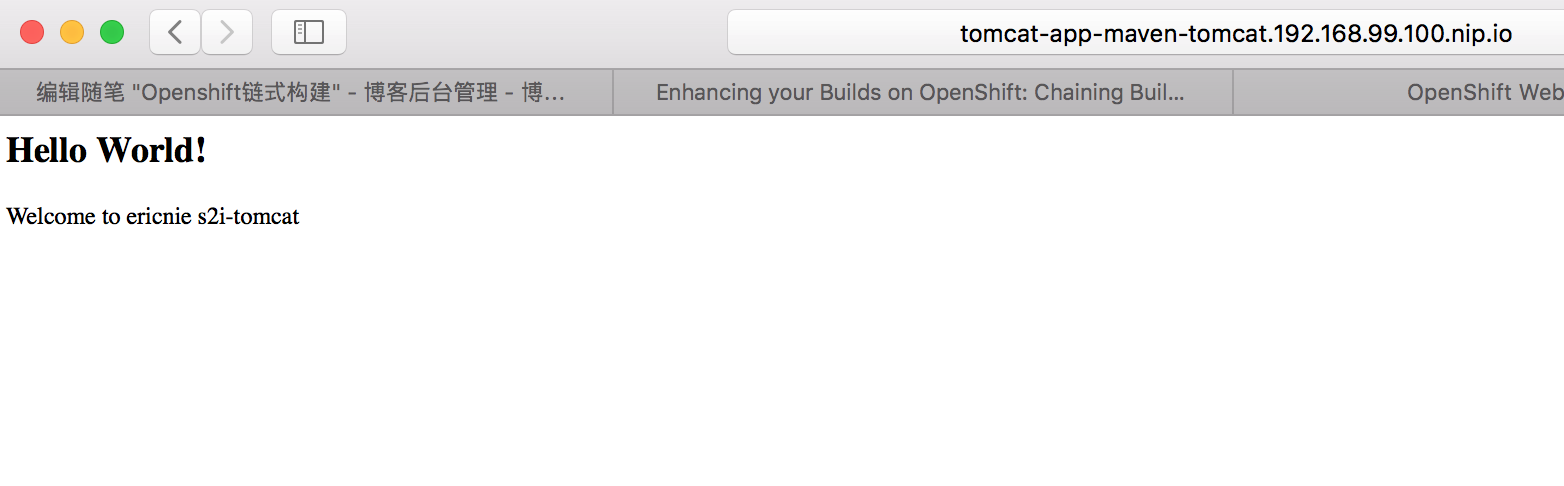
创建Route后访问,根目录页面
myapp目录下页面
OpenShift应用镜像构建(2) - 链式构建的更多相关文章
- Kafka+kylin——kylin2.5.0流式构建
版权声明:本文为博主原创文章,遵循 CC 4.0 BY-SA 版权协议,转载请附上原文出处链接和本声明. 本文链接:https://blog.csdn.net/a_drjiaoda/article/d ...
- 001/Go语言构建区块链(mooc)
1.区块链发展与现状 视频地址:https://www.imooc.com/video/17452 注意: 比特币与以太坊最大的区别在于: 以太坊引入了对图灵完美智能合约的支持,人们可以将任何业务逻辑 ...
- Gradle学习系列之四——增量式构建
在本系列的上篇文章中,我们讲到了如何读懂Gradle的语法,在本篇文章中,我们将讲到增量式地构建项目. 请通过以下方式下载本系列文章的Github示例代码: git clone https://git ...
- WebApi 插件式构建方案
WebApi 插件式构建方案 WebApi 插件式构建方案 公司要推行服务化,不可能都整合在一个解决方案内,因而想到了插件式的构建方案.最终定型选择基于 WebApi 构建服务化,之所以不使用 WCF ...
- WebApi 插件式构建方案:重写的控制器获取工厂
body { border: 1px solid #ddd; outline: 1300px solid #fff; margin: 16px auto; } body .markdown-body ...
- WebApi 插件式构建方案:IOC 容器初始化
body { border: 1px solid #ddd; outline: 1300px solid #fff; margin: 16px auto; } body .markdown-body ...
- .Net Core 商城微服务项目系列(十):使用SkyWalking构建调用链监控(2019-02-13 13:25)
SkyWalking的安装和简单使用已经在前面一篇介绍过了,本篇我们将在商城中添加SkyWalking构建调用链监控. 顺带一下怎么把ES设置为Windows服务,cd到ES的bin文件夹,运行ela ...
- 构建ROP链实现远程栈溢出
通常情况下栈溢出可能造成的后果有两种,一类是本地提权另一类则是远程执行任意命令,通常C/C++并没有提供智能化检查用户输入是否合法的功能,同时程序编写人员在编写代码时也很难始终检查栈是否会发生溢出,这 ...
- LFS(Linux From Scratch)构建过程全记录(五):交叉工具链的构建
写在前面 本文将详细讲述如何构建工具链 前置知识 在LFS-BOOK中,我们需要学习一些关于"交叉编译"的内容,详见书本 安装Binutils-2.39 我们cd到sources文 ...
随机推荐
- python_day4学习笔记
一.内置函数
- Python+Selenium 自动化实现实例-Xpath捕捉元素的几种方法
#coding=utf-8import timefrom selenium import webdriverdriver = webdriver.Chrome()driver.get("ht ...
- beego学习笔记(1)
公司准备开发一个针对塔吊行业的APP. 后台采用微服务,docker容器部署. 准备采用go进行微服务的开发. 采用beego进行restful API的开发. 第一步,访问beego的官方网站: h ...
- WebMail
try { WebMail.SmtpServer = "smtp.example.com"; WebMail.SmtpPort = ; WebMail.Enab ...
- hdu 多校第一场
1001 思路:打表可以发现只有3|n 和 4|n 的情况有解,判一下就好啦. #include<bits/stdc++.h> #define LL long long #define f ...
- logger日志的几个方法
logger.debug.logger.info.logger.warn.logger.error.logger.fatal 的区别: 相同处:它们的作用都是把错误信息写到文本日志里 不同的是它们表示 ...
- SpringMVC组件配置
web.xml . springmvc-servlet.xml 配置SpringMVC四大组件. web.xml 配置前端控制器:前端控制器就是个servlet <!-- 配置前端控制器 --& ...
- 如何判断图中存环(正&负)
1.正环 用 SPFA不断的进行松弛操作,发现当前金额可以比本身大就更新,同时记录更新次数.如果更新次数超过n次,说明存在”正“环. 2.负环 这里先说明下负环.(求最短距离的时候) 在我们用SPFA ...
- AndroidManifest.xml文件详解(permission)
http://blog.csdn.net/think_soft/article/details/7574726 语法(SYNTAX): <permissionandroid:descriptio ...
- 循序渐进PYTHON3(十三) --5-- DJANGO请求处理流程
上面的流程图可以大致描述Django处理request的流程,可以分为以下几个步骤: 1. 用户通过浏览器请求一个页面 2. 请求到达Request Middlewares,中间件对request做一 ...