
Javascript 综合示例 网页扫雷游戏
---------------认定了的事情,只要是对的,干到底!
----------------------------------------------------------------------------------------------------------------------------------------------
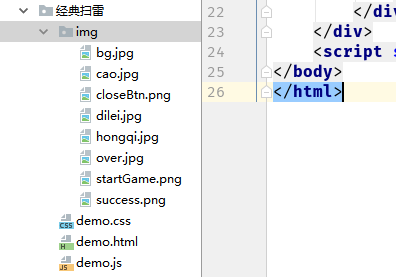
分别建立 HTML CSS JS 三个文件
加上 保存好的图片
----------------------------------------------------------------------------------------------------------------------------------------------
----------------------------------------------------------------------------------------------------------------------------------------------
----------------------------------------------------------------------------------------------------------------------------------------------
HTML代码
----------------------------------------------------------------------------------------------------------------------------------------------
<!DOCTYPE html>
<html lang="en">
<head>
    <meta charset="UTF-8">
    <meta name="viewport" content="width=device-width, initial-scale=1.0">
    <meta http-equiv="X-UA-Compatible" content="ie=edge">
    <title>原生JS~扫雷</title>
    <link rel="stylesheet" href="demo.css">
</head>
<body>
    <div class="wrapper">
        <div class="btn" id="btn"></div>
        <div class="box" id="box"></div>
        <div class="flagBox" id="flagBox">
            当前剩余雷数:
            <span id="score">10</span>
        </div>
        <div class="alertBox" id="alertBox">
            <div class="alertImg" id="alertImg">
                <div class="close" id="close"></div>
            </div>
        </div>
    </div>
    <script src="demo.js"></script>
</body>
</html>
----------------------------------------------------------------------------------------------------------------------------------------------
CSS代码
----------------------------------------------------------------------------------------------------------------------------------------------
*{
    margin:0;
    padding:0;
}
.wrapper {
    width:100%;
    height:1000px;
    position: fixed;
    top:0;
    left:0;
    background-image: url('img/bg.jpg');
    background-size: 100% 100%;
}

.btn{
    height:140px;
    width:170px;
    position:absolute;
    left:50px;
    background-image: url('img/startGame.png');
    background-size: 100% 100%;
    cursor: pointer;
}

.box{
    height:500px;
    width:500px;
    transform: perspective(800px) rotateX(45deg);
    margin:20px auto;
    border-top:1px solid #B25F27;
    border-left:1px solid #B25F27;
    box-shadow:  5px 5px 5px rgba(0,0,0,0.3);

    display:none;
}

.flagBox{
    position:absolute;
    top:50px;
    left:50%;
    width:200px;
    height:50px;
    margin-left:-100px;
    color:#333;
    font-size:20px;
    font-weight: bolder;
    display:none;
}
.alertBox{
    display:none;
    position:absolute;
    width:100%;
    height:100%;
    left:0;
    top:0;
    background-color: rgba(0,0,0,0.2);
}

.alertImg{
    width:600px;
    height:400px;
    background-size: 100% 100%;
    position:absolute;
    left:0;
    top:0;
    right:0;
    bottom:0;
    margin:auto;
    border-radius: 20px;
}

.close{
    position:absolute;
    right:0;
    top:0;
    height:40px;
    width:40px;
    background-image: url('img/closeBtn.png');
    background-size: 100% 100%;
    cursor: pointer;

}

.block{
    width:49px;
    height:49px;
    border-right:1px solid #B25F27;
    border-bottom:1px solid #B25F27;
    box-shadow: 0 0 4px #333 inset;
    background-image: url('img/cao.jpg');
    float: left;
}

.show{
    background-image: url('img/dilei.jpg');
    background-size: 100% 100%;
}

.num{
    background:#ECD0A1;
    font-size:18px;
    font-weight:bold;
    line-height: 49px;
    text-align: center;
}
.flag{
    background-image:url('img/hongqi.jpg');
    background-size:100% 100%;
}
----------------------------------------------------------------------------------------------------------------------------------------------
JS代码
----------------------------------------------------------------------------------------------------------------------------------------------
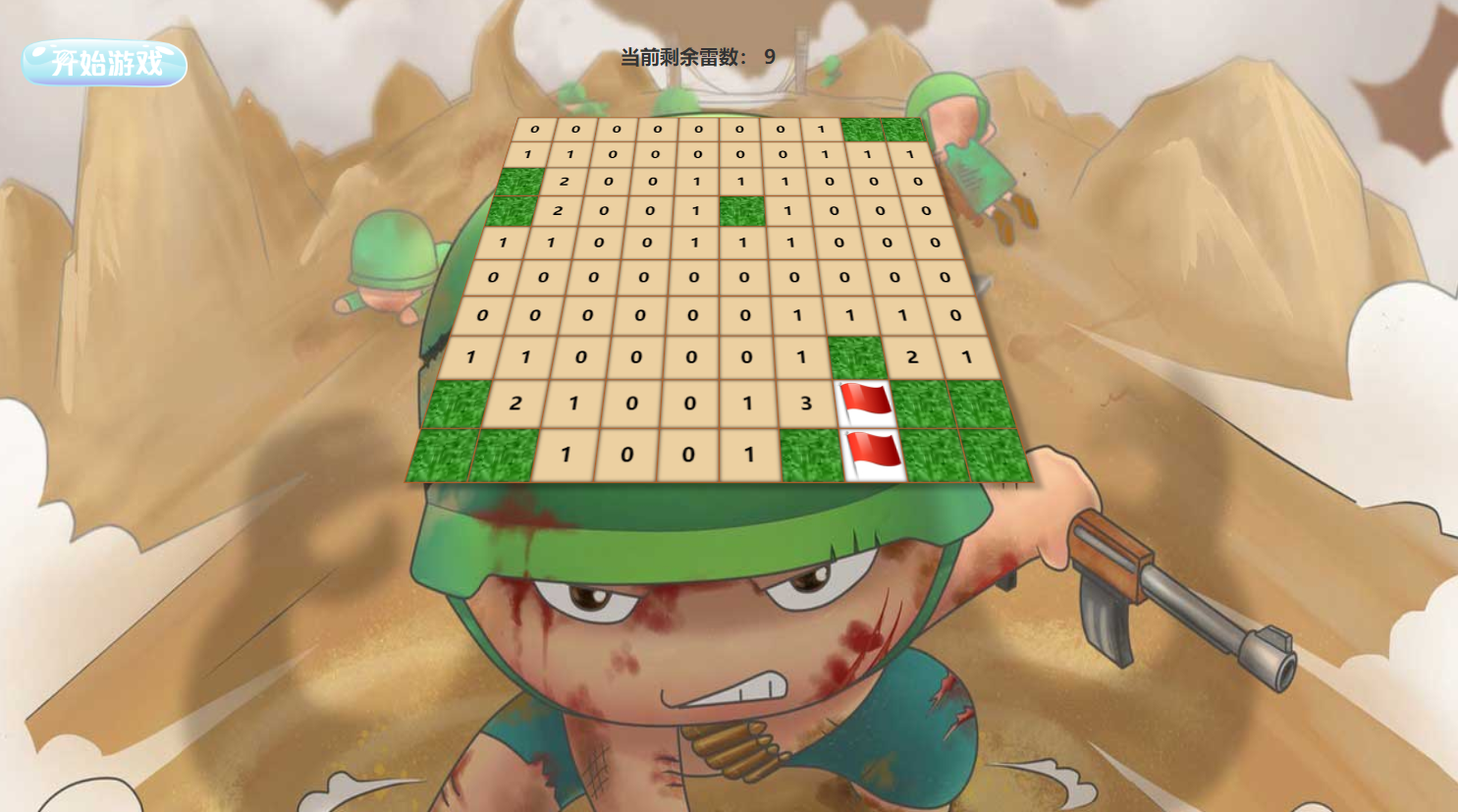
//点击开始游戏 -》 动态生成100个小格--》100div
//leftClick  没有雷  --》显示数字(代表以当前小格为中心周围8个格的雷数) 扩散(当前周围八个格没有雷)
//           有累 --》game Over
//rightClick 没有标记并且没有数字--》进行标记。 有标记 --》取消标记 --》标记是否正确,10个都正确标记,提示成功
//已经出现数字--》无效果

var startBtn = document.getElementById('btn');
var box = document.getElementById('box');
var flagBox = document.getElementById('flagBox');
var alertBox = document.getElementById('alertBox');
var alertImg = document.getElementById('alertImg');
var closeBtn = document.getElementById('close');
var score = document.getElementById('score');
var minesNum;
var mineOver;
var block;
var mineMap = [];
var startGameBool = true;

bindEvent();
function bindEvent() {
    startBtn.onclick = function () {
        if(startGameBool){
            box.style.display = 'block';
            flagBox.style.display = 'block';
            init();
            startGameBool = false;
        }

    }
    box.oncontextmenu = function () {
        return false;
    }
    box.onmousedown = function (e) {
        var event = e.target;
        if (e.which == 1) {
            leftClick(event);
        } else if (e.which == 3) {
            rightClick(event);
        }
    }
    closeBtn.onclick = function () {
        alertBox.style.display = 'none';
        flagBox.style.display = 'none';
        box.style.display = 'none';
        box.innerHTML = '';
        startGameBool = true;
    }
}

function init() {
    minesNum = 10;
    mineOver = 10;
    score.innerHTML = mineOver;

    for (var i = 0; i < 10; i++) {
        for (var j = 0; j < 10; j++) {
            var con = document.createElement('div');
            con.classList.add('block');
            con.setAttribute('id', i + '-' + j);
            box.appendChild(con);
            mineMap.push({ mine: 0 });
        }
    }
    block = document.getElementsByClassName('block');
    while (minesNum) {
        var mineIndex = Math.floor(Math.random() * 100);
        if (mineMap[mineIndex].mine === 0) {
            mineMap[mineIndex].mine = 1;
            block[mineIndex].classList.add('isLei');
            minesNum--;
        }
    }
}

function leftClick(dom) {
    if(dom.classList.contains('flag')){
        return;
    }
    var isLei = document.getElementsByClassName('isLei');
    if (dom && dom.classList.contains('isLei')) {
        for (var i = 0; i < isLei.length; i++) {
            isLei[i].classList.add('show');
        }
        setTimeout(function () {
            alertBox.style.display = 'block';
            alertImg.style.backgroundImage = 'url("img/over.jpg")';
        }, 800)
    } else {
        var n = 0;
        var posArr = dom && dom.getAttribute('id').split('-');
        var posX = posArr && +posArr[0];
        var posY = posArr && +posArr[1];
        dom && dom.classList.add('num');
        for (var i = posX - 1; i <= posX + 1; i++) {
            for (var j = posY - 1; j <= posY + 1; j++) {
                var aroundBox = document.getElementById(i + '-' + j);
                if (aroundBox && aroundBox.classList.contains('isLei')) {
                    n++;
                }
            }
        }
        dom && (dom.innerHTML = n);
        if (n == 0) {
            for (var i = posX - 1; i <= posX + 1; i++) {
                for (var j = posY - 1; j <= posY + 1; j++) {
                    var nearBox = document.getElementById(i + '-' + j);
                    if (nearBox && nearBox.length != 0) {
                        if (!nearBox.classList.contains('check')) {
                            nearBox.classList.add('check');
                            leftClick(nearBox);
                        }
                    }
                }
            }
        }
    }
}

function rightClick(dom){
    if(dom.classList.contains('num')){
        return;
    }
    dom.classList.toggle('flag');
    if(dom.classList.contains('isLei') &&dom.classList.contains('flag')){
        mineOver --;
    }
    if(dom.classList.contains('isLei') && !dom.classList.contains('flag')){
        mineOver ++;
    }

    score.innerHTML = mineOver;
    if(mineOver == 0){
        alertBox.style.display = 'block';
        alertImg.style.backgroundImage = 'url("img/success.png")';
    }
}
----------------------------------------------------------------------------------------------------------------------------------------------
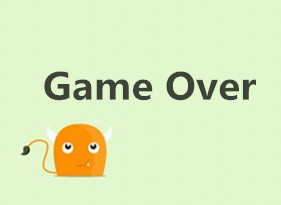
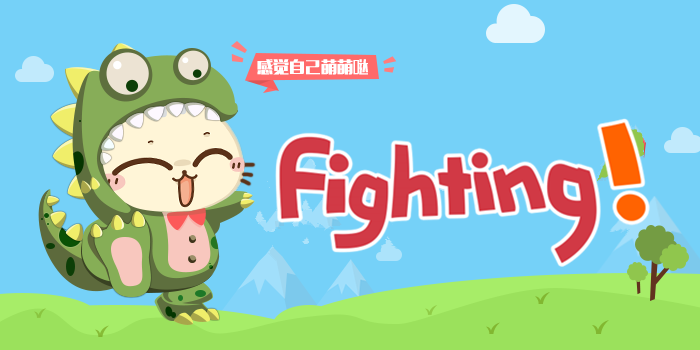
图片文件
----------------------------------------------------------------------------------------------------------------------------------------------



Javascript 综合示例 网页扫雷游戏的更多相关文章
- 原生javascript扫雷游戏
<!DOCTYPE html PUBLIC "-//W3C//DTD XHTML 1.0 Transitional//EN" "http://www.w3.org/ ...
- C# -- HttpWebRequest 和 HttpWebResponse 的使用 C#编写扫雷游戏 使用IIS调试ASP.NET网站程序 WCF入门教程 ASP.Net Core开发(踩坑)指南 ASP.Net Core Razor+AdminLTE 小试牛刀 webservice创建、部署和调用 .net接收post请求并把数据转为字典格式
C# -- HttpWebRequest 和 HttpWebResponse 的使用 C# -- HttpWebRequest 和 HttpWebResponse 的使用 结合使用HttpWebReq ...
- 前端MVC Vue2学习总结(一)——MVC与vue2概要、模板、数据绑定与综合示例
一.前端MVC概要 1.1.库与框架的区别 框架是一个软件的半成品,在全局范围内给了大的约束.库是工具,在单点上给我们提供功能.框架是依赖库的.Vue是框架而jQuery则是库. 1.2.AMD与CM ...
- Spring MVC 学习总结(四)——视图与综合示例
一.表单标签库 1.1.简介 从Spring2.0起就提供了一组全面的自动数据绑定标签来处理表单元素.生成的标签兼容HTML 4.01与XHTML 1.0.表单标签库中包含了可以用在JSP页面中渲染H ...
- 用javascript实现2048的小游戏
前段时间,看了一个视频,用javascript实现的2048小游戏,发现不难,都是一些基出的语法和简单逻辑. 整个2048游戏没有很多的数据,所有,实现起来还是很有成就感的. 先上图,简直就和原版游戏 ...
- 【Android】自己动手做个扫雷游戏
1. 游戏规则 扫雷是玩法极其简单的小游戏,点击玩家认为不存在雷的区域,标记出全部地雷所在的区域,即可获得胜利.当点击不包含雷的块的时候,可能它底下存在一个数,也可能是一个空白块.当点击中有数字的块时 ...
- [Swift]LeetCode529. 扫雷游戏 | Minesweeper
Let's play the minesweeper game (Wikipedia, online game)! You are given a 2D char matrix representin ...
- 基于jQuery经典扫雷游戏源码
分享一款基于jQuery经典扫雷游戏源码.这是一款网页版扫雷小游戏特效代码下载.效果图如下: 在线预览 源码下载 实现的代码. html代码: <center> <h1>j ...
- Leetcode 529.扫雷游戏
扫雷游戏 让我们一起来玩扫雷游戏! 给定一个代表游戏板的二维字符矩阵. 'M' 代表一个未挖出的地雷,'E' 代表一个未挖出的空方块,'B' 代表没有相邻(上,下,左,右,和所有4个对角线)地雷的已挖 ...
随机推荐
- create table 使用select查询语句创建表的方法分享
转自:http://www.maomao365.com/?p=6642 摘要:下文讲述使用select查询语句建立新的数据表的方法分享 ---1 mysql create table `新数据表名` ...
- Windows Server 2016-Active Directory域服务端口汇总
本章为大家简单整理一下有关Windows server Active Directory和Active Directory域服务(AD DS)组件的端口要求.生产环境中我们在做网络调整.防火墙或者开关 ...
- IO测试工具之fio详解
目前主流的第三方IO测试工具有fio.iometer和Orion,这三种工具各有千秋. fio在Linux系统下使用比较方便,iometer在window系统下使用比较方便,Orion是oracle的 ...
- Jenkins系统监测
Jenkins 是一个开源项目,提供了一种易于使用的持续集成系统,使开发者从繁杂的集成中解脱出来,专注于更为重要的业务逻辑实现上.同时 Jenkins 能实施监控集成中存在的错误,提供详细的日志文件和 ...
- Ubuntu下启动 Redis时, 提示 "Can't open the log file: Permission denied failed"
问题来源:在删除var目录下的log文件时,将redis文件夹删除了.然后在重启时:/etc/init.d/redis-server start,提示: Starting redis-server: ...
- cURL模拟POST提交数据
首先,是这个代码: <?php //curl模拟post提交数据$url = "http://127.0.0.1/immoc/output.php";$post_data = ...
- C# -- HttpWebRequest 和 HttpWebResponse 的使用
C# -- HttpWebRequest 和 HttpWebResponse 的使用 结合使用HttpWebRequest 和 HttpWebResponse,来判断一个网页地址是否可以正常访问. 1 ...
- C语言 大小写字母转换
//凯鲁嘎吉 - 博客园 http://www.cnblogs.com/kailugaji/ 方法1: #include<stdio.h> #include<stdlib.h> ...
- js模块化规范—概念和模块化进化史以及模块化的问题
模块的概念 一个复杂的项目开发中,会写很多js文件,一个js文件执行某些特定的功能,那么每个js都可以称为一个模块,这就是模块的概念 每个js模块内部数据/实现是私有的, 只是向外部暴露一些接口(方法 ...
- Openstack window 10 镜像制作
Windows 10 Openstack 镜像制作 //************************************************************************ ...