
用 Python 监控知乎和微博的热门话题
前言
文的文字及图片来源于网络,仅供学习、交流使用,不具有任何商业用途,版权归原作者所有,如有问题请及时联系我们以作处理。
作者: TED Crossin的编程教室
PS:如有需要Python学习资料的小伙伴可以加点击下方链接自行获取
http://note.youdao.com/noteshare?id=3054cce4add8a909e784ad934f956cef
知乎热榜中的内容热度值,是根据该条内容近24小时内的浏览量、互动量、专业加权、创作时间及在榜时间等维度,综合计算得出的。知乎热榜即根据内容热度值制定的排行榜。

微博的热度值是根据该篇微博被转发、点赞数和微博发布时间等各项因素,来算出热度基数,再与热度权重相加,得出最终的热度值。微博热门即话题热度排行榜。
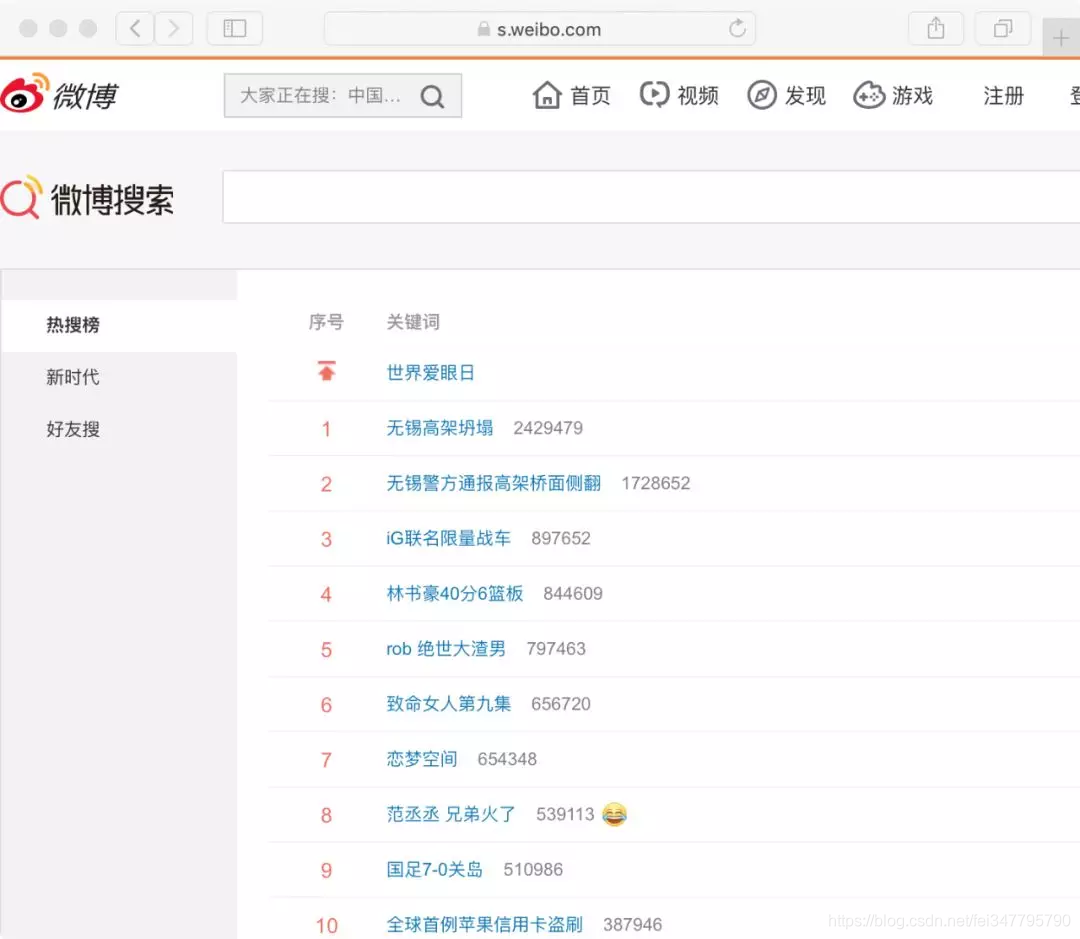
今天我们要做的就是将相关排行榜中的话题内容爬取下来当作数据素材。换句话说,我们要把页面上排好的信息,通过代码读取并保存起来。
1. 爬取网页内容
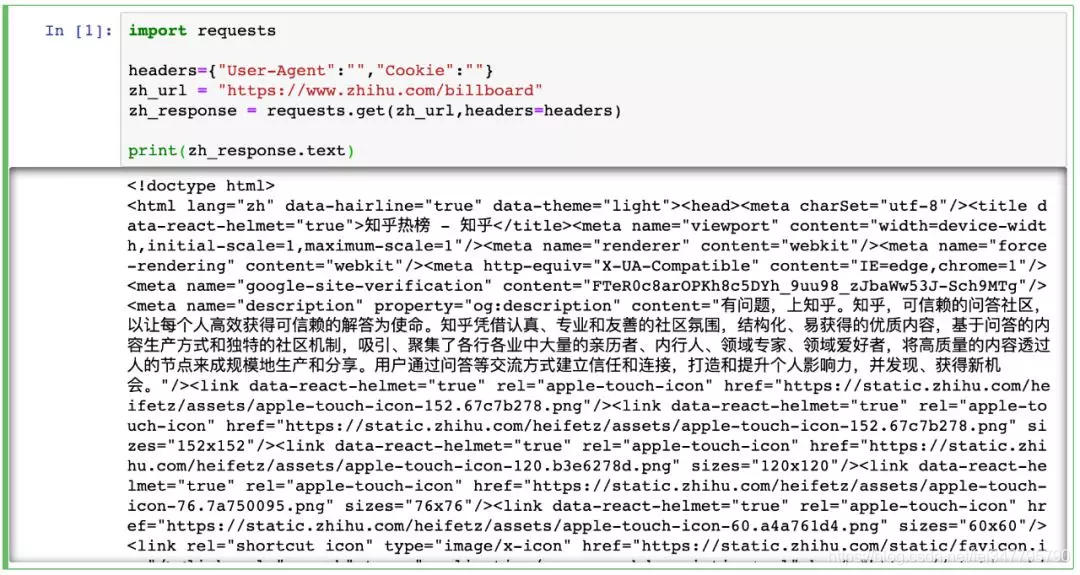
Python 爬虫通常采用 requests 库来处理网络请求。这里关于 requests 的方法和参数暂不展开。
知乎热榜
微博热门
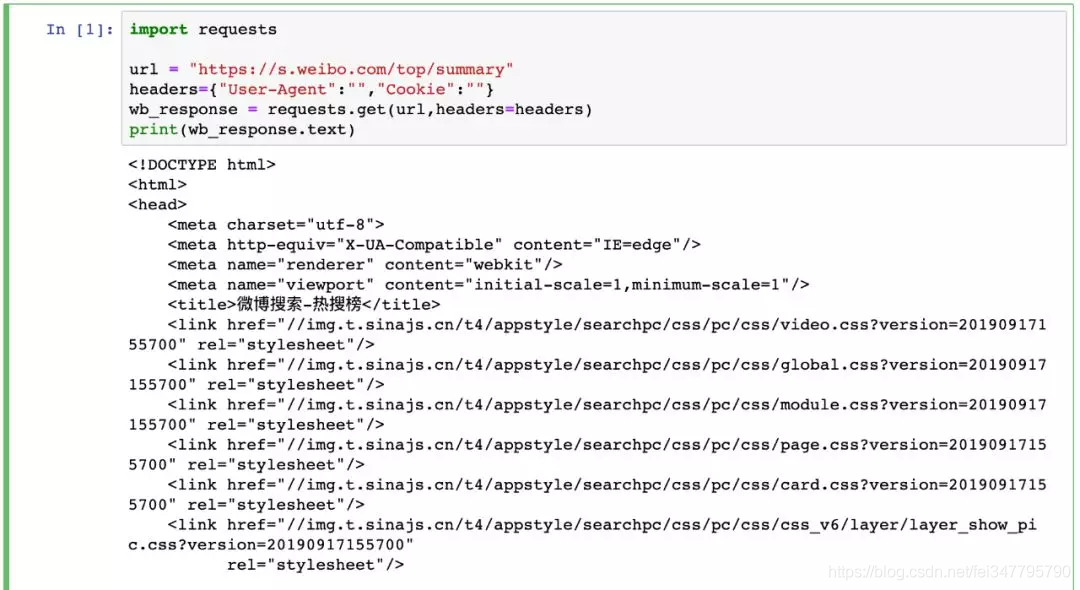
这里有两点要注意:
1、我们选用的网址链接在未登录状态下也可访问,因此 requests 方法中的参数为空也不影响。但爬虫时更多的情况是需要登陆状态,因此也就要求通过设置不同参数来模拟登陆去进行相关操作。 2、通过 requests 模块获取的网页内容,对应的是在网站上右键单击,选择“显示网页源代码”后展现的页面。它与我们实际看到的网页内容或者 F12 进入开发者模式中看到的网页 elements 是不同的。前者是网络请求后返回结果,后者是浏览器对页面渲染后结果。
2. 解析爬到的内容
第一步爬到的是整个页面内容,接下来要在所有内容中去对目标定位,然后将其读取并保存起来。
这里我采用的是 BeautifulSoup,因为学爬虫最先接触这个,用起来也蛮顺手。通过 BeautifulSoup 提供的方法和参数,可以很便捷定位到目标。
在知乎热榜的网页源代码中,拉到最下方可以看到如下:
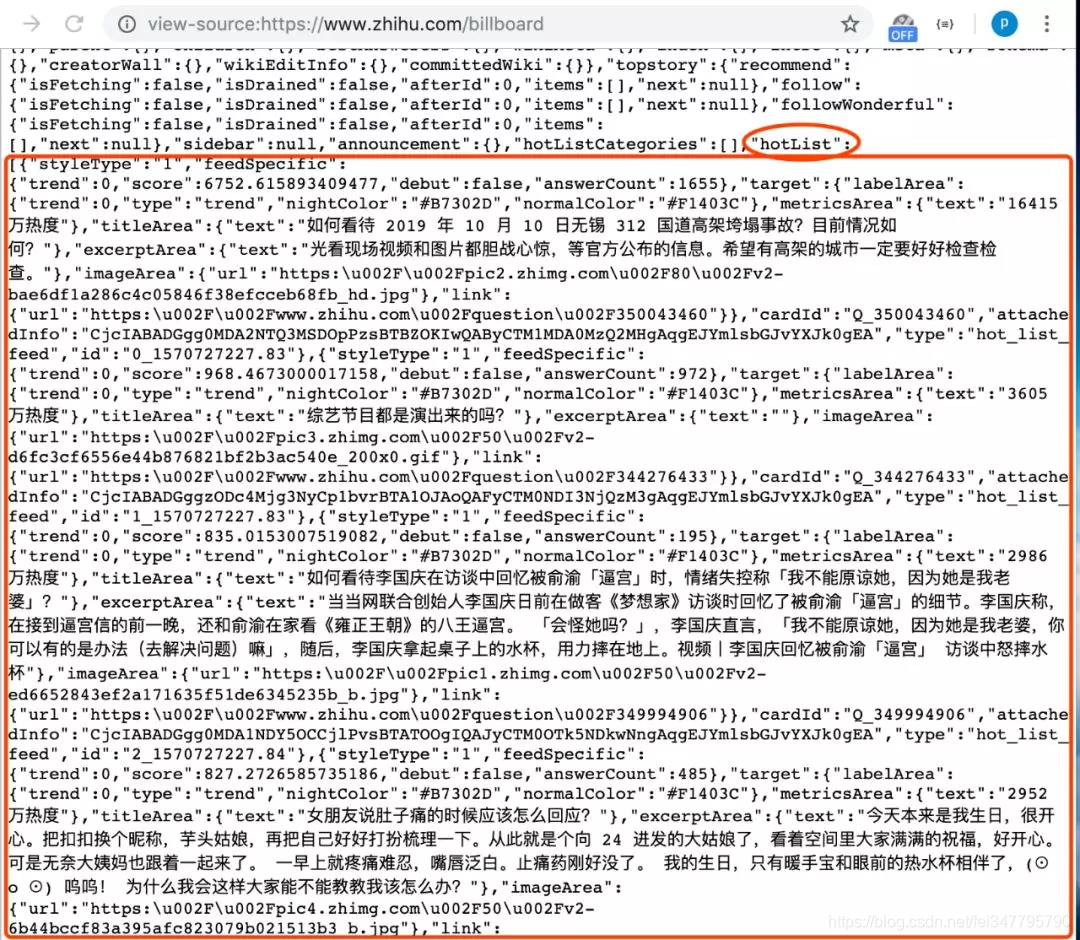
在源代码中网页的 script 部分,有现成的整理好的热榜数据。所以我们为了减少工作量,直接通过 BeautifulSoup 取出 script 中内容,再用正则表达式匹配热榜数据列表处的内容。
import requests
import re
from bs4 import BeautifulSoup
headers={"User-Agent":"","Cookie":""}
zh_url = "https://www.zhihu.com/billboard"
zh_response = requests.get(zh_url,headers=headers)
webcontent = zh_response.text
soup = BeautifulSoup(webcontent,"html.parser")
script_text = soup.find("script",id="js-initialData").get_text()
rule = r'"hotList":(.*?),"guestFeeds"'
result = re.findall(rule,script_text)
temp = result[0].replace("false","False").replace("true","True")
hot_list = eval(temp)
print(hot_list)
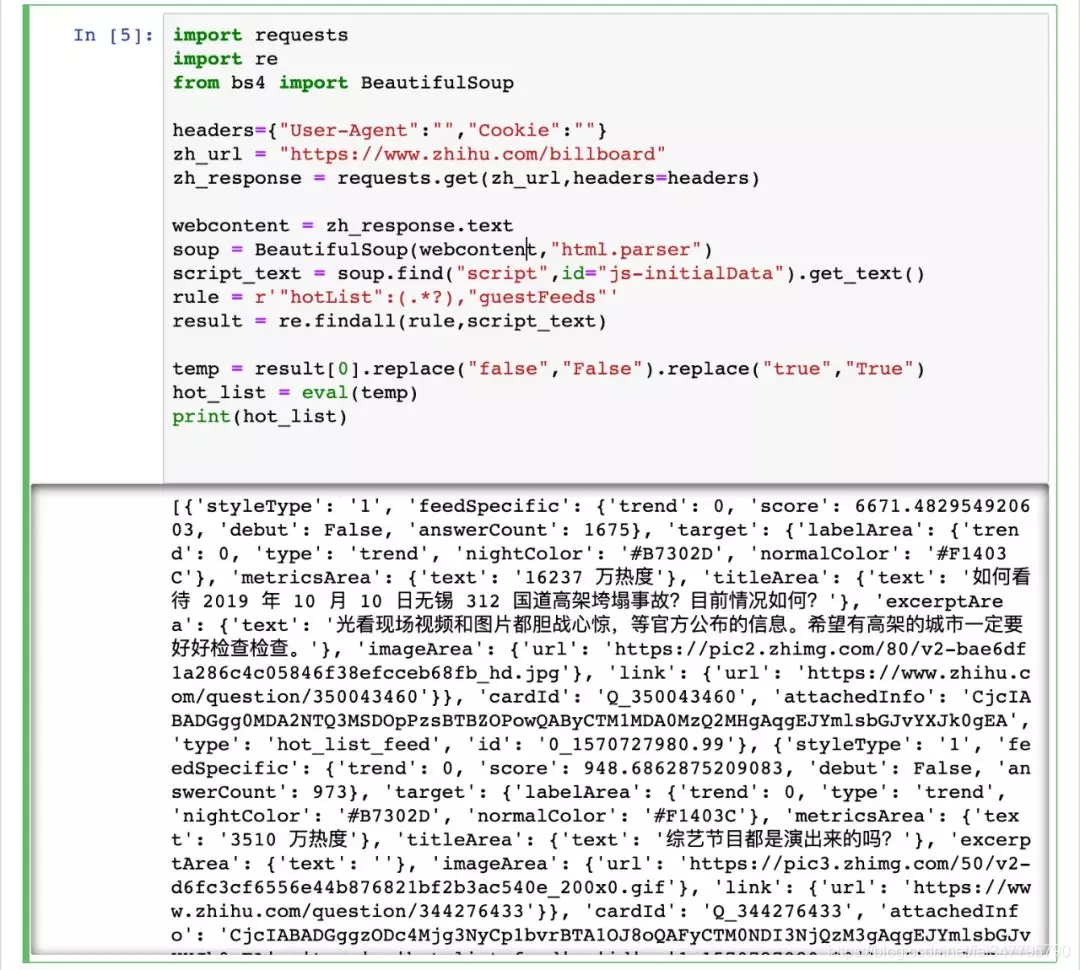
这里我利用了 script 中热榜数据的列表结构,在定位取出相关字符串后,先将 js 中的 true 和 false 转化为 Python 中的 True 和 False,最后直接通过 eval() 来将字符串转化为直接可用的数据列表。
运行代码结果如图:
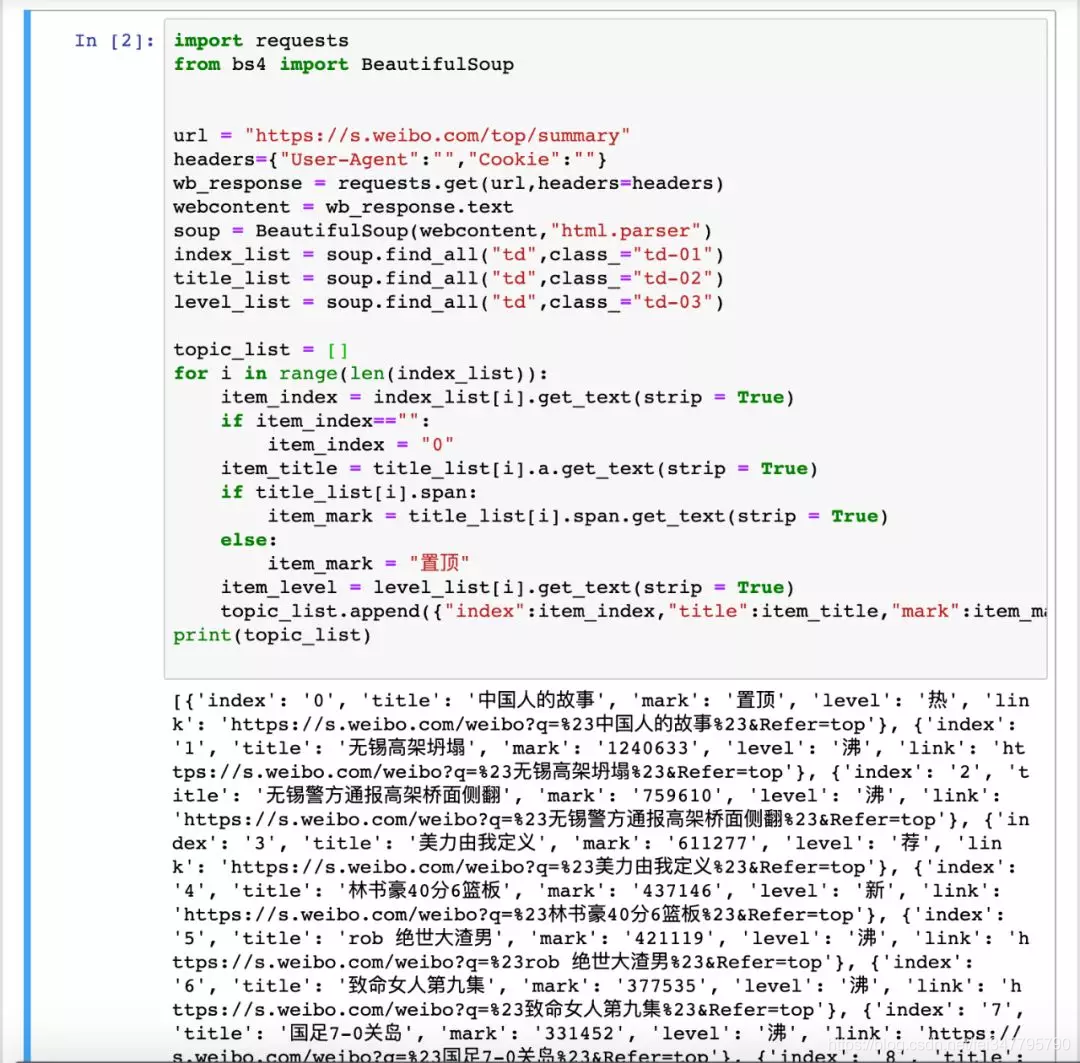
至于对微博热门的解析,就是中规中矩地利用 BeautifulSoup 来对网页元素进行定位获取:
import requests
from bs4 import BeautifulSoup
url = "https://s.weibo.com/top/summary"
headers={"User-Agent":"","Cookie":""}
wb_response = requests.get(url,headers=headers)
webcontent = wb_response.text
soup = BeautifulSoup(webcontent,"html.parser")
index_list = soup.find_all("td",class_="td-01")
title_list = soup.find_all("td",class_="td-02")
level_list = soup.find_all("td",class_="td-03")
topic_list = []
for i in range(len(index_list)):
item_index = index_list[i].get_text(strip = True)
if item_index=="":
item_index = ""
item_title = title_list[i].a.get_text(strip = True)
if title_list[i].span:
item_mark = title_list[i].span.get_text(strip = True)
else:
item_mark = "置顶"
item_level = level_list[i].get_text(strip = True)
topic_list.append({"index":item_index,"title":item_title,"mark":item_mark,"level":item_level,"link":f"https://s.weibo.com/weibo?q=%23{item_title}%23&Refer=top"})
print(topic_list)
通过解析,将微博热门数据逐条存入列表中:
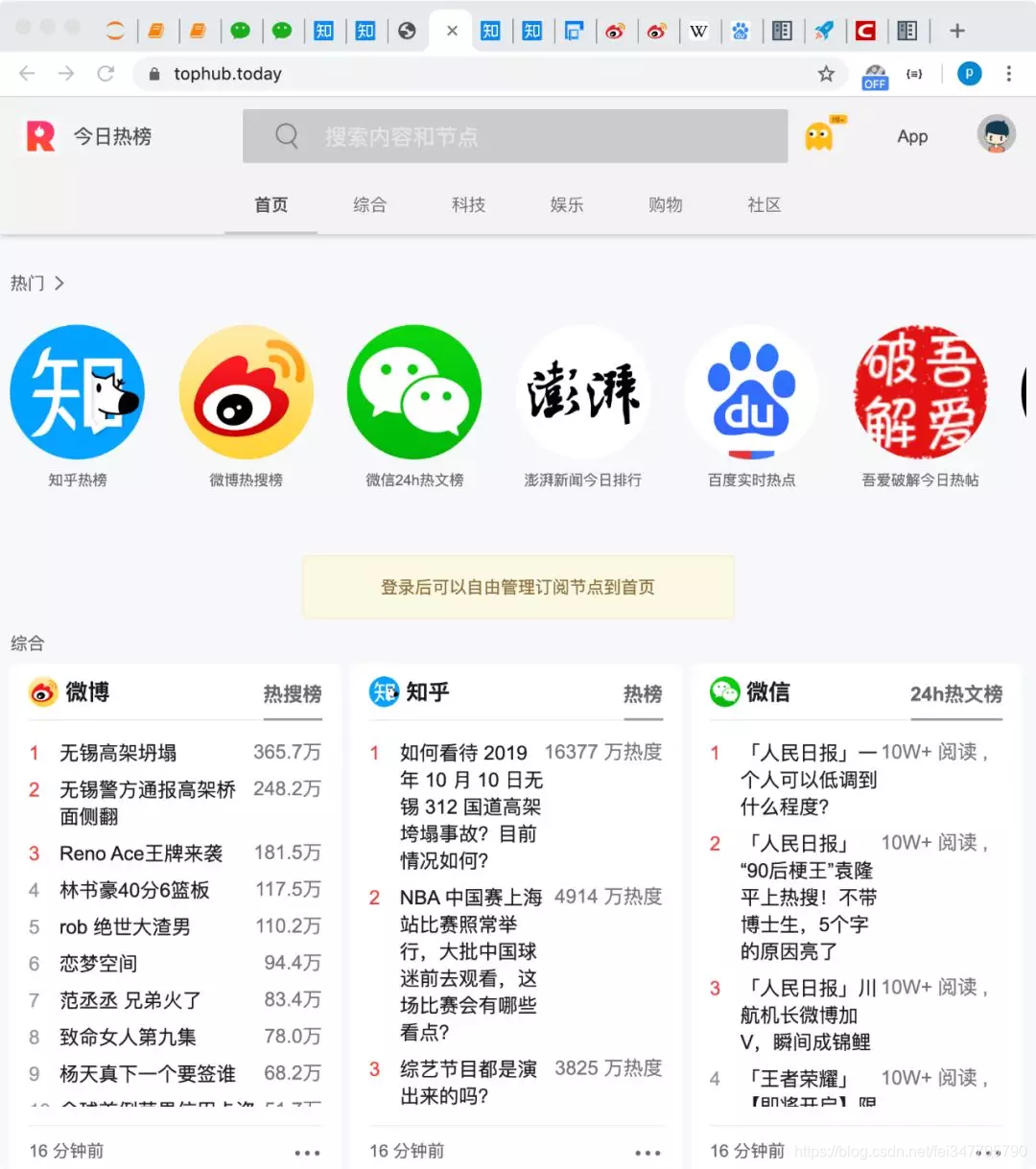
后续对拿到的数据加以处理展示,即可得到很多有趣的应用或实现某些功能。例如集成诸多平台排行榜的 “今日热榜”:
因为并未展开爬虫细节,今天的总结也比较简单:
1、首先在选取要爬的网址时要给自己降低难度,例如同样是知乎热榜,zhihu.com/hot 需要登陆,而 zhihu.com/billboard 无需登录便可访问 2、解析爬取到的内容时,要结合具体页面内容选择最便捷的方式。当需要批量爬取相似页面时,也要尽量整理通用的解析策略。
完整代码
weibo_top.py
import requests
from bs4 import BeautifulSoup
url = "https://s.weibo.com/top/summary"
headers = {"User-Agent": "", "Cookie": ""}
wb_response = requests.get(url, headers=headers)
webcontent = wb_response.text
soup = BeautifulSoup(webcontent, "html.parser")
index_list = soup.find_all("td", class_="td-01")
title_list = soup.find_all("td", class_="td-02")
level_list = soup.find_all("td", class_="td-03")
topic_list = []
for i in range(len(index_list)):
item_index = index_list[i].get_text(strip=True)
if item_index == "":
item_index = ""
item_title = title_list[i].a.get_text(strip=True)
if title_list[i].span:
item_mark = title_list[i].span.get_text(strip=True)
else:
item_mark = "置顶"
item_level = level_list[i].get_text(strip=True)
topic_list.append({"index": item_index, "title": item_title, "mark": item_mark, "level": item_level,
"link": f"https://s.weibo.com/weibo?q=%23{item_title}%23&Refer=top"})
print(topic_list)
zhihu_billboard.py
import requests
import re
from bs4 import BeautifulSoup
headers={"User-Agent":"","Cookie":""}
zh_url = "https://www.zhihu.com/billboard"
zh_response = requests.get(zh_url,headers=headers)
webcontent = zh_response.text
soup = BeautifulSoup(webcontent,"html.parser")
script_text = soup.find("script",id="js-initialData").get_text()
rule = r'"hotList":(.*?),"guestFeeds"'
result = re.findall(rule,script_text)
temp = result[0].replace("false","False").replace("true","True")
hot_list = eval(temp)
print(hot_list)
用 Python 监控知乎和微博的热门话题的更多相关文章
- Python监控网站接口值
Python监控网站接口值: #!/usr/bin/env python # -*- coding: utf-8 -*- __author__ = 'liudong' import urllib,sy ...
- Python 监控nginx服务是否正常
Python 监控nginx服务是否正常 #!/usr/bin/env python import os, sys, time from time import strftime while True ...
- python爬虫知乎问答
python爬虫知乎问答 import cookielibimport base64import reimport hashlibimport jsonimport rsaimport binasci ...
- python监控端口脚本[jkport2.0.py]
#!/usr/bin/env python #!coding=utf-8 import os import time import sys import smtplib from email.mime ...
- Python监控文件变化:watchdog
Python监控文件变化有两种库:pyinotify和watchdog.pyinotify依赖于Linux平台的inotify,后者则对不同平台的的事件都进行了封装.也就是说,watchdog跨平台. ...
- python os.startfile python实现双击运行程序 python监控windows程序 监控进程不在时重新启动
用python监控您的window服务 原创作品,允许转载,转载时请务必以超链接形式标明文章 原始出处 .作者信息和本声明.否则将追究法律责任.http://world77.blog.51cto.co ...
- python监控tomcat日记文件
最近写了一个用python监控tomcat日记文件的功能 实现的功能: 监控日记文件中实时过来的记录,统计每分钟各个接口调用次数,统计结果插入oracle #!/usr/bin/python # -* ...
- Python 监控脚本
Python 监控脚本 整体通过psutil模块动态获取资源信息.下为示例图: #!/usr/bin/env python # -*- coding: utf-8 -*- # @Time: 2019- ...
- Python 3.6 抓取微博m站数据
Python 3.6 抓取微博m站数据 2019.05.01 更新内容 containerid 可以通过 "107603" + user_id 组装得到,无需请求个人信息获取: 优 ...
随机推荐
- GROUP BY中的WITH CUBE、WITH ROLLUP原理测试及GROUPING应用
前几天,看到一个群友用WITH ROLLUP运算符.由于自个儿没用过,看到概念及结果都云里雾里的,所以突然来了兴趣对生成结果测了一番. 一.概念: WITH CUBE:生成的结果集显示了所选列中值的所 ...
- 利用Python制作一个只属于和她的聊天器,再也不用担心隐私泄露啦!
------------恢复内容开始------------ 是否担心微信的数据流会被监视?是否担心你和ta聊天的小秘密会被保存到某个数据库里?没关系,现在我们可以用Python做一个只属于你和ta的 ...
- django中使用pandas Django-pandas
在django中使用pandas操作django的ORM查询出来的QuerySet对象,可以使用插件django-pandas. 截止教程书写时间,django-pandas已发布到0.6.1. 依赖 ...
- Vue中调用另一个组件中自定义事件
之前在一个场景中,遇到组件需要调用父组件中的方法tableInit(),字组件调用父组件常用的有三种方法,具体参考:https://www.cnblogs.com/jin-zhe/p/9523782. ...
- [转]Outlook 2016 will not display Web linked images
本文转自:https://community.spiceworks.com/topic/1952626-outlook-2016-will-not-display-web-linked-images ...
- Linux下使用 github+hexo 搭建个人博客02-hexo部署到Github Pages
之前的这篇文章<Linux下使用 github+hexo 搭建个人博客01-hexo搭建>,相信大家都知道怎么搭建 hexo ,怎么切换主题,并且完成了一篇博文的创建,以及 MarkDow ...
- Python中机器学习-验证码识别-粗略总结
#验证码识别# 解决办法:将验证码切割成单个字符训练 遇到问题:验证码字符大小不一或重叠 对上述问题的解决:通过CNN(卷积神经网络)直接就是端到端不分割的识别方式 处理验证码:将图片二值化 输入验证 ...
- sso单点登录系统的压力测试
环境:vmware centos7.4 2cpu 2核心 工具:ab压力测试工具 测试对象:sso单点登录系统 电脑:win10 4核 项目环境:flask+uwsgi+nginx(uwsgi 2进程 ...
- Redis—数据操作
redis是key-value的数据,所以每个数据都是一个键值对. 数据操作的全部命令,可以查看中文网站. 键的类型是字符串 值的类型分为五种: 字符串string 哈希hash 列表list 集合s ...
- Redis—简介与安装
Redis 简介 Redis 安装 Redis 配置文件 # Redis默认不是以守护进程的方式运行,可以通过该配置项修改,使用yes启用守护进程.daemonize yes # 当Redis以守护进 ...