
(二十三)c#Winform自定义控件-等待窗体
官网
前提
入行已经7,8年了,一直想做一套漂亮点的自定义控件,于是就有了本系列文章。
GitHub:https://github.com/kwwwvagaa/NetWinformControl
码云:https://gitee.com/kwwwvagaa/net_winform_custom_control.git
如果觉得写的还行,请点个 star 支持一下吧
欢迎前来交流探讨: 企鹅群568015492 idkey=6e08741ef16fe53bf0314c1c9e336c4f626047943a8b76bac062361bab6b4f8d">
目录
https://www.cnblogs.com/bfyx/p/11364884.html
准备工作
这个窗体继承子基类窗体FrmBase,如果你对FrmBase还不了解,请移步 (十七)c#Winform自定义控件-基类窗体 查看
开始
添加一个Form,命名FrmWaiting,继承自FrmBase
代码不多,直接上全部代码
 // 版权所有  黄正辉  交流群:568015492   QQ:623128629

 // 文件名称:FrmWaiting.cs

 // 创建日期:2019-08-15 16:05:09

 // 功能描述:FrmWaiting

 // 项目地址:https://gitee.com/kwwwvagaa/net_winform_custom_control

 using System;

 using System.Collections.Generic;

 using System.ComponentModel;

 using System.Data;

 using System.Drawing;

 using System.Linq;

 using System.Text;

 using System.Windows.Forms;

 namespace HZH_Controls.Forms

 {

     public partial class FrmWaiting : FrmBase

     {

         public string Msg { get { return label2.Text; } set { label2.Text = value; } }

         public FrmWaiting()

         {

             base.SetStyle(ControlStyles.UserPaint, true);

             base.SetStyle(ControlStyles.AllPaintingInWmPaint, true);

             base.SetStyle(ControlStyles.DoubleBuffer, true);

             InitializeComponent();

         }

         private void timer1_Tick(object sender, EventArgs e)

         {

             if (this.label1.ImageIndex == this.imageList1.Images.Count - )

                 this.label1.ImageIndex = ;

             else

                 this.label1.ImageIndex++;

         }

         private void FrmWaiting_VisibleChanged(object sender, EventArgs e)

         {

             //this.timer1.Enabled = this.Visible;

         }

         protected override void DoEsc()

         {

         }

         private void timer2_Tick(object sender, EventArgs e)

         {

             base.Opacity = 1.0;

             this.timer2.Enabled = false;

         }

         public void ShowForm(int intSleep = )

         {

             base.Opacity = 0.0;

             if (intSleep <= )

             {

                 intSleep = ;

             }

             base.Show();

             this.timer2.Interval = intSleep;

             this.timer2.Enabled = true;

         }

     }

 }
 namespace HZH_Controls.Forms

 {

     partial class FrmWaiting

     {

         /// <summary>

         /// Required designer variable.

         /// </summary>

         private System.ComponentModel.IContainer components = null;

         /// <summary>

         /// Clean up any resources being used.

         /// </summary>

         /// <param name="disposing">true if managed resources should be disposed; otherwise, false.</param>

         protected override void Dispose(bool disposing)

         {

             if (disposing && (components != null))

             {

                 components.Dispose();

             }

             base.Dispose(disposing);

         }

         #region Windows Form Designer generated code

         /// <summary>

         /// Required method for Designer support - do not modify

         /// the contents of this method with the code editor.

         /// </summary>

         private void InitializeComponent()

         {

             this.components = new System.ComponentModel.Container();

             System.ComponentModel.ComponentResourceManager resources = new System.ComponentModel.ComponentResourceManager(typeof(FrmWaiting));

             this.imageList1 = new System.Windows.Forms.ImageList(this.components);

             this.label1 = new System.Windows.Forms.Label();

             this.timer1 = new System.Windows.Forms.Timer(this.components);

             this.label2 = new System.Windows.Forms.Label();

             this.timer2 = new System.Windows.Forms.Timer(this.components);

             this.SuspendLayout();

             //

             // imageList1

             //

             this.imageList1.ImageStream = ((System.Windows.Forms.ImageListStreamer)(resources.GetObject("imageList1.ImageStream")));

             this.imageList1.TransparentColor = System.Drawing.Color.White;

             this.imageList1.Images.SetKeyName(, "0.png");

             this.imageList1.Images.SetKeyName(, "1.png");

             this.imageList1.Images.SetKeyName(, "2.png");

             this.imageList1.Images.SetKeyName(, "3.png");

             this.imageList1.Images.SetKeyName(, "4.png");

             this.imageList1.Images.SetKeyName(, "5.png");

             this.imageList1.Images.SetKeyName(, "6.png");

             this.imageList1.Images.SetKeyName(, "7.png");

             this.imageList1.Images.SetKeyName(, "8.png");

             this.imageList1.Images.SetKeyName(, "9.png");

             this.imageList1.Images.SetKeyName(, "10.png");

             this.imageList1.Images.SetKeyName(, "11.png");

             this.imageList1.Images.SetKeyName(, "12.png");

             this.imageList1.Images.SetKeyName(, "13.png");

             this.imageList1.Images.SetKeyName(, "14.png");

             this.imageList1.Images.SetKeyName(, "15.png");

             this.imageList1.Images.SetKeyName(, "16.png");

             this.imageList1.Images.SetKeyName(, "17.png");

             this.imageList1.Images.SetKeyName(, "18.png");

             this.imageList1.Images.SetKeyName(, "19.png");

             //

             // label1

             //

             this.label1.Dock = System.Windows.Forms.DockStyle.Top;

             this.label1.Image = global::HZH_Controls.Properties.Resources.loading;

             this.label1.Location = new System.Drawing.Point(, );

             this.label1.Name = "label1";

             this.label1.Size = new System.Drawing.Size(, );

             this.label1.TabIndex = ;

             //

             // timer1

             //

             this.timer1.Interval = ;

             this.timer1.Tick += new System.EventHandler(this.timer1_Tick);

             //

             // label2

             //

             this.label2.Dock = System.Windows.Forms.DockStyle.Top;

             this.label2.Font = new System.Drawing.Font("微软雅黑", 12F);

             this.label2.ForeColor = System.Drawing.Color.FromArgb(((int)(((byte)()))), ((int)(((byte)()))), ((int)(((byte)()))));

             this.label2.Location = new System.Drawing.Point(, );

             this.label2.Name = "label2";

             this.label2.Size = new System.Drawing.Size(, );

             this.label2.TabIndex = ;

             this.label2.Text = "处理正在进行中,请稍候...";

             this.label2.TextAlign = System.Drawing.ContentAlignment.MiddleCenter;

             //

             // timer2

             //

             this.timer2.Tick += new System.EventHandler(this.timer2_Tick);

             //

             // FrmWaiting

             //

             this.AutoScaleMode = System.Windows.Forms.AutoScaleMode.None;

             this.BackColor = System.Drawing.Color.FromArgb(((int)(((byte)()))), ((int)(((byte)()))), ((int)(((byte)()))));

             this.ClientSize = new System.Drawing.Size(, );

             this.Controls.Add(this.label2);

             this.Controls.Add(this.label1);

             this.Icon = ((System.Drawing.Icon)(resources.GetObject("$this.Icon")));

             this.IsFullSize = false;

             this.Name = "FrmWaiting";

             this.Opacity = 0D;

             this.RegionRadius = ;

             this.ShowIcon = false;

             this.ShowInTaskbar = false;

             this.Text = "";

             this.TopMost = true;

             this.TransparencyKey = System.Drawing.Color.FromArgb(((int)(((byte)()))), ((int)(((byte)()))), ((int)(((byte)()))));

             this.VisibleChanged += new System.EventHandler(this.FrmWaiting_VisibleChanged);

             this.ResumeLayout(false);

         }

         #endregion

         private System.Windows.Forms.ImageList imageList1;

         private System.Windows.Forms.Label label1;

         private System.Windows.Forms.Timer timer1;

         private System.Windows.Forms.Label label2;

         private System.Windows.Forms.Timer timer2;

     }

 }
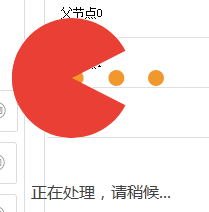
主要就是现实一个gif图片和一个文本
用处及效果
用途:一般用在多线程耗时操作时等待显示
效果:
最后的话
如果你喜欢的话,请到 https://gitee.com/kwwwvagaa/net_winform_custom_control 点个星 星吧
(二十三)c#Winform自定义控件-等待窗体的更多相关文章
- (二十二)c#Winform自定义控件-半透明窗体
前提 入行已经7,8年了,一直想做一套漂亮点的自定义控件,于是就有了本系列文章. 开源地址:https://gitee.com/kwwwvagaa/net_winform_custom_control ...
- (三十二)c#Winform自定义控件-表格
前提 入行已经7,8年了,一直想做一套漂亮点的自定义控件,于是就有了本系列文章. 开源地址:https://gitee.com/kwwwvagaa/net_winform_custom_control ...
- (八十二)c#Winform自定义控件-穿梭框
前提 入行已经7,8年了,一直想做一套漂亮点的自定义控件,于是就有了本系列文章. GitHub:https://github.com/kwwwvagaa/NetWinformControl 码云:ht ...
- C#Winform之等待窗体
窗体主要代码: ? 1 2 3 4 5 6 7 8 9 10 11 12 13 14 15 16 17 18 19 20 21 22 23 24 25 26 27 28 29 30 31 32 33 ...
- (二)c#Winform自定义控件-按钮
前提 入行已经7,8年了,一直想做一套漂亮点的自定义控件,于是就有了本系列文章. 开源地址:https://gitee.com/kwwwvagaa/net_winform_custom_control ...
- (四十二)c#Winform自定义控件-进度条扩展
前提 入行已经7,8年了,一直想做一套漂亮点的自定义控件,于是就有了本系列文章. GitHub:https://github.com/kwwwvagaa/NetWinformControl 码云:ht ...
- (十九)c#Winform自定义控件-停靠窗体
前提 入行已经7,8年了,一直想做一套漂亮点的自定义控件,于是就有了本系列文章. 开源地址:https://gitee.com/kwwwvagaa/net_winform_custom_control ...
- (十二)c#Winform自定义控件-分页控件
前提 入行已经7,8年了,一直想做一套漂亮点的自定义控件,于是就有了本系列文章. 开源地址:https://gitee.com/kwwwvagaa/net_winform_custom_control ...
- (五十二)c#Winform自定义控件-LED数字
前提 入行已经7,8年了,一直想做一套漂亮点的自定义控件,于是就有了本系列文章. GitHub:https://github.com/kwwwvagaa/NetWinformControl 码云:ht ...
随机推荐
- 解决Tomcat catalina.out 不断膨胀,导致磁盘占用过大的问题
到服务器上看了一下任务中心的日志情况,膨胀的很快,必须采取措施限制其增长速度. 我们采用Cronlog组件对此进行日志切分,官网http://cronolog.org/一直未能打开,只能从其它地方寻找 ...
- bzoj 1082: [SCOI2005]栅栏 题解
1082: [SCOI2005]栅栏 Time Limit: 10 Sec Memory Limit: 162 MBSubmit: 2340 Solved: 991[Submit][Status] ...
- getlasterror() 输出错误信息,
得自http://bbs.csdn.net/topics/390416234 LPVOID lpMsgBuf; FormatMessage( FORMAT_MESSAGE_ALLOCATE ...
- Java异常与处理机制
Java的异常层次体系 Java的所有异常对象都派生自Throwable类,下层有两个分支:error和exception. Error分支描述Java运行时系统内部错误或资源耗尽错误,遇到派生自Er ...
- 异步编程之Async,Await和ConfigureAwait的关系
在.NET Framework 4.5中,async / await关键字已添加到该版本中,简化多线程操作,以使异步编程更易于使用.为了最大化利用资源而不挂起UI,你应该尽可能地尝试使用异步编程.虽然 ...
- 个人永久性免费-Excel催化剂功能第41波-文件文件夹相关函数
对于日常办公过程中,每天面对的操作离不开文件.文件夹的操作,当然可以用资源管理器.Everything之类的管理软件来管理.但涉及到批量操作时,在Excel环境或许是个更好的方式,前面很多的内容中不断 ...
- python常见模块-collections-time-datetime-random-os-sys-序列化反序列化模块(json-pickle)-subprocess-03
collections模块-数据类型扩展模块 ''' 在内置数据类型(dict.list.set.tuple)的基础上,collections模块还提供了几个额外的数据类型:Counter.deque ...
- jenkins默认在build结束后会kill掉所有的衍生进程
在使用jenkins进行自动化部署服务的过程中,发现调用服务器的shell命令无法正常启动tomcat,但是构建日志显示是成功执行的,而手动在服务器却是可以正常启动tomcat. 原因:jenkins ...
- C#中使用split分割字符串的方法小结
string s=abcdeabcdeabcde; string[] sArray=s.Split(c) ; foreach(string i in sArray) Console.WriteLine ...
- zstack源码编译安装(1.7.x版本)
图片没粘贴过来,请看本人gitbook吧https://www.gitbook.com/book/jingtyu/how-to-learn-zstack-code 运行环境 zstack的安装方式有很 ...