
(二十三)c#Winform自定义控件-等待窗体
官网
前提
入行已经7,8年了,一直想做一套漂亮点的自定义控件,于是就有了本系列文章。
GitHub:https://github.com/kwwwvagaa/NetWinformControl
码云:https://gitee.com/kwwwvagaa/net_winform_custom_control.git
如果觉得写的还行,请点个 star 支持一下吧
欢迎前来交流探讨: 企鹅群568015492 idkey=6e08741ef16fe53bf0314c1c9e336c4f626047943a8b76bac062361bab6b4f8d">
目录
https://www.cnblogs.com/bfyx/p/11364884.html
准备工作
这个窗体继承子基类窗体FrmBase,如果你对FrmBase还不了解,请移步 (十七)c#Winform自定义控件-基类窗体 查看
开始
添加一个Form,命名FrmWaiting,继承自FrmBase
代码不多,直接上全部代码
 // 版权所有  黄正辉  交流群:568015492   QQ:623128629

 // 文件名称:FrmWaiting.cs

 // 创建日期:2019-08-15 16:05:09

 // 功能描述:FrmWaiting

 // 项目地址:https://gitee.com/kwwwvagaa/net_winform_custom_control

 using System;

 using System.Collections.Generic;

 using System.ComponentModel;

 using System.Data;

 using System.Drawing;

 using System.Linq;

 using System.Text;

 using System.Windows.Forms;

 namespace HZH_Controls.Forms

 {

     public partial class FrmWaiting : FrmBase

     {

         public string Msg { get { return label2.Text; } set { label2.Text = value; } }

         public FrmWaiting()

         {

             base.SetStyle(ControlStyles.UserPaint, true);

             base.SetStyle(ControlStyles.AllPaintingInWmPaint, true);

             base.SetStyle(ControlStyles.DoubleBuffer, true);

             InitializeComponent();

         }

         private void timer1_Tick(object sender, EventArgs e)

         {

             if (this.label1.ImageIndex == this.imageList1.Images.Count - )

                 this.label1.ImageIndex = ;

             else

                 this.label1.ImageIndex++;

         }

         private void FrmWaiting_VisibleChanged(object sender, EventArgs e)

         {

             //this.timer1.Enabled = this.Visible;

         }

         protected override void DoEsc()

         {

         }

         private void timer2_Tick(object sender, EventArgs e)

         {

             base.Opacity = 1.0;

             this.timer2.Enabled = false;

         }

         public void ShowForm(int intSleep = )

         {

             base.Opacity = 0.0;

             if (intSleep <= )

             {

                 intSleep = ;

             }

             base.Show();

             this.timer2.Interval = intSleep;

             this.timer2.Enabled = true;

         }

     }

 }
 namespace HZH_Controls.Forms

 {

     partial class FrmWaiting

     {

         /// <summary>

         /// Required designer variable.

         /// </summary>

         private System.ComponentModel.IContainer components = null;

         /// <summary>

         /// Clean up any resources being used.

         /// </summary>

         /// <param name="disposing">true if managed resources should be disposed; otherwise, false.</param>

         protected override void Dispose(bool disposing)

         {

             if (disposing && (components != null))

             {

                 components.Dispose();

             }

             base.Dispose(disposing);

         }

         #region Windows Form Designer generated code

         /// <summary>

         /// Required method for Designer support - do not modify

         /// the contents of this method with the code editor.

         /// </summary>

         private void InitializeComponent()

         {

             this.components = new System.ComponentModel.Container();

             System.ComponentModel.ComponentResourceManager resources = new System.ComponentModel.ComponentResourceManager(typeof(FrmWaiting));

             this.imageList1 = new System.Windows.Forms.ImageList(this.components);

             this.label1 = new System.Windows.Forms.Label();

             this.timer1 = new System.Windows.Forms.Timer(this.components);

             this.label2 = new System.Windows.Forms.Label();

             this.timer2 = new System.Windows.Forms.Timer(this.components);

             this.SuspendLayout();

             //

             // imageList1

             //

             this.imageList1.ImageStream = ((System.Windows.Forms.ImageListStreamer)(resources.GetObject("imageList1.ImageStream")));

             this.imageList1.TransparentColor = System.Drawing.Color.White;

             this.imageList1.Images.SetKeyName(, "0.png");

             this.imageList1.Images.SetKeyName(, "1.png");

             this.imageList1.Images.SetKeyName(, "2.png");

             this.imageList1.Images.SetKeyName(, "3.png");

             this.imageList1.Images.SetKeyName(, "4.png");

             this.imageList1.Images.SetKeyName(, "5.png");

             this.imageList1.Images.SetKeyName(, "6.png");

             this.imageList1.Images.SetKeyName(, "7.png");

             this.imageList1.Images.SetKeyName(, "8.png");

             this.imageList1.Images.SetKeyName(, "9.png");

             this.imageList1.Images.SetKeyName(, "10.png");

             this.imageList1.Images.SetKeyName(, "11.png");

             this.imageList1.Images.SetKeyName(, "12.png");

             this.imageList1.Images.SetKeyName(, "13.png");

             this.imageList1.Images.SetKeyName(, "14.png");

             this.imageList1.Images.SetKeyName(, "15.png");

             this.imageList1.Images.SetKeyName(, "16.png");

             this.imageList1.Images.SetKeyName(, "17.png");

             this.imageList1.Images.SetKeyName(, "18.png");

             this.imageList1.Images.SetKeyName(, "19.png");

             //

             // label1

             //

             this.label1.Dock = System.Windows.Forms.DockStyle.Top;

             this.label1.Image = global::HZH_Controls.Properties.Resources.loading;

             this.label1.Location = new System.Drawing.Point(, );

             this.label1.Name = "label1";

             this.label1.Size = new System.Drawing.Size(, );

             this.label1.TabIndex = ;

             //

             // timer1

             //

             this.timer1.Interval = ;

             this.timer1.Tick += new System.EventHandler(this.timer1_Tick);

             //

             // label2

             //

             this.label2.Dock = System.Windows.Forms.DockStyle.Top;

             this.label2.Font = new System.Drawing.Font("微软雅黑", 12F);

             this.label2.ForeColor = System.Drawing.Color.FromArgb(((int)(((byte)()))), ((int)(((byte)()))), ((int)(((byte)()))));

             this.label2.Location = new System.Drawing.Point(, );

             this.label2.Name = "label2";

             this.label2.Size = new System.Drawing.Size(, );

             this.label2.TabIndex = ;

             this.label2.Text = "处理正在进行中,请稍候...";

             this.label2.TextAlign = System.Drawing.ContentAlignment.MiddleCenter;

             //

             // timer2

             //

             this.timer2.Tick += new System.EventHandler(this.timer2_Tick);

             //

             // FrmWaiting

             //

             this.AutoScaleMode = System.Windows.Forms.AutoScaleMode.None;

             this.BackColor = System.Drawing.Color.FromArgb(((int)(((byte)()))), ((int)(((byte)()))), ((int)(((byte)()))));

             this.ClientSize = new System.Drawing.Size(, );

             this.Controls.Add(this.label2);

             this.Controls.Add(this.label1);

             this.Icon = ((System.Drawing.Icon)(resources.GetObject("$this.Icon")));

             this.IsFullSize = false;

             this.Name = "FrmWaiting";

             this.Opacity = 0D;

             this.RegionRadius = ;

             this.ShowIcon = false;

             this.ShowInTaskbar = false;

             this.Text = "";

             this.TopMost = true;

             this.TransparencyKey = System.Drawing.Color.FromArgb(((int)(((byte)()))), ((int)(((byte)()))), ((int)(((byte)()))));

             this.VisibleChanged += new System.EventHandler(this.FrmWaiting_VisibleChanged);

             this.ResumeLayout(false);

         }

         #endregion

         private System.Windows.Forms.ImageList imageList1;

         private System.Windows.Forms.Label label1;

         private System.Windows.Forms.Timer timer1;

         private System.Windows.Forms.Label label2;

         private System.Windows.Forms.Timer timer2;

     }

 }
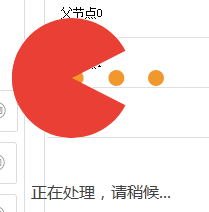
主要就是现实一个gif图片和一个文本
用处及效果
用途:一般用在多线程耗时操作时等待显示
效果:
最后的话
如果你喜欢的话,请到 https://gitee.com/kwwwvagaa/net_winform_custom_control 点个星 星吧
(二十三)c#Winform自定义控件-等待窗体的更多相关文章
- (二十二)c#Winform自定义控件-半透明窗体
前提 入行已经7,8年了,一直想做一套漂亮点的自定义控件,于是就有了本系列文章. 开源地址:https://gitee.com/kwwwvagaa/net_winform_custom_control ...
- (三十二)c#Winform自定义控件-表格
前提 入行已经7,8年了,一直想做一套漂亮点的自定义控件,于是就有了本系列文章. 开源地址:https://gitee.com/kwwwvagaa/net_winform_custom_control ...
- (八十二)c#Winform自定义控件-穿梭框
前提 入行已经7,8年了,一直想做一套漂亮点的自定义控件,于是就有了本系列文章. GitHub:https://github.com/kwwwvagaa/NetWinformControl 码云:ht ...
- C#Winform之等待窗体
窗体主要代码: ? 1 2 3 4 5 6 7 8 9 10 11 12 13 14 15 16 17 18 19 20 21 22 23 24 25 26 27 28 29 30 31 32 33 ...
- (二)c#Winform自定义控件-按钮
前提 入行已经7,8年了,一直想做一套漂亮点的自定义控件,于是就有了本系列文章. 开源地址:https://gitee.com/kwwwvagaa/net_winform_custom_control ...
- (四十二)c#Winform自定义控件-进度条扩展
前提 入行已经7,8年了,一直想做一套漂亮点的自定义控件,于是就有了本系列文章. GitHub:https://github.com/kwwwvagaa/NetWinformControl 码云:ht ...
- (十九)c#Winform自定义控件-停靠窗体
前提 入行已经7,8年了,一直想做一套漂亮点的自定义控件,于是就有了本系列文章. 开源地址:https://gitee.com/kwwwvagaa/net_winform_custom_control ...
- (十二)c#Winform自定义控件-分页控件
前提 入行已经7,8年了,一直想做一套漂亮点的自定义控件,于是就有了本系列文章. 开源地址:https://gitee.com/kwwwvagaa/net_winform_custom_control ...
- (五十二)c#Winform自定义控件-LED数字
前提 入行已经7,8年了,一直想做一套漂亮点的自定义控件,于是就有了本系列文章. GitHub:https://github.com/kwwwvagaa/NetWinformControl 码云:ht ...
随机推荐
- 【深入浅出-JVM】(5):Java 虚拟机结构
Java 虚拟机基本结构 Java 堆 新生代.老年代划分 栈帧 感谢您的耐心阅读,如果您发现文章中有一些没表述清楚的,或者是不对的地方,请给我留言,您的鼓励是作者写作最大的动力. 作 者 : @mo ...
- 2. python Mac 安装 dlib
在macOS上: 从Mac App Store安装 XCode(或安装XCode命令行工具)(最低版本是:xcode8 以上) 有 homebrew 安装 有 CMAKE 安装 基础包 :numpy ...
- nuxt项目打包上线,以及nuxt项目基础代码分享
nuxt的项目部署到线上环境,有多种方法,这里分享我使用的方法,一步步照着配置,就可以配置成功~ (1)项目先执行npm run build 打包好 (2)服务器安装node 和pm2依赖 服务器 ...
- 数据结构-二叉树(1)以及前序、中序、后序遍历(python实现)
上篇文章我们介绍了树的概念,今天我们来介绍一种特殊的树--二叉树,二叉树的应用很广,有很多特性.今天我们一一来为大家介绍. 二叉树 顾名思义,二叉树就是只有两个节点的树,两个节点分别为左节点和右节点, ...
- Apache Tomcat 绿色版安装Service(服务)
1.配置CATALINA_HOME的环境变量: 变量名:CATALINA_HOME 值:tomcat安装或解压的根目录如:c:\Apache tomcat6.0 2.开始->运行->c ...
- PHP使用array_unique对二维数组去重处理
去重,点这里,东西是好东西,就是有点懒.莫见怪
- HTML页面中的布局问题
在做网站中,给整个大的框架宽度设置为100%,然后设置body的最小宽度是网站的内容部分的宽度.网站内容的宽度是固定的.
- PHP -- 数据库访问
一.过时方法(PHP5以前的版本用的):用函数链接数据库,相当于面向过程的方式 //设置页面编码格式 header("content-type:text/html;charset=utf-8 ...
- 任何类型的数据都向String转型
String从其定义上发现首字母大写,所以此为一个类,属于引用数据类型,但是此类属于系统的类. (1)String像普通变量一样直接通过复制的方式进行声明.字符串使用双引号括起来.两个字符串使用&qu ...
- @ConfigurationProperties 注解使用姿势,这一篇就够了
在编写项目代码时,我们要求更灵活的配置,更好的模块化整合.在 Spring Boot 项目中,为满足以上要求,我们将大量的参数配置在 application.properties 或 applicat ...