
ElasticSearch入门3: 高级查询
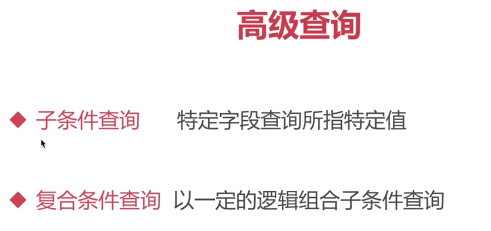
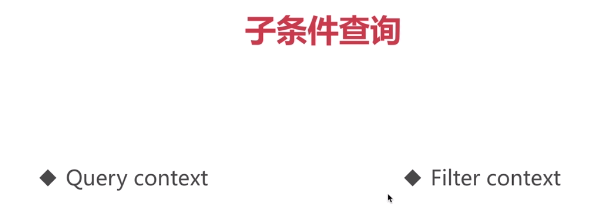
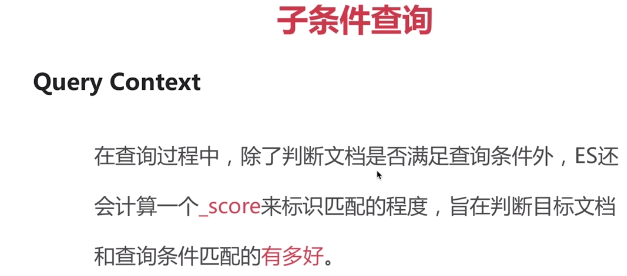


单字段 模糊匹配查询与精准查询
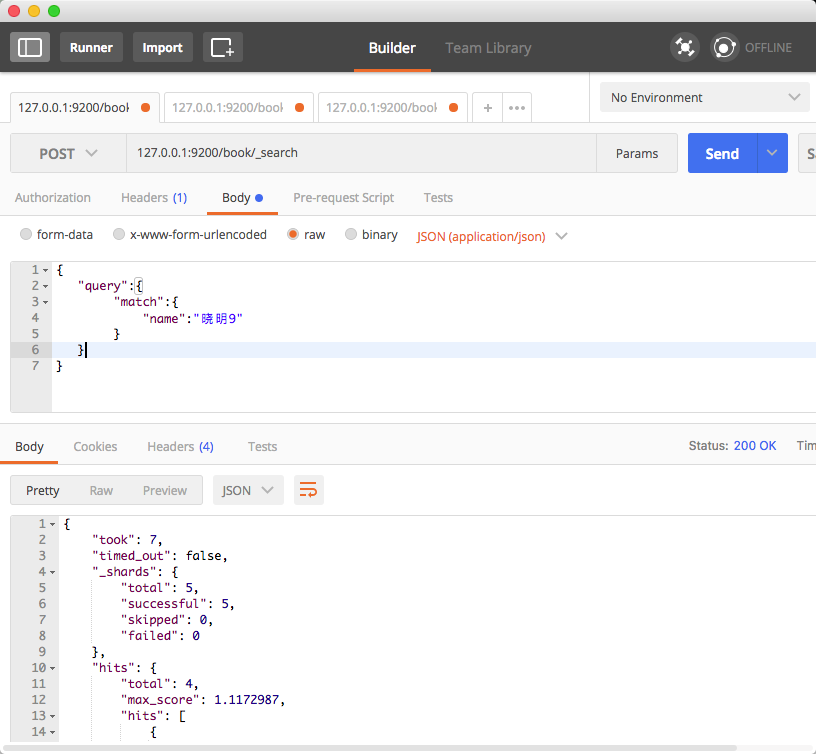
postman请求

POST     127.0.0.1:9200/book/_search

请求json:

{

   "query":{

           "match":{

               "name":"晓明9"

           }

   }

}

注:match 模糊查询的标识 :查询内容自动拆分成分词来查询
  若match 改为 match_phrase :精准查询  具体可以查看 http://www.cnblogs.com/liuxiaoming123/p/8119217.html


响应结果:

{

    "took": 51,

    "timed_out": false,

    "_shards": {

        "total": 5,

        "successful": 5,

        "skipped": 0,

        "failed": 0

    },

    "hits": {

        "total": 4,

        "max_score": 0.5753642,

        "hits": [

            {

                "_index": "book",

                "_type": "novel",

                "_id": "1",

                "_score": 0.5753642,

                "_source": {

                    "name": "晓明1",

                    "country": "china1",

                    "age": 26,

                    "date": "1992-08-08"

                }

            },

            {

                "_index": "book",

                "_type": "novel",

                "_id": "5",

                "_score": 0.28363907,

                "_source": {

                    "name": "晓明",

                    "country": "china",

                    "age": 26,

                    "date": "1992-08-08"

                }

            },

            {

                "_index": "book",

                "_type": "novel",

                "_id": "8",

                "_score": 0.28363907,

                "_source": {

                    "name": "晓明",

                    "country": "china",

                    "age": 26,

                    "date": "1992-08-08"

                }

            },

            {

                "_index": "book",

                "_type": "novel",

                "_id": "9",

                "_score": 0.23911436,

                "_source": {

                    "name": "晓明9",

                    "country": "china9",

                    "age": 26,

                    "date": "1992-08-08"

                }

            }

        ]

    }

}
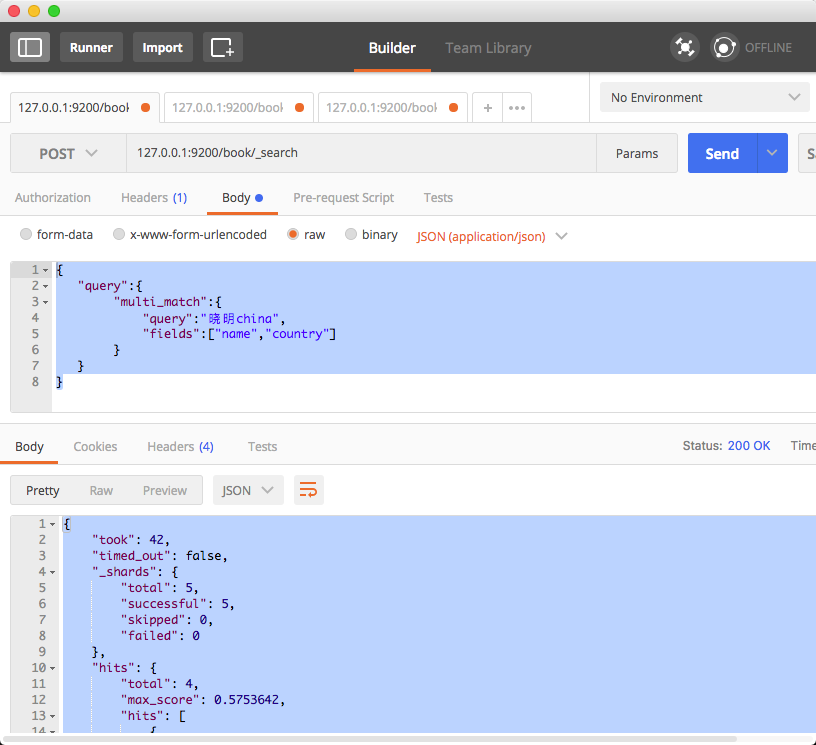
多字段 模糊匹配查询与精准查询
postman请求URL:

POST  127.0.0.1:9200/book/_search

请求json字符串:

{

   "query":{

           "multi_match":{

               "query":"晓明china",

               "fields":["name","country"]

           }

   }

}

注:multi_match为指定多字段匹配

响应结果:

{
    "took": 42,
    "timed_out": false,
    "_shards": {
        "total": 5,
        "successful": 5,
        "skipped": 0,
        "failed": 0
    },
    "hits": {
        "total": 4,
        "max_score": 0.5753642,
        "hits": [
            {
                "_index": "book",
                "_type": "novel",
                "_id": "1",
                "_score": 0.5753642,
                "_source": {
                    "name": "晓明1",
                    "country": "china1",
                    "age": 26,
                    "date": "1992-08-08"
                }
            },
            {
                "_index": "book",
                "_type": "novel",
                "_id": "5",
                "_score": 0.47000363,
                "_source": {
                    "name": "晓明",
                    "country": "china",
                    "age": 26,
                    "date": "1992-08-08"
                }
            },
            {
                "_index": "book",
                "_type": "novel",
                "_id": "8",
                "_score": 0.47000363,
                "_source": {
                    "name": "晓明",
                    "country": "china",
                    "age": 26,
                    "date": "1992-08-08"
                }
            },
            {
                "_index": "book",
                "_type": "novel",
                "_id": "9",
                "_score": 0.23911436,
                "_source": {
                    "name": "晓明9",
                    "country": "china9",
                    "age": 26,
                    "date": "1992-08-08"
                }
            }
        ]
    }
}
语法查询
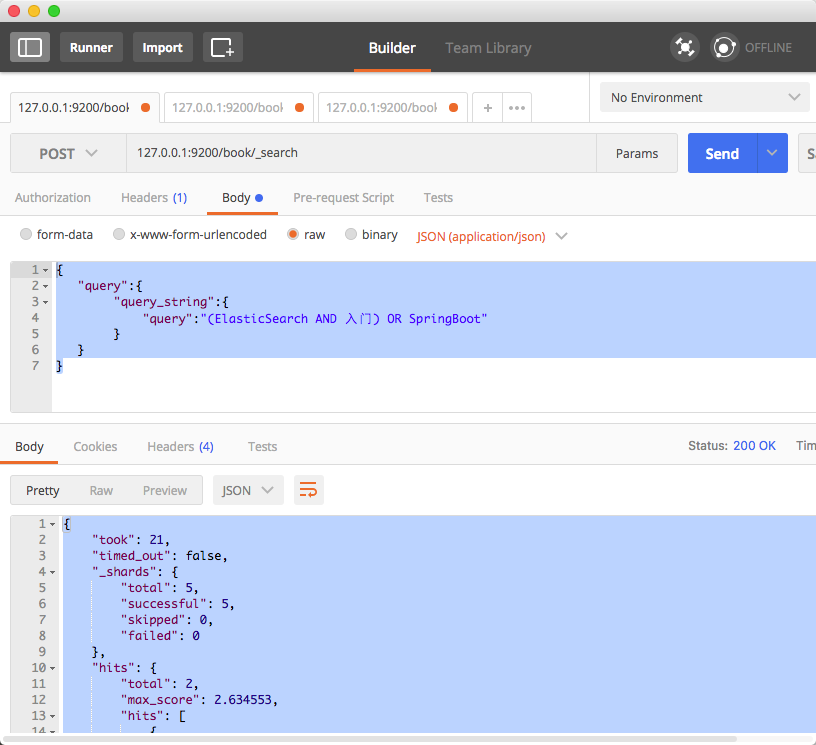
未指定字段:
postman请求:

POST 127.0.0.1:9200/book/_search

请求json字符串:

{

   "query":{

           "query_string":{

               "query":"(ElasticSearch AND 入门) OR SpringBoot"

           }

   }

}

返回结果:

{

    "took": 21,

    "timed_out": false,

    "_shards": {

        "total": 5,

        "successful": 5,

        "skipped": 0,

        "failed": 0

    },

    "hits": {

        "total": 2,

        "max_score": 2.634553,

        "hits": [

            {

                "_index": "book",

                "_type": "novel",

                "_id": "9",

                "_score": 2.634553,

                "_source": {

                    "name": "ElasticSearch 入门",

                    "country": "china9",

                    "age": 26,

                    "date": "1992-08-08"

                }

            },

            {

                "_index": "book",

                "_type": "novel",

                "_id": "1",

                "_score": 0.2876821,

                "_source": {

                    "name": "SpringBoot",

                    "country": "china1",

                    "age": 26,

                    "date": "1992-08-08"

                }

            }

        ]

    }

}
语法查询
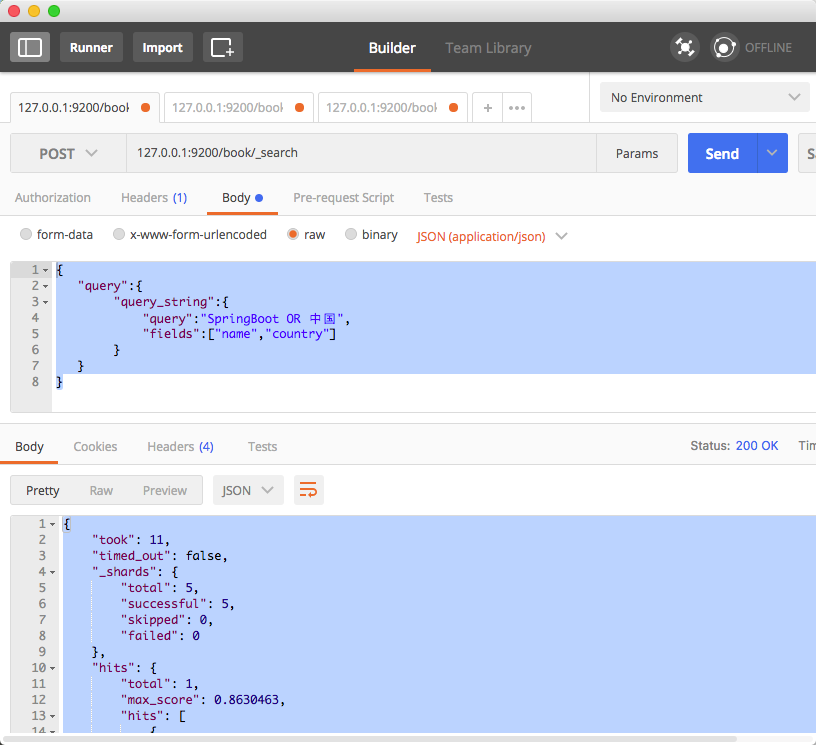
指定字段:
postman请求:

POST 127.0.0.1:9200/book/_search

请求json字符串:

{

   "query":{

           "query_string":{

               "query":"SpringBoot OR 中国",

               "fields":["name","country"]

           }

   }

}

响应结果:

{

    "took": 11,

    "timed_out": false,

    "_shards": {

        "total": 5,

        "successful": 5,

        "skipped": 0,

        "failed": 0

    },

    "hits": {

        "total": 1,

        "max_score": 0.8630463,

        "hits": [

            {

                "_index": "book",

                "_type": "novel",

                "_id": "1",

                "_score": 0.8630463,

                "_source": {

                    "name": "SpringBoot",

                    "country": "中国",

                    "age": 26,

                    "date": "1992-08-08"

                }

            }

        ]

    }

}
 (结构化数据的查询)
指定字段查询:(term)
postman请求:

POST   127.0.0.1:9200/book/_search

请求json字符串:

{

    "query" :

        {

            "term" : {"name" : "springboot"}

        }

}

响应结果:

{

    "took": 4,

    "timed_out": false,

    "_shards": {

        "total": 5,

        "successful": 5,

        "skipped": 0,

        "failed": 0

    },

    "hits": {

        "total": 1,

        "max_score": 0.2876821,

        "hits": [

            {

                "_index": "book",

                "_type": "novel",

                "_id": "1",

                "_score": 0.2876821,

                "_source": {

                    "name": "SpringBoot",

                    "country": "中国",

                    "age": 26,

                    "date": "1992-08-08"

                }

            }

        ]

    }

}
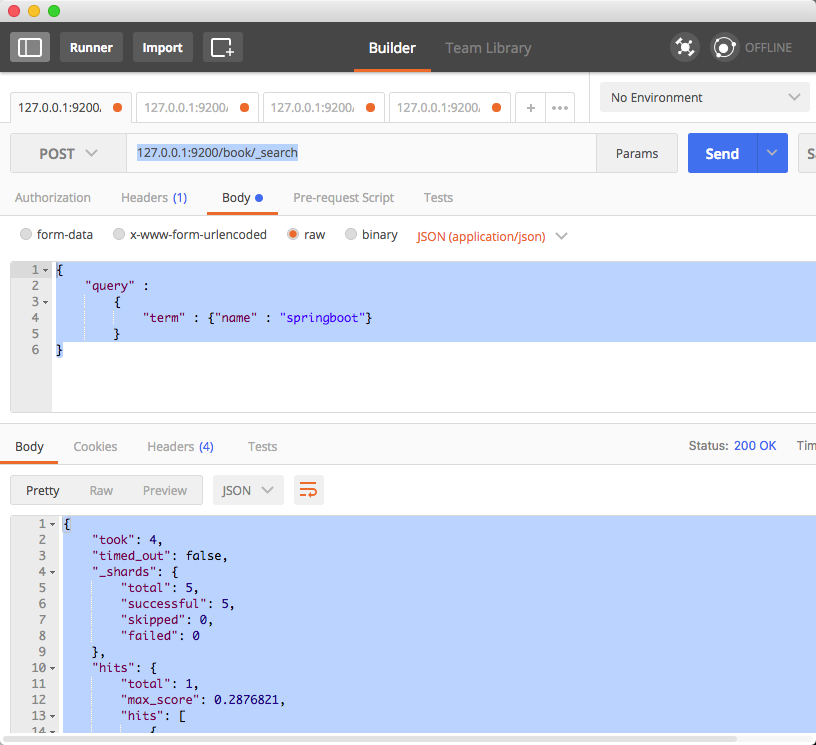
注:若查询英文时 应全字母小写 精确查询
若查询中文时 应按单个字来查询
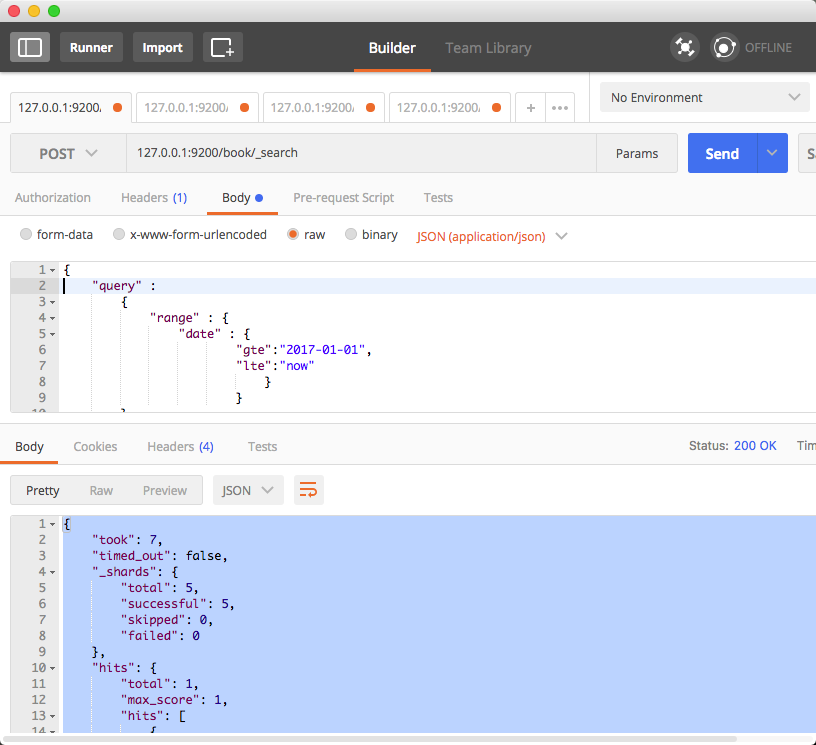
范围查询:
注:json请求字符串中部分字段的含义
range:范围关键字
gte 大于等于
lte 小于等于
gt 大于
lt 小于
now 当前时间
postman请求:

127.0.0.1:9200/book/_search

请求json字符串:

{

    "query" :

        {

            "range" : {

                "date" : {

                        "gte":"2017-01-01",

                        "lte":"now"

                         }

                    }

        }

}

响应结果:

{

    "took": 7,

    "timed_out": false,

    "_shards": {

        "total": 5,

        "successful": 5,

        "skipped": 0,

        "failed": 0

    },

    "hits": {

        "total": 1,

        "max_score": 1,

        "hits": [

            {

                "_index": "book",

                "_type": "novel",

                "_id": "9",

                "_score": 1,

                "_source": {

                    "name": "ElasticSearch 入门",

                    "country": "china9",

                    "age": 28,

                    "date": "2017-08-08"

                }

            }

        ]

    }

}
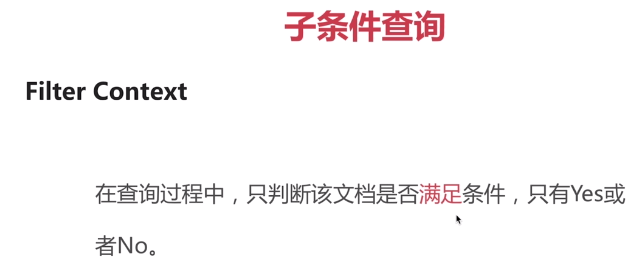
Filter Context(对数据进行过滤)
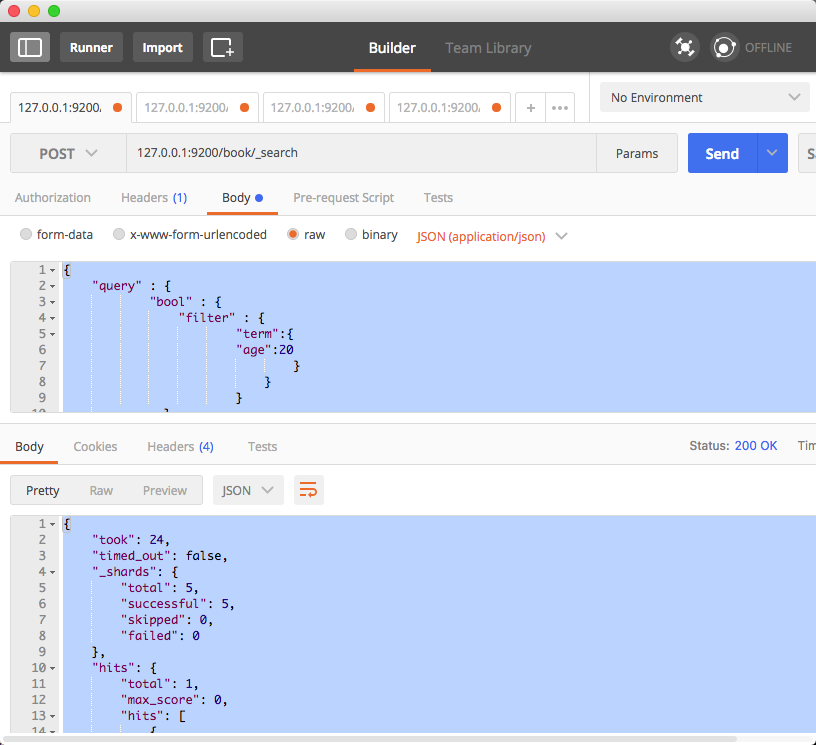
postman请求:

POST  127.0.0.1:9200/book/_search

请求json字符串:

{

    "query" : {

            "bool" : {

                "filter" : {

                        "term":{

                        "age":20

                                }

                            }

                        }

              }

}

响应结果:

{

    "took": 24,

    "timed_out": false,

    "_shards": {

        "total": 5,

        "successful": 5,

        "skipped": 0,

        "failed": 0

    },

    "hits": {

        "total": 1,

        "max_score": 0,

        "hits": [

            {

                "_index": "book",

                "_type": "novel",

                "_id": "1",

                "_score": 0,

                "_source": {

                    "name": "SpringBoot",

                    "country": "中国",

                    "age": 20,

                    "date": "1992-08-08"

                }

            }

        ]

    }

}
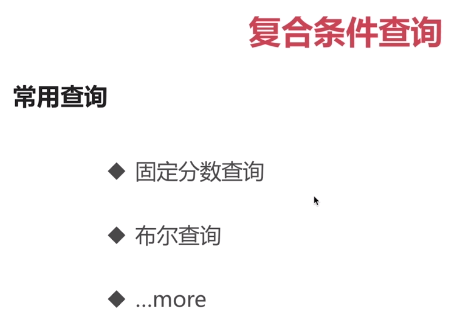
注: boost 固定响应结果分数的值
postman请求:

POST 127.0.0.1:9200/_search

请求json字符串:

{

    "query" : {

            "constant_score" : {

                "filter" : {

                            "match":{

                                        "name":"晓明"

                                    }

                            },

                            "boost":2

                        }

              }

}

响应结果:

{

    "took": 11,

    "timed_out": false,

    "_shards": {

        "total": 8,

        "successful": 8,

        "skipped": 0,

        "failed": 0

    },

    "hits": {

        "total": 2,

        "max_score": 2,

        "hits": [

            {

                "_index": "book",

                "_type": "novel",

                "_id": "5",

                "_score": 2,

                "_source": {

                    "name": "晓明",

                    "country": "china",

                    "age": 26,

                    "date": "1992-08-08"

                }

            },

            {

                "_index": "book",

                "_type": "novel",

                "_id": "8",

                "_score": 2,

                "_source": {

                    "name": "晓明8",

                    "country": "china",

                    "age": 26,

                    "date": "1992-08-08"

                }

            }

        ]

    }

}
should关键词:或的关系
若should改为must 关键词则表示 和的关系
postman请求:

POST 127.0.0.1:9200/_search

请求json字符串:

    1.shuld:

{

    "query" : {

            "bool" : {

                "should" : [

                            {

                                "match":{"name":"springboot"}

                            },

                            {

                                "match":{"country":"中国"}

                            }

                            ]

                        }

              }

}
 2.must:

{

    "query" : {

            "bool" : {

                "must" : [

                            {

                                "match":{"name":"springboot"}

                            },

                            {

                                "match":{"country":"中国"}

                            }

                            ]

                        }

              }

}
3.must filter:

{
    "query" : {
            "bool" : {
                "must" : [
                            {
                                "match":{"name":"springboot"}
                            },
                            {
                                "match":{"country":"中国"}
                            }
                            ],
                   "filter":[
                            {
                                "term":{
                                    "age":20
                                }
                            }
                            ]
                        }
              }
}
4.must_not:
{
    "query" : {
            "bool" : {
                "must_not" : {
                                "term":{"age":20}
                             }
                      }
               }
}
ElasticSearch入门3: 高级查询的更多相关文章
- Elasticsearch入门,看这一篇就够了
目录 前言 可视化工具 kibana kibana 的安装 kibana 配置 kibana 的启动 Elasticsearch 入门操作 操作 index 创建 index 索引别名有什么用 删除索 ...
- ElasticSearch高级查询
ElasticSearch高级查询 https://www.imooc.com/video/15759/0 ElasticSearch查询 1,子条件查询:特定字段查询所指特定值 1.1query c ...
- elasticsearch 高级查询
高级查询 子条件查询 (特定字段查询所指特定值) 复合条件查询 (以一定的逻辑组合子条件查询) 一.子条件查询 子条件查询分为 query context.filter context 1.query ...
- ElasticSearch入门 第九篇:实现正则表达式查询的思路
这是ElasticSearch 2.4 版本系列的第九篇: ElasticSearch入门 第一篇:Windows下安装ElasticSearch ElasticSearch入门 第二篇:集群配置 E ...
- ElasticSearch入门 第五篇:使用C#查询文档
这是ElasticSearch 2.4 版本系列的第五篇: ElasticSearch入门 第一篇:Windows下安装ElasticSearch ElasticSearch入门 第二篇:集群配置 E ...
- 031 Spring Data Elasticsearch学习笔记---重点掌握第5节高级查询和第6节聚合部分
Elasticsearch提供的Java客户端有一些不太方便的地方: 很多地方需要拼接Json字符串,在java中拼接字符串有多恐怖你应该懂的 需要自己把对象序列化为json存储 查询到结果也需要自己 ...
- Elasticsearch入门教程(六):Elasticsearch查询(二)
原文:Elasticsearch入门教程(六):Elasticsearch查询(二) 版权声明:本文为博主原创文章,遵循CC 4.0 BY-SA版权协议,转载请附上原文出处链接和本声明. 本文链接:h ...
- Elasticsearch入门教程(五):Elasticsearch查询(一)
原文:Elasticsearch入门教程(五):Elasticsearch查询(一) 版权声明:本文为博主原创文章,遵循CC 4.0 BY-SA版权协议,转载请附上原文出处链接和本声明. 本文链接:h ...
- java整合Elasticsearch,实现crud以及高级查询的分页,范围,排序功能,泰文分词器的使用,分组,最大,最小,平均值,以及自动补全功能
//为index创建mapping,index相当于mysql的数据库,数据库里的表也要给各个字段创建类型,所以index也要给字段事先设置好类型: 使用postMan或者其他工具创建:(此处我使用p ...
随机推荐
- cacti+CentOS6.5
系统版本:CentOS6.5 软件版本:cacti-0.88f 需要预安装的软件有以下几种,可以通过yum安装全部 yum -y install net-snmp* yum -y install op ...
- 使用jstl的Foreach 和jquery的each()的index属性
最近项目中用到隔行换色问题,使用到了jstl的foreach和jquery的each进行遍历. 首先jstl技术.除了常用的items,var外,还有一个下标属性varStatus,从0开始,使用起来 ...
- 笔记:使用mailto在网页中链接Email地址
<a>标签还有一个作用是可以链接Email地址,使用mailto能让访问者便捷向网站管理者发送电子邮件.我们还可以利用mailto做许多其它事情.下面一一进行讲解,请看详细图示: 注意:如 ...
- 各版本.NET委托的写法回顾(转)
转自:http://www.csharpwin.com/csharpspace/7548r2766.shtml 在<关于最近面试的一点感想>一文中,Michael同学谈到他在面试时询问对方 ...
- spoj high
matrixtree定理裸体,学了行列式的n^3解法,(应该是能应用于所有行列式): 代码是参考某篇题解的... #include<iostream> #include<cstrin ...
- webservice之helloword(web)rs
spring整合webservice 1.pom.xml文件 <dependencies> <!-- cxf 进行rs开发 必须导入 --> <dependency> ...
- IntelliJ IDEA配置Tomcat(完整版教程)
查找该问题的童鞋我相信IntelliJ IDEA,Tomcat的下载,JDK等其他的配置都应该完成了,那我直接进入正题了. 1.新建一个项目 2.由于这里我们仅仅为了展示如何成功部署Tomcat,以及 ...
- NSString copy && strong
http://www.cocoachina.com/ios/20150512/11805.html 我们在声明一个NSString属性时,对于其内存相关特性,通常有两种选择(基于ARC环境):stro ...
- 转载:Java项目读取配置文件时,FileNotFoundException 系统找不到指定的文件,System.getProperty("user.dir")的理解
唉,读取个文件,也就是在项目里面去获得配置文件的目录,然后,变成文件,有事没事,总是出个 FileNotFoundException 系统找不到指定的文件,气死人啦. 还有就是:System.get ...
- vsm安装
一. 部署环境介绍 软件需求 1) CentOS 6.5 64bit 2) Ceph 0.80.6 网络拓扑介绍 1) Controller Node 由Console节点组成,安装VSM控制平台 2 ...