
快速搭建Seeddms文档管理系统
Seddms文档管理系统是开源的
环境:
Redhat6.5
lamp
01、LAMP的安装
安装请看:http://www.cnblogs.com/xiaochina/p/6442337.html
###数据库采用mysql
create database seeddms;
grant all on seedms.* to 'seeddms'@'%' identified by '123123';
grant all on seedms.* to 'seeddms'@'localhost' identified by '123123';
###数据库采用默认sqlite
yum install -y sqlite sqlite-devel
02、安装seedms查询依赖组件
yum install -y php-ZendFramework php-ZendFramework-Search-Lucene
03、修改默认配置文件
修改seeddms\conf\settings.xml
- 修改server
<!-- rootDir: Path to where SeedDMS is located
- httpRoot: The relative path in the URL, after the domain part. Do not include the
- http:// prefix or the web host name. e.g. If the full URL is
- http://www.example.com/seeddms/, set $_httpRoot = "/seeddms/".
- If the URL is http://www.example.com/, set $_httpRoot = "/".
- contentDir: Where the uploaded files are stored (best to choose a directory that
- is not accessible through your web-server)
- stagingDir: Where partial file uploads are saved
- luceneDir: Where the lucene fulltext index iѕ saved
- logFileEnable: set false to disable log system
- logFileRotation: the log file rotation (h=hourly, d=daily, m=monthly)
- enableLargeFileUpload: support for jumploader
- partitionsize: size of chunk uploaded by jumploader
- dropFolderDir: where files for document upload are located
- cacheDir: where the preview images are saved
-->
<server

rootDir="/var/www/html/seeddms/"

httpRoot="/seeddms/"

contentDir="/var/www/html/seeddms/data/"

stagingDir="/var/wwww/html/seeddms/data/staging/"

luceneDir="/var/www/html/seeddms/data/lucene/"

logFileEnable="true" logFileRotation="d" enableLargeFileUpload="true" partitionSize="" cacheDir="/var/www/html/seeddms/data/cache/"

dropFolderDir="/var/www/html/seeddms/data/upload/">

</server>
参数说明
<!-- coreDir: Path to SeedDMS_Core (optional)
- luceneClassDir: Path to SeedDMS_Lucene (optional)
- contentOffsetDir: To work around limitations in the underlying file system, a new
- directory structure has been devised that exists within the content
- directory ($_contentDir). This requires a base directory from which
- to begin. Usually leave this to the default setting, 1048576, but can
- be any number or string that does not already exist within $_contentDir.
- maxDirID: Maximum number of sub-directories per parent directory. Default: 0, use 31998 (maximum number of dirs in ext3) for a multi level content directory.
- updateNotifyTime: users are notified about document-changes that took place within the last "updateNotifyTime" seconds
- extraPath: Path to addtional software. This is the directory containing additional software like the adodb directory, or the pear Log package. This path will be added to the php include path
-->
 <server coreDir="/var/www/html/seeddms/pear/SeedDMS/"

 luceneClassDir="/var/www/html/seeddms/pear/SeedDMS/" contentOffsetDir="" maxDirID="" updateNotifyTime=""
 extraPath="/var/www/html/seeddms/pear/" maxExecutionTime="" cmdTimeout="">

</server>
修改数据库,sqlite默认的
<!--
- dbDriver: DB-Driver used by adodb (see adodb-readme)
- dbHostname: DB-Server
- dbDatabase: database where the tables for seeddms are stored (optional - see adodb-readme)
- dbUser: username for database-access
- dbPass: password for database-access
-->
<database dbDriver="sqlite" dbHostname="localhost" dbDatabase="/var/www/html/seeddms/data/content.db" dbUser="seeddms" dbPass="seeddms" doNotCheckVersion="false">
</database>
如果需要设定mysql数据库可以注释掉sqlite
<database dbDriver="mysql" dbHostname="localhost" dbDatabase="seeddms" dbUser="seeddms" dbPass="123123" doNotCheckVersion="false">
</database
建立install记录文件
在seeddms\conf目录下建一个ENABLE_INSTALL_TOOL
通过http://localhost/seeddms/install/install.php访问到安装界面了。在安装界面里勾上create_table 创建
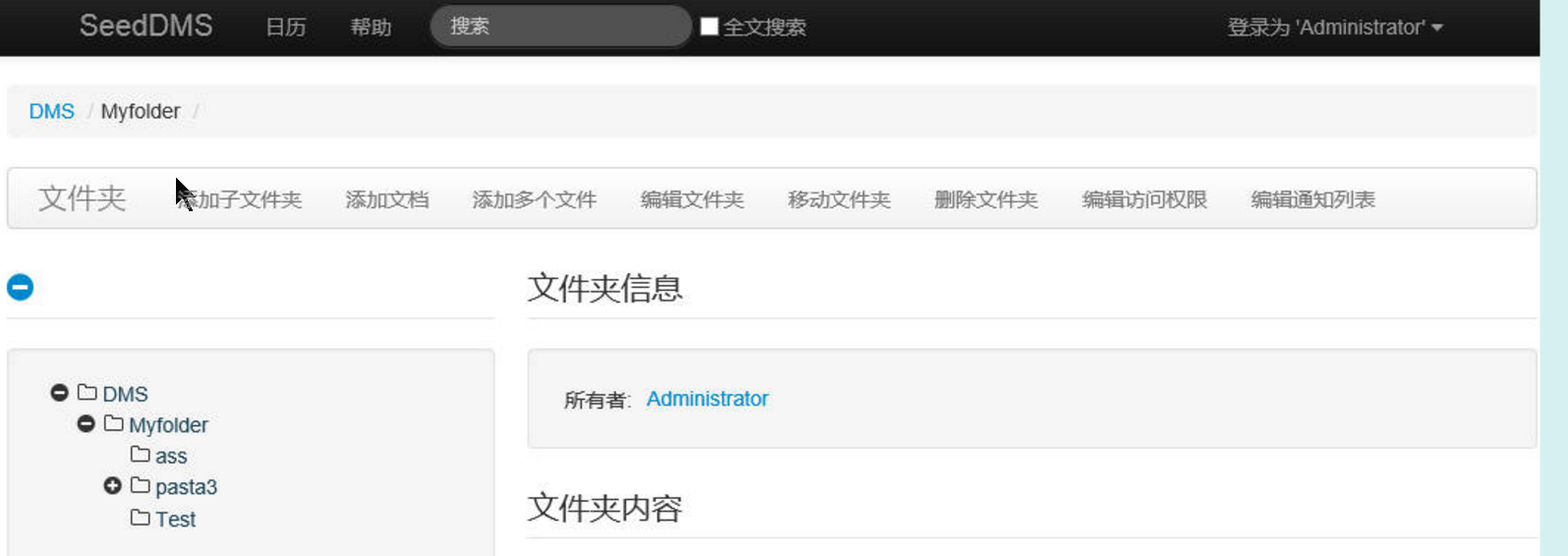
安装完毕,打开http://localhost/seeddms,就OK,默认登录用户admin/admin
相关文件下载:
http://pan.baidu.com/s/1jIyVhUQ
官方下载:
http://www.seeddms.org/index.php?id=7
快速搭建Seeddms文档管理系统的更多相关文章
- 1小时搞定vuepress快速制作vue文档/博客+免费部署预览
先来一下演示效果.和vue的官方文档几乎是一致的,页面内容都可自定义. 此教程部署后的效果预览. 在你跟着教程搭建好项目之后,你会收获: 快速搭建一个文档/博客,后期只需要修改markdown内容和导 ...
- Api 文档管理系统 RAP2 环境搭建
Api 文档管理系统 RAP2 环境搭建 发表于 2018-03-27 | 分类于 Api | 评论数: 4| 阅读次数: 4704 本文字数: 4.8k | 阅读时长 ≍ 9 分钟 RA ...
- 开源的api文档管理系统
api文档 php 在项目中,需要协同开发,所以会写许多API文档给其他同事,以前都是写一个简单的TXT文本或Word文档,口口相传,这种方式比较老土了,所以,需要有个api管理系统专门来管理这些ap ...
- python快速生成注释文档的方法
python快速生成注释文档的方法 今天将告诉大家一个简单平时只要注意的小细节,就可以轻松生成注释文档,也可以检查我们写的类方法引用名称是否重复有问题等.一看别人专业的大牛们写的文档多牛多羡慕,不用担 ...
- 快速解决PDF文档加密不能打印问题_百度经验
快速解决PDF文档加密不能打印问题_百度经验 快速解决PDF文档加密不能打印问题 | 浏览:182 | 更新:2014-01-06 1 ...
- 开源文档管理系统LogicalDOC测试报告---安装篇
开源文档管理系统LogicalDOC测试报告---安装篇 分类: Linux2011-06-22 15:40 7436人阅读 评论(3) 收藏 举报 文档管理测试mysql数据库installerja ...
- showdoc 文档管理系统
==========================showdoc 简介==========================在线文档管理系统很多, 比如阿里的语雀.腾讯的 TAPD 平台也包括文档管理 ...
- 易度文档管理系统--http://www.everydo.com/
易度文档管理系统--http://www.everydo.com/ 公司工程技术部门需要,暂收藏.
- .NET开源项目 QuarkDoc 一款自带极简主义属性的文档管理系统
有些话说在前头 因为公司产品业务重构且功能拆分组件化,往后会有很多的接口文档需要留存,所以急需一款文档管理系统.当时选型要求3点: 1.不能是云平台上的Saas服务,整个系统都要在自己公司部署维护(数 ...
随机推荐
- Tomcat 下 Memcached 集群与 Terracotta 集群比较
总结:Terracotta 集群配置要比Memcached 集群简单,但Terracotta 集群启动的速度要比Memcached 集群慢,性能Terracotta 集群要比Memcached 集群好 ...
- Ip和long互转
// <summary> /// 将127.0.0.1形式的IP地址转换成十进制整数 /// </summary> /// <param name="strIp ...
- Installing Apache Spark on Ubuntu 16.04
Santosh Srinivas on 07 Nov 2016, tagged onApache Spark, Analytics, Data Minin I've finally got to a ...
- python里的引用、浅拷贝、深拷贝
参考: 1.http://wsfdl.com/python/2013/08/16/%E7%90%86%E8%A7%A3Python%E7%9A%84%E6%B7%B1%E6%8B%B7%E8%B4%9 ...
- go语言之进阶篇值语义和引用语义
1.值语义和引用语义 示例: package main import "fmt" type Person struct { name string //名字 sex byte // ...
- Android studio 中NameValuePair跟BasicNameValuePair 不能正常导包问题
Android studio 中NameValuePair跟BasicNameValuePair 不能正常导包问题 针对一个post请求,android studio中无法正常导入以下两个包: imp ...
- IOS UITableView多选删除功能
UITbableView作为列表展示信息,除了展示的功能,有时还会用到删除,比如购物车.收藏列表等. 单行删除功能可以直接使用系统自带的删除功能,当横向轻扫cell时,右侧出现红色的删除按钮,点击删除 ...
- 遇到问题描述:Android Please ensure that adb is correctly located at问题解决
遇到问题描述: 运行android程序控制台输出 [2013-11-04 16:18:26 - ] The connection to adb is down, and a severe error ...
- tp 生成静态页
$this->fetch()返回的是html 可以直接写入到HTML文件内生成静态页
- 如何使用Total Recorder录制网上的音乐,如何下载只能试听的歌曲
1 在网上找到了对应的网站.其中正在播放的歌曲正是我们想要的 2 在地址栏输入上面音乐网站的网址,并点击捕获广播.(URL直接给出了音乐的完整地址,比如http://www.someserver.co ...