
runloop 和 CFRunLoop - 定时器 - NSTimer 和 GCD定时器
1.
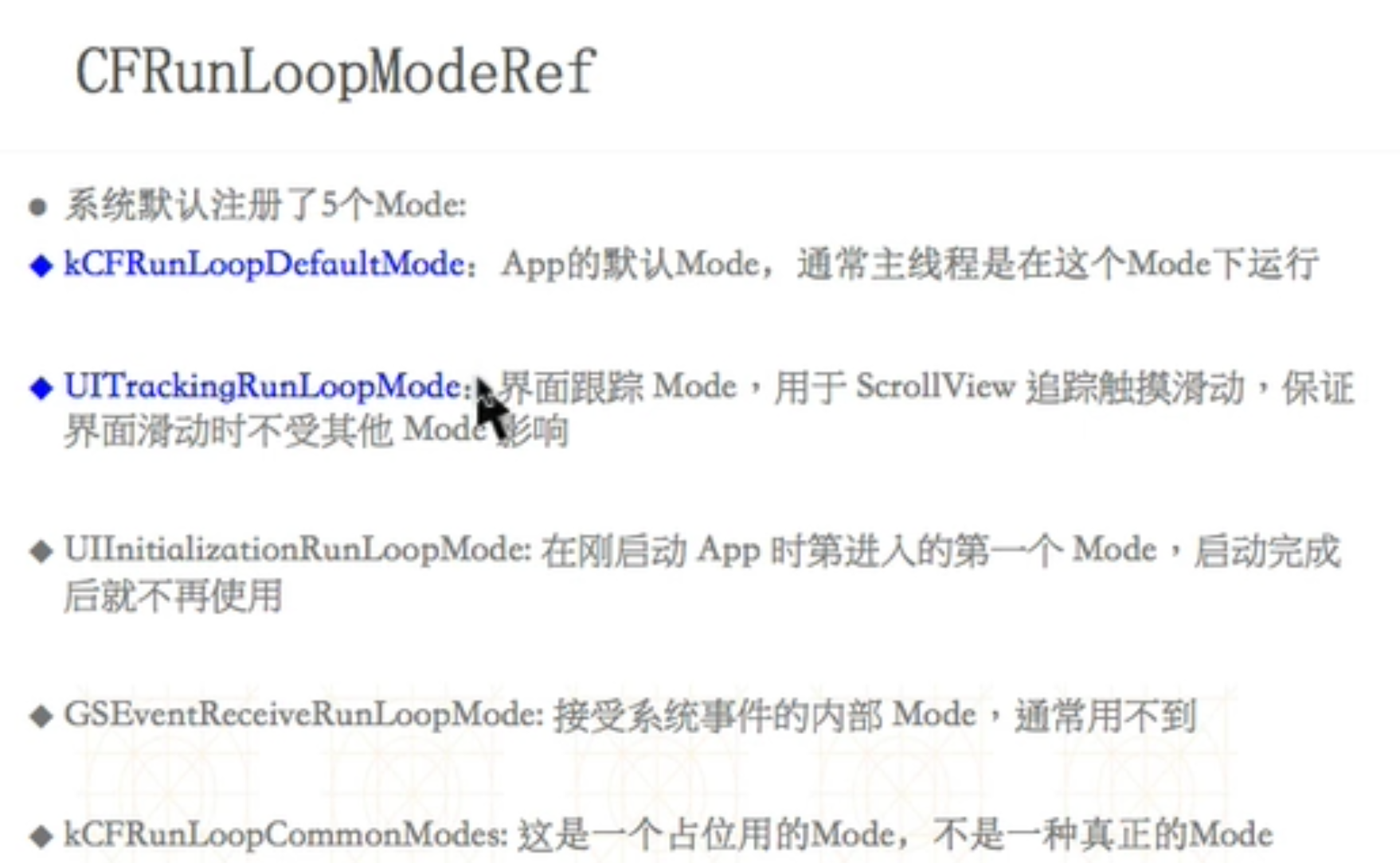
2、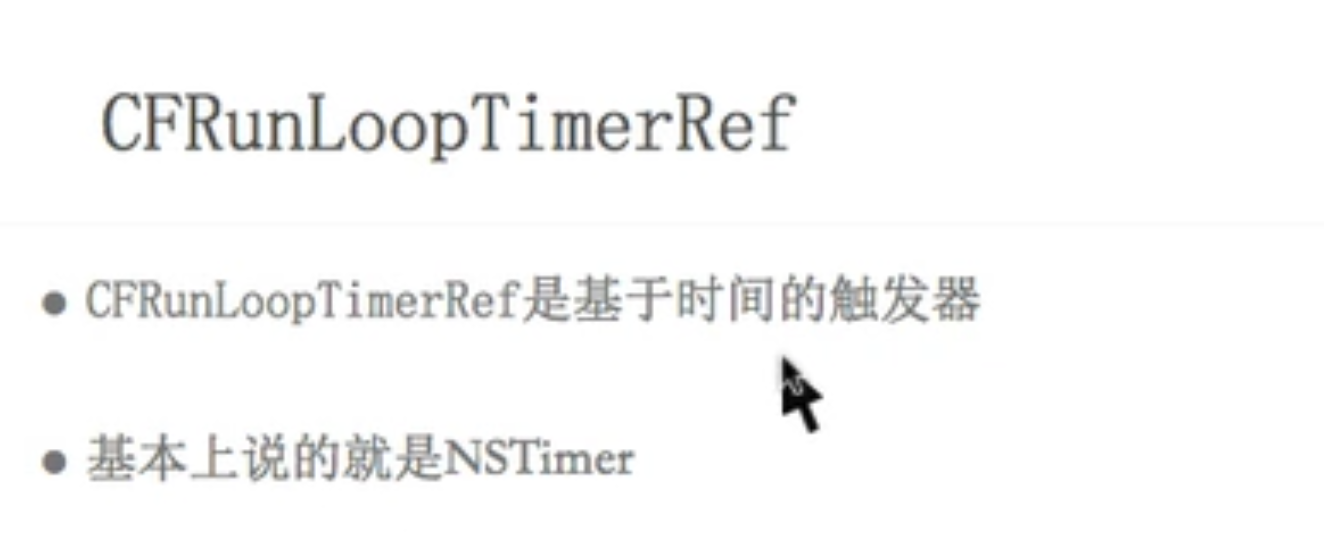
 #import "ViewController.h"

 @interface ViewController ()

 @property (nonatomic, strong) dispatch_source_t timer;

 @end

 @implementation ViewController

 -(void)touchesBegan:(NSSet<UITouch *> *)touches withEvent:(UIEvent *)event{

     [self gcdTimer];

 }

 /**

  GCD定时器

  */

 -(void)gcdTimer{

     /**

       DISPATCH_SOURCE_TYPE_TIMER 定时器

       0 描述信息

       0 更详细的描述信息

       dispatchQueue : 队列决定定时器任务在哪个线程

      */

 //    dispatch_source_t timer = dispatch_source_create(DISPATCH_SOURCE_TYPE_TIMER, 0, 0, dispatch_get_main_queue());

     dispatch_source_t timer = dispatch_source_create(DISPATCH_SOURCE_TYPE_TIMER, , , dispatch_get_global_queue(, ));

     /*

      DISPATCH_TIME_NOW :起始时间

      intervalInSeconds 间隔时间

      leewayInSeconds 精准度, 绝对精准0

      */

     dispatch_source_set_timer(timer, DISPATCH_TIME_NOW,  * NSEC_PER_SEC,  * NSEC_PER_SEC);

     /*

      定时器任务

      */

     dispatch_source_set_event_handler(timer, ^{

         NSLog(@"=== %@", [NSThread currentThread]);

     });

     dispatch_resume(timer);

     /*

      此时 定时器不会工作, 因为定时器有可能被释放掉了,异步线程和主线程都不会执行 ,需要强引用, strong,

      GCD定时器是绝对精准的,拖拽tableview或者textview都会执行,NSTimer 分界面追踪模式和默认模式

      */

     self.timer = timer;

 }

 -(void)runloopTimer{

     NSTimer *timer = [NSTimer scheduledTimerWithTimeInterval: target:self selector:@selector(runTimer) userInfo:nil repeats:YES];// 在主线程

     // NSRunLoopCommonModes:会同时执行默认模式(NSDefaultRunLoopMode)和界面追踪模式(UITrackingRunLoopMode)

     [[NSRunLoop currentRunLoop] addTimer:timer forMode:UITrackingRunLoopMode]; // 等价于 CFRunLoopAddTimer (参数1,参数2,参数3)

 }

 - (void)runloopTimer22{

     NSRunLoop *runloop = [NSRunLoop currentRunLoop];

     /**

      默认是NSDefaultRunLoopMode

      */

     [NSTimer scheduledTimerWithTimeInterval: target:self selector:@selector(runTimer) userInfo:nil repeats:YES];

     [runloop run];

 }

 -(void)runTimer{

     NSLog(@"===%@====",[NSThread currentThread]);

 }

 -(void)runLoop{

     //主线程runloop

     NSRunLoop *mainRunloop = [NSRunLoop mainRunLoop];

     NSLog(@"mainRunloop =========== %p", mainRunloop);

     //    NSLog(@"mainRunloop 是个啥 === %@", mainRunloop);//打印一坨东西看不明白

     //当前线程runloop

     NSRunLoop * currentRunLoop = [NSRunLoop currentRunLoop];

     NSLog(@"currentRunLoop ======== %p", currentRunLoop);

     //core

     NSLog(@"CFRunLoopGetMain ====== %p", CFRunLoopGetMain());

     NSLog(@"CFRunLoopGetCurrent === %p", CFRunLoopGetCurrent());

     //转换

     NSLog(@"mainRunloop.getCFRunLoop  === %p", mainRunloop.getCFRunLoop);

     NSLog(@"currentRunLoop .getCFRunLoop  === %p", currentRunLoop.getCFRunLoop);

     /*

      2018-07-06 13:52:44.552563+0800 10 - runloop[12596:484429] mainRunloop =========== 0x6040000a2be0

      2018-07-06 13:52:44.552908+0800 10 - runloop[12596:484429] currentRunLoop ======== 0x6040000a2be0

      2018-07-06 13:52:44.553043+0800 10 - runloop[12596:484429] CFRunLoopGetMain ====== 0x6000001f3600

      2018-07-06 13:52:44.553121+0800 10 - runloop[12596:484429] CFRunLoopGetCurrent === 0x6000001f3600

      */

 }

 @end
runloop 和 CFRunLoop - 定时器 - NSTimer 和 GCD定时器的更多相关文章
- ios 中定时器:NSTimer, CADisplayLink, GCD
#import "ViewController.h" #import "RunloopViewController.h" @interface ViewCont ...
- IOS GCD定时器
提到定时器,NStimer肯定是我们最为熟悉的. 但是NStimer有着很大的缺点,并不准确. 通俗点说,就是它该做他的事了,但是由于其他事件的影响,Nstimer会放弃他应该做的. 而GCD定时器, ...
- Object-C定时器,封装GCD定时器的必要性!!! (一)
实际项目开发中经常会遇到延迟某件任务的执行,或者让某件任务周期性的执行.然后也会在某些时候需要取消掉之前延迟执行的任务. iOS中延迟操作有三种解决方案: 1.NSObject的方法:(对象方法) p ...
- ios基础篇(二十三)—— 定时器NSTimer与图片的自动切换
一.NSTimer NSTimer是一个能在从现在开始到后面的某一个时刻或者周期性的执行我们指定的方法的对象.可以按照一定的时间间隔,将制定的信息发送给目标对象.并更新某个对象的行为.你可以选择在未来 ...
- 定时器(NSTimer)
iOS中定时器NSTimer的使用 1.初始化 + (NSTimer *)timerWithTimeInterval:(NSTimeInterval)ti target:(id)aTarget sel ...
- iOS定时器NSTimer的使用方法
1.初始化 + (NSTimer *)timerWithTimeInterval:(NSTimeInterval)ti target:(id)aTarget selector:(SEL)aSelect ...
- 【转】iOS中定时器NSTimer的使用
原文网址:http://www.cnblogs.com/zhulin/archive/2012/02/02/2335866.html 1.初始化 + (NSTimer *)timerWithTimeI ...
- iOS中定时器NSTimer的使用-备用
1.初始化 + (NSTimer *)timerWithTimeInterval:(NSTimeInterval)ti target:(id)aTarget selector:(SEL)aSelect ...
- iOS定时器-- NSTimer 和CADisplaylink
iOS定时器-- NSTimer 和CADisplaylink 一.iOS中有两种不同的定时器: 1. NSTimer(时间间隔可以任意设定,最小0.1ms)// If seconds is les ...
随机推荐
- golang web框架 beego 学习 (四) 连接mysql
1 DB参数配置在app.conf appname = gowebProject httpport = runmode = dev [db] host= localhost port= databas ...
- Apache Kudu as a More Flexible And Reliable Kafka-style Queue
Howdy friends! In this blog post, I show how Kudu, a new random-access datastore, can be made to fun ...
- spark sql 的性能调优
Caching Data in Memory 其他调优参数
- 经典算法 KMP算法详解
内容: 1.问题引入 2.暴力求解方法 3.优化方法 4.KMP算法 1.问题引入 原始问题: 对于一个字符串 str (长度为N)和另一个字符串 match (长度为M),如果 match 是 st ...
- Activity服务类-8 RuntimeService服务类
一共89个接口1.启动流程实例(20个方法)//使用给定的键在流程定义的最新版本中启动一个新的流程实例.ProcessInstance startProcessInstanceByKey(String ...
- 五种方法实现Java的Singleton单例模式
面试的时候经常会问到Java的单例模式,这道题能很好的考察候选人对知识点的理解程度.单例模式要求在系统运行时,只存在唯一的一个实例对象. 下面我们来详细剖析一下其中的关键知识点,并介绍五种实现方法,以 ...
- sysbench相关
Sysbench工具是集系统测试和数据库测试一体的测试工具,但是传统的sysbench在数据库测试方面,没有遵循TPC-C测试模型,仅仅支持单个表的数据.而在实际的业务场景中,业务逻辑复杂的多.开源的 ...
- lftp命令详解
lftp.sh自动上传脚本: #!/bin/bash echo -e "\nScript start at \033[43;35m `date "+%H:%M:%S"` ...
- SecureCRT结合xmanager远程启动图形化界面程序
我们很多操作都是可以通过命令行的形式来完成,但是由于不支持图形模式,在一些需要图形界面的时候就很麻烦.本次设置可以在secureCRT中直接使用netca\dbca命令,通过xmanager的pass ...
- zookeeper介绍以及安装配置
Zookeeper启动时默认将Zookeeper.out输出到当前目录,不友好.改变位置有两种方法: 1:在当前用户下~/.bash_profile或在/etc/profile,添加ZOO_LOG_D ...