
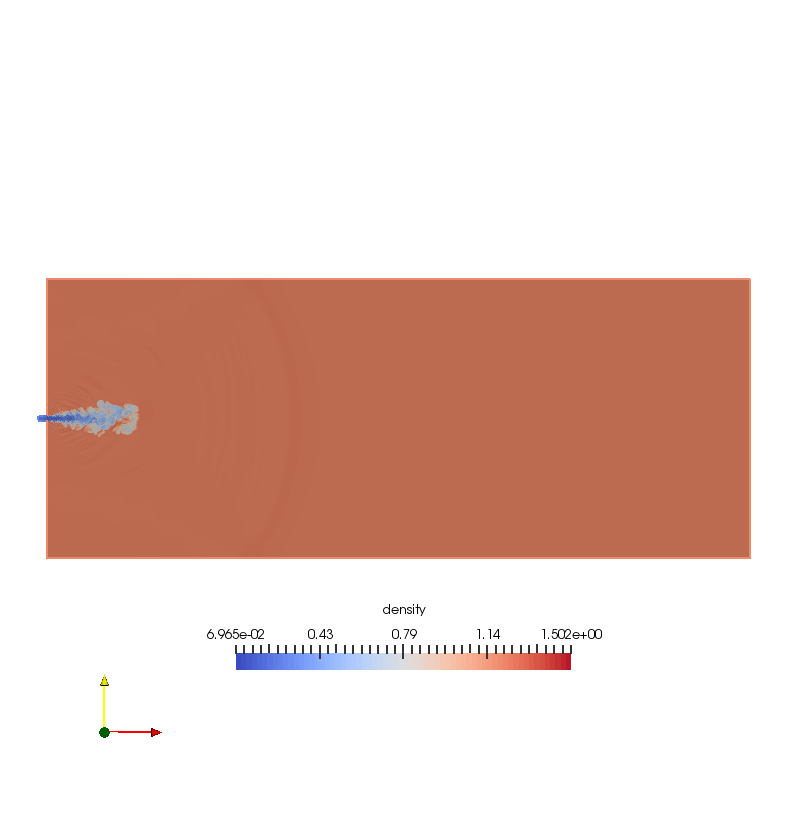
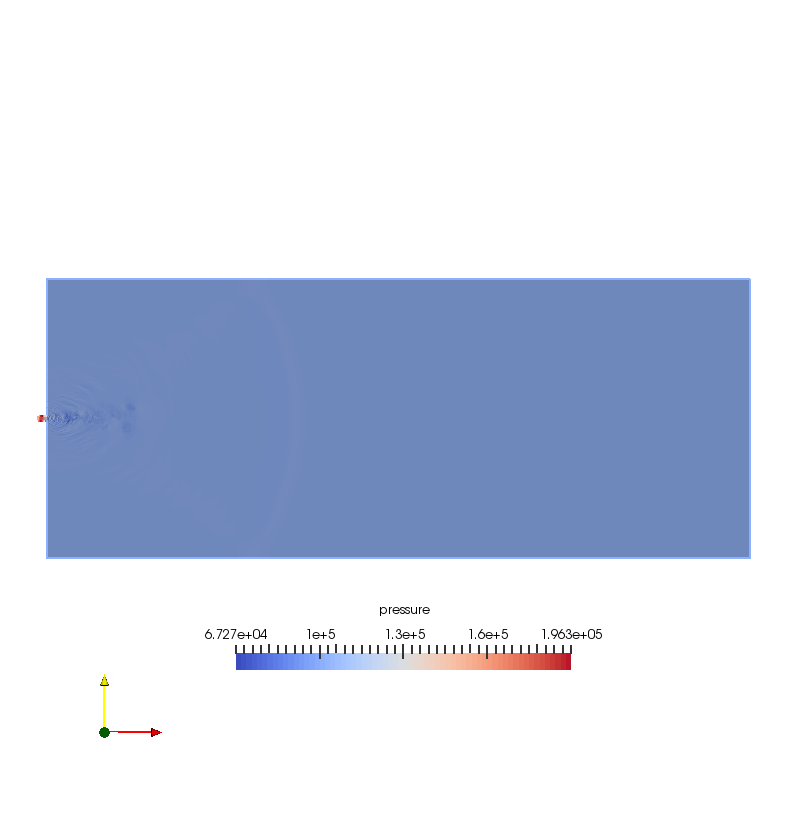
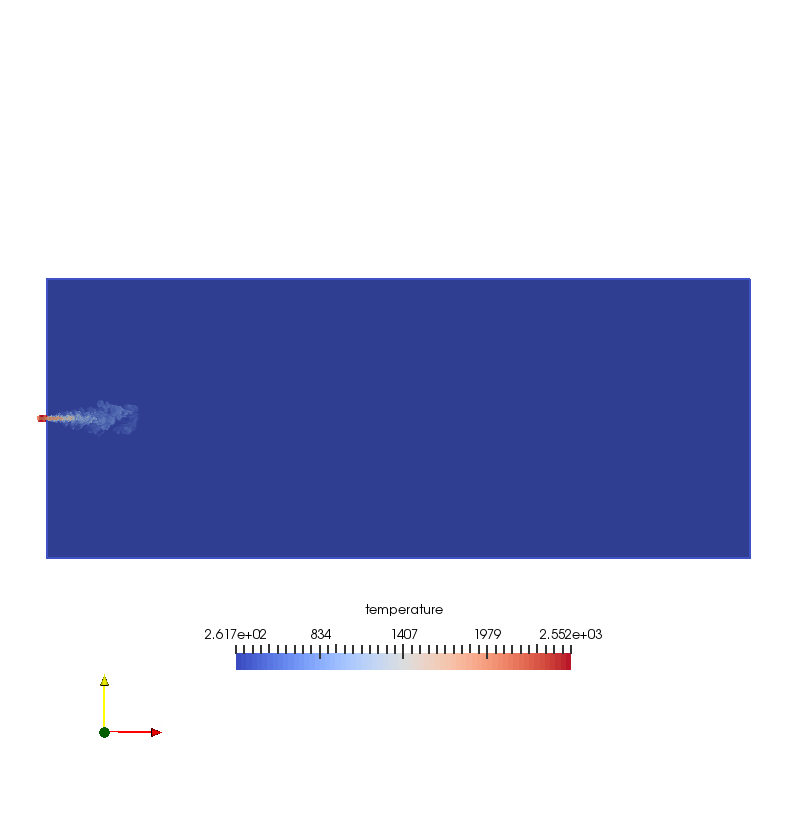
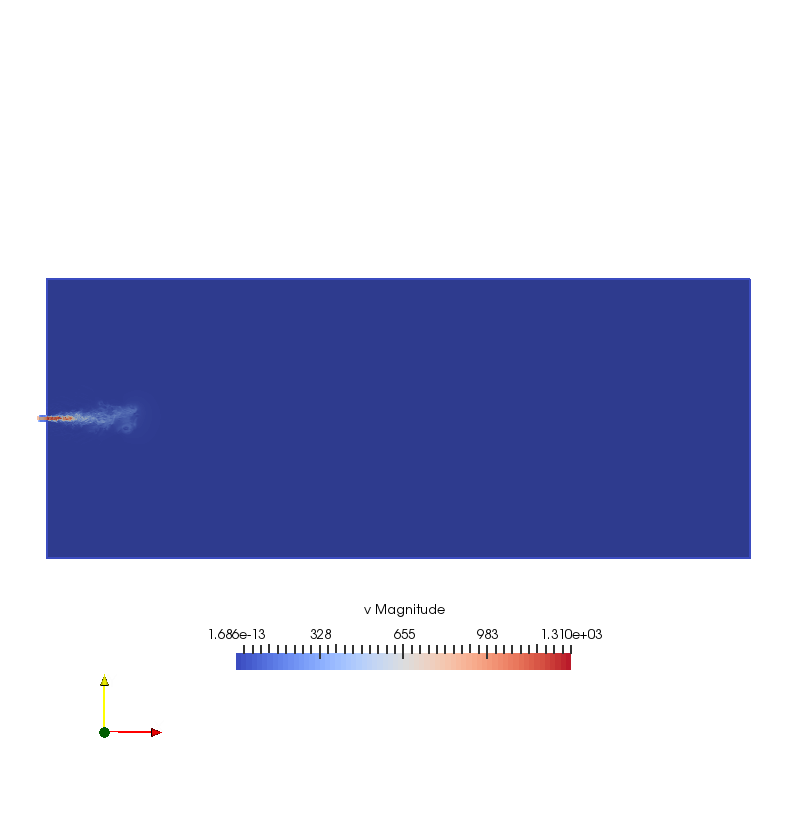
save density, pressure, velocity, temperature contour at one slice in xy plane-- paraview with batch Python scripts
#### import the simple module from the paraview
from paraview.simple import *
#### disable automatic camera reset on 'Show'
paraview.simple._DisableFirstRenderCameraReset()
# create a new 'EnSight Reader' and assign it to a variable, 'transientcase'
transientcase = EnSightReader(CaseFileName='/home/kaiming/Documents/ZJU_Projects/Jet/data/transient.case')
transientcase.PointArrays = ['v', 'density', 'pressure', 'temperature']
# get active view
renderView1 = GetActiveViewOrCreate('RenderView')
# uncomment following to set a specific view size
# renderView1.ViewSize = [788, 837]
# get color transfer function/color map for 'density'
densityLUT = GetColorTransferFunction('density')
# show data in view
transientcaseDisplay = Show(transientcase, renderView1)
# trace defaults for the display properties.
transientcaseDisplay.ColorArrayName = ['POINTS', 'density']
transientcaseDisplay.LookupTable = densityLUT
transientcaseDisplay.GlyphType = 'Arrow'
transientcaseDisplay.ScalarOpacityUnitDistance = 0.0016420380639339577
# reset view to fit data
renderView1.ResetCamera()
# show color bar/color legend
transientcaseDisplay.SetScalarBarVisibility(renderView1, False)
# get opacity transfer function/opacity map for 'density'
densityPWF = GetOpacityTransferFunction('density')
# reset view to fit data
renderView1.ResetCamera()
#################
## slice
################
# create a new 'Slice'
slice1 = Slice(Input=transientcase)
slice1.SliceType = 'Plane'
slice1.SliceOffsetValues = [0.0]
# init the 'Plane' selected for 'SliceType'
slice1.SliceType.Origin = [-0.21849990739250558, 0.0, 0.0]
# Properties modified on slice1.SliceType
slice1.SliceType.Origin = [0.0, 0.0, 0.0]
slice1.SliceType.Normal = [0.0, 0.0, 1.0]
# show data in view
slice1Display = Show(slice1, renderView1)
# trace defaults for the display properties.
slice1Display.ColorArrayName = ['POINTS', 'density']
slice1Display.LookupTable = densityLUT
slice1Display.GlyphType = 'Arrow'
# hide data in view
Hide(transientcase, renderView1)
# show color bar/color legend
slice1Display.SetScalarBarVisibility(renderView1, True)
# set active source
SetActiveSource(transientcase)
# reset view to fit data
renderView1.ResetCamera()
# current camera placement for renderView1
renderView1.CameraPosition = [-0.21849990739250558, 0.0, 0.9599974287600782]
renderView1.CameraFocalPoint = [-0.21849990739250558, 0.0, 0.0]
renderView1.CameraParallelScale = 0.2494169143257604
# *****************
# change legend layout, and its font color, position
# *****************
# get color legend for 'densityLUT' in view 'renderView1'
densityLUTColorBar = GetScalarBar(densityLUT, renderView1)
# Properties modified on densityLUTColorBar
densityLUTColorBar.AutoOrient = 0
## legend orientation
densityLUTColorBar.Orientation = 'Horizontal'
## legend normalized position
densityLUTColorBar.Position = [0.3, 0.2]
# change label color to 'black'
densityLUTColorBar.LabelColor = [0.0, 0.0, 0.0]
# change titile color to 'black'
densityLUTColorBar.TitleColor = [0.0, 0.0, 0.0]
# ***************
# set Background color as 'White'
renderView1.Background =[1,1,1]
# get layout
viewLayout1 = GetLayout()
# save screenshot
SaveScreenshot('/home/kaiming/Documents/ZJU_Projects/Jet/paraview/d_63.png', layout=viewLayout1, magnification=1, quality=100)
#################
# pressure contour
##################
# show color bar/color legend
slice1Display.SetScalarBarVisibility(renderView1, False)
# set active source
SetActiveSource(slice1)
# set scalar coloring
ColorBy(slice1Display, ('POINTS', 'pressure'))
# rescale color and/or opacity maps used to include current data range
slice1Display.RescaleTransferFunctionToDataRange(True)
# show color bar/color legend
slice1Display.SetScalarBarVisibility(renderView1, True)
# get color transfer function/color map for 'pressure'
pressureLUT = GetColorTransferFunction('pressure')
# get opacity transfer function/opacity map for 'pressure'
pressurePWF = GetOpacityTransferFunction('pressure')
# set active source
SetActiveSource(transientcase)
# *****************
# change legend layout, and its font color, position
# *****************
# get color legend for 'densityLUT' in view 'renderView1'
pressureLUTColorBar = GetScalarBar(pressureLUT, renderView1)
# Properties modified on vLUTColorBar
pressureLUTColorBar.AutoOrient = 0
## legend orientation
pressureLUTColorBar.Orientation = 'Horizontal'
## legend normalized position
pressureLUTColorBar.Position = [0.3, 0.2]
# change label color to 'black'
pressureLUTColorBar.LabelColor = [0.0, 0.0, 0.0]
# change titile color to 'black'
pressureLUTColorBar.TitleColor = [0.0, 0.0, 0.0]
# ***************
# current camera placement for renderView1
renderView1.CameraPosition = [-0.21849990739250558, 0.0, 0.9599974287600782]
renderView1.CameraFocalPoint = [-0.21849990739250558, 0.0, 0.0]
renderView1.CameraParallelScale = 0.2494169143257604
# save screenshot
SaveScreenshot('/home/kaiming/Documents/ZJU_Projects/Jet/paraview/p_63.png', layout=viewLayout1, magnification=1, quality=100)
######################
# #temperature contour
######################
# show color bar/color legend
slice1Display.SetScalarBarVisibility(renderView1, False)
# set active source
SetActiveSource(slice1)
# set scalar coloring
ColorBy(slice1Display, ('POINTS', 'temperature'))
# rescale color and/or opacity maps used to include current data range
slice1Display.RescaleTransferFunctionToDataRange(True)
# show color bar/color legend
slice1Display.SetScalarBarVisibility(renderView1, True)
# get color transfer function (color map) for 'temperature'
temperatureLUT = GetColorTransferFunction('temperature')
# get opacity transfer function/opacity map for 'temperature'
temperaturePWF = GetOpacityTransferFunction('temperature')
# ******
# legend layout, and its font color, position
# *****
temperatureLUTColorBar = GetScalarBar(temperatureLUT, renderView1)
# Properties modified on vLUTColorBar
temperatureLUTColorBar.AutoOrient = 0
## legend orientation
temperatureLUTColorBar.Orientation = 'Horizontal'
## legend normalized position
temperatureLUTColorBar.Position = [0.3, 0.2]
# label color to 'black'
temperatureLUTColorBar.LabelColor = [0.0, 0.0, 0.0]
# change 'titile' color to 'black'
temperatureLUTColorBar.TitleColor = [0.0, 0.0, 0.0]
# *****************
# set active source
SetActiveSource(transientcase)
# current camera placement for renderView1
renderView1.CameraPosition = [-0.21849990739250558, 0.0, 0.9599974287600782]
renderView1.CameraFocalPoint = [-0.21849990739250558, 0.0, 0.0]
renderView1.CameraParallelScale = 0.2494169143257604
# save screenshot
SaveScreenshot('/home/kaiming/Documents/ZJU_Projects/Jet/paraview/t_63.png', layout=viewLayout1, magnification=1, quality=100)
# *****************
# velocity
# ****************
# show color bar/color legend
slice1Display.SetScalarBarVisibility(renderView1, False)
# set active source
SetActiveSource(slice1)
# set scalar coloring
ColorBy(slice1Display, ('POINTS', 'v'))
# rescale color and/or opacity maps used to include current data range
slice1Display.RescaleTransferFunctionToDataRange(True)
# show color bar/color legend
slice1Display.SetScalarBarVisibility(renderView1, True)
# get color transfer function/color map for 'v'
vLUT = GetColorTransferFunction('v')
# get opacity transfer function/opacity map for 'v'
vPWF = GetOpacityTransferFunction('v')
# *****************
# change legend layout, and its font color, position
# *****************
# get color legend for 'densityLUT' in view 'renderView1'
vLUTColorBar = GetScalarBar(vLUT, renderView1)
# Properties modified on vLUTColorBar
vLUTColorBar.AutoOrient = 0
## legend orientation
vLUTColorBar.Orientation = 'Horizontal'
## legend normalized position
vLUTColorBar.Position = [0.3, 0.2]
# change label color to 'black'
vLUTColorBar.LabelColor = [0.0, 0.0, 0.0]
# change titile color to 'black'
vLUTColorBar.TitleColor = [0.0, 0.0, 0.0]
# ***************
# set active source
SetActiveSource(transientcase)
# current camera placement for renderView1
renderView1.CameraPosition = [-0.21849990739250558, 0.0, 0.9599974287600782]
renderView1.CameraFocalPoint = [-0.21849990739250558, 0.0, 0.0]
renderView1.CameraParallelScale = 0.2494169143257604
# save screenshot
SaveScreenshot('/home/kaiming/Documents/ZJU_Projects/Jet/paraview/v_63.png', layout=viewLayout1, magnification=1, quality=100)
#### saving camera placements for all active views
# current camera placement for renderView1
renderView1.CameraPosition = [-0.21849990739250558, 0.0, 0.9599974287600782]
renderView1.CameraFocalPoint = [-0.21849990739250558, 0.0, 0.0]
renderView1.CameraParallelScale = 0.2494169143257604
#### uncomment the following to render all views
# RenderAllViews()
# alternatively, if you want to write images, you can use SaveScreenshot(...).
save density, pressure, velocity, temperature contour at one slice in xy plane-- paraview with batch Python scripts的更多相关文章
- 分享JQuery动画插件Velocity.js的六种列表加载特效
分享JQuery动画插件Velocity.js的六种列表加载特效.在这款实例中给中六种不同的列表加载效果.分别为从上飞入.从右侧飞入.从左侧飞入.和渐显.一起看下效果图: 在线预览 源码下载 实现 ...
- post processing in CFD
post post Table of Contents 1. Post-processing 1.1. Reverse flow 1.1.1. reasons 1.1.2. solutions 1.2 ...
- jet flow in a combustion chamber
Table of Contents 1. contacts 2. Paper digest 2.1. LES vs. RANS 2.2. Dynamics of Transient Fuel Inje ...
- saving snaps iteratively with for loop in Paraview
Goal: read data 1 and slice, then save pressure, velocity contours, close data, then do loop for the ...
- hbot固件配置
又入了一台打印机,171到手,本来之前有更好的,无奈别人下手太快,只剩这台了. 175x135x180的样子. 创客的板,还带16g的闪迪内存卡,看到那会儿感觉赚大了! 拿到的时候不少螺丝松的,有的打 ...
- Fast-tracking approach for building routing topologies in fast-moving networks
In one embodiment, a local node in a communication network determines a set of its neighbor nodes, a ...
- Usage of hdf2v3 and hdf2file
备注 修改Filetype,再执行hdf2file或hdf2tab,可以输出不同类型的数据.把Filetype设置成8,就是 Tecplot 格式的数据. <!DOCTYPE html PUBL ...
- Python演讲笔记1
参考: 1. The Clean Architecture in Python (Brandon Rhodes) 2. Python Best Practice Patterns (Vladimir ...
- Disposable microfluidic devices: fabrication, function, and application Gina S. Fiorini and Daniel T
Disposable microfluidic devices: fabrication, function, and application Gina S. Fiorini and Daniel T ...
随机推荐
- 【POJ 3070】 Fibonacci
[题目链接] 点击打开链接 [算法] 矩阵乘法快速幂 [代码] #include <algorithm> #include <bitset& ...
- 分布式消息中间件Rabbit Mq的了解与使用
MQ(消息队列)作为现代比较流行的技术,在互联网应用平台中作为中间件,主要解决了应用解耦.异步通信.流量削锋.服务总线等问题,为实现高并发.高可用.高伸缩的企业应用提供了条件. 目前市面比较流行的消息 ...
- Dubbo近况
刚下班看到开发者头条上一篇讲dubbo前世今生的文章,总结的不错,摘录一下. 从2012年10月23日Dubbo 2.5.3发布后,在Dubbo开源将满一周年之际,阿里基本停止了对Dubbo的主要升级 ...
- OPENCL 错误码
#define CL_SUCCESS 0 #define CL_DEVICE_NOT_FOUND -1 #define CL_DEVICE_NOT_AVAILABLE -2 #define CL_CO ...
- MyBatis高级查询 一对多映射
数据库表在一对一映射中. 在数据库sys_user_role中新增一条记录 一个用户可以有多个角色.查询出所有用户和所对应的角色. 1.collection集合的嵌套结果映射 <!-- SysU ...
- varnish的架构和日志
varnish的架构和日志 varnish的架构 知道varnish的内部结构有两个重要的原因: 首先,架构主要负责性能,其次,它影响你如何将Varnish集成到你自己的架构中. 主程序块是Manag ...
- sql让时间调前,调后的语句
时间调前,调后 select billid,DATEADD(mm,2,billdate) from bi_Bill 注:用dateadd(/时间年/月/日,调前或后多少,字段) mm为月份,2为调前两 ...
- Linux系统下 为命令配置别名
1.什么是别名 在管理和维护Linux系统的过程中,将会使用到大量命令,有一些很长的命令或用法经常被用到,重复而频繁的输入某个很长命令或用法是不可取的.这时可以使用 别名 功能将这个过程简单化. Li ...
- 公司4:JrVue主题定制
JrVue是我们基于element重新封装的一套组件库; 具体组件使用方法可以mnote->研发小组查看; 这里我们定制了一套主题色, 具体变动如下: 1.主题色变动: mfront有蓝.紫. ...
- 题解报告:hdu 1015 Safecracker
Problem Description === Op tech briefing, 2002/11/02 06:42 CST === "The item is locked in a Kl ...