
implement Google's Open Source Slam "Cartographer" demos in ROS/rviz
Cartographer is a backpack equipped with Simultaneous Localization and Mapping (SLAM) technology.
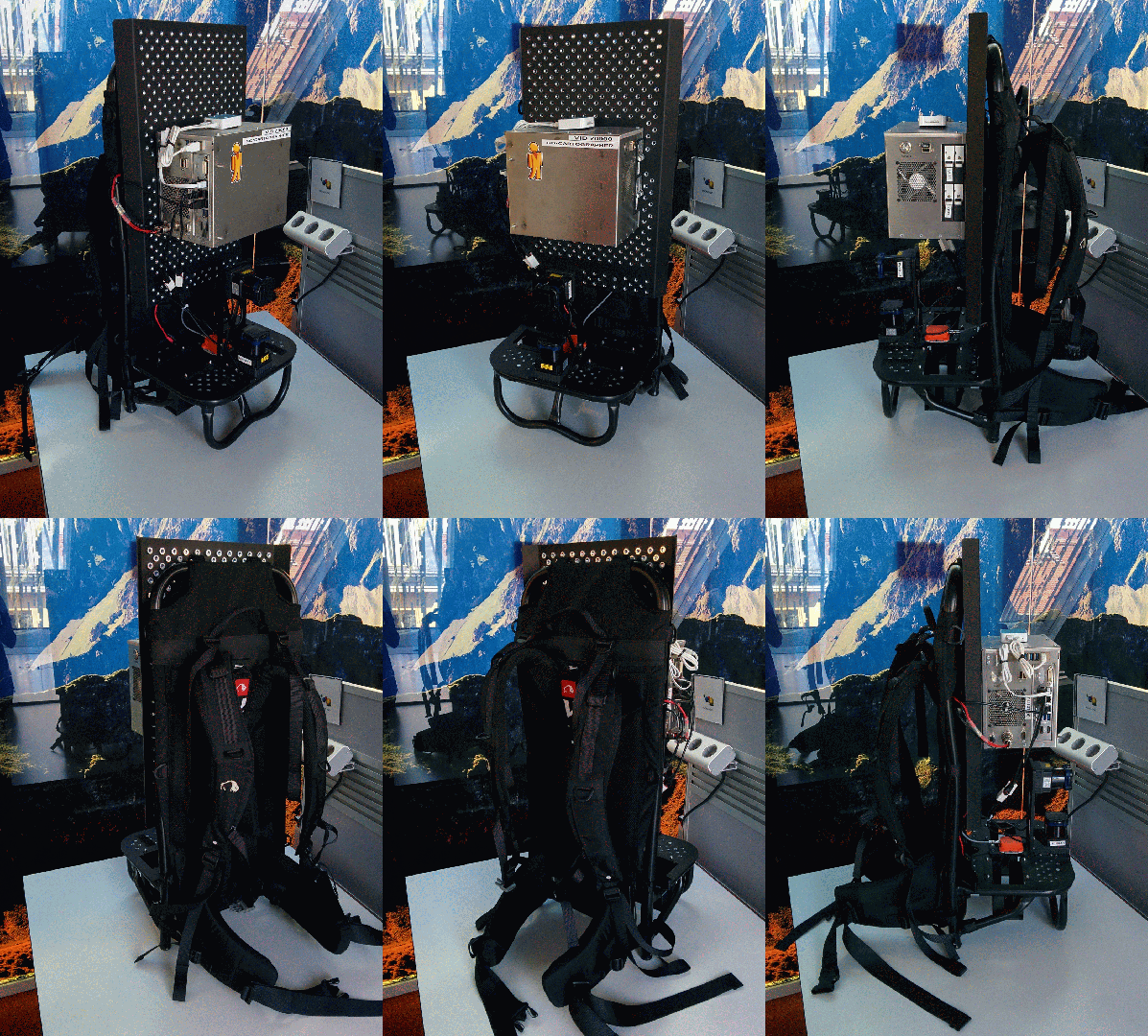
1. Platform
Dell PC installed Ubuntu 14.4 and ROS Indigo.
2. Building & Installation
We recommend using wstool and rosdep. For faster builds, we also recommend using Ninja.
# Install wstool and rosdep.

sudo apt-get update

sudo apt-get install -y python-wstool python-rosdep ninja-build

# Create a new workspace in 'catkin_ws'.

mkdir catkin_ws

cd catkin_ws

wstool init src

# Merge the cartographer_ros.rosinstall file and fetch code for dependencies.

wstool merge -t src https://raw.githubusercontent.com/googlecartographer/cartographer_ros/master/cartographer_ros.rosinstall

wstool update -t src

# Install deb dependencies.

rosdep init

rosdep update

rosdep install --from-paths src --ignore-src --rosdistro=${ROS_DISTRO} -y

# Build and install.

catkin_make_isolated --install --use-ninja

source install_isolated/setup.bash
3. Running the demos
Now that Cartographer and Cartographer’s ROS integration are installed, download the example bags (e.g. 2D and 3D backpack collections of the Deutsches Museum) to a known location, in this case ~/Downloads, and use roslaunch to bring up the demo:
# Download the 2D backpack example bag.

wget -P ~/Downloads https://storage.googleapis.com/cartographer-public-data/bags/backpack_2d/cartographer_paper_deutsches_museum.bag

# Launch the 2D backpack demo.

roslaunch cartographer_ros demo_backpack_2d.launch bag_filename:=${HOME}/Downloads/cartographer_paper_deutsches_museum.bag

# Download the 3D backpack example bag.

wget -P ~/Downloads https://storage.googleapis.com/cartographer-public-data/bags/backpack_3d/cartographer_3d_deutsches_museum.bag

# Launch the 3D backpack demo.

roslaunch cartographer_ros demo_backpack_3d.launch bag_filename:=${HOME}/Downloads/cartographer_3d_deutsches_museum.bag

# Download the Revo LDS example bag.

wget -P ~/Downloads https://storage.googleapis.com/cartographer-public-data/bags/revo_lds/cartographer_paper_revo_lds.bag

# Launch the Revo LDS demo. ---- Failed to implement this one.

roslaunch cartographer_ros demo_revo_lds.launch bag_filename:=${HOME}/Downloads/cartographer_paper_revo_lds.bag

# Download the PR2 example bag.

wget -P ~/Downloads https://storage.googleapis.com/cartographer-public-data/bags/pr2/2011-09-15-08-32-46.bag

# Launch the PR2 demo.

roslaunch cartographer_ros demo_pr2.launch bag_filename:=${HOME}/Downloads/2011-09-15-08-32-46.bag
The launch files will bring up roscore and rviz automatically.
4. Results
2D backpack demo:
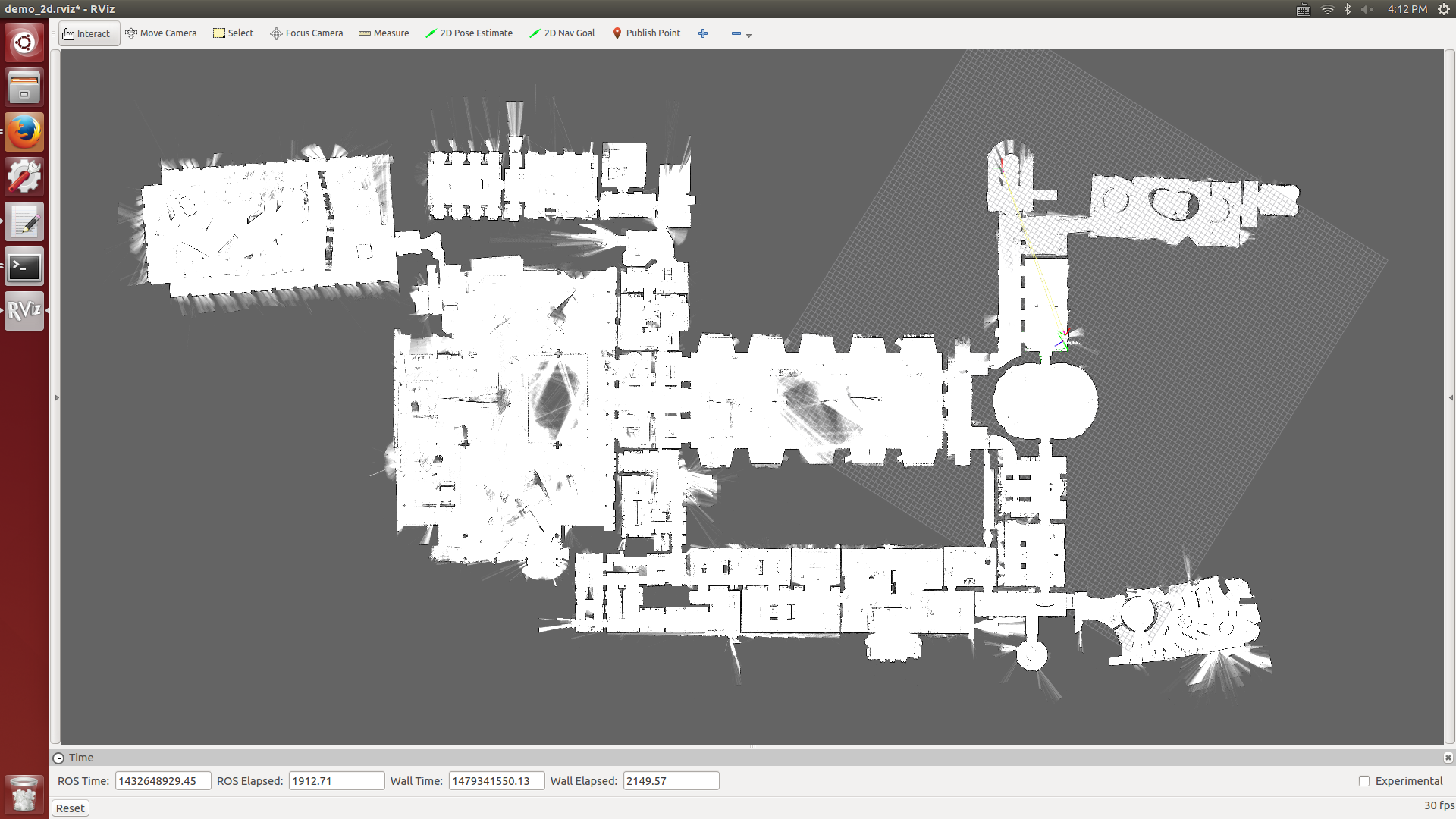
3D backpack demo:

Revo LDS demo:
Failed
PR2 demo:

Reference:
implement Google's Open Source Slam "Cartographer" demos in ROS/rviz的更多相关文章
- Google's Open Source SLAM Library ---- Cartographer
What is Cartographer? Google announce the open source release of Cartographer, a real-time simultane ...
- slam cartographer 学习
https://github.com/slam4code 感谢大牛的分享
- cartographer Ubuntu16.04 ros环境配置
首先要正确安装 ROS ,然后第12步应注意,proto的版本是个关键容易出错. 1.添加ROS源http:/packages.ros.org/ros/ubuntu xenial main ( ...
- Open Source Projects Released By Google
Open Source Projects Released By Google Google has released over 20 million lines of code and over 9 ...
- ROS_Kinetic_27 在ROS中使用Cartographer进行SLAM
ROS_Kinetic_27 在ROS中使用Cartographer进行SLAM Cartographer是谷歌新開源的通用的2D和3D定位與構圖同步的SLAM工具,並提供ROS接口. 论文Real- ...
- [资源] Open source packages on SLAM
OpenSLAM http://openslam.org/ Most main stream open source slam resource can be found on OpenSLAM, w ...
- source.android.google && developer.android.google
https://source.android.google.cn/ https://developer.android.google.cn/ https://source.android.com/co ...
- (转) 实时SLAM的未来及与深度学习的比较
首页 视界智尚 算法技术 每日技术 来打我呀 注册 实时SLAM的未来及与深度学习的比较 The Future of Real-Time SLAM and “Deep Learni ...
- 基于视觉的 SLAM/Visual Odometry (VO) 开源资料、博客和论文列表
基于视觉的 SLAM/Visual Odometry (VO) 开源资料.博客和论文列表 以下为机器翻译,具体参考原文: https://github.com/tzutalin/awesome-vis ...
随机推荐
- linux设备驱动归纳总结(十二):简单的数码相框【转】
本文转载自:http://blog.chinaunix.net/uid-25014876-id-116926.html linux设备驱动归纳总结(十二):简单的数码相框 xxxxxxxxxxxxxx ...
- USB 设备类协议入门【转】
本文转载自:http://www.cnblogs.com/xidongs/archive/2011/09/26/2191616.html 一.应用场合 USB HID类是比较大的一个类,HID类设备属 ...
- Linux之awk命令详解
简介 awk是一个强大的文本分析工具,相对于grep的查找,sed的编辑,awk在其对数据分析并生成报告时,显得尤为强大.简单来说awk就是把文件逐行的读入,以空格为默认分隔符将每行切片,切开的部分再 ...
- linux中断的上半部和下半部 【转】
转自:http://blog.chinaunix.net/xmlrpc.php?r=blog/article&uid=24690947&id=3491821 一.什么是下半部 中断是一 ...
- Docker 端口映射问题解决
在操作Docker容器时发现了其一个端口映射的BUG,具体表现为:开启容器时做了端口映射80:8080,即宿主机的80端口映射到容器内部的8080Jboss端口.一开始测试也没有什么问题,都可以联通, ...
- 在Linux下搭建Git服务器的方法是什么样?
第一步 安装git:可以通过命令的方式快速安装,不同的linux的安装方法可能不一样,我的是采用的yum方法.ubuntu可以用apt-get命令.sudo yum install git 第二步 添 ...
- Cocos2dx lua 3D实例代码
用cocoside 创建一个项目 cocos2dx lua 项目即可 ,然后替换掉gamescene 就可以,具体效果还有函数的参数,相信大家一看就明白.简单说下ide 创建的 cocos lua 项 ...
- css 前景色与背景色
前景色:color:#990000; 背景色:background-color:red; 可以用来设置文字的前景色与背景色 <!-- 作者:纤锐出处:http://www.cnblogs.com ...
- poj1703 Lost Cows
给定集合{1,2,...,n}的一个置换,指定每个位置上在其左方且比其小的数的个数,求该置换. 这题我目前还只会O(n^2)的做法. 以后再用更高效的算法解决. http://poj.org/prob ...
- Linux内核2.4.x的网络接口源码的结构[转]
http://blog.csdn.net/wswifth/article/details/5102242 一.前言 Linux的源码里,网络接口的实现部份是非常值得一读的,通过读源码,不仅对网络协议会 ...