
01 . Vue简介,原理,环境安装
简介
vue是一个JavaMVVM库,是一套用于构建用户界面的渐进式框架,是初创项目的首选前端框架。它是以数据驱动和组件化的思想构建的,采用自底向上增量开发的设计。它是轻量级的,它有很多独立的功能或库,我们会根据我们的项目来选用vue的一些功能。它提供了更加简洁、更易于理解的API,使得我们能够快速地上手并使用Vue.js.
安装vue
Vue环境安装
运行vue等技术开发的客户端项目,需要安装Node.js环境
Node下载
可以到nodejs的下载页面: http://nodejs.cn/download/下载对应的安装包
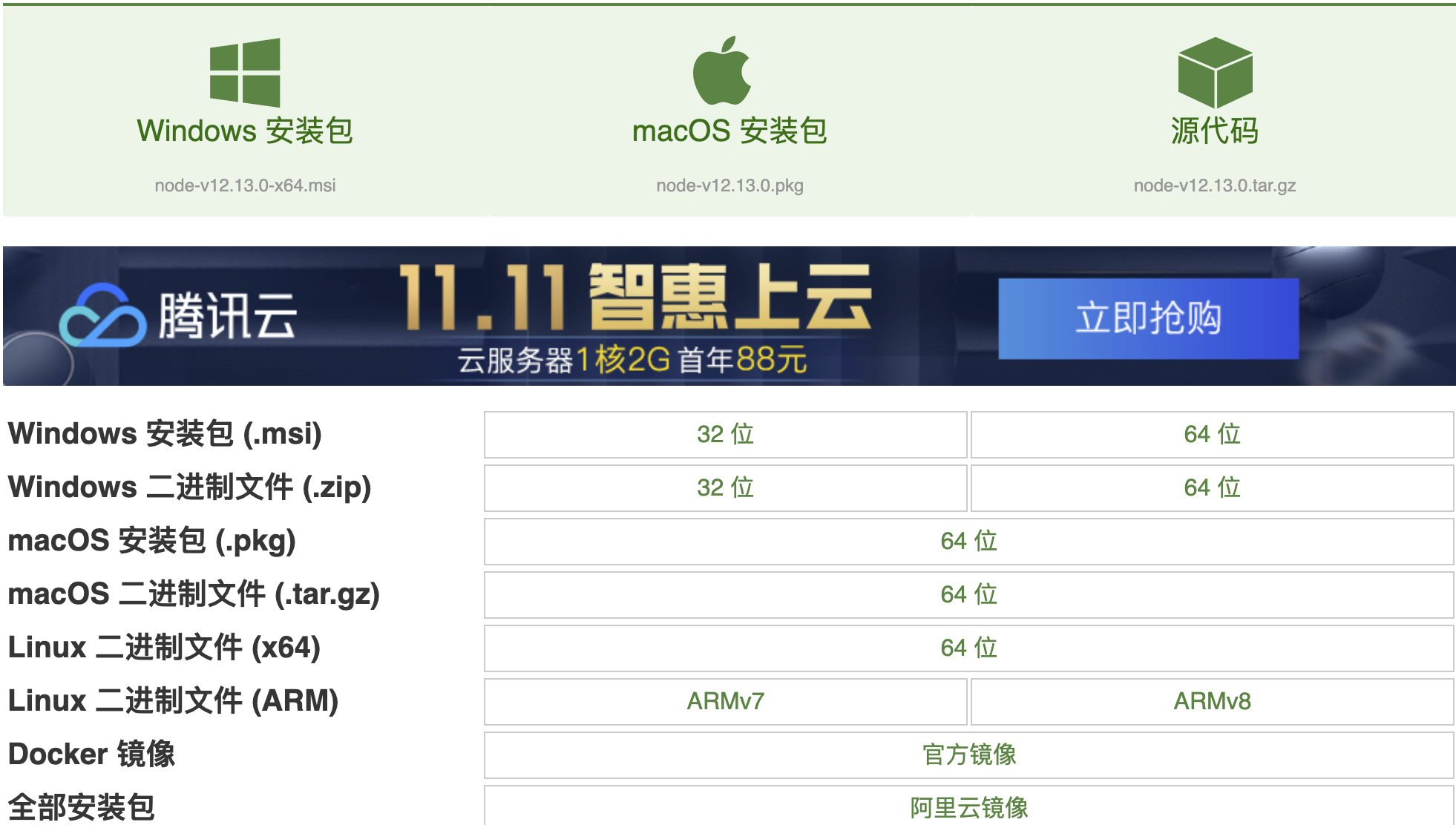
1.Windows电脑安装Nodejs环境
- 1、windows环境下选择.msi安装文件。然后进行双击node.msi,选择安装路径。
- 2、配置环境变量。在计算机(或者我的电脑)右击属性 -> 高级系统设置 -> 环境变量进行配置。新建NODE_PATH变量并设置Nodejs的安装目录。
macOS系统安装Nodejs
在终端中使用brew命令安装nodejs。详细命令:
brew install nodejs
Linux系统安装Nodejs
在nodejs的下载页面选择linux类别下的64位文件,下载文件为tar.xz格式的压缩文件。然后依次执行解压缩和建立软连接的命令:
tar -xvf   node-v10.15.3-linux-x64.tar.xz

vi /etc/profile

export NODEJS=/opt/node/node-v10.15.3-linux-x64

export PATH=$NODEJS/bin:$PATH

// 保存/etc/profile文件后

node -v

// 看版本
安装脚手架工具vue-cli
/*

		npm install --global vue-cli

*/
安装webpack
/*

		npm install -g webpack

		vue init webpack myVue

		npm install -g webpack

/Users/youmen/.nvm/versions/node/v10.14.2/bin/webpack -> /Users/youmen/.nvm/versions/node/v10.14.2/lib/node_modules/webpack/bin/webpack.js

+ webpack@5.4.0

added 82 packages from 122 contributors in 6.878s

\W $ vue init webpack myvue

? Project name helloworld

? Project description student vue demo1

? Author youmen@163.com

? Vue build standalone

? Install vue-router? Yes

? Use ESLint to lint your code? No

? Set up unit tests Yes

? Pick a test runner jest

? Setup e2e tests with Nightwatch? No

? Should we run `npm install` for you after the project has

been created? (recommended) npm

		安装中有个选项(Use ESLint to line your code? 选择No)

		进入myVue,使用npm install 安装package.json中的依赖

		cd myVue

		npm install

		运行项目

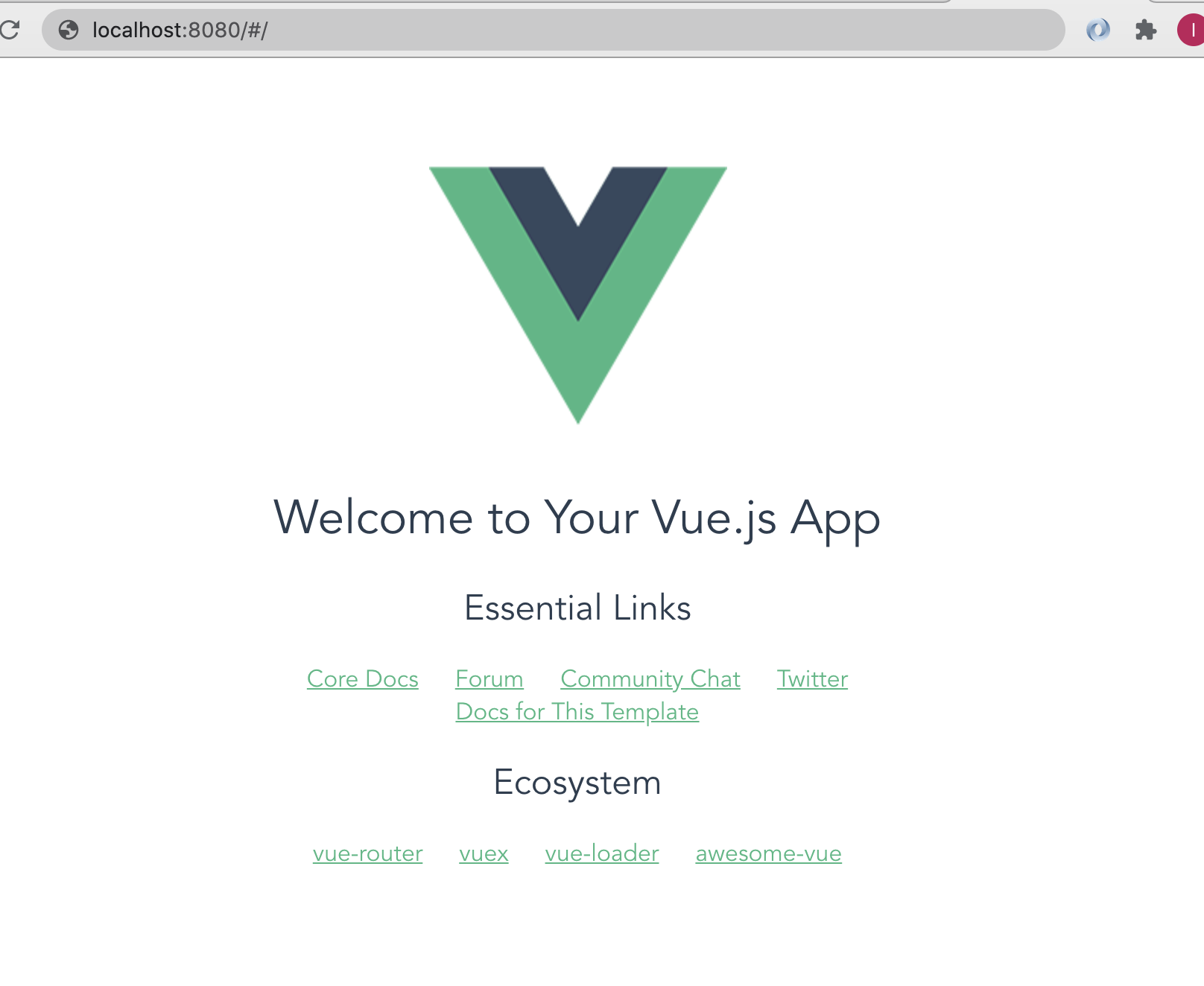
		npm run dev

*/
安装nvm
管理node版本,非必须
// mac

git clone https://github.com/nvm-sh/nvm.git

cd nvm

./install.sh

cat ~/.bash_profile

export NVM_DIR="$HOME/.nvm"

[ -s "$NVM_DIR/nvm.sh" ] && . "$NVM_DIR/nvm.sh" # This loads nvm

// 换源

export NVM_NODEJS_ORG_MIRROR=http://npm.taobao.org/mirrors/node

export NVM_IOJS_ORG_MIRROR=http://npm.taobao.org/mirrors/iojs

source ~/.bash_profile

nvm --version

0.37.0

// 安装指定版本

nvm install 10.14.2
安装yarn
包管理工具
brew install yarn
安装vue cli
npm config set registry https://registry.npm.taobao.org/

npm install -g @vue/cli

yarn global add @vue/cli
创建vue项目
vue create ginessentail-vue

Vue CLI v4.5.8

? Please pick a preset: (Use arrow keys)

  Default ([Vue 2] babel, eslint)

  Default (Vue 3 Preview) ([Vue 3] babel, eslint)

❯  Manually select features

Vue CLI v4.5.8

? Please pick a preset: Manually select features

? Check the features needed for your project:

 ◉ Choose Vue version

 ◉ Babel

 ◯ TypeScript

 ◯ Progressive Web App (PWA) Support

 ◉ Router

 ◉ Vuex

❯◯ CSS Pre-processors

 ◉ Linter / Formatter

 ◯ Unit Testing

 ◯ E2E Testing

Vue CLI v4.5.8

? Please pick a preset: Manually select features

? Check the features needed for your project: Choose Vue version, Babel, Router, Vuex, Lin

ter

? Choose a version of Vue.js that you want to start the project with 2.x

? Use history mode for router? (Requires proper server setup for index fallback in product

ion) (Y/n) y

Vue CLI v4.5.8

? Please pick a preset: Manually select features

? Check the features needed for your project: Choose Vue version, Babel, Router, Vuex, CSS

 Pre-processors, Linter

? Choose a version of Vue.js that you want to start the project with 3.x (Preview)

? Use history mode for router? (Requires proper server setup for index fallback in product

ion) Yes

? Pick a CSS pre-processor (PostCSS, Autoprefixer and CSS Modules are supported by default

):

  Sass/SCSS (with dart-sass)

❯ Sass/SCSS (with node-sass)

  Less

  Stylus

Vue CLI v4.5.8

? Please pick a preset: Manually select features

? Check the features needed for your project: Choose Vue version, Babel, Router, Vuex, CSS

 Pre-processors, Linter

? Choose a version of Vue.js that you want to start the project with 3.x (Preview)

? Use history mode for router? (Requires proper server setup for index fallback in product

ion) Yes

? Pick a CSS pre-processor (PostCSS, Autoprefixer and CSS Modules are supported by default

): Sass/SCSS (with node-sass)

? Pick a linter / formatter config:

  ESLint with error prevention only

❯ ESLint + Airbnb config

  ESLint + Standard config

  ESLint + Prettier

Vue CLI v4.5.8

? Please pick a preset: Manually select features

? Check the features needed for your project: Choose Vue version, Babel, Router, Vuex, CSS

 Pre-processors, Linter

? Choose a version of Vue.js that you want to start the project with 3.x (Preview)

? Use history mode for router? (Requires proper server setup for index fallback in product

ion) Yes

? Pick a CSS pre-processor (PostCSS, Autoprefixer and CSS Modules are supported by default

): Sass/SCSS (with node-sass)

? Pick a linter / formatter config: Airbnb

? Pick additional lint features: Lint on save

? Where do you prefer placing config for Babel, ESLint, etc.? (Use arrow keys)

❯ In dedicated config files

  In package.json

success Saved lockfile.

  Done in 17.00s.

  Invoking generators...

  Installing additional dependencies...

yarn install v1.22.10

[1/4]   Resolving packages...

[2/4]   Fetching packages...

[3/4]   Linking dependencies...

[4/4]   Building fresh packages...

success Saved lockfile.

  Done in 8.86s.

  Running completion hooks...

  Generating README.md...

  Successfully created project ginessentail-vue.

  Get started with the following commands:

 $ cd ginessentail-vue

 $ yarn serve

cd ginessentail-vue

yarn serve
引入bootstrap
yarn add vue bootstrap-vue bootstrap
项目目录说明
/*

		build:项目构建(webpack)相关代码

    config:配置目录,包括端口号等

    node_modules:npm加载的项目依赖块

    src:这里是我们要开发的目录,基本上要做的事情都在这个目录里。里面包含了几个目录及文件:

    assets: 放置一些图片,如logo等

    components:该目录里存放的我们的开发文件组件,主要的开发文件都存放在这里了

    App.vue:项目入口文件

    main.js:项目的核心文件

    router:路由配置目录

    static:放置一些静态资源文件

    test:初始测试目录,可删除

    .xxxx文件:这些是一些配置文件,包括语法配置,git配置等

    index.html:首页入口文件

    package.json:项目配置文件

    README.md:项目的说明文档,markdown 格式

*/
Vue项目启动流程
1.找到package.json文件
/*

		在执行npm run dev的时候,会去在当前文件夹下的项目中找package.json文件,启动开发服务器,默认端口是8080;

*/
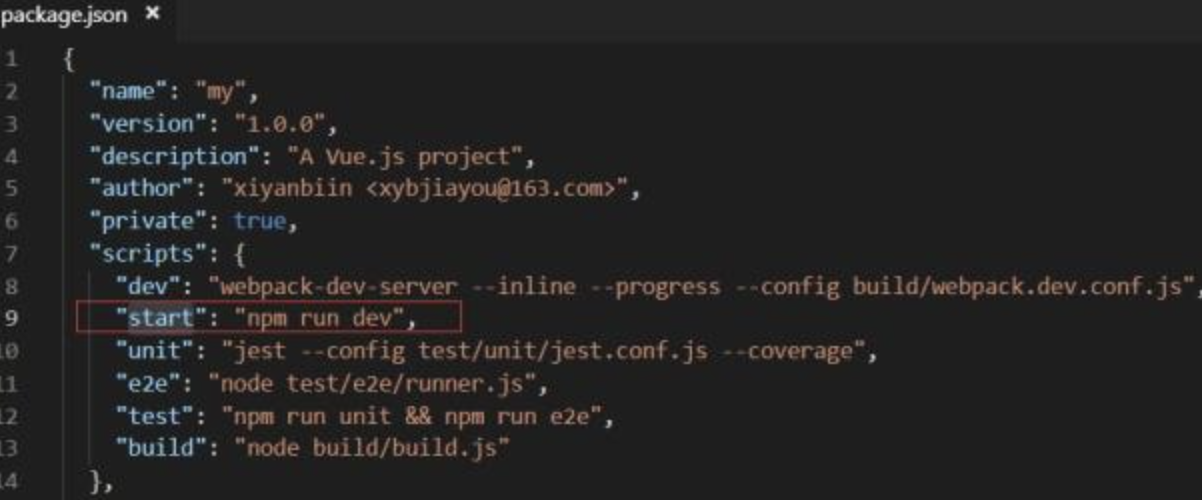
2.找到src的main.json文件,在该文件中new Vue实例,要加载的模板内容App
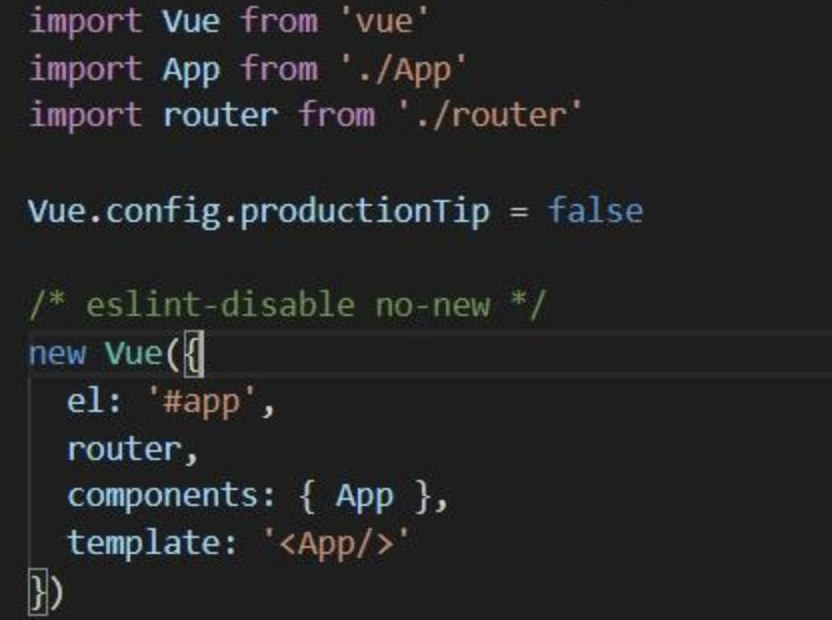
3.App是src目录下的App.vue结尾的文件
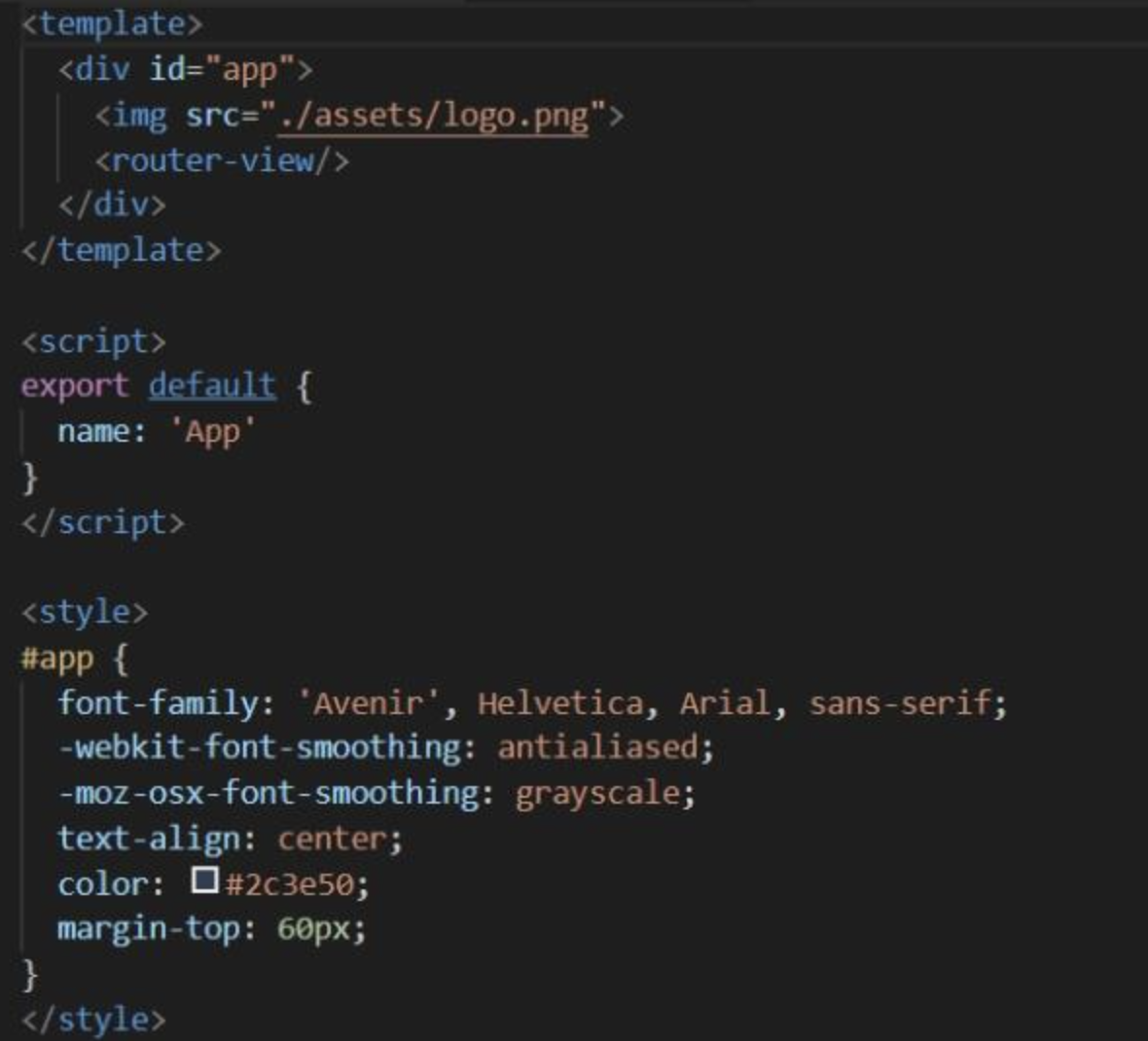
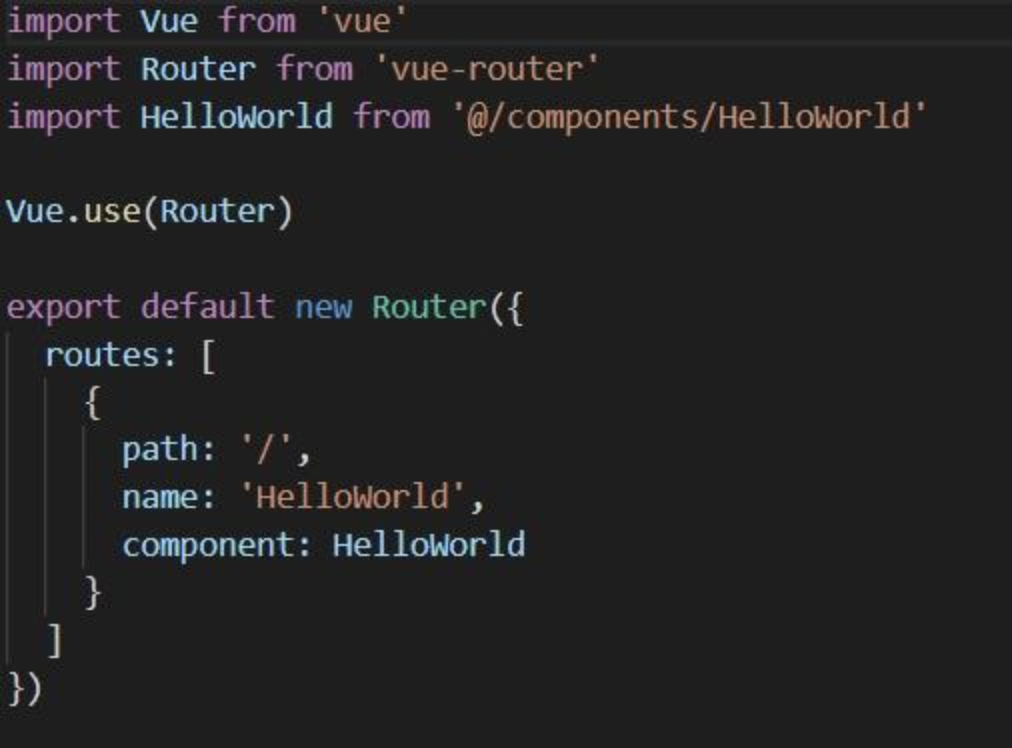
4.在App.vue所对应的模板当中,有一个router-view在src目录下有一个router文件夹,该文件夹有个index.js文件,该文件是配置路由词典,指定了路由地址是空,加载HelloWorld组件
vue运行是基于node环境的,,构建vue框架之前,需要确保node环境安装成功
vue生命周期示意图

01 . Vue简介,原理,环境安装的更多相关文章
- Memcached简介及环境安装
Memcached简介及环境安装 author:SimpleWu 简介 Memcached是一个自由开源的,高性能,分布式内存对象缓存系统. Memcached是以LiveJournal旗下Danga ...
- scala语言简介及其环境安装
scala语言简介及其环境安装 简介: 1.运行在JVM 上,兼容java语言 Scala的代码,都需要经过编译为字节码,然后交由Java虚拟机来运行.所以Scala和Java是可以无缝互操作的.Sc ...
- Bootstrap:教程、简介、环境安装
ylbtech-Bootstrap:教程.简介.环境安装 1. Bootstrap 教程返回顶部 1. Bootstrap 教程 Bootstrap,来自 Twitter,是目前最受欢迎的前端框架.B ...
- python学习笔记1之-python简介及其环境安装
python学习笔记之-python简介及其环境安装 最近几年python之火不用多说,最近开始利用时间自学python,在学习的过程中,按照自己的思路和理解记录下学习的过程,并分享出来,如果正好你也 ...
- Redis实战(一)Redis简介及环境安装(Windows)
提到Redis,大家肯定都听过,并且应该都在项目中或多或少的使用过,也许你觉得Redis用起来挺简单的呀,但如果有人问你下面的几个问题(比如同事或者面试官),你能回答的上来吗? 什么是Redis? R ...
- 01 关于jupyter的环境安装
jupyter notebook环境安装 一.什么是Jupyter Notebook? 1. 简介 Jupyter Notebook是基于网页的用于交互计算的应用程序.其可被应用于全过程计算:开发 ...
- Appium简介以及环境安装
官网地址 Appium 是一个自动化测试开源工具,支持多平台上的原生应用,web应用和混合应用,是由appium server和appium Client两部分组成通过json wire protoc ...
- Redis系列(一):Redis简介及环境安装
提到Redis,大家肯定都听过,并且应该都在项目中或多或少的使用过,也许你觉得Redis用起来挺简单的呀,但如果有人问你下面的几个问题(比如同事或者面试官),你能回答的上来吗? 什么是Redis? R ...
- windows系统下 VUE cli手脚架环境安装
1.安装 node.js环境 (cmd命令工具里输入 node -v 检测是否安装成功) 2.安装VUE 全局环境 npm install --global vue-cli (cmd命令工具里面安装 ...
随机推荐
- CentOS7 系统安全的设置
一.禁止root远程直接登录 # 创建普通用户,并设置密码 useradd bluceli #新建账户 passwd bluceli #设置密码 # 不允许root远程直接登录 vim /etc/ss ...
- ubuntu20 使用命令安装 rabbitmq
安装 rabbitmq sudo apt-get install erlang-nox -y sudo apt-get update sudo apt-get install rabbitmq-ser ...
- kafka配置文件详解
kafka的配置分为 broker.producter.consumer三个不同的配置 一 .BROKER 的全局配置最为核心的三个配置 broker.id.log.dir.zookeeper.con ...
- Python+Appium自动化测试(15)-使用Android模拟器(详细)
做APP的UI自动化测试时,我们往往会使用真机跑自动化测试脚本,因为这样才是最真实的使用场景.但前期调试脚本的话,可以先使用模拟器,这样相对更加方便. 不推荐使用Android SDK里自带模拟器,太 ...
- OpenCV计算机视觉学习(4)——图像平滑处理(均值滤波,高斯滤波,中值滤波,双边滤波)
如果需要处理的原图及代码,请移步小编的GitHub地址 传送门:请点击我 如果点击有误:https://github.com/LeBron-Jian/ComputerVisionPractice &q ...
- Dotnet Core使用特定的SDK&Runtime版本
Dotnet Core的SDK版本总在升级,怎么使用一个特定的版本呢? 假期过完了,心情还在.今天写个短的. 一.前言 写这个是因为昨天刷微软官方文档,发现global.json在 SDK 3.0 ...
- AntDesign初体验
AntDesign初体验 作为一个java开发也需要掌握一定的前端开发技能,毕竟靠人不如靠自己.再者,有时候一些小的改动自己就可以搞定了,就不用低三下四去求别人了: 安装Nodejs $ npm in ...
- webpack5文档解析(上)
webpack5 声明:所有的文章demo都在我的仓库里 webpack5 起步 概念 webpack是用于编译JavaScript模块. 一个文件依赖另一个文件,包括静态资源(图片/css等),都会 ...
- day36 Pyhton 网络编程03
一.内容回顾 socket通常也称作"套接字",用于描述IP地址和端口,是一个通信链的句柄,应用程序通常通过"套接字"向网络发出请求或者应答网络请求. sock ...
- CentOS8安装本地mail工具-mailx-12.5-29.el8.x86_64
概述 服务器需要发告警邮件 查找是否已安装 [root@C8-1 ~]# type mail -bash: type: mail: not found [root@C8-1 ~]# which mai ...