
Azure Storage 系列(六)使用Azure Queue Storage
一,引言
在之前介绍到 Azure Storage 第一篇文章中就有介绍到 Azure Storage 是 Azure 上提供的一项存储服务,Azure 存储包括 对象、文件、磁盘、队列和表存储。这里的提到的队列(Queue)就是今天要分享的内容。
惯例,先来一些微软的官方解释
1,什么是 Azure Queue Storage?
答:Azure 队列存储是一项实现基于云的队列的 Azure 服务。 每个队列都保留一个消息列表。 应用程序组件使用 REST API 或 Azure 提供的客户端库访问队列。 通常情况下,将有一个或多个“发送方”组件以及一个或多个“接收方”组件。 发送方组件将消息添加到队列。 接收方组件检索队列前面的消息以进行处理。 下图显示多个将消息添加到 Azure 队列的发送者应用程序以及一个检索消息的收件方应用程序。
队列中的消息是最大为 64 KB 的字节数组。 任何 Azure 组件都不会解释消息内容。如果要创建结构化消息,可以使用 XML 或 JSON 格式化消息内容。 代码负责生成并解释自定义格式。
--------------------我是分割线--------------------
Azure Blob Storage 存储系列:
2,Azure Storage 系列(二) .NET Core Web 项目中操作 Blob 存储
3,Azure Storage 系列(三)Blob 参数设置说明
4,Azure Storage 系列(四)在.Net 上使用Table Storage
5,Azure Storage 系列(五)通过Azure.Cosmos.Table 类库在.Net 上使用 Table Storage
6,Azure Storage 系列(六)使用Azure Queue Storage
二,正文
1,Azure Portal 上创建 Queue
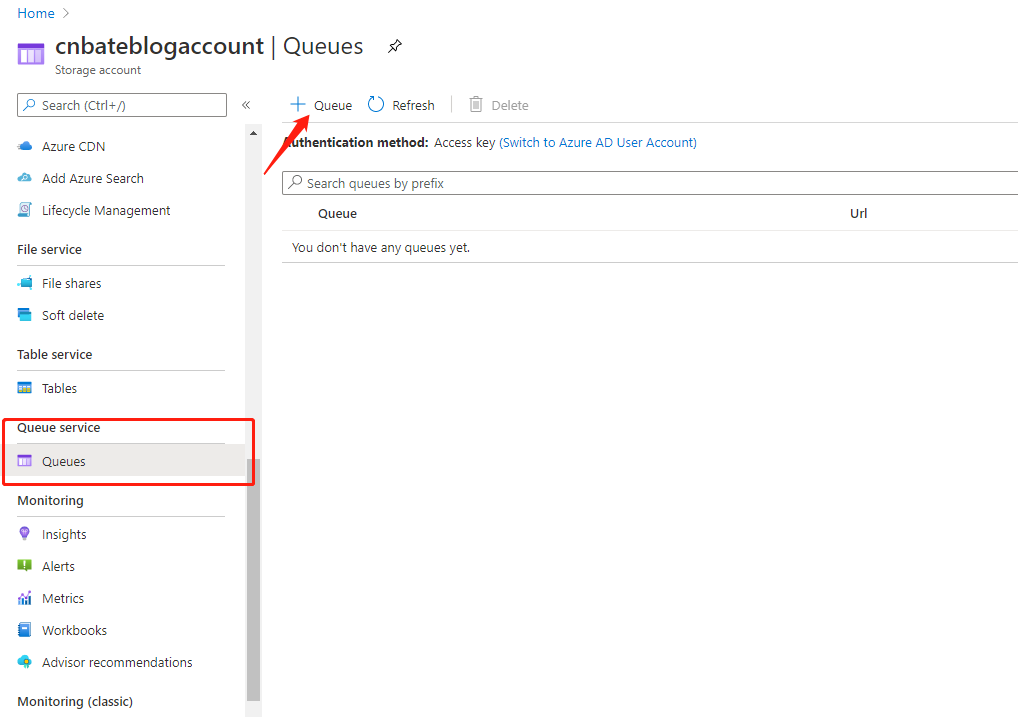
选择 cnbateblogaccount 左侧菜单的 “Queue service=》Queues” ,点击 “+ Queue”
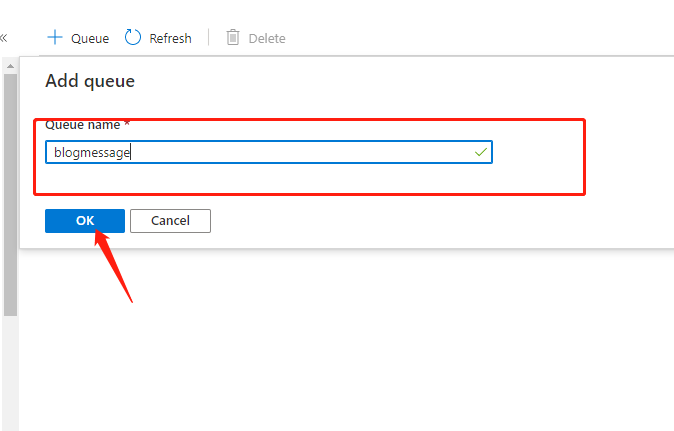
Queue name:“blogmessage”
点击 “OK”
2,添加对 Storage Queue 的相应方法
2.1,安装 “Azure.Storage.Queues” 的Nuget
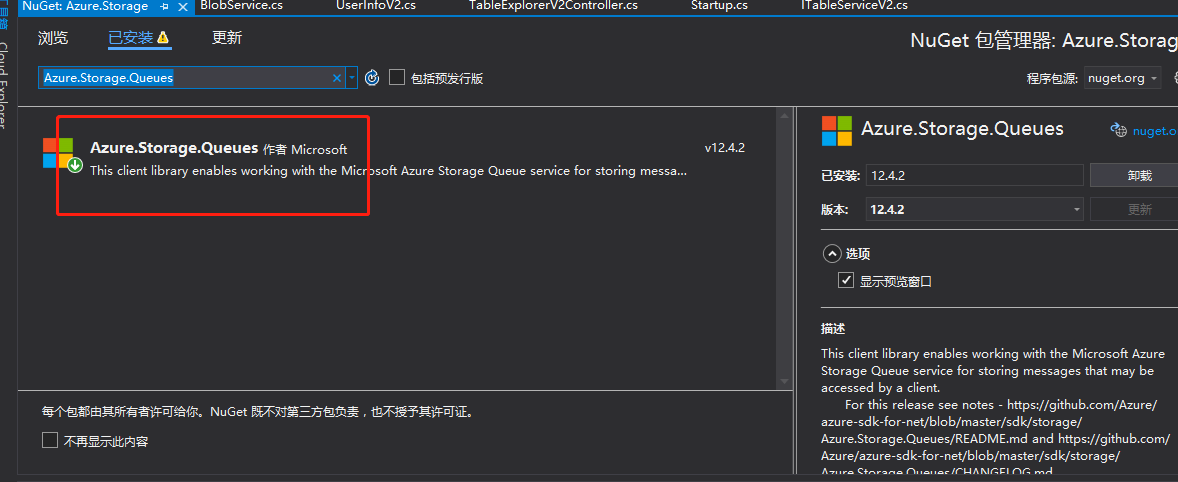
使用程序包管理控制台进行安装
Install-Package Azure.Storage.Queues -Version 12.4.2
2.2,创建IQueueService 接口,和 QueueService 实现类,Queue控制器方法等


 1 public interface IQueueService

 2     {

 3         /// <summary>

 4         /// 插入Message

 5         /// </summary>

 6         /// <param name="msg">msg</param>

 7         /// <returns></returns>

 8         Task AddMessage(string msg);

 9

10         /// <summary>

11         /// 获取消息

12         /// </summary>

13         /// <returns></returns>

14         IAsyncEnumerable<string> GetMessages();

15

16         /// <summary>

17         /// 更新消息

18         /// </summary>

19         /// <returns></returns>

20         Task UpdateMessage();

21

22         /// <summary>

23         /// 处理消息

24         /// </summary>

25         /// <returns></returns>

26         Task ProcessingMessage();

27

28

29     }
IQueueService.cs
 1 public class QueueService : IQueueService

 2     {

 3         private readonly QueueClient _queueClient;

 4

 5         public QueueService(QueueClient queueClient)

 6         {

 7             _queueClient = queueClient;

 8         }

 9

10

11

12         /// <summary>

13         /// 添加消息

14         /// </summary>

15         /// <param name="msg">消息</param>

16         /// <returns></returns>

17         public async Task AddMessage(string msg)

18         {

19             // Create the queue

20             _queueClient.CreateIfNotExists();

21

22             if (_queueClient.Exists())

23             {

24

25                 // Send a message to the queue

26                  await _queueClient.SendMessageAsync(msg.EncryptBase64());

27             }

28         }

29

30         public async IAsyncEnumerable<string> GetMessages()

31         {

32             if (_queueClient.Exists())

33             {

34                 // Peek at the next message

35                 PeekedMessage[] peekedMessage = await _queueClient.PeekMessagesAsync();

36                 for (int i = 0; i < peekedMessage.Length; i++)

37                 {

38                     //Display the message

39                     yield return string.Format($"Peeked message: '{peekedMessage[i].MessageText.DecodeBase64()}'") ;

40                 }

41             }

42         }

43

44         /// <summary>

45         /// 处理消息

46         /// </summary>

47         /// <returns></returns>

48         public async Task ProcessingMessage()

49         {

50             // 执行 getmessage(), 队头的消息会变得不可见。

51             QueueMessage[] retrievedMessage = await _queueClient.ReceiveMessagesAsync();

52             try

53             {

54                 //处理消息

55

56

57                 // 如果在30s内你没有删除这条消息,它会重新出现在队尾。

58                 // 所以正确处理一条消息的过程是,处理完成后,删除这条消息

59                 await _queueClient.DeleteMessageAsync(retrievedMessage[0].MessageId, retrievedMessage[0].PopReceipt);

60             }

61             catch //(消息处理异常)

62             { }

63         }

64

65         /// <summary>

66         /// 更新已排队的消息

67         /// </summary>

68         /// <returns></returns>

69         public async Task UpdateMessage()

70         {

71             if (_queueClient.Exists())

72             {

73                 // Get the message from the queue

74                 QueueMessage[] message = await _queueClient.ReceiveMessagesAsync();

75

76                 // Update the message contents

77                 await _queueClient.UpdateMessageAsync(message[0].MessageId,

78                         message[0].PopReceipt,

79                         "Updated contents".EncryptBase64(),

80                         TimeSpan.FromSeconds(60.0)  // Make it invisible for another 60 seconds

81                     );

82             }

83         }

84     }
QueueService.cs
 1 [Route("Queue")]

 2     public class QueueExplorerController : Controller

 3     {

 4

 5         private readonly IQueueService _queueService;

 6

 7         public QueueExplorerController(IQueueService queueSerivce)

 8         {

 9             this._queueService = queueSerivce;

10         }

11

12         [HttpPost("AddQueue")]

13         public async Task<ActionResult> AddQueue()

14         {

15             string msg = $"我是添加进去的第一个消息";

16             await _queueService.AddMessage(msg);

17             return Ok();

18         }

19

20         [HttpGet("QueryQueue")]

21         public  ActionResult QueryQueue()

22         {

23             return Ok( _queueService.GetMessages());

24

25         }

26

27         [HttpPut("UpdateQueue")]

28         public async Task<ActionResult> UpdateQueue()

29         {

30             await _queueService.UpdateMessage();

31             return Ok();

32         }

33

34         [HttpGet("ProcessingMessage")]

35         public async Task<ActionResult> ProcessingQueue()

36         {

37             await _queueService.ProcessingMessage();

38             return Ok();

39         }

40     }
QueueExplorerController.cs
重点:将新消息添加到队列的后面。可见性超时指定消息应该对Dequeue和Peek操作不可见的时间。消息内容必须是UTF-8编码的字符串,最大长度为64KB。
消息的格式必须可以包含在具有UTF-8编码。要在消息中包含标记,消息的内容必须为XML换码或Base64编码。在将消息添加到队列之前,将删除消息中所有未转义或编码的XML标记。
我们这里使用Base64编码
public static class StringExtensions

    {

        public static string EncryptBase64(this string s)

        {

            byte[] b = Encoding.UTF8.GetBytes(s);

            return Convert.ToBase64String(b);

        }

        public static string DecodeBase64(this string s)

        {

            byte[] b = Convert.FromBase64String(s);

            return Encoding.UTF8.GetString(b);

        }

    }
2.3,添加对 QueueService,以及QueueClient 的以来注入
services.AddSingleton(x => new QueueClient("DefaultEndpointsProtocol=https;AccountName=cnbateblogaccount;AccountKey=e2T2gYREFdxkYIJocvC4Wut7khxMWJCbQBp8tPM2EJt37QaUUlflTPAlkoJzIlY29aGYt8WW0xx1bckO4hLKJA==;EndpointSuffix=core.windows.net", "blogmessage"));

services.AddSingleton<IQueueService, QueueService>();
3,Postman 对相应接口进行测试
3.1,添加队列消息
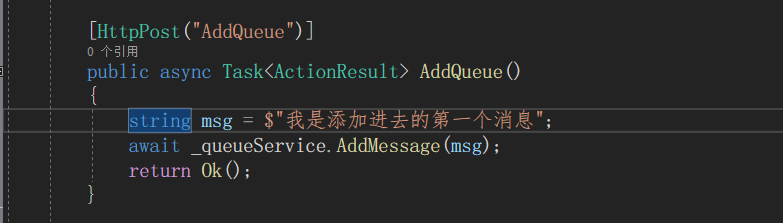
我们添加一条 “我是添加进去的第一个消息” 的Queue
postman 中输入 “localhost:9001/Queue/AddQueue”,点击 “Send”
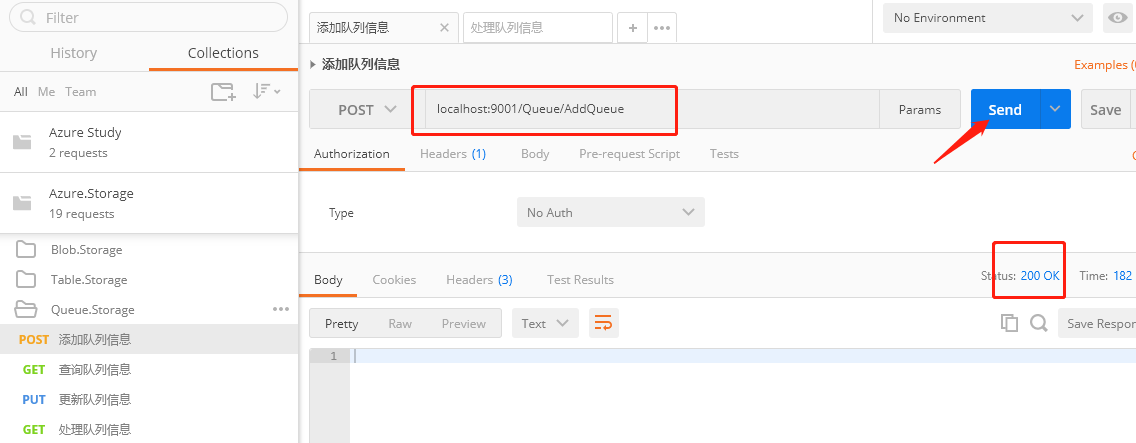
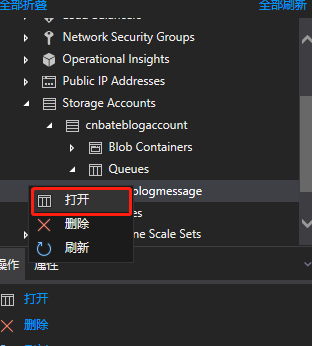
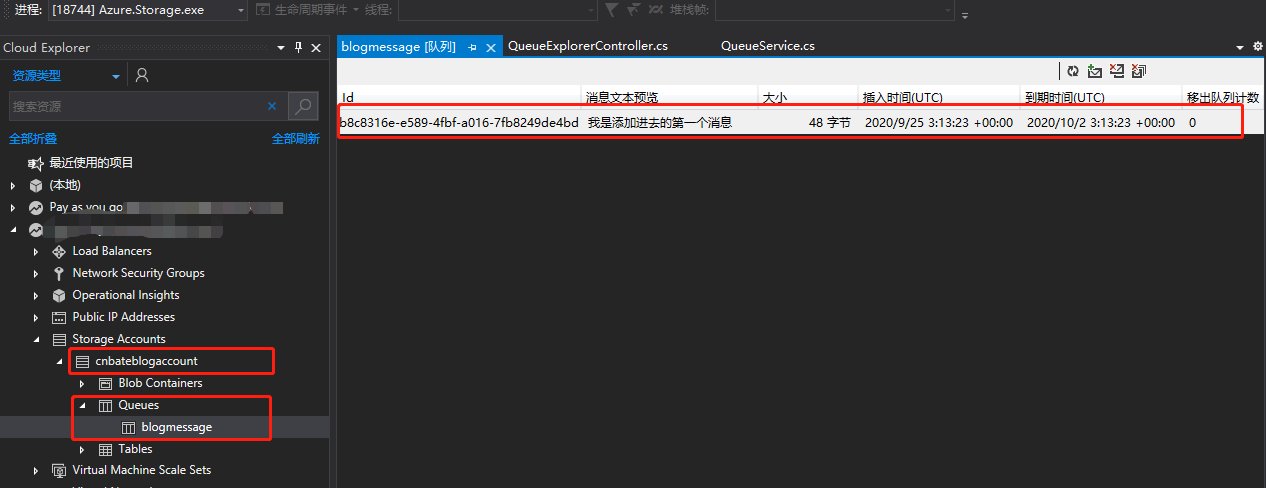
接下来,我们可以在 VS 的 “Cloud Explorer” 查看到对应的 “cnbateblogaccount” 的 Strorage Account,以及 “blogmessage” 的 Storage Queue
右键弹出选择页面,点击 “打开”
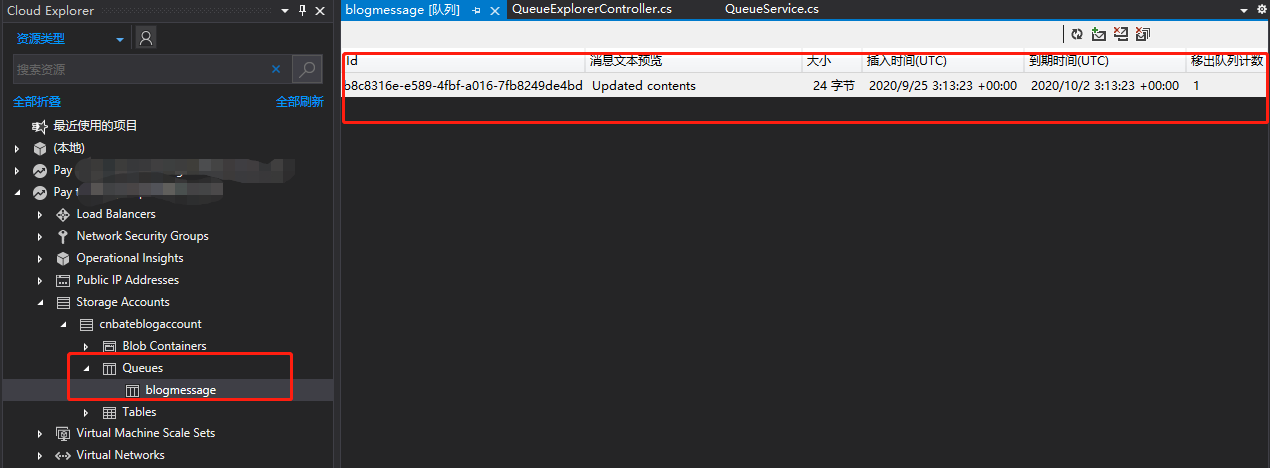
我们可以看懂添加进去的 Queue 的信息 ,Queue 的过去时间因为我们进行设置,这里默认是7天
3.2 查询Queue
postman 中输入 “localhost:9001/Queue/QueryQueue”,点击 “Send”,可以看到刚刚添加进去的Queue被查询出来了

3.3,更新Queue
postman 中输入 “localhost:9001/Queue/UpdateQueue”,点击 “Send”
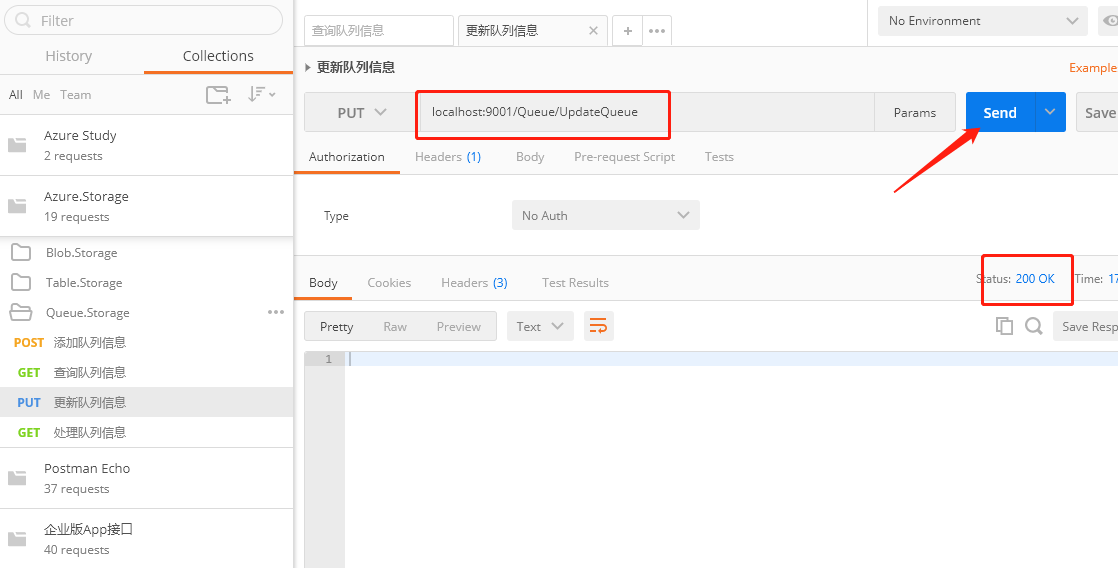
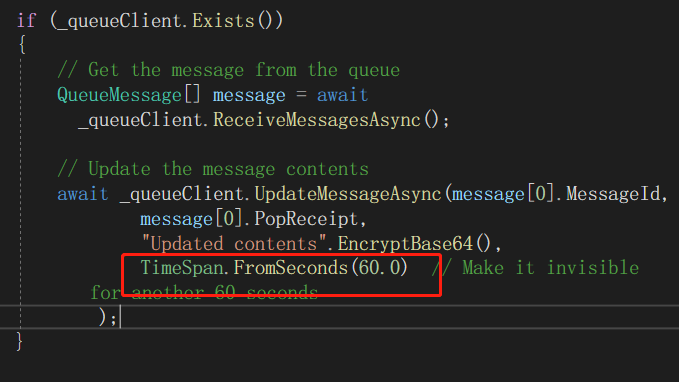
注意:由于我们在更新 Queue 的时候,设置了 Queue 的不可见时间为60秒,所以在更新操作完成后去查看 Queue 会找不到更新的那条Queue 的信息,稍等一下再去查看 就可以展示出更新的 Queue 的信息
更新的Queue的文本内容已经发生改变了
3.4 处理Queue
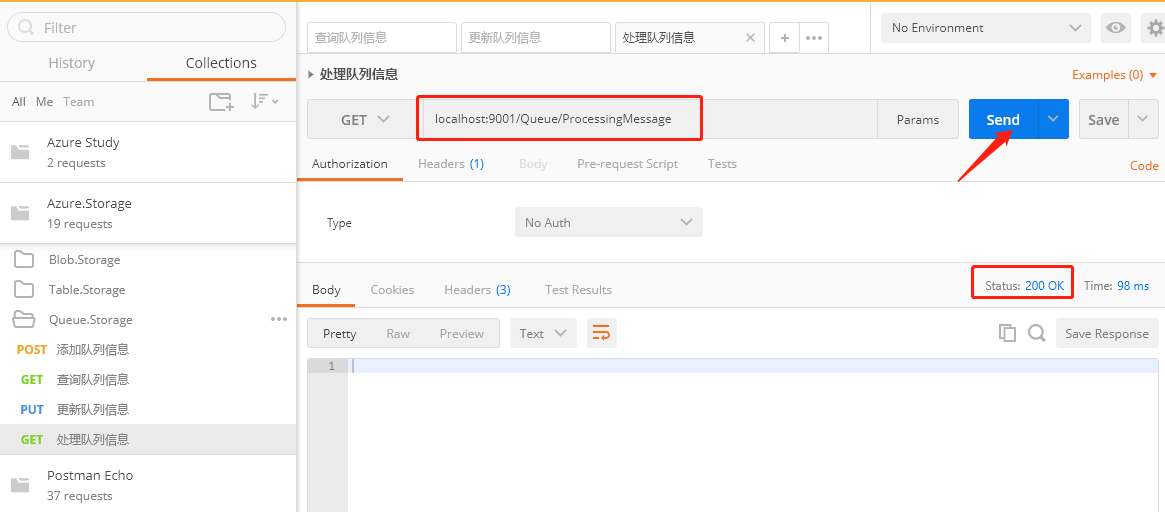
postman中输入 “localhost:9001/Queue/ProcessingMessage”,点击 “Send”
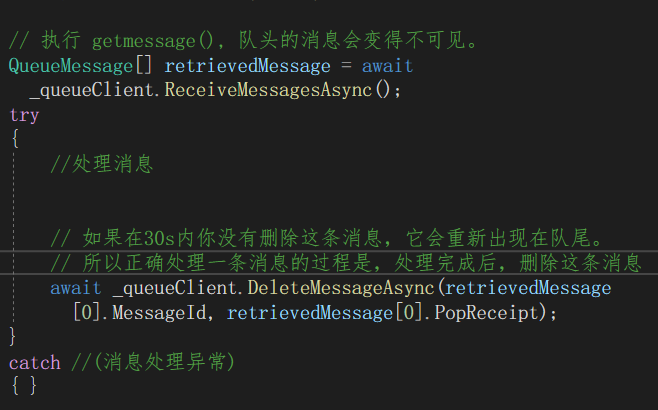
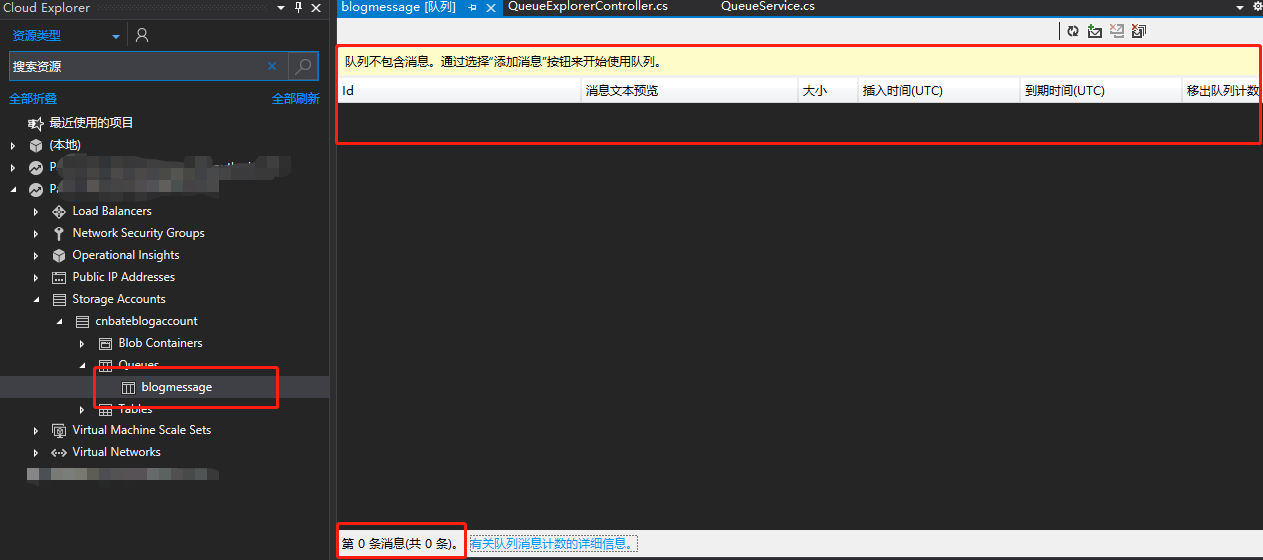
注意:因为这里只是做演示,所以就假象进行消息处理,处理完成后,删除这条消息。
可以看到已经没有了 Queue 的信息了
Ok,今天的分享就先到此结束
三,结尾
Azure Storage 系列(六)使用Azure Queue Storage的更多相关文章
- Windows Azure入门教学系列 (六):使用Table Storage
本文是Windows Azure入门教学的第六篇文章. 本文将会介绍如何使用Table Storage.Table Storage提供给我们一个云端的表格结构.我们可以把他想象为XML文件或者是一个轻 ...
- Windows Azure入门教学系列 (五):使用Queue Storage
本文是Windows Azure入门教学的第五篇文章. 本文将会介绍如何使用Queue Storage.Queue Storage提供给我们一个云端的队列.我们可以用Queue Storage来进行进 ...
- [转]Windows Azure入门教学系列 (六):使用Table Storage
本文转自:http://blogs.msdn.com/b/azchina/archive/2010/03/11/windows-azure-table-storage.aspx 本文是Windows ...
- Windows Azure 入门系列课程Windows Azure 入门系列课程
Windows Azure 入门系列课程 https://www.microsoft.com/china/msdn/events/webcasts/shared/webcast/NewSeries/A ...
- Azure Functions(三)集成 Azure Queue Storage 存储消息
一,引言 接着上一篇文章继续介绍 Azure Functions,今天我们将尝试绑定 Queue Storage,将消息存储到 Queue 中,并且学会适用于 Azure Functions 的 Az ...
- Azure Queue Storage 基本用法 -- Azure Storage 之 Queue
Azure Storage 是微软 Azure 云提供的云端存储解决方案,当前支持的存储类型有 Blob.Queue.File 和 Table. 笔者在<Azure File Storage 基 ...
- Azure 基础:Queue Storage
Azure Storage 是微软 Azure 云提供的云端存储解决方案,当前支持的存储类型有 Blob.Queue.File 和 Table. 笔者在前文中介绍了 File Storage 的基本用 ...
- [Windows Azure] How to use the Queue Storage Service
How to use the Queue Storage Service version 1.7 version 2.0 This guide will show you how to perform ...
- 微软云平台windows azure入门系列八课程
微软云平台windows azure入门系列八课程: Windows Azure入门教学系列 (一): 创建第一个WebRole程序与部署 Windows Azure入门教学系列 (二): 创建第一个 ...
- Azure Terraform(六)Common Module
一,引言 之前我们在使用 Terraform 构筑一下 Azure 云资源的时候,直接将所以需要创建的资源全面写在 main.tf 这个文件中,这样写主要是为了演示使用,但是在实际的 Terrafor ...
随机推荐
- Mybatis—curd
Mybatis简介: MyBatis 本是apache的一个开源项目iBatis, 2010年这个项目由apache software foundation 迁移到了google code,并且改名为 ...
- shell 三剑客之 sed
sed 在shell 编程里也很常用,功能强大! 同grep一样,sed提供两种方式: 方式一:stdout | sed [option] "pattern command" 从文 ...
- ent orm笔记1---快速尝鲜
前几天看到消息Facebook孵化的ORM ent转为正式项目,出去好奇,简单体验了一下,使用上自己感觉比GORM好用,于是打算把官方的文档进行整理,也算是学习一下如何使用. 安装 ent orm 需 ...
- 注册github时总卡在第一步无法验证的解决办法
从github官网可以看出问题所在,所以造成这一问题的极大可能就是浏览器的问题. 最简单的方法就是换手机浏览器进行注册
- 基于Log4Net记录日志到SQLServer(自定义字段)
本文记录通过log4net将日志信息记录到SQLServer数据库中. 1.新建控制台应用程序 Log4NetDemo: 2.通过NuGet安装Log4Net (项目版本2.0.8): 3.项目根目录 ...
- if-else 可以这么写
最近部门在对以往的代码做一些优化,我在代码中看到一连串的 if(){}elseif(){} 的逻辑判断.这明显是有优化空间的. 由于内部代码不适合分享,这里我就用 <输出今天为星期几> 来 ...
- AndroidStudio修改程序的包名,可以修改com.example.xxx之类的详解
转载请说明出处.原创作品. 首先说明一下,当时公司需要修改androidStudio 项目的包名 于是上网查了一下,只看到了修改后面的包名,而不可以修改 前缀的com.example.xxx.所以很无 ...
- 深入了解Kafka【三】数据可靠性分析
1.多副本数据同步策略 为了保障Prosucer发送的消息能可靠的发送到指定的Topic,Topic的每个Partition收到消息后,要向Producer发送ACK,如果Produser收到ACK, ...
- Codeforces1348 题解
AC代码连接 A Phoenix and Balance 显而易见,将前\(\frac{n}{2}-1\)个和最后1个分为1组,剩下的1组即为最优方案. B Phoenix and Science 这 ...
- Eclipse的安装和配置
1. 下载Eclipse 前往Eclipse官网(https://www.eclipse.org/downloads/packages/)下载Eclipse: 这里下载的版本为: 这里给出该版本的百度 ...