
Python 爬取 北京市政府首都之窗信件列表-[后续补充]
日期:2020.01.23
博客期:131
星期四
【本博客的代码如若要使用,请在下方评论区留言,之后再用(就是跟我说一声)】
//博客总体说明
1、准备工作
2、爬取工作(本期博客)
3、数据处理
4、信息展示
我试着改写了一下爬虫脚本,试着运行了一下,第一次卡在了第27页,因为第27页有那个“投诉”类型是我没有料到的!出于对这个问题的解决,我重新写了代码,新的类和上一个总体类的区别有以下几点:
1、因为要使用js调取下一页的数据,所以就去网站上下载了FireFox的驱动
安装参考博客:https://www.cnblogs.com/nuomin/p/8486963.html
这个是Selenium+WebDriver的活用,这样它能够模拟人对浏览器进行操作(当然可以执行js代码!)
# 引包

from selenium import webdriver

# 使用驱动自动打开浏览器并选择页面

profile = webdriver.Firefox()

profile.get('http://www.beijing.gov.cn/hudong/hdjl/com.web.search.mailList.flow')

# 浏览器执行js代码

# ----[pageTurning(3)在网页上是下一页的跳转js(不用导js文件或方法)]

profile.execute_script("pageTurning(3);")

# 关闭浏览器

profile.__close__()
2、因为要做页面跳转,所以每一次爬完页面地址以后就必须要去执行js代码!
3、因为咨询类的问题可能没有人给予回答,所以对应项应以空格代替(错误抛出)
4、第一个页面读取到文件里需要以"w+"的模式执行写文件,之后则以 “追加”的形式“a+”写文件
先说修改的Bean类(新增内容:我需要记录它每一个信件是“投诉”、“建议”还是“咨询”,所以添加了一个以这个字符串为类型的参数,进行写文件【在开头】)
 # [ 保存的数据格式 ]

 class Bean:

     # 构造方法

     def __init__(self,asker,responser,askTime,responseTime,title,questionSupport,responseSupport,responseUnsupport,questionText,responseText):

         self.asker = asker

         self.responser = responser

         self.askTime = askTime

         self.responseTime = responseTime

         self.title = title

         self.questionSupport = questionSupport

         self.responseSupport = responseSupport

         self.responseUnsupport = responseUnsupport

         self.questionText = questionText

         self.responseText = responseText

     # 在控制台输出结果(测试用)

     def display(self):

         print("提问方:"+self.asker)

         print("回答方:"+self.responser)

         print("提问时间:" + self.askTime)

         print("回答时间:" + self.responseTime)

         print("问题标题:" + self.title)

         print("问题支持量:" + self.questionSupport)

         print("回答点赞数:" + self.responseSupport)

         print("回答被踩数:" + self.responseUnsupport)

         print("提问具体内容:" + self.questionText)

         print("回答具体内容:" + self.responseText)

     def toString(self):

         strs = ""

         strs = strs + self.asker;

         strs = strs + "\t"

         strs = strs + self.responser;

         strs = strs + "\t"

         strs = strs + self.askTime;

         strs = strs + "\t"

         strs = strs + self.responseTime;

         strs = strs + "\t"

         strs = strs + self.title;

         strs = strs + "\t"

         strs = strs + self.questionSupport;

         strs = strs + "\t"

         strs = strs + self.responseSupport;

         strs = strs + "\t"

         strs = strs + self.responseUnsupport;

         strs = strs + "\t"

         strs = strs + self.questionText;

         strs = strs + "\t"

         strs = strs + self.responseText;

         return strs

     # 将信息附加到文件里

     def addToFile(self,fpath, model):

         f = codecs.open(fpath, model, 'utf-8')

         f.write(self.toString()+"\n")

         f.close()

     # 将信息附加到文件里

     def addToFile_s(self, fpath, model,kind):

         f = codecs.open(fpath, model, 'utf-8')

         f.write(kind+"\t"+self.toString() + "\n")

         f.close()

     # --------------------[基础数据]

     # 提问方

     asker = ""

     # 回答方

     responser = ""

     # 提问时间

     askTime = ""

     # 回答时间

     responseTime = ""

     # 问题标题

     title = ""

     # 问题支持量

     questionSupport = ""

     # 回答点赞数

     responseSupport = ""

     # 回答被踩数

     responseUnsupport = ""

     # 问题具体内容

     questionText = ""

     # 回答具体内容

     responseText = ""
Bean.py
之后是总体的处理类
 # [ 连续网页爬取的对象 ]

 class WebPerConnector:

     profile = ""

     isAccess = True

     # ---[定义构造方法]

     def __init__(self):

         self.profile = webdriver.Firefox()

         self.profile.get('http://www.beijing.gov.cn/hudong/hdjl/com.web.search.mailList.flow')

     # ---[定义释放方法]

     def __close__(self):

         self.profile.quit()

     # 获取 url 的内部 HTML 代码

     def getHTMLText(self):

         a = self.profile.page_source

         return a

     # 获取页面内的基本链接

     def getFirstChanel(self):

         index_html = self.getHTMLText()

         index_sel = parsel.Selector(index_html)

         links = index_sel.css('div #mailul').css("a[onclick]").extract()

         inNum = links.__len__()

         for seat in range(0, inNum):

             # 获取相应的<a>标签

             pe = links[seat]

             # 找到第一个 < 字符的位置

             seat_turol = str(pe).find('>')

             # 找到第一个 " 字符的位置

             seat_stnvs = str(pe).find('"')

             # 去掉空格

             pe = str(pe)[seat_stnvs:seat_turol].replace(" ","")

             # 获取资源

             pe = pe[14:pe.__len__()-2]

             pe = pe.replace("'","")

             # 整理成 需要关联数据的样式

             mor = pe.split(",")

             # ---[ 构造网址 ]

             url_get_item = "";

             # 对第一个数据的判断

             if (mor[0] == "咨询"):

                 url_get_item = "http://www.beijing.gov.cn/hudong/hdjl/com.web.consult.consultDetail.flow?originalId="

             else:

                 if (mor[0] == "建议"):

                     url_get_item = "http://www.beijing.gov.cn/hudong/hdjl/com.web.suggest.suggesDetail.flow?originalId="

                 else:

                     if (mor[0] == "投诉"):

                         url_get_item = "http://www.beijing.gov.cn/hudong/hdjl/com.web.complain.complainDetail.flow?originalId="

             url_get_item = url_get_item + mor[1]

             model = "a+"

             if(seat==0):

                 model = "w+"

             dc = DetailConnector(url_get_item)

             dc.getBean().addToFile_s("../testFile/emails.txt",model,mor[0])

         self.getChannel()

     # 获取页面内的基本链接

     def getNoFirstChannel(self):

         index_html = self.getHTMLText()

         index_sel = parsel.Selector(index_html)

         links = index_sel.css('div #mailul').css("a[onclick]").extract()

         inNum = links.__len__()

         for seat in range(0, inNum):

             # 获取相应的<a>标签

             pe = links[seat]

             # 找到第一个 < 字符的位置

             seat_turol = str(pe).find('>')

             # 找到第一个 " 字符的位置

             seat_stnvs = str(pe).find('"')

             # 去掉空格

             pe = str(pe)[seat_stnvs:seat_turol].replace(" ", "")

             # 获取资源

             pe = pe[14:pe.__len__() - 2]

             pe = pe.replace("'", "")

             # 整理成 需要关联数据的样式

             mor = pe.split(",")

             # ---[ 构造网址 ]

             url_get_item = "";

             # 对第一个数据的判断

             if (mor[0] == "咨询"):

                 url_get_item = "http://www.beijing.gov.cn/hudong/hdjl/com.web.consult.consultDetail.flow?originalId="

             else:

                 if (mor[0] == "建议"):

                     url_get_item = "http://www.beijing.gov.cn/hudong/hdjl/com.web.suggest.suggesDetail.flow?originalId="

                 else:

                     if (mor[0] == "投诉"):

                         url_get_item = "http://www.beijing.gov.cn/hudong/hdjl/com.web.complain.complainDetail.flow?originalId="

             url_get_item = url_get_item + mor[1]

             dc = DetailConnector(url_get_item)

             dc.getBean().addToFile_s("../testFile/emails.txt", "a+",mor[0])

         self.getChannel()

     def getChannel(self):

         try:

             self.profile.execute_script("pageTurning(3);")

             time.sleep(1)

         except:

             print("-# END #-")

             isAccess = False

         if(self.isAccess):

             self.getNoFirstChannel()

         else :

             self.__close__()
WebPerConnector.py
对应执行代码(这次不算测试)
wpc = WebPerConnector()

wpc.getFirstChanel()
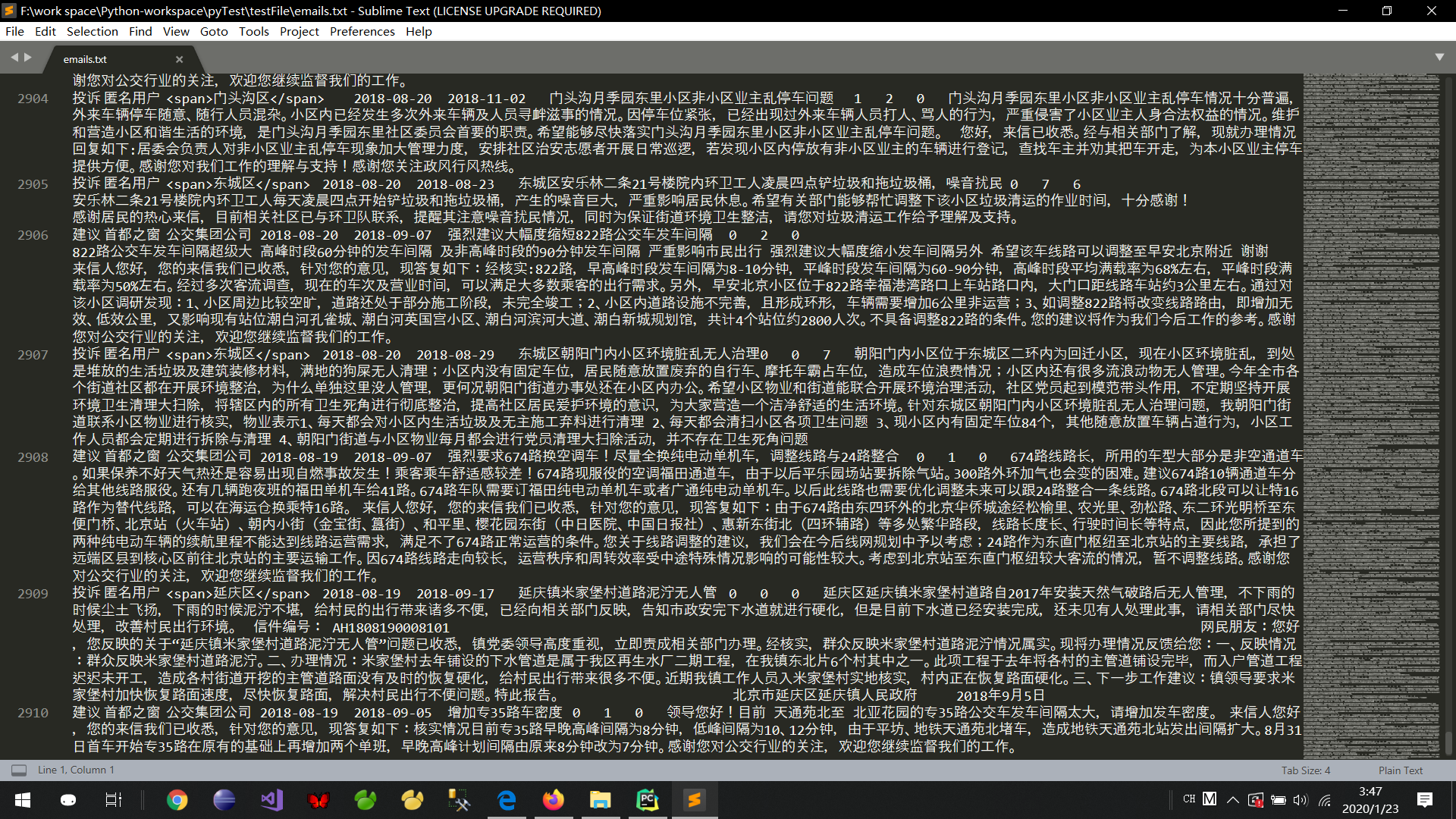
亲测可以执行到第486页,然后页面崩掉,看报错信息应该是溢出了... ...数据量的话是2910条,文件大小 3,553 KB
我将继续对代码进行改造... ...
改造完毕:(完整能够实现爬虫的python集合)
 import parsel

 from urllib import request

 import codecs

 from selenium import webdriver

 import time

 # [ 对字符串的特殊处理方法-集合 ]

 class StrSpecialDealer:

     @staticmethod

     def getReaction(stri):

         strs = str(stri).replace(" ","")

         strs = strs[strs.find('>')+1:strs.rfind('<')]

         strs = strs.replace("\t","")

         strs = strs.replace("\r","")

         strs = strs.replace("\n","")

         return  strs

 # [ 保存的数据格式 ]

 class Bean:

     # 构造方法

     def __init__(self,asker,responser,askTime,responseTime,title,questionSupport,responseSupport,responseUnsupport,questionText,responseText):

         self.asker = asker

         self.responser = responser

         self.askTime = askTime

         self.responseTime = responseTime

         self.title = title

         self.questionSupport = questionSupport

         self.responseSupport = responseSupport

         self.responseUnsupport = responseUnsupport

         self.questionText = questionText

         self.responseText = responseText

     # 在控制台输出结果(测试用)

     def display(self):

         print("提问方:"+self.asker)

         print("回答方:"+self.responser)

         print("提问时间:" + self.askTime)

         print("回答时间:" + self.responseTime)

         print("问题标题:" + self.title)

         print("问题支持量:" + self.questionSupport)

         print("回答点赞数:" + self.responseSupport)

         print("回答被踩数:" + self.responseUnsupport)

         print("提问具体内容:" + self.questionText)

         print("回答具体内容:" + self.responseText)

     def toString(self):

         strs = ""

         strs = strs + self.asker;

         strs = strs + "\t"

         strs = strs + self.responser;

         strs = strs + "\t"

         strs = strs + self.askTime;

         strs = strs + "\t"

         strs = strs + self.responseTime;

         strs = strs + "\t"

         strs = strs + self.title;

         strs = strs + "\t"

         strs = strs + self.questionSupport;

         strs = strs + "\t"

         strs = strs + self.responseSupport;

         strs = strs + "\t"

         strs = strs + self.responseUnsupport;

         strs = strs + "\t"

         strs = strs + self.questionText;

         strs = strs + "\t"

         strs = strs + self.responseText;

         return strs

     # 将信息附加到文件里

     def addToFile(self,fpath, model):

         f = codecs.open(fpath, model, 'utf-8')

         f.write(self.toString()+"\n")

         f.close()

     # 将信息附加到文件里

     def addToFile_s(self, fpath, model,kind):

         f = codecs.open(fpath, model, 'utf-8')

         f.write(kind+"\t"+self.toString() + "\n")

         f.close()

     # --------------------[基础数据]

     # 提问方

     asker = ""

     # 回答方

     responser = ""

     # 提问时间

     askTime = ""

     # 回答时间

     responseTime = ""

     # 问题标题

     title = ""

     # 问题支持量

     questionSupport = ""

     # 回答点赞数

     responseSupport = ""

     # 回答被踩数

     responseUnsupport = ""

     # 问题具体内容

     questionText = ""

     # 回答具体内容

     responseText = ""

 # [ 连续网页爬取的对象 ]

 class WebPerConnector:

     profile = ""

     isAccess = True

     # ---[定义构造方法]

     def __init__(self):

         self.profile = webdriver.Firefox()

         self.profile.get('http://www.beijing.gov.cn/hudong/hdjl/com.web.search.mailList.flow')

     # ---[定义释放方法]

     def __close__(self):

         self.profile.quit()

     # 获取 url 的内部 HTML 代码

     def getHTMLText(self):

         a = self.profile.page_source

         return a

     # 获取页面内的基本链接

     def getFirstChanel(self):

         index_html = self.getHTMLText()

         index_sel = parsel.Selector(index_html)

         links = index_sel.css('div #mailul').css("a[onclick]").extract()

         inNum = links.__len__()

         for seat in range(0, inNum):

             # 获取相应的<a>标签

             pe = links[seat]

             # 找到第一个 < 字符的位置

             seat_turol = str(pe).find('>')

             # 找到第一个 " 字符的位置

             seat_stnvs = str(pe).find('"')

             # 去掉空格

             pe = str(pe)[seat_stnvs:seat_turol].replace(" ","")

             # 获取资源

             pe = pe[14:pe.__len__()-2]

             pe = pe.replace("'","")

             # 整理成 需要关联数据的样式

             mor = pe.split(",")

             # ---[ 构造网址 ]

             url_get_item = "";

             # 对第一个数据的判断

             if (mor[0] == "咨询"):

                 url_get_item = "http://www.beijing.gov.cn/hudong/hdjl/com.web.consult.consultDetail.flow?originalId="

             else:

                 if (mor[0] == "建议"):

                     url_get_item = "http://www.beijing.gov.cn/hudong/hdjl/com.web.suggest.suggesDetail.flow?originalId="

                 else:

                     if (mor[0] == "投诉"):

                         url_get_item = "http://www.beijing.gov.cn/hudong/hdjl/com.web.complain.complainDetail.flow?originalId="

             url_get_item = url_get_item + mor[1]

             model = "a+"

             if(seat==0):

                 model = "w+"

             dc = DetailConnector(url_get_item)

             dc.getBean().addToFile_s("../testFile/emails.txt",model,mor[0])

     # 获取页面内的基本链接

     def getNoFirstChannel(self):

         index_html = self.getHTMLText()

         index_sel = parsel.Selector(index_html)

         links = index_sel.css('div #mailul').css("a[onclick]").extract()

         inNum = links.__len__()

         for seat in range(0, inNum):

             # 获取相应的<a>标签

             pe = links[seat]

             # 找到第一个 < 字符的位置

             seat_turol = str(pe).find('>')

             # 找到第一个 " 字符的位置

             seat_stnvs = str(pe).find('"')

             # 去掉空格

             pe = str(pe)[seat_stnvs:seat_turol].replace(" ", "")

             # 获取资源

             pe = pe[14:pe.__len__() - 2]

             pe = pe.replace("'", "")

             # 整理成 需要关联数据的样式

             mor = pe.split(",")

             # ---[ 构造网址 ]

             url_get_item = "";

             # 对第一个数据的判断

             if (mor[0] == "咨询"):

                 url_get_item = "http://www.beijing.gov.cn/hudong/hdjl/com.web.consult.consultDetail.flow?originalId="

             else:

                 if (mor[0] == "建议"):

                     url_get_item = "http://www.beijing.gov.cn/hudong/hdjl/com.web.suggest.suggesDetail.flow?originalId="

                 else:

                     if (mor[0] == "投诉"):

                         url_get_item = "http://www.beijing.gov.cn/hudong/hdjl/com.web.complain.complainDetail.flow?originalId="

             url_get_item = url_get_item + mor[1]

             dc = DetailConnector(url_get_item)

             bea = ""

             try:

                 bea = dc.getBean()

                 bea.addToFile_s("../testFile/emails.txt", "a+", mor[0])

             except:

                 pass

     # 转移页面 (2-5624)

     def turn(self,seat):

         seat = seat - 1

         self.profile.execute_script("beforeTurning("+str(seat)+");")

         time.sleep(1)

 # [ 信息爬取结点 ]

 class DetailConnector:

     headers = {

         'User-Agent': 'Mozilla/5.0 (Windows NT 10.0; WOW64) AppleWebKit/537.36 (KHTML, like Gecko) Chrome/55.0.2883.75 Safari/537.36'}

     basicURL = ""

     # ---[定义构造方法]

     def __init__(self, url):

         self.basicURL = url

     # 获取 url 的内部 HTML 代码

     def getHTMLText(self):

         req = request.Request(url=self.basicURL, headers=self.headers)

         r = request.urlopen(req).read().decode()

         return r

     # 获取基本数据

     def getBean(self):

         index_html = self.getHTMLText()

         index_sel = parsel.Selector(index_html)

         container_div = index_sel.css('div .container')[0]

         container_strong = index_sel.css('div strong')[0]

         container_retire = index_sel.css('div div div div')[5]

         #基础数据配置

         title = " "

         num_supp = " "

         question_toBuilder = " "

         question_time = " "

         support_quert = " "

         quText = " "

         answer_name = " "

         answer_time = " "

         answer_text = " "

         num_supp = " "

         num_unsupp = " "

         #------------------------------------------------------------------------------------------提问内容

         # 获取提问标题

         title = str(container_strong.extract())

         title = title.replace("<strong>", "")

         title = title.replace("</strong>", "")

         # 获取来信人

         container_builder = container_retire.css("div div")

         question_toBuilder = str(container_builder.extract()[0])

         question_toBuilder = StrSpecialDealer.getReaction(question_toBuilder)

         if (question_toBuilder.__contains__("来信人:")):

             question_toBuilder = question_toBuilder.replace("来信人:", "")

         # 获取提问时间

         question_time = str(container_builder.extract()[1])

         question_time = StrSpecialDealer.getReaction(question_time)

         if (question_time.__contains__("时间:")):

             question_time = question_time.replace("时间:", "")

         # 获取网友支持量

         support_quert = str(container_builder.extract()[2])

         support_quert = support_quert[support_quert.find('>') + 1:support_quert.rfind('<')]

         support_quert = StrSpecialDealer.getReaction(support_quert)

         # 获取问题具体内容

         quText = str(index_sel.css('div div div div').extract()[9])

         if(quText.__contains__("input")):

             quText = str(index_sel.css('div div div div').extract()[10])

         quText = quText.replace("<p>", "")

         quText = quText.replace("</p>", "")

         quText = StrSpecialDealer.getReaction(quText)

         # ------------------------------------------------------------------------------------------回答内容

         try:

             # 回答点赞数

             num_supp = str(index_sel.css('div a span').extract()[0])

             num_supp = StrSpecialDealer.getReaction(num_supp)

             # 回答不支持数

             num_unsupp = str(index_sel.css('div a span').extract()[1])

             num_unsupp = StrSpecialDealer.getReaction(num_unsupp)

             # 获取回答方

             answer_name = str(container_div.css("div div div div div div div").extract()[1])

             answer_name = answer_name.replace("<strong>", "")

             answer_name = answer_name.replace("</strong>", "")

             answer_name = answer_name.replace("</div>", "")

             answer_name = answer_name.replace(" ", "")

             answer_name = answer_name.replace("\t", "")

             answer_name = answer_name.replace("\r", "")

             answer_name = answer_name.replace("\n", "")

             answer_name = answer_name[answer_name.find('>') + 1:answer_name.__len__()]

             # ---------------------不想带着这个符号就拿开

             if (answer_name.__contains__("[官方回答]:")):

                 answer_name = answer_name.replace("[官方回答]:", "")

             if (answer_name.__contains__("<span>")):

                 answer_name = answer_name.replace("<span>", "")

             if (answer_name.__contains__("</span>")):

                 answer_name = answer_name.replace("</span>", "")

             # 答复时间

             answer_time = str(index_sel.css('div div div div div div div div')[2].extract())

             answer_time = StrSpecialDealer.getReaction(answer_time)

             if (answer_time.__contains__("答复时间:")):

                 answer_time = answer_time.replace("答复时间:", "")

             # 答复具体内容

             answer_text = str(index_sel.css('div div div div div div div')[4].extract())

             answer_text = StrSpecialDealer.getReaction(answer_text)

             answer_text = answer_text.replace("<p>", "")

             answer_text = answer_text.replace("</p>", "")

         except:

             pass

         bean = Bean(question_toBuilder, answer_name, question_time, answer_time, title, support_quert, num_supp,

                     num_unsupp, quText, answer_text)

         return bean

 wpc = WebPerConnector()

 wpc.getFirstChanel()

 for i in range(2,5625):

     wpc.turn(i)

     wpc.getNoFirstChannel()

 wpc.__close__()
WebConnector.py
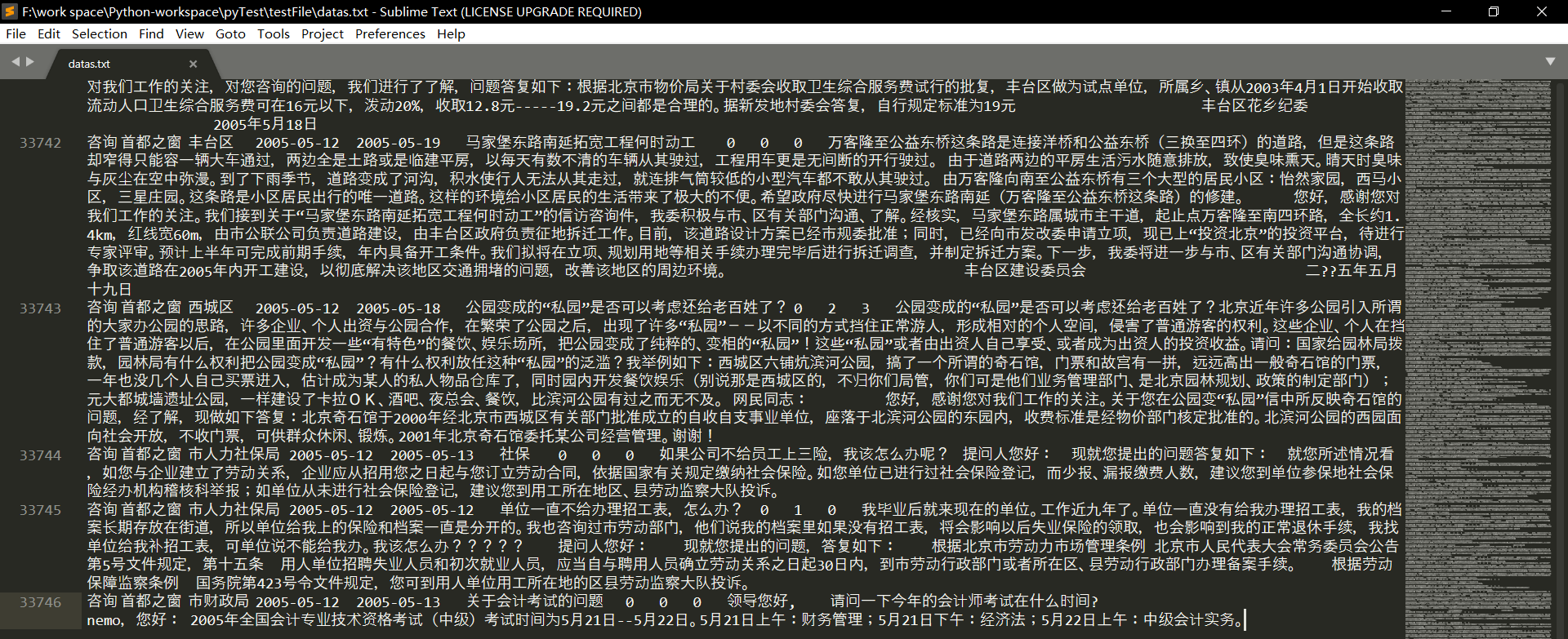
执行结果文件
大小 40,673 KB
数据量 33,746
这爬取过程蛮长的啊!从凌晨2:30开始,一直到7:30多,这是5个小时!
期间爬取任务停了4次:
1、第2565页——进程进行到这里时浏览器卡住了,不动了,这我也不知道就改造了一下代码,继续爬了
2、第3657页——原因同上
3、第3761页——系统说是在文件读写方面,对文件追加的写入已经达到了极限,所以我将当时的数据文件移出,建立了新的空白文件用以储存3761页及以后的数据
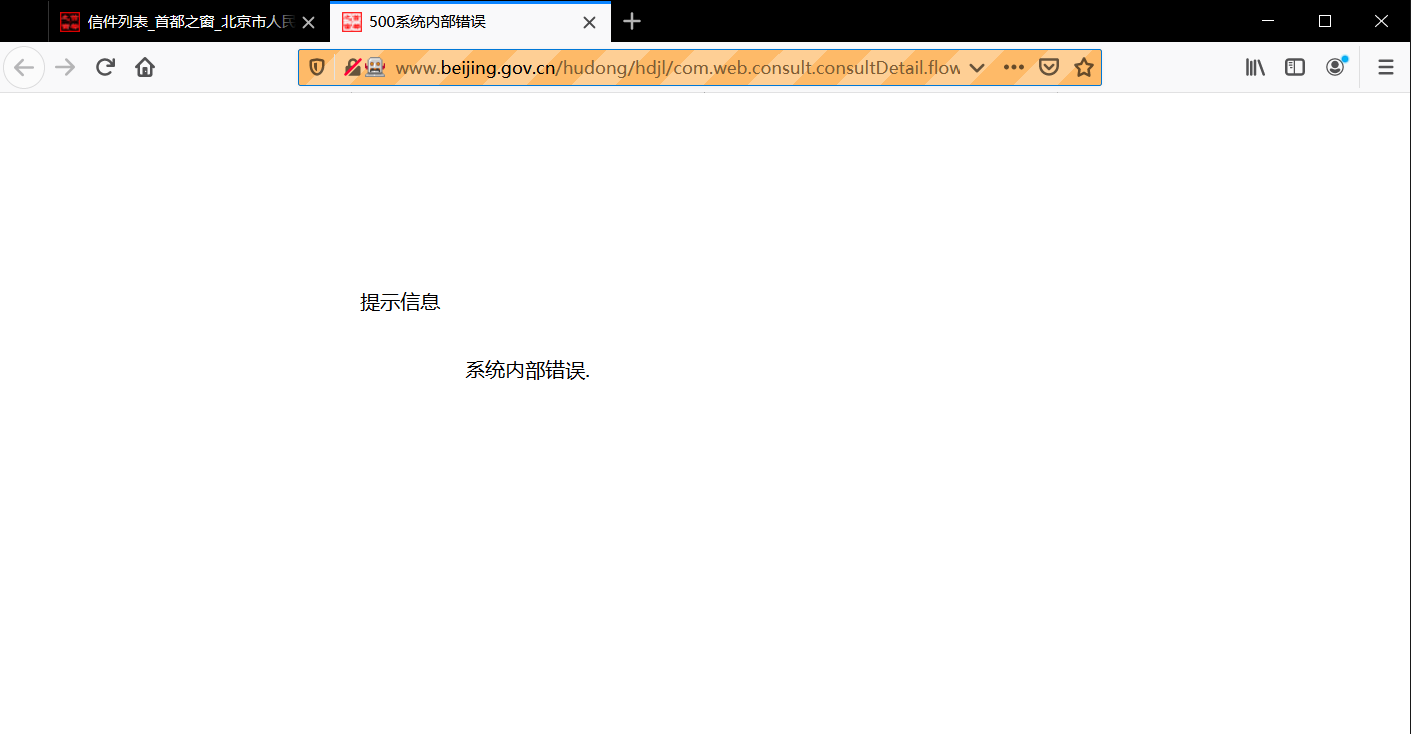
4、第4449页——这一页有这样一项数据,名称是“关于亦庄轻轨的小红门站和旧宫东站”(咨询类),然后如果你点开那个链接,你将会收到的是500的网页状态,当时爬虫爬到这里就是因为报错而跳出了程序,如下图:
Python 爬取 北京市政府首都之窗信件列表-[后续补充]的更多相关文章
- Python 爬取 北京市政府首都之窗信件列表-[Scrapy框架](2020年寒假小目标04)
日期:2020.01.22 博客期:130 星期三 [代码说明,如果要使用此页代码,必须在本博客页面评论区给予说明] //博客总体说明 1.准备工作(本期博客) 2.爬取工作 3.数据处理 4.信息展 ...
- Python 爬取 北京市政府首都之窗信件列表-[信息展示]
日期:2020.01.25 博客期:133 星期六 [代码说明,如果要使用此页代码,必须在本博客页面评论区给予说明] //博客总体说明 1.准备工作 2.爬取工作 3.数据处理 4.信息展示(本期博客 ...
- Python 爬取 北京市政府首都之窗信件列表-[数据处理]
日期:2020.01.24 博客期:132 星期五 [代码说明,如果要使用此页代码,必须在本博客页面评论区给予说明] //博客总体说明 1.准备工作 2.爬取工作 3.数据处理(本期博客) 4.信息展 ...
- python爬取北京政府信件信息01
python爬取,找到目标地址,开始研究网页代码格式,于是就开始根据之前学的知识进行爬取,出师不利啊,一开始爬取就出现了个问题,这是之前是没有遇到过的,明明地址没问题,就是显示网页不存在,于是就在百度 ...
- Python爬取招聘信息,并且存储到MySQL数据库中
前面一篇文章主要讲述,如何通过Python爬取招聘信息,且爬取的日期为前一天的,同时将爬取的内容保存到数据库中:这篇文章主要讲述如何将python文件压缩成exe可执行文件,供后面的操作. 这系列文章 ...
- Python 爬取所有51VOA网站的Learn a words文本及mp3音频
Python 爬取所有51VOA网站的Learn a words文本及mp3音频 #!/usr/bin/env python # -*- coding: utf-8 -*- #Python 爬取所有5 ...
- python爬取网站数据
开学前接了一个任务,内容是从网上爬取特定属性的数据.正好之前学了python,练练手. 编码问题 因为涉及到中文,所以必然地涉及到了编码的问题,这一次借这个机会算是彻底搞清楚了. 问题要从文字的编码讲 ...
- python爬取某个网页的图片-如百度贴吧
python爬取某个网页的图片-如百度贴吧 作者:vpoet mail:vpoet_sir@163.com 注:随意copy,不用告诉我 #coding:utf-8 import urllib imp ...
- Python:爬取乌云厂商列表,使用BeautifulSoup解析
在SSS论坛看到有人写的Python爬取乌云厂商,想练一下手,就照着重新写了一遍 原帖:http://bbs.sssie.com/thread-965-1-1.html #coding:utf- im ...
随机推荐
- redis 字符串操作
redis 字符串创建SET操作 127.0.0.1:6379> set number "10086" OK 127.0.0.1:6379> set book &quo ...
- CSS3实现魔方动画
本文将借助css3实现魔方动画效果,设计思路如下: HTML方面采用六个div容器形成六个立方面: CSS方面采用transform-style: preserve-3d;形成三维场景:transfo ...
- Anniversary party POJ - 2342
题目链接 经典的树形dp,最大独立集,对于每个点就有2个状态,选/不选 设\(dp_{i,0}\)表示不选第i个,\(dp_{i,1}\)表示选第i个,容易得到其状态转移 \(dp_{i,0} = \ ...
- 用myeclipse快速搭建hibernate实现数据库访问
前言 hibernate使用的大致过程为引入jar包.配置主配置文件.配置映射文件.编写实体类.编写dao.但是每一步都需要知道的内容都相对不少,造成困难.如果使用myeclipse提供的支持将非常容 ...
- 利用 systemd 实现 Clash 开机自启
利用 systemd 实现 Clash 开机自启 首先准备 Clash 的服务脚本,并保存为/etc/systemd/system/clash.service.内容如下: [Unit] Descrip ...
- 炼金术(1): 识别项目开发中的ProtoType、Demo、MVP
软件开发是很分裂的,只有不断使用原则和规律,才能带来质量. 只要不是玩具性质的项目,项目应该可以大概划分为0-1,1-10,10-100,100-1000四个种重要阶段.其中,0-1是原型验证性的:1 ...
- 在Visual Studio 2017中,.NET(C#)通过Oracle.ManagedDataAccess来连接Oracle数据库
C#如何通过Oracle.ManagedDataAccess来连接Oracle数据库 1.先创建一个项目,鼠标右击项目中的引用,再点击管理NuGet程序包(也可以先下载dll文件,再选添加引用),在搜 ...
- 【SSM sql.xml】日志查询mapper.xml
LogInfoMapper.xml <?xml version="1.0" encoding="UTF-8"?> <!DOCTYPE mapp ...
- 转:HttpClient使用详解
一.使用方法 使用HttpClient发送请求.接收响应很简单,一般需要如下几步即可. 1. 创建HttpClient对象. 2. 创建请求方法的实例,并指定请求URL.如果需要发送GET请求,创建H ...
- windows之杀死端口
提示: 查询端口 查询pid 杀死任务 通过 cmd 进入控制台: 查询端口: netstat -aon|findstr 1111 查询pid下的任务: tasklist|findstr 6616 杀 ...