
pip install 报SSL异常和timeout异常
在安装pip3 install virtualenv时报了SSL异常
如图
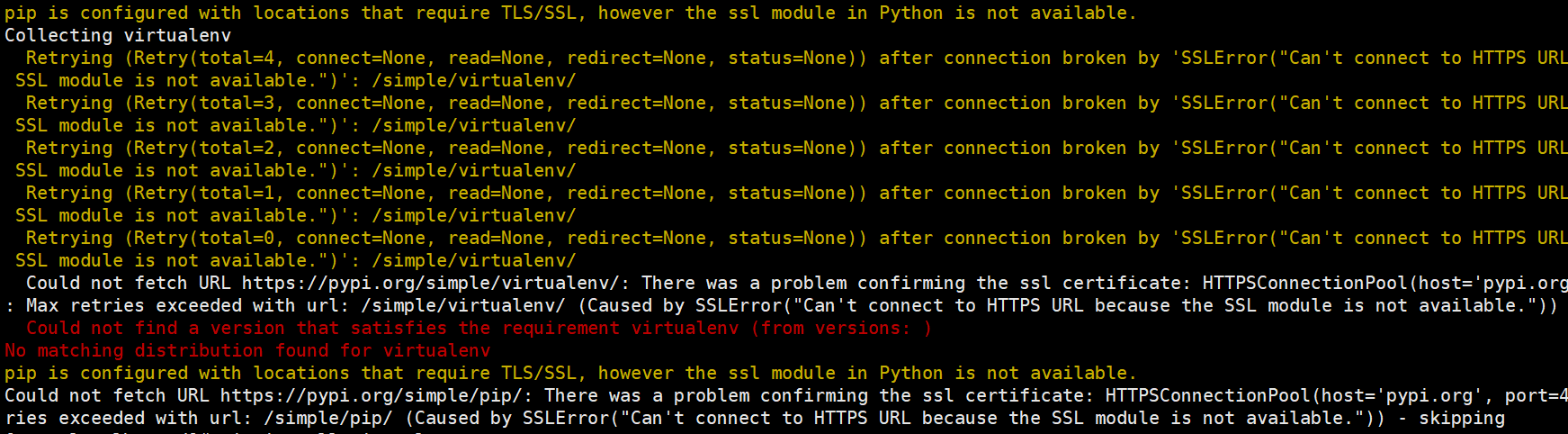
pip is configured with locations that require TLS/SSL, however the ssl module in Python is not available.
Collecting virtualenv
Retrying (Retry(total=4, connect=None, read=None, redirect=None, status=None)) after connection broken by 'SSLError("Can't connect to HTTPS URL because the SSL module is not available.")': /simple/virtualenv/
Retrying (Retry(total=3, connect=None, read=None, redirect=None, status=None)) after connection broken by 'SSLError("Can't connect to HTTPS URL because the SSL module is not available.")': /simple/virtualenv/
Retrying (Retry(total=2, connect=None, read=None, redirect=None, status=None)) after connection broken by 'SSLError("Can't connect to HTTPS URL because the SSL module is not available.")': /simple/virtualenv/
Retrying (Retry(total=1, connect=None, read=None, redirect=None, status=None)) after connection broken by 'SSLError("Can't connect to HTTPS URL because the SSL module is not available.")': /simple/virtualenv/
Retrying (Retry(total=0, connect=None, read=None, redirect=None, status=None)) after connection broken by 'SSLError("Can't connect to HTTPS URL because the SSL module is not available.")': /simple/virtualenv/
Could not fetch URL https://pypi.org/simple/virtualenv/: There was a problem confirming the ssl certificate: HTTPSConnectionPool(host='pypi.org', port=443): Max retries exceeded with url: /simple/virtualenv/ (Caused by SSLError("Can't connect to HTTPS URL because the SSL module is not available.")) - skipping
Could not find a version that satisfies the requirement virtualenv (from versions: )
No matching distribution found for virtualenv
pip is configured with locations that require TLS/SSL, however the ssl module in Python is not available.
Could not fetch URL https://pypi.org/simple/pip/: There was a problem confirming the ssl certificate: HTTPSConnectionPool(host='pypi.org', port=443): Max retries exceeded with url: /simple/pip/ (Caused by SSLError("Can't connect to HTTPS URL because the SSL module is not available.")) - skipping
是因为在./configure过程中,如果没有加上–with-ssl参数,默认安装的软件涉及到ssl的功能不可用,刚好pip3过程需要ssl模块,而由于没有指定,所以该功能不可用。
解決办法,安装 openssl-devel:yum -y install openssl-devel

再次安装,还是报错

重新编译python,到准备的python的安装包目录
[root@localhost Python-3.7.0]# ./configure --with-ssl

[root@localhost Python-3.7.0]# make && make install


再次执行安装:pip3 install virtualenv

timeout异常
pip._vendor.urllib3.exceptions.ReadTimeoutError: HTTPSConnectionPool(host='files.pythonhosted.org', port=443): Read timed out.

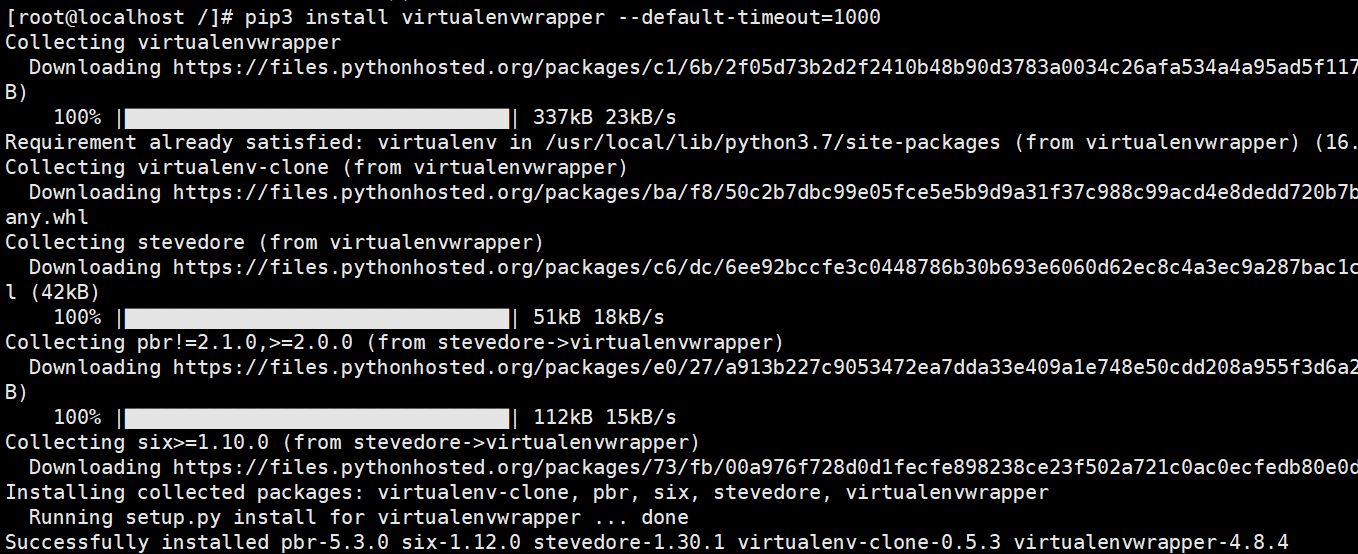
在下载python库的时候,由于国内网络原因,python包的下载速度非常慢,查看pip 文档,只要在 pip的时候控制超时即可, 具体参数为 --default-timeout=100, 后面的时间可以自己指定。
pip install 报SSL异常和timeout异常的更多相关文章
- pip install报错Can't roll back cryptography; was not uninstalled
当使用pip install或者pip install --upgrade报错 Can't roll back cryptography; was not uninstalled 可以进行以下的尝试: ...
- python pip install 报错TypeError: unsupported operand type(s) for -=: 'Retry' and 'int' Command "python setup.py egg_info" failed with error code 1 in
pip install http://download.pytorch.org/whl/cu80/torch-0.2.0.post3-cp27-cp27mu-manylinux1_x86_64.whl ...
- pip install 报错 TypeError: 'module' object is not callable
$ pip install filetype Traceback (most recent call last): File "/usr/local/bin/pip2", line ...
- pip install 报错原因
1. 要在~/.pip/pip.conf中添加源的地址. 2. 在运行pip install 命令的时候加上sudo -H
- pip install 报错
问题描述,在使用pip安装django相关软件包时,提示错误如下: [root@test4 install]# pip install django==1.6 Downloading/unpackin ...
- pip install报错:RuntimeError: Python version >= 3.5 required
由于pip官方的不作为,现如今python2(以及某些低版本python3)配套的pip,已经没法正常的安装pypi包了. 例如需要用到的一套PyCaffe的代码,是基于Python2的,于是用min ...
- pip install 报错 Could not fetch URL
Could not fetch URL https://pypi.python.org/simple/xxx/: There was a problem confirming the ssl cert ...
- 【Linux】CentOS6上安装Python3.7(config、make、make install)及“No module named '_ctypes'”/pip install时“ssl module in Python is not available.”的解决
1.下载安装包 https://www.python.org/ftp/python/ 该目录下选择所需要的版本进行下载.解压. wget https://www.python.org/ftp/pyth ...
- pip install 报错UnicodeDecodeError: 'ascii' codec can't decode byte
2017-03-23 报错原因: pip安装Python包会加载我的用户目录,我的用户目录恰好是中文的,ascii不能编码. 解决办法: python目录 Python27\Lib\site-pack ...
随机推荐
- 将IDEA工程代码提交到Github
1.git安装配置 1.下载git https://git-scm.com/download/win 2.安装 傻瓜式安装即可,记住安装的目录 3.配置 2.配置git SSH 1.首先申请一个Git ...
- Spring学习(七)--Spring MVC的高级技术
一.Spring MVC配置的替代方案 我们已经了解如何通过AbstractAnnotationConfigDispatcherServlet- Initializer快速搭建了Spring MVC环 ...
- Oracle PL/SQL基础
1.下载sql developer数据库连接可视化工具 连接地址:点我下载 下载完成,安装有Java环境,解压即可运行,也可以在linux系统中运行.
- java_第一年_JavaWeb(8)
前面说到,JSP在运行时会被编译成Servlet源代码,通过_jspServlet方法处理请求,此时该方法会传递和提供9个与web开发相关的对象进行使用,开发人员在JSP页面通过对这些变量即可引用这9 ...
- LibreOJ 6177 题解(状压DP)
题面 传送门 分析 刚看到这道题时想的是跟最短哈密顿路类似的二进制状压DP,先用floyd处理距离 但是此题用二进制不够,应该用三进制 0,1,2分别表示未送,正在送,已送完 dp[s][i]表示当前 ...
- PEP8规范总结
PEP8规范总结 代码编排 1 缩进.4个空格的缩进(编辑器都可以完成此功能),不使用Tap,更不能混合使用Tap和空格. 2 每行最大长度79,换行可以使用反斜杠,最好使用圆括号.换行点要在操作符的 ...
- pylint在pycharm的使用及pylint的配置
pylint作为python代码风格检查工具,接近 PEP8风格,在使用此方法的过程中,发现不仅能让代码更加规范,优雅,更能 发现 隐藏的bug. pylint在Pycharm中的2种安装方式: 第一 ...
- java 局部变量与成员成员变量的区别
package java04; /* 局部变量和成员变量的不同: 1.定义的位置不一样 局部变量:定义在方法内部 成员变量:在方法外部,直接写在类中 2.作用范围不一样 局部变量:只有方法中能使用,除 ...
- mangodb语句
{ field: { $exists: <boolean> } }
- ltp-ddt smp_cpu_affinity
# @name SMP CPU Affinity# @desc Check that processes assigned to multiple CPUs complete without erro ...