
Easypoi实现单模板生成多页wrod文档
一、合并word文档工具类代码
import org.apache.poi.xwpf.usermodel.Document;

import org.apache.poi.xwpf.usermodel.XWPFDocument;

import org.apache.poi.xwpf.usermodel.XWPFPictureData;

import org.apache.xmlbeans.XmlOptions;

import org.openxmlformats.schemas.wordprocessingml.x2006.main.CTBody;

import org.springframework.util.CollectionUtils;

import java.util.HashMap;

import java.util.List;

import java.util.Map;

/**

 * WordUtils

 *

 * @author ZENG.XIAO.YAN

 * @version 1.0

 * @Date 2019-09-20

 */

public final class WordUtils {

    /**

     * word文件合并

     * @param wordList

     * @return

     * @throws Exception

     */

    public static  XWPFDocument mergeWord(List<XWPFDocument> wordList) throws Exception{

        if (CollectionUtils.isEmpty(wordList)) {

            throw  new RuntimeException("待合并的word文档list为空");

        }

        XWPFDocument doc = wordList.get(0);

        int size = wordList.size();

        if (size > 1) {

            doc.createParagraph().setPageBreak(true);

            for (int i = 1; i < size; i++) {

                // 从第二个word开始合并

                XWPFDocument nextPageDoc = wordList.get(i);

                // 最后一页不需要设置分页符

                if (i != (size-1)) {

                    nextPageDoc.createParagraph().setPageBreak(true);

                }

                appendBody(doc, nextPageDoc);

            }

        }

        return doc;

    }

    private static void appendBody(XWPFDocument src, XWPFDocument append) throws Exception {

        CTBody src1Body = src.getDocument().getBody();

        CTBody src2Body = append.getDocument().getBody();

        List<XWPFPictureData> allPictures = append.getAllPictures();

        // 记录图片合并前及合并后的ID

        Map<String,String> map = new HashMap<>();

        for (XWPFPictureData picture : allPictures) {

            String before = append.getRelationId(picture);

            //将原文档中的图片加入到目标文档中

            String after = src.addPictureData(picture.getData(), Document.PICTURE_TYPE_PNG);

            map.put(before, after);

        }

        appendBody(src1Body, src2Body,map);

    }

    private static void appendBody(CTBody src, CTBody append,Map<String,String> map) throws Exception {

        XmlOptions optionsOuter = new XmlOptions();

        optionsOuter.setSaveOuter();

        String appendString = append.xmlText(optionsOuter);

        String srcString = src.xmlText();

        String prefix = srcString.substring(0,srcString.indexOf(">")+1);

        String mainPart = srcString.substring(srcString.indexOf(">")+1,srcString.lastIndexOf("<"));

        String sufix = srcString.substring( srcString.lastIndexOf("<") );

        String addPart = appendString.substring(appendString.indexOf(">") + 1, appendString.lastIndexOf("<"));

        if (map != null && !map.isEmpty()) {

            //对xml字符串中图片ID进行替换

            for (Map.Entry<String, String> set : map.entrySet()) {

                addPart = addPart.replace(set.getKey(), set.getValue());

            }

        }

        //将两个文档的xml内容进行拼接

        CTBody makeBody = CTBody.Factory.parse(prefix+mainPart+addPart+sufix);

        src.set(makeBody);

    }

}import org.apache.poi.xwpf.usermodel.Document;
import org.apache.poi.xwpf.usermodel.XWPFDocument;
import org.apache.poi.xwpf.usermodel.XWPFPictureData;
import org.apache.xmlbeans.XmlOptions;
import org.openxmlformats.schemas.wordprocessingml.x2006.main.CTBody;
import org.springframework.util.CollectionUtils;
import java.util.HashMap;
import java.util.List;
import java.util.Map;
/**
* WordUtils
*
* @author ZENG.XIAO.YAN
* @version 1.0
* @Date 2019-09-20
*/
public final class WordUtils {
/**
* word文件合并
* @param wordList
* @return
* @throws Exception
*/
public static XWPFDocument mergeWord(List<XWPFDocument> wordList) throws Exception{
if (CollectionUtils.isEmpty(wordList)) {
throw new RuntimeException("待合并的word文档list为空");
}
XWPFDocument doc = wordList.get(0);
int size = wordList.size();
if (size > 1) {
doc.createParagraph().setPageBreak(true);
for (int i = 1; i < size; i++) {
// 从第二个word开始合并
XWPFDocument nextPageDoc = wordList.get(i);
// 最后一页不需要设置分页符
if (i != (size-1)) {
nextPageDoc.createParagraph().setPageBreak(true);
}
appendBody(doc, nextPageDoc);
}
}
return doc;
}
private static void appendBody(XWPFDocument src, XWPFDocument append) throws Exception {
CTBody src1Body = src.getDocument().getBody();
CTBody src2Body = append.getDocument().getBody();
List<XWPFPictureData> allPictures = append.getAllPictures();
// 记录图片合并前及合并后的ID
Map<String,String> map = new HashMap<>();
for (XWPFPictureData picture : allPictures) {
String before = append.getRelationId(picture);
//将原文档中的图片加入到目标文档中
String after = src.addPictureData(picture.getData(), Document.PICTURE_TYPE_PNG);
map.put(before, after);
}
appendBody(src1Body, src2Body,map);
}
private static void appendBody(CTBody src, CTBody append,Map<String,String> map) throws Exception {
XmlOptions optionsOuter = new XmlOptions();
optionsOuter.setSaveOuter();
String appendString = append.xmlText(optionsOuter);
String srcString = src.xmlText();
String prefix = srcString.substring(0,srcString.indexOf(">")+1);
String mainPart = srcString.substring(srcString.indexOf(">")+1,srcString.lastIndexOf("<"));
String sufix = srcString.substring( srcString.lastIndexOf("<") );
String addPart = appendString.substring(appendString.indexOf(">") + 1, appendString.lastIndexOf("<"));
if (map != null && !map.isEmpty()) {
//对xml字符串中图片ID进行替换
for (Map.Entry<String, String> set : map.entrySet()) {
addPart = addPart.replace(set.getKey(), set.getValue());
}
}
//将两个文档的xml内容进行拼接
CTBody makeBody = CTBody.Factory.parse(prefix+mainPart+addPart+sufix);
src.set(makeBody);
}
}
二、使用案例
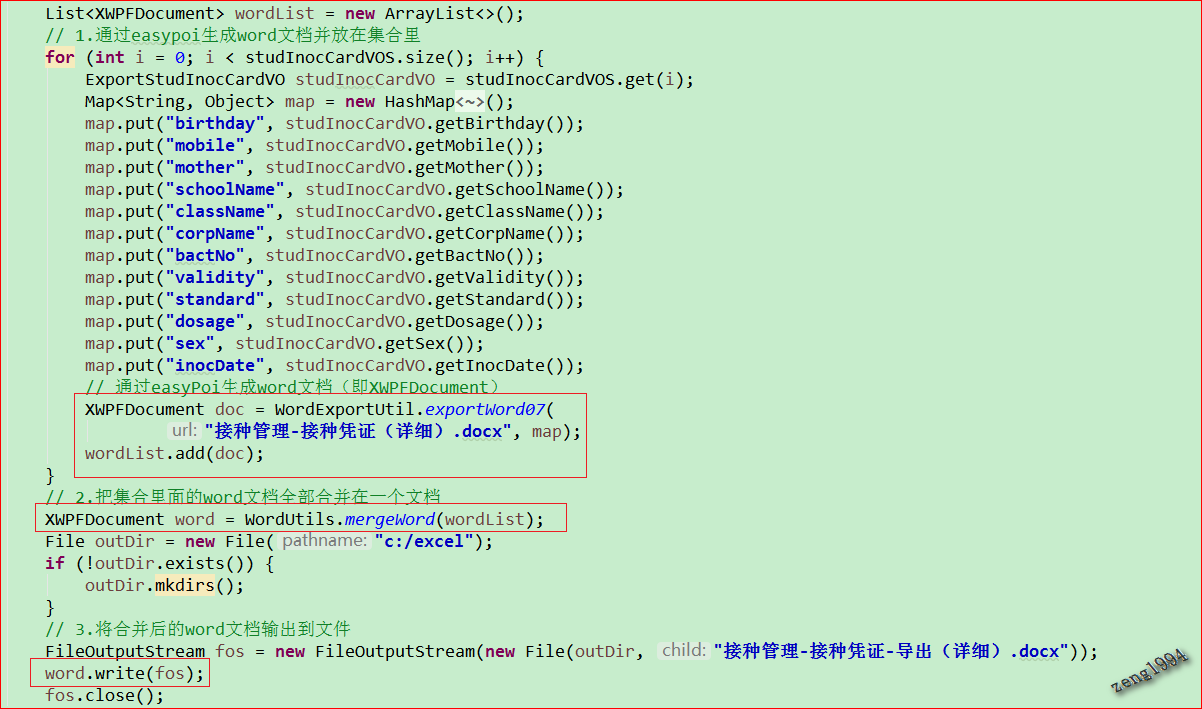
    List<XWPFDocument> wordList = new ArrayList<>();

    // 1.通过easypoi生成word文档并放在集合里

    for (int i = 0; i < studInocCardVOS.size(); i++) {

        ExportStudInocCardVO studInocCardVO = studInocCardVOS.get(i);

        Map<String, Object> map = new HashMap<String, Object>();

        map.put("birthday", studInocCardVO.getBirthday());

        map.put("mobile", studInocCardVO.getMobile());

        map.put("mother", studInocCardVO.getMother());

        map.put("schoolName", studInocCardVO.getSchoolName());

        map.put("className", studInocCardVO.getClassName());

        map.put("corpName", studInocCardVO.getCorpName());

        map.put("bactNo", studInocCardVO.getBactNo());

        map.put("validity", studInocCardVO.getValidity());

        map.put("standard", studInocCardVO.getStandard());

        map.put("dosage", studInocCardVO.getDosage());

        map.put("sex", studInocCardVO.getSex());

        map.put("inocDate", studInocCardVO.getInocDate());

        // 通过easyPoi生成word文档(即XWPFDocument)

        XWPFDocument doc = WordExportUtil.exportWord07(

                "接种管理-接种凭证(详细).docx", map);

        wordList.add(doc);

    }

    // 2.把集合里面的word文档全部合并在一个文档

    XWPFDocument word = WordUtils.mergeWord(wordList);

    File outDir = new File("c:/excel");

    if (!outDir.exists()) {

        outDir.mkdirs();

    }

    // 3.将合并后的word文档输出到文件

    FileOutputStream fos = new FileOutputStream(new File(outDir, "接种管理-接种凭证-导出(详细).docx"));

    word.write(fos);

fos.close();List<XWPFDocument> wordList = new ArrayList<>();
// 1.通过easypoi生成word文档并放在集合里
for (int i = 0; i < studInocCardVOS.size(); i++) {
ExportStudInocCardVO studInocCardVO = studInocCardVOS.get(i);
Map<String, Object> map = new HashMap<String, Object>();
map.put("birthday", studInocCardVO.getBirthday());
map.put("mobile", studInocCardVO.getMobile());
map.put("mother", studInocCardVO.getMother());
map.put("schoolName", studInocCardVO.getSchoolName());
map.put("className", studInocCardVO.getClassName());
map.put("corpName", studInocCardVO.getCorpName());
map.put("bactNo", studInocCardVO.getBactNo());
map.put("validity", studInocCardVO.getValidity());
map.put("standard", studInocCardVO.getStandard());
map.put("dosage", studInocCardVO.getDosage());
map.put("sex", studInocCardVO.getSex());
map.put("inocDate", studInocCardVO.getInocDate());
// 通过easyPoi生成word文档(即XWPFDocument)
XWPFDocument doc = WordExportUtil.exportWord07(
"接种管理-接种凭证(详细).docx", map);
wordList.add(doc);
}
// 2.把集合里面的word文档全部合并在一个文档
XWPFDocument word = WordUtils.mergeWord(wordList);
File outDir = new File("c:/excel");
if (!outDir.exists()) {
outDir.mkdirs();
}
// 3.将合并后的word文档输出到文件
FileOutputStream fos = new FileOutputStream(new File(outDir, "接种管理-接种凭证-导出(详细).docx"));
word.write(fos);
fos.close();
三、小结
Easypoi实现单模板生成多页wrod文档的更多相关文章
- 根据Excel的内容和word模板生成对应的word文档
Sub setname() Dim I As Integer Dim pspname As String Dim pspnumber As String Dim path As String Dim ...
- ASP.NET MVC 解析模板生成静态页一(RazorEngine)
简述 Razor是ASP.NET MVC 3中新加入的技术,以作为ASPX引擎的一个新的替代项.在早期的MVC版本中默认使用的是ASPX模板引擎,Razor在语法上的确不错,用起来非常方便,简洁的语法 ...
- NET MVC RazorEngine 解析模板生成静态页
ASP.NET MVC 解析模板生成静态页一(RazorEngine) 简述 Razor是ASP.NET MVC 3中新加入的技术,以作为ASPX引擎的一个新的替代项.在早期的MVC版本中默认使用的是 ...
- powerdesigner连接postgresql数据库生成pdm及word文档
1.准备软件: powerdesigner165与postgresql的驱动:psqlodbc_11_01_0000 2.安装并破解完成powerdesigner165 参看链接:https://ww ...
- 使用apidoc 生成Restful web Api文档
在项目开发过程中,总会牵扯到接口文档的设计与编写,之前使用的都是office工具,写一个文档,总也是不够漂亮和直观.好在git上的开源大神提供了生成文档的工具,so来介绍一下! 该工具是Nodejs的 ...
- 【工具篇】利用DBExportDoc V1.0 For MySQL自动生成数据库表结构文档
对于DBA或开发来说,如何规范化你的数据库表结构文档是灰常之重要的一件事情.但是当你的库,你的表排山倒海滴多的时候,你就会很头疼了. 推荐一款工具DBExportDoc V1.0 For MySQL( ...
- 基于数据库的自动化生成工具,自动生成JavaBean、数据库文档、框架代码等(v5.8.8版)
TableGo v5.8.8版震撼发布,此次版本更新如下: 1.新增两个扩展字段,用于生成自定义模板时使用. 2.自定义模板新增模板目录,可以选择不同分类目录下的模 ...
- SpringBoot入门教程(二十)Swagger2-自动生成RESTful规范API文档
Swagger2 方式,一定会让你有不一样的开发体验:功能丰富 :支持多种注解,自动生成接口文档界面,支持在界面测试API接口功能:及时更新 :开发过程中花一点写注释的时间,就可以及时的更新API文档 ...
- 使用 powerdesigner 将数据库表结构逆向工程生成对应的word文档
本机系统win10 + mysql 5.7.17 + powerDesigner 16.5 + mysql-connector-odbc-5.3.9-winx32.msi 1 使用 PowerDesi ...
随机推荐
- set去重应用
1.其中涉及__hash__与__eq__这两个内置方法. 2.列如: 要求用类生成多个对象,其中姓名和性别相同的对象可认为是同一个人,用set原理做去重 class People: def __in ...
- __str__与__repr__的触发顺序总结
1.__str__是个内置的方法,无需使用者去调用,其会在满足某一条件时自动触发.那么要触发它运行都有哪些条件呢? 有三种条件,分别为:print , str , %s 2.__repr__同样是个内 ...
- MySQL实战45讲学习笔记:第十一讲
一.如何在邮箱这样的字段上建立合理的索引 现在,几乎所有的系统都支持邮箱登录,如何在邮箱这样的字段上建立合理的索引,是我们今天要讨论的问题. 假设,你现在维护一个支持邮箱登录的系统,用户表是这么定义的 ...
- [LeetCode] 483. Smallest Good Base 最小的好基数
For an integer n, we call k>=2 a good base of n, if all digits of n base k are 1. Now given a str ...
- [LeetCode] 466. Count The Repetitions 计数重复个数
Define S = [s,n] as the string S which consists of n connected strings s. For example, ["abc&qu ...
- thinkphp5.0学习(九):TP5.0视图和模板
原文地址:http://blog.csdn.net/fight_tianer/article/details/78602711 一.视图 1.加载页面 1.继承系统控制器类 return $this- ...
- StackExchange.Redis Timeout performing 超时问题
最近在做的一个项目,用的.net core 2.1,然后缓存用的Redis,缓存相关封装是同事写的,用的驱动是StackExchange.Redis version 2.0.571 ,一直听说这个驱动 ...
- (十五)golang--init函数
每一个源文件都会包含一个init函数,这个函数会在执行main()执行之前被调用,相当于python中的__init__ 注意细节:(1)如果一个文件同时包含全局变量定义,init函数和main函数, ...
- SpringBoot第十五篇:swagger构建优雅文档
作者:追梦1819 原文:https://www.cnblogs.com/yanfei1819/p/11007470.html 版权声明:本文为博主原创文章,转载请附上博文链接! 引言 前面的十四 ...
- Jenkins打包编码GBK的不可映射字符
1.错误信息如下: 2.在Maven的POM中加入如下代码,然后重新打包即可. <properties> <!-- 文件拷贝时的编码 --> <project.bui ...