
appium之toast处理
注意
toast要appium1.6.3以上版本才支持,Android 5.0以上(需使用夜神多开模拟器),jdk1.8且配置了环境变量。
toast定位
1.先看下toast长什么样,如下图,像这种弹出来的消息"再按一次退出",这种就是toast了。

2.想定位toast元素,这里一定要注意automationName的参数必须是Uiautomator2才能定位到。
'automationName': 'Uiautomator2'
# coding:utf-8
from appium import webdriver
from selenium.webdriver.support.ui import WebDriverWait
from selenium.webdriver.support import expected_conditions as EC
from time import sleep

desired_caps = {
                'platformName': 'Android',
                'deviceName': '127.0.0.1:62001',
                'platformVersion': '4.4.2',
                'appPackage': 'com.baidu.yuedu',
                'appActivity': 'com.baidu.yuedu.splash.SplashActivity',
                'noReset': 'true',
                'automationName': 'Uiautomator2'
                }
driver = webdriver.Remote('http://127.0.0.1:4723/wd/hub', desired_caps)

# 等主页面activity出现
driver.wait_activity(".base.ui.MainActivity", 10)

driver.back()   # 点返回

# 定位toast元素
toast_loc = ("xpath", ".//*[contains(@text,'再按一次退出')]")
t = WebDriverWait(driver, 10, 0.1).until(EC.presence_of_element_located(toast_loc))   #注意等待必须是元素存在,元素可见会报错
print t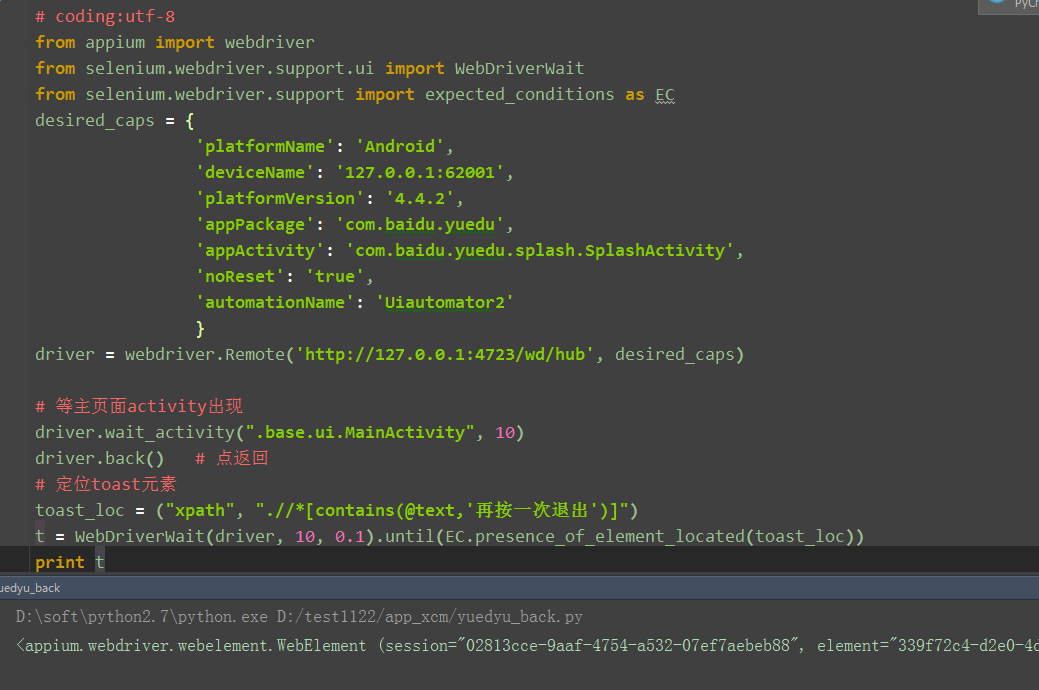
3.打印出来的结果,出现如下信息,说明定位到toast了
<appium.webdriver.webelement.WebElement (session="02813cce-9aaf-4754-a532-07ef7aebeb88", element="339f72c4-d2e0-4d98-8db0-69be741a3d1b")>
封装toast判断
1.单独写一个函数来封装判断是否存在toast消息,存在返回True,不存在返回False
def is_toast_exist(driver,text,timeout=30,poll_frequency=0.5):
    '''is toast exist, return True or False
    :Agrs:
     - driver - 传driver
     - text   - 页面上看到的文本内容
     - timeout - 最大超时时间,默认30s
     - poll_frequency  - 间隔查询时间,默认0.5s查询一次
    :Usage:
     is_toast_exist(driver, "看到的内容")
    '''
    try:
        toast_loc = ("xpath", ".//*[contains(@text,'%s')]"%text)
        WebDriverWait(driver, timeout, poll_frequency).until(EC.presence_of_element_located(toast_loc))
        return True
    except:
        return False
参考代码
# coding:utf-8
from appium import webdriver
from selenium.webdriver.support.ui import WebDriverWait
from selenium.webdriver.support import expected_conditions as EC
desired_caps = {
                'platformName': 'Android',
                'deviceName': '127.0.0.1:62001',
                'platformVersion': '4.4.2',
                'appPackage': 'com.baidu.yuedu',
                'appActivity': 'com.baidu.yuedu.splash.SplashActivity',
                'noReset': 'true',
                'automationName': 'Uiautomator2'
                }

def is_toast_exist(driver,text,timeout=30,poll_frequency=0.5):
    '''is toast exist, return True or False
    :Agrs:
     - driver - 传driver
     - text   - 页面上看到的文本内容
     - timeout - 最大超时时间,默认30s
     - poll_frequency  - 间隔查询时间,默认0.5s查询一次
    :Usage:
     is_toast_exist(driver, "看到的内容")
    '''
    try:
        toast_loc = ("xpath", ".//*[contains(@text,'%s')]"%text)
        WebDriverWait(driver, timeout, poll_frequency).until(EC.presence_of_element_located(toast_loc))
        return True
    except:
        return False

if __name__ == "__main__":
    driver = webdriver.Remote('http://127.0.0.1:4723/wd/hub', desired_caps)

    # 等主页面activity出现
    driver.wait_activity(".base.ui.MainActivity", 10)

    driver.back()   # 点返回

    # 判断是否存在toast-'再按一次退出'
    print is_toast_exist(driver, "再按一次退出")
appium之toast处理的更多相关文章
- appium获取toast和操作webview实例
从testerhome上看到很多测试同学分享了toast的获取方式,其中大部分是java版本的,但也有个python版本的:Appium1.7.2 android toast 消息测试 Appium获 ...
- Appium Android Toast控件
Android Toast控件是Android系统级别的控件,不是App的控件,getPageSource是⽆法找到的. Toast介绍 1.背景 在安卓设备里面,使用各种手机应用程序的时候,需要先进 ...
- appium 3-31626 toast识别
1.toast弹窗,普通方式不能获取 例如使用getPageSource是无法找到toast的信息,uiautomatorViewer加载页面时间较长,也很难采集到toast信息 2.通过curl命令 ...
- appium获取toast方法
配置toast请注意: 1.指定desired_caps["automationName"] = "UiAutomator2" 2.要求安装jdk1.8 64位 ...
- Appium之Toast元素识别
问题思考 在日常使用App过程中,经常会看到App界面有一些弹窗提示(如下图所示)这些提示元素出现后等待3秒左右就会自动消失,那么我们该如何获取这些元素文字内容呢? Toast简介 Android中的 ...
- Appium获取toast消息
Android获取toast,需要在参数里设置automationName:Uiautomator2 设置设备的信息 desired_caps = { 'platformName': 'Android ...
- Appium获取toast消息遇到的问题(一)
一.运行错误 Android获取toast,需要在参数里设置automationName:Uiautomator2 1 # 设置设备的信息 2 desired_caps = { 3 'platform ...
- Appium获取toast消息(二)
刚接触appium进行移动端设备的UI自动化,在遇到toast消息的时候很是苦恼了一阵,最后通过强大的搜索引擎找到了个相对解决方法,废话不多说,直接贴代码↓↓↓↓↓↓↓↓↓↓↓↓↓↓↓↓↓↓↓↓↓↓↓ ...
- Python+Appium 获取 toast 文本值方法的封装
获取toast内容方法封装如下: def get_Toast(self,message): #查找toast值 ''' method explain:查找toast的值,与find_Toast实现方法 ...
随机推荐
- Unity Shader入门精要学习笔记 - 第9章 更复杂的光照
转载自 冯乐乐的<Unity Shader入门精要> Unity 的渲染路径 在Unity里,渲染路径决定了光照是如何应该到Unity Shader 中的.因此,如果要和光源打交道,我们需 ...
- 解决spring http输入流和输出流只能读取一次
1.需求:给某些请求接口记录日志,记录请求的数据和响应的数据和请求所花费的时间.这里采用非侵入式编程,也业务代码进行解耦.按照spring AOP 的编程思想. 2.编程设计:在spring 拦截器中 ...
- Java、Node.js、PHP还是.Net? 无论你选谁,我都能教你一招!
七夕如期而至,不该来的终究还是来了.再傲娇的单身贵族恐怕也难免在今天会感觉一丝丝的空虚.还好你关注了我,因为接下来我准备了三大招教你一个人…..也可以优雅地过七夕. 招式一:移形幻影,无中生有 七夕当 ...
- sql中保留2位小数
问题: 数据库里的 float momey 类型,都会精确到多位小数.但有时候 我们不需要那么精确,例如,只精确到两位有效数字. 解决: 1. 使用 Round() 函数,如 Round(@num,2 ...
- 状态压缩---状态压缩dp第一题
标签: ACM 题目: Farmer John has purchased a lush new rectangular pasture composed of M by N (1 ≤ M ≤ 12; ...
- Exception in thread "main" java.lang.NoSuchMethodError: org.apache.http.entity.ContentType.withCharset(Ljava/lang/String;)Lorg/apache/http/entity/ContentType;
解决方案是:第一点先检查一下使用的包是否冲突,是否是版本号一致.第二点是增加一个包 忙活了好久才解决了这个异常,小小的激动一下啊啊
- SAP不同的产品是如何支持用户创建自定义字段的
我们从SAP CRM,Cloud for Customer(简称C4C)和S/4HANA这三个产品分别来看看. SAP CRM 我们使用所谓的Application Enhancement Tool( ...
- 用”人话”解释CNN —— 对单个特征图进行视觉化
转载自:http://nooverfit.com/wp/pycon-2016-tensorflow-研讨会总结-tensorflow-手把手入门-用人话解释cnn 首先什么是CNN? 其实, 用”人话 ...
- WPF知识点全攻略02- WPF体系结构
WPF体系结构图: PersentationFramework.dll包含WPF顶层的类型,包括哪些表示窗口.面板以及其他类型控件的类型.他还实现了高层编程抽象,如样式.开发人员直接使用的大部分类都来 ...
- VC-基础:关于一些符号的意义
GUI应用程序:Graphic User Interface图形 用户 接口 SDI:单文档程序(典型的记事本就是SDI) MID:多文档程序(比如VS2008默认就是多文档的)