
hive -- 分区,分桶(创建,修改,删除)
hive -- 分区,分桶(创建,修改,删除)
分区:
静态创建分区:
1. 数据:
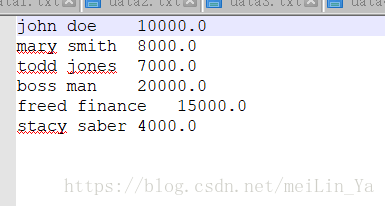
john doe	10000.0

mary smith	8000.0

todd jones	7000.0

boss man	20000.0

freed finance	15000.0

stacy saber	4000.0
建表+添加一个数据
create table if not exists employees(

name string,

money float)

row format delimited fields terminated by '\t'

stored as textfile;

load data local inpath '/home/data/employees.txt' into table employees;
问题:查询工资在8000元到10000元之间的人和工资
select *

from employees

where money between 8000 and 10000;
问题:按照工资添加新列,少于5000元的添加low,5000-7000元之间的添加middle,7000-10000元的添加hight,10000元以上添加very hight
select

name,money,

case

when money>=5000 then(

case

when money>=7000 then(

case

when money>=10000 then 'very hight'

else 'hight' end

)

else 'middle' end

)

else 'low' end

from employees;
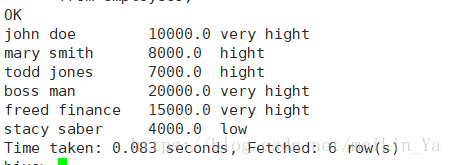
2.数据(分区)
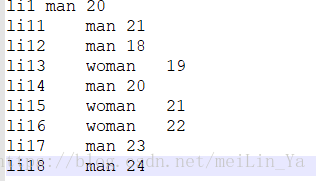
li1	man	20

li11	man	21

li12	man	18

li13	woman	19

li14	man	20

li15	woman	21

li16	woman	22

li17	man	23

li18	man	24
建表+添加数据
create table if not exists p0(

name string,

sex string,

age string)

row format delimited fields terminated by '\t'

stored as textfile;

load data local inpath '/home/data/p0.txt' into table p0;如何定义分区,准备创建分区 具有了分区的能力的表
分区用途 目的: 查询速度大大增加,所以分区数据
分区方式一:静态分区
注:
1、静态分区要放在动态分区前面
2、静态分区的字段不要出现在select后面
create table if not exists p0_1(

name string,

age string

)

partitioned by (sex string)

row format delimited fields terminated by '\t'

stored as textfile;
根据性别分区:
alter table p0_1 add partition (sex='man');

alter table p0_1 add partition(sex='woman');
在分区中插入数据
insert into p0_1

partition(sex='man')

select name,age

from p0

where sex='man';

insert into p0_1

partition(sex='woman')

select name,age

from p0

where sex='woman';
--显示分区
show partitions p0_1;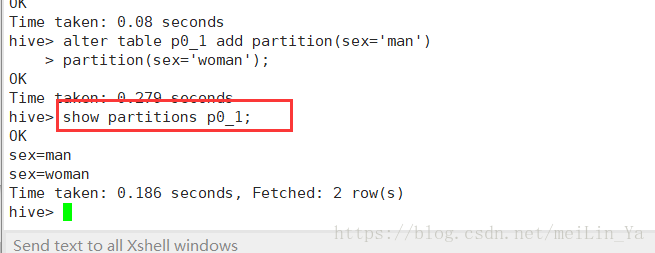
--显示分区路径

根据年龄分区:
create table if not exists p0_2(

name string,

sex string)

partitioned by (age string)

row format delimited fields terminated by '\t'

stored as textfile;

alter table p0_2

add

partition(age='18')

partition(age='19')

partition(age='20')

partition(age='21')

partition(age='22')

partition(age='23')

partition(age='24');

insert into p0_2

partition(age='18')

select name,sex

from p0

where age='18';

insert into p0_2

partition(age='19')

select name,sex

from p0

where age='19';

insert into p0_2

partition(age='20')

select name,sex

from p0

where age='20';

insert into p0_2

partition(age='21')

select name,sex

from p0

where age='21';

insert into p0_2

partition(age='22')

select name,sex

from p0

where age='22';

insert into p0_2

partition(age='23')

select name,sex

from p0

where age='23';

insert into p0_2

partition(age='24')

select name,sex

from p0

where age='24';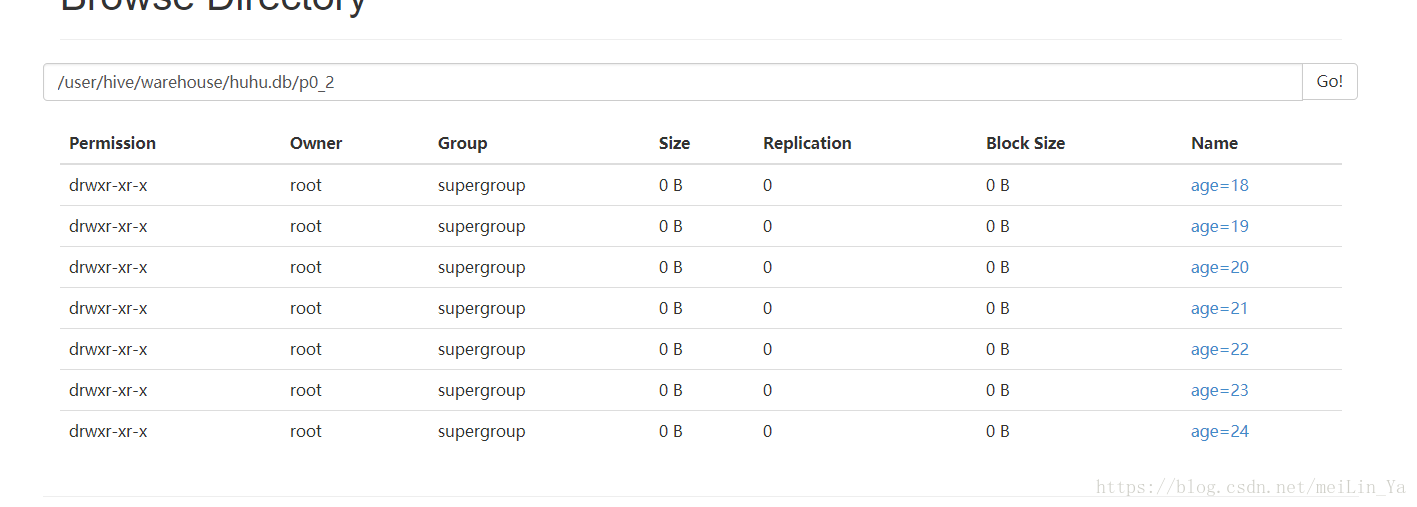
--修改分区,相当于修改hdfs文件名-->mv {修改时文件名不能重复}
alter table p0_2 partition(age='18') rename to partition(age='17');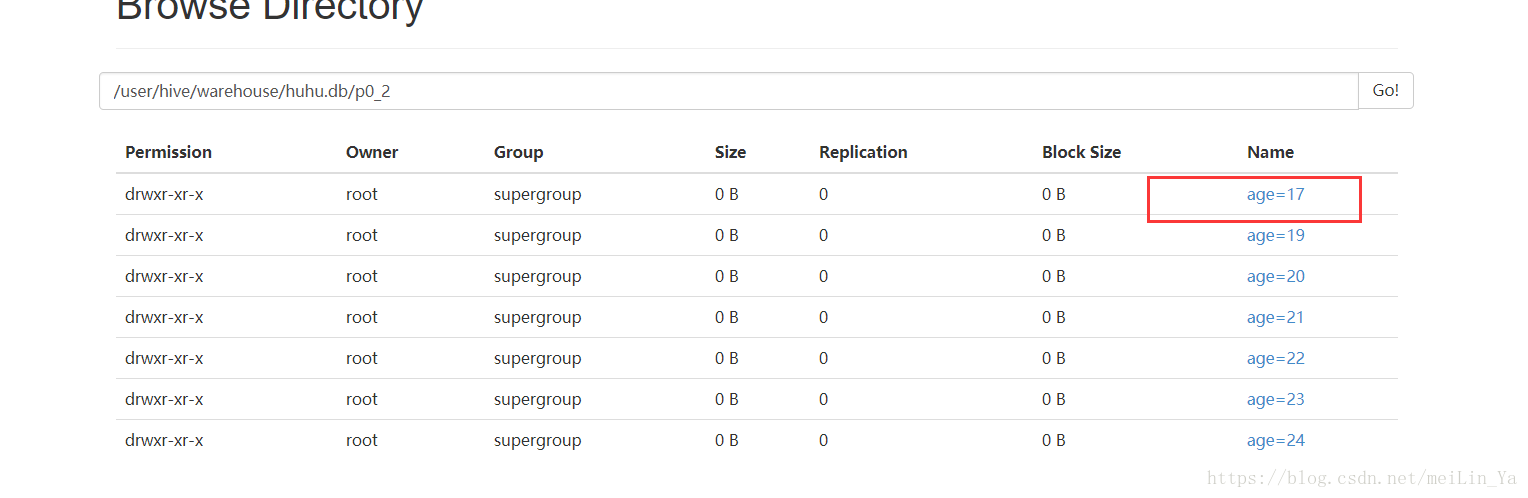
--删除分区
alter table p0_2 drop partition(age='17');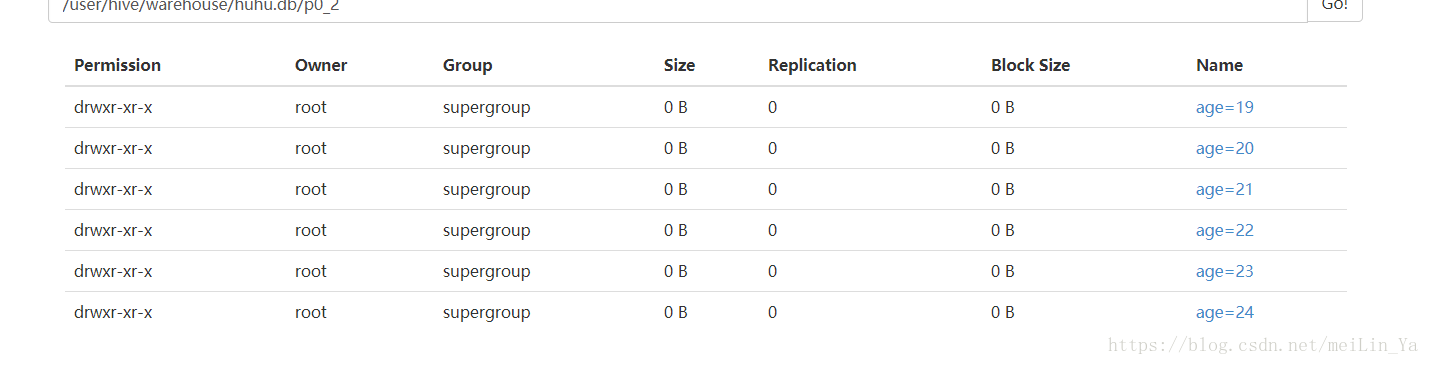
动态创建分区
数据一:
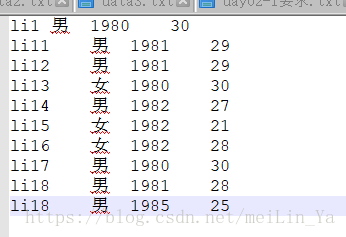
建表+填数据
create table if not exists p2(

name string,

sex string,

birth string,

age string)

row format delimited fields terminated by '\t'

stored as textfile;

load data local inpath '/home/data/p2.txt' into table p2;
--是否开启动态分区功能,默认false关闭
set hive.exec.dynamic.partition=ture;-- 设置动态分区模式
set hive.exec.dynamic.partition.mode=strict;-- 设置动态分区模式为非严格模式,这样可以指定全部的分区字段都为动态的 一般开启
set hive.exec.dynamic.partition.mode=nostrict;-- 设置总的动态分区个数
set set hive.exec.dynamic.partitions=1000;-- 设置每个节点上动态分区个数
set set hive.exec.dynamic.partitions.pernode=100;分区:
create table if not exists p22_1(

name string,

sex string

)

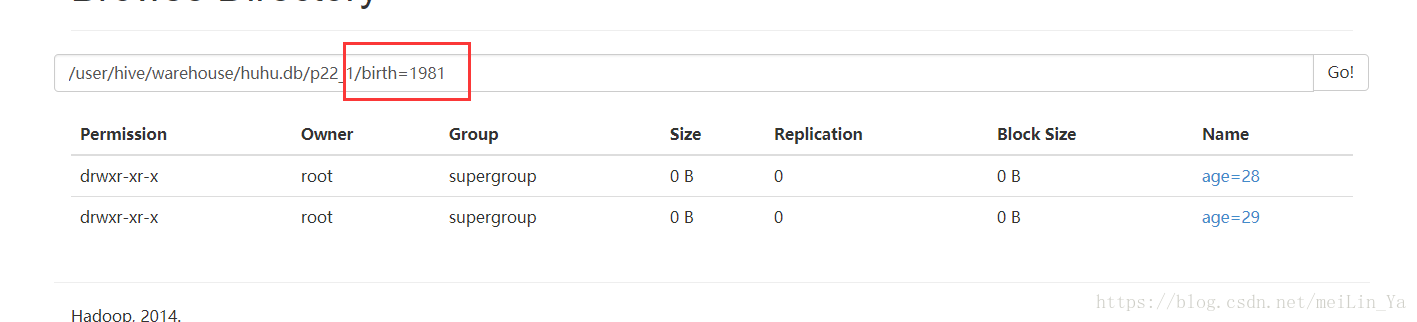
partitioned by(birth string,age string)

row format delimited fields terminated by '\t'

stored as textfile;
插入数据:
insert into table p22_1

partition(birth,age)

select name,sex,birth,age

from p22;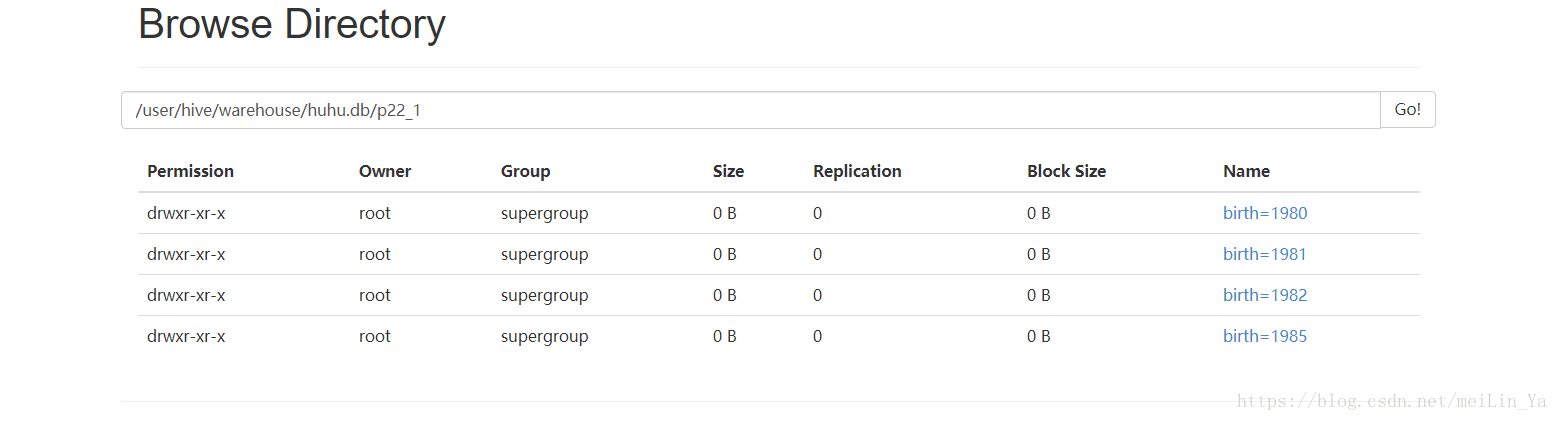
分桶:
分桶介绍:
对于每一个表(table)或者分区, Hive可以进一步组织成桶,也就是说桶是更为细粒度的数据范围划分。Hive也是 针对某一列进行桶的组织。Hive采用对列值哈希,然后除以桶的个数求余的方式决定该条记录存放在哪个桶当中。
桶(bucket)是指将表或分区中指定列的值为key进行hash,hash到指定的桶中,这样可以支持高效采样工作。
# ------------------分桶意义---------------------
把表(或者分区)组织成桶(Bucket)有两个理由:
(1)获得更高的查询处理效率。连接两个在相同列上划分了桶的表,可以使用 Map 端连接 (Map-side join)高效的实现。
(2)使取样(sampling)更高效。
数据:
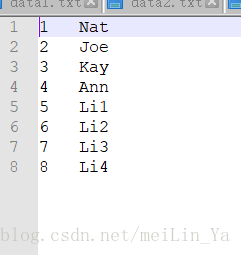
建表+添加数据
create table if not exists bucket_user_tmp(

id int,

name string)

row format delimited fields terminated by '\t'

stored as textfile;

load data local inpath '/home/data/users.txt' into table bucket_user_tmp;
创建分桶:按id分
create table bucket_user (id int,name string)

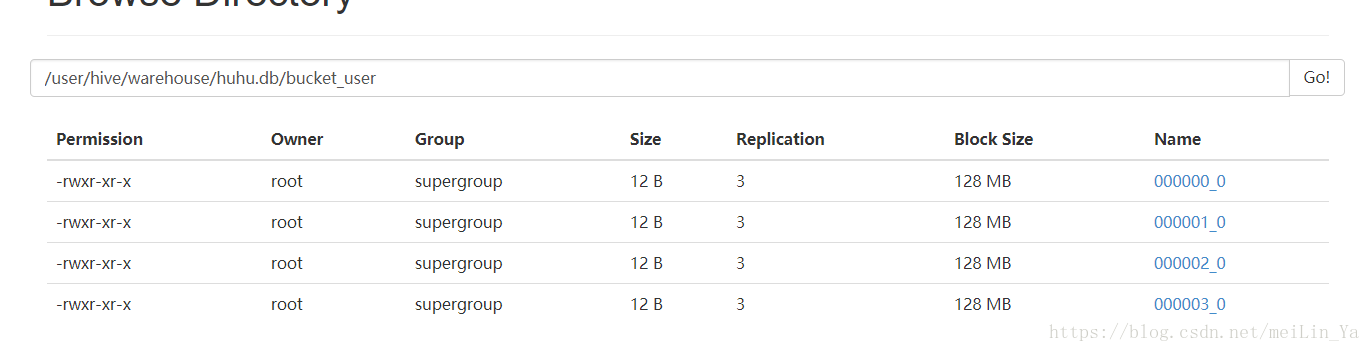
clustered by(id) into 4 buckets;
设置分桶:-- 必须设置这个数据,hive才会按照你设置的桶的个数去生成数据
set hive.enforce.bucketing=true;插入数据:
insert into table bucket_user

select id,name

from bucket_user_tmp;
桶中数据:
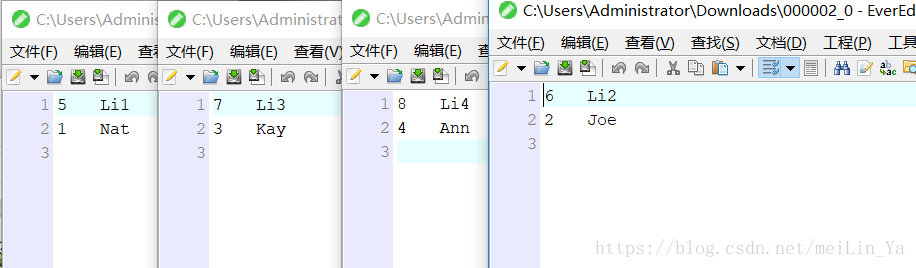
桶中数据是按照:hive会计算桶列的hash值再以桶的个数取模来计算某条记录属于那个桶,每个桶对应一个reduce
id id%4 0 1 2 3 hashcode
------------------分桶抽样---------------------
建一张分桶的表:
数据:一百万条数据
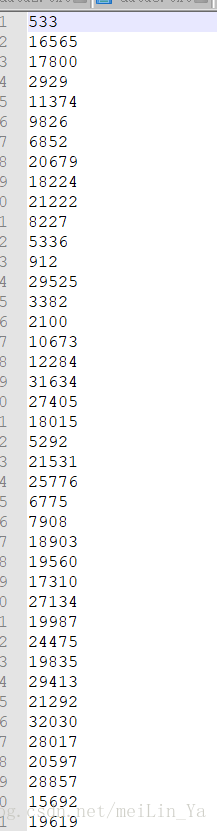
建表+添加数据:
create table if not exists bucket_tab1_tmp (

id int)

row format delimited fields terminated by '\t'

stored as textfile;

load data local inpath '/home/data/data10.txt' into table bucket_tab1_tmp;
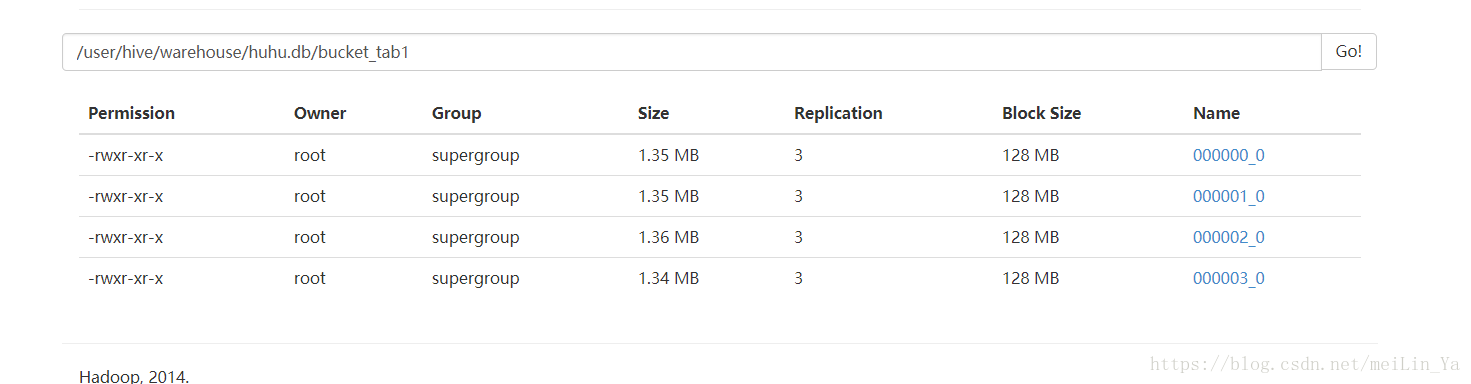
分桶:
create table bucket_tab1 (id int)

clustered by(id) into 4 buckets;
桶内插入数据:
insert into table bucket_tab1

select *

from bucket_tab1_tmp;
1.将会从表lxw1中取样1M的数据:
select *

from bucket_tab1

tablesample(1M);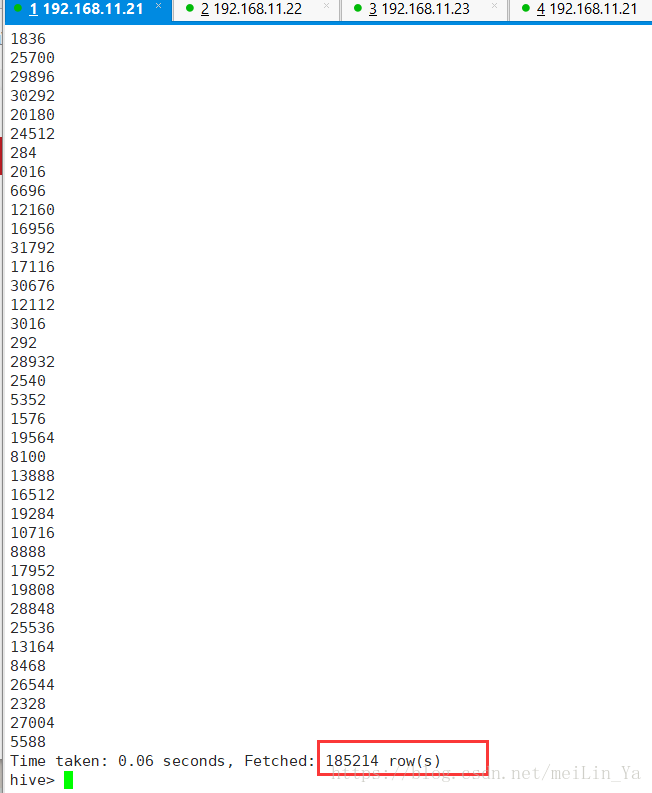
2.-- 带桶表的抽样 1 2 3 4 每个桶 25% 我一共有一百万条数据,25%就是20万条左右,集体还得看每条数据得大小
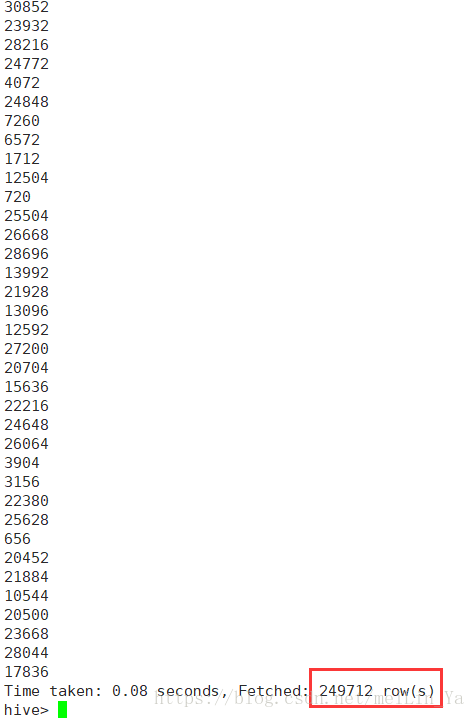
-- 不带桶表的抽样 不一定哪个桶 25%
select *

from bucket_tab1

tablesample(bucket 1 out of 4 on rand());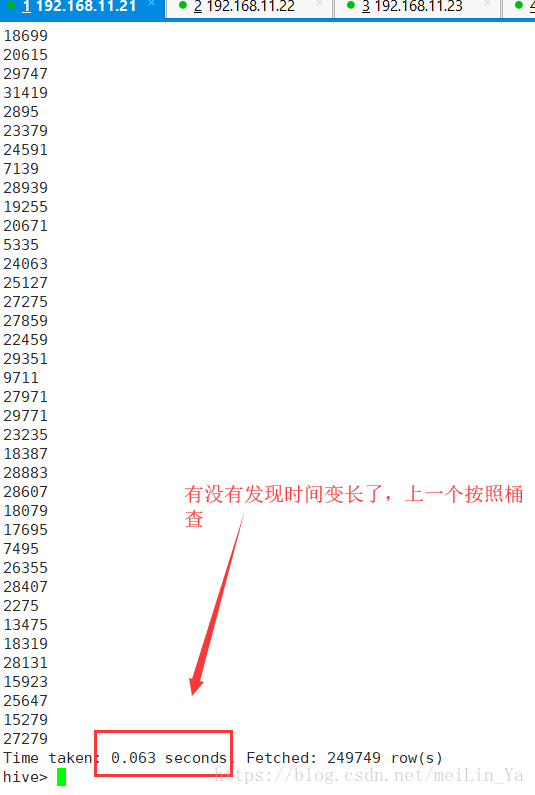
最后总结下吧
分区+分桶的sql:
create table student(id int,age int,name string)
partitioned by(stat_date string)
clustered by(id) sort by(age) into 2 buckets
row formate delimited fields terminated bu ',';
hive基于hadoop得一个数据仓库,它得数据库建表使用反三范式,一个要求:快!查询快。
所以呢,它又是分区又是分组得,其实就是为了查询快,减少暴力扫描数据量,提高查询效率。
而分桶可以基于原表或分区后得表进行分桶,分桶是细过滤,但是,他们呢都是为了提高效率,那么想想hive会要不要建立索引呢?
我想一般不会,建立索引后原来表所占内存是建立索引后的2-3倍,但是速度也会得到提升,但是所用消耗费用也大,于此分区和分桶就代替了索引,他们跟为方便简介,也达到了同样的效果。
hive -- 分区,分桶(创建,修改,删除)的更多相关文章
- Hive 的分桶 & Parquet 概念
分区 & 分桶 都是把数据划分成块.分区是粗粒度的划分,桶是细粒度的划分,这样做为了可以让查询发生在小范围的数据上以提高效率. 分区之后,分区列都成了文件目录,从而查询时定位到文件目录,子数据 ...
- Hive的分桶表
[分桶概述] Hive表分区的实质是分目录(将超大表的数据按指定标准细分到指定目录),且分区的字段不属于Hive表中存在的字段:分桶的实质是分文件(将超大文件的数据按指定标准细分到分桶文件),且分桶的 ...
- Linux创建修改删除用户和组
Linux 创建修改删除用户和组 介绍 在日常的维护过程中创建用户操作用的相对会多一些,但是在这个过程中涉及到的知识点就不单单就是useradd了,接下来就来详细了解账号管理的相关信息. 用户信息 先 ...
- oracle11g创建修改删除表
oracle11g创建修改删除表 我的数据库名字: ORCL 密码:123456 1.模式 2.创建表 3.表约束 4.修改表 5.删除表 1.模式 set oracle_sid=OR ...
- MySQL进阶11--DDL数据库定义语言--库创建/修改/删除--表的创建/修改/删除/复制
/*进阶 11 DDL 数据库定义语言 库和表的管理 一:库的管理:创建/修改/删除 二:表的管理:创建/修改/删除 创建: CREATE DATABASE [IF NOT EXISTS] 库名; 修 ...
- 【Hive学习之五】Hive 参数&动态分区&分桶
环境 虚拟机:VMware 10 Linux版本:CentOS-6.5-x86_64 客户端:Xshell4 FTP:Xftp4 jdk8 hadoop-3.1.1 apache-hive-3.1.1 ...
- hive,分桶,内外部表,分区
简单的word-count操作: [root@master test-map]# head -10 The_Man_of_Property.txt #先看看数据Preface“The Forsy ...
- Hive分区和桶
SMB 存在的目的主要是为了解决大表与大表间的 Join 问题,分桶其实就是把大表化成了“小表”,然后 Map-Side Join 解决之,这是典型的分而治之的思想.在聊 SMB Join 之前,我们 ...
- Hive分区和桶的概念
Hive 已是目前业界最为通用.廉价的构建大数据时代数据仓库的解决方案了,虽然也有 Impala 等后起之秀,但目前从功能.稳定性等方面来说,Hive 的地位尚不可撼动. 其实这篇博文主要是想聊聊 S ...
随机推荐
- px和em的区别, css权重
PX特点:px像素(Pixel).相对长度单位.像素px是相对于显示器屏幕分辨率而言的. EM特点 1. em的值并不是固定的:2. em会继承父级元素的字体大小. 优先级:!important> ...
- vue使用v-for时vscode报错 Elements in iteration expect to have 'v-bind:key' directives
vue使用v-for时vscode报错 Elements in iteration expect to have 'v-bind:key' directives Vue 2.2.0+的版本里,当在组件 ...
- 取代iframe,实现页面中引入别的页面
<li> <a href="#addChannel">添加通道</a> </li> window.onload = rightCha ...
- Java笔记 #07# Hibernate Validator
Hibernate Validator是Spring Boot默认附带的标准校验API(javax.validation)实现. 应用实例(配合切面) 采用注解定义切面.java @Aspect @C ...
- window bat 切换目录并执行php文件
新建一个 test.bat文件,输入一下命令并保存 cmd /k "cd /d D:\PHPWAMP_IN2\phpwamp\server\Nginx-PHPWNMP\htdocs\test ...
- 开启text汇聚排序
开启text汇聚排序 curl -X PUT "http://192.168.1.136:19200/hxl_test/_mapping/tb_test" -H 'Content- ...
- sshpass安装使用
部署sshpass1.下载wget http://sourceforge.net/projects/sshpass/files/latest/download -O sshpass.tar.gz 2. ...
- 算法(第四版)C# 习题题解——3.1
写在前面 整个项目都托管在了 Github 上:https://github.com/ikesnowy/Algorithms-4th-Edition-in-Csharp 查找更方便的版本见:https ...
- word模板导出的几种方式:第二种:C#通过模板导出Word(文字,表格,图片) 占位符替换
原文出处:https://www.cnblogs.com/ilefei/p/3508463.html 一:模板的创建 (注意文件后缀只能是.docx或.doct) 在需要位置 插入-文档部件-域, ...
- freopen()函数在ACM中的使用
#ifndef ONLINE_JUDGE freopen("in.txt","r",stdin); #endif https://blog.csdn.net/c ...