
Oracle 12c 单实例安装
一、准备工作
实验环境:Redhat 6.6 Oracle 12c 12.2.0.1
1、官网下载
2、安装所需rpm包
# rpm -q binutils compat-libcap1 gcc-c++ compat-libstdc++- gcc gcc-c++e2fsprogs e2fsprogs-libs glibc glibc-devel ksh libaio-devel libaio libgcc libstdc++ libstdc++-devel libxcb libX11 libXau libXi libXtst make net-tools nfs-utils smartmontools sysstat
所需要镜像中都包含,所以可以通过本地yum方式进行安装
3、创建用户组
[root@RmanDB tools]# groupadd -g  oinstall

[root@RmanDB tools]# groupadd -g  dba

[root@RmanDB tools]# groupadd -g  oper
4、创建用户
[root@RmanDB tools]# useradd -u -g oinstall -G dba,oper oracle
5、创建目录
mkdir -p /u01/app/oracle/product/12.2./db_1

[root@RmanDB tools]# chown -R oracle:oinstall /u01/app

[root@RmanDB tools]# chmod -R  /u01/app
6、配置环境变量
配置oracle用户
vim .bash_profile
#ORACLE

PATH=$PATH:$HOME/bin

export PATH

export ORACLE_BASE=/u01/app/oracle

export ORACLE_HOME=$ORACLE_BASE/product/12.2./db_1

export PATH=$ORACLE_HOME/bin:$ORACLE_HOME/Apache/bin:$PATH

export ORACLE_SID=gnnt1

ORACLE_HOSTNAME=RmanDB

export ORACLE_OWNER=oracle

export ORACLE_TERM=vt100

export LD_LIBRARY_PATH=$ORACLE_HOME/lib:$LD_LIBRARY_PATH

export NLS_LANG=AMERICAN_AMERICA.ZHS16GBK

export DISPLAY=192.168.10.2:0.0
7、配置内核
注意:配置大于系统数据需要配置更改,否则不需要配置。
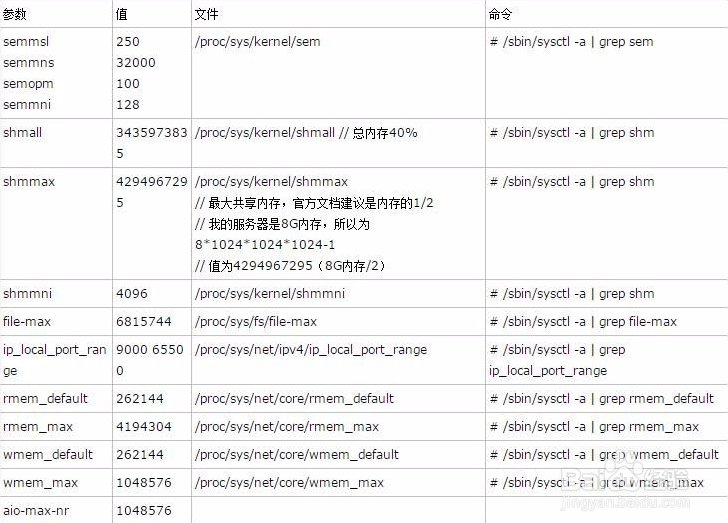
vim /etc/sysctl.conf

添加如下配置

#ORACLE

fs.aio-max-nr =

fs.file-max =

kernel.sem =

kernel.shmmni =

kernel.shmall =

kernel.shmmax =

kernel.panic_on_oops =

net.ipv4.ip_local_port_range =

net.core.rmem_default =

net.core.rmem_max =

net.core.wmem_default =

net.core.wmem_max =
配置完成 sysctl -p 刷新生效
8、设置进程数和最大会话数
vi /etc/security/limits.conf

添加使用如下设置。

oracle soft nproc

oracle hard nproc

oracle soft nofile

oracle hard nofile

oracle soft stack

oracle hard stack
二、安装过程
1、解压
[root@RmanDB tools]# mkdir -p /u01/app/tmp

[root@RmanDB tools]# chown -R oracle:oinstall /u01/app/tmp

[root@RmanDB tools]# chmod -R 775 /u01/app/tmp
将下载的安装包解压
[oracle@RmanDB tmp]$ unzip /tools/linuxx64_12201_database.zip

[oracle@RmanDB tmp]$ ll

total

drwxr-xr-x.  oracle oinstall  Jan   database
2、执行安装
[oracle@RmanDB ~]$ /u01/app/tmp/database/runInstaller

Starting Oracle Universal Installer...

Checking Temp space: must be greater than  MB. Actual  MB Passed

Checking swap space: must be greater than  MB. Actual  MB Passed

Checking monitor: must be configured to display at least  colors

>>> Could not execute auto check for display colors using command /usr/bin/xdpyinfo. Check if the DISPLAY variable is set. Failed <<<<

Some requirement checks failed. You must fulfill these requirements before

continuing with the installation,

Continue? (y/n) [n] y

>>> Ignoring required pre-requisite failures. Continuing...

Preparing to launch Oracle Universal Installer from /tmp/OraInstall2018--23_04--02PM. Please wait ...
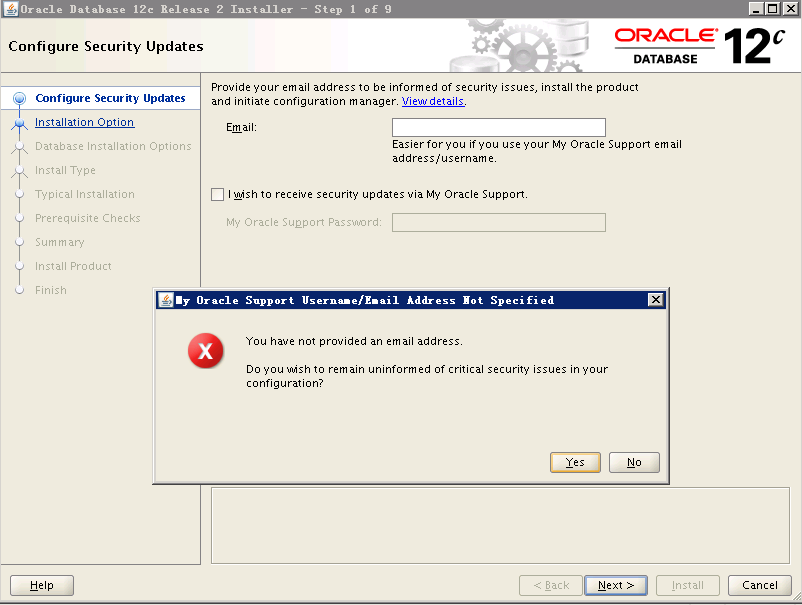
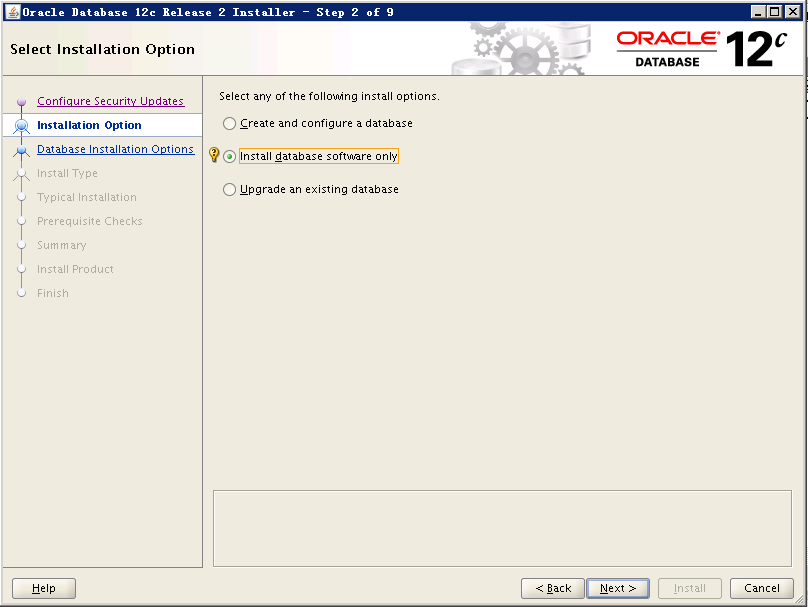
看你的需求选择是要只安装数据库软件还是软件+配置库
安装单实例

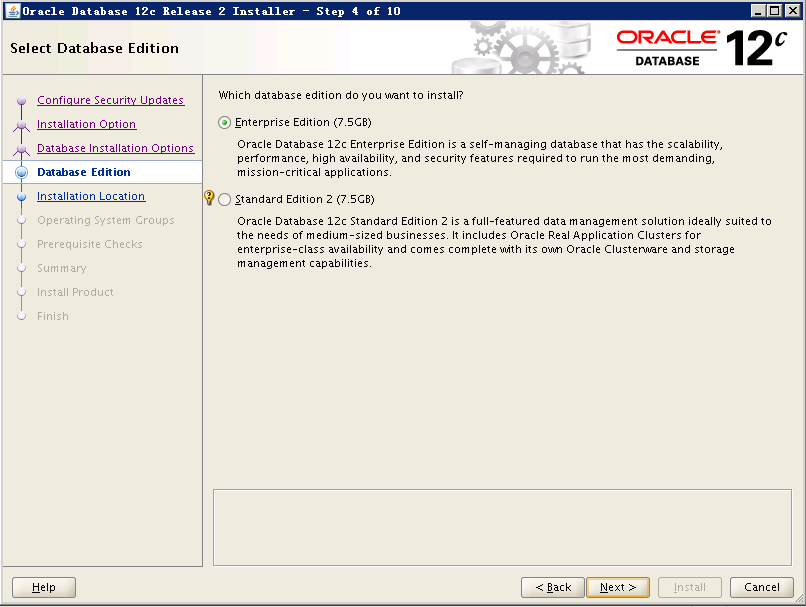
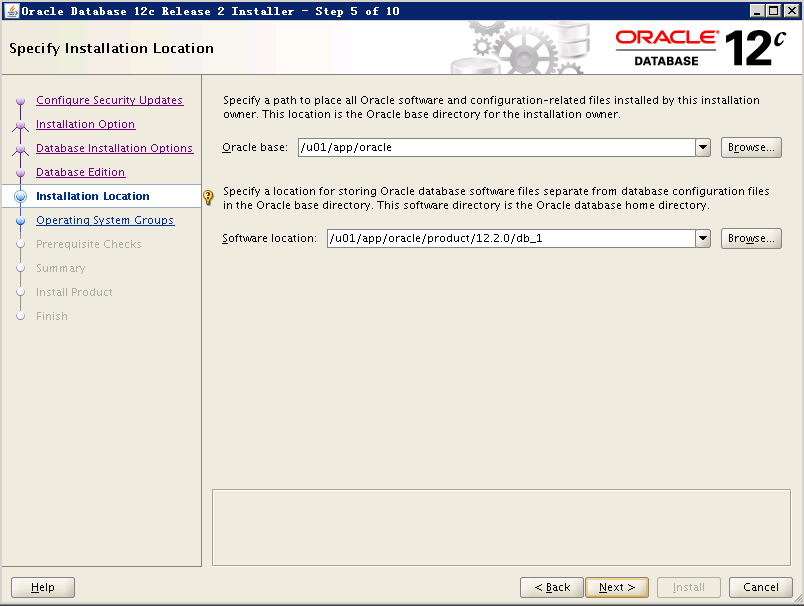
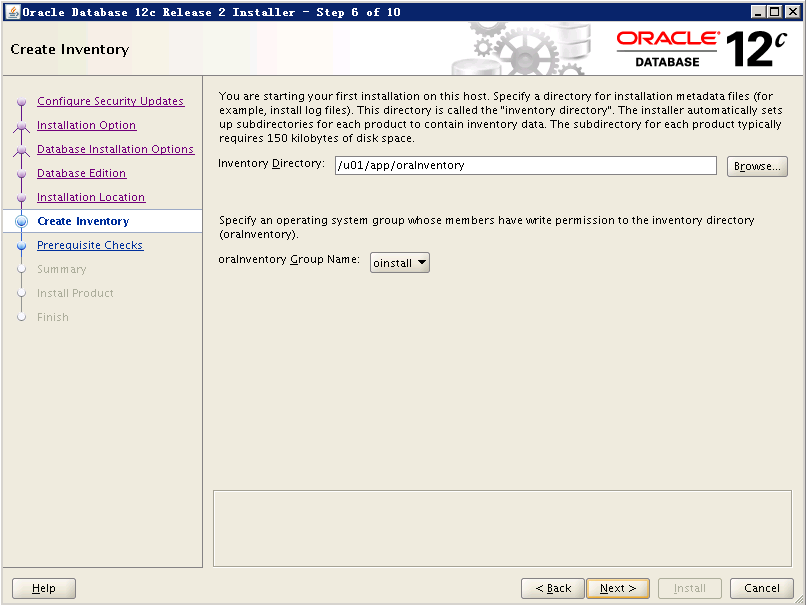
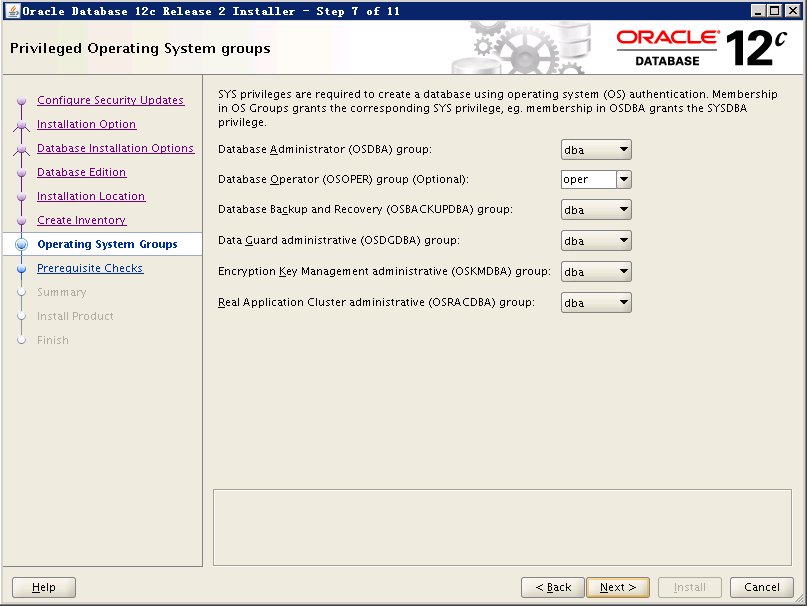
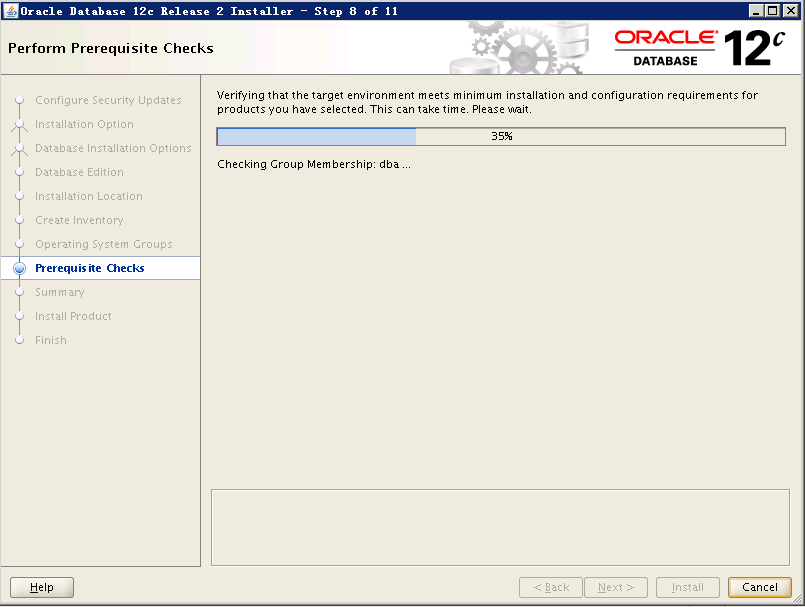
如果检查出问题,请先解决再行安装否则可能安装失败

等待安装
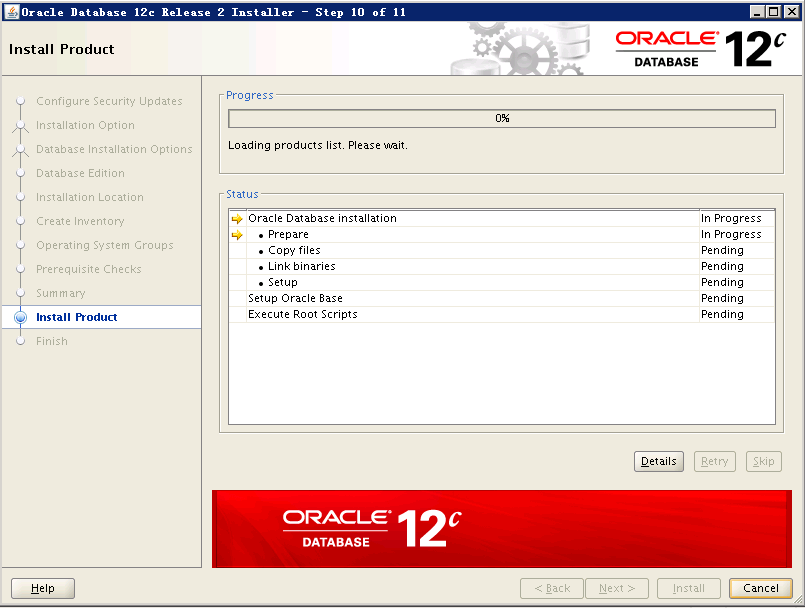
使用root用户执行脚本
[root@RmanDB tmp]# /u01/app/oraInventory/orainstRoot.sh

Changing permissions of /u01/app/oraInventory.

Adding read,write permissions for group.

Removing read,write,execute permissions for world.

Changing groupname of /u01/app/oraInventory to oinstall.

The execution of the script is complete.

[root@RmanDB tmp]# /u01/app/oracle/product/12.2./db_1/root.sh

Performing root user operation.

The following environment variables are set as:

    ORACLE_OWNER= oracle

    ORACLE_HOME=  /u01/app/oracle/product/12.2./db_1

Enter the full pathname of the local bin directory: [/usr/local/bin]:

The contents of "dbhome" have not changed. No need to overwrite.

The contents of "oraenv" have not changed. No need to overwrite.

The contents of "coraenv" have not changed. No need to overwrite.

Entries will be added to the /etc/oratab file as needed by

Database Configuration Assistant when a database is created

Finished running generic part of root script.

Now product-specific root actions will be performed.

Do you want to setup Oracle Trace File Analyzer (TFA) now ? yes|[no] :

yes

Installing Oracle Trace File Analyzer (TFA).

Log File: /u01/app/oracle/product/12.2./db_1/install/root_RmanDB_2018--23_16---.log

Finished installing Oracle Trace File Analyzer (TFA)
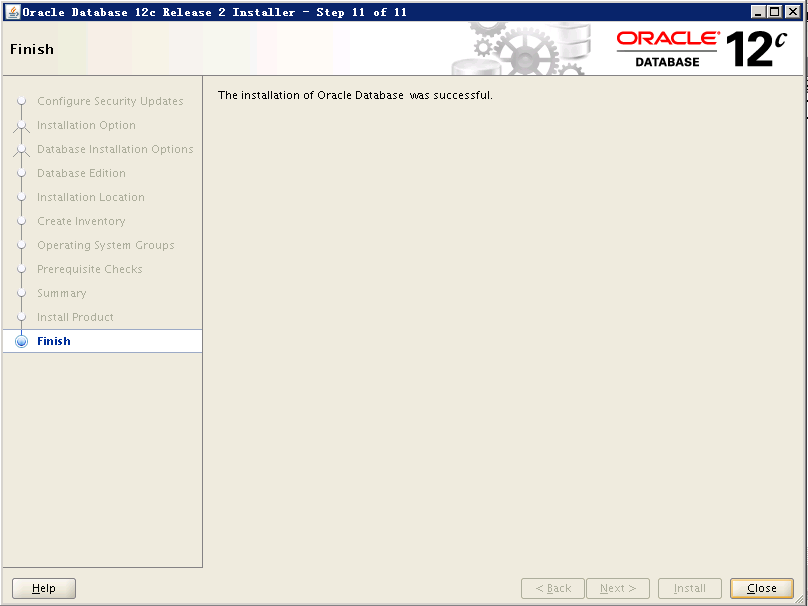
到此,数据库软件安装完成!
Oracle 12c 单实例安装的更多相关文章
- Redhat下Oracle 12c单节点安装
操作系统:Redhat6.7 64位[root@Oracle12CDB ~]# more /etc/redhat-release Red Hat Enterprise Linux Server rel ...
- oracle 12C单实例打PSU
前提: oracle不管打什么样的补丁,readme都是很好的参考资料. Oracle每季度都会更新一个最新的PSU,现在12.1.0.2.0的最新的PSU是Patch 26925311. 由于今天白 ...
- Oracle 11g 单实例安装文档
这里介绍在Red Hat Enterprise Linux Server release 5.7 (Tikanga)下安装ORACLE 11.2.0.1.0的过程,本文仅仅是为了写这样安装指导文档而整 ...
- Linux平台oracle 11g单实例 安装部署配置 快速参考
1.重建主机的Oracle用户 组 统一规范 uid gid 以保证共享存储挂接或其他需求的权限规范 userdel -r oracle groupadd -g 7 oinstall groupadd ...
- 1级搭建类103-Oracle 12c 单实例 FS(12.2.0.1+RHEL 7)公开
项目文档引子系列是根据项目原型,制作的测试实验文档,目的是为了提升项目过程中的实际动手能力,打造精品文档AskScuti. 项目文档引子系列目前不对外发布,仅作为博客记录.如学员在实际工作过程中需提前 ...
- Linux平台Oracle 12.1.0.2 单实例安装部署
主题:Linux平台Oracle 12.1.0.2 单实例安装部署 环境:RHEL 6.5 + Oracle 12.1.0.2 需求:安装部署OEM 13.2需要Oracle 12.1.0.2版本作为 ...
- Linux平台oracle 11g单实例 + ASM存储 安装部署 快速参考
操作环境:Citrix虚拟化环境中申请一个Linux6.4主机(模板)目标:创建单机11g + ASM存储 数据库 1. 主机准备 2. 创建ORACLE 用户和组成员 3. 创建以下目录并赋予对应权 ...
- Oracle 11.2.4.0 ACTIVE DATAGUARD 单实例安装(COPY创建备库)
Oracle 11.2.4.0 ADG 单实例安装(COPY创建备库) 规划: 主: OS: Linux Centos 6.5 X64 hostname:ORA11G-DG1 ipaddress:19 ...
- Oracle 11g 单实例静默安装实战记录(linux)
oracle 11g 单实例静默安装 AUTHOR:Oracle_Ran 环境规划: OS Version : Red Hat Enterprise Linux Server release 6.7 ...
随机推荐
- yii2 gridview checkbox
给checkbox(在GridView里的)添加一个value 控制器:$dataProvidermStu->key = "student_no"; view:[ 'clas ...
- ZD6转辙机
1.转辙机的分类? 2.ZD6转辙机的电源电压是多少? 3.ZD6转辙机的电路图是怎么样的? 经常看到的一些术语: DBJ,FBJ DCJ FCJ DBJ 定位表示继电器 FBJ 反位表示继电器 DC ...
- VC Edit控件单行垂直居中和定制外框的实现
Edit控件很奇怪,不在WM_PAINT里面画图,且外框也不在WM_NCPAINT里面画,客户区就是整个窗口,非客户区没有.也没有垂直居中风格可以设置.在界面排版的时候,看起来怪怪的. 下面提供Edi ...
- 如何把一个vue组件改为ionic/angular组件
同是mvvm框架,他们之间是很相似的,如何你已经熟悉其中的一个,那么另一个也就基本上也就会的差不多了. 一.动态属性.值.事件绑定 vue中使用v-bind:或者之间分号:进行绑定 ng中左括号[]进 ...
- WSL(Windows Subsystem for Linux)笔记一安装与使用
1.安装linux子系统 很简单直接在启动或关闭windows功能 中选择“适用于linux的windows子系统”,确定安装后重启即可,安装还是比较快的只用了几分钟. 也可以直接使用shell命令行 ...
- 已知两点经纬度(百度地图),用js求解两点之间的角度
采用的网址:https://my.oschina.net/boogoogle/blog/740478
- c++中的auto、const auto&
先介绍一下auto.const: 在块作用域.命名作用域.循环初始化语句等等 中声明变量时,关键词auto用作类型指定符. const:修饰符 接下来我们细细分析一下: (1)auto auto即 ...
- mysql 状态锁 连接数
show OPEN TABLES where In_use > 0; show status like 'Table%'; SELECT * FROM information_schema.in ...
- git reset与git revert的区别
http://alpha-blog.wanglianghome.org/2010/07/30/git-partial-rollback/ reset(版本撤回) 格式 git reset [-q] [ ...
- 20175211 2017-2018-2 《Java程序设计》第六周学习记录(2)
目录 1.File类 2.FilenameFilter接口 3.输入输出流 4.使用Scanner解析文件 参考资料 <Java 2实用教程>第10章 输入.输出流 1.File类 常用方 ...