
配置 AEM CQ6 (author + publish + apache dispatcher + ubuntu )
AEM CQ系列是Adobe下的企业内容管理系统,现在已知的一些企业比如 Deloitte,Ford Racing,这里就不多做基本的介绍了,明白的看!
今天在Docker配置一下author instance, publish instance, apache dispatcher
文件构架
Author
-cq-author-4505.jar
-license.properties
Publish
-cq-author-4503.jar
-license.properties
Author Instance
FROM ubuntu:14.04

RUN mkdir /opt/aem/

RUN apt-get install -y software-properties-common

RUN add-apt-repository ppa:webupd8team/java

RUN apt-get update

# automatically accept oracle license

RUN echo oracle-java7-installer shared/accepted-oracle-license-v1-1 select true | /usr/bin/debconf-set-selections

# and install java 7 oracle jdk

RUN apt-get -y install oracle-java7-installer && apt-get clean

RUN update-alternatives --display java

ENV JAVA_HOME /usr/lib/jvm/java-7-oracle

WORKDIR /opt/aem/

ADD cq-author-4505.jar /opt/aem/cq-author-4505.jar

ADD license.properties /opt/aem/license.properties

RUN java -jar cq-author-4505.jar -unpack -v
运行author instance
docker run -i –t –d -p 4505:4505 <yourName>/aem-auth:6.0 /bin/bash
我们手动的启动AEM instance
java -jar cq-author-4505.jar
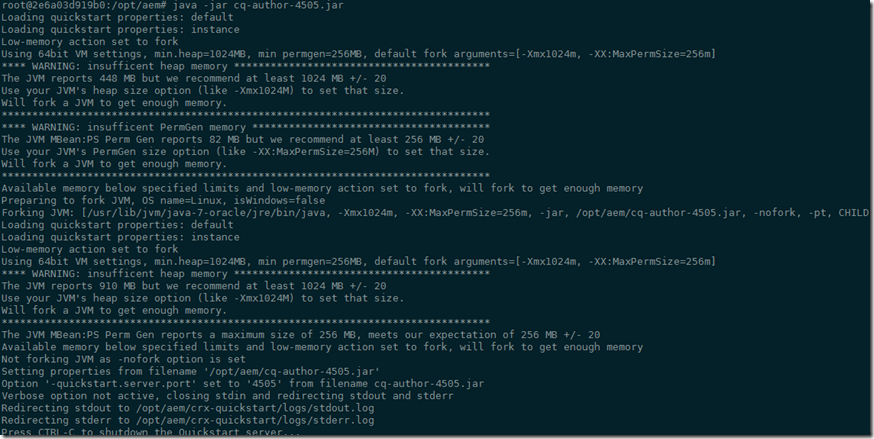
运行 http://192.168.59.103:4505 之后呢,我们来手动升级一下Service Pack (之后我们会修改Docker让他自动升级Service Pack)
Publish Instance
这里设置publish instance跟author instance非常相似,只是运行
docker run -i –t –d -p 4503:4503 <yourName>/aem-pub:6.0 /bin/bash
和
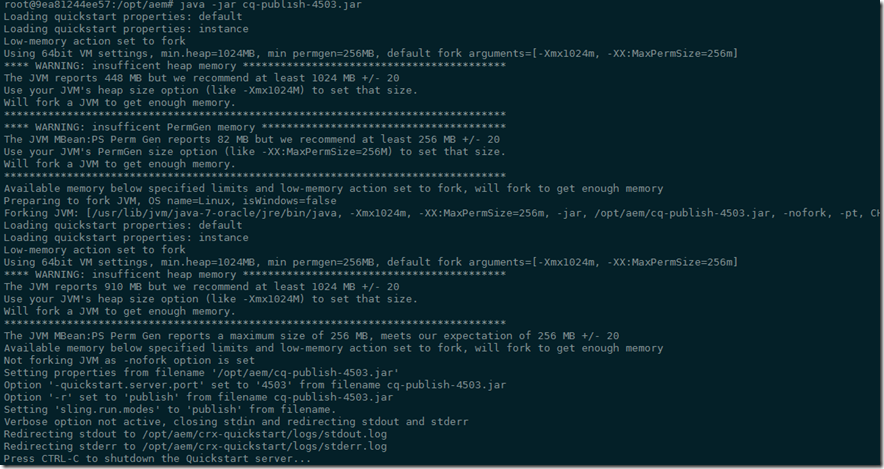
java -jar cq-author-4503.jar
运行 http://192.168.59.103:4503 同样,我们要升级Service Pack
Dispatcher
这里面我们使用ubuntu:14.04的镜像,在这里我们开一个端口8888来映射内部的80端口
docker run -i -t –d -p 8888:80 --name aem-dispatcher ubuntu:14.04
进入到Dispatcher的instance
docker exec -i -t aem-dispatcher /bin/bash
安装apache2
apt-get update

apt-get install -y apache2
这里apache默认的root文件夹是/var/www
第1步 (步骤有点多,分开写)
- 下载AEM Dispatcher的config,下载并解压缩 wget https://www.adobeaemcloud.com/content/companies/public/adobe/dispatcher/dispatcher/_jcr_content/top/download_6/file.res/dispatcher-apache2.4-linux-x86-64-4.1.8.tar.gz
下载后如图

- 在/etc/apache2的目录下创建一个conf的文件夹,并把刚才解压缩后的dispatcher.any文件拷贝过去 cp dispatcher.any /etc/apache2/conf

- 拷贝dispatcher-apache2.4-4.1.8.so 到/usr/lib/apache2/modules (这里名字就不做修改了,如果是production,建议修改成apache标准的命名例如mod_aem.so)

第2步 (修改/etc/apache2/apache2.conf 文件)
粘贴下面的到这个 apache2.conf 最下面,请保证红色注释的文件名可以在系统内存在
LoadModule dispatcher_module /usr/lib/apache2/modules/dispatcher-apache2.4-4.1.8.so

<IfModule disp_apache2.c>

# location of the configuration file. eg: 'conf/dispatcher.any'

DispatcherConfig  /etc/apache2/conf/dispatcher.any

# location of the dispatcher log file. eg: 'logs/dispatcher.log'

DispatcherLog /var/log/apache2/dispatcher.log

# log level for the dispatcher log

# 0 Errors

# 1 Warnings

# 2 Infos

# 3 Debug

DispatcherLogLevel 3

# if turned to 1, the dispatcher looks like a normal module

DispatcherNoServerHeader 0

# if turned to 1, request to / are not handled by the dispatcher

# use the mod_alias then for the correct mapping

DispatcherDeclineRoot 0

# if turned to 1, the dispatcher uses the URL already processed

# by handlers preceeding the dispatcher (i.e. mod_rewrite)

# instead of the original one passed to the web server.

DispatcherUseProcessedURL 0

# if turned to 1, the dispatcher does not spool an error

# response to the client (where the status code is greater

# or equal than 400), but passes the status code to

# Apache, which e.g. allows an ErrorDocument directive

# to process such a status code.

DispatcherPassError 0

</IfModule>

<Directory />

<IfModule disp_apache2.c>

# enable dispatcher for ALL request. if this is too restrictive,

# move it to another location

SetHandler dispatcher-handler

</IfModule>

Options FollowSymLinks

AllowOverride None

</Directory>

第3步 (修改/etc/apache2/conf/dispatcher.any 文件/renders
{
/rend01
{
/hostname "192.168.59.103"
[2]--> /port "4503"
}
}和/cache
{ # The docroot must be equal to the document root of the webserver. The
# dispatcher will store files relative to this directory and subsequent
# requests may be "declined" by the dispatcher, allowing the webserver
# to deliver them just like static files.
/docroot "/var/www"
和
/allowAuthorized "1"
第4步,开始apache2 服务
这就没什么说的了 ,如果有错,请仔细检查
service apache2 start
配置Author里面的publisher的指向
在Author上配置publisher,
http://192.168.59.103:4505/etc/replication/agents.author/publish.html
默认其实是不用修改的,但是我使用的是windows下的docker,所以需要修改一下IP,
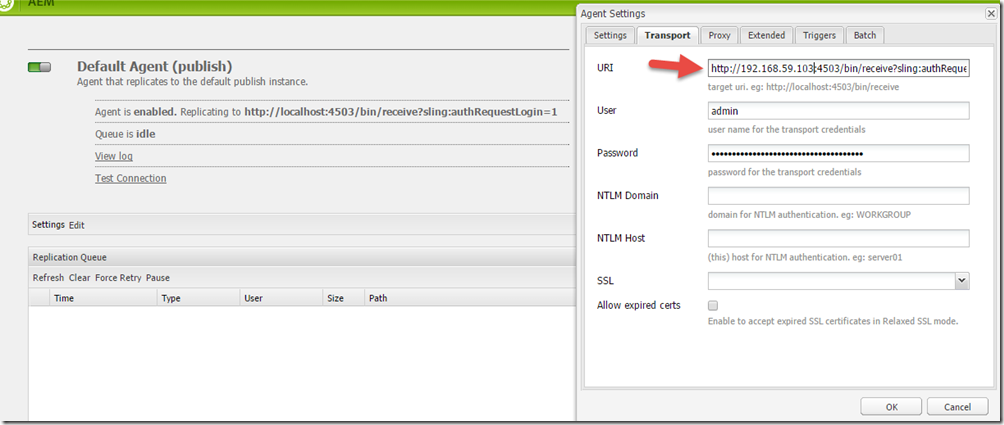
好了,基本上大功告成了,现在就是测试我们是否配置正确了。我们就用geometrixx来做个例子。
在author的instance上,加入我们有这个Page http://192.168.59.103:4505/cf#/content/geometrixx/en.html,当发布后,
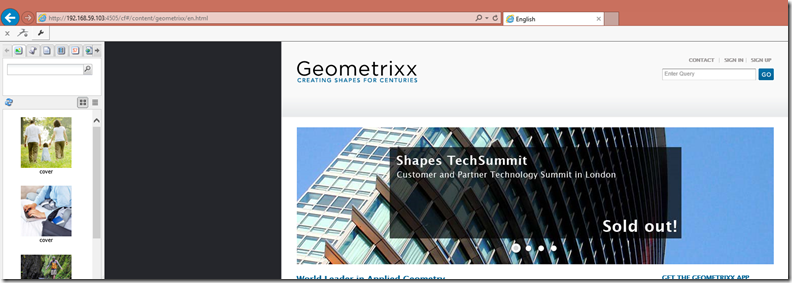
在publisher的instance上,我们来检查这个Page http://192.168.59.103:4503/content/geometrixx/en.html
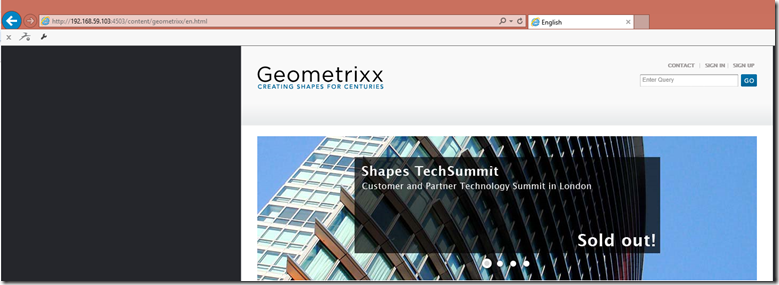
然后我们来检查dispatcher是不是工作,http://192.168.59.103:8888/content/geometrixx/en.html

好了,最后一件事,我们要检查一下dispatcher是不是已经cache住这些页面了吗?我们要去/var/www去看,内容并没有被cache住,这是为什么呢?

我们要检查一下apache的LOG, Log写的很清楚,因为没有权限写入/var/www,好吧,我们来给他加个权限
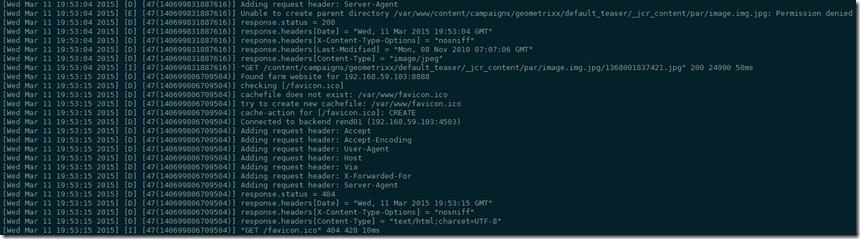
chown -R www-data:www-data /var/www
在检查/var/www

大功告成。有机会的话会向大家介绍AEM开发。
Best Regards
Rui
配置 AEM CQ6 (author + publish + apache dispatcher + ubuntu )的更多相关文章
- windows下配置lamp环境(1)---安装Apache服务器2.2.25
window下lamp成为wamp; 安装wamp环境的第一步是安装Apache服务器.下面开始安装步骤图文并茂. 一.双击安装包点“next”进行下一步,然后同意协议(这张图没有截):
- git+gitolite+cgit+apache on Ubuntu
git+gitolite+cgit+apache on Ubuntu Just record, do *NOT* copy-paste. git+gitolite sudo apt-get insta ...
- 配置 Visual Studio Tools for Apache Cordova
原文:配置 Visual Studio Tools for Apache Cordova 1.连接地址 https://msdn.microsoft.com/zh-cn/library/vs/alm/ ...
- ZH奶酪:Ubuntu 14.04配置LAMP(Linux、Apache、MySQL、PHP)
ZH奶酪:Ubuntu 14.04安装LAMP(Linux,Apache,MySQL,PHP) 之前已经介绍过LAMP的安装,这边文章主要讲解一下LAMP的配置. 1.配置Apache (1)调整Ke ...
- activate mod_rewrite How To Set Up mod_rewrite for Apache on Ubuntu 14.04 Apache Rewrite url重定向功能的简单配置
https://www.digitalocean.com/community/tutorials/how-to-set-up-mod_rewrite-for-apache-on-ubuntu-14-0 ...
- 【转】Eclipse配置Struts2问题:ClassNotFoundException: org...dispatcher.ng.filter.StrutsPrepareAndExecuteFilter
我的解决方案 一开始,我是依照某本教材,配置了User Libraries(名为struts-2.2.3, 可供多个项目多次使用), 然后直接把struts-2.2.3引入过来(这个包不会真正的放在项 ...
- Eclipse配置Struts2问题:ClassNotFoundException: org...dispatcher.ng.filter.StrutsPrepareAndExecuteFilter
我的解决方案 一开始,我是依照某本教材,配置了User Libraries(名为struts-2.2.3, 可供多个项目多次使用), 然后直接把struts-2.2.3引入过来(这个包不会真正的放在项 ...
- IDEA13中配置struts错误:ClassNotFoundException: org...dispatcher.ng.filter.StrutsPrepareAndExecuteFilter +找不到java程序包 解决办法
问题一:ClassNotFoundException: org...dispatcher.ng.filter.StrutsPrepareAndExecuteFilter解决办法 1.确保所有strut ...
- 【开发软件】 在Mac下配置php开发环境:Apache+php+MySql
本文地址 原文地址 本文提纲: 1. 启动Apache 2. 运行PHP 3. 配置Mysql 4. 使用PHPMyAdmin 5. 附录 有问题请先 看最后的附录 摘要: 系统OS X ...
随机推荐
- 为七牛云存储开发的PHP PEAR 包:Services_Qiniu
七牛云存储Qiniu Resource (Cloud) Storage:用于存储图片.apk等静态资源. 优点: 1.使用七牛带宽和CDN,速度快,不占用开发者服务器. 2.支持图片任意格式.任意分辨 ...
- 使用Python给要素添加序号
在ArcGIS的属性表中,由于编辑修改的原因,默认的FID或OID并不连续,经常需要给要素添加连读的序号,可使用Python代码完成. rec=-1 def autoIncrement(): glob ...
- 解决SharePoint 2013 designer workflow 在发布的报错“负载平衡没有设置”The workflow files were saved but cannot be run.
原因是app management service没有设置好,在管理中心把他删掉,重新建一个就可以了 Provision App Management Service In SharePoint 20 ...
- SharePoint Tricks - Survey
1. SharePoint 2010中,在Survey的问题框中输入HTML代码可以用于插入图片或者链接,具体方法为: 1.1 在问题框中输入html, 1.2 在New Form和Edit Form ...
- iOS设计模式之命令模式
命令模式 基本理解 命令模式(Command),将一个请求封装为一个对象,从而使你可用不同的请求对客户端进行参数化:对请求队列或记录请求日志,以及支持客可撤离的操作. 苹果的Target-Action ...
- 安卓第四天笔记-Sqlite
安卓第四天笔记-Sqlite 1.数据库的创建运行与更新 1.1.创建一个类继承SqliteOpenHelper 1.2.创建构造方法 /** * 数据库创建类 * @author 刘楠 * * 20 ...
- Android性能优化(一)
Android性能优化典范 1.大多数用户感知到的卡顿等性能问题的最主要根源都是因为渲染性能. 从设计师的角度,他们希望App能够有更多的动画,图片等时尚元素来实现流畅的用户体验. 但是Android ...
- android binder 进程间通信机制6-Binder进程间通信机制的JAVA接口
Binder间进程通信的JAVA层接口,主要是通过JNI方法来调用Binder库的C/C++接口 在JAVA层,将Service组件称为JAVA服务,Service组件的代理称为JAVA服务代理. 一 ...
- Linux套接字编程
网络中的进程是如何通信的? 在网络中进程之间进行通信的时候,那么每个通信的进程必须知道它要和哪个计算机上的哪个进程通信.否则通信无从谈起!在本地可以通过进程PID来唯一标识一个进程,但是在网络中这是行 ...
- Effective Java 06 Eliminate obsolete object references
NOTE Nulling out object references should be the exception rather than the norm. Another common sour ...