
Unity3D学习笔记(十六):Animator新动画
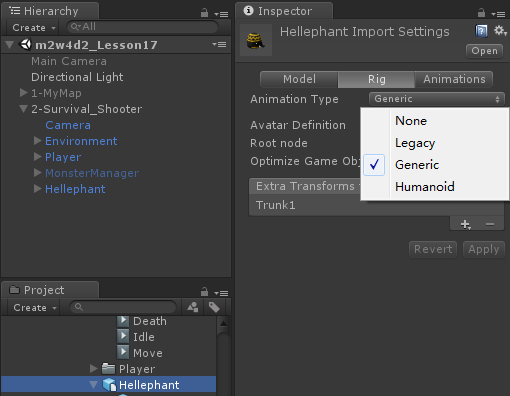
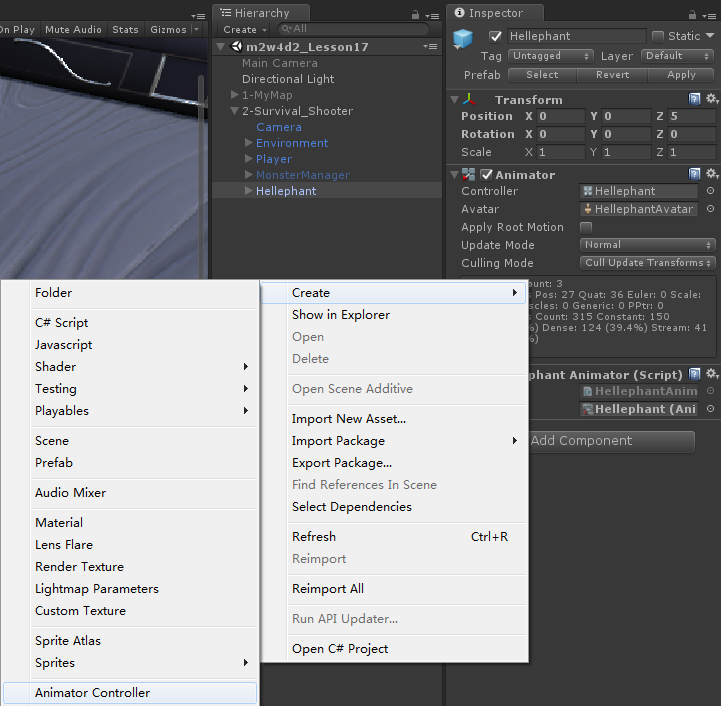
设置默认片段

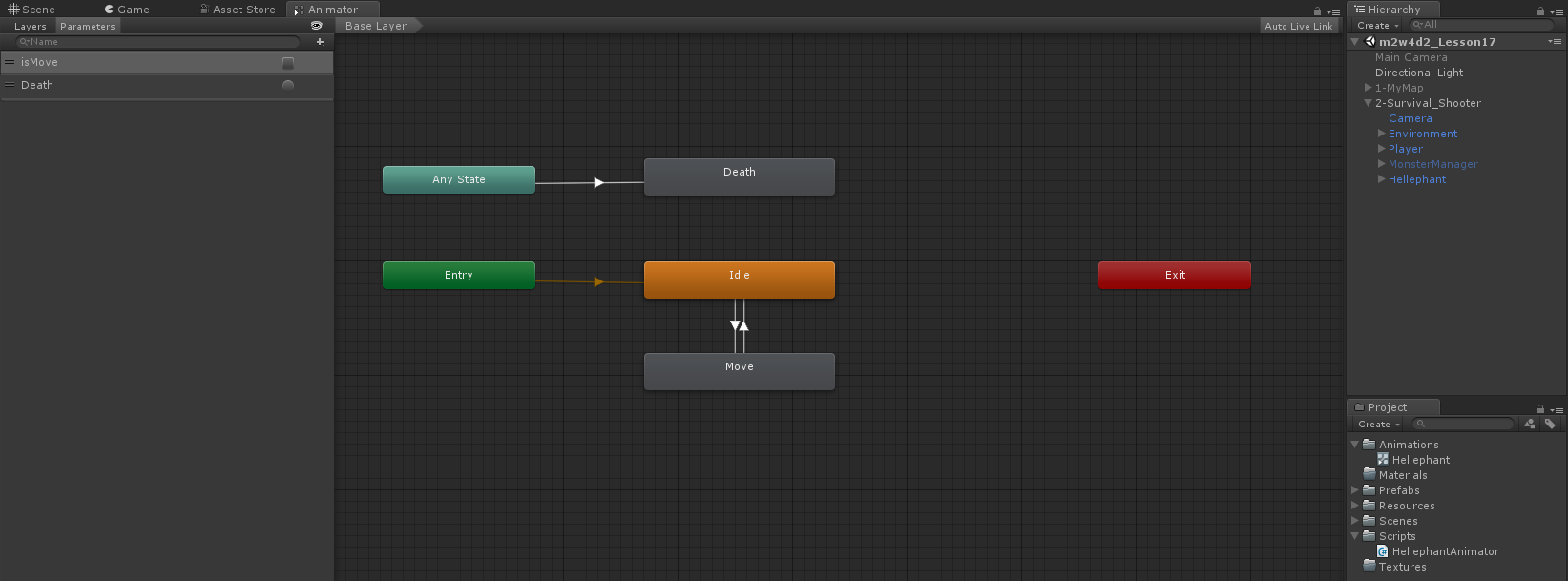
建立基础连线

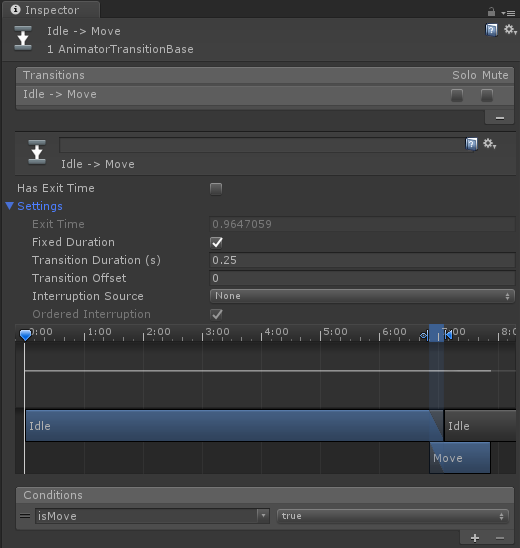
任何状态都可以连线到death,甚至包括自己到自己

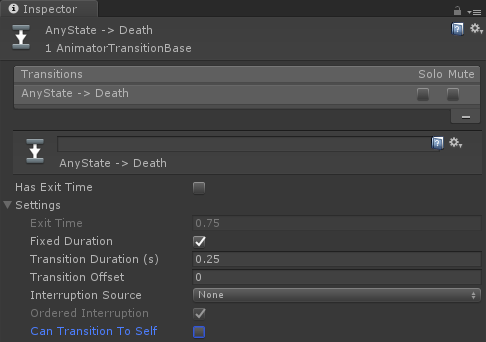
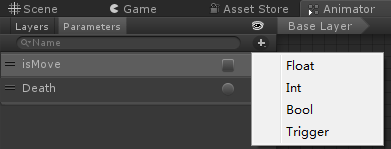
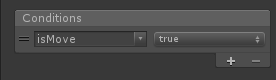
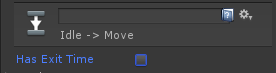
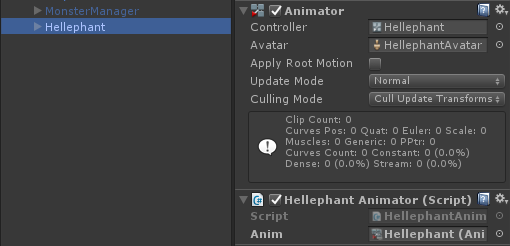
using System.Collections;

using System.Collections.Generic;

using UnityEngine;

public class HellephantAnimator : MonoBehaviour {

    public Animator anim;

       // Use this for initialization

       void Start () {

       }

       // Update is called once per frame

       void Update () {

        if (Input.GetKeyDown(KeyCode.Alpha1))

        {

            anim.SetBool("isMove", true);

        }

        if (Input.GetKeyDown(KeyCode.Alpha2))

        {

            anim.SetBool("isMove", false);

        }

        if (Input.GetKeyDown(KeyCode.Alpha3))

        {

            anim.SetTrigger("Death");

        }

    }

}
using System.Collections;

using System.Collections.Generic;

using UnityEngine;

using UnityEngine.AI;

public enum EnemySta

{

    Move,

    Idle,

    Death

}

public class NewMonsterBase : MonoBehaviour {

    public PlayerControl moveTarget;//设置目标点

    public MonsterManager manager;//怪物属于那个管理器

    public virtual void Action()

    {

    }

    public virtual void Move()

    {

    }

    public virtual void Idle()

    {

    }

    public virtual void Damage()

    {

    }

    public virtual void Death()

    {

    }

    public virtual void DeathEvent()

    {

    }

}
这两个需要初始化,要放在父类里
public PlayerControl moveTarget;//设置目标点

public MonsterManager manager;//怪物属于那个管理器
子类:继承父类,并重写父类方法
using System.Collections;

using System.Collections.Generic;

using UnityEngine;

using UnityEngine.AI;

public class HellephantControl : NewMonsterBase

{

    public Animator anim;

    public EnemySta enemySta;

    //因为我们需要经常用到目标的状态,所以把TransForm改成了PlayerControl

    public NavMeshAgent navMeshAgent;//引用寻路系统

    private int enemyHealth = ;//设置怪物生命值

    // Use this for initialization

    void Start()//子类添加新动画系统

    {

        enemySta = EnemySta.Move;

        anim.SetBool("isMove", true);

    }

    // Update is called once per frame

    void Update()

    {

        Action();

    }

    public override void Action()

    {

        switch (enemySta)

        {

            case EnemySta.Move:

                Move();

                break;

            case EnemySta.Idle:

                Idle();

                break;

            case EnemySta.Death:

                Death();

                break;

        }

    }

    public override void Move()

    {

        //anim.CrossFade("Move", 0.2f);

        navMeshAgent.SetDestination(moveTarget.transform.position);

        //如果怪物的目标死了

        if (moveTarget.playSta == PlaySta.Death)

        {

            //寻路停止

            navMeshAgent.isStopped = true;

            //状态切换到闲置

            enemySta = EnemySta.Idle;

            anim.SetBool("isMove", false);

        }

    }

    public override void Idle()

    {

        //anim.CrossFade("Idle", 0.2f);

    }

    public override void Damage()

    {

        //受伤减血

        enemyHealth -= ;

        //Debug.Log("怪物生命"+enemyHealth);

        //如果血到了0

        if (enemyHealth <= )

        {

            //状态变成死亡状态

            enemySta = EnemySta.Death;

            anim.SetTrigger("Death");

            navMeshAgent.isStopped = true;

            gameObject.GetComponent<SphereCollider>().enabled = false;

            //gameObject.tag = "Untagged";

        }

    }

    public override void Death()//子类关闭老动画系统

    {

        //anim.CrossFade("Death", 0.2f);

    }

    public override void DeathEvent()

    {

        //在管理器列表中移除自己

        manager.monsterList.Remove(this);

        //销毁自己

        Destroy(this.gameObject);

    }

}
using System.Collections;

using System.Collections.Generic;

using UnityEngine;

public class MounsterManager : MonoBehaviour {

    List<Transform> birthPoint;

    public GameObject[] monsterPreGo;

    //最大怪物数

    public int MaxMonsterCount;

    public List<NewMonsterBase> monsterList;

    public NewPlayer player;

       // Use this for initialization

       void Start () {

        birthPoint = new List<Transform>();

        monsterList = new List<NewMonsterBase>();

        //遍历所有的子物体,将其加到出生点列表中

        for (int i = ; i < transform.childCount; i++)

        {

            birthPoint.Add(transform.GetChild(i));

        }

    }

    void CreateMonster() {

        monsterCont++;

        GameObject go;

        if (monsterCont%==)

        {

            go = Instantiate<GameObject>(monsterPreGo[]);

        }

        else

        {

            //实例化一个怪物

             go = Instantiate<GameObject>(monsterPreGo[]);

        }

        //怪物的位置设置任意出生点

        go.transform.position = birthPoint[Random.Range(, birthPoint.Count)].position;

        //取得怪物脚本

        NewMonsterBase monster = go.GetComponent<NewMonsterBase>();

        //把怪物放到管理器列表里

        monsterList.Add(monster);

        //指定怪物的目标

        monster.moveTarget = player;

        //指定怪物的管理者

        monster.manager = this;

    }

    int monsterCont = ;

    void CheckMonster() {

        if (monsterList.Count < MaxMonsterCount)

        {

            CreateMonster();

        }

    }

       // Update is called once per frame

       void Update () {

       }

    private void FixedUpdate()

    {

        CheckMonster();

    }

}

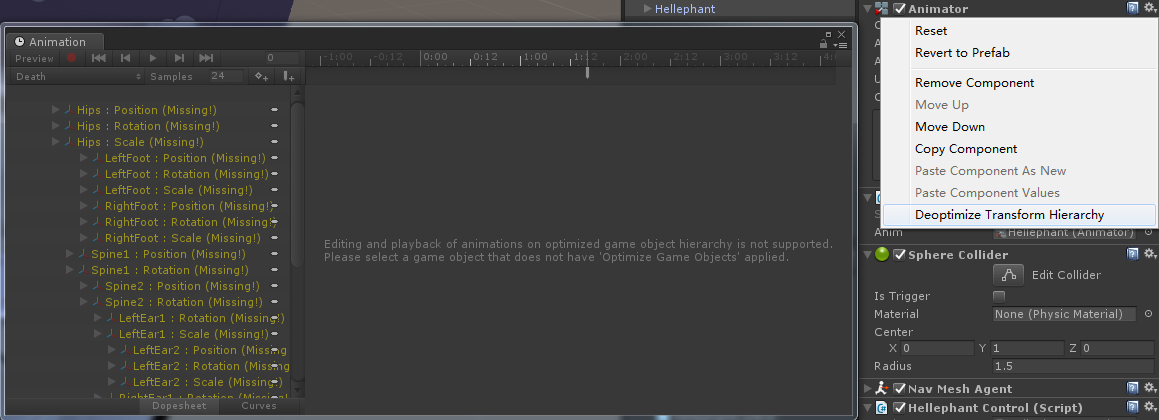


怪物添加碰撞体

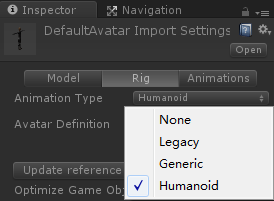
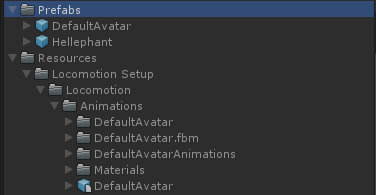
动画和模型分开
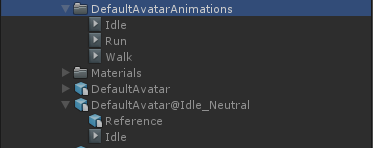
拖拽模型生成预制体
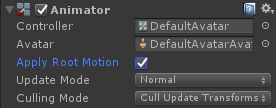
添加动画控制器

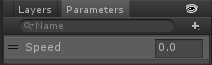
右键新建 融合树
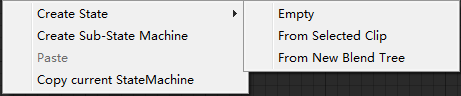
双击融合树,打开融合树窗口,右键可以再添加融合树
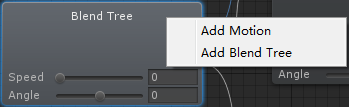
添加motion
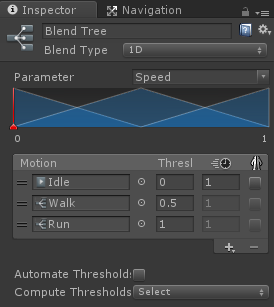
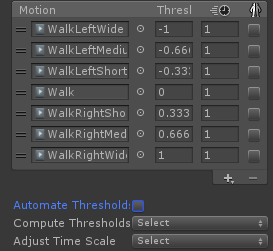
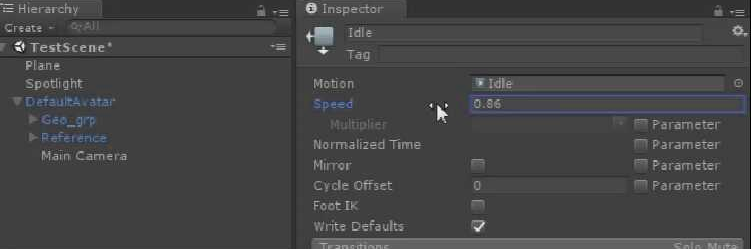
旧动画系统修改动画片段的速度
添加脚本
using System.Collections;

using System.Collections.Generic;

using UnityEngine;

public class DefaultAvatarAnimator : MonoBehaviour {

    public Animator anim;

    public int speedHashID;

    public int angleHashID;

    public int attackHashID;

    private float slowSpeed;//速度修正

                            // Use this for initialization

    void Start () {

        speedHashID = Animator.StringToHash("Speed");//哈希Code,效能略高,不用每次调用都转换

        angleHashID = Animator.StringToHash("Angle");

        attackHashID = Animator.StringToHash("Attack");

    }

    // Update is called once per frame

    void Update () {

        if (Input.GetKey(KeyCode.LeftShift))

        {

            slowSpeed = 0.5F;

        }

        else

        {

            slowSpeed = 1.0F;

        }

        anim.SetFloat(speedHashID, Mathf.Clamp01(Input.GetAxis("Vertical")) * slowSpeed);//Mathf.Clamp01,剔除向后走的值

        anim.SetFloat(angleHashID, Input.GetAxis("Horizontal") * slowSpeed);

        if (Input.GetMouseButtonDown())

        {

            anim.SetTrigger(attackHashID);

        }

    }

}
给Walk和Run添加融合树

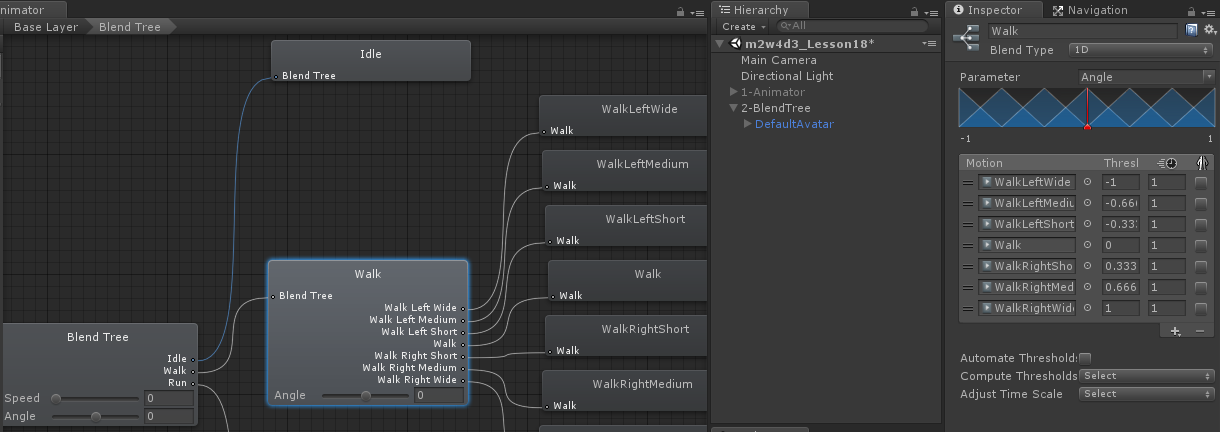
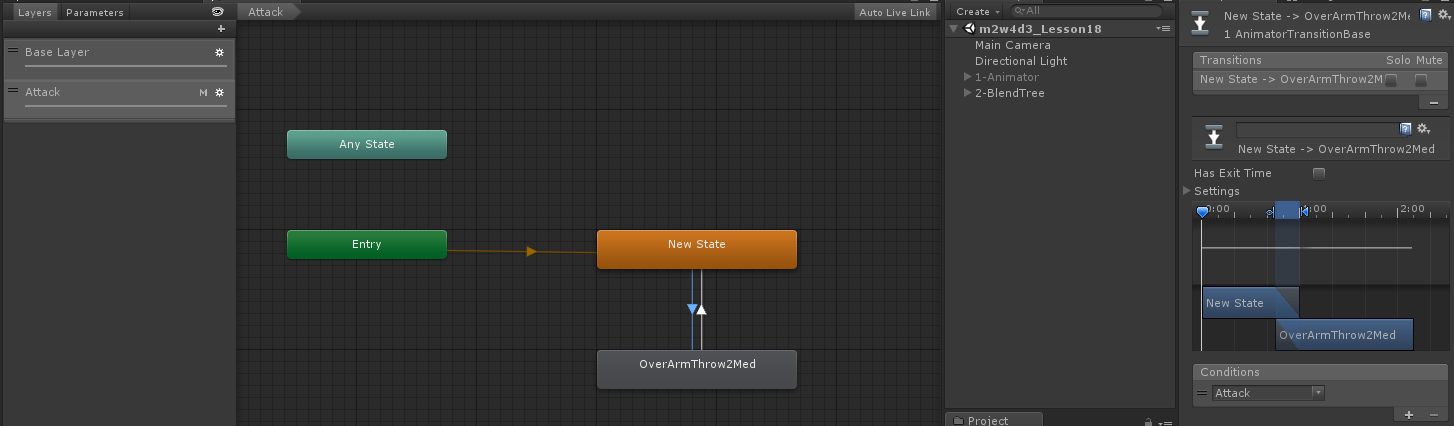
点击齿轮,修改层级权重为1
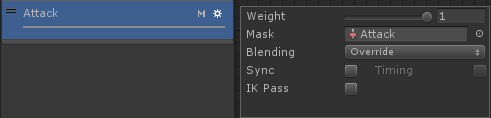
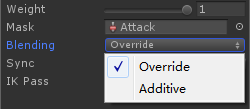
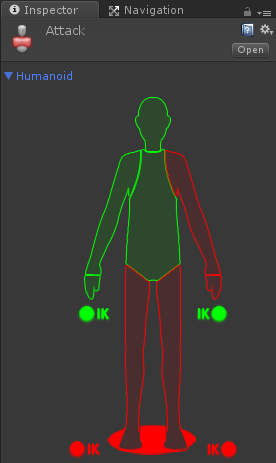
添加代码

Unity3D学习笔记(十六):Animator新动画的更多相关文章
- python3.4学习笔记(十六) windows下面安装easy_install和pip教程
python3.4学习笔记(十六) windows下面安装easy_install和pip教程 easy_install和pip都是用来下载安装Python一个公共资源库PyPI的相关资源包的 首先安 ...
- (C/C++学习笔记) 十六. 预处理
十六. 预处理 ● 关键字typeof 作用: 为一个已有的数据类型起一个或多个别名(alias), 从而增加了代码的可读性. typedef known_type_name new_type_nam ...
- python 学习笔记十六 django深入学习一 路由系统,模板,admin,数据库操作
django 请求流程图 django 路由系统 在django中我们可以通过定义urls,让不同的url路由到不同的处理函数 from . import views urlpatterns = [ ...
- SharpGL学习笔记(十六) 多重纹理映射
多重纹理就把多张贴图隔和在一起.比如下面示例中,一个表现砖墙的纹理,配合一个表现聚光灯效果的灰度图,就形成了砖墙被一个聚光灯照亮的效果,这便是所谓的光照贴图技术. 多重纹理只在OpenGL扩展库中才提 ...
- yii2源码学习笔记(十六)
Module类的最后代码 /** * Registers sub-modules in the current module. * 注册子模块到当前模块 * Each sub-module shoul ...
- Swift学习笔记十六:协议
Protocol(协议)用于统一方法和属性的名称,而不实现不论什么功能. 协议可以被类.枚举.结构体实现.满足协议要求的类,枚举,结构体被称为协议的遵循者. 遵循者须要提供协议指定的成员,如属性,方法 ...
- PHP学习笔记十六【方法】
<?php //给一个函数传递基本数据类型 $a=90; $b=90.8; $c=true; $d="hello world"; function test1($a,$b,$ ...
- Java基础学习笔记十六 集合框架(二)
List List接口的特点: 它是一个元素存取有序的集合.例如,存元素的顺序是11.22.33.那么集合中,元素的存储就是按照11.22.33的顺序完成的. 它是一个带有索引的集合,通过索引就可以精 ...
- Java学习笔记十六:Java中的构造方法
Java中的构造方法 1.使用new+构造方法 创建一个新的对象: 2.构造方法是定义在Java类中的一个用来初始化对象的方法: 3.构造方法与类同名且没有返回值: 4.语法格式: public 构造 ...
- JavaScript权威设计--CSS(简要学习笔记十六)
1.Document的一些特殊属性 document.lastModified document.URL document.title document.referrer document.domai ...
随机推荐
- javaScript 载入自执行
1.注册可以直接调用f()中的b(),c(),d() .原因?自己想. <!DOCTYPE html> <html> <head> <meta charset ...
- 第2章 2.n物理层--数据通信基础知识总结
数据通信基础知识总结
- notefirst使用
1:如果格式不正确,导入题录失败的话,可以手动添加.点击新建题录即可.输入文章的标题等信息. 2:导入word中的文献,可以使用word中notefirst的引文编辑功能,对文献进行删除,编辑等. 3 ...
- Spark-2.0原理分析-shuffle过程
shuffle概览 shuffle过程概览 shuffle数据流概览 shuffle数据流 shuffle工作流程 在运行job时,spark是一个stage一个stage执行的.先把任务分成stag ...
- R中apply等函数用法[转载]
转自:https://www.cnblogs.com/nanhao/p/6674063.html 1.apply函数——对矩阵 功能是:Retruns a vector or array or lis ...
- PAT 1087 All Roads Lead to Rome[图论][迪杰斯特拉+dfs]
1087 All Roads Lead to Rome (30)(30 分) Indeed there are many different tourist routes from our city ...
- 使用Python2.7 POST 数据到 onenet 平台
功能 发送数据名称为SENSORID(这里用TEST测试),数值为VALUE(这里用49值做测试)的数据,发送到自己的onenet对应设备 效果发送成功 代码 # -*- coding: utf-8 ...
- [LeetCode] 438. Find All Anagrams in a String_Easy
438. Find All Anagrams in a String DescriptionHintsSubmissionsDiscussSolution Pick One Given a str ...
- 多张图片合成一个tif
可以利用ACDSEE6.0打开你要合成的多张图片,CTRL全部选中,打开工具--转化文件格式-选择格式tif---所有页----合并---
- 梯度消失与梯度爆炸 ==> 如何选择随机初始权重
梯度消失与梯度爆炸 当训练神经网络时,导数或坡度有时会变得非常大或非常小,甚至以指数方式变小,这加大了训练的难度 这里忽略了常数项b.为了让z不会过大或者过小,思路是让w与n有关,且n越大,w应该越小 ...